

How much does EasySignage cost in 2026? If you’re comparing digital signage platforms, understanding the pricing structure is just as important as evaluating the features.
EasySignage offers a free plan for one screen and paid subscriptions for businesses that need additional displays. Its official FAQ lists paid licensing at $9.98 per screen per month, or $8.25 per screen per month with annual billing.
But software subscriptions are only one part of the total cost of digital signage. Hardware, installation, media players, and specialized integrations can also affect your budget.
In this guide, we’ll explain EasySignage pricing, its free plan, paid subscriptions, licensing model, and potential additional costs. We’ll also compare it with Buzzblender, an alternative starting at $5 per screen per month.
What Is EasySignage?
EasySignage is a cloud-based digital signage platform that allows businesses to create, schedule, and publish content on electronic displays.
It provides tools for managing digital menu boards, promotional screens, corporate announcements, information displays, and other signage applications.
The platform offers features such as content scheduling, templates, screen management, integrations, and interactive signage capabilities.
Businesses use EasySignage in environments such as:
- Restaurants and cafés
- Retail stores
- Corporate offices
- Schools and universities
- Healthcare facilities
- Hotels
- Entertainment venues
EasySignage uses a screen-based licensing model, meaning the cost generally increases as you add displays.
EasySignage Pricing in 2026
According to the EasySignage official FAQ, the platform offers a free plan and paid subscriptions.
EasySignage Free Plan
Price: $0
The free plan includes one digital signage screen.
EasySignage states that its free license does not expire.
This makes it an option for businesses that want to test digital signage or operate a single display.
However, the free plan is not equivalent to unrestricted access to every paid feature.
Businesses should check current limitations relating to storage, available applications, branding, and advanced functionality.
EasySignage Monthly Plan
Official FAQ price: $9.98 per screen per month
The monthly subscription allows businesses to pay for additional screens without committing to annual billing.
For example:
1 paid screen: $9.98/month
5 paid screens: $49.90/month
10 paid screens: $99.80/month
20 paid screens: $199.60/month
50 paid screens: $499/month
These calculations assume every listed screen requires a paid license.
EasySignage also offers one free screen license. Whether that free entitlement remains available alongside a particular paid subscription should be confirmed in the account’s billing configuration.
EasySignage Annual Plan
Official FAQ price: $8.25 per screen per month, billed annually
At this rate, the annual cost per paid screen is:
$8.25 × 12 = $99/year
Examples:
1 paid screen: $99/year
5 paid screens: $495/year
10 paid screens: $990/year
20 paid screens: $1,980/year
50 paid screens: $4,950/year
Annual billing reduces the effective monthly price compared with the $9.98 monthly rate.
Important Pricing Note
Published EasySignage prices are not completely consistent across available sources.
Some 2026 pricing references describe lower starting prices than those shown in EasySignage’s official FAQ.
This may reflect pricing updates, different plans, or differences between published and account-specific offers.
Before purchasing, verify the exact amount in EasySignage’s current checkout or request a written quotation.
Is EasySignage Really Free?
Yes. EasySignage offers a free digital signage license for one screen.
According to its documentation, the free license does not expire.
However, businesses should distinguish between a free one-screen license and a fully featured digital signage deployment.
The free plan may be suitable for:
- A small café with one menu display
- A reception welcome screen
- A basic promotional display
- A small office announcement screen
- Testing digital signage before deployment
Businesses operating several displays will generally need additional licenses.
Before choosing the free plan, check its current feature restrictions and whether any provider branding appears on the screen.
How Does EasySignage Licensing Work?
EasySignage uses licenses associated with digital signage screens.
Its documentation explains that users can add licenses through their accounts and choose monthly or annual billing.
The process generally involves:
- Opening the EasySignage account.
- Selecting the option to add licenses.
- Choosing the number of licenses.
- Selecting monthly or annual billing.
- Entering payment information.
- Completing the subscription.
- Assigning licenses to screens.
EasySignage also provides subscription management options for changing the number of licensed screens.
For businesses expanding from one location to several, understanding this model is important.
Each additional display may increase recurring software costs.
EasySignage Pricing for Multiple Screens
To understand how per-screen pricing affects a business, consider a few examples.
Small Café: 2 Screens
A café uses two digital menu boards.
At $9.98 per paid screen:
2 × $9.98 = $19.96/month
At $8.25 per paid screen with annual billing:
2 × $8.25 = $16.50/month equivalent
These examples assume both screens are paid licenses.
Restaurant: 5 Screens
A restaurant operates five digital menu boards.
Monthly billing:
5 × $9.98 = $49.90/month
Annual billing:
5 × $99 = $495/year
Retail Store: 10 Screens
A retail business uses ten promotional displays.
Monthly billing:
10 × $9.98 = $99.80/month
Annual billing:
10 × $99 = $990/year
Multi-Location Business: 50 Screens
A business operates ten locations with five screens each.
Total:
50 screens
Monthly billing:
50 × $9.98 = $499/month
Annual billing:
50 × $99 = $4,950/year
At this scale, even a relatively small difference in per-screen pricing can have a significant effect on annual software costs.
EasySignage Pricing vs. Buzzblender
If affordability is a priority, it’s worth comparing EasySignage with other digital signage software platforms.
Buzzblender Basic starts at $5 per screen per month.
Using the official EasySignage FAQ rates, the comparison looks like this.
1 Paid Screen
EasySignage monthly: $9.98/month
EasySignage annual: $8.25/month equivalent
Buzzblender Basic: $5/month
5 Paid Screens
EasySignage monthly: $49.90/month
EasySignage annual: $41.25/month equivalent
Buzzblender Basic: $25/month
10 Paid Screens
EasySignage monthly: $99.80/month
EasySignage annual: $82.50/month equivalent
Buzzblender Basic: $50/month
20 Paid Screens
EasySignage monthly: $199.60/month
EasySignage annual: $165/month equivalent
Buzzblender Basic: $100/month
50 Paid Screens
EasySignage monthly: $499/month
EasySignage annual: $412.50/month equivalent
Buzzblender Basic: $250/month
100 Paid Screens
EasySignage monthly: $998/month
EasySignage annual: $825/month equivalent
Buzzblender Basic: $500/month
These are illustrative comparisons using the published rates above. They do not account for EasySignage’s free-screen entitlement, discounts, taxes, or differences in included features.
How Much Could You Save with Buzzblender?
Consider a business with 50 paid digital signage screens.
Using the EasySignage monthly rate:
EasySignage: $499/month
Buzzblender: $250/month
Difference:
$249/month
Over 12 months:
$249 × 12 = $2,988
Using EasySignage’s annual billing rate:
EasySignage: $4,950/year
Buzzblender: $3,000/year
Difference:
$1,950/year
These calculations compare base subscription prices, not equivalent feature packages.
Actual savings depend on your licensing arrangement, required features, and any additional services.
EasySignage Features: What Are You Paying For?
Pricing alone doesn’t determine which digital signage platform is the best fit.
EasySignage provides a range of content management features.
Cloud-Based Content Management
Manage digital signage content through an online platform.
Content Scheduling
Publish different content at selected times.
Templates and Content Creation
Create digital signage layouts using available design tools.
Apps and Integrations
EasySignage advertises a library of applications and integrations, including popular content and data services.
Multi-Screen Management
Organize and control multiple displays through a centralized interface.
Interactive Digital Signage
The platform offers interactive signage functionality for supported configurations.
Video Walls and Synchronized Content
EasySignage advertises video-wall and synchronized playback capabilities.
Businesses requiring precise synchronization should verify the technical specifications and supported hardware configurations.
What Does Buzzblender Offer?
Buzzblender is a cloud-based digital signage platform designed to make content management accessible and affordable.
Its Basic subscription starts at $5 per screen per month.
Remote Screen Management
Update connected screens without visiting each location.
Playlists and Scheduling
Organize content and publish it according to a schedule.
Multi-Location Management
Use screen groups to manage displays across several stores or offices.
Image and Video Playback
Display promotional images, videos, and other compatible media.
HTML Widgets
Create customized information layouts and promotional content.
Offline-Ready Playback
Locally cached media can continue playing during temporary internet interruptions in supported configurations.
Compatible Hardware
Buzzblender supports compatible:
- Samsung Tizen commercial displays
- LG webOS commercial displays
- Android devices
- Windows players
- Chromecast-based setups
- Browser-based players
Exact compatibility depends on the device model and configuration.
Frame-Accurate Video Wall Synchronization
Buzzblender guarantees frame-accurate synchronization for supported multi-screen and video-wall configurations.
This can be useful when a single video needs to span several displays.
Custom Apps and Widgets
If you need a specific app or widget, contact Buzzblender. We can build a new app or widget for you for free.
Complex third-party integrations and specialized infrastructure may require separate arrangements.
Are There Hidden Costs with EasySignage?
A digital signage subscription is not the same as the total cost of a complete installation.
Additional expenses may include hardware, installation, networking, and specialized services.
These are not necessarily hidden EasySignage fees. They are costs that businesses should include when planning any digital signage project.
Display Hardware
Businesses may need to purchase commercial displays or compatible Smart TVs.
Media Players
Some installations require an external media player.
Installation
Physical installation can involve mounting, cabling, electrical work, and network configuration.
Internet Connectivity
Cloud-based management generally requires a network connection for remote updates.
Custom Integrations
Connecting digital signage to POS systems, inventory databases, or enterprise applications may require additional development.
Outdoor Hardware
Outdoor digital signage may require high-brightness displays, weather-resistant enclosures, and specialized installation.
Annual Commitments
Annual billing can reduce the effective monthly price but may require paying for a longer subscription period.
Before subscribing, review cancellation terms, renewal conditions, and applicable taxes.
Is EasySignage Worth the Price?
EasySignage can be a reasonable choice for businesses that value its content creation tools, integrations, and cloud management capabilities.
Its permanent free one-screen plan is particularly useful for testing or very small installations.
However, businesses should consider how licensing costs grow with the number of screens.
For a single screen, the free plan may be attractive.
For a network of 20, 50, or 100 screens, recurring costs become more important.
A lower-cost alternative may be worth evaluating, provided it supports the required hardware and features.
Check Pricing Guide for Yodeck, ScreenCloud, MagicInfo and our research who are give the best price for Samsung Signage Software.
Who Should Consider EasySignage?
EasySignage may suit businesses that:
- Need a free one-screen setup
- Want built-in templates and applications
- Prefer cloud-based content management
- Need scheduled digital signage content
- Use integrations supported by the platform
- Want to test digital signage before expanding
Who Should Consider Buzzblender?
Buzzblender may suit businesses that:
- Want digital signage software starting at $5 per screen
- Manage multiple locations
- Need remote content updates
- Use compatible Samsung or LG commercial displays
- Want Chromecast-based signage
- Need playlists and scheduling
- Use custom HTML content and widgets
- Require supported frame-accurate video-wall synchronization
- Want an option for custom on-premise deployments
The best choice depends on the specific requirements of your deployment.
How to Choose Between EasySignage and Buzzblender
Before choosing a digital signage platform, consider the following questions.
How Many Screens Do You Need?
A free single-screen license can be attractive for small installations.
For larger deployments, calculate the total annual subscription cost.
What Hardware Do You Already Own?
Check compatibility before purchasing software or new displays.
Do You Need Advanced Integrations?
Identify which integrations are essential and whether they are included in the selected plan.
Will Your Screens Operate Offline?
Check how each platform handles locally cached content during internet interruptions.
Do You Need Video Wall Synchronization?
Verify the supported synchronization method and hardware requirements.
Do You Need Custom Widgets?
Determine whether custom content can be created within your budget.
Do You Need On-Premise Deployment?
Some organizations require software to operate within their own infrastructure.
Discuss those requirements with the vendor before deployment.
BuzzBlender is the best choice to get started. Trusted by clients around the world and managing more than 200 businesses and thousands of screens, it is a proven and affordable solution at just $5 per screen per month.
Use the promo code WELCOME100 to get your first month free. Create your account and connect your first screen.
Take control of your screens today with Buzzblender
Frequently Asked Questions About EasySignage Pricing
How much does EasySignage cost per month?
EasySignage’s official FAQ lists a monthly subscription price of $9.98 per paid screen. Verify the current rate before purchasing because other published pricing references differ.
Does EasySignage have a free plan?
Yes. EasySignage offers a free license for one screen.
Is EasySignage free forever?
According to EasySignage’s official documentation, its free one-screen license does not expire.
How much is EasySignage with annual billing?
The official FAQ lists an effective price of $8.25 per paid screen per month, equivalent to $99 per year.
Is EasySignage pricing per screen?
Yes. EasySignage uses a screen-based licensing model.
How much does EasySignage cost for 10 screens?
Using the official FAQ rates, ten paid licenses cost $99.80 per month with monthly billing or $990 per year with annual billing.
How much does EasySignage cost for 50 screens?
At the published FAQ rates, 50 paid licenses cost $499 per month or $4,950 per year with annual billing.
Does EasySignage charge for additional screens?
Yes. Additional screens generally require licenses beyond the free one-screen allowance.
Can I cancel an EasySignage subscription?
EasySignage provides subscription management options, including cancellation. Review the current billing terms for details about renewals and refunds.
Does EasySignage include hardware?
The software subscription should not be assumed to include displays, media players, mounting equipment, or installation.
Does EasySignage support digital menu boards?
Yes. EasySignage can be used to display digital menus and promotional content.
Can EasySignage manage multiple locations?
Yes. Its cloud platform supports managing content across multiple screens and locations.
What is a cheaper alternative to EasySignage?
Buzzblender Basic starts at $5 per screen per month, which is below the paid rates listed in EasySignage’s official FAQ.
Is Buzzblender free?
Buzzblender Basic is a paid subscription starting at $5 per screen per month. Do not assume a free plan or trial unless it is currently offered.
Does Buzzblender support Samsung and LG displays?
Yes. Buzzblender supports compatible Samsung Tizen and LG webOS commercial signage displays.
Can Buzzblender work offline?
Locally cached media can continue playing during temporary internet interruptions in supported configurations.
Can I manage 100 screens with Buzzblender?
Yes. Buzzblender supports multi-screen and multi-location management. At the Basic rate, 100 screens cost $500 per month in base software subscriptions.
Can Buzzblender create custom digital signage widgets?
Yes. Contact Buzzblender with your requirements. We can build a new app or widget for you for free.
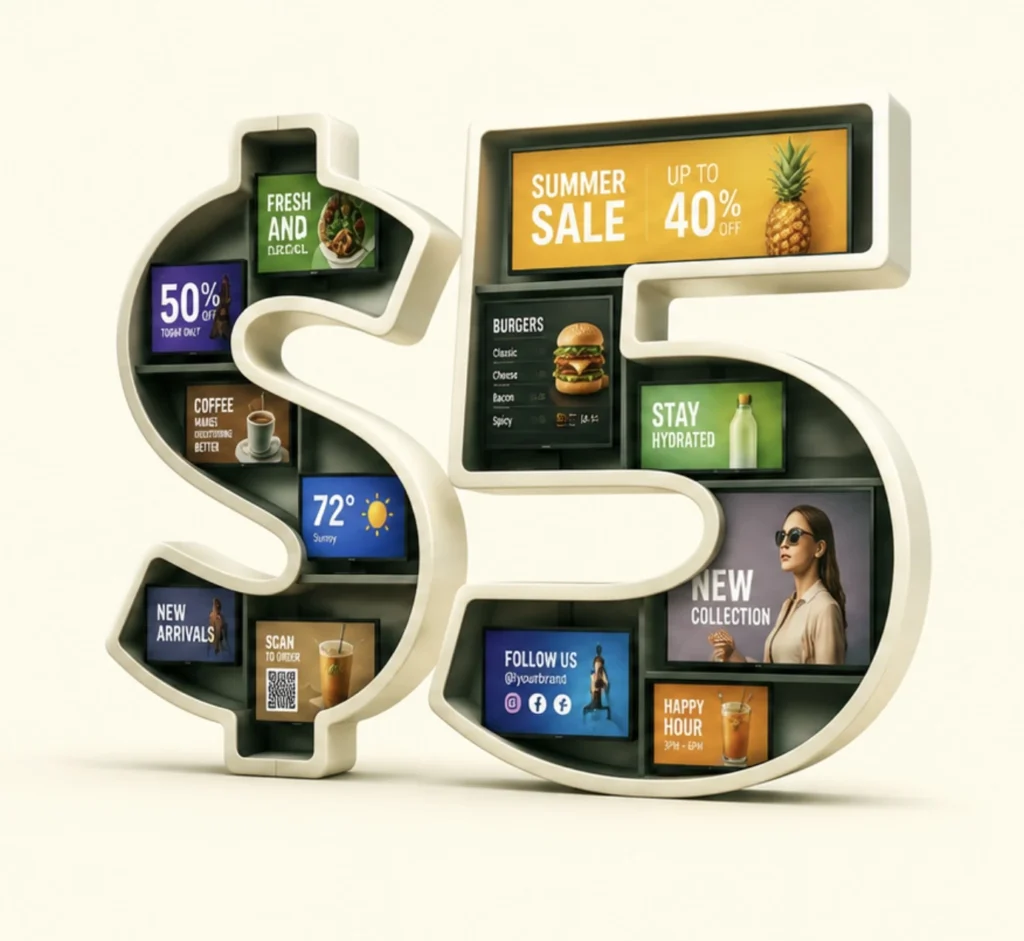
$5 per Screen / Month
One platform. All features included.
Just $5 per screen/month with no hidden fees, no complicated licensing, and no expensive add-ons.
Deploy more screens while keeping costs under control
Final Verdict: EasySignage Pricing in 2026
EasySignage offers a permanent free license for one screen and paid subscriptions for businesses that need more displays.
Its official FAQ lists paid pricing at $9.98 per screen per month or $8.25 per screen per month with annual billing.
However, because published pricing references differ, businesses should confirm the current checkout price before making a decision.
For organizations managing larger screen networks, the recurring cost of each additional display is an important consideration.
Buzzblender Basic starts at $5 per screen per month, offering a lower published entry price than the EasySignage FAQ rates.
If you need affordable digital signage software with remote content management, playlists, scheduling, multi-location support, and compatibility with a range of devices, Buzzblender is worth considering.
Explore Buzzblender digital signage software and compare the total cost of managing your screens.