
Digital signage applications are the different ways businesses and organizations use electronic displays and digital signage software to communicate information, advertise products, guide visitors, and improve customer experiences.
From restaurant menu boards and retail advertising to corporate communications and airport information screens, digital signage is used across a wide range of industries.
Modern digital signage applications can display images, videos, text, websites, dashboards, schedules, and interactive content. With cloud-based digital signage software, organizations can manage these displays remotely and update content across multiple locations.
Buzzblender digital signage software starts at $5 per screen per month, providing an affordable way to manage compatible displays for different business applications.
What Our Customers Say
⭐⭐⭐⭐⭐
Simple, Reliable, and Surprisingly Affordable Digital Signage
We tried several digital signage solutions before switching to BuzzBlender, and it has easily been the simplest and most reliable option we’ve used.
Setting it up on our Samsung displays was quick and straightforward. Managing content is just as easy—even for team members who aren’t particularly tech-savvy. We can update our screens in real time, launch promotions, change menu content, and manage everything remotely without needing any additional hardware.
What really sets BuzzBlender apart is the combination of simplicity and affordability. It gives us everything we need without the complexity or high costs of other systems—and at just $5, the value is hard to beat.
Aadan
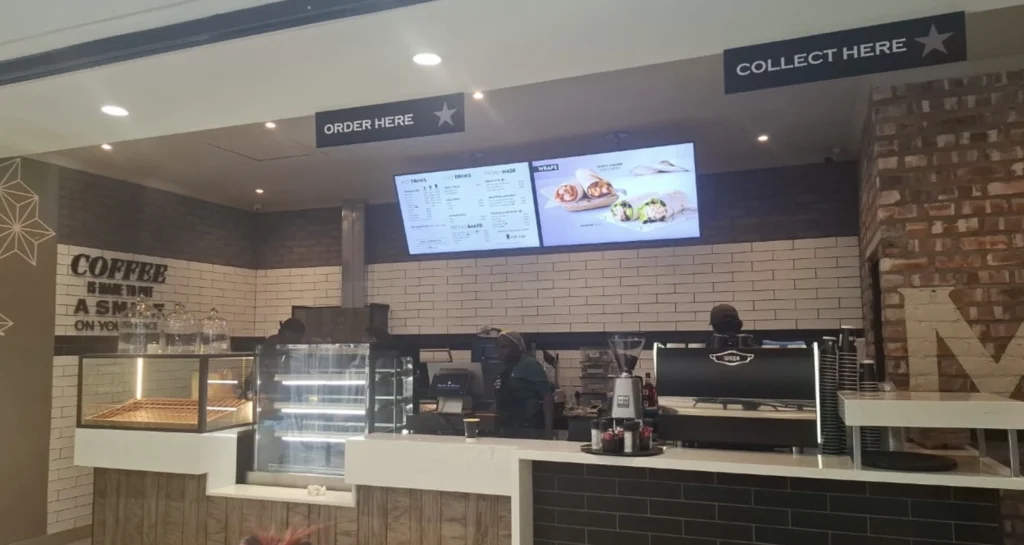
What Are Digital Signage Applications?
Digital signage applications refer to the practical uses of digital displays and content management software in commercial, educational, healthcare, transportation, and public environments.
A digital signage application can be as simple as displaying a promotional image on one screen or as complex as managing hundreds of screens across multiple locations.
Common digital signage applications include:
- Digital menu boards
- Retail advertising displays
- Corporate communication screens
- Digital wayfinding
- Interactive kiosks
- Transportation information displays
- Hotel welcome screens
- Healthcare information boards
- Educational announcements
- Video walls
- Event schedules
- Digital directories
- Product catalogs
- Queue information displays
- Gas station advertising
Digital signage applications typically combine display hardware, a media player, content management software, and digital content.
The exact configuration depends on the business requirements and installation environment.
How Do Digital Signage Applications Work?
Most digital signage applications use a content management system (CMS) to publish information to connected screens.
A typical setup includes four components.
1. Digital Signage Content
Content may include:
- Images
- Videos
- Text
- HTML pages
- Promotional graphics
- Product information
- Digital menus
- Dashboards
- QR codes
- Announcements
2. Digital Signage Software
Digital signage software allows users to upload content, create playlists, schedule campaigns, and manage displays remotely.
3. Media Player
A media player runs the digital signage application and delivers content to the display.
Some commercial screens include built-in digital signage capabilities.
Other setups use external Android, Windows, or Chromecast-based devices.
4. Digital Display
The screen presents the content to viewers.
Depending on the application, the display may be a commercial television, touchscreen kiosk, video wall, or outdoor-rated digital screen.
25 Digital Signage Applications and Use Cases
Digital signage can support different communication and advertising needs.
Below are 25 common digital signage applications.
1. Restaurant Digital Menu Boards
Restaurants use digital signage to display food menus, prices, product images, and promotional offers.
Typical applications include:
- Fast-food menu boards
- Café menus
- Breakfast and lunch menus
- Combo meal promotions
- Seasonal menu updates
- Drive-thru ordering displays
Digital signage software allows restaurants to update displayed menu content without replacing printed signs.
Increase Orders
Promote popular dishes, combo deals, and add-ons that encourage customers to spend more.
- How to: a well-designed digital signage playlist can turn a limited-time promotion into an eye-catching campaign that encourages customers to order more.
- Combine high-quality food photography, short promotional videos, and clear calls to action
Convert Faster
Update menus, prices, and offers instantly to match demand and maximize sales opportunities.
- How to: with cloud-based restaurant digital signage software, you can update menu items, pricing, and promotional offers across one or multiple locations in just a few clicks—without reprinting menus or manually changing displays.
Reduce Print Waste
Replace printed menus and posters with digital content that can be changed anytime.
- How to: Switching from printed menus and posters to digital signage gives restaurants the flexibility to update content instantly, reduce printing costs, and keep promotions fresh.
- Instead of replacing printed materials every time prices or offers change, you can manage everything from a single digital signage platform.
Drive Impulse Buys
Promote popular dishes, combo deals, and add-ons that encourage customers to spend more.
- How to: increase spontaneous purchases by showcasing your most profitable menu items with eye-catching visuals.
- Feature high-quality food images, short videos, and limited-time offers on your digital displays.
- Place combo meals, desserts, and add-ons prominently near the ordering point to encourage customers to upgrade their orders.
Improve Ordering Flow
Update menus, prices, and offers instantly to match demand and maximize sales opportunities.
- How to: Design menus that are simple to read and easy to navigate.
- Organize items into clear categories, use large, legible fonts, and highlight popular choices to help customers make decisions quickly.
- A well-structured digital menu reduces wait times, speeds up service, and improves the overall ordering experience.
Manage Locations Centrally
Replace printed menus and posters with digital content that can be changed anytime.
- How to: Use a cloud-based digital signage platform to control every restaurant from a single dashboard.
- Update menus, pricing, and promotions once, then publish the changes across all locations simultaneously.
- Centralized management ensures every restaurant displays accurate, consistent content while reducing administrative effort.
2. Retail Digital Signage
Retail stores use digital displays to promote products, advertise discounts, and communicate with shoppers.
Examples include:
- New product launches
- Seasonal sales
- Promotional videos
- Brand campaigns
- Store announcements
- Product demonstrations
Retailers can update content across multiple locations using centralized software.
3. Corporate Digital Signage
Corporate offices use digital signage for internal communication.
Common applications include:
- Company announcements
- Employee recognition
- Meeting schedules
- Performance dashboards
- Workplace updates
- Visitor welcome messages
Screens can be installed in reception areas, meeting rooms, hallways, and employee spaces.
4. Digital Wayfinding
Digital wayfinding helps visitors understand where facilities, departments, or services are located.
Common environments include:
- Shopping malls
- Hospitals
- Office buildings
- Universities
- Hotels
- Conference centers
Digital signage can display floor directories, maps, directional instructions, and location information.
Advanced route calculation and indoor positioning require additional specialized systems.
5. Interactive Digital Kiosks
Interactive kiosks allow users to navigate digital content through touchscreens or other input methods.
Examples include:
- Product catalogs
- Visitor directories
- Information kiosks
- Museum exhibits
- Hotel service information
- Self-service interfaces
Interactive applications may require compatible touchscreen hardware and additional software.
6. Hotel Digital Signage
Hotels use digital displays to communicate with guests and promote services.
Typical applications include:
- Welcome screens
- Event schedules
- Conference information
- Restaurant promotions
- Spa advertisements
- Local attraction information
Digital signage can help hotels maintain consistent information across guest areas.
7. Healthcare Digital Signage
Hospitals, clinics, and medical offices use digital signage to display general information.
Applications include:
- Department directories
- Visiting hours
- Health education content
- Waiting room announcements
- Appointment preparation instructions
- General facility information
Patient-specific information requires appropriate privacy protections and integrations.
Digital signage should not replace emergency communication or clinical safety systems.
8. School and University Digital Signage
Educational institutions use digital signage for campus communication.
Examples include:
- Class schedules
- Campus announcements
- Event promotions
- Cafeteria menus
- Student achievements
- Building directories
Schools can manage content for different buildings and departments.
9. Airport Digital Signage
Airports use electronic displays to communicate travel information.
Common applications include:
- Flight information displays
- Gate information
- Airport directories
- Retail advertising
- Transportation information
- Passenger announcements
Live flight information requires integration with appropriate airport data systems.
General-purpose digital signage software does not independently provide verified flight status information.
10. Transportation Digital Signage
Train stations, bus terminals, and transit facilities use digital displays for passenger information.
Examples include:
- Departure schedules
- Arrival information
- Platform information
- Route maps
- Public announcements
- Advertising
Real-time schedules require suitable external data sources.
11. Gas Station Digital Signage
Gas stations use digital displays to advertise products and services.
Applications include:
- Fuel price information
- Convenience store promotions
- Car wash advertising
- Coffee promotions
- Loyalty program campaigns
- Customer announcements
Dedicated fuel price signs may require specialized controllers.
General-purpose digital signage does not automatically control fuel pumps or synchronize fuel prices with POS systems.
12. Car Wash Digital Signage
Car wash businesses use digital displays to promote wash packages and memberships.
Examples include:
- Digital wash menus
- Package comparisons
- Membership advertisements
- Seasonal promotions
- Waiting area entertainment
- Exit messages
Outdoor screens require suitable environmental protection.
13. Coffee Shop Digital Signage
Coffee shops use digital signage to display drinks, food menus, and seasonal promotions.
Typical applications include:
- Digital coffee menus
- Breakfast promotions
- Seasonal beverages
- Loyalty program advertising
- Drive-thru menu boards
- Promotional videos
Menus can be scheduled to change throughout the day.
14. Shopping Mall Digital Signage
Shopping malls use digital displays for advertising and visitor information.
Examples include:
- Store directories
- Promotional campaigns
- Event announcements
- Interactive maps
- Food court menus
- Video walls
A centralized CMS can manage content across different areas of a shopping center.
15. Gym and Fitness Center Digital Signage
Fitness facilities use screens to communicate with members.
Applications include:
- Class schedules
- Membership promotions
- Trainer profiles
- Fitness announcements
- Motivational content
- Facility rules
Live class availability requires an appropriate scheduling integration.
16. Salon and Spa Digital Signage
Beauty salons, hair salons, and spas use digital signage to promote services.
Examples include:
- Service menus
- Treatment prices
- Before-and-after galleries
- Product promotions
- Appointment information
- Seasonal offers
Digital displays can be placed in reception areas, treatment rooms, and waiting areas.
17. Real Estate Digital Signage
Real estate businesses use digital screens to present property information.
Applications include:
- Property listings
- Virtual property tours
- Agent information
- Featured homes
- Neighborhood information
- Office window advertising
Automatic listing updates require a compatible property data source or integration.
18. Bank and Financial Services Digital Signage
Banks and financial institutions use screens to display information and promotions.
Examples include:
- Product information
- Service announcements
- Financial education
- Branch directories
- Currency exchange rates
- Promotional campaigns
Live exchange rates require an appropriate data provider and integration.
19. Event Digital Signage
Conferences, exhibitions, and event venues use digital signage to display schedules and announcements.
Common applications include:
- Event agendas
- Speaker information
- Room assignments
- Sponsor advertisements
- Directional signs
- Welcome messages
Event organizers can update content when schedules change.
20. Museum Digital Signage
Museums and galleries use digital displays for educational and interactive experiences.
Examples include:
- Exhibition information
- Historical timelines
- Interactive exhibits
- Video presentations
- Visitor directions
- Event promotions
Digital signage can complement traditional printed exhibits.
21. Digital Signage Video Walls
Video walls combine multiple screens to create a larger visual presentation.
Applications include:
- Retail advertising
- Corporate reception areas
- Entertainment venues
- Trade shows
- Control room visualization
- Brand presentations
Video walls may require synchronized playback and suitable display hardware.
Buzzblender supports frame-accurate synchronization in supported configurations.
22. Warehouse Digital Signage
Warehouses and logistics facilities use digital screens to communicate operational information.
Examples include:
- Shift schedules
- General performance dashboards
- Workplace announcements
- Safety reminders
- Training information
- Facility updates
Real-time operational metrics require integration with the appropriate business systems.
Digital signage should not replace safety-critical industrial controls.
23. Manufacturing Digital Signage
Manufacturing facilities use digital displays for internal communication.
Applications include:
- Production dashboards
- Shift information
- General safety messages
- Employee announcements
- Quality metrics
- Training content
Displaying live production data requires suitable data integrations.
24. Digital Signage for Churches and Community Centers
Churches and community organizations use digital displays to communicate schedules and announcements.
Examples include:
- Event calendars
- Service schedules
- Welcome messages
- Community announcements
- Volunteer information
- Educational content
Digital signage can help organizations distribute information across different rooms and buildings.
25. Outdoor Digital Advertising
Outdoor digital signage is used for advertising in public-facing environments.
Examples include:
- Storefront advertising
- Shopping center displays
- Roadside advertising
- Outdoor restaurant menus
- Event promotions
- Digital billboards
Outdoor installations require suitable displays, mounting, electrical protection, and compliance with applicable local regulations.
Digital Signage Applications by Industry
Different industries use digital signage for different purposes.
Restaurants and Hospitality
Primary applications:
- Digital menu boards
- Promotions
- Welcome screens
- Event information
- Guest communication
Retail and Shopping Centers
Primary applications:
- Advertising
- Product information
- Digital directories
- Video walls
- Promotional campaigns
Corporate Offices
Primary applications:
- Internal communications
- Dashboards
- Meeting information
- Visitor welcome screens
Healthcare
Primary applications:
- General patient information
- Department directories
- Waiting room content
- Facility announcements
Education
Primary applications:
- Campus announcements
- Class schedules
- Event information
- Cafeteria menus
Transportation
Primary applications:
- Passenger information
- Schedules
- Wayfinding
- Advertising
Industrial Facilities
Primary applications:
- Operational dashboards
- General workplace communication
- Shift information
- Training content
Types of Digital Signage Applications
Digital signage applications can also be categorized by functionality.
Informational Digital Signage
Displays announcements, schedules, directories, and general information.
Advertising Digital Signage
Promotes products, services, brands, and special offers.
Interactive Digital Signage
Allows users to interact with content through touchscreens or other input devices.
Digital Menu Boards
Displays food, beverage, or service menus.
Digital Wayfinding
Provides maps, directories, and directional information.
Dashboard Digital Signage
Presents business metrics, charts, and operational data.
Video Wall Applications
Distributes visual content across multiple synchronized displays.
Outdoor Digital Signage
Displays information and advertising in outdoor environments.
Digital Signage Applications Software
Digital signage applications software refers to software that creates, schedules, distributes, and manages content for electronic displays.
A digital signage content management system is often the central component.
Important capabilities include:
- Remote screen management
- Image and video playback
- Content scheduling
- Playlist management
- Screen grouping
- Multi-location management
- HTML content support
- Custom widgets
- Offline-ready playback
- Device compatibility
The right software depends on the required application.
For example, a restaurant may prioritize digital menu scheduling, while a corporate office may need dashboard displays and internal announcements.
Digital Signage Applications with Buzzblender
Buzzblender is a digital signage software platform designed to manage content on compatible electronic displays.
Businesses can use Buzzblender for a variety of applications.
Digital Menu Boards
Display menus, prices, product images, and promotions.
Retail Advertising
Publish promotional campaigns across one or multiple stores.
Corporate Communications
Show company announcements, dashboards, and general workplace information.
Hotel and Hospitality Displays
Manage welcome screens, service information, and event announcements.
Custom HTML Widgets
Display compatible custom HTML content.
Video Walls
Create synchronized multi-screen presentations in supported configurations.
Multi-Location Management
Organize displays into groups and manage content remotely.
Content Scheduling
Publish different playlists at selected times.
Offline-Ready Media
Locally cached images and videos can continue playing during temporary internet interruptions in supported configurations.
Streaming services and live data integrations may require an active internet connection.
What Devices Support Digital Signage Applications?
Digital signage applications can run on different types of hardware.
Buzzblender supports compatible:
- Samsung Tizen commercial displays
- LG webOS commercial displays
- Android devices
- Windows computers and media players
- Chromecast-based setups
- Browser-based players
Hardware compatibility depends on the device model, operating system, and application requirements.
Outdoor applications may require purpose-built commercial displays.
Interactive applications may require touchscreen hardware.
Video walls may require specific synchronization configurations.
How Much Do Digital Signage Applications Cost?
The cost of digital signage depends on the number of screens, hardware, software, installation, and integration requirements.
Buzzblender Basic starts at $5 per screen per month.
One Screen
1 × $5 = $5/month
Annual base software cost: $60
Five Screens
5 × $5 = $25/month
Annual base software cost: $300
Ten Screens
10 × $5 = $50/month
Annual base software cost: $600
Twenty Screens
20 × $5 = $100/month
Annual base software cost: $1,200
Fifty Screens
50 × $5 = $250/month
Annual base software cost: $3,000
One Hundred Screens
100 × $5 = $500/month
Annual base software cost: $6,000
These calculations cover base software subscriptions only.
Displays, media players, installation, connectivity, and specialized integrations may involve additional expenses.
How to Choose Digital Signage Applications for Your Business
Before deploying digital signage, identify the primary purpose of each screen.
Step 1: Define Your Goals
Determine whether the display will be used for:
- Advertising
- Information
- Menu boards
- Internal communication
- Wayfinding
- Interactive experiences
Step 2: Choose the Display Location
Consider where customers, employees, or visitors will see the screen.
Step 3: Select Compatible Hardware
Choose a display and media player suitable for the installation environment.
Step 4: Choose Digital Signage Software
Look for software that supports your required content types, scheduling, and device management.
Step 5: Prepare Content
Create images, videos, menus, announcements, or other content.
Step 6: Connect the Screens
Install the digital signage player and connect it to the management platform.
Step 7: Publish and Schedule
Assign content to screens and configure playback schedules.
Step 8: Monitor and Update
Review content regularly to keep information accurate and relevant.
Benefits of Digital Signage Applications
Digital signage offers several practical advantages over static printed materials.
Remote Updates
Change content without physically replacing signs.
Flexible Scheduling
Display different content at different times.
Multi-Location Management
Manage screens across several business locations.
Multimedia Content
Use images, videos, text, and compatible web content.
Consistent Branding
Maintain matching visual styles across displays.
Promotional Flexibility
Update advertising campaigns as business needs change.
Reduced Printing Requirements
Digital updates can reduce the need to print replacement promotional materials.
Centralized Administration
Manage content through a single software platform.
Digital Signage Applications vs. Traditional Signage
Traditional signage uses printed posters, boards, banners, and other static materials.
Digital signage uses electronic displays to present changeable content.
Traditional Signage
Advantages:
- No software subscription
- No electricity required for basic printed signs
- Simple installation
- Suitable for permanent information
Limitations:
- Physical replacement when information changes
- No video playback
- Limited scheduling
- More manual coordination across locations
Digital Signage
Advantages:
- Remote content updates
- Scheduled playlists
- Video and animation support
- Centralized management
- Flexible promotional content
- Multi-location administration
Limitations:
- Hardware investment
- Electricity requirements
- Software costs
- Technical maintenance
- Network requirements for remote updates
The best choice depends on how frequently content changes and what the display needs to communicate.
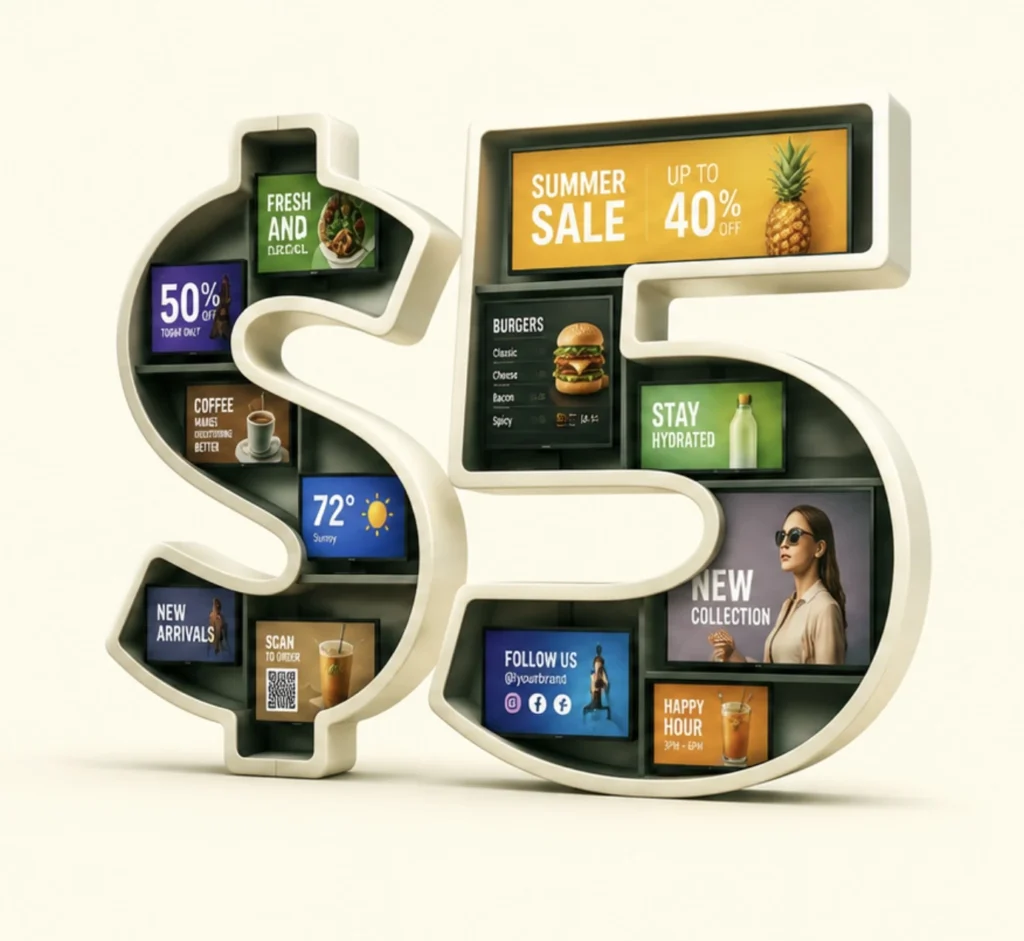
$5 per Screen / Month
One platform. All features included.
Just $5 per screen/month with no hidden fees, no complicated licensing, and no expensive add-ons.
Deploy more screens while keeping costs under control
Take control of your screens today with Buzzblender
Final Thoughts
Digital signage applications cover a wide range of business needs, from digital menu boards and retail advertising to corporate communications, wayfinding, and interactive kiosks.
The technology allows organizations to display dynamic content, manage screens remotely, and update information without replacing printed signs.
The most effective digital signage application depends on the intended audience, installation environment, and content requirements.
With Buzzblender starting at $5 per screen per month, businesses can manage compatible displays, schedule content, and organize digital signage across multiple locations.
Explore Buzzblender digital signage software to create and manage applications for your business.

Extra part! Popular Digital Signage Applications for Modern Businesses
Digital signage applications help businesses turn ordinary screens into communication, advertising, and information tools. Whether an organization operates a single display or manages hundreds of screens, digital signage software makes it possible to publish content, schedule updates, and control displays remotely.
The most popular digital signage applications for businesses focus on three main goals: promoting products and services, sharing information, and improving communication with customers or employees.
Customer-Facing Digital Signage Applications
Customer-facing digital signage applications are designed to communicate with visitors, shoppers, and guests.
Examples include digital menu boards in restaurants, promotional displays in retail stores, welcome screens in hotels, and product information screens in showrooms.
Businesses can use these applications to:
- Display products, services, and prices.
- Promote discounts and limited-time offers.
- Show branded images and promotional videos.
- Provide directions and general visitor information.
- Advertise loyalty programs and special events.
For example, a coffee shop can use digital signage applications to display its menu during breakfast hours and automatically switch to an afternoon drinks promotion later in the day.
Employee Communication Applications
Digital signage applications are also used for internal business communication.
Organizations can install screens in offices, warehouses, staff rooms, and production facilities to display company information.
Common applications include employee announcements, meeting schedules, general performance dashboards, training materials, and workplace reminders.
With centralized digital signage software, administrators can distribute information across different departments and locations.
Advertising and Promotional Applications
Advertising is one of the most common commercial digital signage applications.
Retailers, restaurants, hotels, gas stations, and service businesses use electronic displays to promote products and communicate offers.
Digital advertising applications can include:
- Promotional video playlists
- Product launches
- Seasonal advertising campaigns
- Digital posters
- Special offers
- Brand awareness content
Unlike printed advertisements, digital signage content can be updated remotely and scheduled for different periods.
Information and Wayfinding Applications
Informational digital signage applications help people find information in physical environments.
Examples include building directories, event schedules, visitor information boards, transportation announcements, and campus maps.
These applications are commonly used in shopping malls, hospitals, universities, hotels, and office buildings.
Digital signage can display static maps and directional information, while advanced navigation features require additional wayfinding software or integrations.
Interactive Digital Signage Applications
Interactive digital signage applications allow users to explore content through compatible touchscreens or other input devices.
Common examples include interactive product catalogs, visitor directories, museum exhibits, and information kiosks.
Interactive applications can provide a more personalized experience than traditional non-interactive displays.
However, payment processing, booking systems, and other transactional features require suitable third-party services and integrations.
Multi-Location Digital Signage Applications
Businesses with multiple branches often need to manage content across many screens.
Multi-location digital signage applications allow administrators to organize displays into groups, publish company-wide campaigns, and assign location-specific content.
For example, a restaurant chain can use the same menu design across 20 locations while displaying different prices and promotions at individual restaurants.
Buzzblender digital signage software supports remote content management, scheduling, playlists, screen groups, and compatible custom HTML widgets.
With Buzzblender Basic starting at $5 per screen per month, businesses can deploy digital signage applications across compatible screens without a high base software subscription cost.
The best digital signage applications depend on the organization’s goals, hardware, audience, and content requirements.
Frequently Asked Questions About Digital Signage Applications
What are digital signage applications?
Digital signage applications are the different ways organizations use electronic displays and digital signage software to communicate information, advertise products, and present digital content.
What are the most common digital signage applications?
Common applications include digital menu boards, retail advertising, corporate communications, wayfinding, interactive kiosks, transportation information, and video walls.
What industries use digital signage?
Digital signage is used in restaurants, retail, hospitality, healthcare, education, transportation, corporate offices, manufacturing, and many other industries.
What is digital signage applications software?
Digital signage applications software is software used to create, schedule, publish, and manage content on electronic displays.
What is an example of digital signage?
A digital menu board in a coffee shop is a common example. It displays products, prices, and promotions on an electronic screen.
Can digital signage be used for advertising?
Yes. Digital signage is commonly used to display promotional images, videos, product information, and advertisements.
Can digital signage display websites?
Yes. Compatible digital signage systems can display websites and HTML content. Some websites may have restrictions or require an internet connection.
Can digital signage show live data?
Yes, when a suitable data source and integration are available. Digital signage software does not automatically provide every type of live data.
Can digital signage work offline?
Some systems support offline playback. Buzzblender can continue playing locally cached media during temporary internet interruptions in supported configurations.
What is interactive digital signage?
Interactive digital signage allows users to interact with displayed content, often through touchscreens.
What is a digital signage video wall?
A digital signage video wall combines multiple displays to present a larger visual composition.
Can digital signage be used outdoors?
Yes. Outdoor applications require suitable displays, protective equipment, and installation.
Can I manage digital signage across multiple locations?
Yes. Cloud-based digital signage software can provide centralized management for screens in different locations.
How much does digital signage software cost?
Pricing varies by provider. Buzzblender Basic starts at $5 per screen per month.
Does Buzzblender support Samsung digital signage?
Yes. Buzzblender supports compatible Samsung Tizen commercial signage displays.
Does Buzzblender support LG digital signage?
Yes. Buzzblender supports compatible LG webOS commercial signage displays.
Can I use Chromecast for digital signage?
Yes. Buzzblender supports compatible Chromecast-based digital signage setups.
Can Buzzblender create custom digital signage applications?
Buzzblender supports compatible custom HTML content and widgets.
If you need a specific app or widget, contact Buzzblender. We can build a new app or widget for you for free.
Complex third-party integrations may require separate arrangements.
What is the best digital signage application?
The best digital signage application depends on the business goal, available hardware, content requirements, and budget.
How do I get started with digital signage?
Choose a compatible display, select digital signage software, create content, connect the screen, and publish your playlists.
Affordable Digital Signage Software
BuzzBlender gives you the tools to manage your screen content without complicated digital signage infrastructure.
Affordable Digital Signage Software in South Africa
BuzzBlender helps businesses across South Africa publish content, schedule playlists and manage connected screens remotely — whether you have one display or screens across multiple locations.
Digital Signage Software in Argentina
Your TV is already on the wall—turn it into your best salesperson. Promote special offers, boost sales of other products, and update all your screens from your phone in seconds. All for just ARS 7,625 or $5 per screen per month
Digital Signage Solutions for Businesses in Namibia
Manage digital signage screens across your business from one simple cloud platform.
BuzzBlender helps businesses in Namibia publish content, schedule playlists and remotely manage screens without complicated digital signage infrastructure.
Use compatible LG webOS, Samsung Tizen, Android and browser-based displays.
Digital Signage in Fort Worth, TX | From $5/Screen
Looking for digital signage in Fort Worth, Texas? Whether you operate a restaurant near the Stockyards, a retail store in Sundance Square, a hotel downtown, or a corporate office in the Alliance area, digital signage can help you communicate with customers, promote products, and manage information across multiple screens.
Digital Signage Solutions for Businesses in Kenya
BuzzBlender helps businesses in Kenya create, schedule and remotely manage content across connected displays.