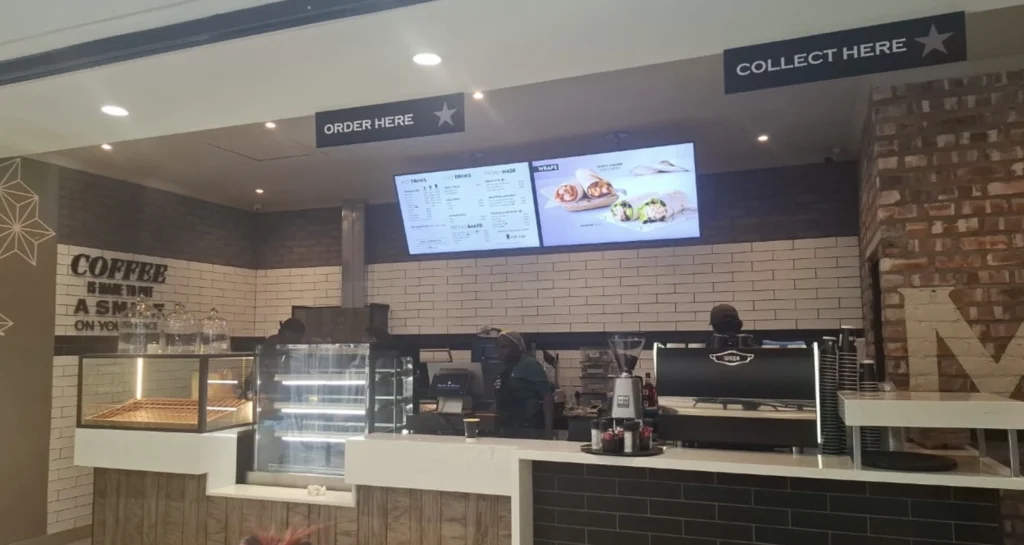
Drive-thru car wash digital signage software helps automatic car wash businesses display wash packages, service prices, membership offers, and promotional content on digital screens positioned along the customer drive-thru journey.
At a drive-thru car wash, customers often choose their wash package without leaving their vehicles. Clear, easy-to-read digital menu boards help drivers compare available services and understand pricing before reaching the payment station.
With Buzzblender digital signage software, car wash operators can manage compatible drive-thru displays remotely, update wash packages, schedule promotions, and maintain consistent branding across multiple locations.
Buzzblender Basic starts at $5 per screen per month. You can also use free templates for a drive-thru car wash.

How Digital Signage Works in a Drive-Thru Car Wash
A typical drive-thru car wash includes several customer touchpoints where digital signage can provide useful information.
1. Drive-Thru Entrance Display
An entrance screen can introduce available wash packages, starting prices, operating hours, and membership promotions.
Example:
WELCOME TO OUR CAR WASH
Basic Wash — $10
Deluxe Wash — $15
Premium Wash — $20
Ultimate Wash — $25
UNLIMITED WASH MEMBERSHIPS AVAILABLE
Illustrative prices.
2. Drive-Thru Digital Menu Board
A digital menu board near the payment station helps customers compare wash packages.
Operators can display package names, prices, included services, and available upgrades.
For example:
CHOOSE YOUR WASH
BASIC — $10
Exterior Wash + Spot-Free Rinse
DELUXE — $15
Basic Wash + Wheel Cleaning
PREMIUM — $20
Deluxe Wash + Tire Shine + Protective Wax
ULTIMATE — $25
Premium Wash + Enhanced Protection
Automotive Digital signage software allows operators to update the displayed prices and package descriptions without replacing printed signs.
3. Drive-Thru Membership Advertising
Digital signage can promote unlimited car wash memberships while customers wait in line.
Example:
LOVE A CLEAN CAR?
JOIN OUR UNLIMITED WASH CLUB
Wash More. Save More.
SCAN TO LEARN MORE
A QR code can direct customers to a membership registration page. Membership billing and payment processing remain the responsibility of the car wash’s existing business systems.
4. Drive-Thru Exit Display
An exit screen can reinforce branding and encourage customers to return.
Example:
THANK YOU FOR VISITING!
Enjoy Your Clean Car.
Ask About Our Unlimited Wash Memberships.
Benefits of Drive-Thru Digital Signage Software
Remote Price Updates
Change displayed wash package prices and service descriptions through a centralized dashboard.
Digital Menu Board Management
Create and publish menu layouts featuring wash packages, upgrades, and membership offers.
Scheduled Promotions
Schedule different advertising campaigns throughout the day, week, or season.
Multi-Location Management
Manage digital menu boards across several drive-thru car wash locations without updating each display manually.
Consistent Branding
Use matching logos, colors, fonts, and promotional materials across your car wash network.
Video Advertising
Display short promotional videos that explain premium wash services and highlight available packages.
Offline-Ready Playback
Locally cached images and videos can continue playing during temporary internet interruptions in supported Buzzblender configurations.
Outdoor Digital Signage for Drive-Thru Car Washes
Drive-thru digital signage requires hardware suitable for outdoor or semi-outdoor environments.
Screens near entrance lanes and payment stations may be exposed to sunlight, moisture, temperature changes, and cleaning chemical overspray.
For these installations, choose commercial displays or enclosures rated for the expected conditions.
Important considerations include:
- Daylight readability
- Weather resistance
- Suitable operating temperatures
- Protection from water and chemical exposure
- Secure mounting
- Reliable power and network connections
- Clear visibility from the driver’s position
Digital signage software and outdoor display hardware serve different purposes. Buzzblender manages the content, while the display and enclosure must provide the necessary environmental protection.
Promotional screens must not obstruct driver visibility or replace required stop/go signals, vehicle positioning instructions, or other safety-critical car wash controls.
Why Use Buzzblender for Drive-Thru Digital Signage?
Buzzblender provides centralized digital signage management for compatible commercial displays and media players.
Key capabilities include:
- Remote content updates
- Digital menu board playlists
- Promotional scheduling
- Screen groups
- Multi-location management
- Image and video playback
- HTML content and widgets
- QR code overlays
- Offline-ready media playback in supported configurations
Buzzblender supports compatible Samsung Tizen, LG webOS, Android, Windows, Chromecast, and browser-based player environments.
For drive-thru installations, hardware compatibility and environmental suitability should be checked before deployment.
Drive-Thru Digital Signage Software Pricing
Buzzblender Basic starts at $5 per screen per month.
1 drive-thru screen: $5/month
2 drive-thru screens: $10/month
4 drive-thru screens: $20/month
10 drive-thru screens: $50/month
20 drive-thru screens: $100/month
For example, a car wash chain operating 10 locations with three digital displays at each location would have 30 screens.
30 × $5 = $150/month
That’s $1,800 per year in base software subscription costs.
Outdoor displays, protective enclosures, installation, and specialized integrations are not included.
Custom Drive-Thru Menu Boards and Widgets
Every car wash has different service packages, pricing structures, and membership promotions.
Buzzblender can display compatible custom HTML menu boards and promotional widgets.
Possible applications include:
- Custom drive-thru wash menus
- Animated package comparisons
- Membership advertising widgets
- QR code promotions
- Seasonal campaign layouts
- Location-specific pricing displays
If you need a specific app or widget, contact Buzzblender. We can build a new app or widget for you for free.
Complex integrations with car wash POS systems, payment terminals, or tunnel controllers may require additional development and should be evaluated separately.
Final Thoughts
Drive-thru digital signage software helps car wash operators replace static pricing boards with remotely managed digital displays.
From entrance advertising to wash package menus and membership promotions, digital signage provides a flexible way to communicate with customers throughout the drive-thru experience.
With Buzzblender – cloud based digital signage software– starting at $5 per screen per month, car wash businesses can manage compatible displays, schedule promotional content, and update digital menu boards from one dashboard.
Explore Buzzblender digital signage software to create and manage drive-thru car wash menu boards.
Take control of your screens today with Buzzblender
Frequently Asked Questions About Drive-Thru Digital Signage Software
What is drive-thru digital signage?
Drive-thru digital signage uses electronic displays to show service menus, prices, advertisements, membership offers, and customer information to drivers without requiring them to leave their vehicles. At car washes, these screens are commonly installed near entrances, payment stations, and exit lanes.
What is drive-thru digital signage software?
Drive-thru digital signage software is a content management platform that allows businesses to create, schedule, publish, and update information on digital displays. With Buzzblender, car wash operators can remotely manage wash package menus, promotional videos, and membership advertisements from one dashboard.
How much does drive-thru digital signage software cost?
Buzzblender Basic starts at $5 per screen per month. For example, three drive-thru displays cost $15 per month in base software subscriptions. Outdoor-rated screens, protective enclosures, installation, and specialized integrations are additional expenses.
Can I use digital signage for a drive-thru car wash menu board?
Yes. Digital signage can display wash package names, prices, included services, upgrades, and membership offers. A digital menu board makes it easier to update pricing and promotional content without replacing printed signs.
Can I update drive-thru menu board prices remotely?
Yes. Buzzblender allows operators to update displayed menu content remotely on connected screens. Changes to payment terminal or POS prices must be managed separately unless an appropriate integration has been implemented.
Can digital signage promote unlimited car wash memberships?
Yes. Drive-thru screens can advertise unlimited wash memberships, highlight subscription benefits, and display QR codes linking to registration pages. Buzzblender manages the promotional content but does not process membership payments.
What type of screen is best for outdoor drive-thru digital signage?
Outdoor drive-thru installations generally require commercial displays or protective enclosures designed for sunlight, moisture, temperature changes, and other environmental conditions. Screen brightness, weather resistance, viewing distance, and mounting location should be evaluated before installation.
Can I use a regular TV for drive-thru digital signage?
A compatible regular TV may be suitable for a protected indoor waiting area. However, ordinary indoor televisions are generally unsuitable for outdoor drive-thru lanes exposed to rain, direct sunlight, water spray, or extreme temperatures.
Does Buzzblender support Samsung and LG digital signage displays?
Yes. Buzzblender supports compatible Samsung Tizen and LG webOS commercial signage displays. It also supports compatible Android, Windows, Chromecast, and browser-based playback environments. Exact compatibility depends on the device model and configuration.
Can drive-thru digital signage work without internet?
Yes, in supported configurations. Buzzblender can continue playing locally cached images and videos during temporary internet interruptions. Live websites, streaming content, and real-time data may require an active connection.
Can I schedule different promotions throughout the day?
Yes. Buzzblender supports content scheduling, allowing car wash operators to display different promotions at selected times. For example, a screen can promote premium wash upgrades during one period and unlimited membership offers during another.
Can I manage digital signage across multiple car wash locations?
Yes. Buzzblender supports centralized content management and screen groups. Operators can publish the same campaign across multiple locations or assign different menus and promotions to individual car washes.
Can drive-thru digital signage connect to a car wash POS system?
A connection may be possible through a suitable custom integration. However, Buzzblender does not automatically synchronize prices with car wash POS systems, payment terminals, or membership platforms. Integration requirements should be evaluated separately.
Can I display videos and animations on a drive-thru menu board?
Yes. Buzzblender supports image and video playback on compatible devices. Short videos and subtle animations can help promote premium wash packages, but essential pricing information should remain easy to read.
Can drive-thru digital signage display live waiting times?
A digital signage screen can display waiting times when a suitable external data source or integration is available. Buzzblender does not independently measure vehicle queues or calculate waiting times.
Can digital signage replace drive-thru traffic signals?
No. Promotional digital signage should not replace required stop/go signals, vehicle positioning instructions, or safety-critical controls. These functions should remain part of the car wash’s approved operational systems.
Can Buzzblender create a custom drive-thru menu board widget?
Yes. Buzzblender supports compatible custom HTML content and widgets. If you need a specific app or widget, contact Buzzblender. We can build a new app or widget for you for free. Complex POS integrations and specialized development may require separate arrangements.
Is drive-thru digital signage suitable for small car wash businesses?
Yes. A small car wash can start with one or two compatible screens and expand as needed. With Buzzblender Basic starting at $5 per screen per month, operators can manage digital menu boards and promotions without investing in an expensive software subscription.
What Our Customers Say
⭐⭐⭐⭐⭐
Simple, Reliable, and Surprisingly Affordable Digital Signage
We tried several digital signage solutions before switching to BuzzBlender, and it has easily been the simplest and most reliable option we’ve used.
Setting it up on our Samsung displays was quick and straightforward. Managing content is just as easy—even for team members who aren’t particularly tech-savvy. We can update our screens in real time, launch promotions, change menu content, and manage everything remotely without needing any additional hardware.
What really sets BuzzBlender apart is the combination of simplicity and affordability. It gives us everything we need without the complexity or high costs of other systems—and at just $5, the value is hard to beat.
Aadan