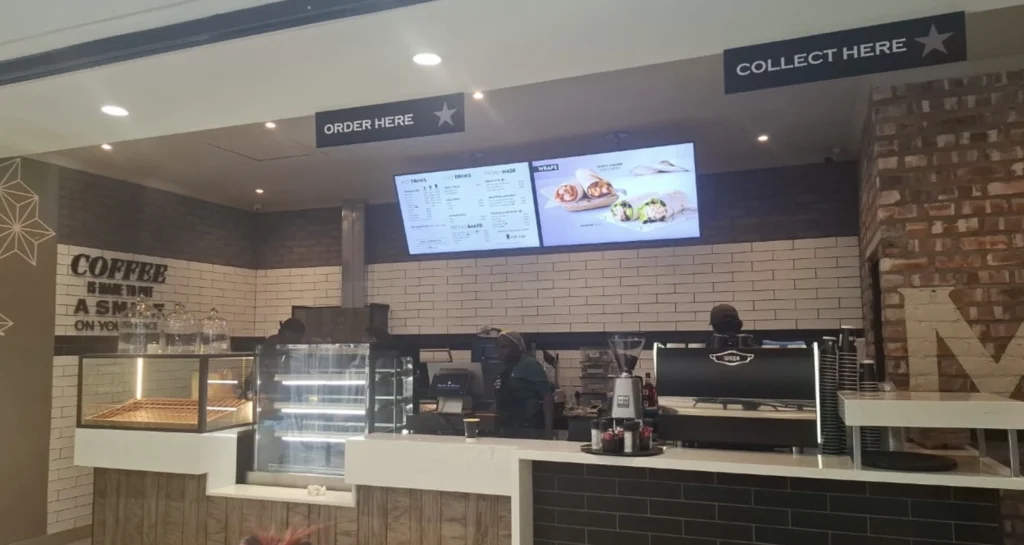
A fuel price display is an electronic or digital signage system used at gas stations to show current fuel prices to drivers and customers. These displays can present gasoline, diesel, premium fuel, and other available fuel grades on outdoor LED signs, electronic price boards, or digital screens.
Modern fuel price display systems help gas station operators communicate prices clearly, update displayed information, and maintain consistent pricing across multiple locations.
Some electronic fuel price signs use dedicated controllers, while others incorporate digital signage software to display prices alongside advertisements, promotions, and additional customer information.
With Buzzblender digital signage software, gas stations can manage compatible digital displays remotely, publish fuel price information, and schedule promotional content.
You can also use our free templates for Digital Signage. We have free templates for fuel price signs.
Buzzblender Basic starts at $5 per screen per month.

What Is a Fuel Price Display?
A fuel price display, also called a digital fuel price sign, electronic gas price display, or LED fuel price board, is a visual system that communicates fuel prices at a filling station.
These displays are commonly installed:
- Near gas station entrances
- On roadside price signs
- Above or near fuel pumps
- On gas station forecourts
- Inside convenience stores
- At truck stops and service stations
- Car wash
The primary purpose is to make fuel prices visible and understandable before customers purchase fuel.
For example, a digital fuel price board may display:
FUEL PRICES
Regular — $3.49
Plus — $3.79
Premium — $4.09
Diesel — $3.89
Prices are illustrative and do not represent current market rates.
In markets where fuel is priced per gallon, the display should clearly communicate the appropriate unit. In markets using liters, prices should be presented per liter.
The exact format may also be subject to local pricing and consumer-protection regulations.
How Does a Fuel Price Display Work?
A fuel price display system typically combines display hardware, a controller or media player, and a method for updating prices.
A basic configuration includes:
Fuel Price Data → Controller or Digital Signage Software → Display Hardware → Customer
The system may receive price information through manual entry or a supported integration with an external data source.
1. Fuel Price Information
The operator determines the prices for available fuel grades.
Depending on the system, prices may be entered manually or received from a connected pricing platform.
2. Display Management Software
The management system controls what appears on the screen.
For a general-purpose digital signage screen, software can manage fuel prices as text, graphics, or HTML content.
3. Display Controller or Media Player
A controller or media player sends content to the display.
Some commercial digital signage screens have built-in playback capabilities.
Dedicated LED fuel price signs may instead require proprietary controllers and communication protocols.
4. Electronic Display
The display presents prices to customers.
The hardware may be an LED digit sign, an outdoor commercial screen, or another purpose-built electronic price display.
5. Price Updates
When fuel prices change, the displayed information must be updated.
Remote management can reduce the need for staff to manually change signs at each location.
Important: Digital signage software does not automatically change the price charged at a fuel pump. Pump pricing, POS pricing, and displayed prices must be coordinated through the station’s approved operational systems.
Types of Fuel Price Displays
Fuel price display systems vary in technology, installation requirements, and functionality.
1. LED Fuel Price Displays
LED fuel price signs use illuminated digits to show prices.
They are commonly installed on roadside signs and tall gas station pylons.
Typical characteristics include:
- Large illuminated numbers
- High visibility
- Outdoor-oriented construction
- Remote price-change capabilities on supported models
- Dedicated electronic controllers
LED fuel price signs are primarily designed to display numbers rather than complex advertising content.
2. Digital Fuel Price Boards
Digital fuel price boards use electronic screens to show fuel prices and other information.
Depending on the hardware, they can display:
- Fuel grades
- Current prices
- Station branding
- Promotional messages
- Loyalty program offers
- Convenience store advertisements
These displays provide greater design flexibility than basic numeric LED signs.
3. Outdoor Gas Station Digital Signage
Outdoor digital signage can display fuel prices alongside promotional content.
For example, a station may show:
TODAY’S FUEL PRICES
Regular — $3.49
Premium — $4.09
Diesel — $3.89
SAVE WITH OUR LOYALTY PROGRAM
Outdoor installations require appropriate brightness, environmental protection, and mounting.
4. Fuel Pump Price Displays
Fuel pumps typically include dedicated price and transaction displays controlled by approved forecourt equipment.
These displays may show:
- Selected fuel grade
- Unit price
- Fuel volume
- Transaction total
- Payment information
Fuel pump transaction displays are not interchangeable with general-purpose advertising screens.
Digital signage may complement pump displays, but it should not replace required transaction information.
5. Indoor Fuel Price Displays
Indoor screens may display current fuel prices inside convenience stores, reception areas, or service stations.
These screens can also promote:
- Coffee
- Snacks
- Car wash packages
- Loyalty programs
- Seasonal products
- Store promotions
Indoor digital signage is generally easier to deploy because it does not face the same environmental conditions as exposed outdoor hardware.
Fuel Price Display Software
Fuel price display software is software used to create, manage, update, or distribute fuel pricing information to compatible electronic signs and digital displays.
Its capabilities depend on the type of hardware and the system’s integration architecture.
Dedicated fuel price sign software may communicate directly with numeric LED sign controllers.
General-purpose digital signage software can display fuel prices as part of a designed screen layout.
Remote Fuel Price Updates
Operators can change the displayed prices on compatible digital signage screens from a centralized dashboard.
For example, a station manager can update a digital price board after the station’s approved pricing systems have been updated.
Multi-Location Management
Businesses operating several gas stations may need to distribute different prices to each location.
A centralized signage platform can organize screens by station and publish location-specific content.
Scheduled Content
Digital signage software can schedule promotional content for different times of day.
For example:
Morning: Coffee and breakfast promotions
Afternoon: Car wash advertising
Evening: Convenience store offers
Fuel prices should remain accurate and visible whenever they are required to be displayed.
Custom Fuel Price Layouts
A digital signage platform can present prices using branded layouts.
Possible design elements include:
- Station logo
- Fuel grade names
- Large price numerals
- Background colors
- Promotional banners
- QR codes
- Loyalty program messages
External Data Integrations
Some installations may use a data feed or custom integration to populate fuel prices.
However, automatic synchronization is not a standard feature of every digital signage platform.
Businesses should verify integration compatibility before deployment.
Fuel Price Display vs. Digital Signage
Although these technologies overlap, they are not identical.
Dedicated Fuel Price Display
A dedicated electronic fuel price sign is designed specifically to show fuel prices.
It often uses large LED digits and a specialized controller.
Its main purpose is clear and reliable price communication.
General-Purpose Digital Signage
Digital signage is a broader technology for displaying images, videos, text, advertisements, and other content.
It can be used to create a fuel price display when the hardware and software are suitable.
However, general-purpose digital signage software may not communicate directly with a proprietary LED fuel price sign.
The key distinction: A dedicated fuel price sign is specialized pricing hardware, while digital signage is a flexible content display system.
Digital Fuel Price Display for Gas Stations
Gas stations can use digital displays at several customer touchpoints.
Roadside Fuel Price Signs
Roadside signs help drivers identify available fuel grades and compare prices before entering a station.
These signs typically require highly visible, purpose-built outdoor hardware.
Gas Station Entrance Displays
Entrance screens can show fuel prices, loyalty offers, and available services.
For example:
WELCOME
Regular — $3.49
Premium — $4.09
Diesel — $3.89
CAR WASH AVAILABLE
Forecourt Digital Signage
Forecourt displays can promote services while customers refuel.
Common content includes:
- Car wash promotions
- Convenience store offers
- Coffee advertisements
- Loyalty programs
- Seasonal campaigns
Convenience Store Screens
Indoor screens can display fuel prices alongside retail promotions.
For example:
TODAY’S FUEL PRICES
Regular — $3.49
Diesel — $3.89
FRESH COFFEE AVAILABLE INSIDE
Truck Stop Fuel Price Displays
Truck stops may use electronic price boards to show diesel and other fuel prices.
Digital signage can also display information about food services, parking amenities, and other facilities.
Any operational or safety-critical information should remain within the appropriate approved systems.
Benefits of Digital Fuel Price Displays
Faster Display Updates
Electronic price displays reduce the need to replace printed numbers or signs manually.
Centralized Management
Operators can manage compatible displays across multiple locations.
Clearer Price Communication
Large, readable prices help drivers identify available fuel options.
Consistent Branding
Digital layouts can use matching logos, colors, and visual styles.
Promotional Flexibility
Digital screens can display advertising alongside fuel prices when appropriate.
Reduced Manual Sign Maintenance
Remote updates can reduce the work involved in changing price information at individual locations.
Multi-Station Content Management
Gas station chains can organize displays by location and manage promotional campaigns centrally.
Fuel Price Display with Buzzblender
Buzzblender is a digital signage content management platform that can be used to present fuel price information on compatible digital displays.
It is particularly suitable for stations that want to combine pricing information with advertising and promotional content.
Remote Content Management
Update displayed fuel prices, images, and promotions through a centralized dashboard.
Multi-Location Screen Management
Organize screens by station and assign different content to each location.
Custom HTML Fuel Price Widgets
Create branded fuel price layouts using compatible HTML content.
A custom widget can display:
- Fuel grade names
- Price values
- Station branding
- Promotional messages
Automatic data updates require a suitable external data source and integration.
Content Scheduling
Schedule advertising and promotional playlists.
Image and Video Playback
Display advertisements for car washes, convenience stores, and loyalty programs.
Offline-Ready Media
Locally cached images and videos can continue playing during temporary internet interruptions in supported configurations.
Important: Cached fuel price content may become outdated if prices change while a display is offline. Operators need a process to ensure displayed prices remain accurate.
Supported Hardware
Buzzblender supports compatible:
- Samsung Tizen commercial displays
- LG webOS commercial displays
- Android devices
- Windows media players
- Chromecast-based setups
- Browser-based players
Exact compatibility depends on the device model and configuration.
Buzzblender does not directly control fuel pumps or proprietary LED fuel price sign controllers without a suitable separately developed integration.
Fuel Price Display Software Pricing
Fuel price display costs depend on the hardware, software, installation, and integration requirements.
Dedicated outdoor LED fuel price signs may involve specialized hardware and controller costs.
For compatible general-purpose digital signage screens, Buzzblender Basic starts at $5 per screen per month.
One Gas Station Screen
1 × $5 = $5/month
Annual base software cost: $60
Three Gas Station Screens
3 × $5 = $15/month
Annual base software cost: $180
Ten Gas Station Screens
10 × $5 = $50/month
Annual base software cost: $600
Twenty Gas Stations with Two Screens Each
20 locations × 2 screens = 40 screens
40 × $5 = $200/month
Annual base software cost: $2,400
Fifty Gas Stations with Three Screens Each
50 locations × 3 screens = 150 screens
150 × $5 = $750/month
Annual base software cost: $9,000
These examples cover base software subscriptions only.
Displays, controllers, outdoor enclosures, installation, connectivity, and custom integrations are additional expenses.
How to Create a Digital Fuel Price Display
Step 1: Choose the Display Type
Determine whether you need:
- A dedicated numeric LED fuel price sign
- An outdoor digital signage screen
- An indoor fuel price information screen
- A promotional display with fuel pricing
Step 2: Verify Hardware Compatibility
Check whether the display can run the selected software or connect to a compatible media player.
Dedicated LED price signs may require manufacturer-specific controllers.
Step 3: Create a Fuel Price Layout
Design a screen that clearly presents fuel grades and prices.
For example:
FUEL PRICES
REGULAR — $3.49
PLUS — $3.79
PREMIUM — $4.09
DIESEL — $3.89
Step 4: Connect the Display
Install the appropriate digital signage player and connect it to the content management platform.
Step 5: Publish Prices
Enter the correct prices and publish the layout.
Step 6: Add Promotional Content
If the display and local requirements permit, add advertisements for:
- Car washes
- Coffee
- Convenience store products
- Loyalty programs
- Seasonal offers
Step 7: Establish a Price Update Process
Assign responsibility for keeping displayed prices accurate.
If prices are updated manually, define a procedure for coordinating changes across the POS, pumps, and signage.
Step 8: Test the Installation
Check readability, network connectivity, update behavior, and price accuracy.
For outdoor screens, test visibility in daylight and after dark.
Outdoor Fuel Price Display Requirements
Outdoor fuel price displays require hardware appropriate for their operating environment.
Important factors include:
Brightness
Prices should remain readable in direct or indirect sunlight.
Weather Resistance
Displays and enclosures must be suitable for rain, humidity, dust, and other environmental conditions.
Temperature Range
The equipment must operate reliably within the expected temperature range.
Viewing Distance
Drivers should be able to read prices from the intended approach distance.
Mounting and Structural Safety
Roadside and pylon installations require appropriate mounting, electrical protection, and compliance with applicable regulations.
Regulatory Compliance
Fuel price signs may be subject to local rules governing price accuracy, visibility, units, decimal formatting, and advertised discounts.
Operators should verify the requirements in their jurisdiction.
Can Fuel Prices Update Automatically?
Yes, some fuel price display systems support automatic updates.
However, the exact process depends on the software, display hardware, and available integrations.
For example, a business may use:
Approved Pricing System → Data Integration → Digital Signage CMS → Digital Display
When a fuel price changes in the source system, an integration may update the digital display.
But this functionality must be implemented and tested.
Buzzblender does not independently retrieve fuel prices from pumps, POS systems, or wholesale fuel markets.
Automatic updates require a compatible data source and a suitable integration.
Operators should also establish procedures for failed updates and network interruptions to prevent incorrect prices from remaining on screen.
Fuel Price Display for Multi-Location Gas Station Chains
Managing fuel price information becomes more complex when a company operates many stations.
Different locations may have different prices, fuel grades, promotions, and local requirements.
A centralized digital signage platform can help organize display content.
For example:
Gas Station Network
Station A
Regular — $3.49
Diesel — $3.89
Station B
Regular — $3.55
Diesel — $3.95
Station C
Regular — $3.45
Diesel — $3.85
Illustrative prices.
Each station can receive location-specific content while maintaining consistent branding.
For automated pricing workflows, integration with an approved source system is necessary.
Fuel Price Display and Gas Station Advertising
Fuel price displays can be part of a broader gas station digital signage strategy.
In addition to prices, digital screens can promote:
Car Wash Services
Advertise available wash packages and membership offers.
Convenience Store Promotions
Highlight snacks, drinks, and special offers.
Coffee and Food
Promote breakfast products, coffee, and ready-to-eat meals.
Loyalty Programs
Display membership benefits and registration links.
Seasonal Promotions
Schedule advertising campaigns for holidays and seasonal products.
Customer Information
Display opening hours, store services, and general announcements.
Advertising should not obscure legally required fuel pricing information or create unsafe distractions.
Frequently Asked Questions About Fuel Price Displays
What is a fuel price display?
A fuel price display is an electronic or digital sign used to show current fuel prices at a gas station, service station, or truck stop.
What is a digital fuel price display?
A digital fuel price display uses electronic technology, such as LED digits or a digital screen, to present fuel prices.
What is fuel price display software?
Fuel price display software is software used to manage and update fuel pricing information on compatible electronic signs or digital displays.
What is an LED fuel price sign?
An LED fuel price sign is an electronic sign that uses illuminated digits to show gasoline, diesel, or other fuel prices.
Can fuel price displays be updated remotely?
Yes. Many electronic fuel price systems support remote updates, depending on the hardware and software.
Can digital signage display gas prices?
Yes. Compatible digital signage screens can display fuel prices using text, images, or custom HTML layouts.
Can fuel prices update automatically?
Automatic updates are possible when a suitable data source and integration are available.
Does Buzzblender automatically update gas prices?
No. Buzzblender does not independently retrieve or synchronize fuel prices from POS systems or pumps. Automatic updates require a suitable integration.
Can Buzzblender control LED fuel price signs?
Not by default. Dedicated LED fuel price signs often use proprietary controllers. Compatibility would require a suitable integration.
How much does fuel price display software cost?
Costs vary by system. For compatible digital signage screens, Buzzblender Basic starts at $5 per screen per month. Dedicated fuel price sign systems may have different licensing and hardware costs.
Can I display fuel prices and advertisements on one screen?
Yes, if the hardware and applicable regulations permit. A digital signage screen can combine fuel prices with promotional content.
Can I manage fuel price displays across multiple stations?
Yes. Centralized digital signage software can distribute location-specific pricing content to compatible screens.
Can a fuel price display work without internet?
Some systems support offline operation. Buzzblender can continue playing cached media in supported configurations, but displayed fuel prices may become outdated without an update connection.
What type of screen is best for outdoor fuel price displays?
Choose outdoor-rated hardware with appropriate brightness, environmental protection, temperature tolerance, and viewing-distance characteristics.
Can I use a regular TV as an outdoor fuel price display?
An ordinary indoor TV is generally unsuitable for exposed outdoor installations. Purpose-built outdoor displays or properly rated protective enclosures are recommended.
Can fuel price display software connect to a gas station POS?
Integration may be possible, but compatibility depends on the POS system, available interfaces, and software architecture.
Can Buzzblender create a custom fuel price widget?
Yes. Buzzblender supports compatible custom HTML content and widgets.
If you need a specific app or widget, contact Buzzblender. We can build a new app or widget for you for free.
Complex integrations may require separate development arrangements.
Is a fuel price display the same as a fuel pump display?
No. A roadside fuel price display communicates advertised prices, while a fuel pump display presents transaction information through approved forecourt equipment.
Take control of your screens today with Buzzblender
Final Thoughts
Fuel price displays help gas stations communicate gasoline, diesel, and other fuel prices to customers.
Modern systems range from dedicated LED fuel price signs to flexible digital signage screens that combine pricing information with advertising and promotional content.
The right solution depends on the installation environment, hardware requirements, price update process, and regulatory obligations.
For compatible digital signage displays, Buzzblender offers centralized content management starting at $5 per screen per month.
Gas station operators can use Buzzblender to publish fuel price layouts, manage promotional content, and organize screens across multiple locations.
Explore Buzzblender digital signage software for gas station price displays and advertising screens.
Samsung User Guides
What Our Customers Say
⭐⭐⭐⭐⭐
Simple, Reliable, and Surprisingly Affordable Digital Signage
We tried several digital signage solutions before switching to BuzzBlender, and it has easily been the simplest and most reliable option we’ve used.
Setting it up on our Samsung displays was quick and straightforward. Managing content is just as easy—even for team members who aren’t particularly tech-savvy. We can update our screens in real time, launch promotions, change menu content, and manage everything remotely without needing any additional hardware.
What really sets BuzzBlender apart is the combination of simplicity and affordability. It gives us everything we need without the complexity or high costs of other systems—and at just $5, the value is hard to beat.
Aadan