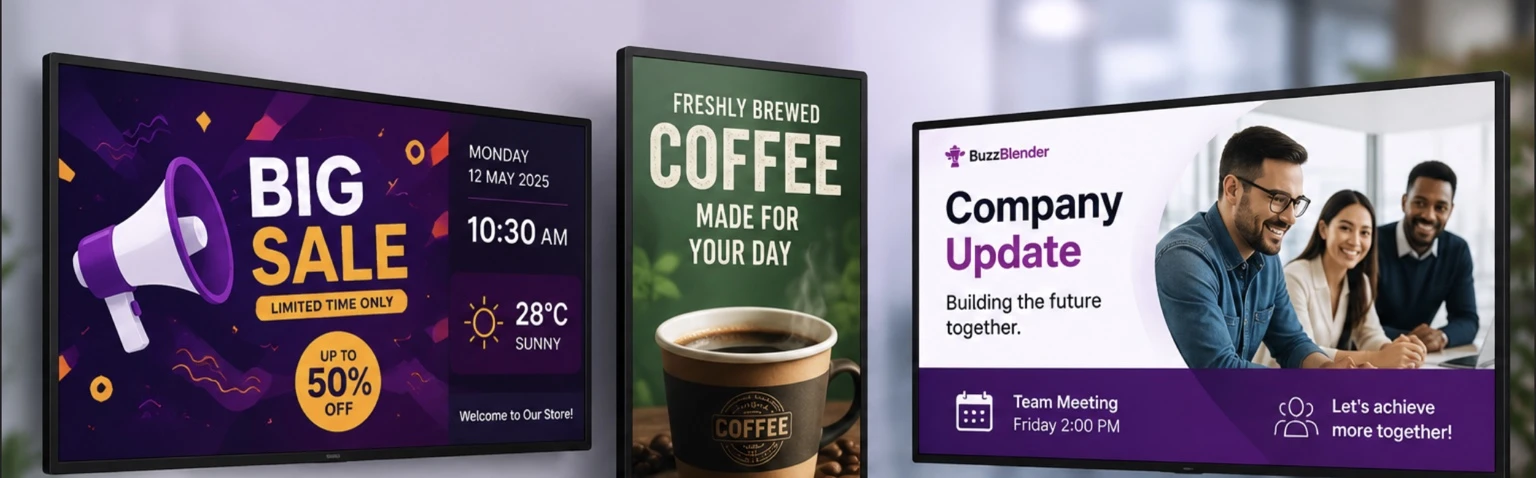
When businesses start looking for a Pickcel alternative, they’re usually trying to solve one problem: finding digital signage software that’s easier to manage, more affordable to scale (we mean – cheaper software), and flexible enough to work with their existing hardware.
Pickcel is a well-known name in the digital signage industry, offering cloud-based screen management, scheduling, and remote content publishing. It’s a capable platform used by organizations around the world.
However, software that works well for one business isn’t always the best fit for another. As more companies invest in digital displays, many are looking for a solution that’s easier to learn, quicker to deploy, and offers excellent value without sacrificing essential features.
That’s where BuzzBlender stands out.
Why trust us? Just try us during the trial.
BuzzBlender is the best choice to get started. Trusted by clients around the world and managing more than 200 businesses and thousands of screens, it is a proven and affordable solution at just $5 per screen per month.
Use the promo code WELCOME100 to get your first month free. Create your account and connect your first screen.
Whether you’re running a retail store, restaurant, corporate office, healthcare facility, school, or hotel, BuzzBlender gives you everything you need to manage digital signage from a single cloud dashboard.
Why Look for a Pickcel Alternative?
Because Pickel price starts at $15 per screen per month.
If you have 50 screens, that means paying $750 every month. I’ll show you how to save money.
Now imagine paying just $250 per month instead. Sounds better? That’s where BuzzBlender comes in with the price $5 per screen/month.
Even better, if you need a specific feature, we’ll build it for you. For customers managing 50+ screens, custom feature development may even be included at no additional cost.
Now let’s compare plans that include approval workflows and multi-user access.
For example, Pickcel charges $25 per screen per month and limits you to 5 users.
With BuzzBlender, the same type of plan costs just $10 per screen per month, with unlimited users.
Monthly cost comparison for 50 screens
- Pickcel: 50 × $25 = $1,250/month
- BuzzBlender: 50 × $10 = $500/month
Monthly savings: $750
That’s $9,000 in savings every year—while getting unlimited users and the flexibility to request custom features.
Digital signage software has become much more than simply displaying images on a television. As these needs grow, so do expectations. Businesses want software that saves time—not software that requires weeks of training.
Many organizations searching for alternatives mention similar priorities:
- Easy deployment
- Affordable pricing
- Remote management
- Reliable performance
- Support for existing hardware
- Simple scheduling
BuzzBlender was built around these exact needs.
Simple Enough for Anyone to Use
One of BuzzBlender’s biggest strengths is how quickly new users can become productive.
Instead of navigating through dozens of settings before publishing your first screen, the platform keeps everything organized and intuitive.
Uploading media, creating playlists, scheduling campaigns, and publishing content all happen through a clean cloud interface that doesn’t require technical expertise.
That means marketing teams, restaurant managers, retail staff, and business owners can manage displays without relying on IT departments.
The result is less time learning software and more time creating content that actually engages customers.
Keep the Hardware You Already Own
One of the hidden costs of digital signage is replacing hardware that still works perfectly.
Many businesses already have Smart TVs, Windows PCs, Android devices, mini PCs, or LG commercial displays installed throughout their locations.
BuzzBlender supports a wide range of hardware, making it possible to continue using existing equipment instead of investing in expensive proprietary players.
For example, Pickcel doesn’t support Regular LG and Samsung TVs.
For growing businesses, Buzzblender flexibility can significantly reduce deployment costs.
Buzzblender supports Regular LG TV and Samsung TV screens
Unlike many digital signage platforms like Pickcel, that require commercial displays, BuzzBlender works with many regular LG and Samsung Smart TVs, helping businesses get started without investing in expensive digital signage hardware.
If you already have compatible TVs installed, you can turn them into professionally managed digital signage displays and start publishing content in minutes.
Need Web Browser player support? BuzzBlender does, Pickcel doesn’t
Sometimes you don’t want to install an app or connect dedicated hardware—you just want to display content in a web browser. Pickcel doesn’t support connecting web browser as a player.
With BuzzBlender’s Web Browser Player, it’s that simple.
Just open play.buzzblender.com in any supported web browser, connect it to your BuzzBlender account using the pairing code, and your browser instantly becomes a digital signage screen. Publish content from the cloud dashboard, and it appears immediately—no software installation or additional hardware required.
The Web Browser Player is ideal for kiosks, temporary displays, trade shows, testing campaigns, or any environment where using a standard web browser is the quickest and easiest solution.
Getting started takes less than a minute:
- Open play.buzzblender.com in your browser.
- Enter the pairing code displayed on the screen.
- Start publishing content instantly from your BuzzBlender dashboard.
It’s one more way BuzzBlender makes digital signage fast, flexible, and easy to deploy.
Manage Every Screen from Anywhere
Cloud-based management has become a standard expectation for digital signage software.
BuzzBlender makes remote management simple.
Whether you’re updating one display or hundreds across multiple cities, everything can be controlled from a single dashboard.
Need to launch a weekend promotion across every retail location?
Simply update the content once and publish it remotely.
Running restaurants?
Schedule breakfast menus to switch automatically to lunch without anyone touching the screens.
Managing corporate offices?
Instantly share announcements, dashboards, or emergency notifications across every location.
Everything happens in real time.
Why Pickcel customers switching to Buzzblender
Scheduling That Works Around Your Business
Scheduling content shouldn’t be complicated.
BuzzBlender allows businesses to automate content based on dates, times, campaigns, or recurring schedules.
Instead of manually updating displays every morning or every holiday, your playlists simply follow the schedule you’ve created.
This automation saves time while ensuring customers always see the right content at the right moment.
Affordable Pricing Without Surprises
Software costs can quickly add up as businesses expand.
BuzzBlender offers pricing that starts at $5 per screen per month, making it one of the more affordable cloud-based digital signage solutions available.
Transparent pricing also makes budgeting easier.
Whether your business has five displays today or plans to deploy hundreds over the next few years, you always know what to expect.
Designed for Growing Businesses
Some digital signage platforms are built primarily for large enterprises with dedicated IT teams.
BuzzBlender takes a different approach.
It delivers enterprise-quality functionality while remaining accessible to small businesses, franchises, marketing teams, schools, healthcare providers, and organizations that simply want software that works.
You don’t need weeks of training.
You don’t need complicated deployment projects.
You simply install, upload your content, schedule it, and publish.
Pickcel vs BuzzBlender
| Feature | Pickcel | BuzzBlender |
|---|---|---|
| Starting Price | $15 per screen/month | $5 per screen/month |
| Free Trial | 14-day free trial (1 display) | 14-day free trial, no credit card required |
| Cloud-Based Management | ✅ | ✅ |
| LG webOS Regular Screens Support | No support | ✅ |
| Samsung Tizen Regular Screens Support | No support | ✅ |
| Remote Content Publishing | ✅ | ✅ |
| Video Sync support. Synchronise media playback (video wall) | $25 per screen/month, up to 5 users | $5 per screen/month, no user limits |
| Content Scheduling | ✅ | ✅ |
| Playlist Management | ✅ | ✅ |
| Multi-Location Management | ✅ | ✅ |
| Android Support | ✅ | ✅ |
| Windows Support | ✅ | ✅ |
| Linux Support | ✅ | ✅ |
| Web-Browser Support | No | ✅ |
| LG webOS Commercial Screens Support | ✅ | ✅ |
| QR Code Overlays | ✅ | ✅ |
| Role-Based User Management | $25 per screen/month, up to 5 users | $10 per screen/month, no user limits |
| Screen Monitoring | ✅ | ✅ Real-time monitoring |
| Best For | Mid-size to Enterprise deployments | Small businesses, franchises, restaurants, retail, schools, healthcare, and enterprises |
Who Should Choose BuzzBlender?
BuzzBlender is a great fit for businesses that want professional digital signage without unnecessary complexity.
Retailers can update promotions across every store from a single dashboard.
Restaurants can automate digital menus throughout the day.
Schools can display announcements, events, and emergency notifications without printing posters.
Healthcare providers can improve patient communication in waiting rooms.
Corporate offices can keep employees informed with dashboards, KPIs, company news, and meeting schedules.
Because everything is managed remotely, organizations spend less time maintaining displays and more time focusing on their business.
Why More Businesses Are Switching
There’s a noticeable shift happening in digital signage.
Businesses aren’t necessarily looking for software with the longest feature list.
They’re looking for software that’s easier to use.
BuzzBlender focuses on the features companies use every day:
- Fast deployment
- Cloud management
- Flexible hardware support
- Automated scheduling
- Multi-location management
- Affordable pricing
- Reliable performance
By removing unnecessary complexity, BuzzBlender makes digital signage accessible to businesses of every size.
Final Verdict
Pickcel remains a strong digital signage platform with a wide range of features and enterprise capabilities.
However, if you’re looking for software that’s simpler to deploy, easier to manage, and more affordable as your business grows, BuzzBlender is one of the best Pickcel alternatives available today.
Its cloud-based management, flexible hardware compatibility, automated scheduling, remote publishing, and transparent pricing make it an excellent choice for businesses that want professional digital signage without the learning curve.
Whether you’re managing a single display or hundreds across multiple locations, BuzzBlender provides a scalable solution that grows with your business.
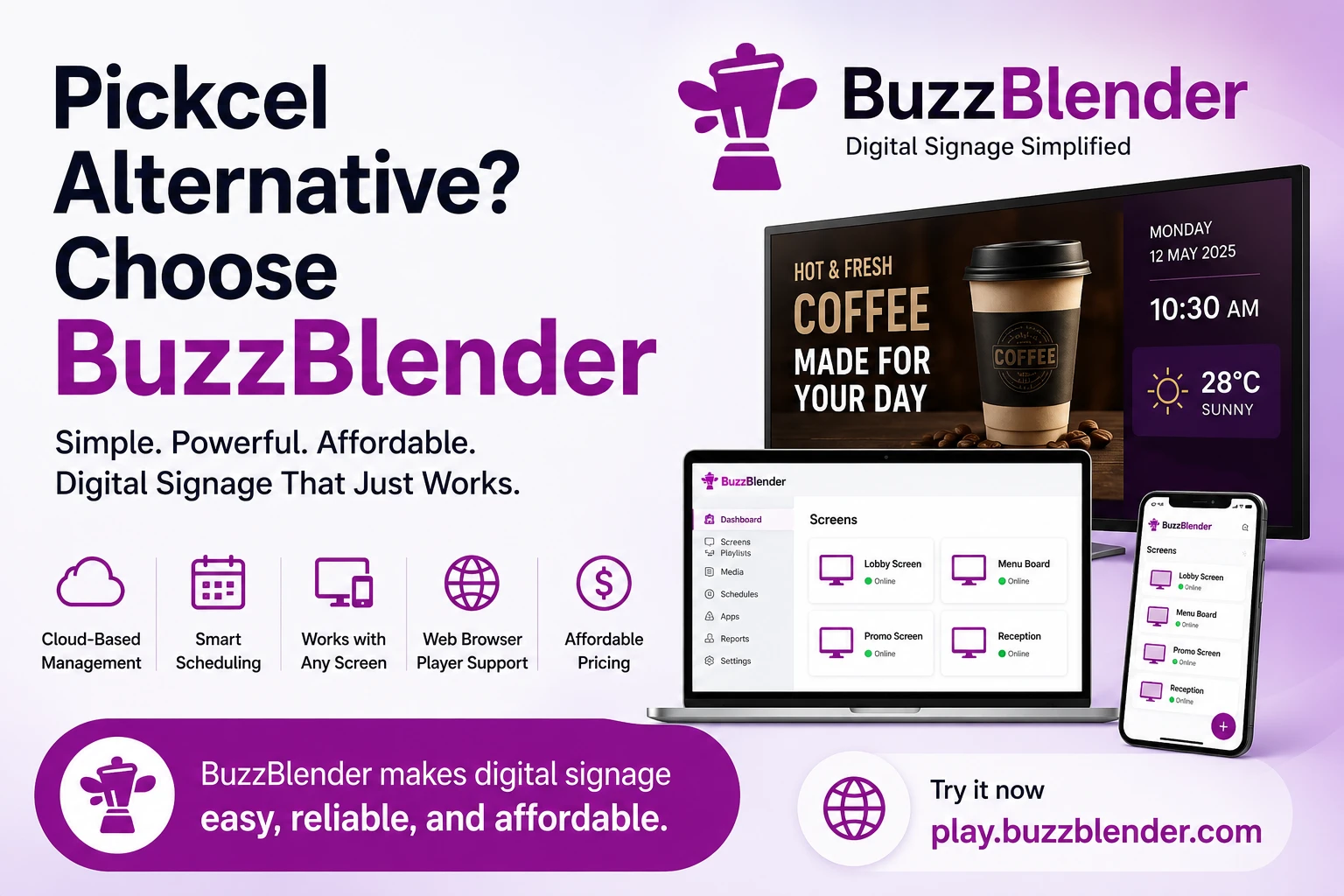
Take control of your screens today with Buzzblender
Frequently Asked Questions
Is BuzzBlender a good alternative to Pickcel?
Yes. BuzzBlender offers cloud-based digital signage, remote management, scheduling, playlist management, and broad hardware compatibility while focusing on simplicity and affordability.
Can I use my existing displays?
Yes. BuzzBlender supports Android, Windows, Linux, LG webOS displays, Smart TVs, Web Browser, Samsung Commercial screen, LG Signage and many other compatible devices, allowing businesses to reuse existing hardware whenever possible.
Is BuzzBlender suitable for multiple locations?
Absolutely. Businesses can manage displays across multiple stores, restaurants, schools, healthcare facilities, or offices from one centralized cloud dashboard.
What makes BuzzBlender different?
BuzzBlender focuses on ease of use. Instead of overwhelming users with unnecessary complexity, it provides the tools businesses need every day in a clean, intuitive interface that’s easy to learn and simple to scale.
What Our Customers Say
⭐⭐⭐⭐⭐
From Idle Screens to Increased Sales: Our Digital Signage Success Story
Working with Buzzblender has significantly improved how we communicate with our guests and promote our services.
The team was extremely responsive and supportive throughout the entire process — from onboarding to daily operations. Everything was set up quickly, and we were able to start using digital signage across our hotel almost immediately.
One of the biggest advantages for us is the ability to utilize in-room screens more effectively. When guests are not actively watching TV or streaming platforms like Netflix, we now display targeted promotional content — including room service offers, restaurant specials, beverages, and spa experiences.
This approach has had a direct impact on our revenue. We’ve seen a noticeable increase in spa bookings, as well as higher engagement with our restaurant and in-room dining services.
Catalina, Marketing Director