
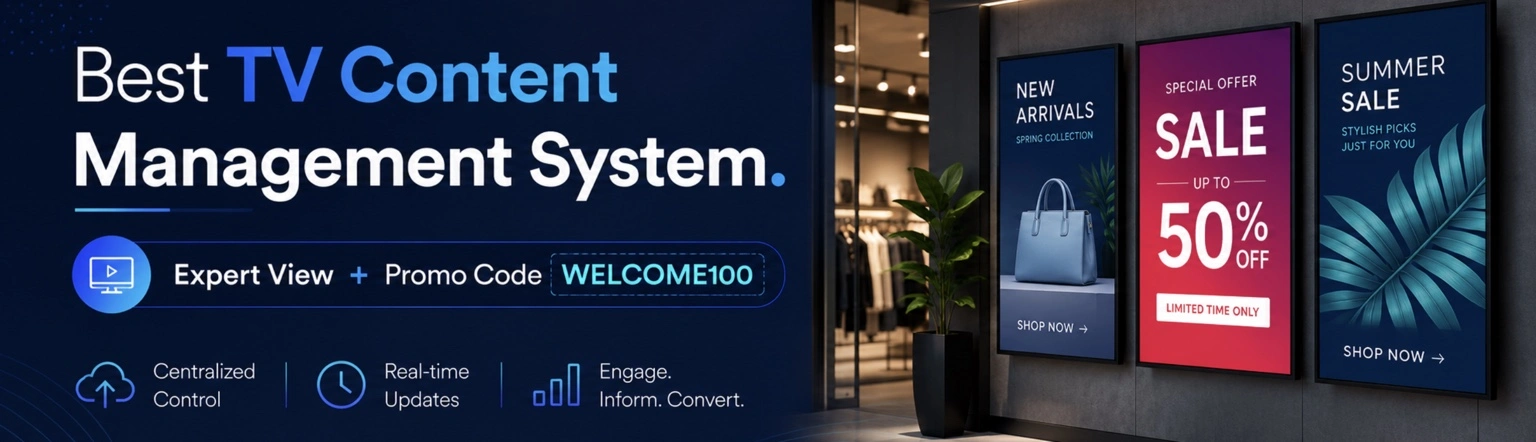
Managing TVs across multiple rooms, locations, or departments should not feel like managing a complex IT infrastructure. A modern TV management system helps businesses control screens remotely, schedule content, monitor device activity, and update displays in real time — all from a centralized dashboard, even while on the go using a mobile phone.
Today, Ilia, co-founder of Buzzblender and a technology expert who previously developed his own operating system for Smart TVs, shared his expert insights on modern TV content management systems.
We also included reviews from our customers to provide perspectives from real businesses using the platform daily. When businesses see how others solve similar pain points — combined with expert guidance on how to replicate those results — it creates a clearer understanding of how a TV content management system works.
Exclusive offer: get your first month free with promo code WELCOME100.
Some of the key points:
- What is a TV Content Management System: A TV Management System (Digital Signage CMS) is a content management platform for regular TVs and commercial displays that allows businesses to upload images and videos, schedule when content should appear, and publish it remotely across multiple screens.
- Why Businesses Need a TV CMS: Businesses use TV management systems to increase sales and improve internal communication by turning ordinary screens into a powerful marketing tool and real-time information channel.
- Core Capabilities of Modern TV CMS: Modern systems offer remote screen management, content scheduling, and real-time updates to push promotions instantly across all displays, with features like QR code integration and role-based access.
- Practical Benefits and Customer Insights: Real-world use shows easy onboarding, centralized control from a single dashboard, and tangible time savings, making signage updates faster and more professional across multiple locations.
- Buzzblender Positioning and Trial Offer: Buzzblender emphasizes affordable, core signage features with quick setup and remote management, and offers a 14-day free trial and additional free month via WELCOME100 promo code.
What is a TV Content Management System
A TV Management System (Digital Signage CMS) is a content management platform for regular TVs and commercial displays that allows businesses to upload images and videos, schedule when content should appear, and publish it remotely across multiple screens.
In most cases, businesses use TV management systems for two primary purposes: increasing sales and improving internal communication. We’ll take a closer look at both.
Here’s a real example from a business owner:
“Before switching to Buzzblender, TV management platform, updating screens across our three gym locations was a constant hassle. Staff had to manually plug in USB drives and coordinate schedules between classes, promotions, and announcements. We needed something simple enough for our front desk team to manage without IT support.
The onboarding process was surprisingly smooth. Their support team helped us set up every screen remotely and even gave us templates for class schedules and member promotions.
Now we can update all displays instantly from one dashboard, whether it’s promoting a new trainer, sharing wellness tips, or announcing schedule changes. It’s saved us hours every week and made our studios look far more professional.”
— Stiff, Operations Manager, Fitness Studio in Illinois
The founder of Buzzblender, Ilia, commented: “Many businesses purchase standard consumer TVs for commercial use and later discover that the built-in signage software can be surprisingly expensive — often costing around $20 per screen each month. That’s why we created Buzzblender: a simple and affordable TV management solution designed for businesses that don’t want to overpay for complex enterprise platforms and only need the core digital signage features”.

Why Businesses Need a TV Content Management System
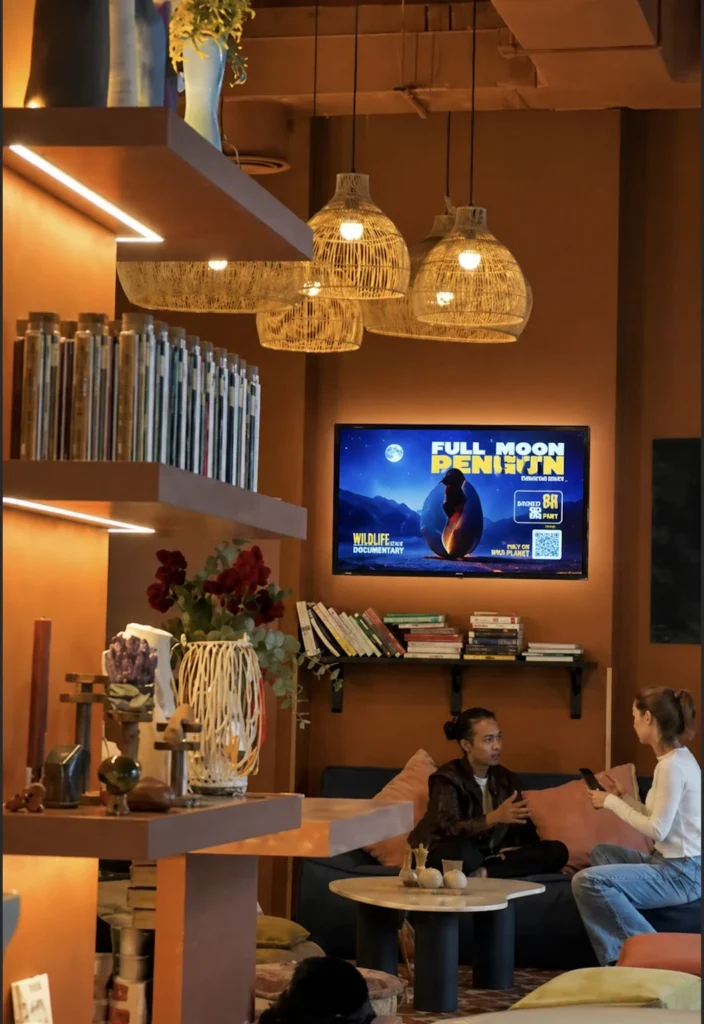
Whether you run a hotel, office building, gym, retail chain, or healthcare clinic, a TV management system transforms ordinary screens into a powerful marketing tool.
Increasing sales
You can easily increase revenue by displaying promotions and advertisements for your own business. Imagine creating your own version of YouTube — but instead of showing random ads from other brands, you display your own content, offers, and promotions directly on your screens.
In many ways, it’s like having your own Netflix for your business: a centralized platform where you fully control what customers and employees see, when they see it, and how it’s presented.
“We originally installed the TV management system to make our stores look more modern, but very quickly we realized it was becoming one of our strongest sales tools.
Before, customers would walk past promotions without noticing them. Now we showcase special offers, seasonal collections, and limited-time discounts directly on screens throughout the store. It feels like we created our own in-store media channel where we fully control the customer’s attention.
The setup process was simple, and their team helped us organize content schedules for different times of day and different store locations. Within the first few months, we noticed more customers asking about promoted products and a clear increase in sales of highlighted items.
The biggest advantage is flexibility — we can launch a promotion across every screen in minutes without printing new materials or coordinating with each store manually.”
— Tabitha, marketing director of Retail Store Chain in Barselona
Internal communication
Another common use case is using screens to communicate information internally and externally. Businesses use TV management systems to share announcements, schedules, updates, performance metrics, safety instructions, company news, and important messages in real time across offices.
“We originally started looking for a solution to improve patient communication in our waiting rooms, but we ended up transforming the experience across all five of our clinics.
What stood out was how easy the system was to deploy. We had zero technical background, but their onboarding team guided us through every step and checked in regularly during the rollout.
Today, we use the screens to display appointment reminders, oral health education, and multilingual announcements. Patients are more engaged, and our reception staff spend less time answering repetitive questions.”
— Elena, Clinic Administrator, Family Dental Group in Italy
10 top TV Content Management System Software Providers for 2026. Honest comparison
Choosing the right dynamic digital signage software depends on your business needs, budget, hardware, and desired features. Below is a side-by-side comparison of leading platforms.
Buzzblender stands out as a strong choice in several key areas, particularly pricing, core functionality, and stable player performance.
“When comparing different digital signage platforms, businesses should focus not only on features, but also on reliability and flexibility. Stable playback is one of the most important factors, especially for businesses running screens 24/7 across multiple locations. Another key advantage is hardware-agnostic software — companies don’t want to be locked into expensive proprietary hardware or limited ecosystems. Businesses today need simple, flexible solutions that work reliably on the devices they already own.”
Table of Comparison of TV Content Management System
| Provider | Ease of Use | Key Features | Pricing | Hardware Support | Unique Selling Point | Users |
|---|---|---|---|---|---|---|
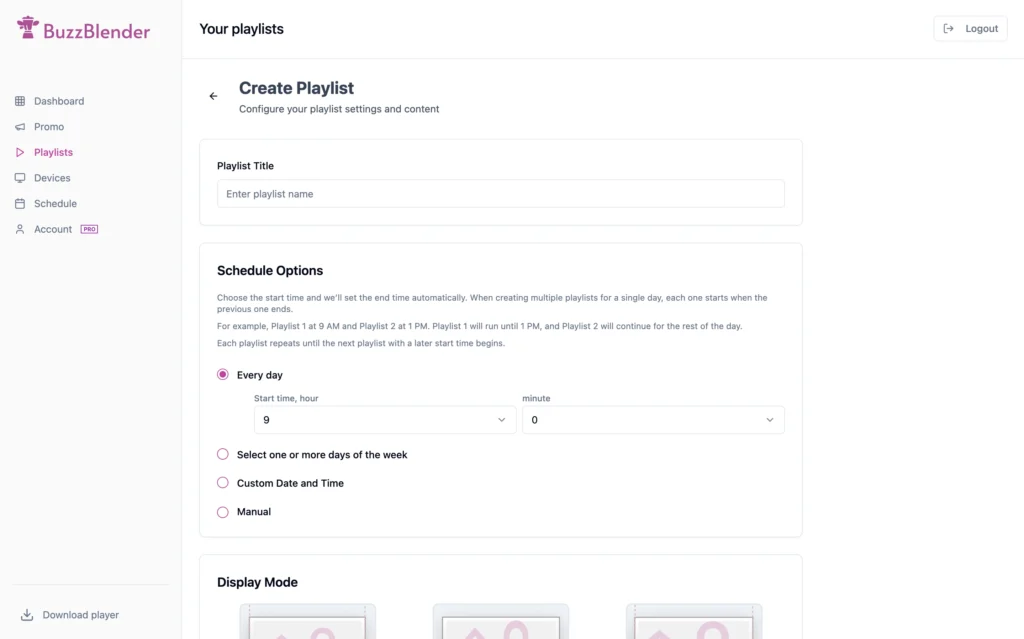
| Buzzblender | Very intuitive interface thanks to the merging of media management and scheduling into a single page. | Browser-based, playlist scheduling, centralized dashboard, supports LG webOS, Samsung Tizen, Android, custom development, white-label | $5/screen/month, 14-day free trial | LG webOS, Samsung Tizen, Android, TitanOS any device with a browser | Affordable, rapid setup, flexible, custom development options | SMBs and Enterprise |
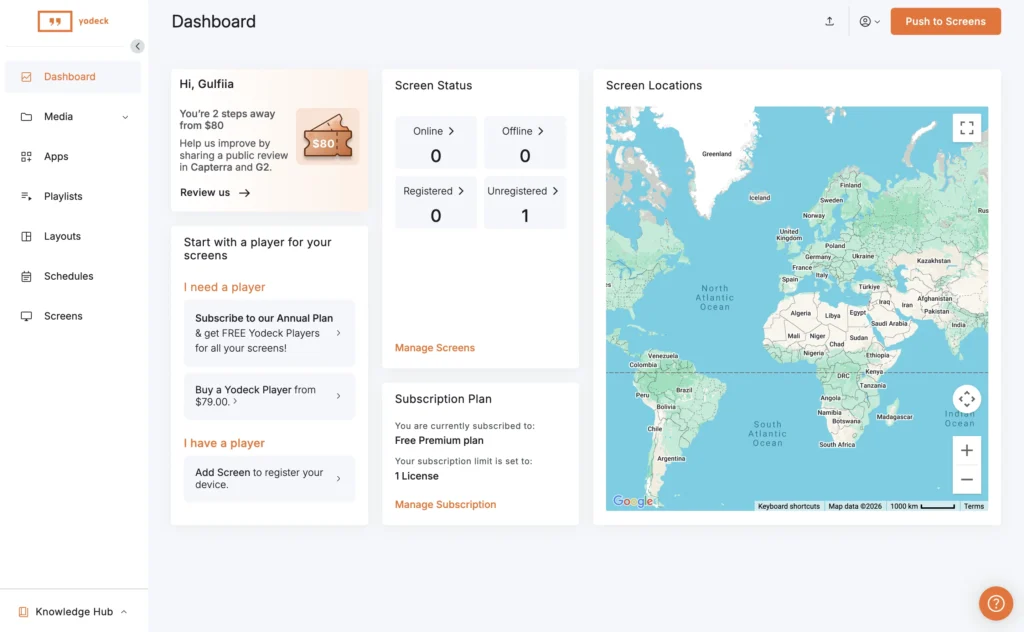
| Yodeck | The platform feels somewhat outdated since it requires a separate license for each screen. | Cloud-based, drag & drop editor, templates, remote management, scalable, free tech support | $7.99, billed anually | Raspberry Pi, supported media players | Free player with annual plan, easy scaling | SMBs |
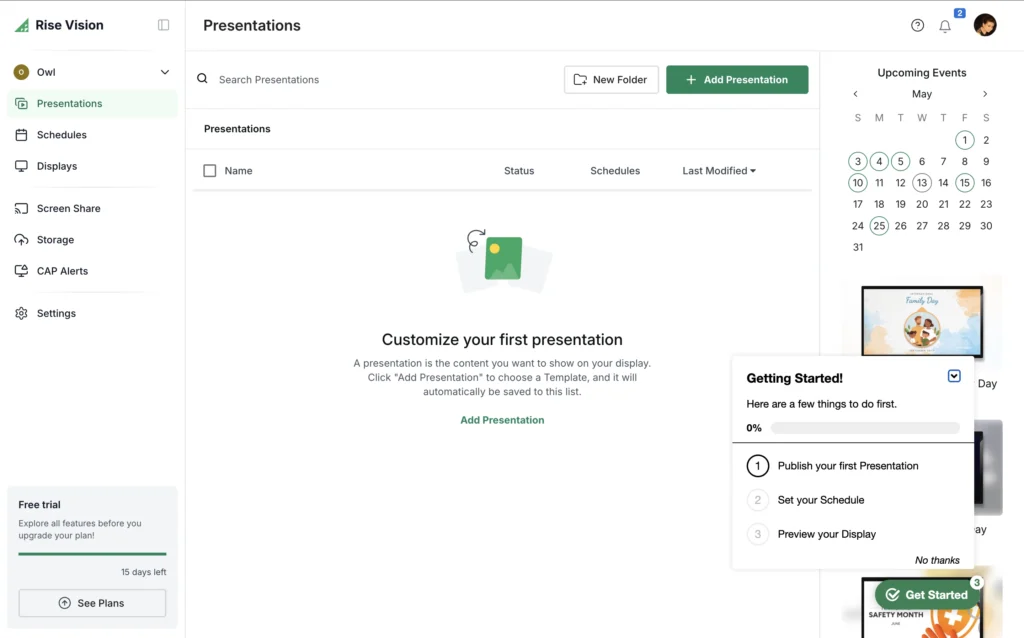
| Rise Vision | Quite difficult to manage because playlists and scheduling are handled on two separate pages, requiring too many steps to complete simple tasks. | 600+ templates, screen sharing, emergency alerts, hardware flexibility, cloud-based | $11/screen/month | Recommended media players, Avocor, existing hardware | Easy setup, strong for education and organizations | Education |
| Mvix | The interface feels overloaded and complex, requiring significant time to learn and navigate efficiently. | No subscription, apps, playlist & template management, advanced scheduling | One-time fee (with player) | Mvix signage player | Perpetual license with no ongoing subscription | Education |
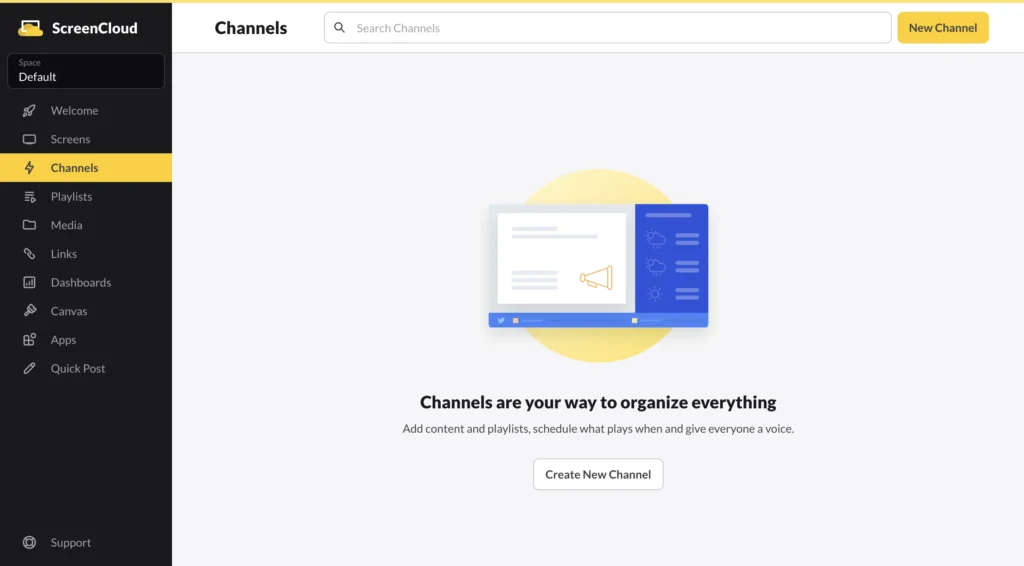
| ScreenCloud | The onboarding process is relatively long and requires time to fully understand the platform and its workflow. | 80+ apps, integrations (Google Slides, Canva, MS Teams), remote management, cloud-based | $20/screen/month | Most screens/devices, proprietary OS devices | Extensive integrations and enterprise-grade security | SMBs |
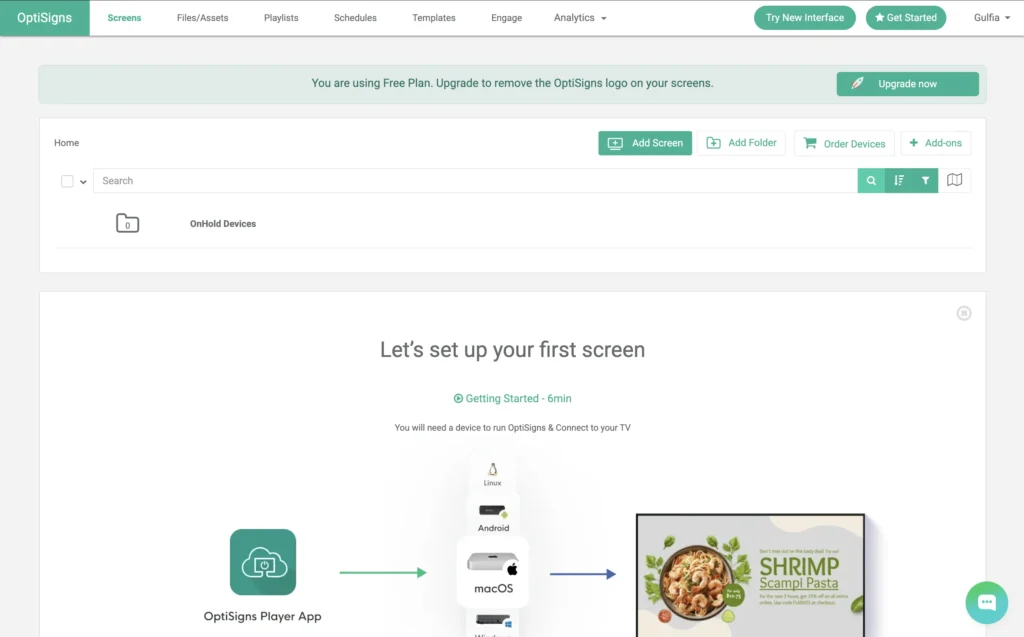
| OptiSigns | OptiSigns can become difficult to manage at scale, as organizing large numbers of screens and playlists may feel less structured compared to enterprise-focused platforms. | Scheduling, dashboards, social media feeds, remote updates, cloud management | $10/screen/month | Android TV, Fire TV, Windows, ChromeOS | Fast deployment and simple interface | SMBs |
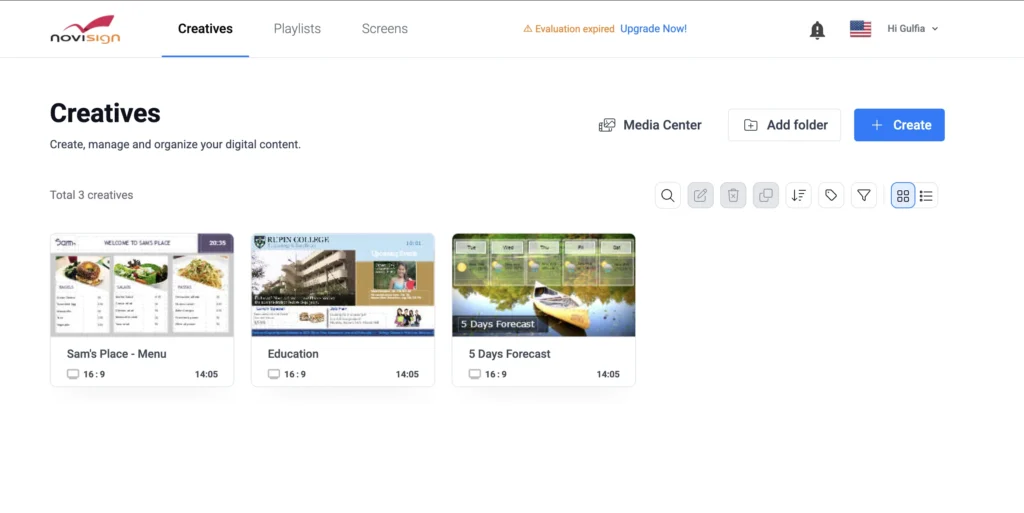
| NoviSign | The platform often requires a technical specialist for initial setup and advanced configuration. | Interactive signage, touchscreen support, widgets, kiosk mode, queue management | $20/screen/month | Android, Windows, ChromeOS | Strong interactive kiosk and touchscreen functionality | Enterprise |
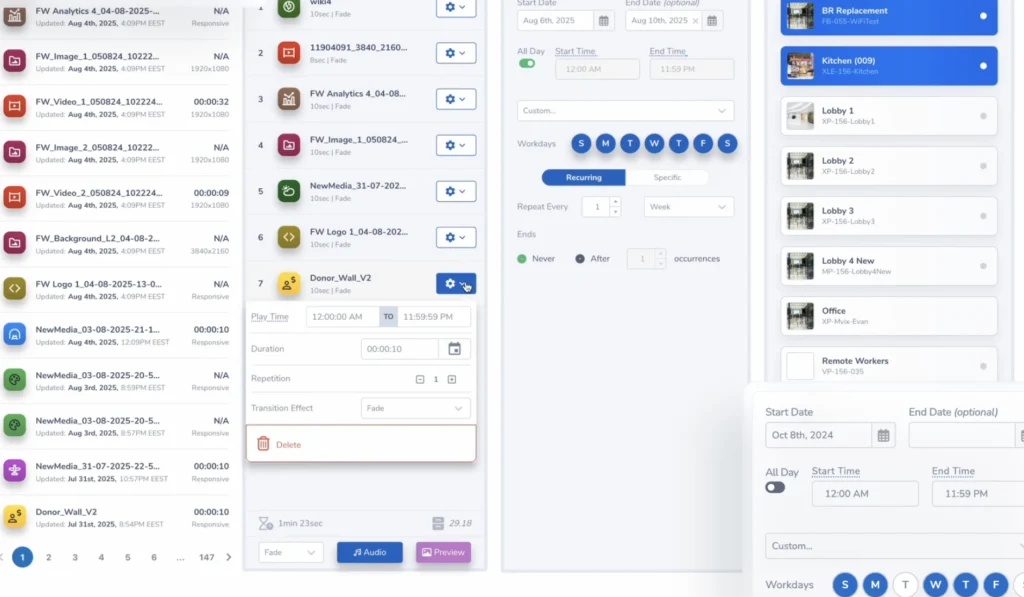
| TelemetryTV | It can be difficult for new users to understand how the platform works due to its complex workflow and navigation structure. | KPI dashboards, emergency alerts, cloud management, workplace communication tools | $18/screen/month | Android, ChromeOS, Smart TVs | Advanced dashboard integrations and office communication features | Enterprise |
| Samsung MagicINFO, Check alternatives | The scheduling process feels outdated and overly complicated, requiring too many unnecessary steps to publish and manage content. | Remote device management, content scheduling, video walls, centralized monitoring, enterprise tools | Cloud Lite, ~$99/yr · $8.25/screen/month | Samsung Tizen displays | Native Samsung integration with enterprise-grade device management | Enterprise |
| LG SuperSign CMS | The content scheduling workflow is unnecessarily complex and old-fashioned, making routine tasks take more time and clicks than expected. | Content management, remote control, scheduling, monitoring, template support | Enterprise pricing | LG webOS displays | Native LG webOS integration optimized for LG commercial displays | Enterprise |
Compared to many competitors, Buzzblender focuses on delivering the essential features businesses need most — remote screen management, content scheduling, real-time updates, and multi-screen control — without unnecessary complexity or enterprise-level pricing.
Provider Overviews
Buzzblender
Affordable and browser-based, Buzzblender supports major professional displays (LG webOS, Samsung Tizen, Android) and offers custom development and white-label solutions. It is ideal for small businesses seeking a flexible, easy-to-use platform with fast setup and centralized management. Start 14 days free trial. No card commitment.
Yodeck
Yodeck is a scalable, cloud-based solution with an intuitive drag & drop interface and free technical support. It offers a free preconfigured player with annual subscriptions and is suitable for organizations looking for quick deployment and easy scaling.
Rise Vision
Rise Vision is known for its ease of setup, extensive template library, and features like screen sharing and emergency alerts. It is widely used in educational settings and organizations that require flexible hardware options.
Mvix
Mvix offers a one-time fee for a perpetual license, bundled with its own signage player. It’s a strong option for organizations seeking advanced scheduling, template management, and no ongoing subscription costs.
ScreenCloud
ScreenCloud is built for enterprises needing secure, scalable digital signage with extensive integrations to popular workplace tools like Google Slides and MS Teams. Its platform supports a wide range of devices and offers both cloud-based management and proprietary hardware.
OptiSigns
OptiSigns enables businesses to easily create, schedule, and publish content to various screens through a centralized, cloud-based dashboard. Its flexibility with file formats and integrations makes it suitable for organizations managing multiple locations and content types.
NoviSign
NoviSign is a cloud signage platform known. It supports a broad range of hardware, making it a popular choice for enterprise users.
TelemetryTV
TelemetryTV is known for its cloud-based, scalable digital signage with a focus on enterprise features and integrations.
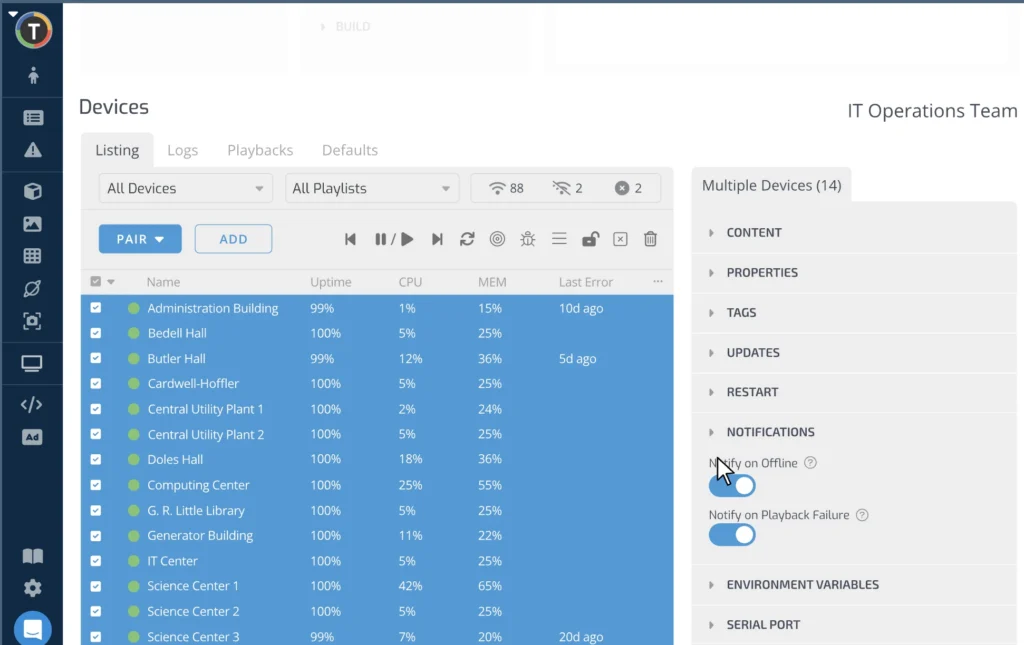
Samsung MagicINFO
Samsung MagicINFO is designed for seamless management of Samsung digital displays, offering direct integration and control. It is best suited for organizations standardizing on Samsung hardware.
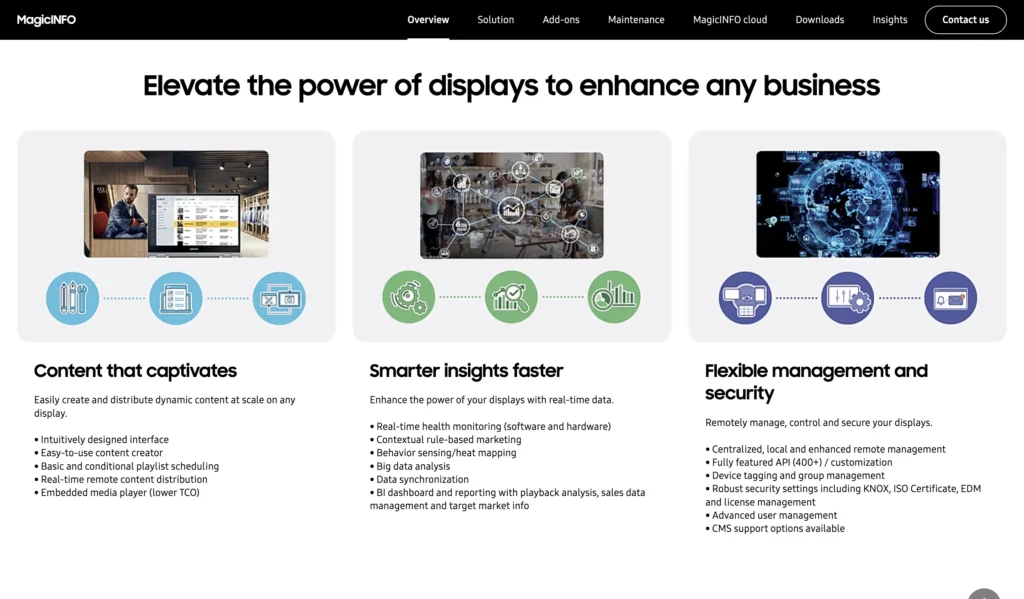
LG SuperSign CMS
LG SuperSign CMS is tailored for LG digital signage displays, providing direct management and content scheduling. It is ideal for businesses invested in LG hardware ecosystems.
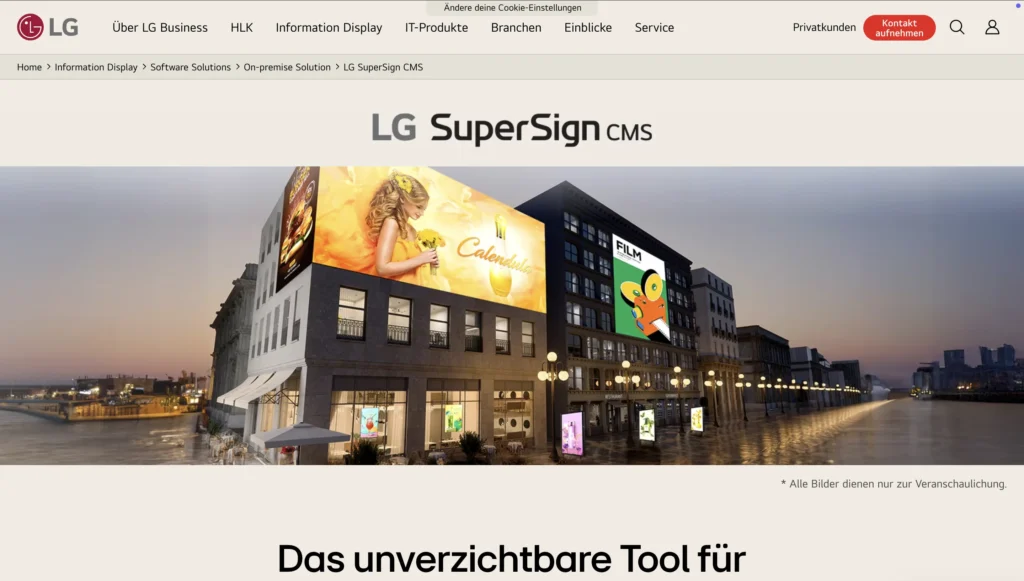
Summary
- Buzzblender is best for small to medium businesses seeking affordability, speed, and flexibility.
- Yodeck excels in scalability and ease of use, with strong support for growing organizations.
- Rise Vision is preferred for education and organizations needing templates and alerts.
- Mvix is a good fit for those wanting a one-time purchase and advanced content controls.
- ScreenCloud stands out for integrations and enterprise security.
How customers feel about Buzzblender:
“Our goal was to modernize guest communication without investing in complicated infrastructure. We needed a solution that could manage lobby displays, restaurant promotions, and event schedules from one place.
The implementation process was fast, and their customer success team stayed involved well after launch to make sure our staff felt confident using the platform.
Since deploying the system, we’ve improved guest communication significantly and reduced the time our staff spend updating signage manually. It’s become an important part of the guest experience.”
— Thomas, General Manager, Boutique Hotel Group in Singapore
Take control of your screens today with Buzzblender
Buzzblender focus on cloud-based screen management, real-time updates, and remote content scheduling for businesses using LG webOS, Samsung Tizen, Android TV, and browser-based displays.
Cloud-based TV management platforms have become especially important for businesses with distributed locations, where centralized control saves both time and staffing resources.
“We tested four different digital signage vendors before choosing BuzzBlender. Most platforms were either too expensive, overly complicated, or required proprietary hardware and long onboarding processes. BuzzBlender stood out because the setup was fast, the interface was simple, and we could use our existing Samsung and LG TVs without additional players. Stable playback and centralized management across all our locations were the key reasons we finally switched.”
— Vasya, Owner of Pets store in Dallas
Key Features of a Modern TV Content Management System
Remote Screen Management
Control all connected TVs remotely from a cloud-based dashboard.
Content Scheduling
Create playlists and schedule content automatically based on time, day, or campaign.
Real-Time Updates
Push new promotions or announcements instantly to all screens.
QR Code Integration
Allow customers to scan promotions, menus, or booking pages directly from TV screens.
User Roles & Permissions
Assign administrators, editors, or viewers with role-based access control.
Screen Monitoring
Track active and inactive devices in real time to prevent downtime.
“After trying several signage platforms, we realized that many systems focus on advanced enterprise tools we simply didn’t need. BuzzBlender covered the core functionality — stable playback, scheduling, remote updates, and multi-screen management — without unnecessary complexity.”
— Martin, Founder, Hospitality Business in Catalonia
“A modern TV management system should simplify content management, not make it more complicated. Businesses need stable playback, centralized control, easy scheduling, and hardware-agnostic compatibility so they can manage screens efficiently without expensive infrastructure or technical overhead.”
Quick Start: Plug-and-Play Solutions
Many dynamic digital signage platforms are designed for rapid deployment, letting you get up and running in just minutes. Plug-and-play solutions typically involve:
- Pre-configured Media Players: Some providers offer media players (like Raspberry Pi or proprietary devices) that are already set up to work with their software. Simply connect the player to your screen via HDMI, power it up, and follow the on-screen instructions.
- Cloud-Based Setup: Platforms such as Buzzblender, Yodeck allow you to register your screen or player online. After registration, you can begin uploading and scheduling content from any web browser.
- Device Flexibility: Many solutions support a wide range of hardware—including smart TVs, tablets, and existing PCs—so you can use screens you already have.
“Businesses today expect plug-and-play solutions that work within minutes, not days. A quick start process is critical because most companies don’t have dedicated technical teams for digital signage deployment. Simple setup, intuitive onboarding, and stable playback across different devices make adoption much faster and reduce operational headaches.”
Example steps for plug-and-play setup:
- Order or download the recommended media player/software.
- Connect the device to your display and network (Wi-Fi or Ethernet).
- Register your device with the software provider using an activation code.
- Log in to the web dashboard and start uploading content.
Custom Deployment Options
For businesses with unique requirements, custom setups offer greater flexibility and integration:
- White-Label and Custom Development: Some providers, like Buzzblender, offer custom development to tailor the platform to your brand or workflow.
- Integration with Existing Systems: Platforms such as Buzzblender can integrate with tools like Microsoft Outlook for automated meeting room displays and wayfinding.
- On-Premise vs. Cloud: While most modern solutions are cloud-based for easy remote management, some (e.g., Mvix, Buzzblener, ScreenCloud) offer on-premise deployments for organizations with strict security or compliance needs.
- Multi-Site and Multi-Screen Management: Centralized dashboards let you manage content across multiple locations and screens from a single interface.
Typical Onboarding Process
- Sign Up for a Free Trial: Most providers offer a risk-free trial period (e.g., Buzzblender’s 14-day free trial) to let you explore features before committing.
- Initial Setup: Follow guided tutorials or onboarding checklists to connect your screens and configure your first playlists.
- Upload your content: Use Canva to design your first messages, menus, or promotions. Upload the results.
- Scheduling and Publishing: Schedule your content to play at specific times or set up recurring playlists for ongoing campaigns.
- Monitor and Optimize: Use the dashboard to monitor active/inactive screens, update content in real time, and analyze engagement.
Deployment Flexibility
- Browser-Based Access: Many platforms allow you to manage signage from any device with a browser—no special software required. Try play.buzzblender.com
- Hardware Agnostic: Solutions like Buzzblender and OptiSigns let you deploy on a wide variety of devices, reducing hardware costs.
- Scalability: Start with a single screen and expand to dozens or hundreds as your needs grow, all managed from one account.
Summary:
Getting started with dynamic digital signage software can be as simple as plug-and-play, or as tailored as a custom-built, integrated solution. Whether you need fast deployment for a single café or a scalable system for dozens of locations, modern platforms offer flexible options to match your business needs and technical expertise.
“We needed a TV management system that our staff could learn quickly without technical training. Some enterprise platforms felt overloaded and required too many steps just to schedule content. BuzzBlender gave us a much more intuitive workflow and significantly reduced the time spent managing screens.”
— Ares, Marketing Coordinator, Restaurant Chain in Greece
“One of the biggest advantages for us was hardware flexibility. We didn’t want to invest in expensive commercial displays or locked ecosystems. BuzzBlender allowed us to launch digital signage using the TVs we already had, which reduced deployment costs dramatically.”
— Mohamed, IT Manager, Fitness Studio Network in Philippines
Buzzblender is designed for fast deployment:
- Install the app on your TV
- Connect the screen using an activation code
- Upload content
- Create playlists
- Schedule playback
No advanced technical skills are required.
“Deployment flexibility has become one of the biggest deciding factors when choosing digital signage software. Businesses want hardware-agnostic platforms that can run on smart TVs, Android devices, and existing hardware without requiring expensive proprietary equipment. Flexible deployment reduces costs and makes scaling much easier.”
Take control of your screens today with Buzzblender
Final Thoughts
A TV management system helps businesses modernize communication, automate screen management, and improve customer engagement across multiple locations.
From hotels and offices to retail stores and gyms, centralized TV management makes it easy to deliver dynamic content, monitor devices remotely, and keep screens updated in real time.
As businesses continue moving toward cloud-based digital signage, flexible TV management platforms are becoming an essential part of modern operations.
“TV management systems are no longer just simple content players — they’ve become essential business tools for communication, branding, and customer engagement. Companies are looking for stable playback, remote management, and flexible deployment options that can scale across multiple locations without increasing complexity or costs. As cloud-based digital signage continues to grow, businesses increasingly prefer simple, hardware-agnostic platforms that are easy to manage and quick to deploy.”
We Support Different Operating Systems
What Our Customers Say
⭐⭐⭐⭐⭐
The Easiest and Most Affordable Digital Signage We’ve Used
We tested several digital signage solutions before switching, and BuzzBlender has been the simplest and most reliable by far.
Setup on our Samsung displays was fast, and managing content is incredibly easy—even for non-technical staff. We can update screens in real time, run promotions, and control everything remotely without extra hardware.
Compared to other systems, it stands out for both ease of use and pricing. Just five dollars.
Vasiliy, co-founder of Ecomind



Leave a Reply