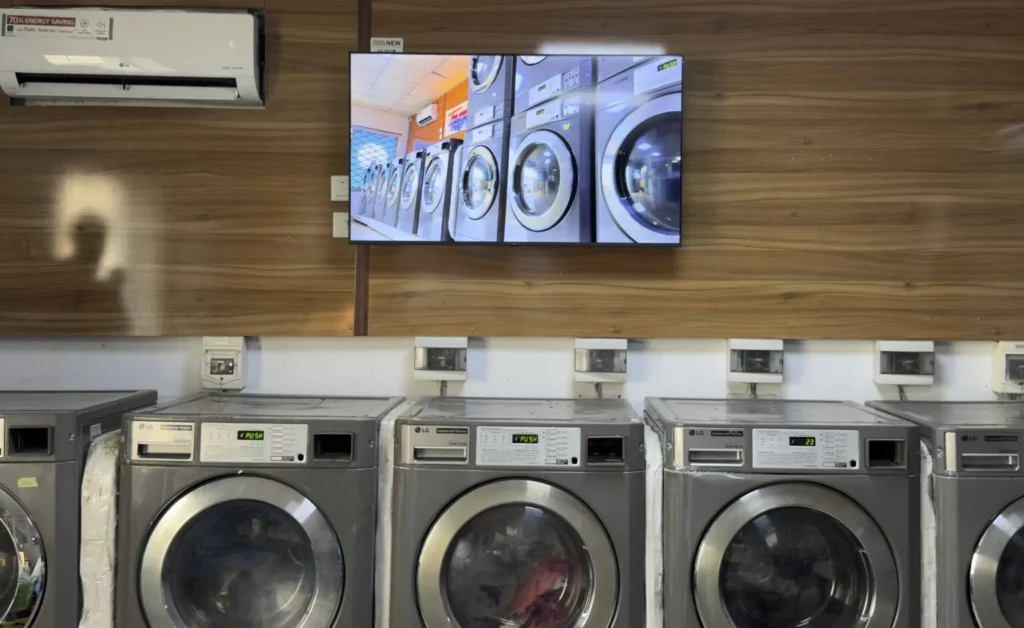
Display software turns ordinary TVs, monitors, and commercial screens into remotely managed digital displays.
Instead of updating each screen manually with USB drives, businesses can use cloud-based software to upload images and videos, create playlists, schedule content, and control multiple displays from one dashboard.
This makes display software useful for retail stores, restaurants, offices, hotels, schools, healthcare facilities, gyms, and other organizations that regularly communicate through screens.
BuzzBlender provides cloud-based display software starting at $5 per screen per month. Its Basic plan currently includes playlist creation, scheduling, remote management, active and inactive screen monitoring, QR-code overlays, images, videos, web pages, HTML, kiosk mode, and supported video-wall functionality.
What Is Display Software?
Display software is a platform for controlling what appears on one or more digital screens.
The software usually connects three elements: your content, a compatible screen or player, and a cloud-based content management system.
An administrator uploads the content to the platform, creates a playlist, selects the appropriate screens, and determines when the content should play.
The display then receives and presents that content without requiring someone to physically replace files every time a campaign changes.
This centralized approach becomes particularly valuable when a company operates multiple displays or locations.
If you’re searching for display software, chances are you’re looking for something affordable and easy to use. That’s BuzzBlender. Manage screens remotely, schedule content in minutes, and start for as little as $5 per screen per month
Enjoy free month with the promo code WELCOME100
What we will cover:
- What Is Display Software: Display software enables digital displays, screens, kiosks, and other devices to present, manage, and control digital content by connecting content creators, management systems, and hardware.
- Why Display Software Is Important: It allows centralized, remote management of content across networks, automates delivery, improves engagement, and supports real-time updates at scale, reducing manual updates.
- How Display Software Works: Content is created, uploaded to a management platform, scheduled for when and where it should appear, distributed to connected displays, played back according to the schedule, and monitored for performance and health.
- Key Benefits and Features: Key benefits include centralized management, remote updates, automated scheduling, multi-screen support, real-time updates, and scalability, backed by features like content management, device monitoring, and analytics.
- How to Choose Display Software: Define your use case, verify device compatibility, evaluate content management and remote capabilities, review analytics, assess scalability and security, and prefer a solution that fits your long-term content strategy.
What Is Display Software Used For?
Display software is used to publish and manage digital content on TVs, monitors, commercial displays, tablets, video walls, and other connected screens.
The concept is straightforward. Your physical screen provides the display, while the software controls the content.
A restaurant, for example, could display breakfast menus during the morning, automatically switch to lunch promotions later in the day, and then show dinner specials in the evening. A retailer could schedule a weekend promotion across several locations without asking employees at every store to update the screens manually.
This makes display software useful anywhere information needs to change regularly.
Common content includes menus, promotional images, videos, announcements, advertisements, internal communications, special offers, event information, branded content, and QR-code campaigns.
How Does Display Software Work?
Most cloud-based display software follows a relatively simple workflow.
1. Connect Your Screen
First, the display or playback device is connected to the signage platform.
BuzzBlender supports multiple operating systems and screen environments, including Android, LG webOS, Samsung Tizen, Linux, macOS, browser-based displays, and other compatible devices.
This cross-platform approach can be particularly useful for businesses that already own different types of screens. Instead of replacing an entire hardware fleet simply to adopt a single signage ecosystem, organizations can potentially continue using compatible existing hardware.
2. Upload Your Content
Once a screen is connected, media can be uploaded through the cloud dashboard.
Businesses can use images and videos for promotions, menus, advertisements, announcements, or internal communication. This eliminates the repetitive process of manually moving updated files between screens.
3. Build Playlists
Individual media assets can be organized into playlists.
A café might create one playlist for menus and another for seasonal promotions. A retail chain could build different playlists for individual stores, departments, or campaigns.
4. Schedule Content
Scheduling is one of the biggest advantages of modern display management software.
Rather than asking someone to change content at a specific time, administrators can decide in advance when particular playlists should run.
For example, a restaurant could automatically schedule:
7:00 AM–11:00 AM: Breakfast menu
11:00 AM–3:00 PM: Lunch offers
3:00 PM–6:00 PM: Coffee and snack promotions
Evening: Dinner menu and special offers
BuzzBlender supports time-based and day-of-week scheduling, allowing businesses to prepare campaigns ahead of time.
5. Publish Remotely
After content has been prepared and scheduled, it can be delivered to connected screens remotely.
That distinction becomes increasingly valuable as a screen network grows. Updating one TV manually may be manageable. Updating 20, 100, or 500 screens across different locations is a very different operational challenge.
Cloud display software centralizes that work.
Essential Features to Look for in Display Software
Not every business needs the same signage setup, but several capabilities are particularly important when comparing display software.
Centralized Screen Management
A good platform should provide a single place to manage connected displays.
Administrators should be able to see their screens and make changes without logging into different systems for every location.
BuzzBlender provides centralized cloud management so connected screens can be controlled remotely.
Content Scheduling
Content becomes significantly more useful when it can change according to the day or time.
Scheduling allows businesses to prepare campaigns in advance and automate when they appear. This is useful for restaurants with daypart menus, retailers running limited-time promotions, offices scheduling announcements, and hospitality businesses promoting different services throughout the day.
Playlists
Playlists allow multiple pieces of content to rotate automatically rather than displaying the same image continuously.
They also simplify campaign management by grouping related media together.
Remote Screen Monitoring
When screens are spread across multiple locations, knowing whether they are active is important.
BuzzBlender includes monitoring of active and inactive screens, helping administrators identify devices that may require attention without physically checking every location.
QR Code Overlays
A digital display does not have to be a purely passive communication channel.
BuzzBlender allows QR codes to be added as overlays to signage content. Viewers can scan the code to open a promotion, website, landing page, menu, product page, or other online destination.
This creates a bridge between an on-screen campaign and a customer’s phone.
Multi-User Management
Larger signage networks are rarely managed by one person.
Premium BuzzBlender functionality includes role-based access and multi-user teams, making it possible to give different team members appropriate levels of access.
This can be useful when designers, marketing teams, managers, and administrators all contribute to a signage workflow.
Multiple Screen Orientations
Digital signage does not always use a conventional horizontal TV.
Some installations use portrait displays, while others use landscape screens. Display software should therefore support the orientations required by the organization’s hardware and content strategy.
BuzzBlender supports portrait and landscape screen orientations.
Display Software vs. Traditional Signage
Digital display management changes both the format and workflow of business signage.
| Capability | Display Software | Traditional Printed Signage |
|---|---|---|
| Remote updates | Yes | No |
| Scheduled changes | Yes | No |
| Video content | Yes | No |
| Multiple playlists | Yes | No |
| Update many locations centrally | Yes | Manual replacement required |
| QR-code campaigns | Yes | Possible, but static |
| Real-time screen monitoring | Platform dependent | No |
| Recurring printing | Not required for screen content | Usually required |
Printed signage can still make sense for permanent information that rarely changes. Display software becomes more valuable when content needs frequent updates, scheduling, animation, video, centralized management, or coordination across multiple locations.
The two formats can also complement each other rather than being mutually exclusive.
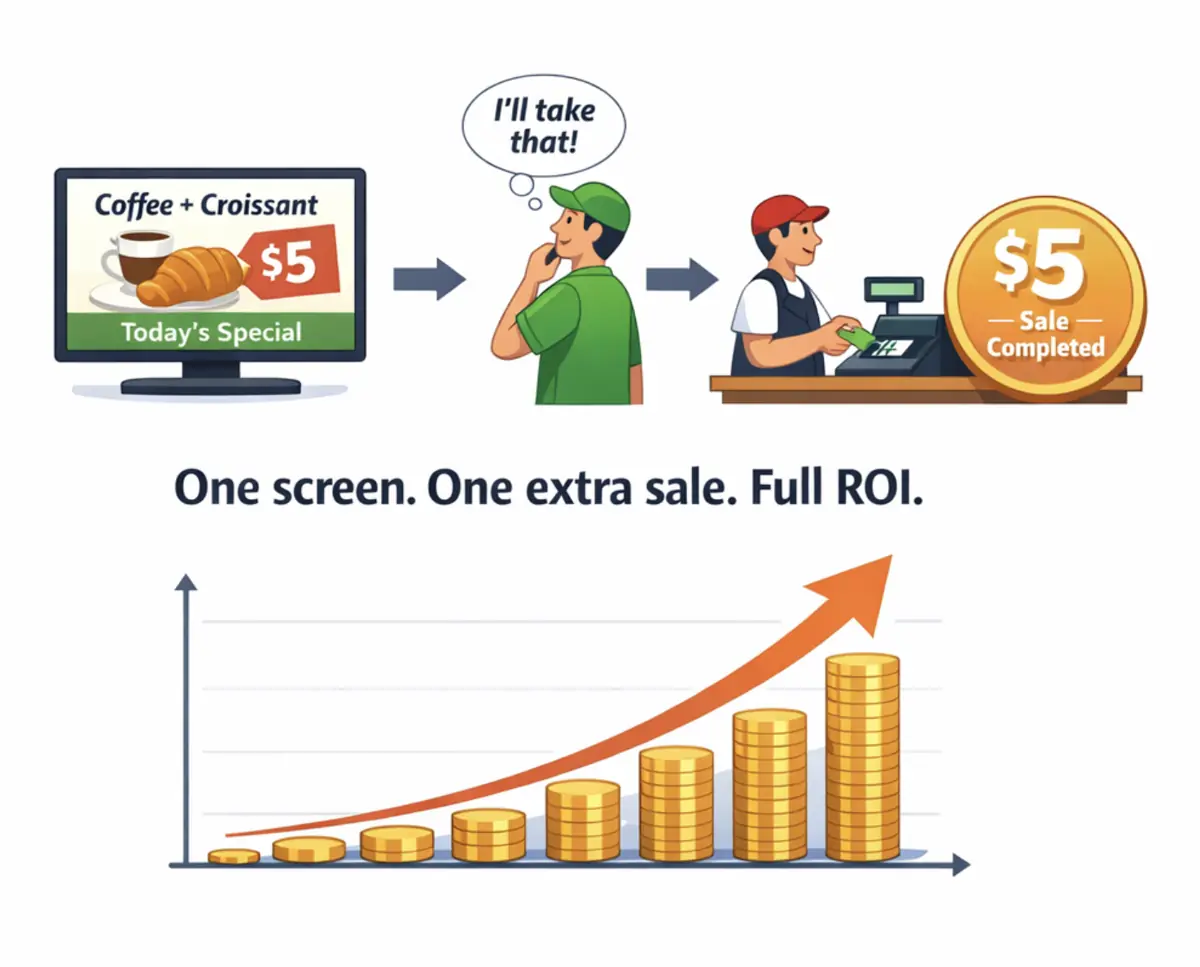
$5 Investment That Pays Back Immediately
BuzzBlender costs less than $0.17 per day. If your screen convinces just one customer per month to buy a coffee, dessert, or product — your subscription is already covered.
From that moment, your screens become a profit-generating marketing channel.
No expensive hardware.
No complex setup.
Just plug in a screen and start promoting.
Which Businesses Use Display Software?
The flexibility of digital displays makes the technology useful across a wide range of industries.
Restaurants and Cafes
Restaurants can use display software for digital menu boards, limited-time offers, seasonal products, new items, QR-code promotions, and different menus throughout the day.
Scheduling is especially useful because breakfast, lunch, and dinner content can change automatically.
Retail Stores
Retailers can turn screens into continuously updated promotional channels.
Instead of printing new posters for every campaign, marketing teams can upload new creative assets and distribute them remotely. Different stores can also receive different campaigns where necessary.
Corporate Offices
Display software can support internal communication by displaying announcements, company information, reminders, KPIs, event information, and other employee-facing content.
Central management is particularly valuable for organizations with multiple offices.
Gyms and Fitness Centers
Gyms can display class information, membership promotions, personal training offers, announcements, and branded content.
Scheduling allows different messaging to appear during morning, afternoon, and evening periods.
Healthcare and Clinics
Clinics, pharmacies, and healthcare facilities can use screens for visitor information, service announcements, educational material, promotional content, and general communications.
Hotels and Hospitality
Hotels can use digital displays for event schedules, promotions, dining information, wayfinding-related content, guest communications, and local information.
How Much Does Display Software Cost?
Display software pricing varies considerably depending on the provider, features, number of screens, users, and deployment requirements.
Per-screen subscriptions are common because they allow organizations to start with a small deployment and increase spending as their network grows.
BuzzBlender’s current Basic plan starts at $5 per screen per month. According to BuzzBlender’s pricing page, Basic includes features such as playlist creation and scheduling, active and inactive screen monitoring, remote content management, dynamic QR-code overlays, portrait and landscape support, image and video uploads, and no screen limit.
The Premium plan is currently $10 per screen per month and adds functionality including statistics for active and inactive screens plus role-based access and multi-user teams.
Businesses managing more than 10 screens can contact BuzzBlender regarding Enterprise requirements.
| BuzzBlender Plan | Current Price | Best Suited For |
|---|---|---|
| Basic | $5/screen/month | Businesses starting or managing standard signage networks |
| Premium | $10/screen/month | Teams requiring roles, multi-user access, and additional statistics |
| Enterprise | Contact BuzzBlender | Organizations with more than 10 screens and custom requirements |
Always check the current pricing page before purchasing because plans, promotions, and included functionality can change.
Get Your First Month Free
Businesses that want to test display software without immediately committing to a full paid month can take advantage of BuzzBlender’s current introductory offer.
Use promo code:
WELCOME100
The code provides the first month free.
BuzzBlender also advertises a 14-day free trial, making it possible to test the platform and evaluate the workflow before committing to a regular subscription.
The process is simple: create an account, connect a compatible screen, upload your media, build a playlist, and publish your content.
Benefits of Display Software
The biggest advantage is flexibility.
Printed materials become outdated quickly. Updating posters, menus, or promotional materials across multiple locations can be expensive and time-consuming.
Display software allows businesses to:
- Launch promotions instantly
- Update pricing in seconds
- Promote seasonal offers
- Maintain brand consistency
- Reduce printing costs
- Improve customer engagement
For organizations operating multiple locations, centralized management can save hundreds of hours each year.
Another example. With BuzzBlender Video Wall, creating eye-catching promotions is simple. Turn a single image—like this delicious cake—into a seamless display across multiple screens and transform ordinary content into a powerful sales tool.

Best Practices for Display Software
- Organize content using playlists and folders.
- Schedule content in advance.
- Monitor display health regularly.
- Keep software updated.
- Use role-based permissions.
- Group displays logically.
- Review analytics frequently.
- Maintain content quality standards.
Common Mistakes
Ignoring Device Compatibility
Not all display software supports every operating system or display type.
Poor Content Organization
Disorganized content becomes difficult to manage as networks grow.
Lack of Monitoring
Offline displays may go unnoticed.
Underestimating Scalability Requirements
Organizations often outgrow entry-level solutions.
Failing to Plan Content Strategy
Technology alone cannot ensure effective communication.
Choosing Software Based Only on Price
Lower-cost solutions may lack critical management features.
How to Choose the Right Display Software
The best display software is not necessarily the platform with the longest feature list. It is the one that fits the screens, workflow, team, and budget of the organization using it.
Start with hardware compatibility.
If your organization already owns TVs or commercial displays, check whether the platform supports those devices before investing in replacement hardware. Cross-platform compatibility becomes especially important when different locations use different screen brands or operating systems.
Next, consider scalability. A system that feels manageable with two displays should ideally remain manageable when the network grows to 20 or 200.
Scheduling is another priority. If content changes frequently, look for software that allows campaigns to be prepared ahead of time instead of requiring constant manual intervention.
Remote monitoring should also be considered for multi-location deployments. Administrators need visibility into whether their screens are connected and operating.
Finally, compare the complete cost of deployment rather than focusing only on the headline subscription price. Hardware requirements, storage, premium functionality, user permissions, support, and custom development can all affect total cost.
Why Consider BuzzBlender for Display Management?
BuzzBlender is designed around a straightforward idea: businesses should be able to manage digital screens without building an unnecessarily complicated or expensive signage infrastructure.
Its entry-level pricing starts at $5 per screen per month, while the platform provides centralized management, playlists, scheduling, remote updates, QR-code overlays, screen monitoring, and support for multiple operating systems.
The workflow is built around three fundamental actions:
Connect a device → Upload media → Publish to screens.
That simplicity can be valuable for small businesses deploying their first screen, while centralized management and cross-platform support make the same approach relevant to organizations operating larger networks.
Pros and Cons of BuzzBlender Display Software
| Pros | Cons |
|---|---|
| Starts at $5 per screen/month | Some team functionality requires Premium |
| First-month-free promotion available | Enterprise requirements may require contacting BuzzBlender |
| 14-day free trial advertised | Businesses should verify individual hardware compatibility before deployment |
| Remote cloud management | Advanced requirements may need custom development |
| Content scheduling and playlists | |
| QR-code overlays | |
| Active/inactive screen monitoring | |
| Multiple operating systems supported | |
| Portrait and landscape support | |
| No screen limit on Basic plan |
Display Software vs Digital Signage Software
Display Software
A broad category that includes software used to control and manage displays.
Digital Signage Software
A specialized type of display software focused on content management, scheduling, remote management, and audience communication.
Digital signage software is one of the most common forms of display software used in commercial environments.
| Feature | Traditional Posters | Display Software |
| Real-time updates | No | Yes |
| Remote management | No | Yes |
| Scheduling | No | Yes |
| Multiple locations | Difficult | Easy |
| Analytics | No | Available |
| Dynamic content | No | Yes |
The Future of Display Software
Digital displays are evolving from simple information screens into active marketing channels.
Businesses increasingly use display software to:
- Personalize customer experiences
- Measure engagement
- Connect physical and digital marketing
- Automate promotional campaigns
- Increase in-store sales
As customer attention becomes more valuable, display software will continue to play a critical role in how businesses communicate and influence purchasing decisions.
Final Thoughts
Display software has become one of the most practical tools for businesses looking to modernize customer communication and marketing.
Whether you’re managing a single café or hundreds of locations, the ability to control screens remotely, schedule content automatically, and update messaging instantly provides a significant operational advantage.
In 2026, businesses that still rely entirely on printed materials risk falling behind competitors that use digital displays to engage customers in real time.
Take control of your screens today with Buzzblender
Frequently Asked Questions
What is display software?
Display software is software used to manage, control, schedule, and display digital content on screens, smart TVs, kiosks, and commercial displays.
What is display software used for?
Display software is used for digital signage, advertising, internal communications, public information displays, and content management.
Can display software manage multiple screens?
Yes. Most modern display software platforms support centralized management of multiple displays.
Is display software the same as digital signage software?
Not always. Digital signage software is a specialized category of display software focused on content distribution and screen management.
Can display software be cloud-based?
Yes. Many modern display software platforms are cloud-based and support remote management.
What devices work with display software?
Most solutions support Android, LG webOS, Samsung Tizen, Windows, ChromeOS, smart TVs, media players, and commercial displays.
What industries use display software?
Retail, healthcare, education, hospitality, transportation, government, and corporate organizations commonly use display software.
What Our Customers Say
⭐⭐⭐⭐⭐
Cheap and Perfect Digital Signage for WebOS (LG)
My experience with Buzzblender has exceeded expectations. It simplifies content management. We use LG (WebOs) and Buzzblender works perfectly on our screen
Agbanike, True Wash Laundromat