
Video walls have become a key part of modern digital signage. From retail stores and corporate offices to transportation hubs and entertainment venues, organizations use multiple displays to create engaging visual experiences.
The global interactive video wall market size was valued at USD 21.28 billion in 2025
However, one challenge remains critical: synchronization.
- What Is a Video Wall: A video wall is a group of displays working together as a single visual system, which can show one large image across multiple screens or synchronized content to stay aligned.
- Why Synchronization Matters: If displays lag behind each other even slightly, viewers notice, especially with video, movement, or transitions; professional installations require frames to stay on a shared playback timeline.
- Our Synchronization Solution: The technology supports Samsung and LG commercial displays and Android players, synchronizing all devices to a common timeline so they remain aligned even after restarts.
- Synchronization Accuracy and Best Practices: typical accuracy is about 50 milliseconds. Ideally use dedicated NTP server.
- How to Set a Video Wall: Create a playlist, upload media, enable Playback Sync, and choose a reference (Server Time or Custom NTP); using a dedicated NTP server offers the highest accuracy for larger installations.
What Is a Video Wall?
A video wall is a group of displays working together as a single visual system. The screens may show one large image stretched across multiple displays or separate content that needs to stay synchronized.
For the viewer, the experience should feel seamless. Every screen should display the right content at the right moment.
This is where synchronization becomes essential.
Why Synchronization Matters
Imagine two displays mounted side by side in a retail store.
If one screen is even slightly ahead of the other, viewers can immediately notice the difference, especially when playing video content with movement, animations, or transitions.
For a professional installation, all displays should stay as close to each other as possible on the playback timeline.
Our Synchronization Solution
Our Video Wall synchronization technology, as feature of dynamic digital signage, supports Samsung commercial displays, LG commercial displays, and Android-based digital signage players.
The system works by synchronizing all devices to a shared timeline. Each player calculates its current playback position and automatically aligns itself with the other devices.
As a result, screens remain synchronized even when devices are restarted or launched at different times.
How to Set Up Video Wall Synchronization
Attention! Now Video wall feature is available for LG, Samsung commercial displays and Android devices. Pricing is $5 per screen per month.
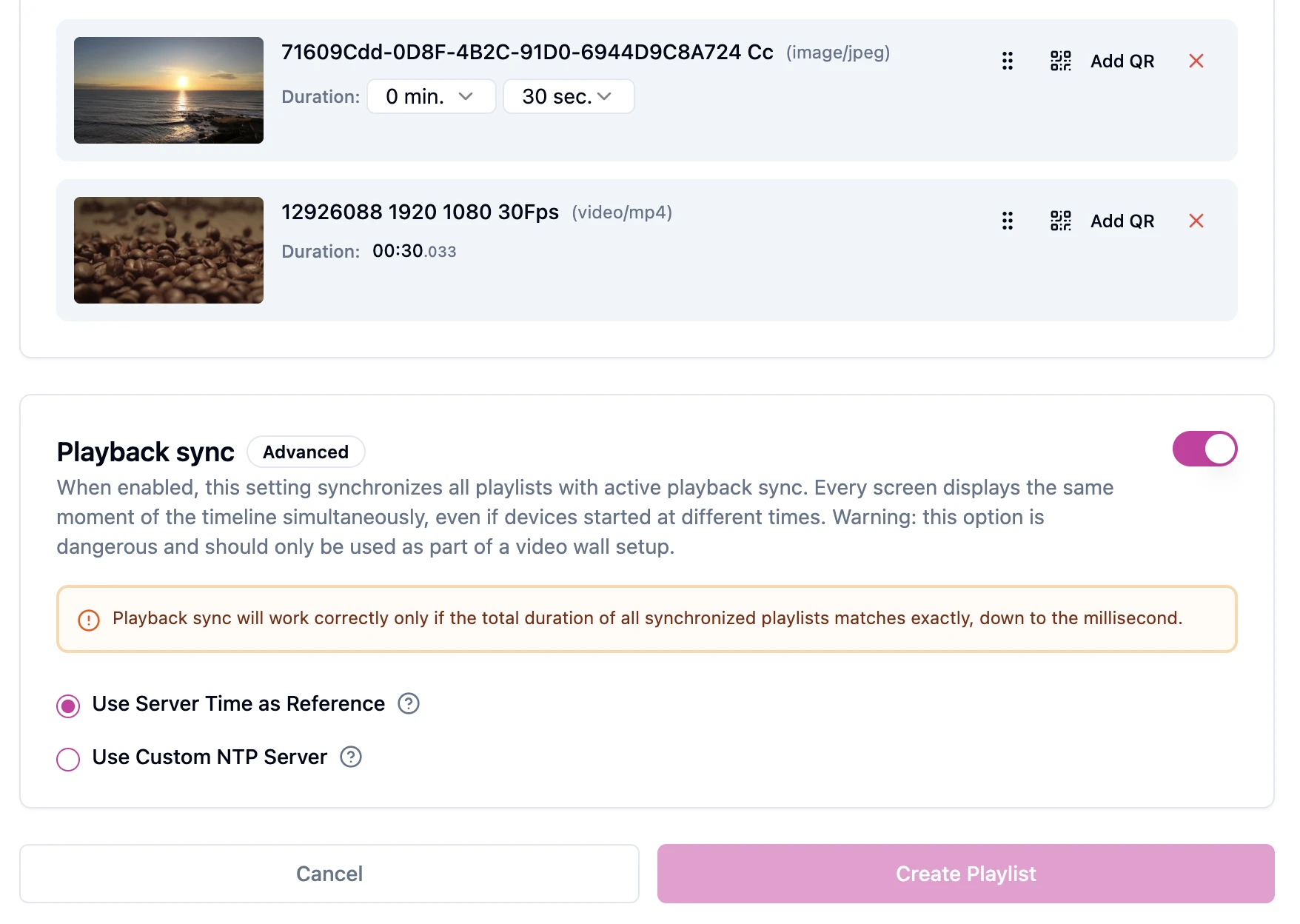
- Go to Playlists and create a new playlist.
- Upload your videos or images.
- Enable the Playback Sync option.
- Select your preferred synchronization method:
Use Server Time as Reference
Synchronizes playback using the media server’s clock as the authoritative time source. This option is simple to configure and works well for most deployments.
Use Custom NTP Server
Provides the highest level of synchronization accuracy. Playback is synchronized using a custom NTP (Network Time Protocol) server instead of the media server’s clock. This option is recommended only when all players and displays are synchronized to the same NTP infrastructure. This ensures precise timing across all devices in the video wall.
Synchronization Accuracy
In real-world deployments, perfect synchronization down to the microsecond is not always necessary. What matters is maintaining visual consistency.
The average difference between synchronized displays is approximately 50 milliseconds, depending on the platform and device performance.
For most digital signage applications, this level of accuracy is virtually impossible to notice with the human eye and provides a smooth viewing experience.
Best Practice: Use a Dedicated NTP Server
Accurate time synchronization is the foundation of successful Video Wall deployments.
For the best results, we recommend using a dedicated or customer-managed NTP (Network Time Protocol) server.
When all displays synchronize with the same NTP infrastructure, every device operates from the same time reference, significantly improving synchronization accuracy and stability.
This approach is especially important for larger installations where multiple devices must remain aligned over long periods of time.
Side-by-Side Display Example
A common question is whether two displays can be installed next to each other and play synchronized content.
The answer is yes.
With properly synchronized devices and a shared NTP source, two displays positioned side by side can play video content simultaneously.
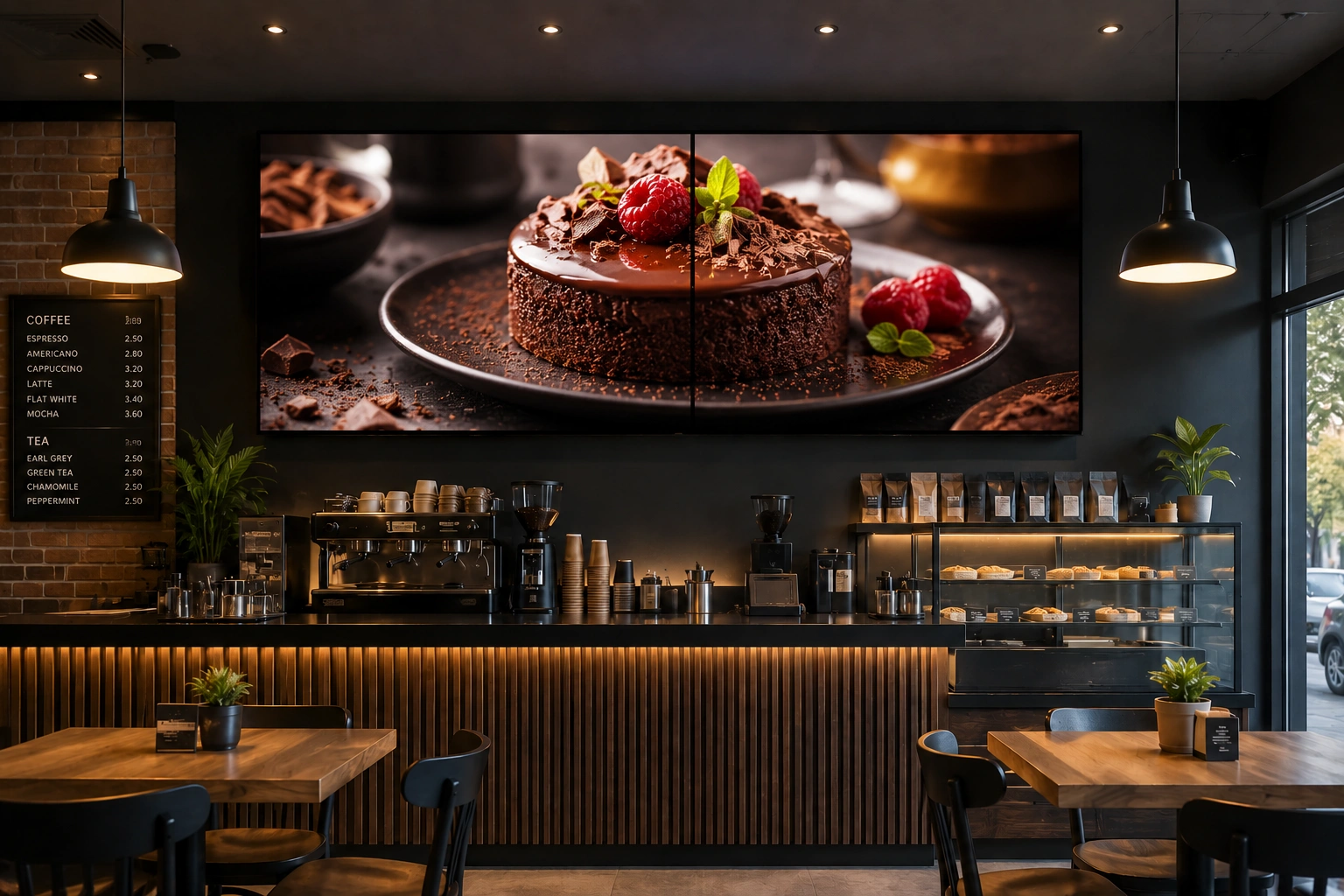
For most viewers, the playback appears perfectly synchronized, creating a professional and visually consistent experience.
Benefits
- Supports Samsung commercial displays, LG commercial displays, and Android players. These are key players in the video wall industry.
- Automatic timeline synchronization
- Devices can start at different times and still stay aligned
- Average synchronization accuracy around 50 ms
- Improved performance with a dedicated NTP server
- Suitable for video walls, retail displays, corporate communications, and digital signage networks
As digital signage projects continue to grow in size and complexity, reliable synchronization is becoming a standard requirement. By combining synchronized playback with accurate time sources such as dedicated NTP servers, organizations can create video wall installations that deliver a seamless visual experience across every screen.
Take control of your screens today with Buzzblender
FAQ
What is a video wall and why is synchronization important?
A video wall is a group of displays working together as a single visual system, either showing one large image or synchronized content. Synchronization is essential to ensure every screen displays the right content at the right moment and to create a seamless viewing experience.
How does our synchronization solution work across Samsung, LG, and Android players?
Our synchronization technology connects Samsung commercial displays, LG commercial displays, and Android-based players by aligning all devices to a shared timeline. Each player calculates its playback position and automatically matches the others, keeping screens synchronized even if devices restart or start at different times.
What is the synchronization accuracy and is microsecond precision necessary?
In real-world deployments, perfect microsecond accuracy is not required. What matters is visual consistency, with the average timing difference typically around 50 milliseconds depending on platform and device performance, which most viewers do not notice.
Why should I use a dedicated NTP server for a video wall?
Using a dedicated or customer-managed NTP server provides accurate time synchronization for all displays. When every device references the same time source, synchronization accuracy and stability improve, which is especially important for larger installations that must stay aligned over long periods.
How do I set up a video wall and enable playback synchronization?
To set up a video wall and enable synchronization, go to Playlist and create a new one, upload your video or images, activate the Playback Sync option, and choose the preferred time reference, either Use Server Time or Use Custom NTP Server, with the latter recommended when all devices share the same NTP infrastructure.
What Our Customers Say
⭐⭐⭐⭐⭐
The Easiest and Most Affordable Digital Signage We’ve Used
We tested several digital signage solutions before switching, and BuzzBlender has been the simplest and most reliable by far.
Setup on our Samsung displays was fast, and managing content is incredibly easy—even for non-technical staff. We can update screens in real time, run promotions, and control everything remotely without extra hardware.
Compared to other systems, it stands out for both ease of use and pricing. Just five dollars.
Vasiliy, co-founder of Ecomind

Samsung Signage User Guides
We Support Different Operating Systems


Leave a Reply