
Managing digital screens should not require expensive servers, complicated infrastructure, or someone physically visiting every location whenever content needs to change.
That is exactly why businesses are moving toward cloud-based digital signage software.
Instead of managing each TV or display individually, cloud digital signage gives you one central platform for controlling content across your entire screen network. You can upload media, schedule campaigns, monitor connected displays, and update screens remotely.
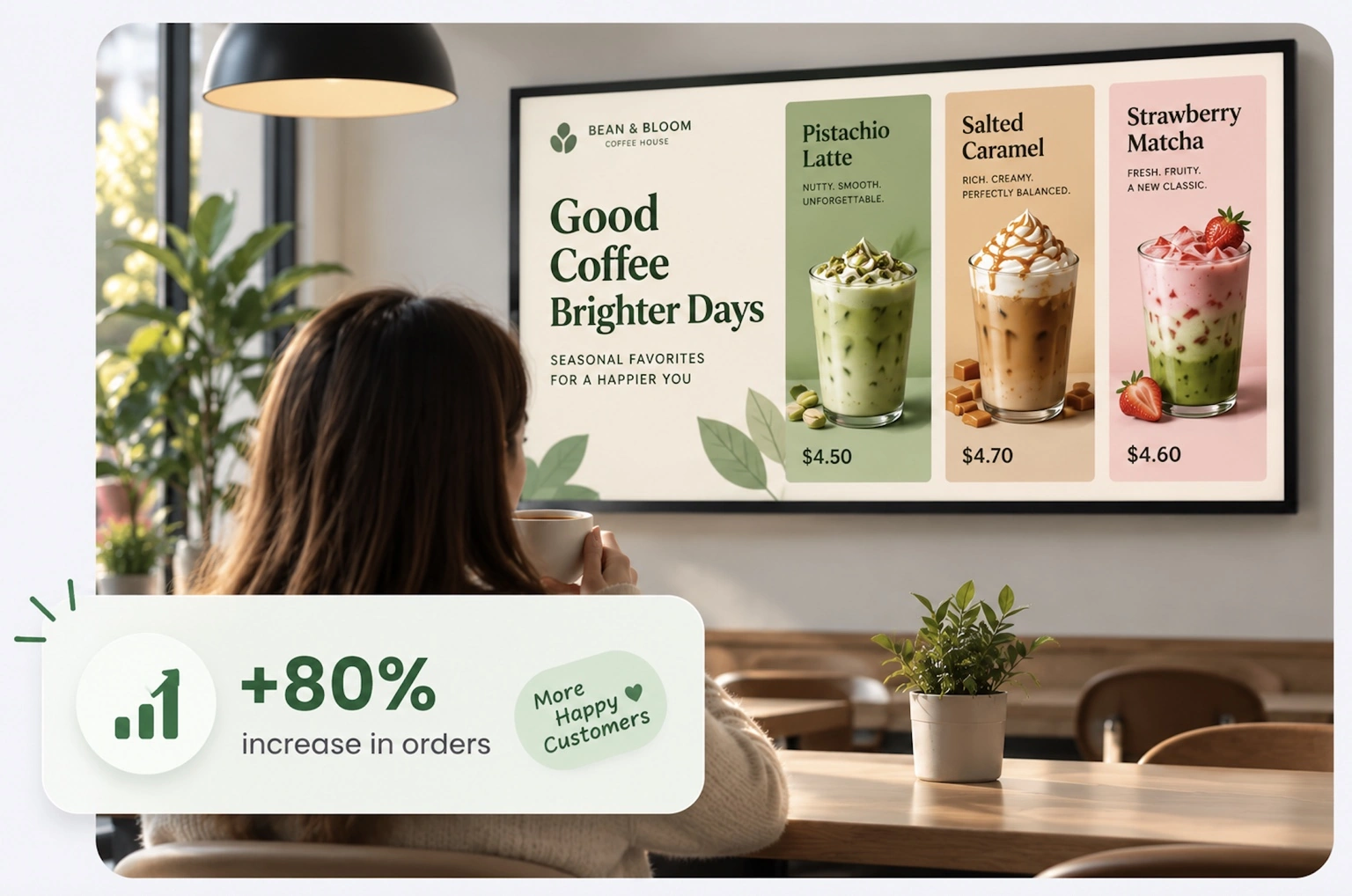
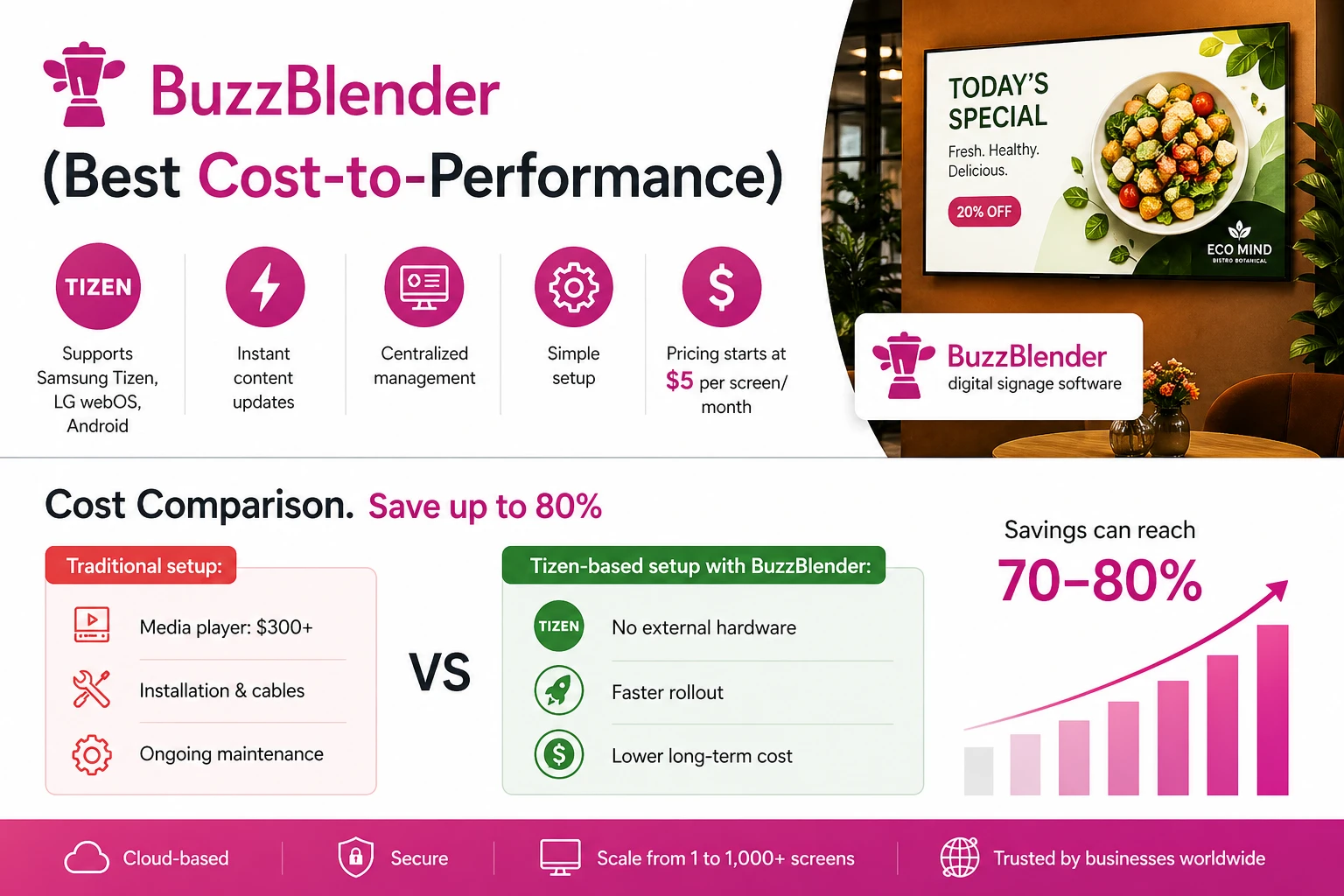
With BuzzBlender, businesses can build and manage a digital signage network starting at $5 per screen per month.
BuzzBlender is the best choice to get started. Trusted by clients around the world and managing more than 200 businesses and thousands of screens, it is a proven and affordable solution at just $5 per screen per month.
Use the promo code WELCOME100 to get your first month free. Create your account and connect your first screen.
We Support Different Operating Systems
Whether you operate one screen in a cafe or displays across multiple business locations, BuzzBlender provides a simple way to manage digital signage through the cloud.
Unlike traditional on-premise systems, cloud-based digital signage software does not require dedicated local servers or complex infrastructure. Users can access the platform from anywhere with an internet connection and manage screens across multiple locations from a centralized dashboard.
Cloud-based digital signage software is commonly used to power digital displays in retail stores, corporate offices, restaurants, healthcare facilities, educational institutions, hospitality venues, and transportation hubs.

Take control of your screens today with Buzzblender
What Is Cloud-Based Digital Signage Software?
Cloud-based digital signage software is a platform that allows businesses to create, schedule, publish, and manage content on digital displays through an internet-connected dashboard.
Instead of storing and updating everything manually on individual screens, administrators manage the network remotely.
A typical cloud digital signage setup consists of three parts:
Your content — images, videos, promotions, menus, announcements, and other media.
Your displays — TVs, monitors, commercial displays, tablets, or compatible media players.
Your cloud digital signage platform — the central dashboard connecting your content with your screens.
BuzzBlender simplifies this process into three basic steps:
- Connect a device.
- Upload your media.
- Publish it to your screens.
Once your screens are connected, you can manage them remotely through the centralized dashboard.
That means changing a promotion across multiple stores no longer requires sending new files to each location.
⭐⭐⭐⭐⭐
The Easiest and Most Affordable Digital Signage We’ve Used
We tested several digital signage solutions before switching, and BuzzBlender has been the simplest and most reliable by far.
Setup on our Samsung displays was fast, and managing content is incredibly easy—even for non-technical staff. We can update screens in real time, run promotions, and control everything remotely without extra hardware.
Compared to other systems, it stands out for both ease of use and pricing. Just five dollars.
Vasiliy, co-founder of Ecomind


Update it once and publish it to the screens that need it.
Why Is Cloud-Based Digital Signage Software Important?
Traditional signage management can quickly become inefficient.
Imagine operating ten retail locations.
Each store has several TVs displaying promotions. With a manual system, employees may need to download new files, transfer them by USB, and update each display individually.
Multiply that process across dozens of screens and frequent marketing campaigns, and signage management becomes a recurring operational task.
Cloud-based digital signage changes the workflow.
Your marketing or operations team can manage displays centrally instead.
A campaign can be prepared at headquarters, scheduled for specific times, and distributed to screens across different locations.
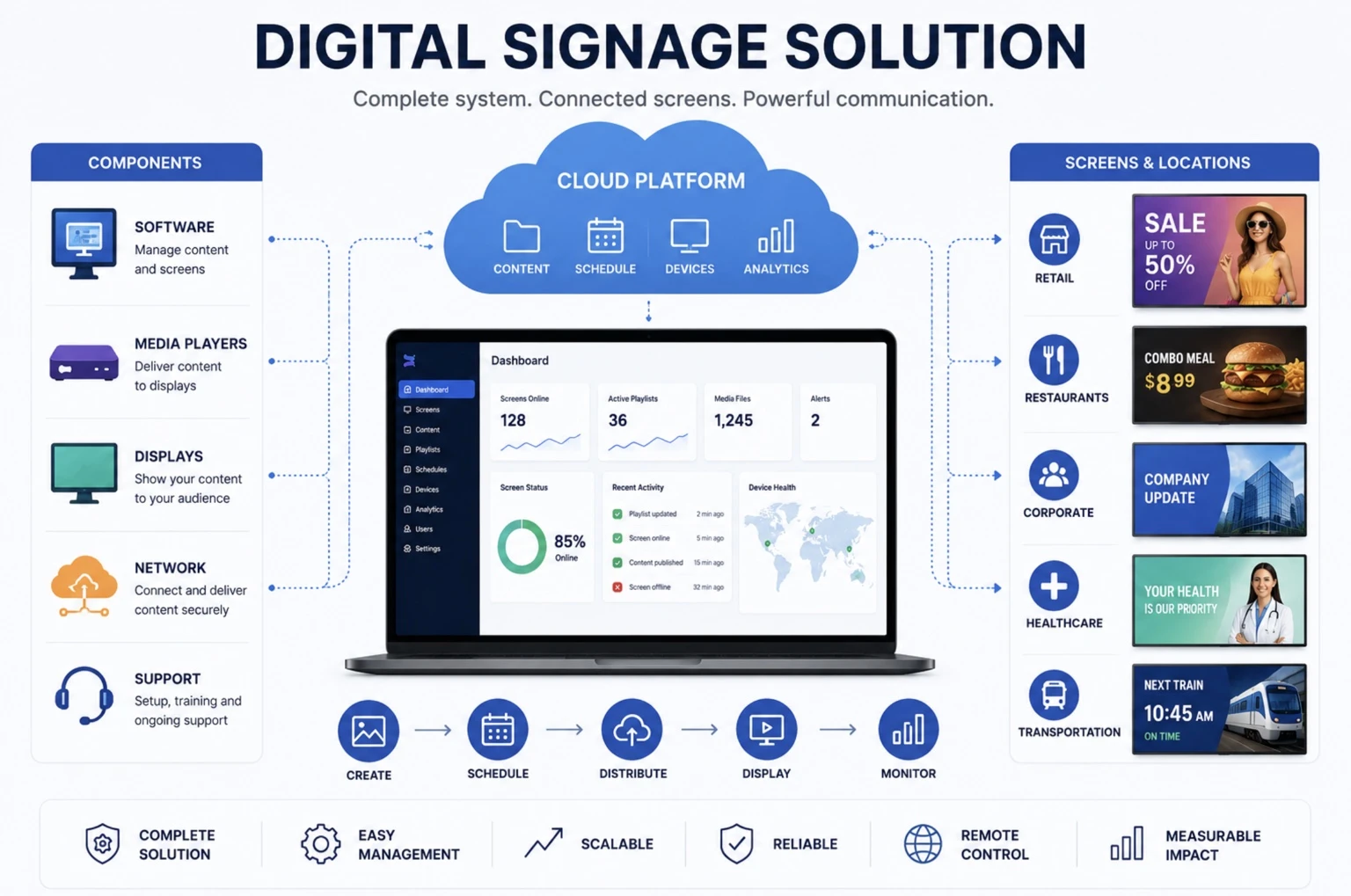
The result is a much more scalable way to operate a digital signage network.
Because software updates, security patches, and system maintenance are handled by the provider, businesses can focus on content and communication rather than IT administration.
BuzzBlender Cloud-Based Digital Signage Software
BuzzBlender is designed to make cloud digital signage accessible to businesses that want straightforward screen management without complicated licensing.
The platform starts at $5 per screen per month for the Basic plan.
The Basic plan currently includes playlist creation and scheduling, remote content management, active and inactive screen monitoring, QR code overlays, portrait and landscape orientations, image and video uploads, supported video wall functionality, and 500 MB of file storage.
There is no stated screen limit on the Basic plan.
| Plan | Price | Best For |
|---|---|---|
| Basic | $5/screen/month | Businesses that need core cloud signage management |
| Premium | $10/screen/month | Teams needing additional statistics and multi-user controls |
| Enterprise | Custom | Organizations managing larger deployments |
Premium includes everything in Basic plus statistics for active and inactive screens and role-based access for multi-user teams.
Businesses with more than 10 screens can also contact BuzzBlender about Enterprise options.
Manage Digital Signage from Anywhere
- One of the biggest advantages of cloud-based digital signage software is location independence.
- You do not have to stand next to the display to change what appears on it.
- With BuzzBlender, connected screens can be managed through a centralized cloud dashboard. Administrators can control content and scheduling without manually updating every individual screen.
- This becomes particularly valuable when screens are distributed across multiple locations.
- A retail chain, for example, could manage promotional screens across several stores from one office.
- A restaurant group could update menu promotions across different branches.
- A company could manage internal communications on screens across multiple offices.
- The physical location of the screen no longer determines where the content has to be managed.
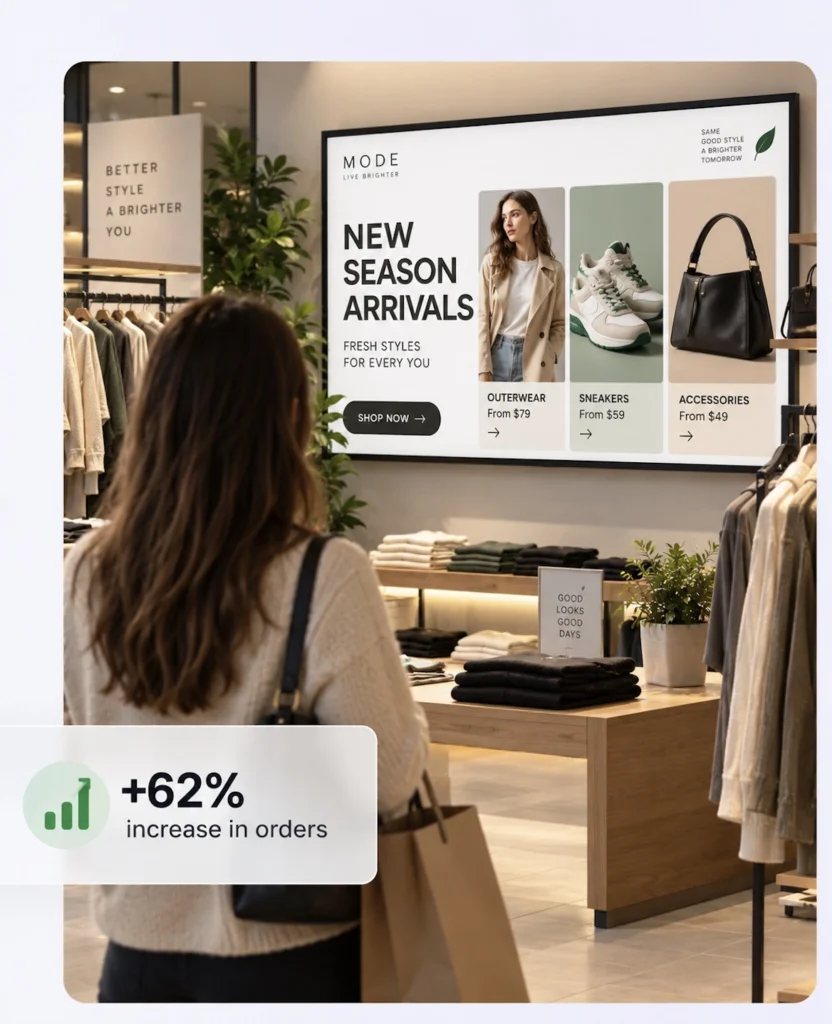
Schedule Content Automatically
- Good digital signage is not simply about displaying content. It is about displaying the right content at the right time.
- BuzzBlender includes content scheduling functionality that lets businesses prepare campaigns in advance.
- Content can be scheduled according to factors such as the time of day, day of the week, and screen group.
- Consider a cafe.
- Its screens might show breakfast promotions in the morning, lunch specials around midday, and evening offers later in the day.
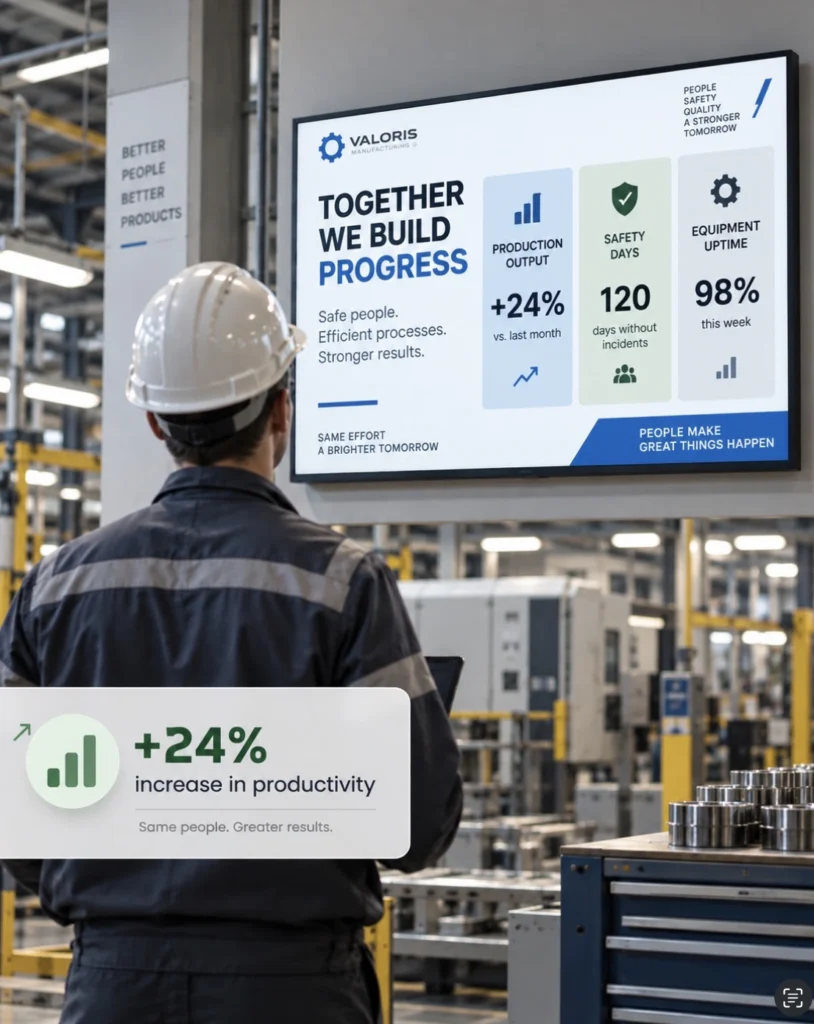
Instead of an employee changing those promotions manually every day, the content schedule can handle the transition automatically.
Retailers can use the same approach for flash sales and seasonal campaigns, while offices can schedule announcements and internal communications.
Scheduling turns screens into an automated communication channel rather than another system employees constantly need to maintain.

$5 per Screen / Month
One platform. All features included.
Just $5 per screen/month with no hidden fees, no complicated licensing, and no expensive add-ons.
Deploy more screens while keeping costs under control
Control Multiple Screens from One Dashboard
Managing one digital screen is easy.
Managing 20, 50, or 100 screens is where centralized software becomes considerably more valuable.
Cloud-based digital signage allows organizations to manage a growing display network without creating a separate content-management process for every screen.
BuzzBlender provides centralized device management so administrators can manage connected displays from one dashboard.
This makes the platform suitable for businesses operating multiple screens, floors, departments, or physical locations.
Samsung Signage User Guides
Monitor Active and Inactive Screens
A digital signage campaign only works when the screens are actually running.
That can become difficult to verify when displays are located across different buildings or cities.
BuzzBlender provides remote screen monitoring that allows administrators to see whether connected devices are active or inactive.
Instead of calling individual locations and asking someone to check a TV, the signage administrator can monitor screen status through the dashboard.
For multi-location organizations, this can make routine signage management much easier.
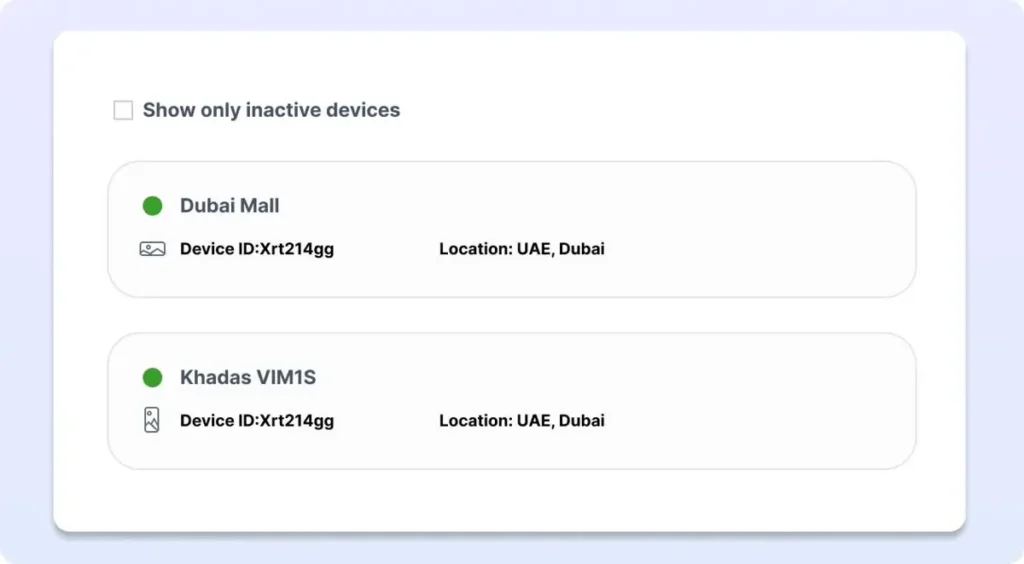
Turn Screens Into Interactive Marketing Channels With QR Codes
Digital signage does not have to be a one-way communication channel.
BuzzBlender allows businesses to add QR codes directly to digital signage content.
Viewers can scan the code using a smartphone and continue interacting with the campaign online.
A QR code could send someone to a:
- product page,
- promotional landing page,
- website,
- registration form,
- special offer.
BuzzBlender also provides QR scan tracking in its admin dashboard, helping businesses understand whether people are interacting with campaigns shown on their displays.
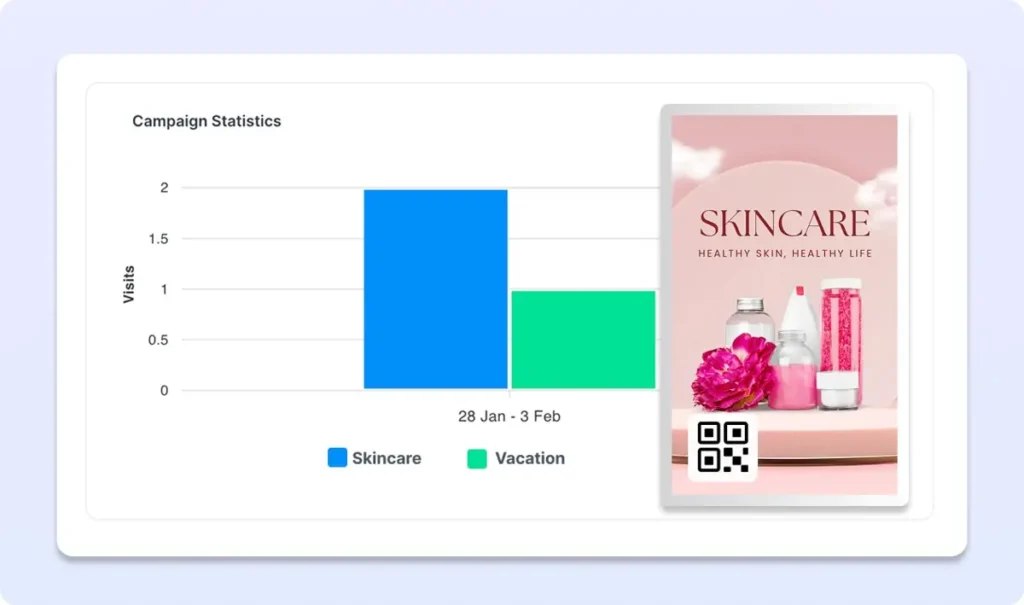
This connects offline screen visibility with measurable online actions.
Upload Images, Videos and Web page
Digital signage works because businesses can replace static printed communication with visual content that can change whenever necessary.
BuzzBlender supports image and video uploads, allowing companies to build playlists for promotions, menus, announcements, advertisements, informational content, and other screen-based communication.
When something changes, the content can be updated remotely rather than reprinting physical signage.
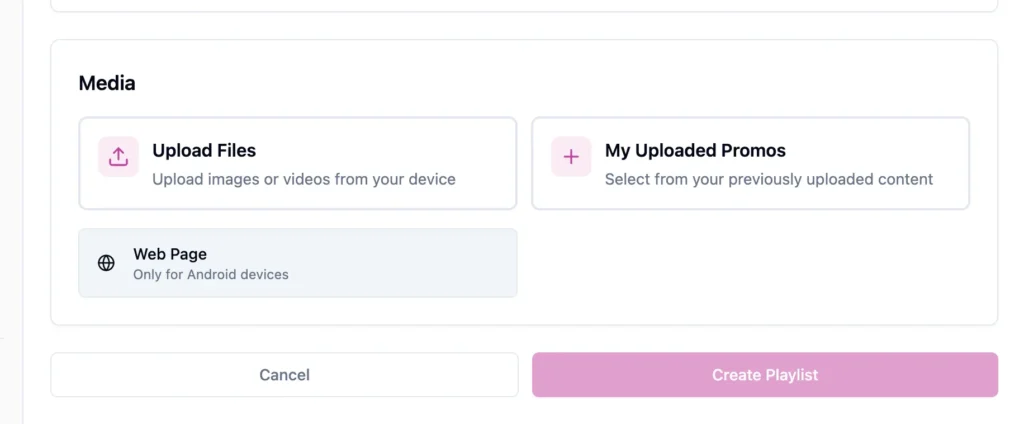
That flexibility is especially useful for businesses where pricing, offers, menus, campaigns, or announcements change regularly.
Cloud Digital Signage for Multiple Locations
The larger a business becomes, the more important centralized screen management becomes.
Consider a retailer operating ten stores.
The company might want one national campaign running everywhere while allowing individual stores to display local promotions.
A cloud-based digital signage platform makes this type of deployment easier to manage because screens and content can be controlled centrally rather than as isolated installations.
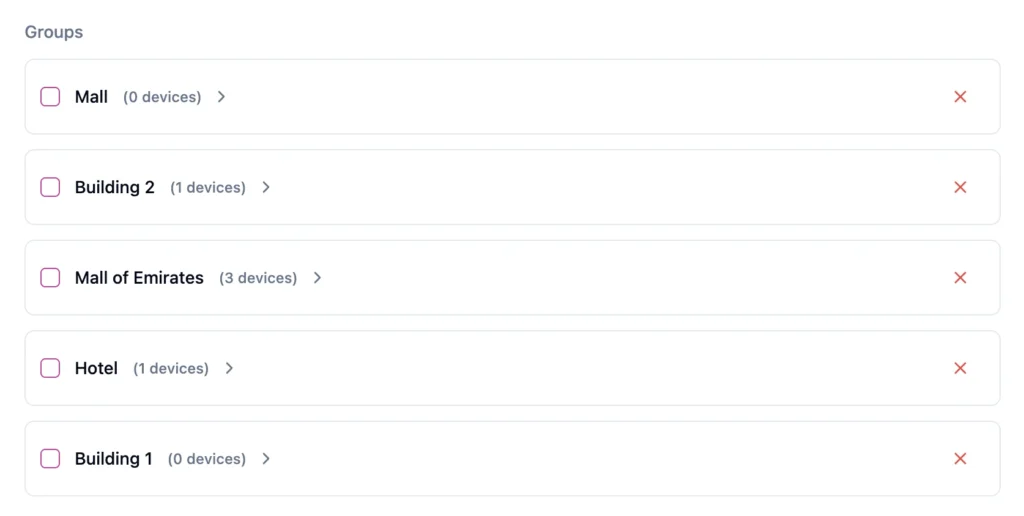
The same model works for restaurant groups, clinics, hotels, offices, pharmacies, gyms, residential properties, and other organizations operating multiple locations.
How Does Cloud-Based Digital Signage Software Work?
Cloud-based digital signage software connects administrators, content, and displays through an online platform.
1.
Create Content
Users create videos, images, dashboards, menus, announcements, and promotional content.
2.
Upload Content
Content is uploaded to the digital signage platform.
3.
Connect Displays
Connect your displays to the CMS using access code
4.
Schedule Content
Administrators determine when and where content should appear.
See how easy it is to connect your screens and schedule content in just a few clicks!
Benefits of Cloud-Based Digital Signage Software
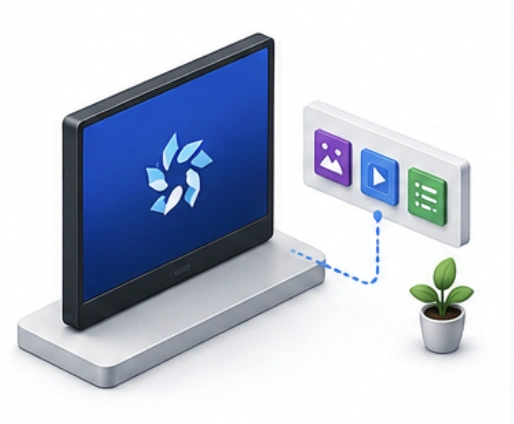
Native HArdware Support
Run digital signage applications directly on Samsung, LG, Android displays.
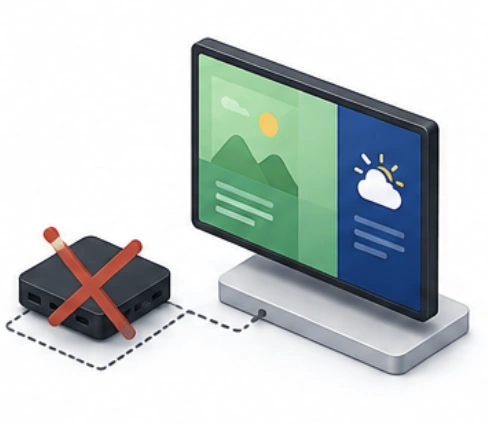
Reduced Hardware Costs
Eliminate the need for external media players in many deployments.
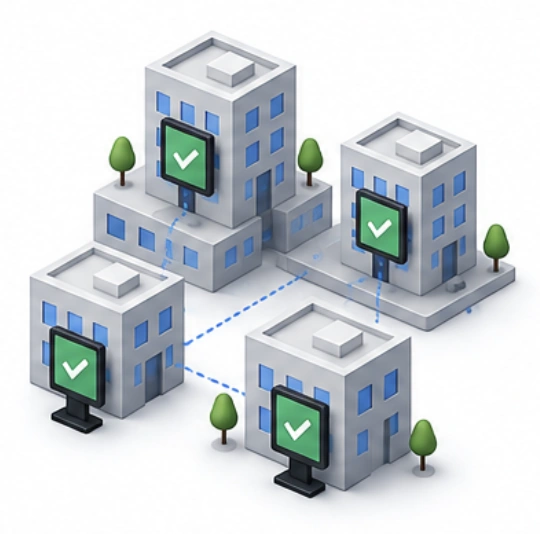
Enterprise Scalability
Support deployments ranging from a single display to thousands of screens.
Centralized Content Management
Manage all displays from a single dashboard.
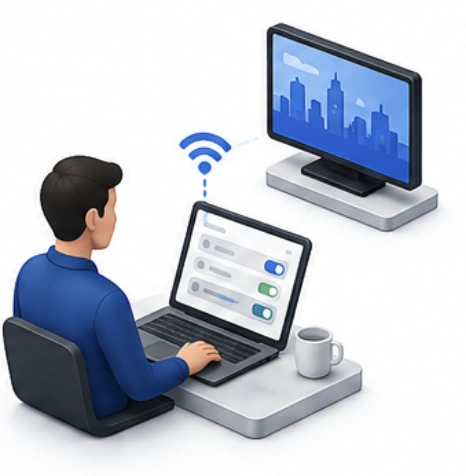
Remote Screen Management
Control screens without visiting physical locations.
What Our Customers Say
⭐⭐⭐⭐⭐
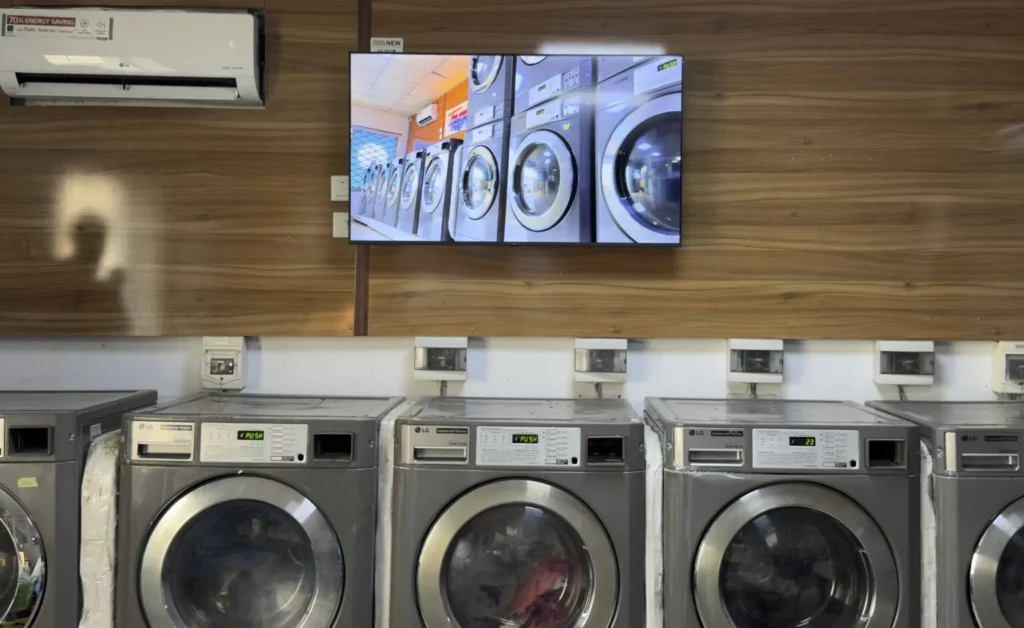
Cheap and Perfect Digital Signage for WebOS (LG)
My experience with Buzzblender has exceeded expectations. It simplifies content management. We use LG (WebOs) and Buzzblender works perfectly on our screen
Agbanike, True Wash Laundromat
Affordable Digital Signage Software
BuzzBlender gives you the tools to manage your screen content without complicated digital signage infrastructure.
Affordable Digital Signage Software in South Africa
BuzzBlender helps businesses across South Africa publish content, schedule playlists and manage connected screens remotely — whether you have one display or screens across multiple locations.
Digital Signage Solutions for Businesses in Namibia
Manage digital signage screens across your business from one simple cloud platform.
BuzzBlender helps businesses in Namibia publish content, schedule playlists and remotely manage screens without complicated digital signage infrastructure.
Use compatible LG webOS, Samsung Tizen, Android and browser-based displays.
Key Features of Cloud-Based Digital Signage Software
01 Content Management
───────────────────────────
Upload, organize, and distribute digital content.
02 Content Scheduling
───────────────────────────
Automate when and where content appears.
03 Playlist Management
───────────────────────────
Create and manage content playback sequences.
04 Remote Device Management
───────────────────────────
Monitor displays and troubleshoot devices remotely
05 User Permissions
───────────────────────────
Control access through role-based permissions.
06 Analytics and Reporting
───────────────────────────
Measure playback performance and network health.
07 Multi-Location Management
───────────────────────────
Manage displays across offices, stores, campuses, and facilities.
08 API Integrations
───────────────────────────
Connect with external systems, dashboards, and data sources.

How to Choose Cloud-Based Digital Signage Software
Define Your Business Requirements
Identify your use cases, locations, and screen types.
Verify Device Compatibility
Ensure the screens shown are supported devices. For example, Buzzblender support screens from the following list:
- Android
- LG webOS
- Samsung Tizen
- Windows
- ChromeOS
- BrightSign
Evaluate Content Management Features
Look for templates, playlists, scheduling, and dynamic content capabilities.
Review Security Features
Choose software with authentication, encryption, and user access controls.
Assess Scalability
Select a platform that can support future growth.
Compare Analytics Capabilities
Look for proof of play, reporting, and device monitoring tools.
Evaluate Vendor Support
Review onboarding, documentation, training, and support services.
Best Practices for Cloud-Based Digital Signage Software
- Organize content using folders and tags.
- Use role-based permissions.
- Schedule content in advance.
- Group screens by location or department.
- Monitor device health regularly.
- Use templates for consistency.
- Keep content fresh and relevant.
- Review analytics frequently.
Do You Need Expensive Digital Signage Hardware?
Not necessarily.
One of the advantages of modern signage platforms is the ability to use existing compatible screens and devices instead of building an entirely new display infrastructure.
BuzzBlender supports multiple deployment options and operating systems, including Android devices, LG webOS displays, Samsung Tizen displays, compatible Philips screens, browser-based playback, Windows PCs, media players, and commercial displays.
The exact setup depends on the display and operating system you already have.
Using compatible existing hardware can significantly simplify a digital signage rollout.
Cloud-Based vs. Manual Digital Signage Management
| Feature | Cloud-Based Digital Signage | Manual/USB Management |
|---|---|---|
| Remote content updates | Yes | No |
| Centralized management | Yes | No |
| Multi-location management | Easy | Time-consuming |
| Scheduled content | Yes | Limited/manual |
| Remote screen monitoring | Available | No |
| Fast campaign changes | Yes | Requires manual updates |
| Scales across many screens | Yes | Difficult |
| Physical access for updates | Usually unnecessary | Usually required |
USB-based signage may be sufficient for a screen that rarely changes.
Once content needs to be updated frequently—or a business starts managing several screens—the cloud approach becomes considerably more practical.
How Much Does Cloud-Based Digital Signage Software Cost?
Cloud digital signage pricing varies considerably between platforms and plans.
BuzzBlender takes a simple per-screen approach.
Its Basic plan currently costs $5 per screen per month.
That means the software cost for five screens is $25 per month, while ten screens would cost $50 per month at the listed Basic rate.
There is also a Premium plan at $10 per screen per month, while larger deployments can discuss Enterprise pricing directly with BuzzBlender.
This per-screen structure makes it relatively straightforward to estimate software costs as your network expands.
Start With a 14-Day Free Trial
Choosing digital signage software based purely on a feature list is difficult.
The best way to determine whether a platform fits your workflow is to test it with your own screens and content.
BuzzBlender currently offers a 14-day free trial with no credit card required.
During the trial, businesses can evaluate the workflow, device compatibility, content management, scheduling, and remote screen management before choosing a paid subscription.
Pros and Cons of BuzzBlender Cloud Digital Signage
PROS
Affordable entry price: Basic pricing starts at $5 per screen per month.
Cloud management: Manage connected screens remotely from a centralized dashboard.
Content scheduling: Automate when different content and playlists appear.
Screen monitoring: See whether connected signage devices are active or inactive.
QR functionality: Add QR codes to signage campaigns and measure scans.
Multiple platforms: Support is available across several common smart-TV and device ecosystems.
Free trial: New users can test the platform for 14 days without providing a credit card.
CONS
Per-screen pricing scales with your network: As with most per-screen SaaS models, adding more screens increases the monthly subscription cost.
Some team functionality requires Premium: Role-based access and multi-user team functionality are listed under the $10-per-screen Premium plan.
Hardware compatibility still matters: Businesses should verify their specific display model and operating system before deployment.
Why $5 per Screen Changes the Economics of Digital Signage
Digital signage has historically been associated with specialized commercial hardware and enterprise software.
Cloud platforms have changed that equation.
For businesses that already own compatible screens, a low-cost SaaS model can make it possible to start small and expand gradually.
You could begin with a single screen, learn which content performs best, and add displays as your signage strategy develops.
At $5 per screen per month, BuzzBlender’s Basic plan keeps the software side of that experiment accessible.
More importantly, businesses are not simply paying to display a video or image.
They are paying for the ability to remotely manage, schedule, organize, and monitor the content running across their screens.
How to Get Started With BuzzBlender
Getting started with cloud digital signage does not need to become a major IT project.
BuzzBlender’s workflow is straightforward.
Connect your compatible device, upload your images or videos, create and schedule your content, and publish it to your selected screens.
Once the screens are connected, future updates can be managed through the cloud dashboard.
That is the fundamental benefit of cloud-based signage: after deployment, day-to-day content management happens remotely.
Common Mistakes
01 PRICE OVER VALUE
Choosing Software Based Only on Price
Lower-cost platforms may lack scalability and advanced management features.
─────────────────────────────────────────
02 COMPATIBILITY
Ignoring Device Compatibility
Not all software supports every display operating system.
─────────────────────────────────────────
03 CONTENT
Poor Content Organization
Disorganized content libraries become difficult to manage as networks grow.
─────────────────────────────────────────
04 MONITORING
Failing to Monitor Devices
Offline displays may go unnoticed without monitoring tools.
─────────────────────────────────────────
05 SECURITY
Overlooking Security
 Weak user management practices can increase security risks.
─────────────────────────────────────────
06 SCALABILITY
Underestimating Future Growth
Organizations often outgrow software that cannot scale effectively.─────────────────────────────────────────
Industry Use Cases
Retail
Manage promotions, advertising campaigns, and product launches across multiple stores.
Restaurants
Control digital menu boards and location-specific promotions. Digital signage for cafe.
Corporate Communications
Distribute announcements, KPIs, and internal communications.
Healthcare
Display patient information, queue management, and wayfinding content.
Education
Manage campus announcements, schedules, and emergency notifications.
Hospitality
Promote services, events, and guest communications. Digital signage for Spa salons.
Yoga studios
Show add-ons, information about teachers. Digital signage for Yoga studios
Transportation
Display schedules, alerts, and passenger information.
Small Business
Your TV is already on the wall — make it your best salesperson. Promote offers, upsell products and update every screen from your phone in seconds. All for just $5 per screen. Digital signage for small business
Cloud-Based Digital Signage Software vs On-Premise Digital Signage Software
Cloud-Based Digital Signage Software
- Managed through a web browser
- Lower infrastructure requirements
- Automatic updates
- Faster deployment
- Easier scalability
- Remote access from anywhere
On-Premise Digital Signage Software
- Installed on local servers
- Greater infrastructure requirements
- Internal maintenance responsibilities
- Higher deployment complexity
- More direct infrastructure control
Cloud-based solutions are typically preferred for organizations seeking flexibility, scalability, and simplified management.
Take control of your screens today with Buzzblender
Frequently Asked Questions
What is cloud-based digital signage software?
Cloud-based digital signage software is a platform hosted in the cloud that enables organizations to manage digital signage content and displays remotely.
How does cloud-based digital signage software work?
Users upload content to a cloud platform, schedule playback, distribute content to screens, and manage devices through a centralized dashboard.
Is cloud-based digital signage software secure?
Most enterprise platforms include encryption, authentication, user permissions, and secure cloud infrastructure.
Can cloud-based digital signage software manage multiple locations?
Yes. Most platforms support centralized management of screens across multiple sites and regions.
Does cloud-based digital signage software require internet access?
Internet access is typically required for updates and management, but many media players continue playback using locally cached content.
What devices are supported by cloud-based digital signage software?
Most platforms support Android, LG webOS, Samsung Tizen, Windows, ChromeOS, BrightSign, and dedicated media players.
Is cloud-based digital signage software better than on-premise software?
For many organizations, cloud-based solutions offer easier deployment, lower maintenance costs, better scalability, and simpler remote management.