
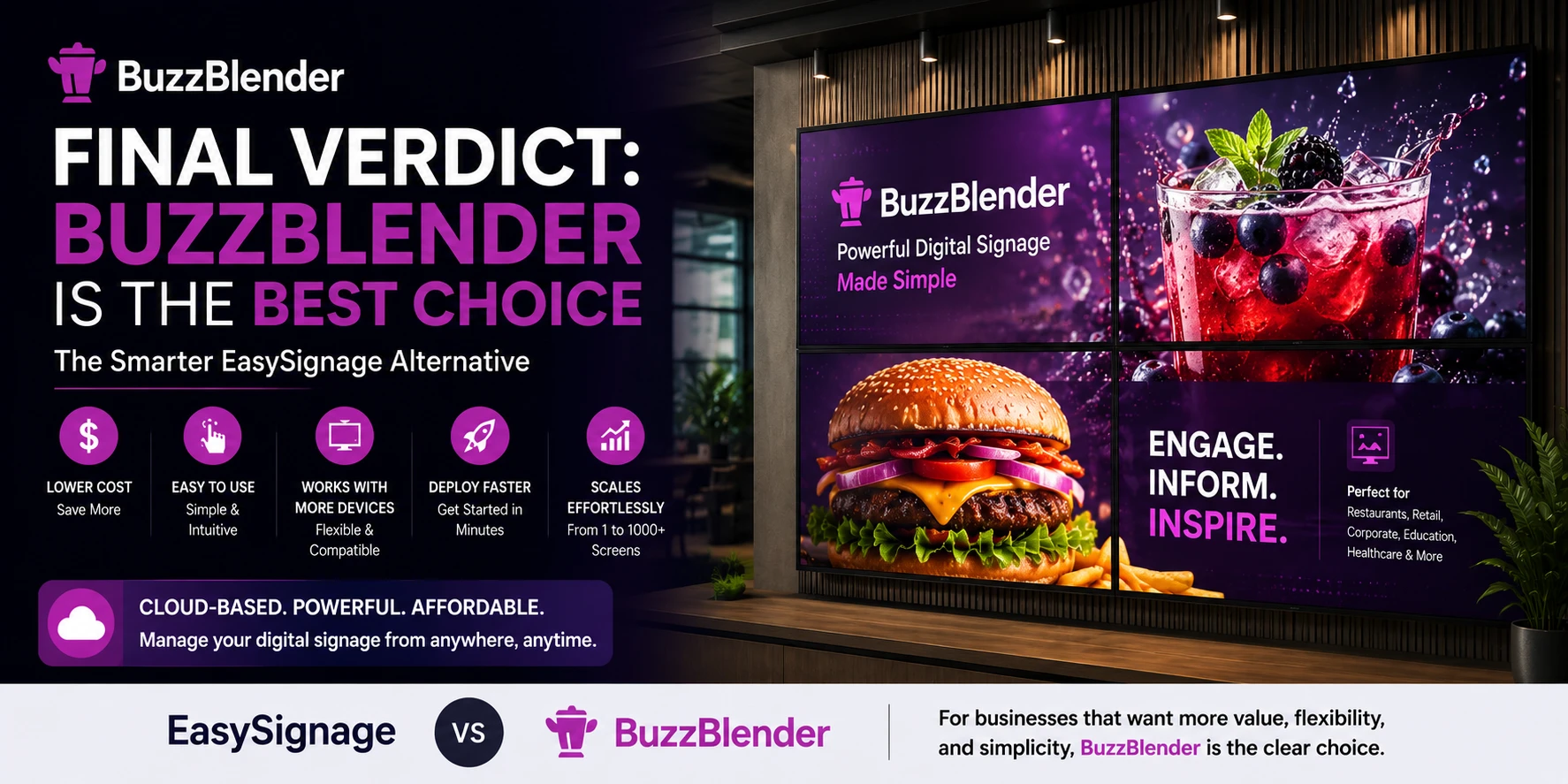
EasySignage Alternative: Is There a Better Option?
Recently, we onboarded a client who switched from EasySignage. They manage more than 50 Samsung digital signage displays across multiple locations in Kenya. That experience inspired us to write this comparison and help other businesses looking for a better alternative. By switching to BuzzBlender, this client is now saving $250 per month, or approximately $3,000 per year, on their digital signage software.
Choosing digital signage software is rarely just about features. Most businesses already know they need cloud-based content management, remote publishing, and scheduling. The real question is which platform will be easier to deploy, more affordable to scale, and flexible enough to work with the hardware they already own.
EasySignage has established itself as one of the better-known cloud digital signage platforms. It offers a mature feature set, supports many commercial displays, and includes tools that help businesses manage digital screens across multiple locations.
For many organizations, it’s a good solution.
But as companies grow, their priorities often shift. Subscription costs become more important, marketing teams want faster publishing, and businesses start looking for software that doesn’t require replacing perfectly good TVs or installing additional hardware.
That’s why many companies searching for an EasySignage alternative eventually discover BuzzBlender.
Instead of focusing on complexity, BuzzBlender focuses on simplicity. It delivers everything most businesses actually use every day while making digital signage easier to deploy, easier to manage, and considerably more affordable.
What Is EasySignage?
EasySignage is a cloud-based digital signage platform that allows businesses to manage content remotely across multiple displays. Users can upload media, schedule playlists, organize screens into groups, and publish updates from a central dashboard.
The platform supports a broad range of operating systems and commercial signage hardware, making it suitable for retail stores, restaurants, hotels, schools, healthcare providers, and corporate environments.
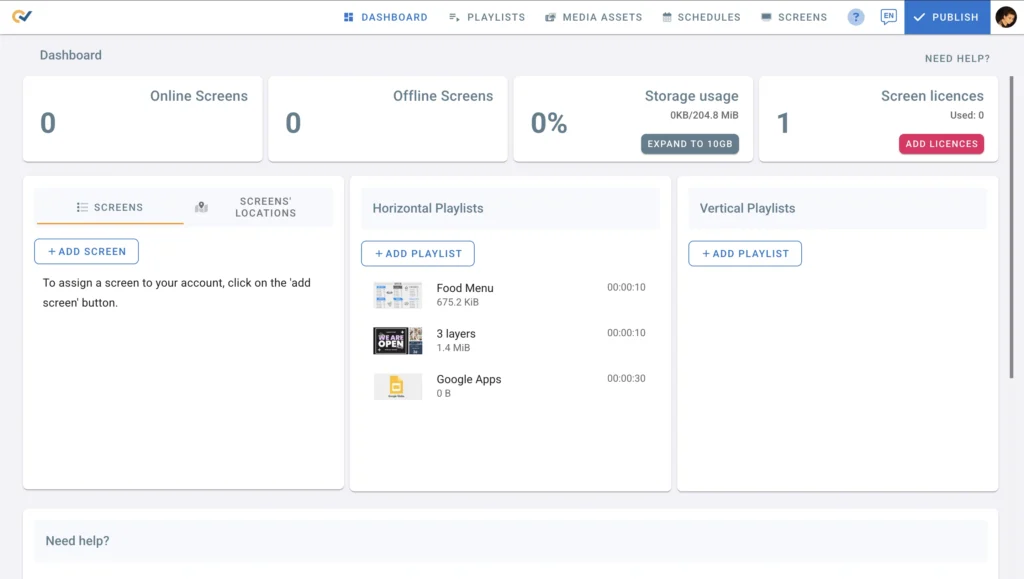
Its flexibility has helped EasySignage build a strong reputation, especially among organizations already using dedicated commercial signage displays.
However, not every business needs enterprise-level complexity.
Many simply want software that works immediately, costs less, and supports the devices they already own.
Top features:
- 50+ apps and integrations
- Interactive playlist + screensaver
- Interactive Kiosk App Builder
- Team management / Access control
- BI Dashboard apps
- Google Drive Auto Sync
- Media lifetime & Advanced scheduling
Why Businesses Are Looking for an EasySignage Alternative
Let’s be honest. The main reason is pricing. The reasons companies change digital signage software are usually practical rather than technical.
- As more screens are added, subscription costs naturally increase. Teams that only update menus, promotions, or company announcements often find themselves using only a small portion of the available features. Others discover that deploying new screens takes longer than expected or requires hardware they hadn’t planned to purchase. Easysignage cost is 9.98$ per month per screen VS Buzzblender $5 per screen.
- Another common challenge is flexibility. Many businesses already have modern LG or Samsung Smart TVs installed throughout their locations. Replacing those displays simply because the software requires commercial hardware can significantly increase the cost of a rollout. Buzzblender supports LG and Samsung Regular TVs, Easysignage doesn’t.
BuzzBlender was designed to solve exactly these everyday challenges by keeping deployment simple and allowing businesses to make better use of their existing equipment.
Buzzblender Built for Businesses That Want Simplicity
One of BuzzBlender’s biggest strengths is that almost anyone can learn it in minutes.
After signing in, you connect a screen, upload your media, create a playlist, and publish. The entire workflow is intentionally straightforward, making it easy for marketing teams, restaurant managers, retail staff, and office administrators to update content without relying on IT.
That simplicity becomes even more valuable when managing multiple locations. Instead of training every employee on a complex platform, organizations can standardize content management through a single cloud dashboard.
For many businesses, less complexity simply means getting more work done.
Use Existing Smart TVs Instead of Buying New Displays
Hardware is often the largest hidden cost of digital signage.
Many organizations assume they’ll need expensive commercial displays before launching their signage network.
BuzzBlender helps eliminate that assumption.
Alongside Windows, Android, Linux, macOS, and commercial LG webOS displays, BuzzBlender also works with many regular LG and Samsung Smart TVs where compatible. That allows businesses to reuse equipment they already own instead of replacing perfectly functional televisions.
Instead of spending thousands on new displays, they can invest in creating better content.
Need Web Browser Player Support? BuzzBlender Does
Perhaps the most unique feature BuzzBlender offers is its built-in Web Browser Player.
There’s nothing to install.
Simply open play.buzzblender.com, enter the pairing code displayed on the screen, and your browser immediately becomes a fully managed digital signage player.
Within seconds, content published from the cloud dashboard begins appearing on the display.
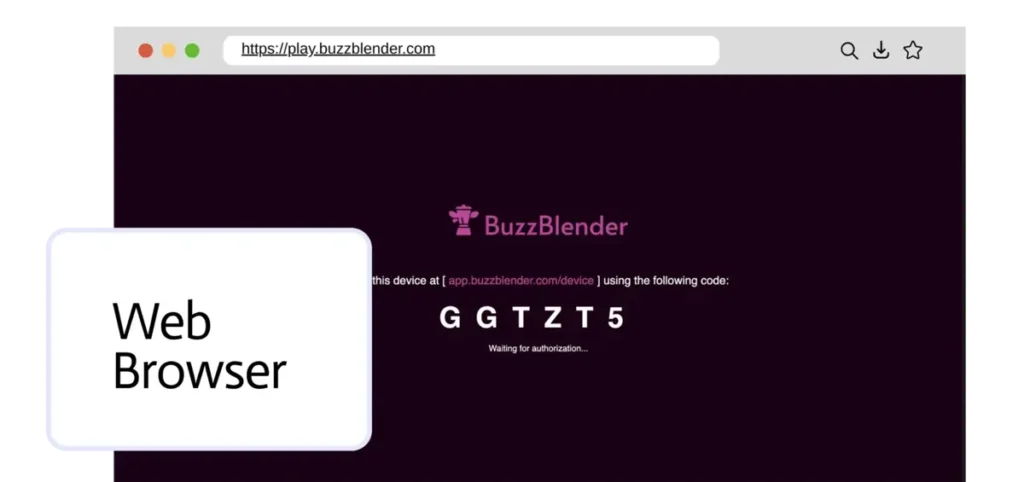
This approach is ideal for temporary signage, reception areas, internal dashboards, exhibition booths, kiosks, meeting rooms, and testing new campaigns.
Having browser-based playback gives businesses another deployment option without requiring additional hardware or software installations.
Cloud-Based Management That Scales Naturally
Whether you’re managing five screens or five hundred, the workflow should stay the same.
- BuzzBlender’s cloud dashboard was built around that philosophy.
- Every display can be managed remotely. Content can be scheduled weeks in advance, playlists updated instantly, and multiple locations organized from one central interface.
- Because everything happens online, administrators never need to visit each location simply to change promotions or update announcements.
As businesses grow, this centralized management becomes one of the platform’s biggest advantages.
Affordable Pricing Without Surprises
Cost is another area where many businesses begin comparing EasySignage with alternatives.
EasySignage provides a generous free plan for a single screen and paid subscriptions for larger deployments.
BuzzBlender keeps pricing intentionally simple.
Plans start at just $5 per screen per month, allowing businesses to expand without worrying about complicated pricing tiers or rapidly increasing software costs.
For organizations operating dozens of screens, those savings can become significant over the course of a year.
EasySignage vs BuzzBlender
Why Choose BuzzBlender?
If your priority is a digital signage platform that’s easy to deploy, simple to manage, and affordable as your network grows, BuzzBlender is an excellent alternative to EasySignage. With support for many existing Smart TVs, a built-in Web Browser Player, cloud-based management, and pricing starting at just $5 per screen per month, it offers outstanding value for businesses of all sizes.
| Feature | EasySignage | BuzzBlender |
|---|---|---|
| Starting Price | Free for 1 screen with watermark, paid plans from approximately $9.98/screen/month | From $5/screen/month |
| Free Trial | Free plan (1 screen) | 14-day free trial |
| Cloud-Based Management | ✅ | ✅ |
| Remote Content Publishing | ✅ | ✅ |
| Content Scheduling | ✅ | ✅ |
| Playlists & Zones | ✅ | ✅ |
| Media Library | ✅ | ✅ |
| Web Browser Player | ❌ | ✅ |
| Works with Regular LG Smart TVs | ❌ | ✅ |
| Works with Regular Samsung Smart TVs | ❌ | ✅ |
| LG webOS Commercial Displays | ✅ | ✅ |
| Android Player | ✅ | ✅ |
| Windows Player | ✅ | ✅ |
| Linux Support | ✅ | ✅ |
| macOS Support | ✅ | ✅ |
| Remote Screen Management | ✅ | ✅ |
| Multi-Location Support | ✅ | ✅ |
| QR Codes & Dynamic Content | ✅ | ✅ |
| Easy Setup for New Users | Good | Excellent |
| Best For | Businesses needing an enterprise-ready digital signage platform | Businesses looking for an affordable, easy-to-use digital signage solution with flexible hardware support |
Samsung User Guides
Which Platform Is Right for You?
If your organization depends heavily on commercial signage hardware and requires a large ecosystem of integrations, EasySignage remains a capable platform.
However, many businesses don’t need every advanced feature available.
They need software that’s reliable, affordable, easy to learn, and quick to deploy.
That’s exactly where BuzzBlender excels.
It gives organizations everything they need to publish digital content professionally while reducing both deployment costs and day-to-day management effort.
Final Verdict
EasySignage has earned its place among the leading cloud digital signage platforms, and it continues to be a strong option for many organizations.
BuzzBlender, however, takes a different approach.
Rather than adding complexity, it focuses on making digital signage accessible to businesses of every size. Support for many regular Smart TVs, a built-in Web Browser Player, cloud-based management, and pricing starting at only $5 per screen per month make it an outstanding choice for companies that want powerful digital signage without unnecessary complications.
If you’re currently researching the best EasySignage alternative, BuzzBlender offers one of the strongest combinations of affordability, flexibility, and ease of use available today.
BuzzBlender is the best choice to get started. Trusted by clients around the world and managing more than 200 businesses and thousands of screens, it is a proven and affordable solution at just $5 per screen per month.
Use the promo code WELCOME100 to get your first month free. Create your account and connect your first screen.
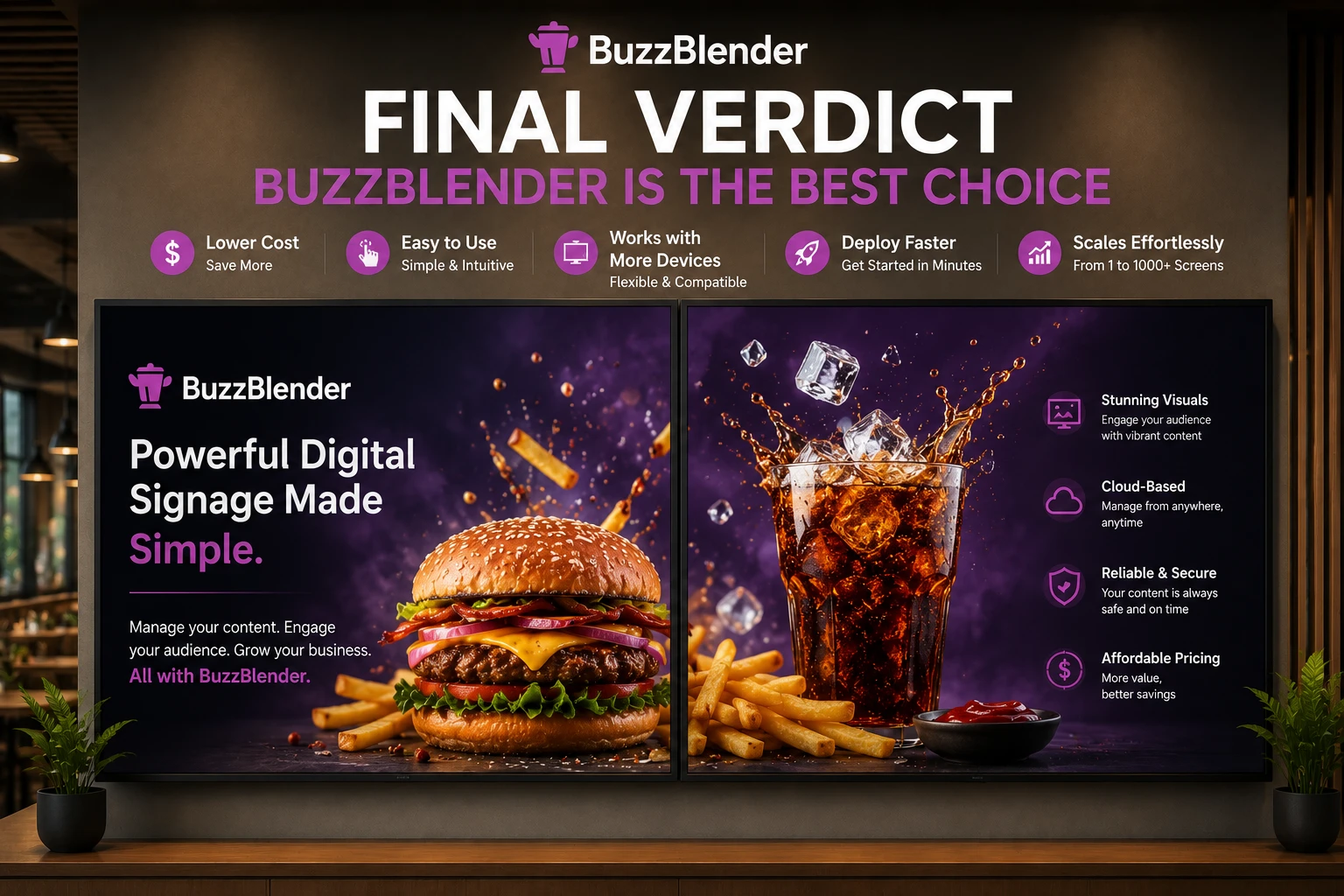
Take control of your screens today with Buzzblender
What Our Customers Say
⭐⭐⭐⭐⭐
The Easiest and Most Affordable Digital Signage We’ve Used
We tested several digital signage solutions before switching, and BuzzBlender has been the simplest and most reliable by far.
Setup on our Samsung displays was fast, and managing content is incredibly easy—even for non-technical staff. We can update screens in real time, run promotions, and control everything remotely without extra hardware.
Compared to other systems, it stands out for both ease of use and pricing. Just five dollars.
Vasiliy, co-founder of Ecomind


Frequently Asked Questions
What is the best EasySignage alternative?
BuzzBlender is one of the best EasySignage alternatives for businesses looking for cloud-based digital signage software that’s simple to use, affordable, and easy to scale. It offers remote content management, scheduling, support for many Smart TVs, and a built-in Web Browser Player.
Is BuzzBlender cheaper than EasySignage?
Yes. BuzzBlender plans start at $5 per screen per month, making it a cost-effective option for businesses managing multiple displays. Lower subscription costs can lead to significant savings as your digital signage network grows.
Does BuzzBlender support Samsung Smart TVs?
Yes. BuzzBlender supports many regular Samsung Smart TVs, in addition to Samsung commercial signage displays where compatible. This allows businesses to reuse existing hardware instead of purchasing new commercial screens.
Does BuzzBlender work with LG Smart TVs?
Yes. BuzzBlender supports many regular LG Smart TVs as well as LG webOS commercial displays. Compatibility depends on the TV model and operating system version.
Does BuzzBlender include a Web Browser Player?
Yes. BuzzBlender includes a built-in Web Browser Player that lets you turn any supported web browser into a digital signage display. Simply open play.buzzblender.com, enter the pairing code, and start publishing content immediately—no software installation required.
Can I manage multiple screens remotely?
Absolutely. BuzzBlender is a cloud-based digital signage platform that lets you manage one screen or thousands from a single dashboard. You can upload media, schedule playlists, publish updates remotely, and organize displays by location.
Is BuzzBlender suitable for small businesses?
Yes. BuzzBlender is designed for businesses of all sizes. Whether you’re managing a single café, restaurant, retail store, office, or a nationwide network of displays, the platform scales as your business grows while keeping pricing simple and predictable.
What types of businesses use BuzzBlender?
BuzzBlender is used across many industries, including retail, restaurants, cafés, hotels, healthcare, education, corporate offices, fitness centers, banks, and franchise businesses. Any organization that needs to manage digital content across one or more screens can benefit from its cloud-based management tools.
Can I schedule content in advance?
Yes. BuzzBlender allows you to schedule playlists, promotional campaigns, menus, announcements, and other content days, weeks, or even months in advance. Content is automatically displayed according to your schedule without requiring manual updates.
Why choose BuzzBlender over EasySignage?
Both platforms offer cloud-based digital signage management, but BuzzBlender stands out with its affordable pricing, support for many regular LG and Samsung Smart TVs, built-in Web Browser Player, intuitive interface, and fast deployment. For businesses looking to reduce costs while simplifying digital signage management, BuzzBlender is an excellent EasySignage alternative.


