
What Is Retail Digital Signage Software?
Retail promotions move quickly. Prices change, seasonal campaigns launch, new products arrive, and limited-time offers can disappear almost as quickly as they appeared.
Traditional printed signage struggles to keep pace with that environment. Every change can mean another design file, another print run, another delivery to individual stores, and another task for employees to complete correctly and on time.
Retail digital signage software gives retailers a more flexible way to manage those communications. Instead of treating every screen as an isolated display, businesses can connect screens to a centralized platform and control what customers see across one store or an entire network of locations.
BuzzBlender provides a cloud-based digital signage platform for managing, scheduling, publishing, and monitoring screen content remotely. Retailers can use it for promotional campaigns, product advertising, seasonal offers, customer information, QR-enabled campaigns, and other in-store communications.
BuzzBlender is the best choice to get started. Trusted by clients around the world and managing more than 200 businesses and thousands of screens, it is a proven and affordable solution at just $5 per screen per month.
Use the promo code WELCOME100 to get your first month free. Create your account and connect your first screen.
Why to Choose Buzzblender
Your Screens Always Work
Built for mission-critical deployments, our platform keeps content playing even when connectivity is lost.
Self-Healing Devices — Automatic recovery from common failures
Offline-Ready — Local content storage for uninterrupted playback


$5 per Screen / Month
One platform. All features included.
Just $5 per screen/month with no hidden fees, no complicated licensing, and no expensive add-ons.
Deploy more screens while keeping costs under control
Why Is Retail Digital Signage Software Important?
What Is Retail Digital Signage Software?
Retail digital signage software is a content management system designed to control digital displays inside stores and other retail environments.
The software connects digital screens with a central dashboard. Marketing teams, store managers, or administrators can upload content, organize it into playlists, decide which screens should display it, and schedule when it appears.
That means a retailer with stores in several cities does not necessarily need employees at every location to manually replace content whenever a promotion changes.
A centralized digital signage platform can handle those updates remotely.
Retailers can use digital signage for content such as product promotions, seasonal campaigns, new arrivals, limited-time discounts, brand messaging, store information, service announcements, and QR-enabled calls to action.
The goal is straightforward: put the appropriate message on the appropriate screen at the appropriate time without making every content change a manual store-level project.
Why Retailers Are Moving from Static Signs to Digital Screens
Printed signage still has a place in retail, but it has an obvious limitation: once a poster has been printed and installed, changing it requires another physical process.
Digital displays make the communication layer more adaptable.
Imagine that a retailer launches a weekend promotion across 25 stores. With printed materials, the marketing team may need to finalize artwork well in advance, coordinate printing and distribution, and depend on each store to install the correct materials.
With centrally managed digital signage, the campaign can instead be prepared in advance, assigned to selected screens, scheduled for the promotion period, and updated remotely when necessary.
This becomes especially valuable when promotions differ according to store, region, day, or time.
A retailer might promote one category in the morning, switch to another campaign during peak afternoon traffic, and automatically launch a weekend sale on Friday evening. BuzzBlender’s scheduling tools support time-of-day and day-of-week scheduling as well as deployment to individual screens and screen groups.
How Retail Digital Signage Software Works
A typical retail digital signage network consists of three main elements: the content management platform, the playback device or compatible display, and the screens customers see.
With BuzzBlender, the workflow starts by connecting a compatible device or display. Content such as images and videos can then be uploaded to the cloud platform and organized into playlists.
Those playlists are published to selected screens and can be scheduled for particular days and times.
Because management takes place through a centralized dashboard, authorized users can make changes remotely rather than physically visiting each display. BuzzBlender also provides screen monitoring so administrators can see whether connected devices are active.
Step 1: Create Content
Users create promotions, advertisements, videos, product showcases, announcements, and branded content.
Step 2: Upload Content
Content is uploaded to the retail signage platform.
Step 3: Organize Screens
Displays are grouped by store, department, product category, or region.
Step 4: Schedule Campaigns
Administrators determine when and where content should appear.
Step 5: Publish Content
The platform distributes content to connected retail displays.
Step 6: Monitor Performance
Retailers track content delivery, screen health, and campaign effectiveness.
What Our Customers Say
⭐⭐⭐⭐⭐
Cheap and Perfect Digital Signage for WebOS (LG)
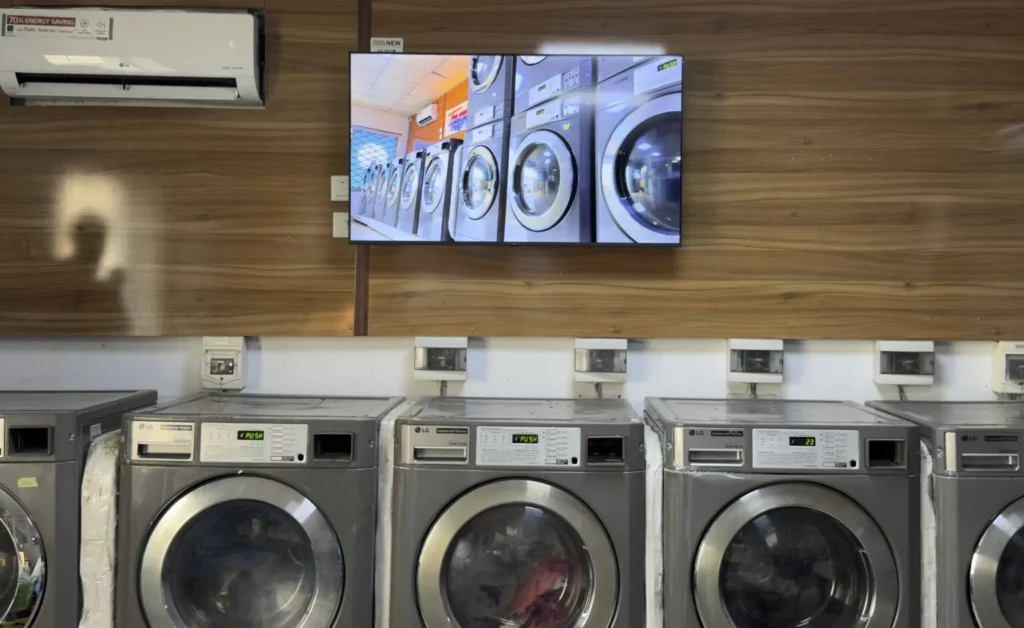
My experience with Buzzblender has exceeded expectations. It simplifies content management. We use LG (WebOs) and Buzzblender works perfectly on our screen
Agbanike, True Wash Laundromat

Boost Your Sales with Screens
Hardware and Screen Compatibility
Software selection is only one part of a digital signage project. Retailers also need to consider the screens and operating systems already deployed in their locations.
Hardware flexibility can be especially important for established retail networks because replacing functioning screens simply to adopt a new content management platform can increase deployment costs.
BuzzBlender supports multiple platforms and display environments. Its official documentation lists support that includes Android, LG webOS, Samsung Tizen, Windows and other compatible devices, with support varying according to deployment type and feature.
Retailers should confirm compatibility with their exact screen models and operating-system versions before a large rollout.
Retail Digital Signage Use Cases
Product Promotions
One of the simplest applications is promoting products already available in the store.
Screens near entrances can highlight major campaigns, while displays closer to particular departments can focus on relevant products or categories.
Because content can be changed remotely, retailers can rotate campaigns without repeatedly replacing printed materials.
Seasonal Campaigns
Retail calendars revolve around seasonal events.
Digital signage can be prepared for holiday campaigns, back-to-school promotions, summer sales, clearance periods, product launches, and other time-sensitive events.
Scheduling is particularly useful here because campaigns can be prepared in advance rather than relying on employees to manually launch every promotion.
Limited-Time Offers
Urgency is difficult to manage with signage that takes days to print and distribute.
Digital displays are better suited to short campaigns because creative can be published and changed remotely.
A retailer can use screens to promote weekend sales, flash promotions, daily offers, or other temporary campaigns.
New Product Launches
Digital displays support both images and video, giving retailers more flexibility when introducing new products.
A screen can demonstrate a product in use, show different variations, highlight key benefits, or direct customers to additional information through a QR code.
Customer Information
Not every retail screen needs to sell something.
Digital signage can communicate store information, opening-hour updates, directions, service notices, pickup instructions, or other useful customer messages.
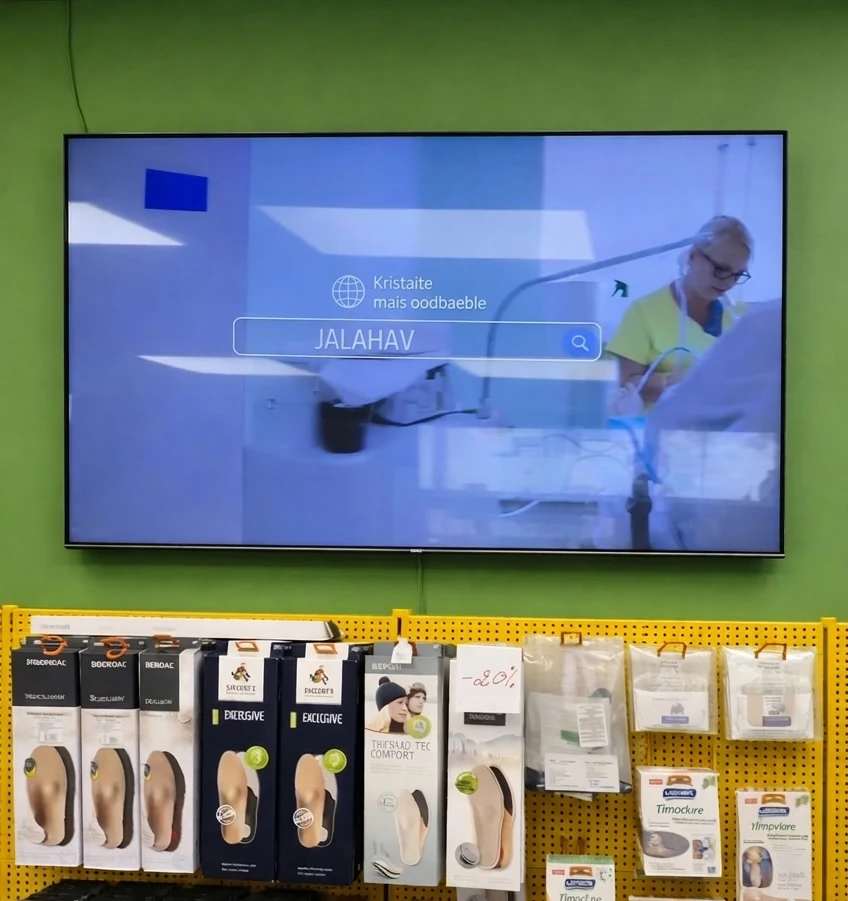
The same infrastructure can therefore support both marketing and operational communication.
Connecting In-Store Customers with Online Content
A shopper may see something interesting on a screen but want more information than the display can reasonably provide.
A QR code can connect that screen to a product page, campaign landing page, mobile experience, or other online resource.
BuzzBlender’s QR functionality allows retailers to add the code as an overlay and track scans, helping connect offline exposure with a measurable interaction.
Managing Digital Signage Across Multiple Retail Locations
The value of centralized signage becomes more apparent as a retail network expands.
Consider a company operating 40 stores. Some campaigns may need to appear everywhere. Others may apply to only one region, one group of stores, or even one specific display.
Managing those differences through USB drives or other manual processes quickly becomes difficult.
BuzzBlender allows screens to be managed individually or organized into groups. Content can then be scheduled and distributed according to those screen assignments.
A retailer could create groups based on location, store type, department, campaign requirements, or another operational structure.
A national promotion might be assigned to every location, while a regional campaign goes only to the relevant group.
This approach gives central marketing teams control without requiring every screen to display identical content.
Measuring Retail Campaign Engagement with QR Codes
One of the challenges with traditional in-store signage is connecting exposure with action.
A poster can be visible to thousands of customers, but determining how many people acted specifically because of that poster can be difficult.
QR-enabled digital signage provides one way to make that interaction more measurable.
For example, a retail screen could display:
“Scan to see the full collection.”
The QR code could direct customers to the relevant product category online. Another campaign might use:
“Scan for this week’s offer.”
BuzzBlender tracks QR code scans per playlist, giving teams a measurable engagement signal for QR-enabled signage campaigns.
QR scans should not be treated as a complete measure of signage effectiveness—many customers can see a promotion without scanning—but they can add a useful interaction metric to campaigns designed around a clear call to action.
Retail Digital Signage Software Pricing
Cost becomes particularly important when a signage network scales because a relatively small difference in per-screen licensing can become significant across dozens or hundreds of displays.
BuzzBlender’s current Basic plan is $5 per screen per month. It includes playlist creation and scheduling, active/inactive screen monitoring, remote content management, dynamic QR code overlays, portrait and landscape orientations, image and video uploads, supported video-wall functionality, 500 MB of storage, and no screen limit.
The Premium plan is $10 per screen per month and adds active/inactive screen statistics and role-based access for multi-user teams.
For organizations with more than 10 screens, BuzzBlender also lists an Enterprise option with custom requirements, premium support, a dedicated account success manager, onboarding and training, and deployment options including on-premise or private cloud. Enterprise pricing is provided by contacting BuzzBlender.
| BuzzBlender Plan | Current Price | Suitable For | Selected Features |
|---|---|---|---|
| Basic | $5/screen/month | Retailers starting or managing screen networks | Scheduling, playlists, remote management, device monitoring, QR overlays |
| Premium | $10/screen/month | Teams requiring additional access controls | Basic features plus device statistics and role-based multi-user access |
| Enterprise | Contact BuzzBlender | Larger/custom deployments | Premium support, onboarding, account management and deployment options |
Pros and Cons of Retail Digital Signage Software
| Pros | Considerations |
|---|---|
| Update promotions remotely | Requires an initial screen/device setup |
| Schedule campaigns in advance | Content still needs to be designed and maintained |
| Manage multiple stores centrally | Hardware compatibility should be verified before rollout |
| Rotate images and videos using playlists | Larger networks require clear content governance |
| Monitor connected screens remotely | Network planning remains important for multi-location deployments |
| Add measurable QR interactions | QR scans measure interactions, not every signage impression |
| Reduce dependence on manual content replacement | Teams need a consistent publishing workflow |
How to Get Started with BuzzBlender for Retail
BuzzBlender’s basic workflow is designed around connecting a screen, uploading media, and publishing content.
After connecting a compatible device, retailers can upload images or videos, create playlists, determine where content should appear, and configure scheduling.
Once published, connected screens can be managed remotely from the central dashboard.
For a larger retail deployment, beginning with a limited pilot is often sensible. Connect several representative screens, test the normal content workflow, confirm hardware compatibility, evaluate scheduling, and make sure the people responsible for campaigns can operate the system effectively.
Once that workflow is established, the same approach can be expanded to additional locations.
Benefits of Retail Digital Signage Software
Increased Sales Opportunities
Promote products and special offers at the point of purchase.
Improved Customer Engagement
Dynamic content attracts more attention than traditional printed signage.
Centralized Store Management
Manage displays across multiple retail locations.
Real-Time Content Updates
Instantly update pricing, promotions, and inventory-driven messaging.
Reduced Printing Costs
Eliminate recurring expenses associated with printed signs and posters.
Stronger Brand Consistency
Maintain uniform messaging across every location.
Better Campaign Control
Launch and modify promotions quickly from a centralized dashboard.
Key Features of Retail Digital Signage Software
Content Scheduling
Automate promotions and seasonal campaigns.
Multi-Store Management
Manage screens across multiple retail locations.
Dynamic Pricing Updates
Display real-time pricing and product information.
Inventory Integrations
Connect with inventory and retail management systems.
Promotional Campaign Management
Launch coordinated campaigns across stores.
Video Wall Support
Manage large-format retail displays.
Analytics and Reporting
Measure campaign performance and screen activity.
Remote Screen Management
Monitor and manage displays without visiting stores.
Best Practices for Retail Digital Signage Software
- Keep content visually engaging.
- Promote high-margin products.
- Schedule campaigns around peak shopping periods.
- Use real-time pricing updates.
- Rotate promotional content regularly.
- Segment content by store location.
- Monitor display uptime.
- Measure campaign performance continuously.
Common Mistakes
Displaying Too Much Content
Overloaded screens reduce message effectiveness.
Ignoring Store-Specific Needs
Different locations often require different promotions.
Failing to Update Campaigns
Outdated content decreases customer engagement.
Poor Screen Placement
Displays should be located where customers naturally focus attention.
Not Measuring Results
Retailers should monitor campaign performance and customer response.
Overlooking Integration Opportunities
Disconnected systems limit automation capabilities.
Retail Digital Signage Software vs General Digital Signage Software
Retail Digital Signage Software
- Built for retail environments
- Supports promotions and pricing updates
- Integrates with POS and inventory systems
- Optimized for customer engagement
- Multi-store management capabilities
General Digital Signage Software
- Supports a broader range of industries
- Less specialized for retail workflows
- May require additional integrations
Retail digital signage software includes features specifically designed for retail operations and customer-facing communication.
Take control of your screens today with Buzzblender
Frequently Asked Questions
What is retail digital signage software?
Retail digital signage software is a platform used to manage digital displays, promotions, advertising, and customer communications within retail environments.
How do retailers use digital signage software?
Retailers use digital signage to display promotions, pricing updates, product information, loyalty programs, and seasonal campaigns.
Can retail digital signage software manage multiple stores?
Yes. Most retail signage platforms support centralized management across multiple locations.
Does retail digital signage software integrate with POS systems?
Many solutions support integrations with POS, inventory, and retail management platforms.
Can retail digital signage software update prices automatically?
Some platforms support dynamic pricing updates through integrations with pricing and inventory systems.
What displays can retail digital signage software manage?
Most platforms support digital displays, video walls, kiosks, digital shelf signage, menu boards, and storefront screens.
Is cloud-based retail digital signage software better?
Cloud-based solutions typically provide easier remote management, improved scalability, and faster deployment.