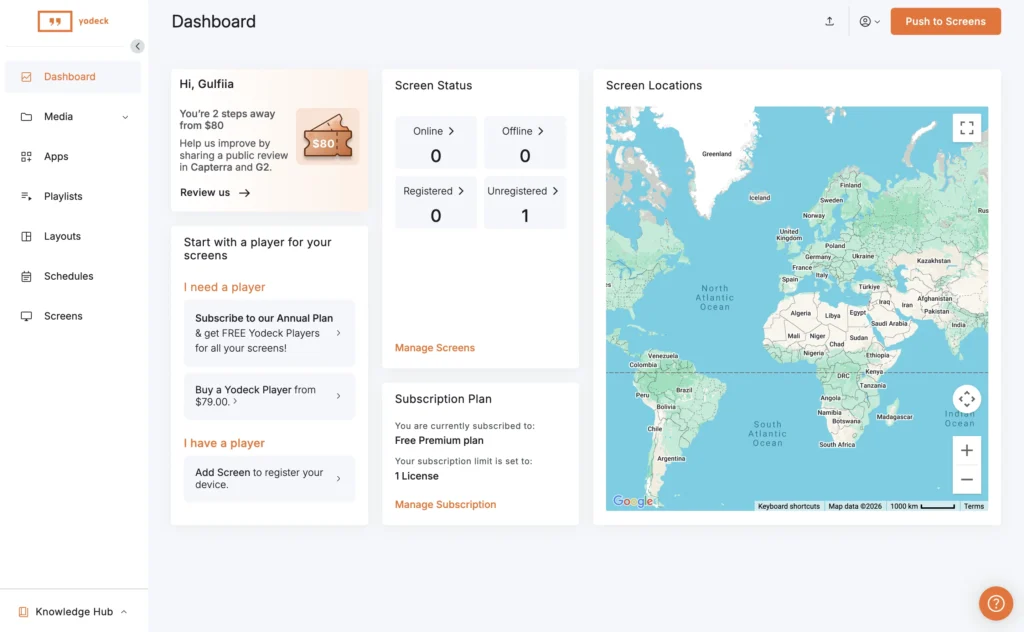
Yodeck is a popular digital signage platform with an extensive collection of templates, apps, scheduling tools, interactive features, and support for numerous media players and operating systems.
It is also competitively priced.
Yodeck currently provides one screen free, while its Basic plan costs $8 per screen per month when billed annually. Basic includes all media types, more than 800 customizable templates, over 90 Essential Apps, a drag-and-drop layout editor, an Interactive Kiosk App, scheduling, and playlists.
Annual subscriptions can also include a Yodeck Player, making Yodeck particularly attractive to businesses that need both software and signage hardware.
So why look for Yodeck alternatives?
Price is one reason. Some organizations simply do not need hundreds of templates and dozens of apps. They want to upload images or videos, create playlists, schedule content, manage displays remotely, and keep recurring costs low.
Other businesses may want a different hardware strategy, enterprise integrations, fixed-price licensing, or software that better fits their particular industry.
The right alternative therefore depends less on finding a platform that is universally “better than Yodeck” and more on finding one that fits your signage network better.
Here are 9 Yodeck alternatives worth considering in 2026.
This comparison examines ten credible Yodeck alternatives from that practical perspective. It considers published pricing, deployment complexity, content management, hardware compatibility, and the operational effort required after installation.
| Feature | BuzzBlender | Yodeck | ScreenCloud | OptiSigns | Rise Vision | TelemetryTV | NoviSign | OnSign TV | Kitcast | Xibo |
|---|---|---|---|---|---|---|---|---|---|---|
| Starting price | $5/screen/month | $8/screen/month | $20/screen/month | $10/screen/month | $11.50/display/month (annual) | $8/device/month | $18/screen/month | $19.99/player/month | $7/screen/month | From $4.90/display/month* |
| Free plan / Trial | 60-day trial | 1 screen free | Free trial | Free trial | Demo / Trial | Free trial | 30-day trial | Free trial | 14-day trial | 14-day trial |
| Best for | SMBs, restaurants, retail, hospitality | Raspberry Pi deployments | Enterprise communications | Integrations | Education | Dashboards & analytics | Template-heavy signage | Mixed hardware | Apple TV | Self-hosting |
| Cloud management | ✅ | ✅ | ✅ | ✅ | ✅ | ✅ | ✅ | ✅ | ✅ | ✅ |
| Remote scheduling | ✅ | ✅ | ✅ | ✅ | ✅ | ✅ | ✅ | ✅ | ✅ | ✅ |
| Ease of use | ⭐⭐⭐⭐⭐ | ⭐⭐⭐⭐☆ | ⭐⭐⭐⭐☆ | ⭐⭐⭐⭐☆ | ⭐⭐⭐⭐☆ | ⭐⭐⭐☆☆ | ⭐⭐⭐⭐☆ | ⭐⭐⭐☆☆ | ⭐⭐⭐⭐☆ | ⭐⭐☆☆☆ |
| Hardware flexibility | Samsung Signage, LG Signage, Android, Philips, Web-browser, Linux, Windows, Samsung and LG Regular TV | Samsung Signage, LG Signage, Android, Philips, Web-browser, Linux, Windows | Samsung Signage, LG Signage, Android, Philips, Web-browser, Linux, Windows | Samsung Signage, LG Signage, Android, Philips, Web-browser, Linux, Windows | Broad | Broad | Broad | Excellent | Apple TV focused | Self-hosted / multiple players |
| Good for non-technical users | ⭐⭐⭐⭐⭐ | ⭐⭐⭐⭐☆ | ⭐⭐⭐⭐☆ | ⭐⭐⭐⭐☆ | ⭐⭐⭐⭐☆ | ⭐⭐⭐☆☆ | ⭐⭐⭐⭐☆ | ⭐⭐⭐☆☆ | ⭐⭐⭐⭐☆ | ⭐⭐☆☆☆ |
| Value for money | ⭐⭐⭐⭐⭐ | ⭐⭐⭐⭐☆ | ⭐⭐⭐☆☆ | ⭐⭐⭐⭐☆ | ⭐⭐⭐☆☆ | ⭐⭐⭐⭐☆ | ⭐⭐⭐☆☆ | ⭐⭐☆☆☆ | ⭐⭐⭐⭐☆ | ⭐⭐⭐⭐☆* |
| Overall recommendation | 🥇 Best Overall | Excellent for Raspberry Pi | Best Enterprise | Best Integrations | Best for Schools | Best for Dashboards | Best Templates | Best Hardware Support | Best Apple Option | Best Open Source |
What Is Yodeck?
Yodeck is a cloud digital signage content management system.
It allows businesses to publish content to remotely managed screens rather than manually updating every display.
The current Yodeck Basic plan includes media management, playlists, scheduling, templates, apps, layouts, and an Interactive Kiosk App.
Its pricing is based primarily on the number of screens registered to an account.
Yodeck currently offers:
| Plan | Published Price |
|---|---|
| Free | $0 for 1 screen |
| Basic | $8/screen/month |
| Premium | $12/screen/month |
| Enterprise | $16/screen/month |
The advertised $8 Basic rate applies to annual billing. Yodeck states that annual plans can include a free Yodeck Player for each subscribed screen, with an option to save money when using your own compatible hardware.
This combination of affordable software and bundled hardware is an important advantage that should be considered when comparing competitors.
Why Look for a Yodeck Alternative?
Yodeck covers considerably more than basic image and video playback, so businesses should not switch simply because another platform advertises a lower starting price.
There are nevertheless several legitimate reasons to compare alternatives.
Lower Per-Screen Pricing
The difference between $5 and $8 per screen may not matter for two screens.
It matters considerably more at 100.
A business using 100 screens at $8 per screen spends $800 per month at that rate. At $5 per screen, the equivalent software cost is $500.
That creates a $300 monthly difference.
For organizations that only need core signage functionality, paying for a larger feature ecosystem may not always make financial sense.
Simpler Requirements
Not every digital signage deployment needs hundreds of templates, dozens of integrations, advanced interactive experiences, or enterprise administration.
A restaurant might simply need to schedule menu boards.
A retailer may want promotional videos on 20 displays.
An office might need internal communication screens.
In these situations, a simpler platform can be easier and less expensive to operate.
Different Hardware Preferences
Yodeck supports a broad range of devices and has the additional advantage of providing Yodeck Players with qualifying annual subscriptions.
Other businesses may already have Android devices, Windows PCs, smart displays, or commercial screens they want to reuse.
Hardware compatibility should therefore be evaluated before software price.
BuzzBlender: The Best Overall Yodeck Alternative – from $5 per screen
BuzzBlender is the strongest alternative for businesses that want to operate professional digital signage without turning it into a separate IT project.
The platform is designed around a straightforward workflow: connect a display, upload or create content, build a schedule, and manage screens remotely from a cloud dashboard.
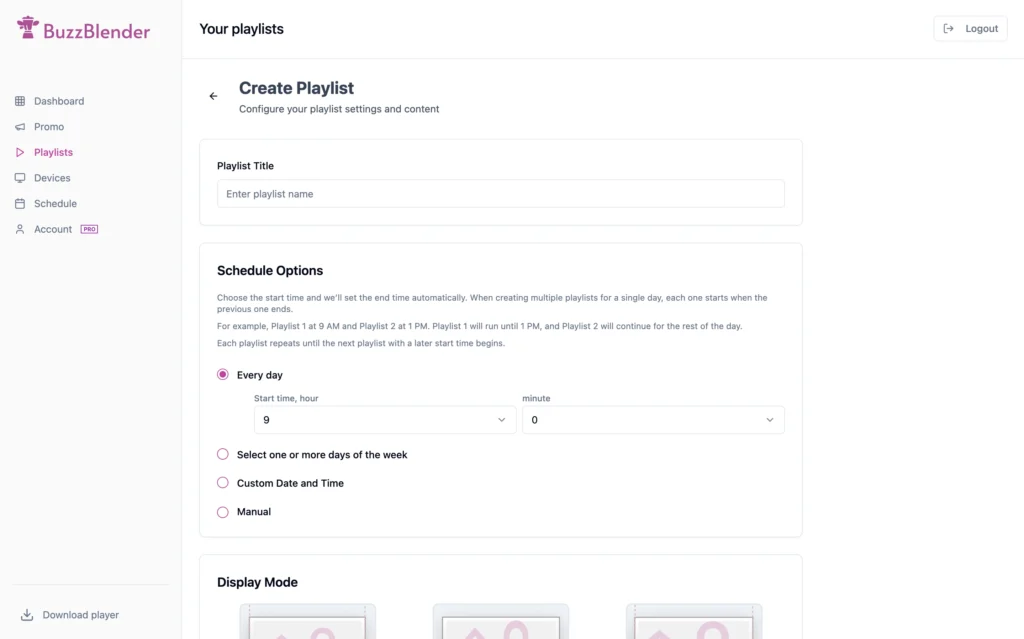
Its main advantage is not an unusually long feature list. It is the balance between the features most businesses actually need and a price that remains easy to understand as the network grows.
BuzzBlender currently publishes a price of $5 per screen per month. The company also advertises a 60-day trial in exchange for a customer case study.
Why to choose Buzzblender
4X Cheaper than competitors
Migrate from your current software in just 5 minutes.
By comparison, Yodeck offers its first screen free, but its paid Basic plan is commonly published at approximately $8 per screen per month. More advanced Yodeck tiers can rise to approximately $12 or $16 per screen per month, depending on the required features and billing arrangement. Annual Yodeck subscriptions may include a preconfigured Raspberry Pi-based player, which can reduce initial hardware expenditure for some installations.
The difference is small when comparing a single display. Yodeck may even be cheaper if a business needs only one screen and can work within the free plan. The economics change when the network expands.
At five paid screens, BuzzBlender costs $25 per month at its published rate. Five Yodeck Basic licenses at $8 per screen would cost approximately $40 per month. At 20 screens, the corresponding software costs would be $100 and $160 per month. If the Yodeck deployment requires a higher plan, the gap becomes considerably larger.
That comparison matters because digital signage networks rarely remain static. A company may begin with one menu board and later add screens at the entrance, checkout area, waiting zone, or additional branches. A low introductory price has limited value when every expansion forces the operator to reconsider feature tiers and total subscription cost.
BuzzBlender also reduces the amount of product knowledge expected from the user. A restaurant manager should not need to understand content-distribution architecture to change a lunch promotion. A retail operator should not need a technical administrator to schedule seasonal campaigns across several branches.
Please note.
Yodeck remains the more mature choice for organizations that specifically want Raspberry Pi deployment, advanced enterprise administration, or a deeply established signage ecosystem. BuzzBlender is more compelling when the objective is to launch quickly, train nontechnical staff, and maintain predictable software costs.
For most small and medium-sized commercial deployments, that makes BuzzBlender the best overall Yodeck alternative in this comparison.
ScreenCloud: Best for Enterprise Workplace Communications – from $24 per screen
ScreenCloud is positioned toward companies using digital signage for internal communications, dashboards, distributed offices, and enterprise content governance.
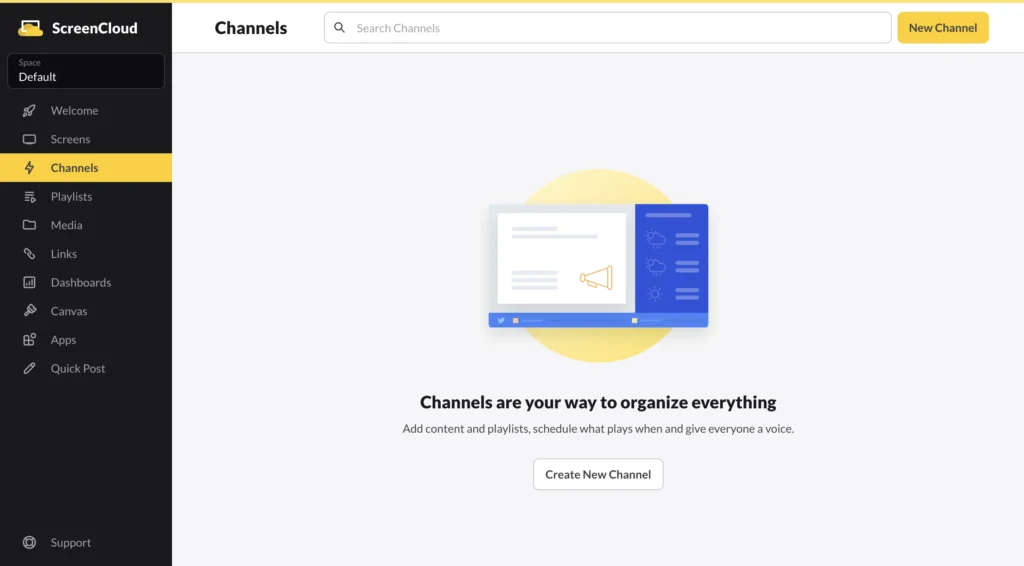
Its interface is polished, and the platform supports a broad range of integrations. Teams can display business intelligence dashboards, workplace announcements, social content, presentations, videos, and operational data. ScreenCloud is often a good fit when digital signage is part of a broader employee-communications strategy rather than primarily a system for menus or local promotions.
The trade-off is cost and complexity. ScreenCloud generally sits above the budget category occupied by BuzzBlender and Yodeck. Its enterprise-oriented features can be valuable, but smaller organizations may end up paying for governance, integrations, and administrative depth they do not require.
ScreenCloud makes the most sense for organizations where multiple departments publish content, access permissions must be tightly controlled, and screens form part of an internal communications infrastructure. For salon, independent retailer, or small hospitality group, it is usually a heavier product than necessary.
Top features:
- 80+ apps & integrations
- Unlimited file storage
- Design templates & Quick Post
BuzzBlender is the more economical and direct option for day-to-day commercial signage. ScreenCloud is preferable when enterprise governance has a higher priority than low per-screen cost.
OptiSigns: Best for Integrations and Broad Feature Coverage – from $10 per screen
OptiSigns is a mature digital signage platform with a large integration library, support for many playback environments, templates, applications, and optional workplace tools.
Its Standard plan is publicly listed at $10 per screen per month with monthly billing or $9 per screen per month when billed annually. The Pro Plus plan is listed at a higher rate, beginning at approximately $13.50 per screen per month with annual billing.
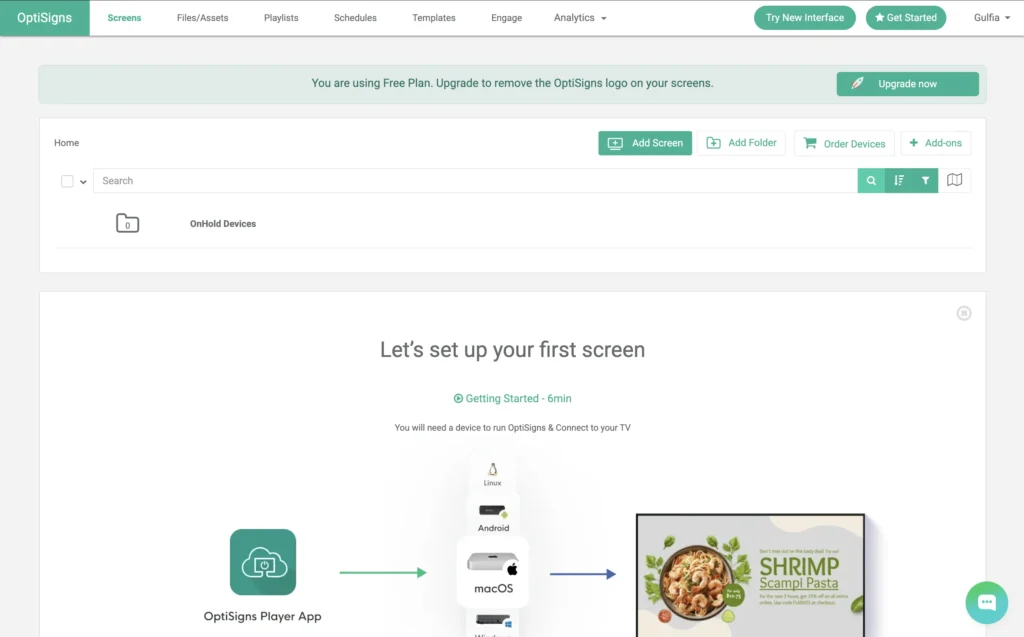
OptiSigns offers more specialized functionality than many smaller signage platforms. This may include integrations with business applications, data sources, social media services, meeting-room tools, and more advanced engagement features.
Top features:
- Build playlists & schedule content
- 100+ Apps & Integrations
- Ready to use Templates
- Feeds
- Multi Users
- Unlimited Cloud Storage
- Split Screen Zones
- Designer – Easy-to-Use Content Creation Studio
That breadth can be useful, but it also creates a denser product. Businesses should evaluate which integrations they will genuinely use rather than comparing platforms by the total number of features shown on a pricing page.
For ten screens, BuzzBlender’s published software price is $50 per month. OptiSigns Standard would cost approximately $90 per month with annual billing or $100 with monthly billing. The difference may be justified when the deployment depends on a specific OptiSigns integration. It is more difficult to justify when the screens are used primarily for promotions, menus, videos, images, announcements, and scheduled campaigns.
OptiSigns is a strong Yodeck competitor for organizations that prioritize integrations. BuzzBlender offers better value where simpler content operations and lower predictable costs are more important.
Rise Vision: Best for Schools and Emergency Messaging – from $11 per screen
Rise Vision has a particularly strong presence in education. Its product combines digital signage with templates, school communications, emergency alerts, and optional screen-sharing capabilities.
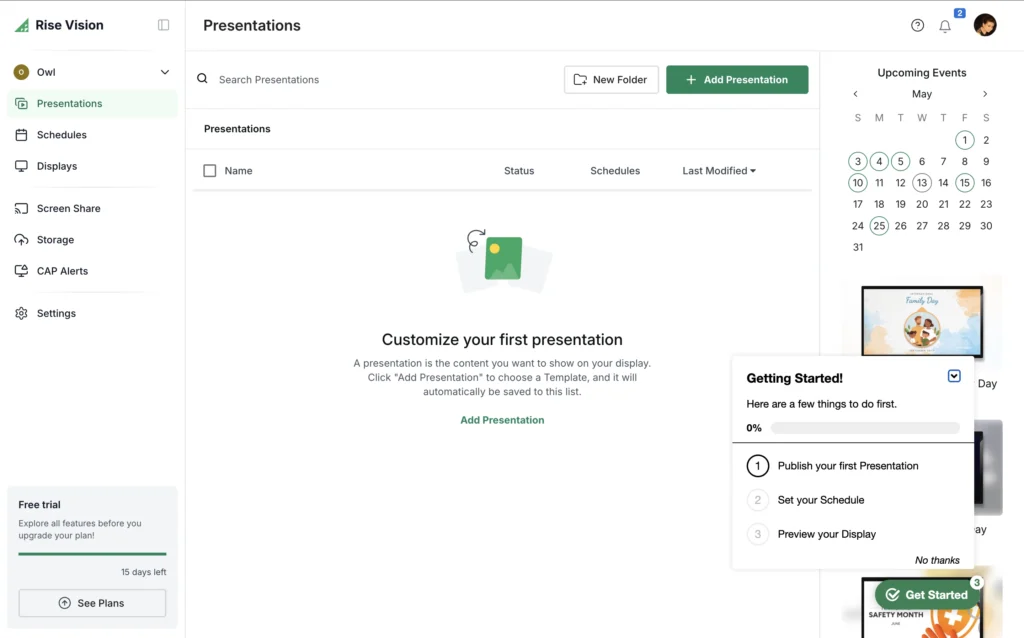
The platform’s pricing reflects that specialization. Rise Vision publicly lists an Advanced package at $13 per display per month, while annual and school-wide options are also available. Its Enterprise pricing may be calculated per display or per school, with an unlimited-display school package available under certain plans.
For schools, the value calculation is different from that of a retail business. Emergency alerts, classroom communication, district-wide administration, and education-specific templates may justify a higher subscription price.
For a general commercial deployment, Rise Vision can be unnecessarily specialized. A restaurant does not need school emergency workflows, and a salon is unlikely to benefit from district-level administration.
Top features:
- 750+ Animated and Customizable Templates
- Build Custom Presentations with the Design You Need
- Content Integrations (Canva, Live Streaming, YouTube, Weather, & more!
- School Specific Content
- Unlimited Content Storage (photos, videos, presentations)
- Unlimited Users
- Scheduling & Playlists
Rise Vision is therefore one of the better alternatives to Yodeck for educational institutions. BuzzBlender remains the stronger general-purpose choice for businesses that need affordable promotional and informational signage without education-specific overhead.
TelemetryTV: Best for Data Dashboards – from $8 per screen
TelemetryTV is well suited to data-intensive screen networks. It supports dashboard applications, multiple content zones, video storage, scheduling, integrations, and enterprise administration.
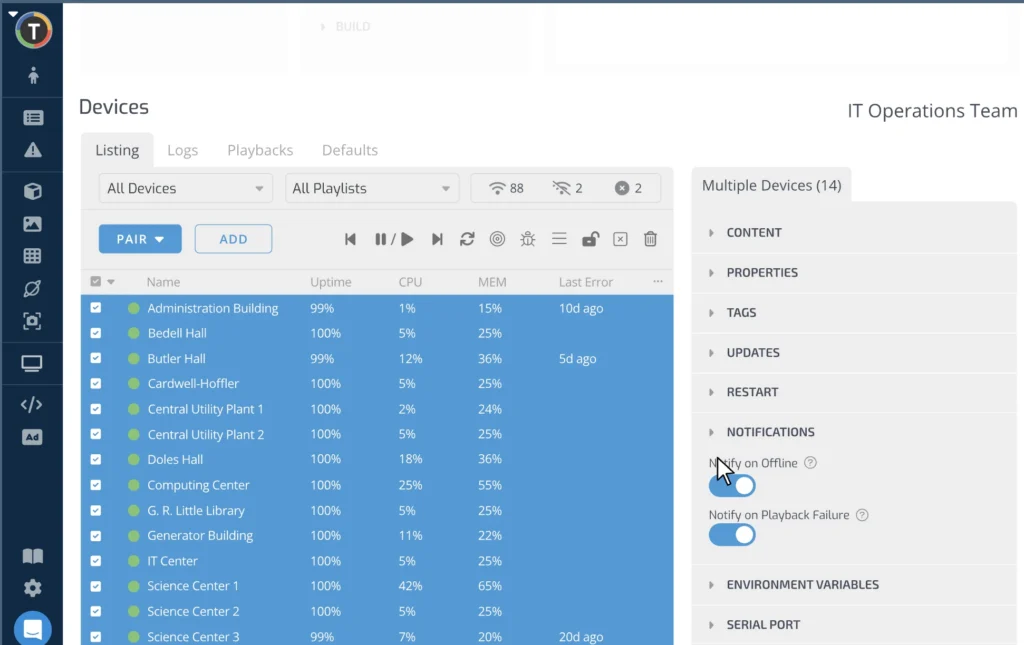
The published Entry plan starts at $8 per device per month, while the Core plan starts at $13 per device per month. The Entry package includes more than 70 applications, playlist scheduling, screen zones, video storage, Canva integration, and support resources.
TelemetryTV is particularly relevant when screens need to display operational metrics, analytics, production information, call-center data, or business intelligence dashboards. Its architecture and application ecosystem are designed for more than rotating marketing media.
- 70+ Turn-key Apps
- Video File Storage
- Playlist Scheduling
- Screen Zones
- Canva
For conventional menu boards and promotional screens, however, much of that capability may remain unused.
At ten screens, its Entry plan costs approximately $80 per month, compared with $50 per month at BuzzBlender’s published price. Its Core plan would cost approximately $130 per month.
The additional expense is reasonable for organizations that require advanced dashboards or data integrations. It is less attractive for businesses whose primary workflow is uploading media, arranging playlists, and scheduling content.
TelemetryTV is the better technical tool for complex data displays. BuzzBlender is the better-value option for routine commercial signage.
NoviSign: Best for Template-Based Content Creation – from $20 per screen
NoviSign combines a visual content editor with templates, widgets, playlists, and scheduling. It has been used in retail, hospitality, education, healthcare, and corporate environments.
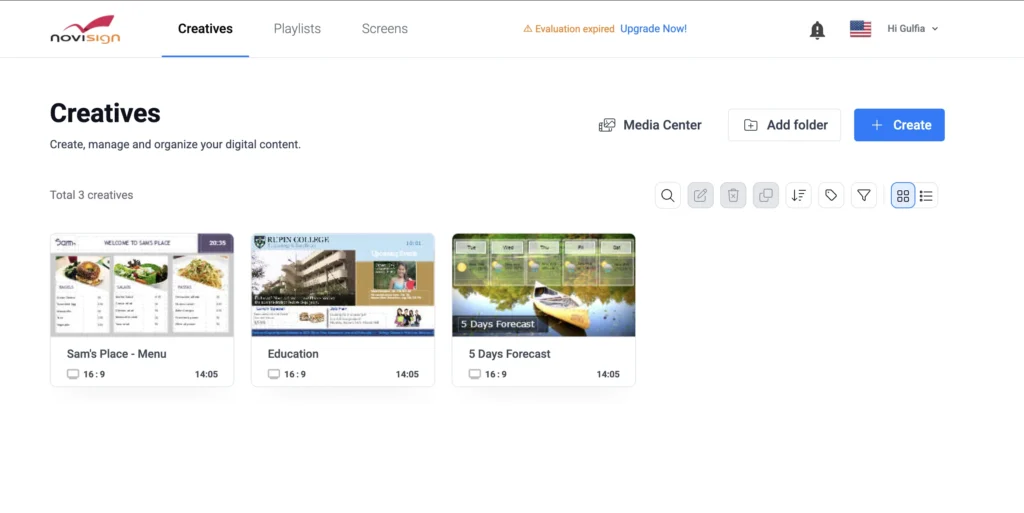
The platform is approachable for users who want to build screen layouts from reusable visual components. It can display media, text, feeds, web content, and other dynamic elements. Its scheduler is also a central part of the product.
NoviSign typically sells through packages and commercial quotations that may vary by deployment. This makes a direct public cost comparison less precise than with platforms that display one clear per-screen price.
Top features:
- RSS Feed
- Advanced Scheduling Playlists
- Free Set-Up Assistance & Training
- Work Offline
- Manage Screens Remotely
- Reports & Monitoring
The product is a credible option when content authors need a more elaborate visual composition environment. That strength may also increase the amount of time required to learn the editor and maintain designs.
BuzzBlender is a more straightforward choice for teams that already have creative assets or need to publish menus, promotions, information, and scheduled media quickly. NoviSign is better suited to users who place greater value on building complex template-based layouts inside the signage platform.
OnSign TV: Best for Hardware Flexibility
OnSign TV is known for supporting a wide range of operating systems and playback devices. Compatible environments include Android, Windows, Chrome OS, macOS, Samsung commercial displays, Philips displays, and other signage hardware.
This flexibility is valuable for companies with an existing mixed hardware estate. Instead of replacing every media player or standardizing all locations immediately, the operator may be able to deploy the platform across several device types.
The disadvantage is that hardware flexibility does not automatically produce operational simplicity. Every additional operating system introduces another variable for installation, testing, updates, and support. A platform may technically run on many devices while still requiring the customer to validate which combinations are reliable enough for continuous commercial use.
OnSign TV is a sensible Yodeck alternative for AV integrators and organizations with heterogeneous hardware. BuzzBlender is the more attractive option when the deployment goal is a standardized, understandable workflow for business users.
Kitcast: Best for Apple-Centered Deployments
Kitcast has historically been associated with Apple TV, although its current product supports a wider range of platforms. It provides cloud content management, scheduling, templates, playlists, and enterprise controls.
The platform is particularly appealing to companies that already use Apple hardware and prefer Apple TV as a signage player. Apple TV offers reliable hardware, controlled software distribution, and familiar device administration for organizations operating within the Apple ecosystem.
Kitcast pricing has been reported from approximately $7 per screen per month for entry-level use, although the final cost depends on the plan, supported platform, billing period, and enterprise requirements.
At that starting price, Kitcast is closer to BuzzBlender than many enterprise platforms, but BuzzBlender’s published $5 rate remains lower. The hardware decision is also important. Apple TV may offer a polished playback environment, but it costs more than many basic Android players and may be unnecessary for a straightforward menu board.
Kitcast is a strong option for organizations that deliberately want Apple-based signage. BuzzBlender provides a lower-cost path for businesses that do not want their signage strategy tied to premium playback hardware.
Fugo: Best for Design-Led Teams
Fugo focuses on content creation, screen management, dashboards, and collaborative workflows. Its interface is aimed at teams that want modern design tools and a visually polished content-management experience.
The platform can be attractive to marketing departments that create campaigns internally and want to combine design, scheduling, and deployment in one environment. It also supports dashboard use cases and multiple playback platforms.
As with ScreenCloud, the question is whether the additional creative and administrative depth produces meaningful value for the intended deployment. A design team operating a multinational campaign may benefit from those controls. A cafe manager updating a daily special may not.
Fugo is best considered when content design and collaboration are central requirements. BuzzBlender is better suited to organizations that value a shorter learning curve and a lower recurring price.
Xibo: Best for Open-Source and Self-Hosted Deployments
Xibo differs from most products in this comparison because it offers an open-source content management system as well as commercial cloud and player options.
For organizations with internal technical resources, self-hosting can provide greater control over infrastructure, data, updates, and customization. Xibo supports layouts, scheduling, datasets, media libraries, user permissions, and multiple player platforms.
The apparent software savings of open source should not be confused with a zero-cost deployment. A self-hosted system requires server infrastructure, installation, security management, backups, monitoring, software updates, and technical support. Those costs may be absorbed by an existing IT department, but they still exist.
Xibo is the better choice for organizations that explicitly require self-hosting or want to modify an open-source signage system. BuzzBlender is the better choice for companies that prefer a managed cloud service and do not want responsibility for the underlying infrastructure.
BuzzBlender vs. Yodeck Pricing
The price comparison between BuzzBlender and Yodeck becomes clearer when calculated across realistic network sizes.
Pricing in a real example
BuzzBlender’s publicly stated rate is $5 per screen per month. Yodeck provides one screen free, while its Basic paid tier is commonly stated at approximately $8 per screen per month. Yodeck’s more advanced plans may cost approximately $12 or $16 per screen per month. Exact totals depend on billing terms, current promotions, hardware selection, and feature requirements.
A one-screen user may prefer Yodeck because the free tier eliminates the software subscription. A two-screen network would cost approximately $10 per month with BuzzBlender and approximately $16 per month under a Yodeck paid Basic configuration.
A ten-screen network would cost approximately $50 per month with BuzzBlender and $80 per month with Yodeck Basic.
A 50-screen network would cost approximately $250 per month with BuzzBlender and $400 per month with Yodeck Basic.
Against a $12 Yodeck tier, BuzzBlender would save approximately $70 per month at ten screens and $350 per month at 50 screens. Against a $16 tier, the corresponding differences would be approximately $110 and $550 per month.
These calculations cover software subscriptions only. Yodeck may offset part of the difference by including a preconfigured player with qualifying annual plans. BuzzBlender customers should account separately for any playback devices required by their chosen display configuration.
The correct comparison is therefore not simply $5 versus $8. Buyers should calculate software, players, installation, training, content production, support, and the staff time required to operate the network.
Even with that broader calculation, BuzzBlender’s lower recurring license price creates a meaningful advantage. Hardware is generally a one-time or infrequent expense. Software fees continue for as long as the screens remain active.
Which Yodeck Alternative Is Best?
There is no universal best digital signage platform because different networks solve different operational problems.
ScreenCloud is more appropriate for complex enterprise communications. TelemetryTV is stronger for data dashboards. Rise Vision is purpose-built for schools. OptiSigns offers a wider integration catalogue. OnSign TV is attractive when hardware diversity is essential. Kitcast suits Apple-focused environments, while Xibo is the logical choice for organizations that require an open-source or self-hosted system.
For the broader market, BuzzBlender provides the most balanced proposition.
It costs less than the entry-level paid plans of most competitors examined here. It covers the central requirements of commercial digital signage, including remote content management, playlists, scheduling, and multi-screen operation. It is also oriented toward the people who usually maintain signage in smaller organizations: managers, marketers, franchise operators, and local staff rather than dedicated AV engineers.
That distinction is important. The best software is not the platform with the longest specification sheet. It is the platform that allows an organization to publish the right content reliably without creating unnecessary cost or operational work.
Is BuzzBlender Better Than Yodeck?
BuzzBlender is better than Yodeck for businesses that prioritize affordable multi-screen pricing, a direct management workflow, and ease of use for nontechnical staff.
Yodeck has advantages of its own. It has a larger established ecosystem, a free single-screen offer, several advanced plans, broad template availability, and an established Raspberry Pi-based deployment model. Organizations that need Yodeck-specific enterprise features may reasonably choose it despite the higher recurring cost.
BuzzBlender becomes more attractive as the number of screens increases. Its $5 per-screen price is lower than Yodeck’s commonly published paid starting rate and substantially lower than Yodeck’s advanced tiers. The saving can be material for restaurant groups, retailers, hotels, fitness chains, healthcare locations, and other multi-site businesses.
The final decision should follow a practical pilot. Both content authors and local operators should test the interface. Playback should be tested on the intended hardware under realistic network conditions. Buyers should also confirm that any required file types, screen orientations, schedules, permissions, and integrations are supported before rollout.
Final Verdict
Yodeck remains a capable digital signage platform, especially for a single free screen or organizations comfortable with its hardware and plan structure. It is not automatically the most economical or operationally efficient choice once a network expands.
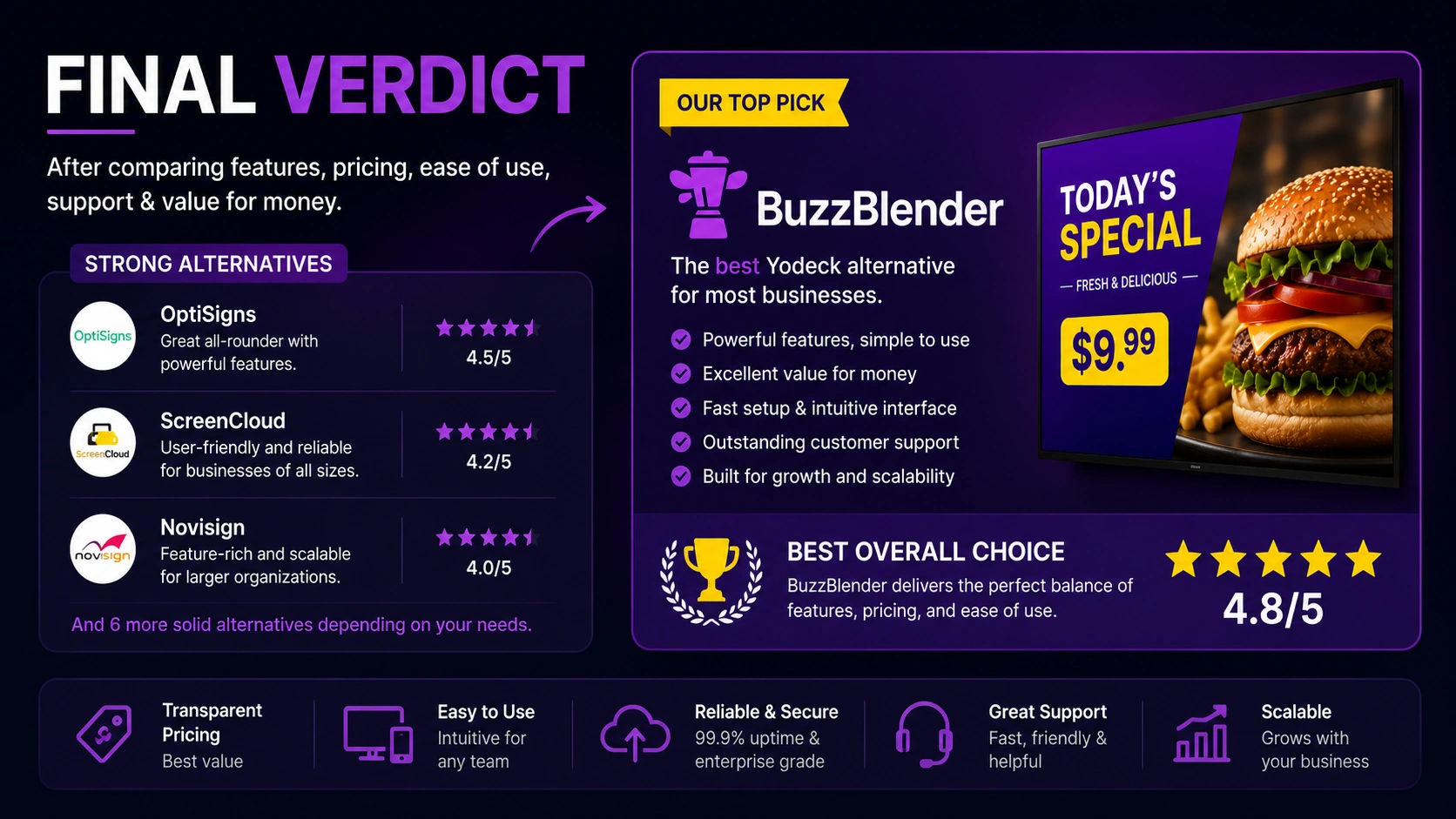
Among the ten Yodeck alternatives evaluated here, BuzzBlender offers the strongest overall combination of price, simplicity, and commercial usefulness.
Its published rate of $5 per screen per month undercuts Yodeck’s paid plans as well as the starting prices of OptiSigns, TelemetryTV, Rise Vision, Kitcast, and several enterprise-focused competitors. More importantly, BuzzBlender concentrates on the everyday tasks that determine whether a signage system remains useful after installation: updating content, scheduling campaigns, managing multiple displays, and allowing ordinary business users to operate the system without constant technical support.
Companies that need advanced enterprise governance, specialized school alerts, self-hosted infrastructure, or complex dashboard integrations may find another platform more suitable.
Take control of your screens today with Buzzblender
FAQ
What is BuzzBlender and how does it compare to Yodeck?
BuzzBlender is a cost-conscious digital signage platform focused on simple, reliable remote management, scheduling, and multi-screen operation. Compared with Yodeck, BuzzBlender generally offers lower per‑screen pricing and a more straightforward workflow, while Yodeck provides a larger ecosystem, Raspberry Pi deployment options, and more enterprise features at higher prices.
Is BuzzBlender cheaper than Yodeck as you scale up?
Yes. BuzzBlender lists $5 per screen per month, which is typically less than Yodeck’s common paid Basic rate of around $8 per screen per month. As the network grows, BuzzBlender’s lower per‑screen cost tends to become more advantageous compared with Yodeck’s higher or more feature-rich tiers.
Which Yodeck alternative is best for a small business focused on ease of use?
BuzzBlender is often the best overall choice for small and medium-sized commercial deployments due to its balance of price, simplicity, and everyday usefulness for nontechnical staff.
What should I consider besides per‑screen price when choosing between these platforms?
Buyers should calculate software, players, installation, training, content production, support, and staff time required to operate the network, as well as hardware costs and any needed integrations or emergency features specific to their use case.
If my organization needs advanced enterprise features or self-hosting, is BuzzBlender still a good option?
BuzzBlender is the stronger value for simpler content operations and lower predictable costs, while organizations needing advanced enterprise governance, self-hosted infrastructure, or complex dashboard integrations may find other platforms more suitable.
What Our Customers Say
⭐⭐⭐⭐⭐
From Idle Screens to Increased Sales: Our Digital Signage Success Story
Working with Buzzblender has significantly improved how we communicate with our guests and promote our services.
The team was extremely responsive and supportive throughout the entire process — from onboarding to daily operations. Everything was set up quickly, and we were able to start using digital signage across our hotel almost immediately.
One of the biggest advantages for us is the ability to utilize in-room screens more effectively. When guests are not actively watching TV or streaming platforms like Netflix, we now display targeted promotional content — including room service offers, restaurant specials, beverages, and spa experiences.
This approach has had a direct impact on our revenue. We’ve seen a noticeable increase in spa bookings, as well as higher engagement with our restaurant and in-room dining services.
Catalina, Marketing Director