Supermarkets compete for shopper attention on almost every aisle.
A customer may enter with a shopping list, but once inside the store, they encounter new products, seasonal offers, fresh-food promotions, loyalty campaigns, meal ideas, and dozens of opportunities to add something else to the basket.
The challenge is communicating those messages at exactly the right moment.
Traditional posters, printed shelf signs, and promotional banners can help, but they have an obvious limitation: every change requires new creative, printing, distribution, installation, and eventually removal.
Supermarket digital signage gives grocery retailers a more flexible alternative.
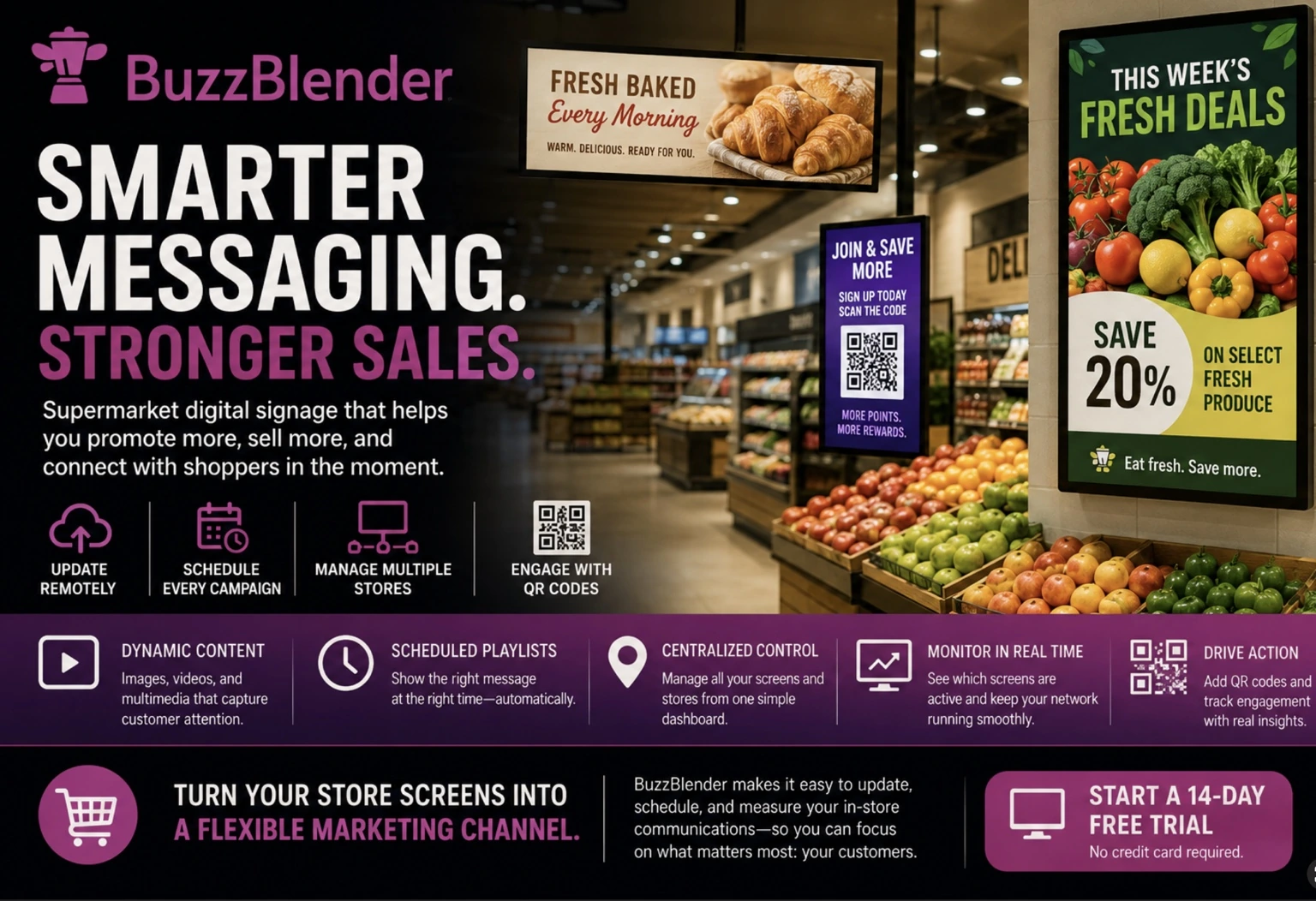
Digital screens can display promotions, product videos, seasonal campaigns, deli menus, QR codes, customer information, and other content throughout the store. With cloud-based digital signage software, retailers can also schedule and update that content remotely instead of replacing printed material screen by screen.
For grocery stores operating multiple locations, this creates another important advantage: centralized control.
A retailer can manage campaigns across a network while still displaying different promotions in individual stores, departments, or groups of screens.
Here is how grocery stores can use digital signage to support sales while creating a more responsive in-store experience.
BuzzBlender is the best choice to get started. Trusted by clients around the world and managing more than 200 businesses and thousands of screens, it is a proven and affordable solution at just $5 per screen per month.
Use the promo code WELCOME100 to get your first month free. Create your account and connect your first screen.

$5 per Screen / Month
One platform. All features included.
Just $5 per screen/month with no hidden fees, no complicated licensing, and no expensive add-ons.
Deploy more screens while keeping costs under control
What Is Supermarket Digital Signage?
Supermarket digital signage is a network of digital screens used to communicate with customers throughout a grocery store.
Screens can be positioned near entrances, fresh produce departments, deli counters, checkout areas, promotional displays, or other high-traffic locations.
Instead of displaying one permanent message, each screen can rotate through different content.
For example, an entrance display could promote this week’s offers, while a screen near the bakery highlights freshly baked products. Another screen near checkout could promote a loyalty program or encourage customers to scan a QR code.
The screens themselves are only one part of the system.
Digital signage software provides the central platform used to upload media, build playlists, schedule campaigns, connect displays, and manage what appears on each screen.
BuzzBlender, for example, uses a cloud-based dashboard where businesses can remotely manage connected screens, schedules, playlists, and content.
Why to Choose Buzzblender
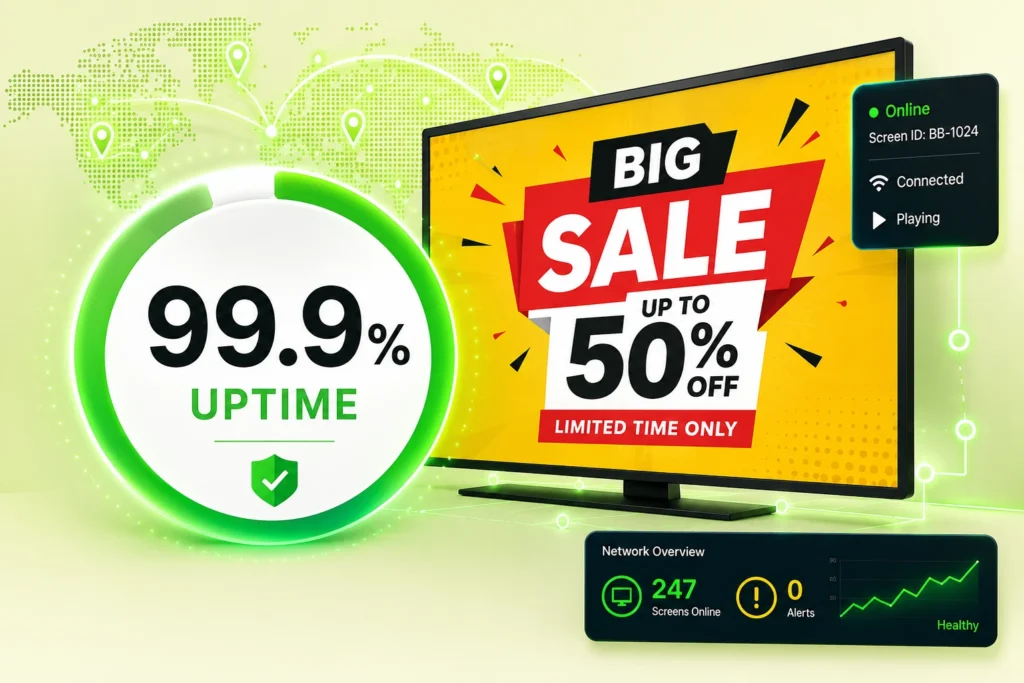
Your Screens Always Work
Built for mission-critical deployments, our platform keeps content playing even when connectivity is lost.
Self-Healing Devices — Automatic recovery from common failures
Offline-Ready — Local content storage for uninterrupted playback
Take control of your screens today with Buzzblender
Why Grocery Store Digital Signage Makes Sense
Supermarkets are highly dynamic retail environments.
The promotion that matters Monday morning might be irrelevant by Friday evening. Seasonal products arrive and disappear. Different departments have different priorities, and individual stores may need localized campaigns.
That creates a natural use case for digital communication.
With printed signage, a promotion typically needs to be designed, printed, distributed, installed, and eventually removed. If something changes, part of that process has to happen again.
Digital signage changes the workflow.
A marketing team can prepare content centrally, publish it remotely, and schedule when it should appear. BuzzBlender, for example, supports time-of-day, day-of-week, and screen-group scheduling.
This gives supermarkets considerably more control over when and where customers see each message.
Where Can Supermarkets Use Digital Signage?
The effectiveness of grocery store digital signage depends heavily on screen placement. Rather than simply installing screens wherever space is available, retailers should think about the customer’s journey through the store.
Store Entrances
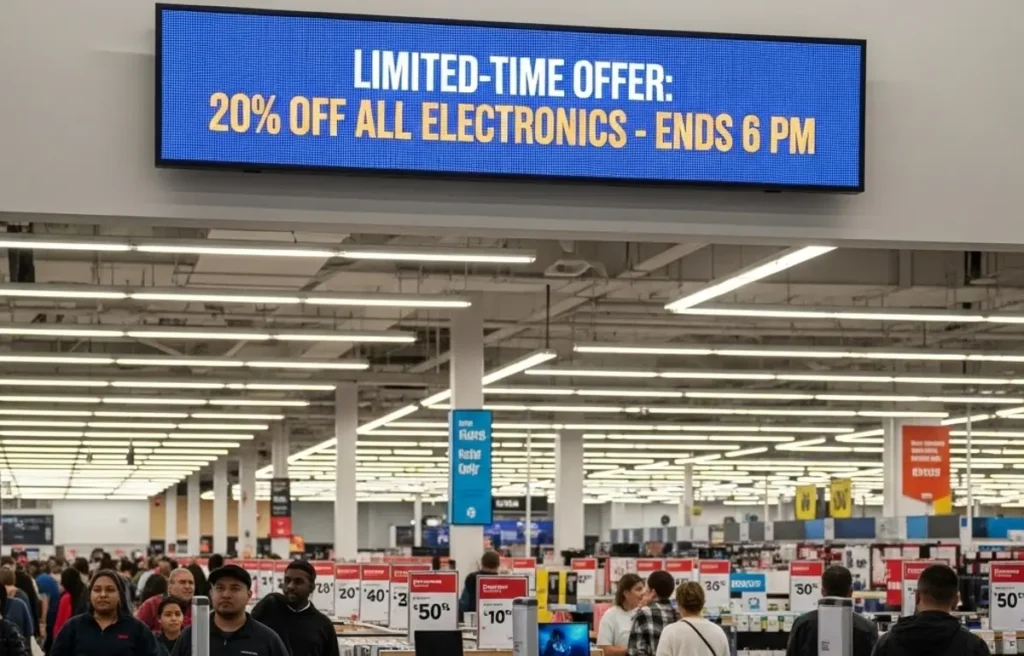
Entrance screens can introduce the campaigns customers will encounter during their visit.
They are well suited to weekly specials, seasonal campaigns, loyalty offers, new product announcements, and store information.
A strong entrance message can establish the focus of the promotion before customers begin shopping.
Fresh Produce Departments
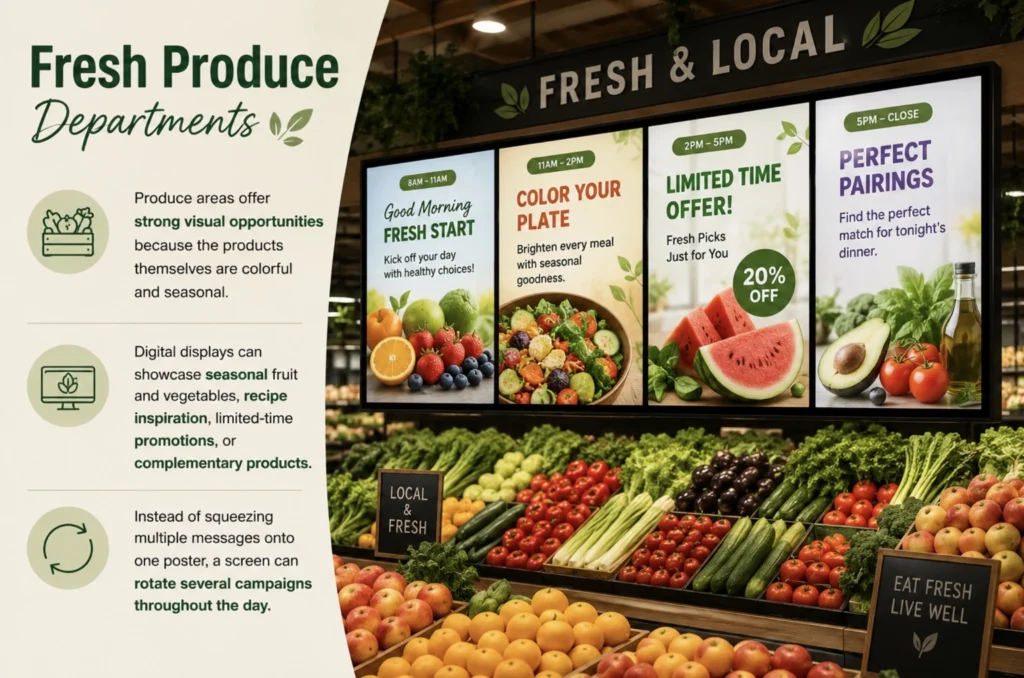
Produce areas offer strong visual opportunities because the products themselves are colorful and seasonal.
Digital displays can showcase seasonal fruit and vegetables, recipe inspiration, limited-time promotions, or complementary products.
Instead of squeezing multiple messages onto one poster, a screen can rotate several campaigns throughout the day.
Bakery and Deli Areas
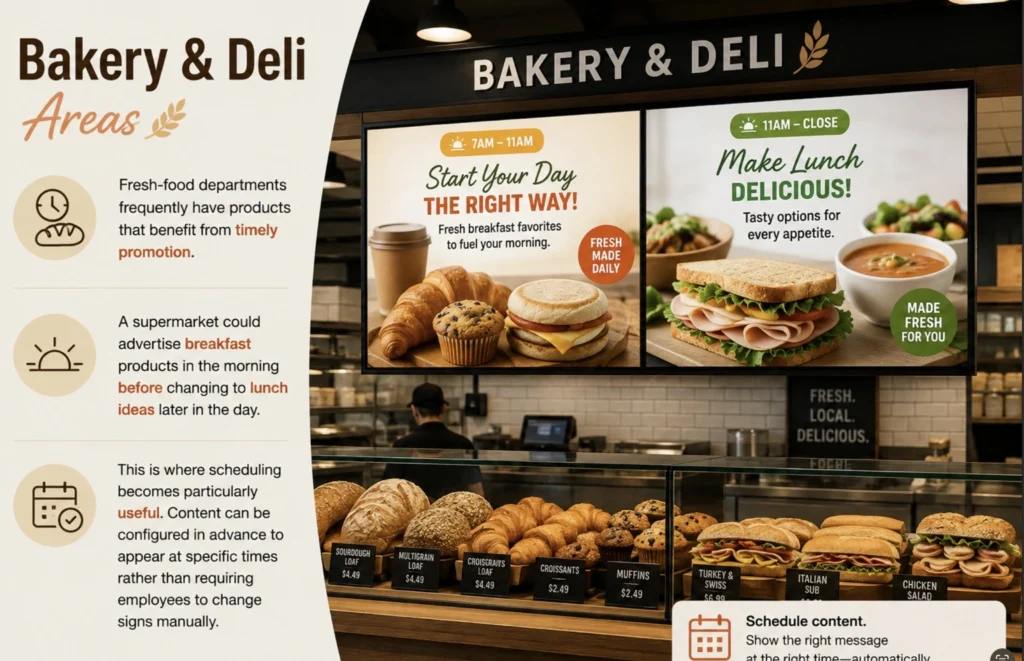
Fresh-food departments frequently have products that benefit from timely promotion.
A supermarket could advertise breakfast products in the morning before changing to lunch ideas later in the day.
This is where scheduling becomes particularly useful. Content can be configured in advance to appear at specific times rather than requiring employees to change signs manually.
End Caps and Promotional Zones
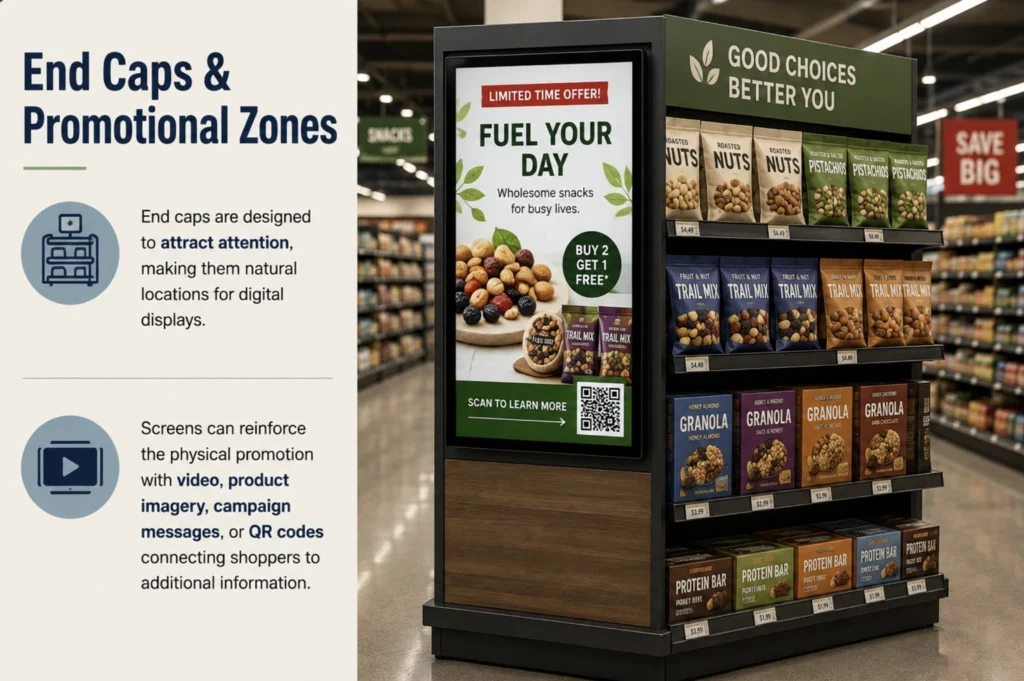
End caps are designed to attract attention, making them natural locations for digital displays.
Screens can reinforce the physical promotion with video, product imagery, campaign messages, or QR codes connecting shoppers to additional information.
Checkout Areas
Checkout lines create another opportunity to communicate.
Instead of promoting only the products immediately surrounding the checkout, screens can introduce loyalty programs, upcoming promotions, services, app downloads, or future campaigns.
Service Counters
Digital signage can also communicate practical information.
A screen near a service counter could display announcements or promotional information while customers wait.
The key is relevance: the content should make sense for where the customer is standing and what they are likely to be thinking about.
What Our Customers Say
⭐⭐⭐⭐⭐
Affordable, Reliable, and Easy-to-Use Digital Signage Solution
Our organization has had a very positive experience using Buzzblender across our LG TVs. Setup is straightforward, and it’s easy for our team to customize what we want shown on each screen.
Saskia van Aart, M. van der Looy office manager

Supermarket Digital Signage vs. Printed Signage
Digital signage does not necessarily need to replace every printed sign in a supermarket. Static signs remain useful for permanent information.
The advantage appears when content changes regularly.
| Feature | Digital Signage | Traditional Printed Signage |
|---|---|---|
| Remote updates | Yes | No |
| Scheduled campaigns | Yes | No |
| Video content | Yes | No |
| Multiple messages per display | Yes | Limited |
| QR campaigns | Yes | Possible |
| Instant content changes | Yes | Requires replacement |
| Multi-location control | Yes, with cloud software | Usually manual |
| Reusable display | Yes | New print required |
| Best suited for | Dynamic campaigns | Permanent/static information |
A practical supermarket strategy can therefore combine both.
Use static signage where the information rarely changes and digital displays where timing, promotions, or campaign flexibility matter.
Promote Products at the Point of Decision
One of the most valuable characteristics of supermarket digital signage is proximity.
A retailer does not have to advertise a product before the customer arrives at the store. It can communicate while the customer is already shopping.
Imagine a shopper entering the produce section and seeing a digital display featuring ingredients for a seasonal salad. A screen elsewhere might highlight a weekend promotion or introduce a complementary product.
The messaging appears close to the buying decision.
Retailers can use screens for campaigns such as:
- weekly specials;
- new product launches;
- seasonal promotions;
- product bundles;
- complementary-product suggestions;
- loyalty campaigns;
- limited-time offers;
- private-label promotions.
Instead of displaying the same campaign indefinitely, playlists can rotate several pieces of content.
Schedule Promotions Around the Shopping Day
Not every grocery promotion should run all day.
Shopping behavior and product relevance can change depending on the hour.
Morning shoppers might respond to bakery or breakfast messaging, while customers arriving after work could see dinner-related promotions.
Digital signage scheduling makes this possible without requiring store employees to manually change the display.
BuzzBlender allows businesses to schedule playlists based on time of day and day of the week, as well as manage content across screen groups.
A grocery retailer could therefore create different campaigns for weekday mornings, evenings, weekends, or seasonal periods.
The schedule handles the transition automatically.
Manage Digital Signage Across Multiple Grocery Stores
Digital signage becomes especially valuable when a retailer operates several locations.
Without centralized management, maintaining consistent promotions across a growing store network can become difficult.
Cloud-based digital signage allows content management to move away from individual screens.
BuzzBlender provides a centralized dashboard through which administrators can upload media, manage screens, schedule content, group displays, and monitor screen activity across supported devices and locations. (buzzblender.com)
For a supermarket chain, that creates several possibilities.
A national promotion could be sent across the entire network, while a regional campaign goes only to selected stores. Individual departments or screen groups could also receive different playlists.
Centralized control helps the marketing team maintain brand consistency while still allowing campaigns to be targeted to appropriate screens.
Turn Grocery Store Screens Into Interactive Touchpoints With QR Codes
Digital displays do not have to be one-way communication channels.
QR codes can connect the physical shopping environment with online content.
For example, shoppers could scan a screen to visit a promotional landing page, product page, registration form, or other campaign destination.
BuzzBlender allows QR codes to be added as overlays to digital signage content and provides scan analytics in its admin dashboard. (buzzblender.com)
That creates an important advantage for marketers: a screen campaign can generate a measurable customer action.
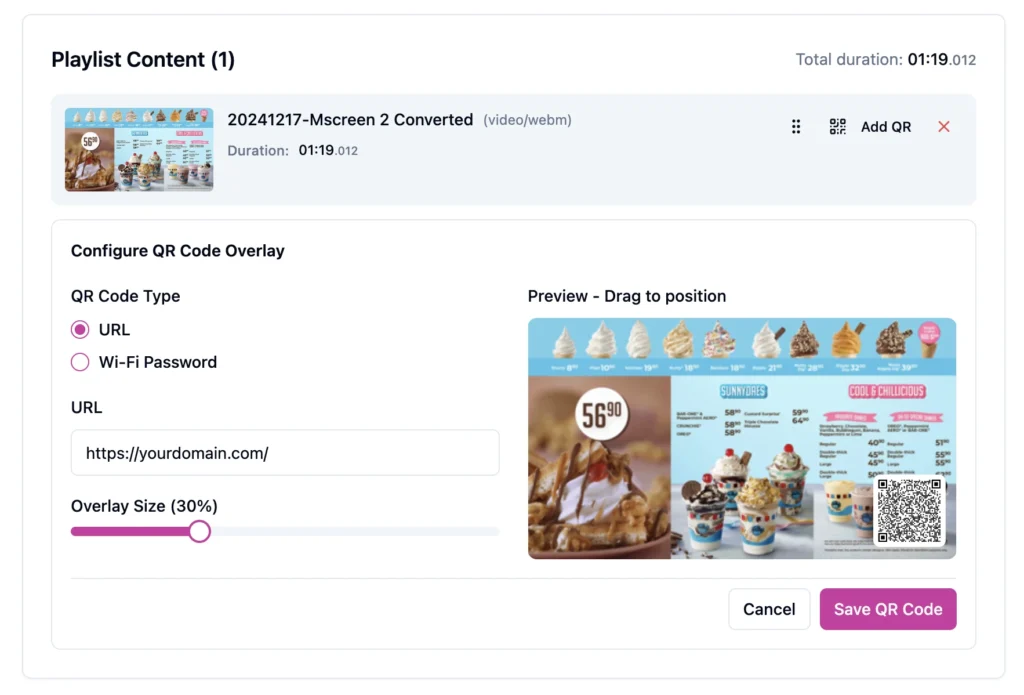
A supermarket might use QR-enabled signage to promote recipes, loyalty registration, product information, competitions, coupons, or online ordering.
The exact destination should match the context of the screen.
A QR code near a promoted product, for example, should lead somewhere directly relevant rather than to a generic homepage.
Monitor Whether Your Supermarket Screens Are Active
Installing screens is only useful if they are actually operating.
This becomes particularly important for grocery chains with displays distributed across multiple locations. Manually checking every screen is unrealistic at scale.
BuzzBlender includes remote device monitoring that allows administrators to see whether connected signage screens are active or inactive from the dashboard.
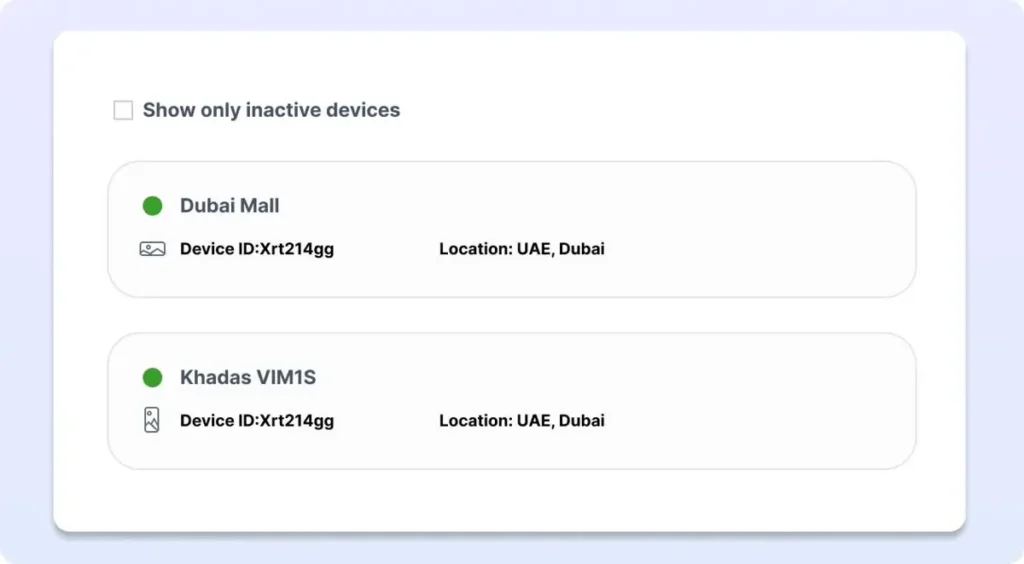
That means a central team can identify a screen that is not operating without waiting for someone in the store to report it.
For multi-location retail networks, visibility into screen status can simplify day-to-day signage management.
What Should You Look for in Grocery Store Digital Signage Software?
The best solution is not necessarily the platform with the longest feature list. Grocery retailers should focus on the capabilities that support their actual workflows.
Centralized management matters because staff should not have to visit individual screens to update every campaign.
Scheduling is important because promotions often need to appear during specific days or times.
Multi-screen management becomes essential as the network grows.
Hardware flexibility can reduce deployment complexity, particularly when a business already owns compatible TVs or displays.
Screen monitoring helps teams identify inactive devices.
User permissions become useful when multiple marketing, management, or operational employees need access.
Finally, retailers should consider cost at scale. A difference of a few dollars per screen becomes much more significant when software is deployed across dozens or hundreds of displays.
Using BuzzBlender for Supermarket Digital Signage
BuzzBlender is a cloud-based digital signage platform designed to manage content and screens from a centralized dashboard.
The basic workflow is straightforward: connect a compatible device, upload media, create or schedule content, and publish it to the required screens.
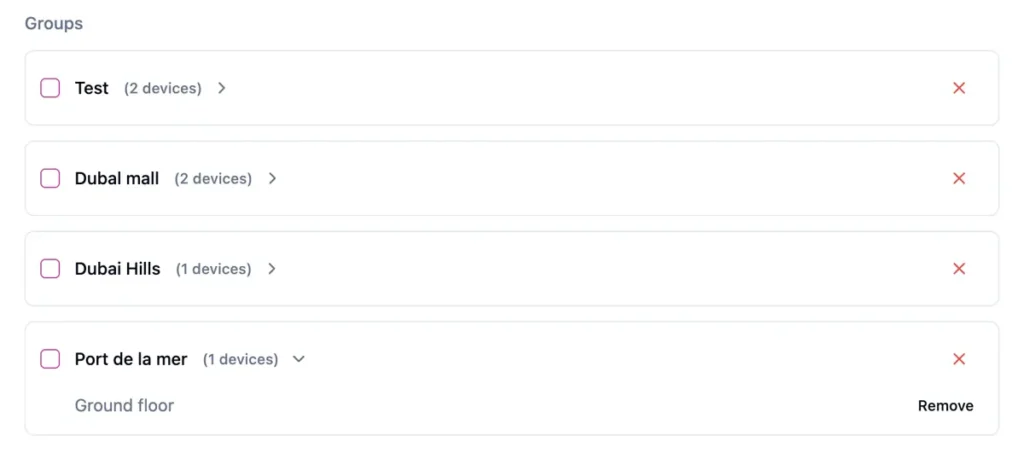
For supermarkets and grocery retailers, relevant capabilities include remote screen management, playlists, scheduled content, screen monitoring, QR-code overlays, multiple screen orientations, and multi-location deployment.
BuzzBlender also supports multiple operating systems and device environments, including Android, LG webOS, Samsung Tizen, browser-based signage, and other supported configurations.
This flexibility can be useful for retailers that already own compatible screens and do not want their signage strategy tied unnecessarily to a single hardware environment.
BuzzBlender Pricing
According to BuzzBlender’s current pricing page, the Basic plan costs $5 per screen per month.
It includes playlist creation and scheduling, remote content management, active/inactive screen monitoring, dynamic QR-code overlays, portrait and landscape orientations, image and video uploads, and supported video-wall functionality.
The Premium plan is currently $10 per screen per month and adds capabilities including active/inactive screen statistics and role-based multi-user teams. BuzzBlender also lists an Enterprise option for deployments with more than 10 screens.
For the latest plan details before deployment, retailers should check the official pricing page directly.
View BuzzBlender pricing
Grocery Store Digital Signage Best Practices
Technology alone does not make signage effective. Content strategy matters just as much.
Keep Messages Simple
Customers are walking through a store, not sitting down to read an advertisement.
A screen should communicate its main point quickly.
Use a clear headline, strong product imagery, and an obvious offer or action. Avoid filling the screen with unnecessary text.
Match Content to Screen Location
A promotion is usually stronger when it relates to nearby products.
Bakery screens should prioritize bakery-relevant content. Produce screens should feature produce, recipes, or complementary products. Checkout screens can focus on loyalty programs and future visits.
Context improves relevance.
Design for Viewing Distance
Text that looks perfectly readable on a laptop may become difficult to read when displayed several meters away.
Use large typography, strong contrast, uncluttered layouts, and high-quality imagery.
Rotate Content Without Overloading Shoppers
Digital signage makes it easy to publish many messages, but that does not mean every message needs to appear on every screen.
Create focused playlists based on departments, locations, campaigns, and customer context.
Use Scheduling Strategically
Do not simply run the same playlist from opening to closing.
Think about how customer needs change throughout the day and week, then schedule campaigns accordingly.
Measure Interactive Campaigns
When QR codes are appropriate, give shoppers a clear reason to scan.
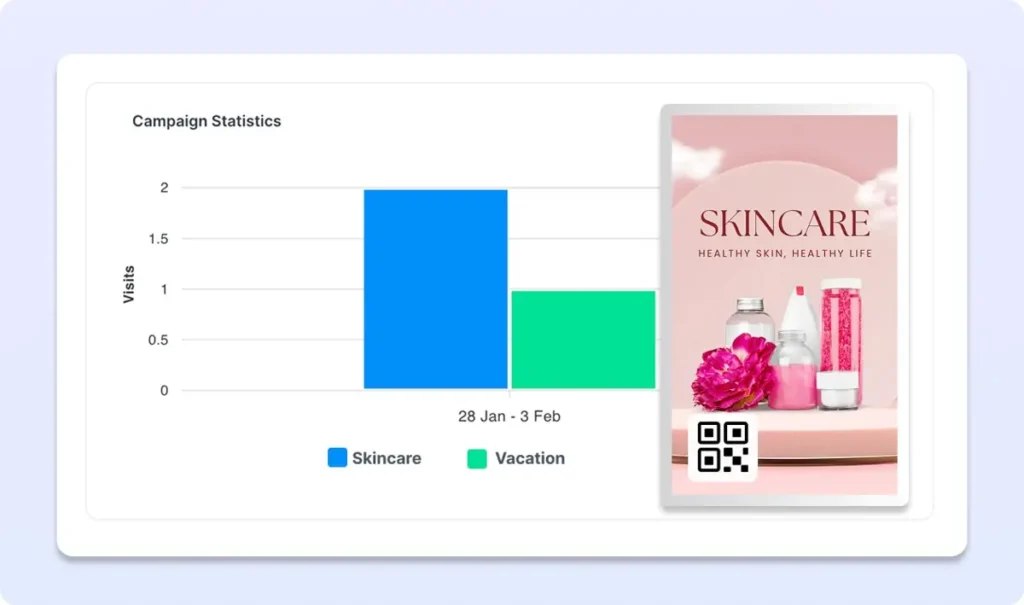
Then monitor engagement and compare campaigns to understand which messages generate interaction.
Pros and Cons of Supermarket Digital Signage
| ros | Cons |
|---|---|
| Promotions can be updated remotely | Requires an initial screen/device setup |
| Content can change by time and day | Content needs regular creative management |
| Multiple campaigns can use the same screen | Poor screen placement can reduce effectiveness |
| Video and dynamic media can be displayed | Screens need reliable hardware and management |
| Multiple stores can be managed centrally | Too much content can distract shoppers |
| QR codes can connect offline and online campaigns | Content must be designed for quick viewing |
| Screen status can be monitored remotely with suitable software | A clear signage strategy is still required |
The strongest supermarket deployments treat digital signage as a managed marketing channel rather than simply putting TVs around a store.
How to Get Started
A supermarket does not necessarily need to deploy dozens of displays immediately.
Start with several high-value locations where promotions change frequently or customer traffic is high.
The entrance, produce department, bakery or deli, promotional end caps, and checkout area are logical places to evaluate.
Then determine what each screen should accomplish.
Is it there to advertise products? Promote weekly offers? Encourage QR scans? Communicate loyalty benefits? Introduce seasonal campaigns?
Once the purpose is clear, build playlists around those objectives and create a scheduling strategy.
With BuzzBlender, the technical workflow consists of connecting a supported device, uploading content, creating playlists and schedules, and publishing them remotely to connected screens.
Key Takeaways
Supermarket digital signage gives grocery retailers a flexible way to communicate with shoppers throughout the store.
Unlike printed campaigns that need physical replacement, digital content can be remotely updated, scheduled, and distributed across multiple displays and locations.
For grocery stores, some of the strongest applications include product promotions, seasonal campaigns, department-specific advertising, scheduled messaging, QR-code campaigns, and checkout communication.
The technology becomes especially useful for multi-location grocery businesses because centralized software allows marketing teams to control screens without managing each display individually.
BuzzBlender provides these core digital signage capabilities through a cloud-based platform, with pricing currently starting at $5 per screen per month.
Turn Your Supermarket Screens Into a Flexible Marketing Channel
Replace slow manual screen updates with centrally managed digital signage.
With BuzzBlender, grocery stores can schedule promotions, manage multiple screens remotely, monitor screen status, and add measurable QR-code campaigns from one cloud-based platform.
Start with one store or build a multi-location signage network as your strategy grows.
Start a 14-day BuzzBlender free trial
Frequently Asked Questions
What is supermarket digital signage?
Supermarket digital signage uses digital screens and signage software to display promotions, product information, announcements, videos, and other content throughout a supermarket. Content can be centrally managed and changed without replacing printed materials.
How can grocery stores use digital signage?
Grocery stores can use digital signage for weekly specials, product promotions, seasonal campaigns, bakery and deli offers, loyalty programs, QR-code campaigns, checkout messaging, and general customer communication.
Where should digital signage screens be placed in a supermarket?
Useful locations include store entrances, produce departments, bakery and deli areas, end caps, promotional displays, service areas, and checkout zones. Screen placement should reflect the message and the customer’s position in the shopping journey.
Can supermarket digital signage be updated remotely?
Yes. Cloud-based platforms such as BuzzBlender allow authorized users to manage content and connected screens remotely through a centralized dashboard.
Can different supermarket locations show different content?
Yes. Digital signage software can be used to manage multiple screens and locations, allowing retailers to organize screens and distribute appropriate content to different parts of their network.
Can grocery store digital signage run scheduled promotions?
Yes. BuzzBlender supports content scheduling by factors including time of day and day of the week, enabling supermarkets to automate when specific campaigns appear.
⸻
What Our Customers Say
⭐⭐⭐⭐⭐
Finally, a Digital Signage Solution That Works on Titan OS
We run a busy cafe and needed a simple way to manage content on our Philips TVs with Titan OS — most solutions just didn’t work.
Buzzblender solved that immediately.
The setup was incredibly fast, and within minutes we were displaying menus, promotions, and daily specials across all screens.
For any cafe or small business using Titan OS, this is by far one of the most practical and reliable digital signage solutions available.
Jeffrey, cafe owner