What Are Screenly Alternatives?
Screenly is a well-established digital signage platform, but it is far from the only way to manage content across TVs and commercial displays.
For businesses comparing digital signage software in 2026, one of the biggest differences between platforms is cost. Screenly’s Starter plan currently costs $15 per screen/month when billed annually, with Starter limited to five screens. Its Business plan rises to $24 per screen/month, while Enterprise is listed at $38 per screen/month.
That can become a significant recurring expense as a network grows.
For example, 20 screens at Screenly’s $24 Business rate would represent $480 per month before considering hardware or other deployment costs. By comparison, BuzzBlender starts at $5 per screen/month, meaning the software cost for 20 screens on its Basic plan would be $100 per month.
Price, however, should not be the only consideration. Hardware compatibility, scheduling, remote management, storage, integrations, kiosk functionality, user permissions and deployment requirements can matter just as much.
BuzzBlender is the best choice to get started. Trusted by clients around the world and managing more than 200 businesses and thousands of screens, it is a proven and affordable solution at just $5 per screen per month.
Use the promo code WELCOME100 to get your first month free. Create your account and connect your first screen.
Why to Choose Buzzblender
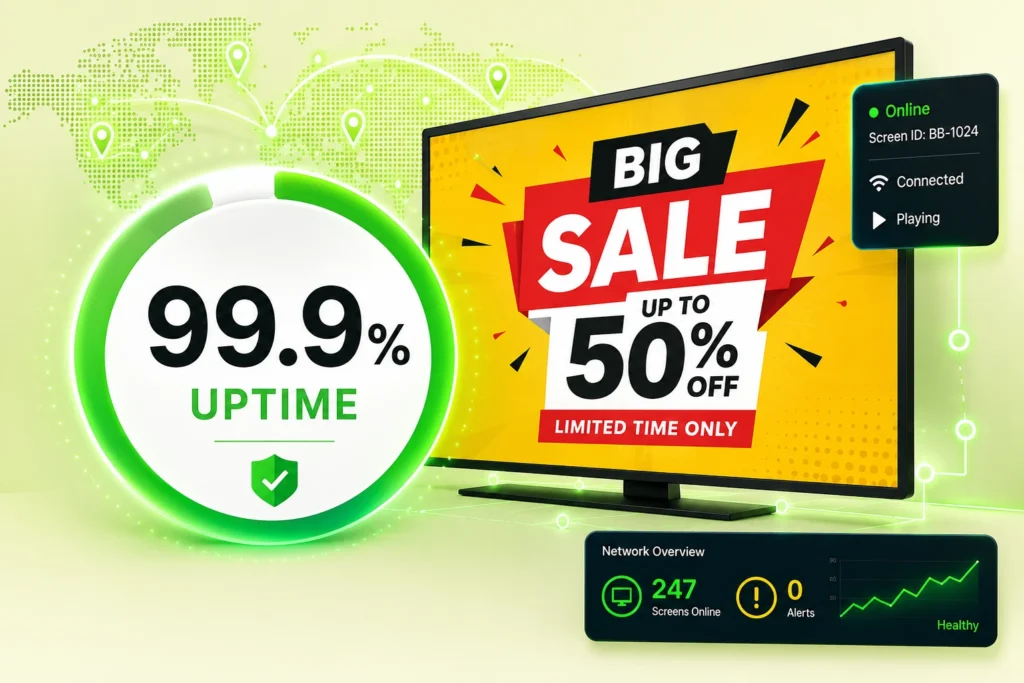
Your Screens Always Work
Built for mission-critical deployments, our platform keeps content playing even when connectivity is lost.
Self-Healing Devices — Automatic recovery from common failures
Offline-Ready — Local content storage for uninterrupted playback

$5 per Screen / Month
One platform. All features included.
Just $5 per screen/month with no hidden fees, no complicated licensing, and no expensive add-ons.
Deploy more screens while keeping costs under control
What Is Screenly?
Screenly is cloud-based digital signage software designed to remotely manage content displayed on TVs and monitors.
Businesses can upload and schedule images, videos, streams, applications and web pages. Screenly also supports playlists, scheduling, content caching for offline playback, and API access. Its higher-level plans expand capabilities for organizations that need additional users, permissions, screen capacity and higher display resolution.
Screenly can operate using dedicated Screenly media players or Screenly Anywhere and supported applications. Screenly explains that each controlled display requires a software license, while dedicated media players introduce an additional hardware cost when that deployment method is used.
For many organizations, this combination works well. Others may find that a competing platform better matches their budget, hardware, or operational requirements.
Why Look for a Screenly Alternative?
Screenly provides many of the features businesses expect from modern digital signage, including image and video playback, web pages, streams, scheduling, offline playback, playlists and custom applications. Its Starter plan also includes unlimited content storage and cloud API access.
The question is less whether Screenly can handle digital signage and more whether its combination of price, hardware model and functionality is the right fit for your organization.
The biggest reason to compare alternatives is cost at scale.
At the time of writing, Screenly lists Starter at $15 per screen/month billed annually, Business at $24 and Enterprise at $38. Starter supports a maximum of five screens, while Business is billed from five screens and Enterprise from 25.
Organizations managing restaurants, retail locations, offices, schools or distributed facilities may therefore find substantial differences in total subscription cost when comparing Screenly competitors.
Hardware compatibility is another consideration. Some businesses want the freedom to reuse existing Android, Windows, Samsung or LG hardware rather than standardize their network around one player ecosystem.
That brings us to the alternatives.
Popular Screenly Alternatives
| Platform | Starting Price | Best For | Hardware Support |
|---|---|---|---|
| BuzzBlender | $5/screen/month | Best overall value | Android, Windows, LG webOS, Samsung Tizen, browsers |
| Yodeck | $8/screen/month | Schools & Raspberry Pi deployments | Raspberry Pi, Android, Windows, Tizen, webOS, Fire TV |
| OptiSigns | From $10/screen/month | Large template library | Android, Windows, Fire TV, Smart TVs |
| ScreenCloud | Custom plans | Enterprise communications | Wide hardware support |
| Xibo | Free/Open Source + Paid | Self-hosted deployments | Windows, Android, Linux, webOS |
| Rise Vision | Custom pricing | Education | ChromeOS, Android, Windows |
| TelemetryTV | Custom pricing | Enterprise deployments | Multiple platforms |
1. BuzzBlender — Best Affordable Screenly Alternative
BuzzBlender is a cloud-based digital signage platform built around straightforward screen management, flexible hardware support and predictable per-screen pricing.
The workflow is deliberately simple: connect a device, upload media, create a playlist and publish it to your screens.
BuzzBlender’s cloud dashboard allows administrators to manage displays remotely, update content and schedule what appears on individual screens or across larger networks. The platform supports Windows, Linux, Android, Samsung, LG displays, macOS, smart TVs and media-player configurations.
That hardware flexibility is particularly useful for organizations that already have TVs or signage devices and do not want their software decision to force a complete hardware replacement.
BuzzBlender Pricing
BuzzBlender’s Basic plan currently starts at $5 per screen per month, with no screen limit or card commitment listed on the pricing page.
Basic includes playlist creation and scheduling, remote content management, screen-status monitoring, dynamic QR-code overlays, portrait and landscape orientations, image and video uploads, and video-wall functionality on supported platforms.
Premium is listed at $10 per screen per month and adds screen statistics plus role-based access and multi-user teams. Enterprise pricing is customized for larger deployments and includes options such as premium support, onboarding, a dedicated account success manager, and on-premise or private-cloud deployment.
BuzzBlender also offers a 14-day free trial.
BuzzBlender Pros and Cons
Pros
- Starts at $5 per screen/month
- Cloud-based remote management
- Content playlists and scheduling
- Real-time screen monitoring
- Dynamic QR-code overlays
- Multi-platform hardware support
- Team roles available on Premium
- 14-day free trial
- Suitable for single-screen and multi-location networks
Cons
- Smaller ecosystem than some longer-established digital signage vendors
- Basic includes a 500 MB file-storage limit
- Advanced team permissions and screen statistics require Premium
Best For
BuzzBlender is particularly well suited to cafes, restaurants, retail businesses, offices, hospitality companies, gyms and multi-location businesses that want essential digital signage management without paying for a large enterprise feature stack.
For businesses focused on reliable digital signage rather than paying for enterprise extras they may never use, BuzzBlender delivers an attractive balance of affordability and functionality.
Yodeck — Best All-Round Screenly Competitor
Yodeck is a well-known cloud digital signage platform designed for managing screens from a centralized dashboard.
It supports common signage workflows such as media management, playlists, scheduling and remote display administration and is frequently considered by businesses evaluating cloud signage software.
Yodeck is particularly relevant when you need to manage multiple screens and locations while maintaining centralized control.
Yodeck Pros and Cons
Pros: Mature digital signage platform, broad feature set and support for deployments of different sizes.
Cons: Buyers should compare the features included at each subscription level and consider hardware requirements alongside software pricing.
Best For
Organizations wanting a mature general-purpose cloud digital signage platform.
OptiSigns — Best for a Large App Ecosystem
OptiSigns is another widely used Screenly competitor.
One of OptiSigns’ strengths is its broad collection of apps and integrations, making it useful for organizations that want to combine conventional digital signage media with dashboards, social content, business applications and other data sources.
Its broad functionality can make it appealing to organizations with more complex content requirements.
For smaller businesses, however, it is worth comparing which integrations will actually be used. A larger feature catalogue does not necessarily provide more value if your primary workflow consists of uploading promotional content, scheduling playlists and remotely controlling screens.
OptiSigns Pros and Cons
Pros: Broad app ecosystem, flexible content options and support for many common digital signage use cases.
Cons: Businesses with straightforward signage requirements may not need its broader ecosystem, and pricing should be compared carefully as screen counts grow.
Best For
Businesses that prioritize integrations and a broad selection of signage applications.
ScreenCloud — Best for Larger Organizations
ScreenCloud focuses on cloud-managed digital signage for organizations that want to distribute content across multiple displays and locations.
It is particularly relevant to companies using screens for both customer-facing content and internal communications.
ScreenCloud is worth considering when integrations, organizational controls and broader enterprise workflows matter more than achieving the lowest possible cost per display.
ScreenCloud Pros and Cons
Pros: Mature platform, strong business use cases and suitable for distributed screen networks.
Cons: Organizations primarily looking for inexpensive, straightforward signage should carefully compare total subscription costs with simpler platforms.
Best For
Mid-sized and larger organizations prioritizing a broad digital signage ecosystem.
Play Digital Signage — Best for Flexible Cloud Signage
Play Digital Signage provides cloud-based digital signage management for businesses that want to control content across multiple screens.
It covers the core workflow most organizations expect from modern signage software: connect screens, organize content, schedule playback and remotely manage the network.
Pros and Cons
Pros: Cloud management, flexible deployment and established digital signage functionality.
Cons: Organizations should verify current device compatibility and subscription pricing against their exact deployment requirements.
Best For
Businesses looking for a general-purpose cloud signage alternative to Screenly.
Rise Vision — Best Screenly Alternative for Education
Rise Vision has a particularly strong presence in education-focused digital signage.
Schools can use signage for announcements, events, schedules, emergency communications and other campus information.
Its education focus makes it an important Screenly competitor when a school or educational institution is choosing signage software.
Pros and Cons
Pros: Strong education use cases and centralized digital signage management.
Cons: Businesses outside education may find a more general-purpose or lower-cost signage platform better aligned with their needs.
Best For
Schools, colleges and other educational organizations.
Xibo — Best for Deployment Flexibility
Xibo is a longstanding name in digital signage and is notable for the deployment choices available within its ecosystem.
It can appeal to organizations with internal IT resources that want greater control over how their signage infrastructure is deployed and managed.
That flexibility can be valuable, but it also means organizations should consider the technical resources required to manage their chosen setup.
Pros and Cons
Pros: Flexible ecosystem and suitable for organizations wanting more deployment control.
Cons: Some configurations can require more technical involvement than fully managed, plug-and-play cloud signage services.
Best For
IT teams and organizations that value deployment flexibility.
piSignage — Best for Raspberry Pi Deployments
piSignage is built around digital signage deployments that can use Raspberry Pi hardware.
This makes it particularly interesting to technically capable users and organizations that want inexpensive, configurable signage players.
The trade-off is that a Raspberry Pi-oriented deployment can involve more hardware setup and administration than a smart-TV-first signage platform.
Pros and Cons
Pros: Raspberry Pi compatibility, hardware flexibility and good appeal for technical deployments.
Cons: Less attractive for teams that want the least technical setup possible.
Best For
Technical teams, Raspberry Pi users and custom signage projects.
BuzzBlender vs Screenly
For businesses specifically deciding between Screenly and BuzzBlender, the clearest difference is the pricing structure.
| Feature | BuzzBlender | Screenly |
|---|---|---|
| Entry software price | $5/screen/month | $15/screen/month billed annually |
| Free trial | 14 days | 14 days |
| Basic playlist scheduling | Yes | Yes |
| Remote screen management | Yes | Yes |
| Screen status monitoring | Yes | Yes |
| QR-code overlay | Yes | Not listed as a core Starter pricing feature |
| Offline content caching | Verify for deployment | Yes |
| Cloud API | Verify requirements | Yes |
| Starter maximum screens | No screen limit listed | Up to 5 |
| Higher-tier user permissions | Yes | Yes |
| Dedicated hardware required in every deployment | No | No |
The price difference becomes clearer when you model a larger network.
At the currently published entry prices, 10 screens on BuzzBlender Basic would equal $50 per month. Screenly Starter cannot accommodate 10 screens because it is capped at five; Screenly Business is listed at $24 per screen/month billed annually, meaning 10 screens would correspond to $240 per month at the published annual-billing rate. (Buzz Blender)
That does not mean the products are functionally identical. Screenly includes capabilities such as unlimited content storage, offline caching and cloud API access on Starter, while organizations may prefer BuzzBlender when lower per-screen pricing and straightforward signage management are higher priorities.
The correct comparison is therefore not simply “$5 versus $15.” It is which platform gives your organization the features it needs at the lowest sensible total cost.
Take control of your screens today with Buzzblender
Which Screenly Alternative Should You Choose?
Start with your actual screen environment rather than a long feature checklist.
A restaurant operating six menu displays has very different requirements from an enterprise managing hundreds of corporate communication screens. Likewise, a school network, retail chain and IT department may each prioritize completely different features.
Consider the hardware you already own first. Reusing compatible TVs and devices can substantially reduce deployment costs.
Then examine your daily content workflow. If your team primarily uploads images and videos, builds playlists and schedules promotions, paying extra for dozens of integrations may not create meaningful value.
Scalability matters too. A $10 difference per screen seems small on one display but becomes $100 per month across 10 displays and $1,000 per month across 100 displays. Evaluate what your signage network could cost after expansion, not just during the initial trial.
Finally, test the software yourself. The best dashboard is the one your team can actually operate without constant training or IT intervention.
Which Is the Best Screenly Alternative?
There are several strong Screenly competitors in 2026, and the right choice depends on the use case.
ScreenCloud and TelemetryTV deserve consideration for more sophisticated organizational deployments. Rise Vision is particularly relevant to education. OptiSigns makes sense when a large app ecosystem is a priority. Xibo and piSignage are interesting when technical flexibility matters.
For businesses primarily seeking simple, affordable cloud digital signage, BuzzBlender is one of the strongest alternatives to evaluate.
Its biggest advantage is straightforward economics: BuzzBlender Basic currently costs $5 per screen per month and includes the core tools needed to upload content, create and schedule playlists, remotely manage screens, monitor their status and add QR-code overlays.
For restaurants, cafes, retailers, offices, gyms, hospitality businesses and other organizations that need to manage displays without turning digital signage into an IT project, that simplicity can matter more than having the longest possible feature list.
When Screenly May Still Be the Better Choice
Screenly remains a strong option if your organization specifically needs:
- Advanced API integrations
- Enterprise security controls
- SAML SSO
- Audit logs
- Large multi-team environments
- Existing Raspberry Pi deployments
For enterprises that prioritize these capabilities, the higher subscription cost may be justified
Benefits of Choosing a Screenly Alternative
Lower Costs
Many organizations seek more affordable pricing options.
Better Scalability
Support large screen networks and multiple locations.
Easier Management
Centralized cloud-based administration.
Improved Communication
Support workplace messaging and employee communications.
Flexible Hardware Support
Deploy across a variety of devices and display types.
Enterprise Features
Advanced scheduling, monitoring, and reporting capabilities.
When Should You Consider a Screenly Alternative?
A Screenly alternative may be a better choice if:
- You need workplace digital signage
- You manage multiple locations
- You require enterprise scalability
- You want lower software costs
- You need advanced scheduling
- You require retail or menu board functionality
- You want a centralized cloud-based platform
Frequently Asked Questions
What is the best Screenly alternative?
Popular alternatives include Yodeck, OptiSigns, ScreenCloud, Rise Vision, Xibo, TelemetryTV, and Play Digital Signage.
Is there an open-source alternative to Screenly?
Yes. Xibo, Anthias, Concerto, and several other open-source platforms are commonly used.
Why do companies switch from Screenly?
Organizations often seek lower costs, broader hardware compatibility, easier management, or more advanced digital signage features.
Is Buzzblender a Screenly alternative?
Yes. Buzzblender provides digital signage, workplace communications, content scheduling, and multi-location management at an affordable price point.
How much does Buzzblender cost?
Buzzblender costs just $5 per screen per month.
Can Buzzblender manage multiple displays?
Yes. Buzzblender supports everything from single-screen deployments to large enterprise display networks.
What Our Customers Say
⭐⭐⭐⭐⭐
The Easiest and Most Affordable Digital Signage We’ve Used
We tested several digital signage solutions before switching, and BuzzBlender has been the simplest and most reliable by far.
Setup on our Samsung displays was fast, and managing content is incredibly easy—even for non-technical staff. We can update screens in real time, run promotions, and control everything remotely without extra hardware.
Compared to other systems, it stands out for both ease of use and pricing. Just five dollars.
Vasiliy, co-founder of Ecomind