
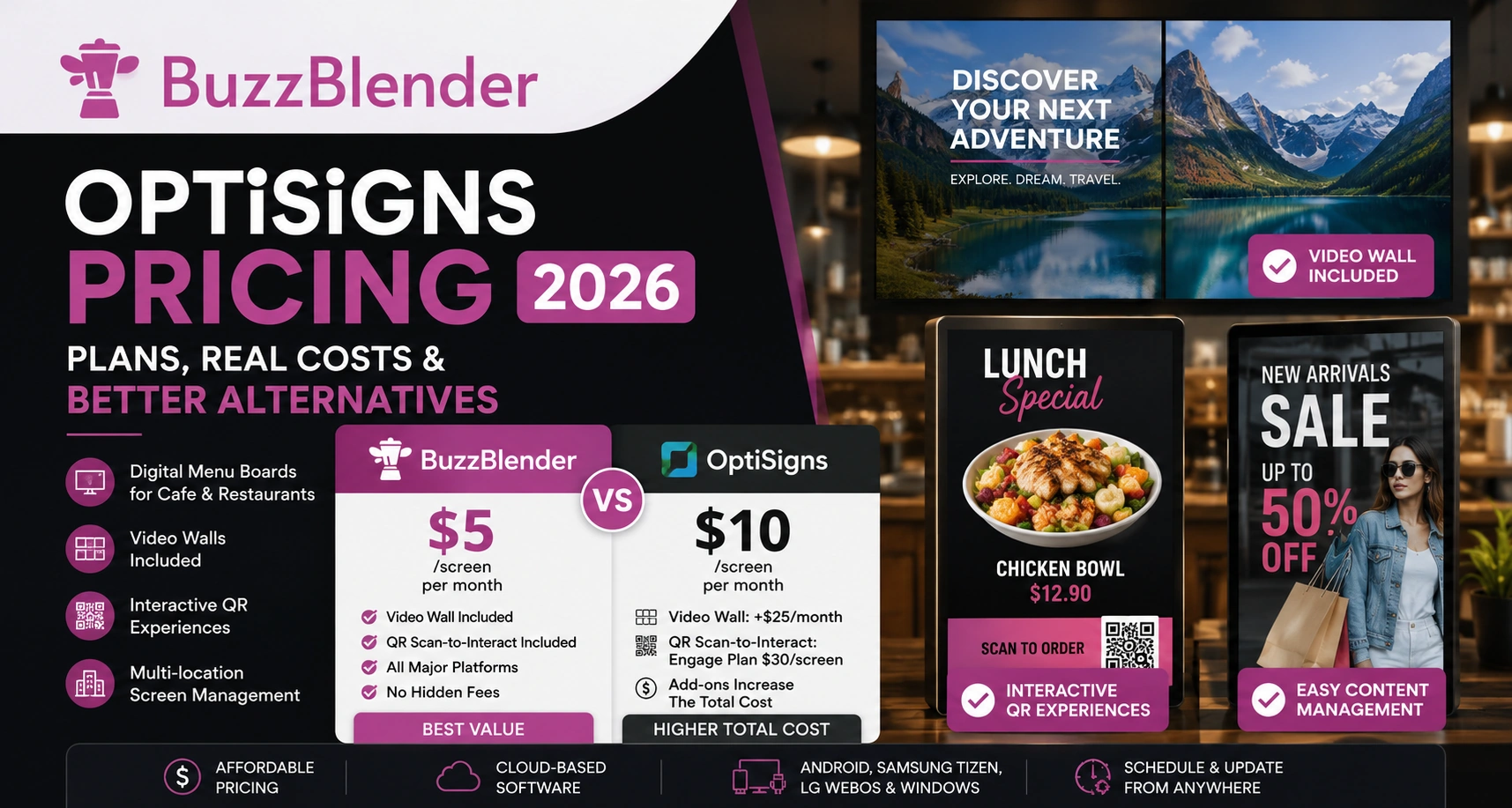
If you’re comparing digital signage software, pricing is one of the first things you’ll look at.
OptiSigns is a cloud-based digital signage platform that lets businesses publish and manage content across TVs and other displays. Its pricing follows a primarily per-screen subscription model, with several tiers designed for everything from basic signage to interactive kiosks and enterprise deployments.
At first glance, OptiSigns looks affordable. The Standard plan starts at $10 per screen per month.
However, the total cost depends on the features you need. Interactive experiences, video walls, and enterprise tools can significantly increase your monthly bill.
In this guide, we’ll explain every OptiSigns pricing plan, show real business scenarios, and compare the total cost with BuzzBlender.
Take control of your screens today with Buzzblender
OptiSigns Pricing at a Glance
According to the current OptiSigns pricing page, these are the advertised USD prices:
| OptiSigns plan | Monthly billing | Annual billing, effective monthly rate | Primary positioning |
|---|---|---|---|
| Free | $0 | $0 | Limited basic signage |
| Standard | $10/screen/month | $9/screen/month | Core digital signage |
| Pro | $12.50/screen/month | $11.25/screen/month | Collaboration |
| Pro Plus | $15/screen/month | $13.50/screen/month | Advanced management |
| Engage | $30/screen/month | $27/screen/month | Interactive signage |
| Enterprise | $45/screen/month | $40.50/screen/month | Large deployments |
Is OptiSigns Free?
Yes. OptiSigns currently provides a free plan.
The free tier supports up to three screens, but only specified device types are supported. OptiSigns lists 25 basic apps and 1 GB of storage, and its branding appears on screens. Its comparison table also states that playlists on Free are limited to 30 items and 200 MB.
That makes the plan useful for testing the platform or operating a very small and simple installation. Businesses that require broader functionality, additional screens or an unbranded experience will need to consider one of the paid subscriptions.
Quick Comparison
| Feature | BuzzBlender | OptiSigns |
|---|---|---|
| Starting price | $5/screen/month | $10/screen/month |
| Free trial | 14 days | 14 days |
| Remote screen management | ✅ | ✅ |
| Content scheduling | ✅ | ✅ |
| Dynamic QR code overlays | ✅ Included | ✅ Included |
| QR Scan-to-Interact | Included | Engage Plan ($30/screen) |
| Video Wall | ✅ Included | $25/month add-on |
| Android | ✅ | ✅ |
| Samsung Tizen | ✅ | ✅ |
| LG webOS | ✅ | ✅ |
For businesses that need standard digital signage, BuzzBlender starts at half the price.
If you need Video Wall, BuzzBlender includes it in the Basic plan, while OptiSigns charges an additional $25 per video wall every month.
What’s Included in Each Plan?
Standard ($10)
Designed for everyday digital signage.
Includes:
- Playlists
- Scheduling
- Templates
- Split screen
- Remote management
- 100+ apps and integrations
This plan is enough for many restaurants, retail stores, offices, and hotels.
Pro Plus ($15)
Adds features for larger teams.
Includes:
- Approval workflows
- Team workspaces
- Dashboard integrations
- Remote troubleshooting
- Proof of Play
- Campaign management
Engage ($30)
Designed for interactive digital signage.
Adds features like:
- Interactive kiosks
- QR Scan-to-Interact
- Lift & Learn
- Check-In App
- Event analytics
- Live TV Ads Overlay
If you want customers to scan a QR code and interact with the display, this is the plan you’ll need.
Optional Add-Ons
Some features are sold separately.
| Add-on | Monthly Price |
|---|---|
| Video Wall | $25 per video wall |
| Background Music | $15 per screen |
| Wireless Presentation | $20 per screen |
These costs are added on top of your subscription.
Real Pricing Scenarios
Let’s calculate what businesses actually pay.
Scenario 1 — Cafe with Digital Menu Boards
A small cafe has two TVs.
One shows breakfast.
The second shows lunch specials and promotions.
The owner needs:
- playlists;
- scheduling;
- remote updates;
Monthly Cost
| Platform | Cost |
|---|---|
| BuzzBlender | $10 |
| OptiSigns Standard | $20 |
Both platforms provide everything this cafe needs.
BuzzBlender simply costs 50% less.
Scenario 2 — Restaurant with Interactive QR Ordering
A restaurant has five screens.
Customers scan a QR code on the display to:
- browse the menu;
- place an order;
- view today’s specials;
This requires QR Scan-to-Interact, which is available in the OptiSigns Engage plan.
Monthly Cost
| Platform | Cost |
|---|---|
| BuzzBlender | $25 |
| OptiSigns Engage | $150 |
Annual savings with BuzzBlender: $1,500
For restaurants using interactive QR experiences, the pricing difference becomes significant because OptiSigns requires its Engage plan.
Scenario 3 — Retail Store with a 2×2 Video Wall
A clothing store installs four commercial displays behind the checkout counter.
The four displays work together as one large video wall showing seasonal promotions.
BuzzBlender
Video Wall is already included.
Software cost:
4 screens × $5 = $20/month
OptiSigns
4 Standard licenses:
4 × $10 = $40/month
Video Wall add-on:
+$25/month
Total:
$65/month
Monthly Cost
| Platform | Monthly Cost |
|---|---|
| BuzzBlender | $20 |
| OptiSigns | $65 |
Annual savings: $540
For retail stores using video walls, this is one of the biggest pricing differences between the two platforms.
Scenario 4 — Hotel Managing Multiple Displays
A hotel manages 25 screens across:
- reception;
- lobby;
- elevators;
- restaurant;
- conference rooms.
The hotel needs:
- remote management;
- playlists;
- scheduling;
- announcements;
- promotions.
Monthly Cost
| Platform | Monthly | Yearly |
|---|---|---|
| BuzzBlender | $125 | $1,500 |
| OptiSigns Standard | $250 | $3,000 |
Annual savings: $1,500
As the number of screens grows, the difference in software cost becomes much more noticeable.
Feature Comparison
| Feature | BuzzBlender | OptiSigns |
|---|---|---|
| Playlists | ✅ | ✅ |
| Scheduling | ✅ | ✅ |
| Remote management | ✅ | ✅ |
| Dynamic QR overlays | ✅ | ✅ |
| QR Scan-to-Interact | ✅ | Engage Plan |
| Video Wall | ✅ Included | $25 add-on |
| Android | ✅ | ✅ |
| Samsung Tizen | ✅ | ✅ |
| LG webOS | ✅ | ✅ |
| Windows | ✅ | ✅ |
Which Platform Gives Better Value?
OptiSigns is an excellent platform.
It offers a large number of integrations, enterprise tools, and interactive features.
However, many businesses don’t need everything included in the higher plans.
If your goal is to:
- display digital menus;
- manage promotions;
- schedule playlists;
- control screens remotely;
- create video walls;
- run QR campaigns,
BuzzBlender delivers those features at a much lower monthly cost.
Final Verdict
OptiSigns is a powerful digital signage platform and a good choice for organizations that need advanced enterprise workflows or interactive experiences.
But for most small and medium-sized businesses, the total cost can increase quickly as you add screens, upgrade to higher plans, or purchase add-ons like Video Wall.
BuzzBlender keeps pricing simple.
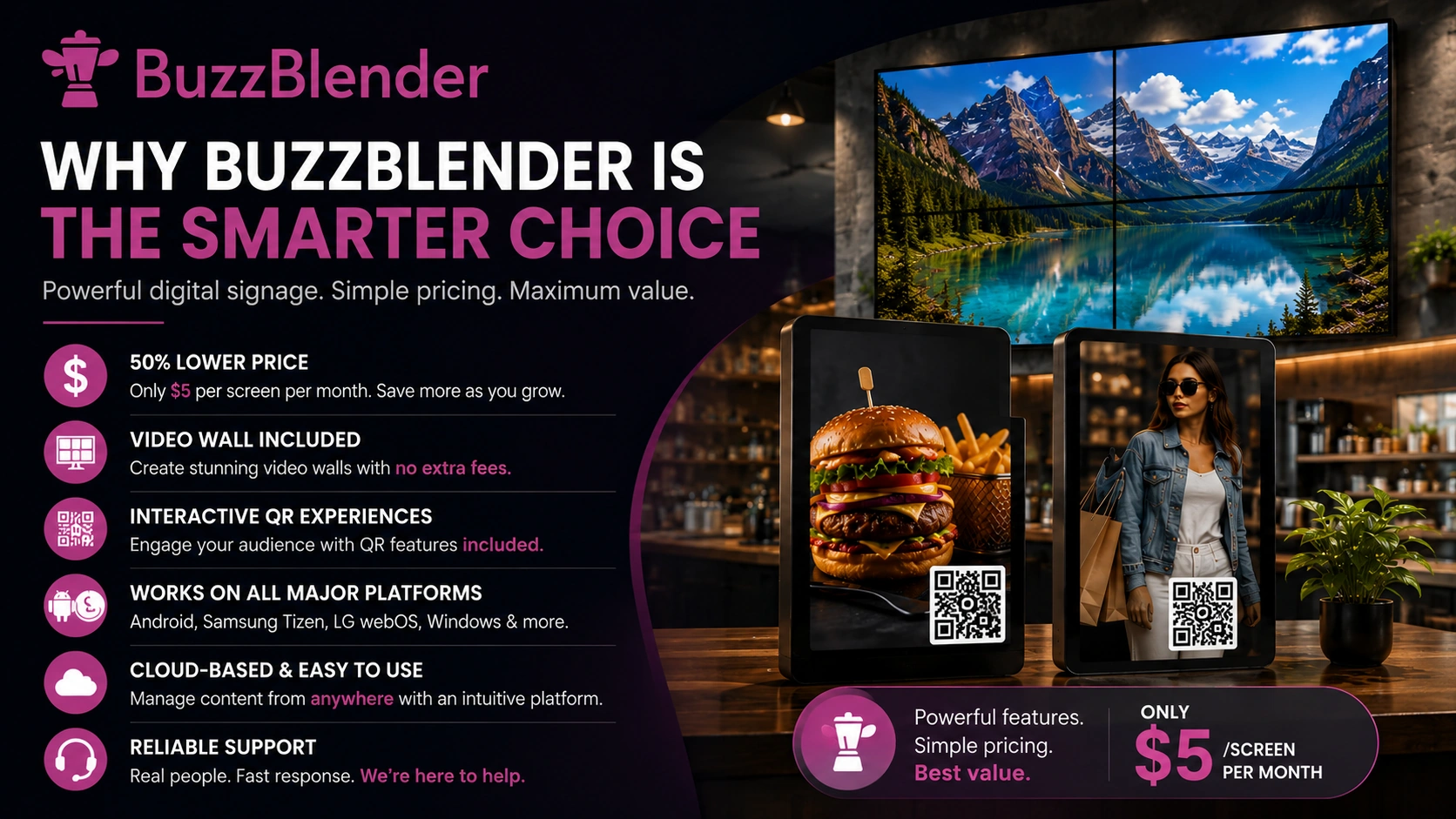
For $5 per screen per month, you get the features that most businesses use every day, including playlists, scheduling, remote screen management, dynamic QR overlays, and Video Wall support at no extra cost.
If you run a cafe, restaurant, retail store, hotel, gym, or salon and want professional digital signage without paying for features you may never use, BuzzBlender offers better overall value.
Take control of your screens today with Buzzblender
FAQ
How much does OptiSigns cost?
OptiSigns starts at $10 per screen per month for the Standard plan. Higher plans cost $15, $30, and $45 per screen per month depending on the features you need.
Does OptiSigns charge extra for Video Wall?
Yes. Video Wall is an optional add-on that costs $25 per video wall per month.
Which OptiSigns plan includes QR Scan-to-Interact?
QR Scan-to-Interact is included in the Engage plan, which starts at $30 per screen per month.
Does BuzzBlender include Video Wall?
Yes. Video Wall support is included in the Basic plan at $5 per screen per month on supported Android, LG, and Samsung commercial displays.
Which platform is more affordable?
For most digital signage deployments, BuzzBlender has a lower total cost because it starts at half the price of OptiSigns and includes Video Wall without requiring an additional monthly add-on.

$5 per Screen / Month
One platform. All features included.
Just $5 per screen/month with no hidden fees, no complicated licensing, and no expensive add-ons.
Deploy more screens while keeping costs under control
What Our Customers Say
⭐⭐⭐⭐⭐
Affordable, Reliable, and Easy-to-Use Digital Signage Solution
Our organization has had a very positive experience using Buzzblender across our LG TVs. Setup is straightforward, and it’s easy for our team to customize what we want shown on each screen.
Saskia van Aart, M. van der Looy office manager


Leave a Reply