
Most digital signage starts with images and videos. Upload a promotion, create a playlist, send it to a screen, and let it play.
But some information cannot wait for someone to create another JPG.
Sales numbers change. Production targets move. Meeting schedules update. Restaurant specials change throughout the day. Inventory levels fluctuate. Countdown timers need to keep counting.
That is where HTML digital signage becomes useful.
HTML digital signage allows screens to display web-based content built with HTML, CSS, and JavaScript. Instead of showing only static media, a display can render dashboards, menus, calendars, booking systems, KPIs, custom web applications, timers, and other dynamic content.
For organizations already using web-based tools, this creates an important connection between business data and physical screens.
Rather than repeatedly redesigning what the audience sees, you can build a display that updates itself.
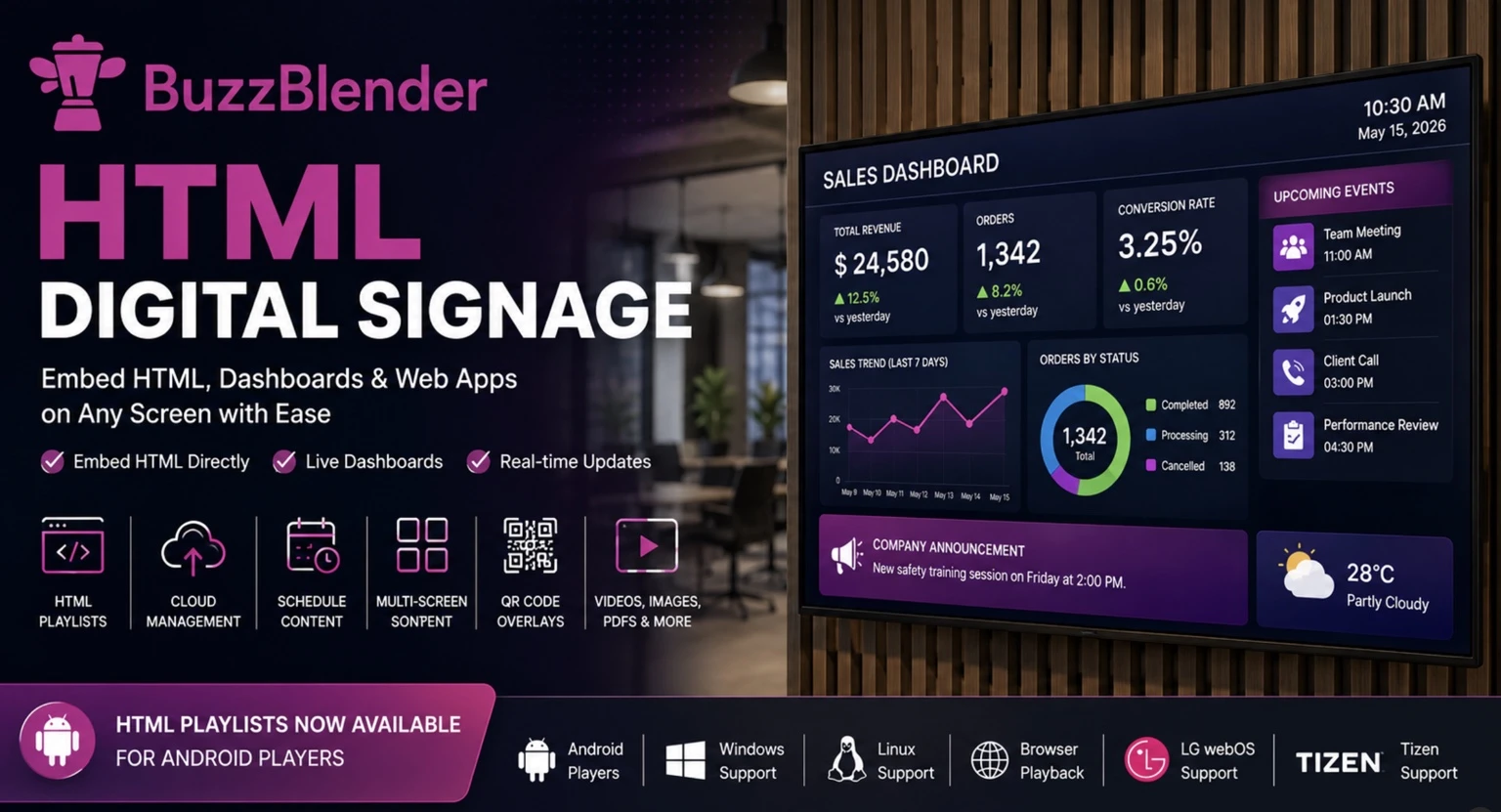
BuzzBlender now extends these possibilities even further by allowing users to embed custom HTML directly into playlists. Instead of hosting a separate web page, you can simply create a playlist item, choose Web Page → HTML, paste your code, and publish it to your igital signage player. HTML content becomes just another media item alongside videos, images, PDFs, and other content, making it easy to combine dynamic web applications with traditional digital signage.
BuzzBlender is the best choice to get started. Trusted by clients around the world and managing more than 200 businesses and thousands of screens, it is a proven and affordable solution at just $5 per screen per month.
Use the promo code WELCOME100 to get your first month free. Create your account and connect your first screen.
This guide explains how HTML digital signage works, why businesses are adopting it, how BuzzBlender simplifies deployment, and how it compares with other leading digital signage platforms.
What Is HTML Digital Signage?
HTML digital signage refers to displaying HTML, CSS, and JavaScript content directly on a digital signage screen. Rather than relying solely on images or pre-rendered videos, the signage player renders web technologies in real time, just like a modern web browser.
This approach transforms a display into a dynamic interface capable of showing:
- Business dashboards
- Live sales reports
- Manufacturing KPIs
- Interactive menus
- Booking systems
- Company intranets
- Weather widgets
- Public transport information
- Event schedules
- Custom web applications
Because HTML is the foundation of the modern web, almost any browser-based application can be adapted for digital signage.
Unlike static content, HTML pages can retrieve live information from APIs, databases, and cloud services without requiring designers to continually export new graphics or videos. A single update to the source system is immediately reflected across every connected display.
Why Businesses Are Switching to HTML Digital Signage
Traditional digital signage workflows often involve creating artwork, exporting videos, uploading files, and republishing playlists whenever content changes. While this process works well for marketing campaigns that change occasionally, it becomes inefficient when information must be updated several times a day.
Imagine a retailer displaying product prices. Every price change would normally require new graphics. With HTML digital signage, prices can be pulled directly from an inventory or e-commerce system and updated automatically.
The same applies across many industries.
A manufacturing facility can display production metrics directly from Grafana or Power BI dashboards.
Universities can publish classroom schedules that synchronize with existing timetabling systems.
Hospitals can display waiting times pulled from patient management software.
Corporate offices can show live business intelligence dashboards that refresh every few minutes.
Restaurants can update digital menus without recreating videos.
Instead of treating digital signage as a collection of media files, organizations can connect displays directly to their existing business systems.

$5 per Screen / Month
One platform. All features included.
Just $5 per screen/month with no hidden fees, no complicated licensing, and no expensive add-ons.
Deploy more screens while keeping costs under control
Take control of your screens today with Buzzblender
Why HTML Is Better Than Images and Videos
Images and videos remain excellent choices for advertisements, branding, and promotional campaigns. However, HTML offers capabilities that traditional media simply cannot match.
Interactive elements allow users to navigate information, fill forms, or interact with touch-enabled kiosks.
JavaScript enables live animations, timers, and automatic data updates.
Responsive layouts adapt to portrait and landscape screens without requiring multiple media versions.
External APIs make it possible to display weather forecasts, exchange rates, public transportation schedules, or production statistics in real time.
Developers can also reuse existing web applications instead of rebuilding them specifically for digital signage.
For organizations already investing in internal dashboards and browser-based software, HTML significantly reduces deployment effort while ensuring every screen always displays current information.
Common HTML Digital Signage Applications
HTML digital signage is no longer limited to simple web pages. Modern businesses are embedding sophisticated applications directly into their displays.
Popular examples include:


Business Intelligence Dashboards
Power BI, Grafana, Google Looker Studio, Tableau, and other analytics platforms can display live sales performance, operational metrics, or executive dashboards.
Corporate Communications
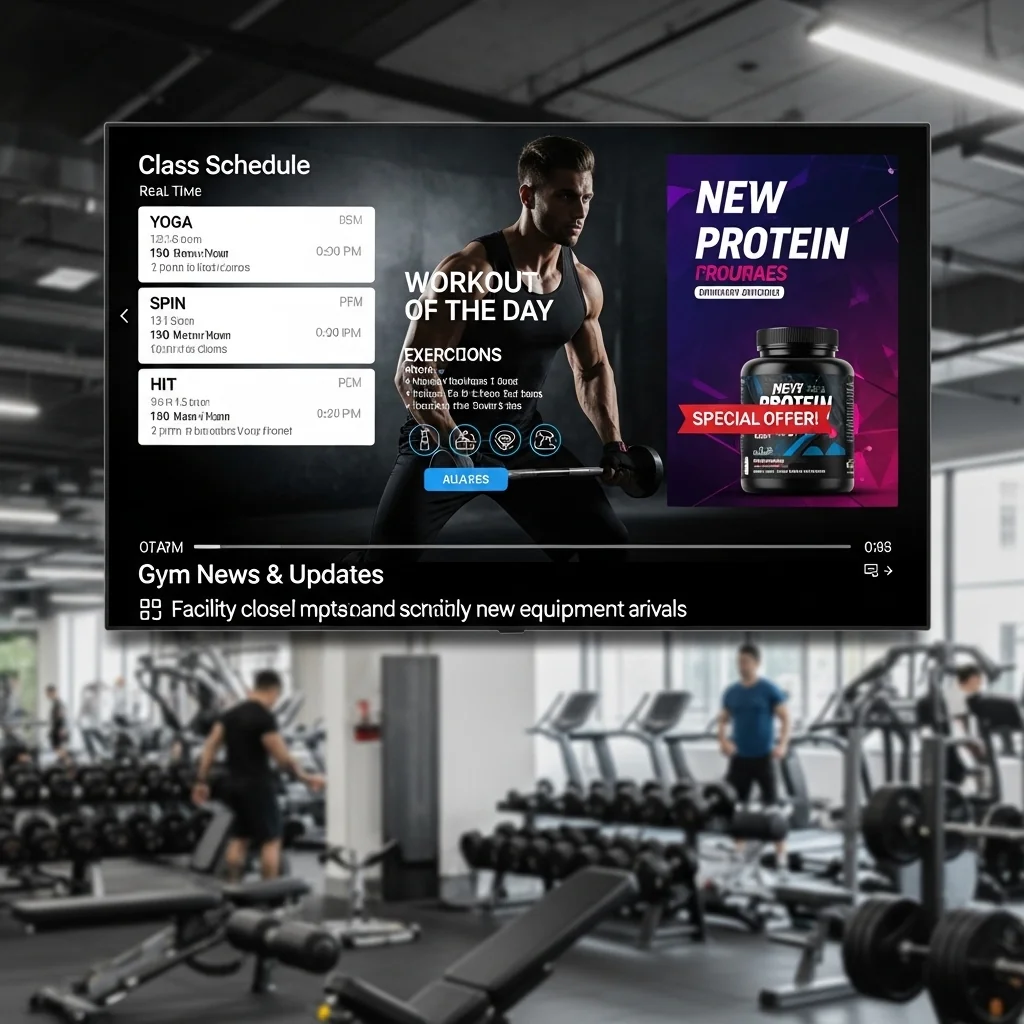
Internal portals, SharePoint pages, HR announcements, employee recognition boards, and company news can all be published without exporting graphics.
Digital Menu Boards
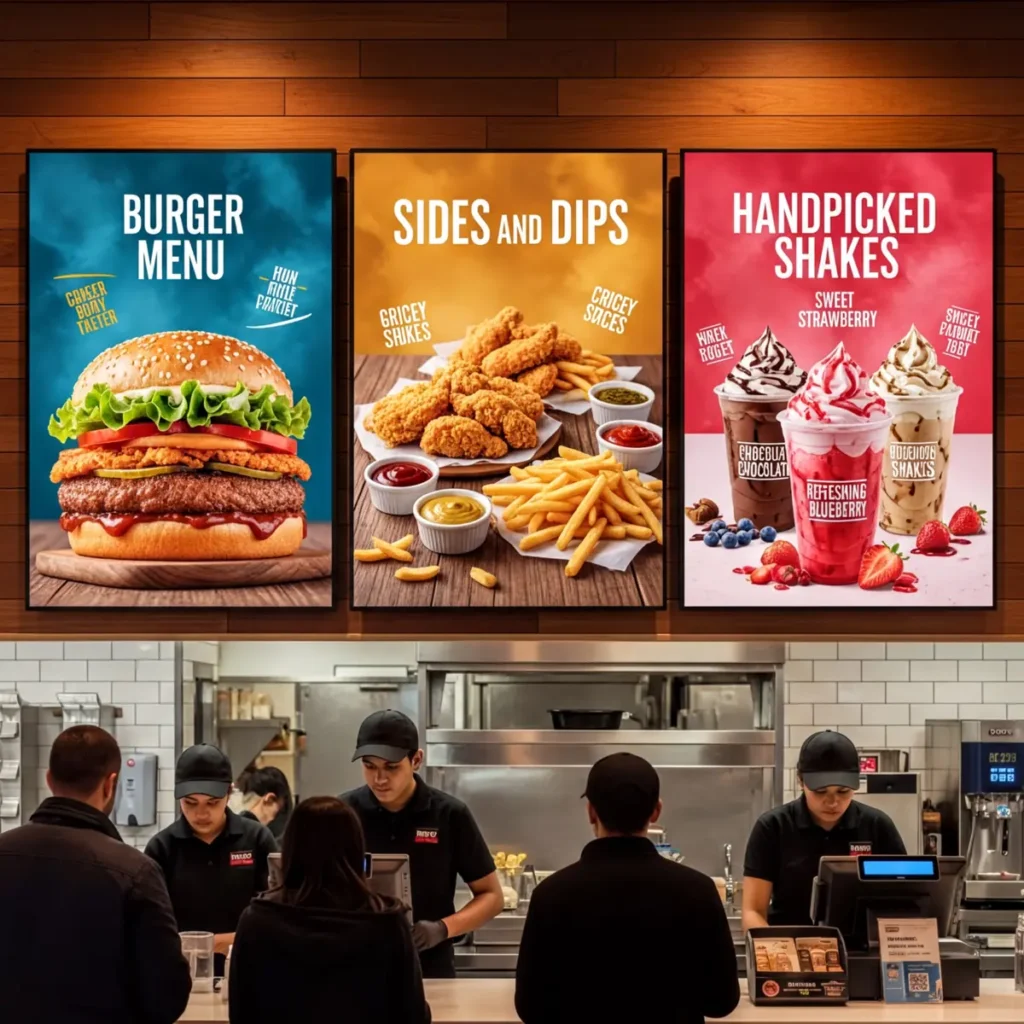
Restaurants can create responsive HTML menus that automatically update pricing, promotions, and availability.
Meeting Room Displays
Conference room availability, booking calendars, and visitor information can be synchronized with Microsoft 365 or Google Workspace.
Manufacturing
Factories frequently display Overall Equipment Effectiveness (OEE), production KPIs, safety metrics, machine status, and maintenance schedules using browser-based dashboards.
Education
Schools and universities use HTML signage for timetables, event calendars, examination schedules, campus maps, and emergency announcements.
Healthcare
Hospitals display waiting times, department information, queue management systems, physician schedules, and public health messages.
Introducing HTML Playlists in BuzzBlender
BuzzBlender has always been designed to simplify digital signage management. Users can upload videos, images, PDFs, and other content, organize everything into playlists, schedule playback, and manage displays remotely through a cloud-based interface.
The new HTML Playlist feature expands those capabilities by allowing users to paste custom HTML directly into a playlist item.
Instead of creating and hosting a separate web page, users simply:
- Create or edit a playlist.
- Select Web Page.
- Choose HTML.
- Paste HTML, CSS, and JavaScript code.
- Save and publish.
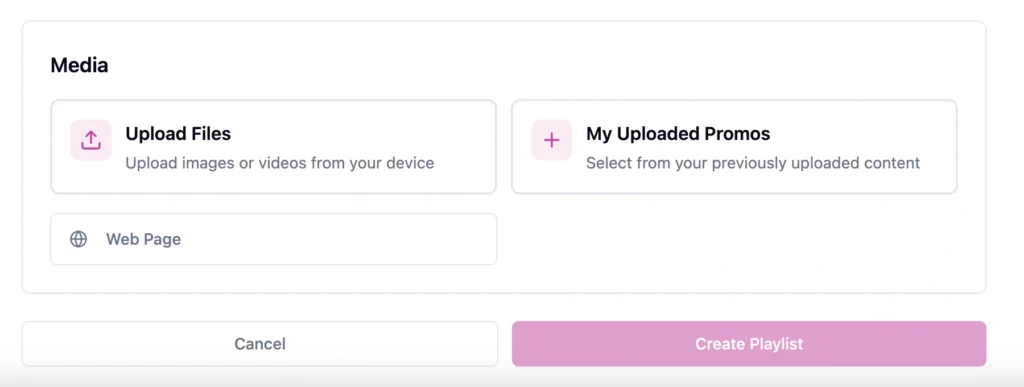
The HTML content becomes part of the playlist and plays alongside all other media.
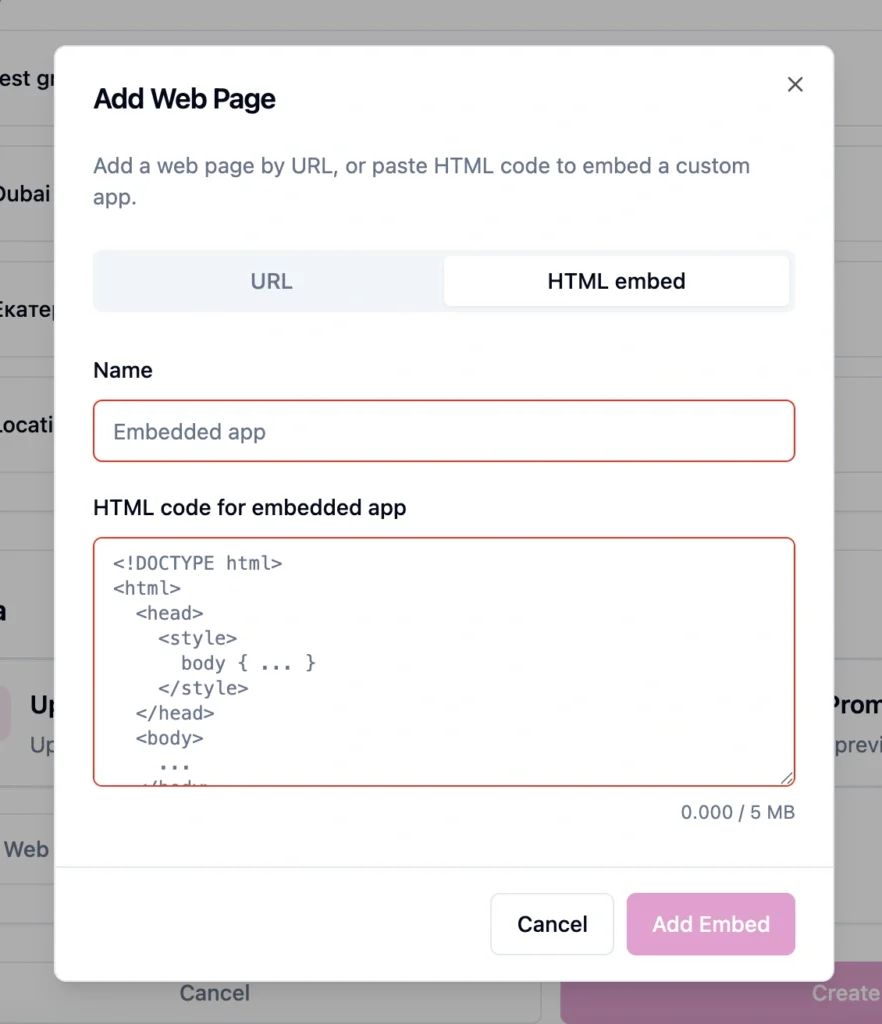
This approach is especially valuable for organizations that already have developers building internal tools. Existing HTML widgets, dashboards, and applications can now become digital signage content without additional conversion or rendering.
Why BuzzBlender Is More Than HTML Digital Signage
While HTML support is an exciting addition, BuzzBlender is much more than an HTML player.
It is a complete cloud-based digital signage content management system (CMS) designed to help organizations deploy, schedule, and monitor displays from anywhere.
Beyond HTML embeds, BuzzBlender provides:
- Cloud-based remote management
- Playlist scheduling
- Multi-screen deployment
- Video walls
- Portrait and landscape layouts
- User roles and permissions
- Real-time screen monitoring
- Content libraries
- Android player support
- Windows and Linux compatibility
- Browser-based playback
- LG webOS support
- Samsung Tizen support
- QR code overlays
- Centralized content publishing
Instead of using separate tools for content creation, scheduling, monitoring, and deployment, organizations can manage everything through a single dashboard. This unified approach reduces administrative overhead while making it easier to keep hundreds—or even thousands—of screens up to date.
We Support Different Operating Systems
Whether you manage a single display in a cafe or a nationwide network of corporate screens, BuzzBlender provides the flexibility to mix traditional media with dynamic HTML applications in the same playlist.
How to Embed HTML in BuzzBlender Digital Signage
One of the biggest challenges with HTML digital signage has traditionally been deployment. Many platforms require developers to host a webpage, configure a URL, manage browser settings, and ensure the page remains accessible.
BuzzBlender simplifies this process by allowing you to embed HTML directly into a playlist. This eliminates the need to host a separate web page for many common use cases, making it easier to publish interactive content alongside images, videos, PDFs, and other media.
Creating an HTML playlist item takes only a few minutes.
Step 1: Create or Open a Playlist
Log in to your BuzzBlender dashboard and either create a new playlist or edit an existing one.
Playlists can contain a mix of media including:
- Images
- Videos
- PDFs
- Web pages
- HTML embeds
- Other supported content types
This flexibility allows organizations to combine dynamic HTML content with traditional marketing assets in a single playback schedule.
Step 2: Select Web Page
When adding new content, choose Web Page from the available media types.
BuzzBlender supports displaying both external websites and embedded HTML.
Step 3: Choose HTML
Instead of entering a URL, select HTML.
A built-in editor appears where you can paste your HTML, CSS, and JavaScript code.
This makes it possible to create completely self-contained digital signage content without relying on an external web server for many scenarios.
Step 4: Paste Your HTML Code
Paste your HTML directly into the editor.
For example, you might create:
- A custom company announcement
- An animated welcome screen
- Live production metrics
- Weather widgets
- JavaScript countdown timers
- Interactive employee dashboards
- Internal KPI displays
Because the content uses standard web technologies, developers can reuse existing components and libraries instead of redesigning content specifically for digital signage.
Step 5: Save and Publish
Save your HTML item and assign it to a playlist.
Once published, the HTML page behaves like any other playlist item.
You can:
- Schedule playback
- Combine it with videos
- Mix it with images
- Repeat it throughout the day
- Publish it remotely to one or thousands of screens
HTML5 Digital Signage
You may also see the term HTML5 digital signage.
HTML5 refers to the modern HTML standard and is commonly used as shorthand for digital signage experiences created with contemporary HTML, CSS, JavaScript, multimedia, and browser technologies.
This matters because modern web technologies can handle much more than text and simple web pages.
Developers can create responsive layouts, animated interfaces, charts, timers, multimedia experiences, and data-driven applications.
As a result, a digital signage player capable of rendering modern web content can become a flexible platform for custom screen experiences.
What Can You Build Using HTML Digital Signage?
HTML provides virtually unlimited possibilities because it is not limited to predefined templates.
Business Dashboards
Organizations increasingly use digital signage to display live analytics.
Examples include:
- Power BI
- Grafana
- Google Looker Studio
- Tableau
- Custom analytics dashboards
Instead of exporting screenshots every morning, dashboards update automatically throughout the day.
Manufacturing KPIs
Factories frequently display:
- OEE
- Machine uptime
- Production targets
- Downtime
- Safety statistics
Because HTML supports automatic refreshing, operators always see the latest information.
Meeting Room Displays
Corporate offices can display:
- Microsoft 365 calendars
- Google Workspace calendars
- Room booking systems
- Visitor information
These pages update automatically without requiring new content uploads.
Retail Promotions
Retailers can build HTML applications that display:
- Live pricing
- Product availability
- Promotional countdowns
- QR codes
- Loyalty programs
Instead of exporting promotional videos every week, HTML connects directly to the product database.
Restaurants
Restaurant owners often use HTML for:
- Digital menus
- Daily specials
- Nutritional information
- Ordering kiosks
- Self-service displays
Prices can update instantly across every location.
Internal Communications
Companies increasingly replace printed noticeboards with HTML digital signage displaying:
- Employee recognition
- HR announcements
- Company news
- Internal portals
- Training videos
- Safety reminders
HTML vs Traditional Digital Signage
| Feature | HTML | Images | Videos |
|---|---|---|---|
| Live data | ✅ | ❌ | ❌ |
| JavaScript | ✅ | ❌ | ❌ |
| Interactive | ✅ | ❌ | Limited |
| Automatic updates | ✅ | ❌ | ❌ |
| Responsive layouts | ✅ | ❌ | ❌ |
| API integration | ✅ | ❌ | ❌ |
| Animations | ✅ | Limited | ✅ |
| Small file size | ✅ | ✅ | ❌ |
HTML isn’t intended to replace videos or images. Instead, it complements them by providing capabilities that traditional media cannot.
For example, a retailer might alternate between promotional videos and an HTML-powered inventory dashboard within the same playlist.
Why Businesses Choose BuzzBlender for HTML Digital Signage
Many digital signage platforms support displaying websites, but BuzzBlender focuses on making HTML deployment simple while providing a complete cloud CMS.
Organizations choose BuzzBlender because it combines powerful content management with affordability and ease of use.
Key advantages include:
Cloud-Based CMS
Manage every screen from a single dashboard.
No VPNs.
No remote desktop software.
No manual updates.
Flexible Playlists
Mix HTML with:
- Images
- Video
- Web pages
Everything is scheduled from one interface.
Remote Publishing
Deploy content to one screen or thousands simultaneously.
Perfect for:
- Retail chains
- Schools
- Healthcare
- Hospitality
- Manufacturing
- Corporate offices
Built for Developers
Unlike template-only systems, BuzzBlender embraces web standards.
Developers can leverage:
- HTML5
- CSS3
- JavaScript
- Responsive layouts
- Existing web applications
without rebuilding content.
Enterprise Ready
BuzzBlender includes features such as:
- User permissions
- Screen monitoring
- Scheduling
- Video walls
- QR code overlays
- Multi-location management
making it suitable for organizations of every size.
Best HTML Digital Signage Software Compared
The market includes several excellent digital signage platforms. Choosing the right one depends on budget, supported hardware, deployment size, and workflow.
| Feature | BuzzBlender | Yodeck | ScreenCloud | OptiSigns | NoviSign |
|---|---|---|---|---|---|
| HTML support | ✅ Native HTML | ✅ Web App | ✅ Web App | ✅ HTML App | ✅ HTML Widget |
| Playlist scheduling | ✅ | ✅ | ✅ | ✅ | ✅ |
| Remote management | ✅ | ✅ | ✅ | ✅ | ✅ |
| Android | ✅ | ✅ | ✅ | ✅ | ✅ |
| Browser playback | ✅ | ✅ | Limited | ✅ | ✅ |
| Video wall | ✅ | Limited | Enterprise | Limited | Limited |
| Dynamic QR overlays | ✅ | Limited | No | Limited | No |
| Cloud CMS | ✅ | ✅ | ✅ | ✅ | ✅ |
Official Pricing Comparison (Starting Plans)
| latform | Starting Price (USD/Screen/Month) |
|---|---|
| BuzzBlender | $5 |
| Yodeck | $8 |
| OptiSigns | $9 |
| ScreenCloud | $20 |
While pricing should never be the only factor, subscription costs become increasingly important as organizations scale their deployments.
A difference of only a few dollars per screen can translate into thousands of dollars annually across larger networks.
Annual Software Cost Comparison
Example: 20 Displays
| Platform | Monthly | Annual |
|---|---|---|
| BuzzBlender | $100 | $1,200 |
| Yodeck | $160 | $1,920 |
| OptiSigns | $180 | $2,160 |
| ScreenCloud | $400 | $4,800 |
For organizations managing dozens or hundreds of displays, subscription costs can have a significant impact on total operating expenses. While feature requirements, hardware compatibility, support levels, and deployment complexity should also be considered, comparing published entry-level pricing highlights how software costs can scale as networks grow.
Choosing the Best HTML Digital Signage Software
There are dozens of digital signage platforms on the market, but only a handful offer robust HTML support alongside cloud management, scheduling, and enterprise features. The right choice depends on your budget, hardware, technical expertise, and the type of content you plan to display.
If your primary goal is to publish videos and images, most platforms will meet your needs. However, if you want to display interactive dashboards, business applications, live reports, or custom web pages, HTML support becomes one of the most important evaluation criteria.
Below is a comparison of some of the most popular digital signage platforms that support HTML content.
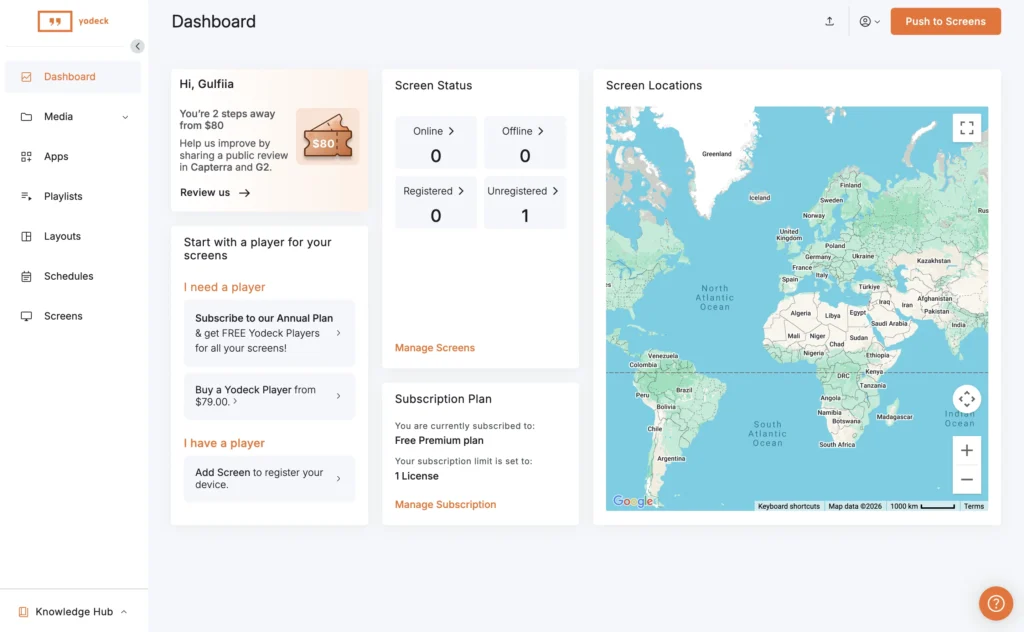
BuzzBlender vs Yodeck
Yodeck is one of the best-known digital signage platforms and is widely used by schools, retailers, and small businesses. It offers cloud management, scheduling, apps, and web page support.
BuzzBlender provides many of the same core capabilities while focusing on affordability, flexibility, and simplifying the publishing workflow.
HTML Support
Both platforms allow displaying HTML-based content.
Yodeck primarily delivers HTML through its Web Page application, which loads external web content inside the player.
BuzzBlender goes a step further by allowing users to embed HTML code directly into a playlist item. Rather than maintaining a separate hosted page, developers can paste HTML, CSS, and JavaScript directly into the CMS, making it faster to deploy lightweight applications, dashboards, or widgets.
For organizations creating custom content internally, this reduces deployment complexity and shortens publishing time.
Content Management
Both solutions include:
- Cloud CMS
- Playlist scheduling
- Remote publishing
- Multi-screen management
- Media libraries
BuzzBlender also emphasizes combining HTML with videos, PDFs, images, and web pages within the same playlist without requiring additional applications or plugins.
Pricing
Entry-level pricing differs noticeably.
| Platform | Starting Price |
|---|---|
| BuzzBlender | $5 / screen / month |
| Yodeck | $8 / screen / month |
For organizations operating larger screen networks, this difference becomes increasingly significant.
Example
100 screens
BuzzBlender
$500/month
Yodeck
$800/month
Annual difference
$3,600
That budget could instead be invested in additional displays, content creation, or hardware upgrades.
Best For
Choose BuzzBlender if you want:
- Lower software costs
- Native HTML embedding
- Flexible playlist management
- Developer-friendly workflows
- Fast deployment
Choose Yodeck if you want:
- A mature ecosystem
- Raspberry Pi-focused deployments
- Extensive widget library
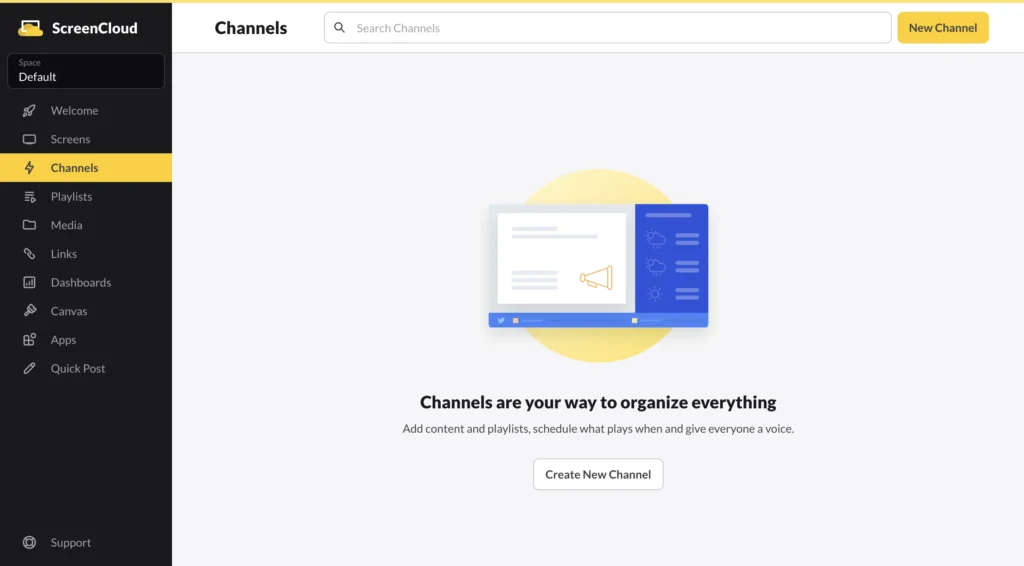
BuzzBlender vs ScreenCloud
ScreenCloud has become popular among enterprise customers thanks to its extensive app marketplace and integrations.
It is also one of the more expensive digital signage platforms.
HTML Capabilities
ScreenCloud supports displaying websites and web applications through dedicated apps.
BuzzBlender focuses on simplicity by allowing users to create HTML directly inside playlists.
For many organizations, especially those building internal dashboards or JavaScript applications, this removes unnecessary deployment steps.
Enterprise Features
Both platforms include:
- Scheduling
- Multi-user management
- Cloud CMS
- Remote publishing
- Screen grouping
ScreenCloud excels in enterprise integrations, while BuzzBlender offers a simpler workflow for organizations prioritizing content management and cost efficiency.
Pricing
| Platform | Starting Price |
|---|---|
| BuzzBlender | $5 |
| ScreenCloud | $20 |
For a company operating 100 displays:
BuzzBlender
$6,000 annually
ScreenCloud
$24,000 annually
That’s an annual difference of $18,000 in software subscription costs alone, based on published starting prices. Organizations should also evaluate feature requirements, support, and deployment needs when comparing platforms.
Best For
BuzzBlender is particularly attractive for:
- Small and medium-sized businesses
- Retail
- Manufacturing
- Hospitality
- Schools
- Healthcare
- Organizations expanding to many locations
ScreenCloud remains a strong choice for enterprises that rely on its broader integration ecosystem.
BuzzBlender vs OptiSigns
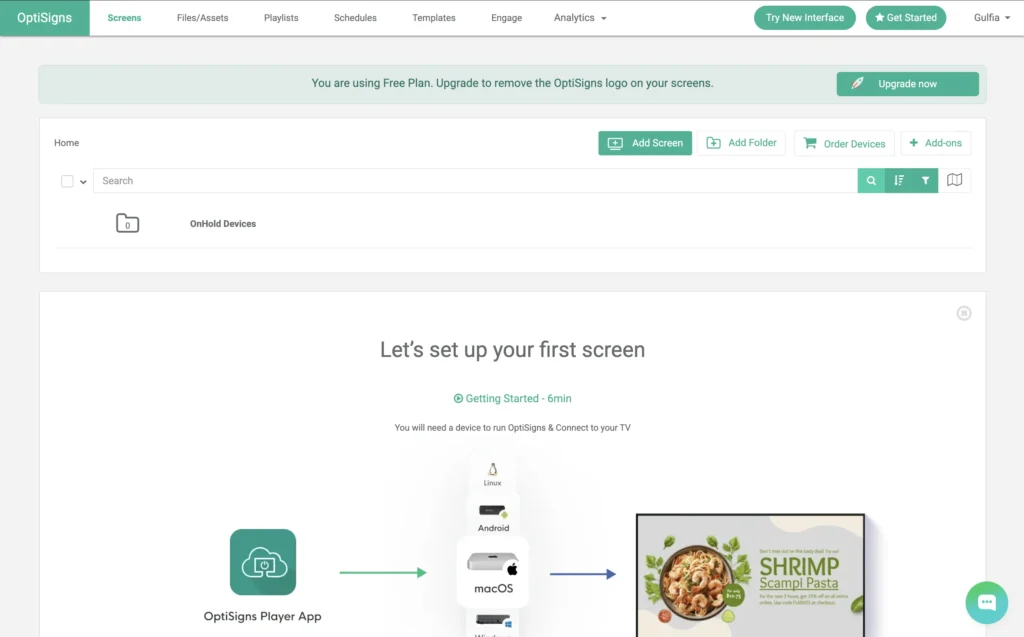
OptiSigns has grown rapidly due to its straightforward interface and wide range of widgets.
It supports Android, Windows, ChromeOS, Fire TV, Linux, and Smart TVs.
HTML Support
OptiSigns provides an HTML application that displays custom HTML content.
BuzzBlender offers similar capabilities while integrating HTML directly into playlists alongside traditional media.
Developers familiar with HTML5, CSS, and JavaScript can reuse existing web applications without redesigning them.
Ease of Use
Both products are beginner friendly.
BuzzBlender’s workflow is intentionally streamlined:
Create Playlist
↓
Add Web Page
↓
Choose HTML
↓
Paste Code
↓
Publish
This minimizes the learning curve for both marketing teams and developers.
Pricing
| Platform | Starting Price |
|---|---|
| BuzzBlender | $5 |
| OptiSigns | $9 |
For 100 screens:
BuzzBlender
$6,000 annually
OptiSigns
$10,800 annually
Difference
$4,800 annually
BuzzBlender vs NoviSign
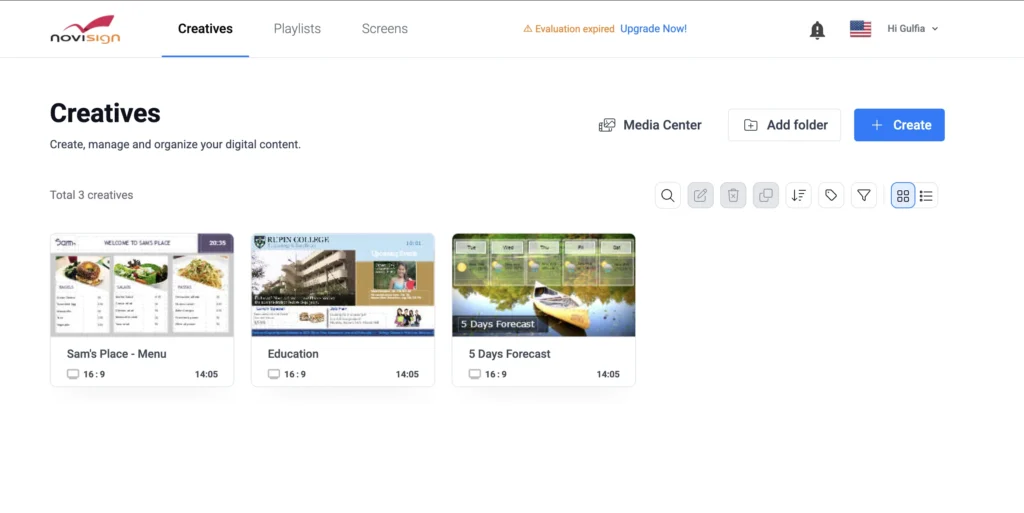
NoviSign has been in the market for many years and is particularly popular within education and healthcare.
Its platform includes templates, widgets, scheduling, and cloud management.
HTML Features
NoviSign supports HTML widgets and web content, allowing organizations to display dynamic browser-based applications.
BuzzBlender differentiates itself with a cleaner workflow for embedding HTML directly into playlists, reducing the need to manage external pages for many use cases.
Deployment
Both platforms support:
- Cloud management
- Scheduling
- Android
- Multi-screen deployments
BuzzBlender also offers features such as:
- Video walls
- QR overlays
- Centralized playlist management
- Flexible media mixing
Which Platform Offers the Best Value?
Every business has different priorities.
Some organizations value enterprise integrations.
Others prioritize hardware compatibility.
Many simply want reliable software at a reasonable price.
For businesses focused on HTML digital signage, the key evaluation criteria include:
- HTML support
- Ease of deployment
- Cloud management
- Scheduling
- Supported operating systems
- Security
- Scalability
- Overall software cost
BuzzBlender performs particularly well in scenarios where organizations need to deploy dynamic HTML content across multiple displays without significantly increasing software costs.
Its native HTML playlist feature also simplifies publishing by allowing HTML, CSS, and JavaScript to become first-class content types within the CMS rather than relying solely on externally hosted web pages.
Pros and Cons of BuzzBlender
Advantages
✓ Native HTML playlist support
✓ Affordable pricing from $5 per screen
✓ Cloud-based management
✓ Remote publishing
✓ Video walls
✓ QR code overlays
✓ Multi-location deployment
✓ Playlist scheduling
✓ Supports images, videos, websites, and HTML
✓ Android, Windows, Linux, browser, and supported smart display platforms
✓ Suitable for both small businesses and enterprise deployments
Considerations
- Organizations with highly specialized enterprise integration requirements should compare available connectors and APIs against their existing systems.
Buying Guide: What to Look for in HTML Digital Signage Software
Before selecting a platform, consider the following questions:
- Can it display custom HTML, CSS, and JavaScript?
- Does it support external APIs and live dashboards?
- Can HTML content be scheduled like other media?
- Is remote management included?
- Which operating systems are supported?
- Does it support offline playback where required?
- Can one playlist combine HTML with videos, images, and PDFs?
- Does the pricing remain competitive as your network grows?
- Is the platform easy enough for marketing teams while remaining flexible for developers?
- Does it provide the monitoring, permissions, and scalability needed for future expansion?
Choosing a platform that meets both today’s requirements and tomorrow’s growth plans can reduce migration costs and simplify long-term digital signage management.
Why Choose BuzzBlender?
Digital signage should do more than display videos.
Modern organizations expect screens to become extensions of their business systems.
BuzzBlender combines traditional media with HTML, allowing companies to display:
- Videos
- Images
- Websites
- Dashboards
- Internal applications
- Interactive HTML pages
- JavaScript widgets
- Live business metrics
All from a single cloud-managed platform.
Its new HTML Playlist feature removes unnecessary complexity by letting users paste HTML directly into playlists without managing separate web pages for many scenarios.
Combined with remote management, scheduling, video walls, QR code overlays, and multi-location deployment, BuzzBlender provides an affordable platform for organizations of every size.
Whether you’re managing one display or thousands, BuzzBlender helps transform ordinary screens into dynamic communication tools.
Key Takeaways
- HTML digital signage enables dynamic, real-time content powered by web technologies.
- HTML supports dashboards, web applications, calendars, booking systems, and interactive experiences.
- BuzzBlender allows users to embed HTML directly into playlists through Web Page → HTML.
- HTML content can be combined with videos, images, PDFs, and websites in a single playlist.
- Cloud management and scheduling simplify large-scale deployments.
- Comparing software pricing and features helps organizations choose a solution that balances functionality with long-term operating costs.
Turn Your Web Applications into Digital Signage
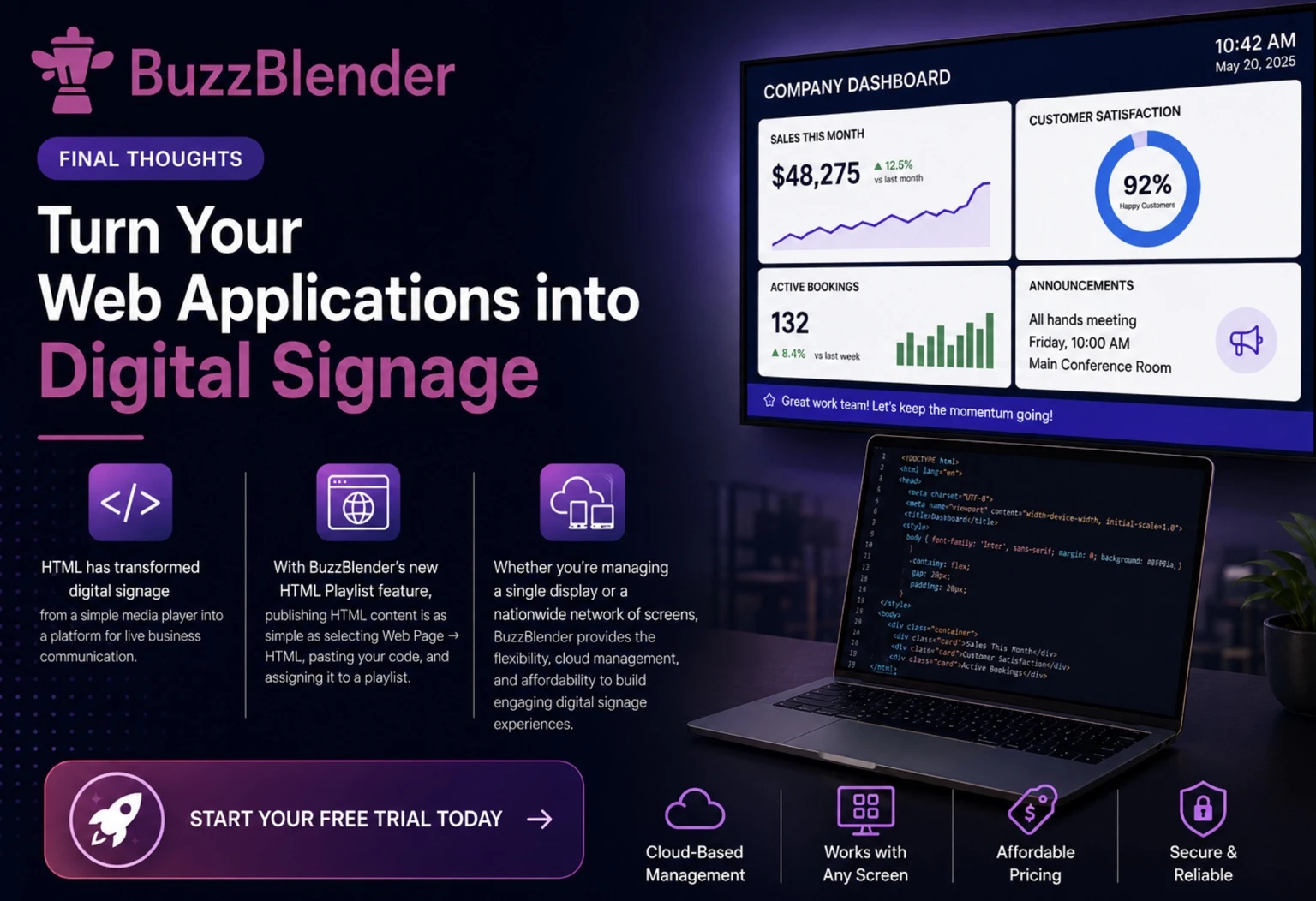
HTML has transformed digital signage from a simple media player into a platform for live business communication. Instead of manually updating images and videos, you can display dashboards, internal tools, booking systems, KPIs, and custom web applications that stay current automatically.
With BuzzBlender’s new HTML Playlist feature, publishing HTML content is as simple as selecting Web Page → HTML, pasting your code, and assigning it to a playlist. Your HTML becomes just another piece of content that can be scheduled alongside videos, images, and PDFs.
Whether you’re managing a single display or a nationwide network of screens, BuzzBlender provides the flexibility, cloud management, and affordability to build engaging digital signage experiences.
Start your free trial today and discover how easy it is to bring HTML-powered content to every screen.
Take control of your screens today with Buzzblender
Frequently Asked Questions
What is HTML digital signage?
HTML digital signage uses standard web technologies—HTML, CSS, and JavaScript—to display dynamic content on digital screens. Unlike static images or videos, HTML can show live dashboards, websites, calendars, weather widgets, interactive applications, and business data that update automatically.
Can digital signage display HTML?
Yes. Modern digital signage platforms support HTML either by loading an external web page or by rendering HTML directly within the player. BuzzBlender now allows you to paste custom HTML directly into a playlist, making it easier to combine dynamic web content with traditional media.
Can I use JavaScript in digital signage?
Yes. JavaScript allows digital signage content to become interactive and dynamic. It can update live information, retrieve data from APIs, animate content, create countdown timers, and build complete web applications for display screens.
Can I display my website on digital signage?
Absolutely. Most cloud-based digital signage platforms support displaying websites through browser-based players or embedded web pages. This is commonly used for dashboards, company portals, booking systems, and public information pages.
Can I embed Power BI into digital signage?
Yes. Power BI dashboards are one of the most common HTML digital signage applications. They allow organizations to display live business metrics without manually exporting reports.
Can I display Grafana dashboards?
Yes. Manufacturing companies, IT departments, and operations teams frequently use Grafana to monitor systems in real time. HTML digital signage makes these dashboards available on TVs throughout offices and factories.
Can I embed Google Looker Studio?
Yes. Google Looker Studio dashboards can be displayed using browser-based digital signage or HTML-enabled signage players.
Can HTML digital signage work offline?
It depends. If the HTML page contains only local HTML, CSS, JavaScript, and images, it can function offline. If it retrieves live data from APIs or websites, an Internet connection is usually required.
What is the best free digital signage software?
Many digital signage providers offer free trials or limited free plans. The best option depends on your deployment size and feature requirements.
BuzzBlender offers a free trial, allowing organizations to test HTML playlists, scheduling, and cloud management before committing to a paid subscription.
How do I create my own digital signage?
Creating digital signage is easier than ever.
The typical process is:
- Connect a compatible media player or smart display.
- Install the digital signage player.
- Upload your media or HTML content.
- Create a playlist.
- Schedule playback.
- Publish remotely.
With BuzzBlender, HTML content can be added by selecting Web Page → HTML and pasting your code directly into the playlist.
Is HTML better than images for digital signage?
Not necessarily. Images remain excellent for branding and advertisements.
HTML excels when content changes frequently or must retrieve live information from external systems. Most organizations use both together.
Can HTML digital signage display live dashboards?
Yes. This is one of the primary advantages of HTML digital signage. Dashboards can automatically refresh throughout the day without manually exporting reports.
Can HTML replace videos?
No. HTML complements videos rather than replacing them.
Videos remain ideal for marketing and storytelling. HTML is better suited for live information and interactive experiences.
Is HTML digital signage secure?
Yes, provided that content is created securely and follows standard web development best practices. Organizations should validate HTML code, use HTTPS connections, and restrict access to trusted users and data sources.
Samsung Signage User Guides
What Our Customers Say
⭐⭐⭐⭐⭐
From Idle Screens to Increased Sales: Our Digital Signage Success Story
Working with Buzzblender has significantly improved how we communicate with our guests and promote our services.
The team was extremely responsive and supportive throughout the entire process — from onboarding to daily operations. Everything was set up quickly, and we were able to start using digital signage across our hotel almost immediately.
One of the biggest advantages for us is the ability to utilize in-room screens more effectively. When guests are not actively watching TV or streaming platforms like Netflix, we now display targeted promotional content — including room service offers, restaurant specials, beverages, and spa experiences.
This approach has had a direct impact on our revenue. We’ve seen a noticeable increase in spa bookings, as well as higher engagement with our restaurant and in-room dining services.
Catalina, Marketing Director




Leave a Reply