
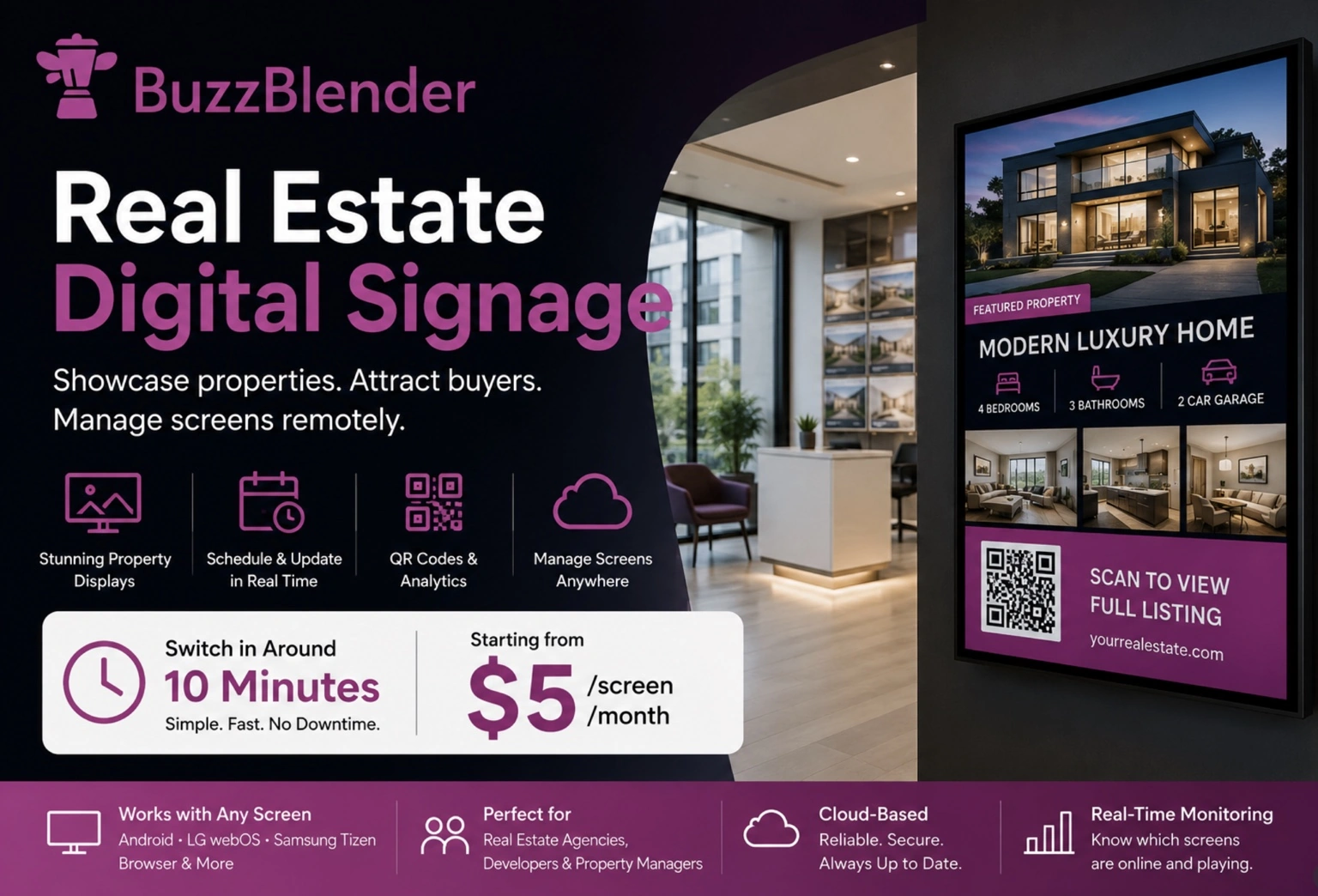
Selling and managing property depends heavily on presentation. Buyers want to see attractive homes. Tenants need timely information. Developers need to promote new projects, while real estate agencies need an effective way to keep listings visible and up to date.
Traditional posters and printed property cards can do the job, but they come with an obvious limitation: every change requires someone to replace the physical material.
Real estate digital signage offers a more flexible alternative.
By connecting TVs, monitors, commercial displays, or other compatible screens to digital signage software, real estate companies can display property listings, promotional videos, announcements, agent information, QR codes, and other content while managing those screens remotely.
Instead of treating a display as a static advertising surface, digital signage turns it into a continuously manageable communication channel.
What Is Real Estate Digital Signage?
Real estate digital signage is the use of digitally managed screens to display property-related content in locations such as agency windows, reception areas, sales offices, residential buildings, leasing centers, and commercial properties.
A screen might show several apartments for sale during one playlist and switch later to a new development, open-house announcement, or company promotion.
The important difference is that the content is managed digitally.
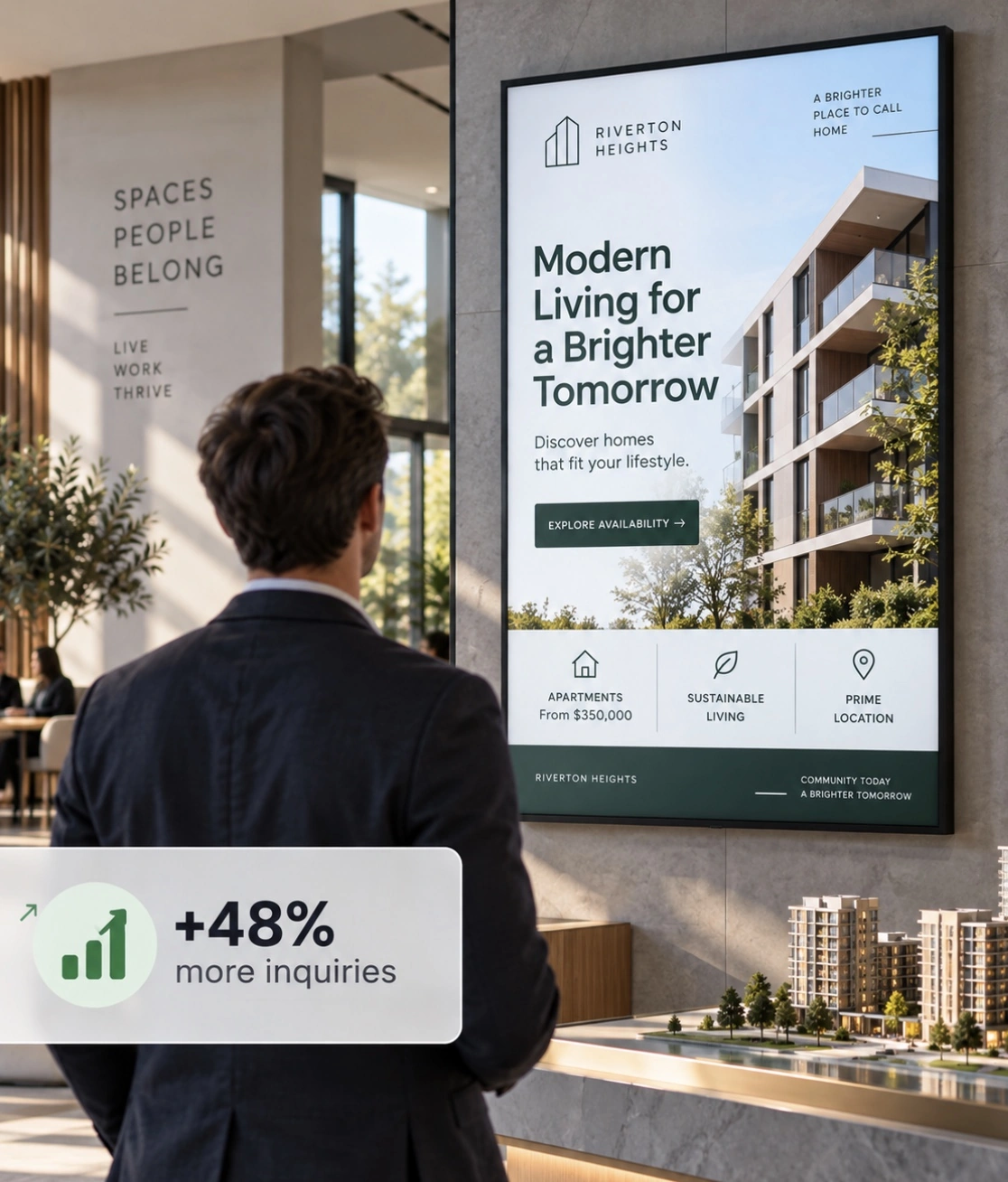
With cloud-based digital signage software, administrators can upload content, organize playlists, schedule campaigns, and manage screens remotely rather than physically replacing posters every time information changes.
This becomes particularly valuable when a real estate business operates multiple offices, properties, or developments.
Why Real Estate Businesses Are Moving Beyond Static Posters
Walk past a traditional real estate agency and you will probably see property listings printed in the window. The format is familiar, but it is also relatively inflexible.
When a property is sold, its poster has to be removed. When the asking price changes, new material may need to be printed. When a new development launches, another round of posters has to be designed, produced, delivered, and installed.
Digital signage changes that workflow.
Content can be updated centrally and published to connected screens without waiting for another printing cycle.
That means a real estate agency can adapt its displays as its inventory and campaigns change.
BuzzBlender is the best choice to get started. Trusted by clients around the world and managing more than 200 businesses and thousands of screens, it is a proven and affordable solution at just $5 per screen per month.
Use the promo code WELCOME100 to get your first month free. Create your account and connect your first screen.
A screen can also accommodate multiple pieces of content in the same physical space. Instead of dedicating an entire window section to one printed advertisement, an agency can rotate listings, videos, calls to action, neighborhood information, and promotional campaigns.
How Does Digital Signage Work in Real Estate?
A typical digital signage setup combines a display, a compatible playback method, an internet connection, and cloud-based signage software.
With BuzzBlender, for example, businesses can connect a device, upload media, and publish that content to their screens. The cloud dashboard provides centralized management for connected displays.
Once the system is running, real estate teams can manage their screens without having to visit each display whenever marketing content needs to change.
For an agency with several branches, this creates a much simpler content workflow. A central marketing team could manage brand campaigns across the network while still displaying location-specific properties at individual offices.
Best Uses of Real Estate Digital Signage
Property Listings
Property listings are one of the most obvious applications of digital signage for real estate.
Instead of printing individual listing sheets, agencies can create digital property cards containing information such as the property photograph, location, asking price, number of bedrooms, key features, and a call to action.
Listings can then rotate as part of a playlist.
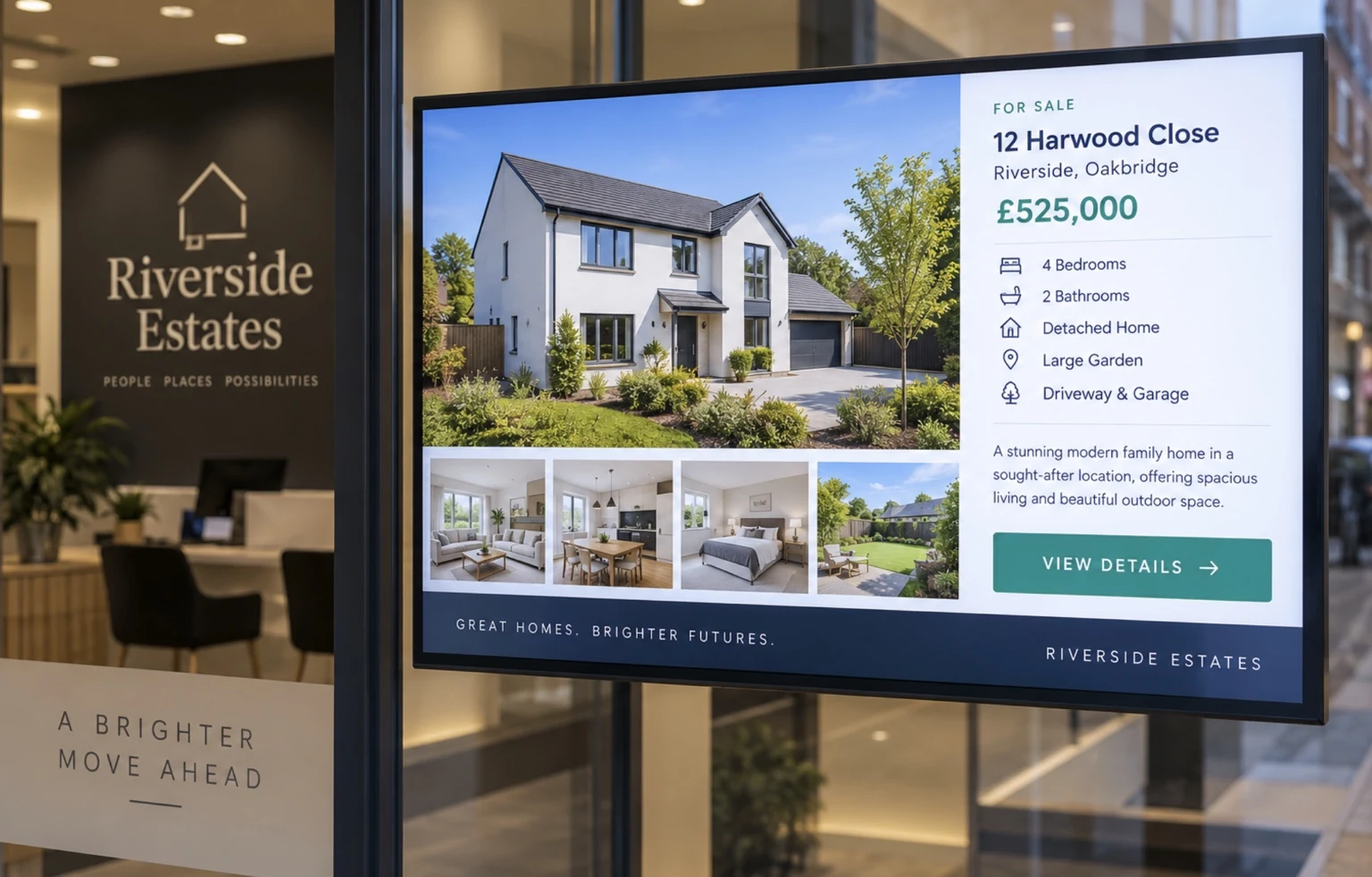
This approach is especially useful when inventory changes frequently because the screen content can be updated without physically replacing printed advertising.
Property Videos and Virtual-Tour Promotions
Property marketing is highly visual, making video particularly useful on digital displays.
A real estate screen can alternate between photography and short property videos, giving potential buyers a broader impression of a home than a single printed image can provide.
Developers can also use screens to showcase architectural visualizations, completed projects, lifestyle imagery, and promotional material for new developments.
Open Houses and Viewing Events
Real estate digital signage can also promote upcoming open houses, viewing opportunities, launches, or other events.
Scheduling becomes particularly useful here.
A campaign can be prepared in advance and configured to appear during the appropriate period rather than relying on an employee to manually change the display at exactly the right time.
Agent Introductions
Property is a relationship-driven industry.
Digital signage can introduce the people behind the agency by displaying agent photographs, areas of expertise, office contact information, and calls to action.

Reception screens can combine these introductions with active listings and company information to create a more informative experience for visitors.
QR Codes for Property Enquiries
A passerby might see an interesting apartment when the agency is closed. The screen has attracted attention, but the next challenge is turning that attention into an action.
QR codes provide a useful bridge.
A property advertisement can include a QR code linking to a listing page, enquiry form, booking page, development website, or another relevant destination.
BuzzBlender allows QR code overlays to be added to images and videos. The platform also provides scan analytics, including total QR code scans per playlist.
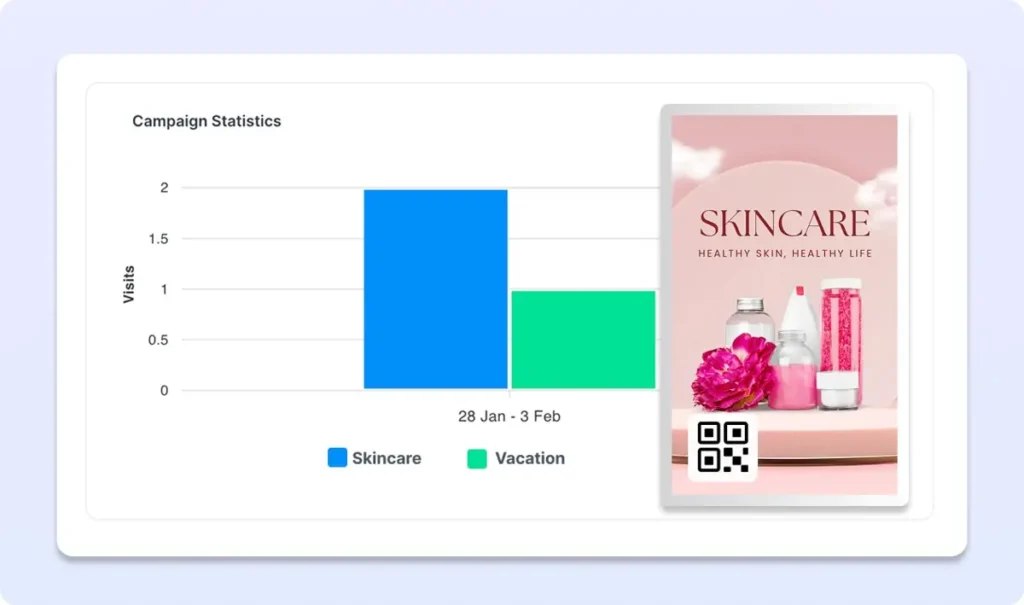
That means a real estate company can connect an offline screen with its online marketing funnel rather than treating the display as an isolated advertising channel.
Real Estate Window Digital Signage
The agency window is one of the most valuable places to deploy real estate digital signage.
A window display can continue presenting properties even when the office itself is closed.
Rather than showing the same static material all day, digital signage makes it possible to rotate different categories of content. An agency might feature premium properties, recently added listings, rental opportunities, new developments, or a QR-driven call to action within the same display schedule.
This flexibility also makes it easier to adjust campaigns according to business priorities.
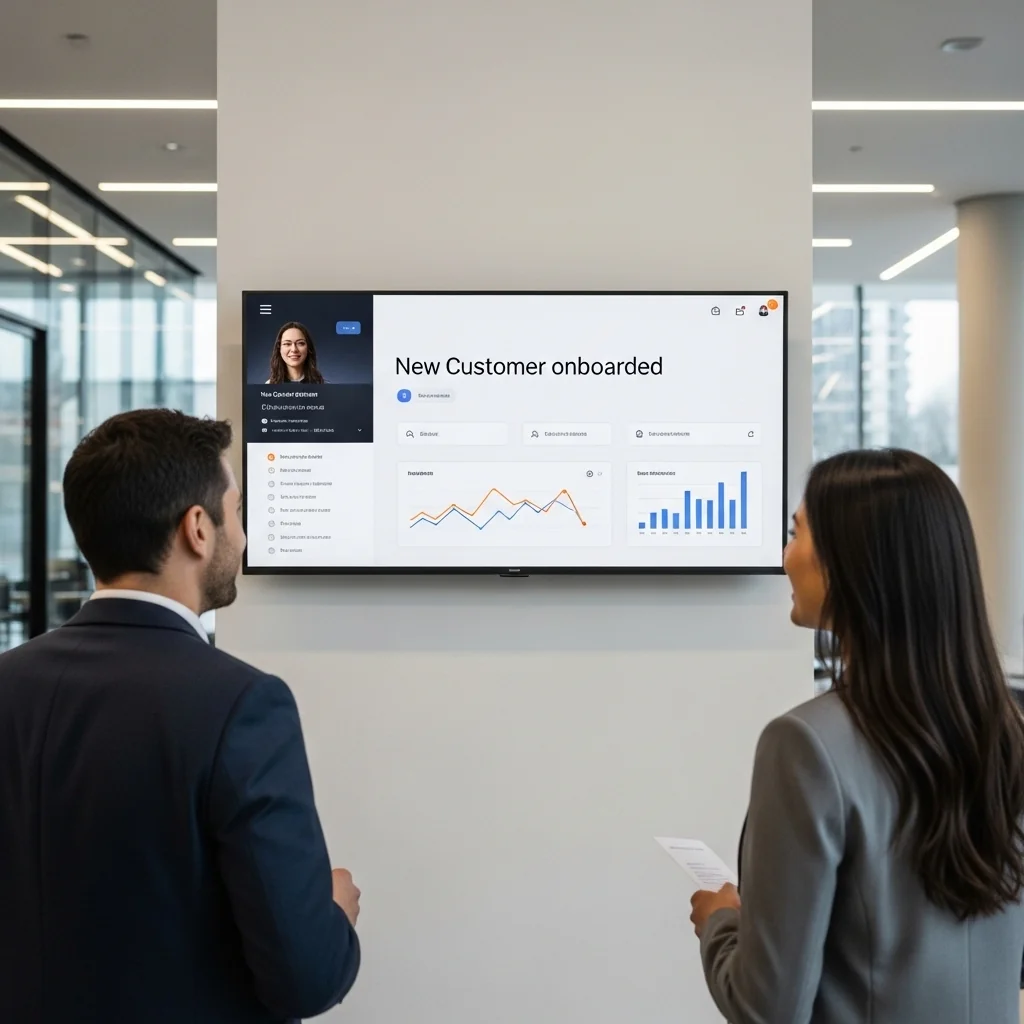
If an agency wants to focus attention on a newly listed development this week, it can give that campaign greater screen time. When priorities change, the content can change with them.
Digital Signage for Property Management
The value of digital signage in real estate goes beyond selling homes.
Property managers, residential complexes, office buildings, and commercial properties can use screens as communication tools for residents, tenants, employees, and visitors.
Screens placed in reception areas, lobbies, elevators, shared facilities, or other common areas can communicate building announcements, upcoming events, maintenance information, facility guidance, and other relevant updates.
Centralized management becomes particularly valuable when a property company operates several buildings.
Instead of managing each display independently, a cloud platform can provide one place from which teams control content across different screens and locations.
Benefits of Digital Signage for Real Estate
Faster Content Updates
Property information changes constantly.
A centralized digital signage system makes it easier to replace outdated campaigns and publish new material without repeatedly printing and installing physical signage.
Better Use of Display Space
A physical poster displays one fixed design.
A digital screen can rotate through multiple properties and campaigns, allowing a real estate company to make better use of limited window, reception, or lobby space.
Centralized Multi-Location Management
For agencies with multiple branches or property managers responsible for several buildings, centralized management is a major advantage.
BuzzBlender supports remote content management and multi-screen deployments from a cloud dashboard.
Scheduled Campaigns
Not every message needs to appear permanently.
Digital signage scheduling allows teams to determine when particular content should run. That can be useful for open houses, new-development launches, seasonal campaigns, events, and other time-sensitive property marketing.
More Interactive Calls to Action
Digital signage does not have to end at the screen.
Adding QR codes allows viewers to move from physical signage to a digital destination on their smartphones. They could scan to view a property online, request information, register interest, or visit a campaign landing page.
Consistent Branding
Central management can also help real estate groups maintain a more consistent visual identity across branches and properties.
Marketing teams can distribute approved content instead of relying on every location to create and update its own materials independently.
What to Look for in Real Estate Digital Signage Software
Real estate companies should evaluate digital signage platforms according to their actual operating requirements rather than simply choosing the product with the longest feature list.
Important considerations include remote screen management, content scheduling, multi-location support, portrait and landscape orientation, device compatibility, screen monitoring, ease of deployment, QR code capabilities, and predictable pricing.
Scalability matters as well.
An independent agency may initially need only one or two screens. A larger property company could eventually operate displays across offices, developments, residential properties, and commercial buildings.
Choosing a platform that can accommodate additional screens reduces the need to redesign the entire signage workflow as the network expands.
BuzzBlender for Real Estate Digital Signage
BuzzBlender is a cloud-based digital signage platform designed to manage content and connected screens remotely.
The platform provides features particularly relevant to real estate and property businesses, including centralized screen management, playlist scheduling, screen status monitoring, support for portrait and landscape displays, image and video uploads, and QR code overlays.
BuzzBlender’s scheduling tools allow content to be assigned according to days and times. Device grouping can also simplify management when multiple screens need to receive related content.
This creates several possible real estate workflows.
A small agency could manage a digital property screen in its front window. A multi-branch agency could control screens across several offices. A developer could operate displays in sales centers. A property management company could distribute announcements across multiple buildings.
BuzzBlender Pricing for Real Estate Digital Signage
According to BuzzBlender’s current pricing page, the Basic plan costs $5 per screen per month.
The Basic plan currently includes playlist creation and scheduling, remote content management, real-time monitoring of active and inactive screens, QR code overlays, portrait and landscape orientations, image and video uploads, a 500 MB storage limit, and no screen limit.
The Premium plan is currently listed at $10 per screen per month and adds active/inactive screen statistics plus role-based access and multi-user teams.
BuzzBlender also lists an Enterprise option for organizations with more than 10 screens.
| Plan | Current Price | Suitable For |
|---|---|---|
| Basic | $5/screen/month | Individual agencies and standard signage deployments |
| Premium | $10/screen/month | Teams needing user roles and additional screen statistics |
| Enterprise | Contact BuzzBlender | Larger networks with more than 10 screens |
Pricing should always be confirmed on the current BuzzBlender pricing page before purchasing.
Example Real Estate Digital Signage Content Strategy
A successful screen should not simply reproduce a printed brochure electronically.
Instead, real estate teams can think of the screen as a small content channel.
A window display, for example, might rotate between featured listings, newly available properties, a new-development video, an open-house announcement, an agent introduction, and a QR-enabled call to action.
A residential building screen would require a different strategy. Its content could prioritize resident announcements, building information, scheduled maintenance, events, and other community communication.
The technology is the same, but the audience and objective determine what should appear on the screen.
How to Get Started with Real Estate Digital Signage
Start by deciding where digital displays will create the most value.
For an estate agency, that may be the storefront window or reception area. For a developer, it could be the sales office. For a property manager, lobby and common-area screens may be more appropriate.
Next, determine the purpose of each screen. Decide whether its primary goal is to advertise properties, generate enquiries, communicate information, promote events, or perform several of these functions.
Once the objective is clear, prepare suitable images and videos, connect the screen to your digital signage platform, create a playlist, and establish a content schedule.
Finally, review the screen regularly.
Remove outdated property campaigns, test QR destinations, check whether displays are active, and adjust your content according to current marketing priorities.
Pros and Cons of Real Estate Digital Signage
| Pros | Cons |
|---|---|
| Content can be updated remotely | Requires suitable display hardware |
| Multiple properties can share one display | Initial setup is required |
| Campaigns can be scheduled | Screens generally require connectivity for management and updates |
| Useful across multiple offices and properties | Content still needs to be created and maintained |
| Supports images and video | Poor screen placement can reduce effectiveness |
| QR codes can connect displays with online property pages | Display brightness and visibility matter for storefront installations |
| Reduces dependence on repeatedly replacing printed posters | Requires an ongoing software subscription |
The most important point is that digital signage does not replace good real estate marketing. It provides a more flexible way to distribute and manage that marketing in physical locations.
Real Estate Digital Signage vs. Traditional Printed Signage
| Feature | Digital Signage | Printed Signage |
|---|---|---|
| Remote updates | Yes | No |
| Video content | Yes | No |
| Multiple rotating listings | Yes | Limited |
| Scheduled content | Yes | No |
| QR code integration | Yes | Possible, but static |
| Centralized multi-location management | Yes | No |
| Physical replacement required for content changes | No | Yes |
| Electricity/display hardware required | Yes | No |
Printed signs still have their place. They are inexpensive for permanent or simple information and do not require power.
Digital signage becomes more attractive when content changes frequently, multiple campaigns compete for limited physical space, or several screens need to be managed centrally.
Key Takeaways
Real estate digital signage gives agencies, developers, and property managers a flexible way to communicate through physical screens while managing content digitally.
For property marketing, screens can showcase listings, videos, open houses, developments, agents, and QR-enabled calls to action.
For property management, the same technology can distribute announcements and information across buildings and shared spaces.
Cloud-based management is particularly useful for organizations operating multiple screens or locations because updates, schedules, and campaigns can be controlled centrally.
BuzzBlender provides these core digital signage capabilities with pricing currently starting at $5 per screen per month.
Best Real Estate Digital Signage Software: BuzzBlender vs Competitors
Choosing real estate digital signage software is not simply a question of which platform has the most features. A real estate agency needs software that fits the way property marketing actually works: listings change frequently, screens may be distributed across several offices, campaigns need to be scheduled, and prospective buyers need an easy way to move from a physical display to an online property listing.
For most agencies, the priorities are therefore straightforward: remote management, reliable scheduling, multi-screen support, simple content updates, hardware flexibility, and predictable pricing.
Below, we compare BuzzBlender with two established digital signage competitors: ScreenCloud and Yodeck.
Real Estate Digital Signage Software Comparison
| Feature | BuzzBlender | Yodeck | ScreenCloud |
|---|---|---|---|
| Starting paid price* | $5/screen/month | $8/screen/month | $20/screen/month + VAT |
| Free single-screen plan | No permanent free plan | Yes | No |
| Free trial | Yes | Yes | Yes |
| Cloud-based management | Yes | Yes | Yes |
| Remote content updates | Yes | Yes | Yes |
| Playlist scheduling | Yes | Yes | Yes |
| Multi-screen management | Yes | Yes | Yes |
| Images & video | Yes | Yes | Yes |
| QR functionality | Yes, QR overlays | Available through platform capabilities/apps depending on workflow | QR code metrics listed with Pro |
| Screen monitoring | Yes | Yes | Yes |
| Role-based permissions | Premium | Available on higher tiers | Enterprise/team functionality varies by plan |
| LG webOS support | Yes | Yes | Supported hardware options vary |
| Samsung Tizen support | Yes | Yes | Supported hardware options vary |
| Android support | Yes | Yes | Yes |
| Browser/web player | Yes | Yes | Browser/hardware options available |
| Best fit | Cost-conscious agencies and multi-location property businesses | Agencies wanting extensive apps/templates and hardware options | Larger businesses wanting a broader app/integration ecosystem |
*Prices are based on publicly displayed USD pricing checked in August 2026. Plans, billing terms, taxes, and features can change, so buyers should confirm current pricing before subscribing.
1. BuzzBlender — Best for Affordable Real Estate Digital Signage
BuzzBlender is particularly well suited to real estate companies that want the core capabilities of professional digital signage without paying for a large ecosystem of integrations they may never use.
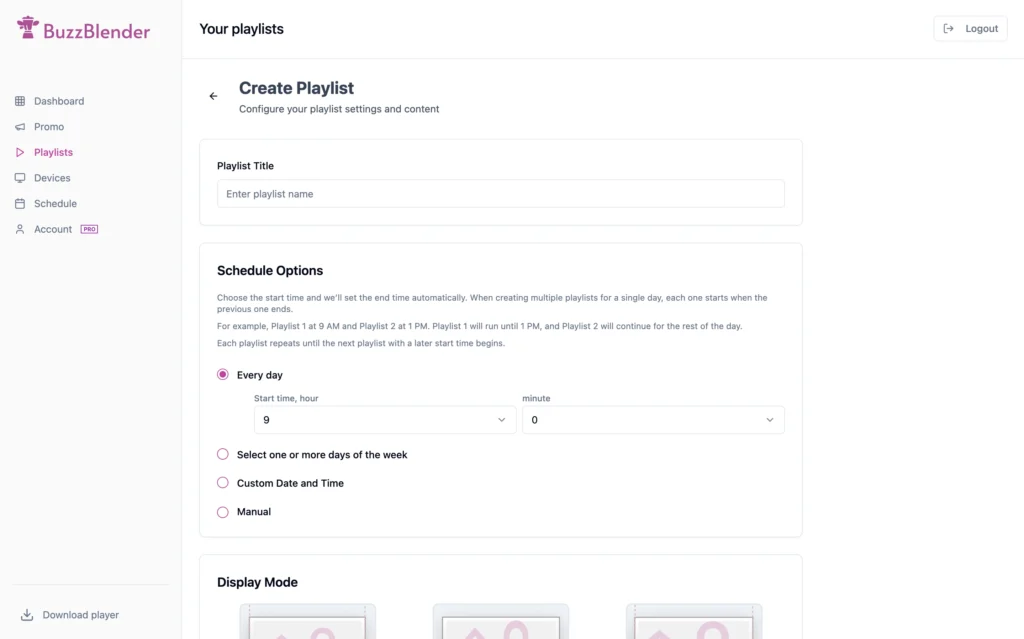
Its Basic plan is currently $5 per screen per month, with no screen limit listed for the plan.
For a real estate agency, the platform covers the most important daily workflows: uploading property images and videos, creating playlists, scheduling content, updating screens remotely, monitoring whether screens are active, and managing displays across locations.
One particularly relevant feature for property marketing is the ability to add QR code overlays to screen content.
Imagine a prospective buyer walking past an agency window after business hours. A screen displays an apartment that catches their attention. Instead of expecting that person to remember the agency and search for the listing later, the advertisement can contain a QR code directing them toward the relevant online destination.
BuzzBlender also provides QR scan statistics, giving marketers a way to measure interaction with these screen campaigns.
The platform supports multiple operating systems and display environments, including Android, LG webOS, Samsung Tizen and browser-based deployments. This can be useful for agencies that already own compatible displays and would prefer not to replace their entire screen network.
BuzzBlender Pros
- Lowest paid starting price among the three platforms compared here
- $5 per screen per month Basic plan
- Remote screen and content management
- Calendar-based content scheduling
- QR code overlays and scan measurement
- Real-time active/inactive screen monitoring
- Multi-location and screen-group management
- LG webOS, Samsung Tizen and Android support
- Browser-based signage option
- Portrait and landscape orientations
- No screen limit listed on the Basic plan
BuzzBlender Cons
BuzzBlender has a smaller app and template ecosystem than a platform such as Yodeck..
Best For
BuzzBlender is a strong fit for independent real estate agencies, multi-branch estate agents, property managers, developers, leasing offices, and other property businesses that prioritize straightforward screen management and predictable per-screen pricing.
2. Yodeck — Best for Apps, Templates and Hardware Flexibility
Yodeck is another established cloud digital signage platform and provides considerably more built-in applications and templates.
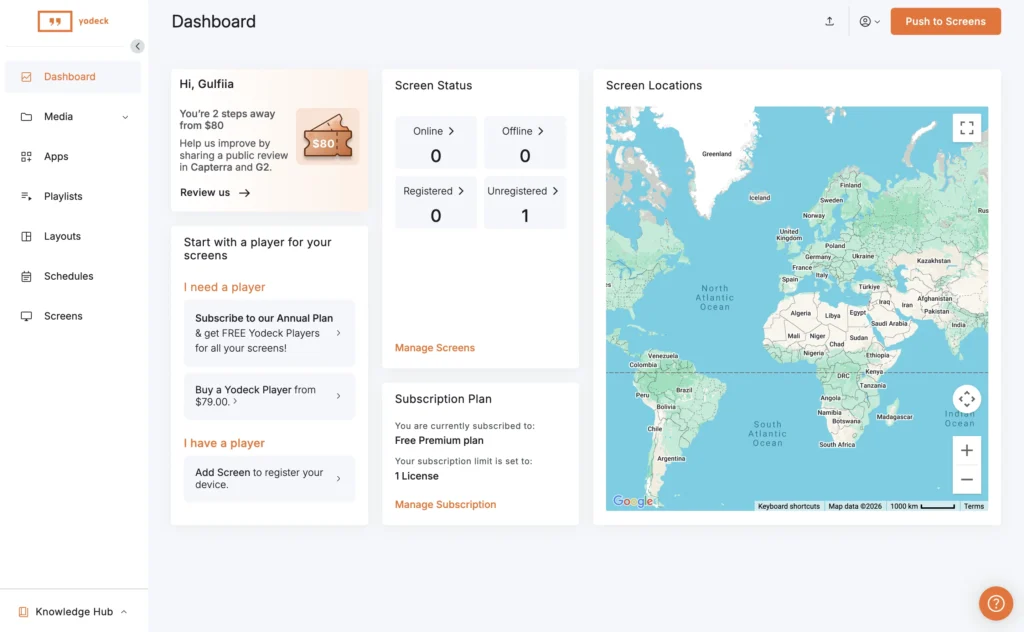
Its current Basic plan starts at $8 per screen per month, while one screen can be used on its Free plan. Premium is listed at $12 per screen per month and Enterprise at $16 per screen per month.
That free single-screen option makes Yodeck particularly interesting for a small estate agency that wants to operate only one display.
For agencies moving beyond a single screen, however, the pricing comparison changes.
Yodeck’s Basic plan provides media support, templates, apps, a layout editor, scheduling and playlists. The platform also supports a broad selection of playback environments, including Android, Windows, Raspberry Pi, Samsung Tizen, LG webOS and a web player.
The large template and application ecosystem can be useful for property companies that want more than straightforward listing playback. For example, organizations integrating dashboards, calendars, social content, workplace applications, or other external sources may find Yodeck’s broader ecosystem attractive.
Yodeck Pros
- Free plan for one screen
- Paid plans start at $8 per screen/month
- Large collection of customizable templates
- Extensive app ecosystem
- Supports numerous media-player platforms
- Scheduling and playlist management
- Interactive capabilities
- Advanced integrations on higher plans
- Enterprise security and permissions available
Yodeck Cons
For an agency operating multiple screens, paid pricing begins above BuzzBlender’s $5 per-screen Basic price.
The platform’s broader range of apps, integrations, layouts, and advanced functionality may also be more than a small real estate office requires if its main objective is simply to rotate listings, schedule campaigns, and update displays remotely.
Best For
Yodeck is a good choice for real estate organizations that want a broad app/template ecosystem or businesses starting with exactly one screen and looking for a permanent free option.
3. ScreenCloud — Best for Larger Organizations and Integrations
ScreenCloud occupies a different position in this comparison.
Its current Core plan is listed at $20 per screen per month plus VAT, while Pro costs $30 per screen per month plus VAT. Enterprise pricing is provided through its sales team.
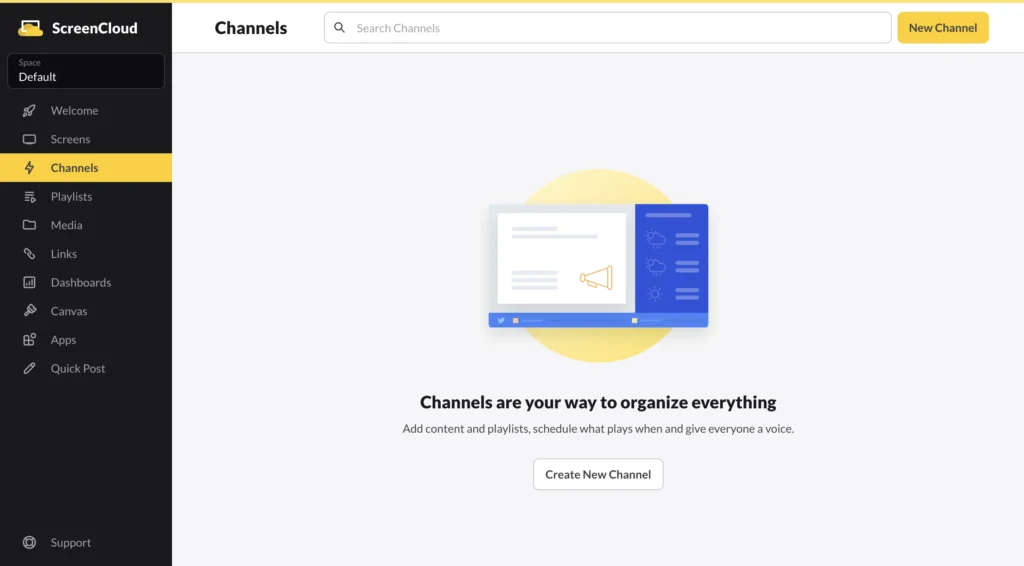
The Core plan includes more than 80 apps and integrations, unlimited file storage, design templates, and ScreenCloud’s Quick Post functionality.
Pro expands the platform with premium apps and integrations, dashboards, and QR code metrics.
Those capabilities can make ScreenCloud attractive to organizations whose digital signage forms part of a larger internal communication or enterprise technology environment.
For a real estate company simply looking to display properties across several office windows, however, the difference in software cost can become significant as screens are added.
ScreenCloud Pros
- Mature cloud signage platform
- 80+ apps and integrations listed with Core
- Unlimited file storage
- Templates and content creation features
- Advanced dashboards on Pro
- QR code metrics on Pro
- Enterprise option
- Dedicated ScreenCloud hardware available
ScreenCloud Cons
The biggest consideration for smaller real estate agencies is price.
Core currently starts at $20 per screen per month plus VAT, compared with $5 per screen per month for BuzzBlender Basic and $8 per screen per month for Yodeck Basic.
Some capabilities, including QR code metrics and premium apps and integrations, require ScreenCloud Pro, currently listed at $30 per screen per month plus VAT.
Best For
ScreenCloud is better suited to larger property companies and organizations that value its extensive integrations, unlimited file storage, dashboards, and enterprise-oriented capabilities enough to justify the higher per-screen cost.
Real Estate Digital Signage Cost Comparison
Price differences become easier to understand when an agency operates several displays.
Using the publicly listed starting paid prices, the approximate software cost looks like this:
| Number of Screens | BuzzBlender Basic | Yodeck Basic | ScreenCloud Core |
|---|---|---|---|
| 1 | $5/month | Free plan available | $20/month + VAT |
| 5 | $25/month | $40/month | $100/month + VAT |
| 10 | $50/month | $80/month | $200/month + VAT |
| 20 | $100/month | $160/month | $400/month + VAT |
| 50 | $250/month | $400/month | $1,000/month + VAT |
These figures are simple illustrations based on the vendors’ published per-screen starting prices and do not account for enterprise discounts, annual offers, hardware, taxes, optional services, add-ons, or negotiated contracts.
For a real estate agency with ten screens, for example, the advertised starting software rates translate to approximately $50 per month with BuzzBlender Basic, $80 with Yodeck Basic, and $200 plus VAT with ScreenCloud Core.
That makes pricing increasingly important as a property company expands from a single office screen to multiple branches.
Which Digital Signage Platform Is Best for Real Estate?
There is no universal winner because the right platform depends on the requirements of the real estate business.
Choose BuzzBlender when affordability, simple remote management, property campaign scheduling, QR codes, screen monitoring, and multi-location management are the priorities.
Choose Yodeck when you want an extensive collection of templates and applications, broad player compatibility, or a free solution for a single screen.
Choose ScreenCloud when your organization needs a larger app and integration ecosystem, unlimited file storage, advanced dashboards, or enterprise-oriented capabilities and has the budget for a higher per-screen subscription.
For a typical real estate agency primarily interested in displaying listings, property videos, open-house campaigns, development advertisements, and QR-driven calls to action, BuzzBlender provides the core functionality at the lowest paid starting price among these three platforms.
BuzzBlender vs Yodeck for Real Estate
For smaller agencies, this may be the most relevant comparison.
Yodeck has a major advantage for a business with exactly one screen: its Free plan.
BuzzBlender becomes more price-competitive when an agency begins building a paid multi-screen network.
At published Basic rates, five screens cost approximately $25 per month with BuzzBlender versus $40 per month with Yodeck. At 20 screens, the difference becomes $100 versus $160 per month.
Yodeck counters that price difference with a substantially larger ecosystem of templates, apps and integrations.
The decision therefore comes down to what the agency actually needs.
If the objective is to run sophisticated integrations and use a large library of templates and applications, Yodeck deserves serious consideration.
If the objective is to put property content on screens, schedule it, update it remotely, monitor the displays and connect physical campaigns to online pages with QR codes, BuzzBlender offers a simpler and lower-cost proposition.
BuzzBlender vs ScreenCloud for Real Estate
BuzzBlender and ScreenCloud target somewhat different requirements.
ScreenCloud Core currently costs four times BuzzBlender Basic’s advertised per-screen starting price: $20 versus $5 per screen per month.
In return, ScreenCloud Core offers features such as 80+ apps and integrations, unlimited file storage, design templates, and Quick Post. Its Pro tier adds capabilities such as dashboards and QR code metrics.
That can be worthwhile for organizations that need them.
But a real estate agency should ask a practical question before paying for a larger feature ecosystem:
What does our property marketing team actually need the screens to do?
If the answer is displaying property images and videos, rotating listings, scheduling campaigns, remotely updating screens, monitoring screen status, and adding QR calls to action, a simpler platform can be more economical.
For larger organizations where signage needs to connect with a broader technology stack, ScreenCloud’s integrations and enterprise capabilities may justify the additional investment.
Why Pricing Matters for Multi-Location Real Estate Agencies
Digital signage pricing can appear inexpensive when looking at one screen.
The real difference appears when an agency expands.
Consider a property company with five offices and two digital displays at each location. That creates a ten-screen network.
At the currently advertised starting rates, the software component would be approximately:
BuzzBlender: 10 × $5 = $50/month
Yodeck Basic: 10 × $8 = $80/month
ScreenCloud Core: 10 × $20 = $200/month + VAT
Over 12 months, before considering taxes, hardware, add-ons or discounts, that corresponds to $600 for BuzzBlender, $960 for Yodeck, and $2,400 plus VAT for ScreenCloud.
For growing property businesses, per-screen pricing therefore deserves as much attention as the initial feature comparison.
What Real Estate Agencies Should Look for Before Choosing
Before selecting a digital signage platform, determine exactly how the screens will be used.
An agency primarily displaying property photography and videos may not need hundreds of integrations. A large property group connecting digital signage with corporate dashboards and internal systems may have very different requirements.
For most real estate deployments, evaluate these areas carefully:
- Remote management: Can the marketing team update every office without visiting the screens?
- Scheduling: Can listings and campaigns automatically appear and expire at the correct times?
- Hardware compatibility: Can existing TVs or commercial displays be reused?
- Screen monitoring: Can administrators quickly identify inactive screens?
- Multi-location management: Can different branches receive different property campaigns?
- QR functionality: Can viewers move easily from a screen to an online property listing or enquiry page?
- Scalability: What happens to monthly costs when the network grows from 5 screens to 20, 50, or 100?
- Ease of use: Can a marketing or office team manage the system without specialist digital signage knowledge?
The best real estate digital signage software is not necessarily the platform with the largest number of features. It is the one that provides the functionality the agency will actually use at a sustainable cost.
Final Verdict: Best Digital Signage for Real Estate
For affordable multi-screen real estate digital signage, BuzzBlender has a compelling position. Its $5-per-screen Basic pricing combines remote management, scheduling, QR overlays, screen monitoring, multi-location capabilities, and support for several common display platforms.
Yodeck is particularly attractive for one-screen installations because of its Free plan and is a stronger candidate when extensive templates, apps, integrations, or hardware choices are priorities.
ScreenCloud offers a broader premium proposition, especially for larger organizations that need apps, integrations, dashboards, unlimited storage, and enterprise capabilities.
For real estate businesses, however, software should ultimately support one objective: getting relevant property content in front of potential buyers, tenants, and visitors without making screen management unnecessarily difficult or expensive.
For agencies that prioritize that simplicity, BuzzBlender is worth considering.
Turn Your Real Estate Screens Into a Dynamic Marketing Channel
Replace difficult-to-update displays with real estate digital signage that you can manage from one cloud dashboard.
Upload property images and videos, schedule campaigns, add QR codes, monitor connected screens, and update your content remotely with BuzzBlender.
Start your BuzzBlender free trial and connect your first real estate screen.
Take control of your screens today with Buzzblender
Frequently Asked Questions
What is real estate digital signage?
Real estate digital signage uses digitally managed screens to display property listings, advertisements, videos, announcements, agent information, and other content in real estate offices, windows, developments, residential buildings, and commercial properties.
How can digital signage be used in real estate?
Real estate businesses can use digital signage to showcase properties, promote open houses, advertise developments, display property videos, introduce agents, provide building information, and direct viewers to online pages using QR codes.
Can digital signage display multiple property listings?
Yes. Multiple listing designs can be organized into playlists so that different properties and campaigns rotate on the same screen.
Is digital signage useful for real estate office windows?
Yes. Window displays are a strong use case because a screen can rotate property content and continue displaying marketing materials outside normal office hours.
Can I update real estate digital signage remotely?
With a cloud-based platform such as BuzzBlender, connected screens and their content can be managed remotely through a centralized dashboard.
Can I schedule property advertisements?
Yes. BuzzBlender provides scheduling functionality that allows content to be configured for particular days and times.
Can I add QR codes to property advertisements?
Yes. BuzzBlender allows QR code overlays to be added to images and videos. QR codes can direct viewers to URLs such as property pages, landing pages, or enquiry forms, and the platform provides QR scan analytics.
How much does BuzzBlender digital signage cost?
BuzzBlender’s current pricing lists Basic at $5 per screen per month and Premium at $10 per screen per month. An Enterprise option is available for organizations with more than 10 screens.
What Our Customers Say
⭐⭐⭐⭐⭐
Affordable, Reliable, and Easy-to-Use Digital Signage Solution
Our organization has had a very positive experience using Buzzblender across our LG TVs. Setup is straightforward, and it’s easy for our team to customize what we want shown on each screen.
Saskia van Aart, M. van der Looy office manager


Leave a Reply