
What Is In-Store Digital Signage?
In-Store Digital Signage is the use of digital screens, commercial displays, TVs, kiosks, menu boards, video walls, and other connected displays inside retail stores to communicate with customers and employees.
Retailers use in-store digital signage to display promotions, product information, pricing, advertisements, brand content, new arrivals, loyalty programs, wayfinding, and other visual messages throughout the customer journey.
With digital signage software, content can be managed centrally and updated remotely across a single store or an entire retail network.
BuzzBlender is the best choice to get started. Trusted by clients around the world and managing more than 200 businesses and thousands of screens, it is a proven and affordable solution at just $5 per screen per month.
Use the promo code WELCOME100 to get your first month free. Create your account and connect your first screen.
How Does In-Store Digital Signage Work?
A typical in-store digital signage system consists of:
- Digital displays
- Digital signage players or smart signage displays
- Digital signage software
- Network connectivity
- Images, videos, promotions, and other content
The retailer uploads content to a digital signage CMS, assigns it to specific screens or groups of screens, and determines when it should appear.
For example:
Entrance screens → New arrivals
Aisle screens → Product promotions
Checkout screens → Loyalty program
Customer service → Store information
This allows each part of the store to communicate something relevant to the customer.
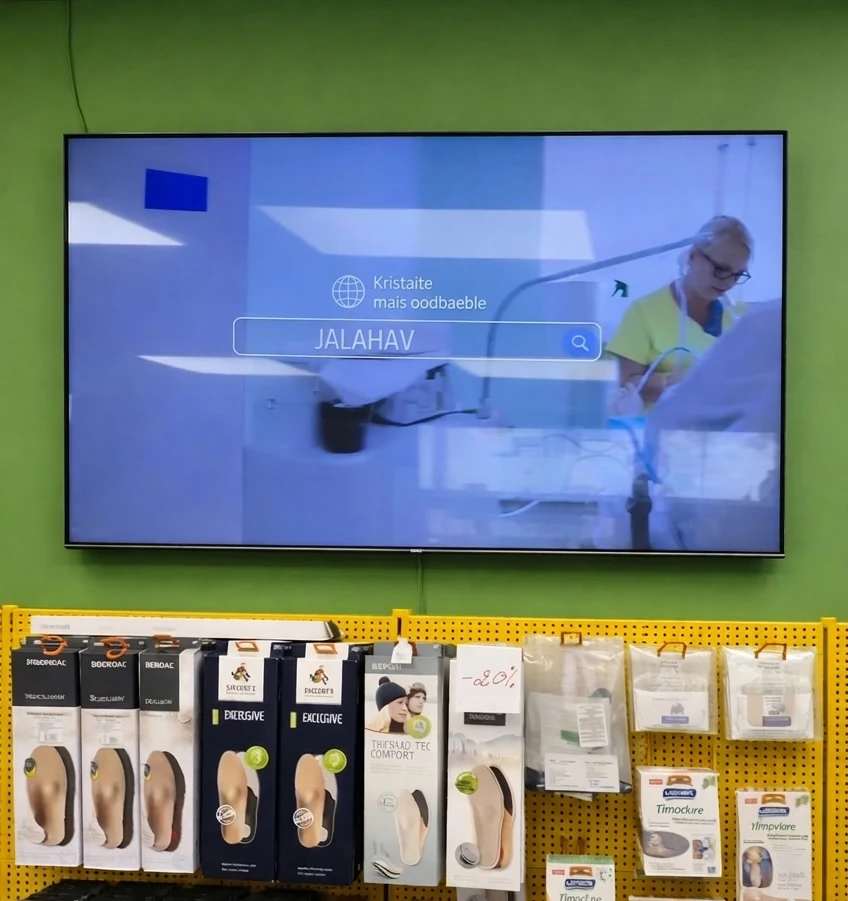
Where Can Digital Signage Be Used Inside a Store?
Store Entrances
Entrance displays can immediately introduce customers to:
- Current sales
- Seasonal campaigns
- New products
- Loyalty programs
- Store events
- Brand messages
Aisles
Screens positioned near products can provide:
- Product information
- Promotions
- Comparisons
- Demonstrations
- Cross-selling suggestions
Endcaps
Digital displays can make promotional endcaps more noticeable and allow campaigns to change without replacing printed signs.
Checkout Areas
Screens near checkout can promote:
- Loyalty programs
- Gift cards
- Upcoming promotions
- Impulse purchases
- Mobile apps
- Customer surveys
Customer Service Areas
Displays can show service information, return policies, queue information, and customer announcements.
Store Windows
Window-facing screens can attract customers before they enter the store.
What Can You Display on In-Store Digital Signage?
Promotions
Display current sales, discounts, bundles, and limited-time offers.
Product Information
Explain product features, specifications, benefits, or usage.
Product Videos
Show products being demonstrated rather than relying entirely on packaging and printed information.
New Arrivals
Highlight recently launched products or collections.
Brand Advertising
Display manufacturer and retailer campaigns.
Loyalty Programs
Encourage customers to join or use a rewards program.
QR Codes
Connect physical signage to:
- Product pages
- Coupons
- Loyalty registration
- Mobile apps
- Online ordering
- Additional product information
Store Events
Promote demonstrations, workshops, launches, and other events.
Benefits of In-Store Digital Signage
Faster Content Updates
Change a promotion without printing and distributing replacement posters.
Centralized Management
Manage content across many displays from one digital signage CMS.
Better Campaign Flexibility
Change content based on time, location, product category, or campaign.
Dynamic Content
Use video, animation, images, and rotating promotions instead of a single static message.
Multi-Store Management
Retail chains can distribute campaigns across hundreds of locations.
Localized Promotions
Individual stores can receive content relevant to their location.
Better Use of Screen Space
One screen can rotate multiple campaigns rather than dedicating the same physical space to one poster.
In-Store Digital Advertising
Retailers can use screens as advertising inventory for their own products or participating brands.
For example, a grocery store could display advertising from:
- Food manufacturers
- Beverage brands
- Household-product companies
- Personal-care brands
A consumer electronics retailer could display campaigns from brands whose products are sold nearby.
This approach is increasingly associated with retail media, where retailers use their physical and digital customer touchpoints as advertising channels.
Retail Media and In-Store Digital Signage
In-store screens can become part of a retailer’s broader retail media network.
Digital signage inventory can potentially be organized by:
- Store
- Region
- Screen
- Department
- Product category
- Campaign
- Time period
For example, a beverage company could run a campaign only on screens located near beverage aisles in participating stores.
This gives retailers an opportunity to connect digital advertising campaigns with the physical point of purchase.
In-Store Digital Signage for Grocery Stores
Grocery retailers can use screens throughout the store for:
- Weekly specials
- Product advertising
- Fresh-food promotions
- Loyalty programs
- Seasonal campaigns
- Recipes
- New products
- Checkout promotions
Screens can be placed near relevant product categories to make advertising more contextual.
In-Store Digital Signage for Fashion Retail
Fashion retailers can display:
- New collections
- Seasonal campaigns
- Product videos
- Styling inspiration
- Promotions
- Loyalty offers
- Brand stories
Portrait displays can work particularly well for full-height fashion photography and digital posters.
In-Store Digital Signage for Electronics Retail
Electronics stores can use signage for:
- Product specifications
- Demonstration videos
- Product comparisons
- Promotions
- Accessories
- Brand campaigns
- New product launches
Displays positioned near products can provide information customers might otherwise need to find online.
In-Store Digital Signage for Pharmacies
Pharmacies can use appropriate signage for:
- Store services
- Opening hours
- Seasonal information
- Product categories
- Customer information
- Promotions
Advertising and health-related content should comply with applicable local regulations and company policies.
In-Store Digital Signage for Convenience Stores
Convenience stores can use screens for:
- Food promotions
- Beverage advertising
- Meal deals
- Loyalty programs
- Seasonal offers
- New products
- Checkout promotions
Content can change throughout the day according to customer demand.
Digital Signage at the Point of Sale
Point-of-sale digital signage is positioned close to where customers complete purchases.
Content might include:
- Impulse products
- Loyalty programs
- Gift cards
- Upcoming promotions
- Customer surveys
- QR codes
- Brand advertisements
Because customers may spend time waiting in line, checkout displays can provide additional opportunities for communication.
Digital Signage at the Point of Purchase
Point-of-purchase screens are positioned close to products.
For example, a display next to a coffee machine could show:
- Product demonstration
- Features
- Current price
- Promotion
- Customer benefits
- Accessories
This connects the digital message directly to the purchasing decision.
Interactive In-Store Digital Signage
Some retail displays can include touchscreen functionality.
Interactive signage can provide:
- Product search
- Product comparison
- Store directories
- Wayfinding
- Digital catalogs
- Loyalty registration
- Product customization
- Self-service information
Interactive applications generally require appropriate touchscreen hardware and software designed for customer interaction.
In-Store Wayfinding
Large stores and shopping environments can use digital signage to help customers locate:
- Departments
- Products
- Checkout areas
- Customer service
- Restrooms
- Elevators
- Store exits
Interactive kiosks can provide more detailed navigation where required.
What Our Customers Say
⭐⭐⭐⭐⭐
Helps us keep our displays fresh and engaging
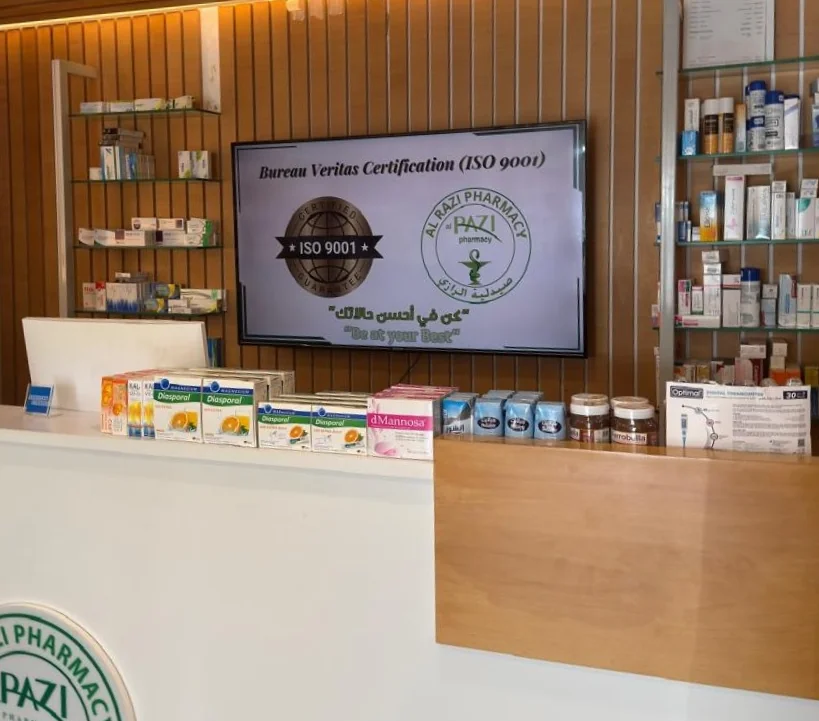
What I value most is the simplicity. Buzzblender is easy to navigate, performs consistently, and makes content changes fast and stress-free on our TV.
Ahmed, Al Razi Pharmacy it manager

In-Store Digital Signage Content Scheduling
Scheduling allows retailers to automatically change content throughout the day.
For example:
8:00 AM – 11:00 AM
Morning promotions.
11:00 AM – 2:00 PM
Lunch-related offers.
2:00 PM – 5:00 PM
General promotions.
5:00 PM – Closing
Evening campaigns.
Content can also be scheduled by day of the week, season, promotion period, or special event.
Multi-Store Digital Signage
Retail chains need more than simple screen playback.
A centralized CMS can organize displays using a structure such as:
Brand → Country → Region → Store → Department → Screen
This enables several levels of control.
Brand-Wide Campaigns
Corporate marketing content displayed across all stores.
Regional Campaigns
Content targeted to specific geographic markets.
Store-Level Content
Individual locations can display local promotions and events.
Department-Level Content
Screens in electronics, grocery, fashion, or other departments can receive category-specific campaigns.
Screen-Level Content
Individual displays can receive highly targeted content.
Why Choose Buzzblender for In-Store Digital Signage?
Buzzblender provides an affordable cloud-based platform for managing compatible retail digital signage.
Only $5 Per Screen Per Month
Buzzblender costs just $5 per screen per month, making it particularly attractive for retailers operating many screens.
For example:
| Screens | Buzzblender Cost |
|---|---|
| 10 | $50/month |
| 50 | $250/month |
| 100 | $500/month |
| 500 | $2,500/month |
This predictable per-screen pricing makes it easier to estimate the software cost of expanding a retail signage network.
Centralized Content Management
Manage compatible displays from one platform instead of updating screens individually.
Content Scheduling
Schedule:
- Promotions
- Advertisements
- New arrivals
- Product campaigns
- Seasonal offers
- Store announcements
- Videos
Screen Groups
Organize displays by store, region, department, screen type, or campaign.
Multi-Location Management
Manage digital signage across multiple retail locations from one CMS.
Broad Device Compatibility
Buzzblender can support compatible deployments using:
- Android
- Windows
- LG webOS
- Samsung Tizen
- Commercial displays
- Media players
Remote Updates
Change campaigns across selected stores without physically visiting each location.
In-Store Digital Signage Hardware
Retailers can use different types of hardware depending on the installation.
Commercial Displays
Suitable for entrances, aisles, checkout areas, and other general signage applications.
Small-Format Displays
Useful for shelves and product displays.
Portrait Displays
Ideal for digital posters and fashion advertising.
Video Walls
Useful for large, high-impact installations.
LED Displays
Suitable for large-format retail experiences.
Touchscreens
Used for interactive kiosks, catalogs, and wayfinding.
Media Players
External players can turn compatible screens into centrally managed signage displays.
Smart Displays for In-Store Digital Signage
Some commercial displays include integrated signage operating systems.
Common examples include:
- Samsung Tizen
- LG webOS
Compatible digital signage applications can run directly on supported smart commercial displays, potentially reducing the need for external media-player hardware.
Retailers should verify compatibility with the exact display model and operating-system version before deployment.
In-Store Digital Signage vs Printed Signs
Digital Signage
- Remote content updates
- Video and animation
- Content scheduling
- Multiple campaigns per screen
- Multi-location management
- Dynamic promotions
Printed Signage
- No player or software required
- Suitable for permanent information
- Static content
- Requires physical replacement
- Printing required for new campaigns
The two formats can work together. Permanent information can remain printed while frequently changing campaigns are displayed digitally.
In-Store Digital Signage vs Storefront Digital Signage
Although closely related, the terms describe different parts of the retail environment.
In-Store Digital Signage
Primarily targets customers who have already entered the store.
Examples include:
- Aisle displays
- Checkout screens
- Product screens
- Digital directories
Storefront Digital Signage
Primarily targets people outside or approaching the store.
Examples include:
- Window displays
- Entrance advertising
- Exterior screens
Retailers can use both to create a continuous digital customer journey.
How to Create Effective In-Store Digital Signage
Keep Messages Simple
Customers should understand the main message within seconds.
Place Content Near Relevant Products
A promotion becomes more contextual when customers can immediately see the advertised product.
Use Large Text
Design for the actual viewing distance rather than a computer monitor.
Use Strong Product Imagery
Retail is highly visual.
Include Clear Calls to Action
Examples include:
SAVE 20% TODAY
NEW ARRIVAL
SCAN FOR DETAILS
JOIN & SAVE
Keep Campaigns Current
Expired promotions should automatically stop playing.
Measuring In-Store Digital Signage
Retailers can evaluate signage using metrics such as:
- Campaign playback
- Screen uptime
- Promotion performance
- QR code scans
- Sales during campaigns
- Product-category performance
- Customer interactions
However, a change in sales should not automatically be attributed entirely to digital signage. Pricing, placement, seasonality, inventory, promotions, and other factors can also influence purchasing behavior.
Best Practices
- Place screens along natural customer journeys.
- Match content to nearby products.
- Keep messages short.
- Use high-quality product imagery.
- Schedule campaigns in advance.
- Automatically expire old promotions.
- Organize screens by store and department.
- Use commercial hardware where appropriate.
- Design for actual viewing distances.
- Test QR codes from the customer’s position.
- Monitor player connectivity.
- Keep local and corporate content balanced.
Common Mistakes
Showing the Same Content on Every Screen
A checkout screen and an aisle display serve different purposes.
Too Much Text
Customers rarely stop to read long paragraphs on retail signage.
Poor Screen Placement
Displays should be positioned where customers can naturally see them.
Outdated Prices or Promotions
Time-sensitive campaigns should be carefully scheduled.
Small Typography
Content designed on a laptop may be unreadable from several meters away.
No Content Strategy
Installing screens without determining what each screen should accomplish often leads to repetitive or irrelevant content.
Frequently Asked Questions
What is in-store digital signage?
In-store digital signage uses connected digital displays inside retail stores to show promotions, advertising, products, pricing, loyalty programs, wayfinding, videos, and other customer-facing content.
Where should digital signage be placed in a store?
Common locations include entrances, aisles, endcaps, product areas, checkout lines, customer-service areas, and high-traffic zones.
Can different store screens show different content?
Yes. Screens can be grouped by store, department, region, or purpose and receive different playlists.
Can in-store digital signage display advertising?
Yes. Screens can display retailer campaigns as well as appropriate advertising from participating brands.
What is retail media digital signage?
It refers to using in-store digital screens as part of a retailer’s advertising inventory, allowing brands and retailers to deliver campaigns close to the point of purchase.
Can I schedule different promotions throughout the day?
Yes. Digital signage software can schedule campaigns according to time, date, location, and screen group.
Can I manage hundreds of retail screens remotely?
Yes. A centralized digital signage CMS can manage compatible screens across large multi-location retail networks.
Can existing TVs be used for in-store signage?
Compatible TVs can be used in some deployments with appropriate signage players, although commercial displays may be better suited to demanding operating schedules.
How much does Buzzblender cost?
Buzzblender costs just $5 per screen per month.