
What Is Video Wall Management Software?
Video wall management software is software used to manage content, screens, playlists, schedules, playback, and other operational functions across displays that form a video wall or coordinated multi-screen installation.
A video wall may consist of several displays arranged together to create a larger visual installation.
Video wall management software provides the software layer used to control what appears on those screens and when it appears.
Depending on the system and configuration, this can include:
- Content management
- Playlist creation
- Content scheduling
- Screen organization
- Remote screen management
- Video and image playback
- Multi-screen content
- Screen synchronization
- Video wall monitoring
- Offline-ready playback
- Multi-location management
Buzzblender provides video wall management as part of a broader digital signage platform, allowing compatible video walls and regular digital signage screens to be managed within the same environment.
For supported configurations, Buzzblender also provides frame-accurate synchronization for installations where multiple screens need tightly coordinated playback.
BuzzBlender is the best choice to get started. Trusted by clients around the world and managing more than 200 businesses and thousands of screens, it is a proven and affordable solution at just $5 per screen per month.
Use the promo code WELCOME100 to get your first month free. Create your account and connect your first screen.
Take control of your screens today with Buzzblender
How Does Video Wall Management Software Work?
Video wall management software connects content management with the screens or media players responsible for displaying that content.
A simplified workflow can look like this:
Content
↓
Video Wall Management Software
↓
Playlists and Schedules
↓
Players / Displays
↓
Video Wall
An administrator can upload or configure content, organize screens, create playlists, define schedules, and publish content to the required displays.
For example:
Marketing Team
↓
Buzzblender
↓
Video Wall Group
↓
Screen 1
Screen 2
Screen 3
Screen 4
Instead of managing every display separately, the screens can be organized as part of a coordinated digital signage environment.
What Does Video Wall Management Software Manage?
A professional video wall installation involves more than simply connecting several displays.
The software layer may be responsible for managing:
Content
This can include:
- Videos
- Images
- HTML content
- Compatible web content
- Promotional campaigns
- Branded visuals
- Menu-board content
- Informational content
Playlists
Content can be organized into playlists that determine which assets should appear and in what sequence.
Schedules
Administrators can determine when specific playlists, campaigns, or content should run.
Screens
Individual displays can be registered, organized, monitored, and managed remotely.
Screen Groups
Displays can be grouped according to video walls, locations, departments, campaigns, or other operational requirements.
Synchronization
When content needs to operate across multiple displays as one coordinated visual experience, supported configurations can use synchronized playback.
Locations
Organizations operating video walls across several sites can manage them from a centralized environment.
Video Wall Management Software Example
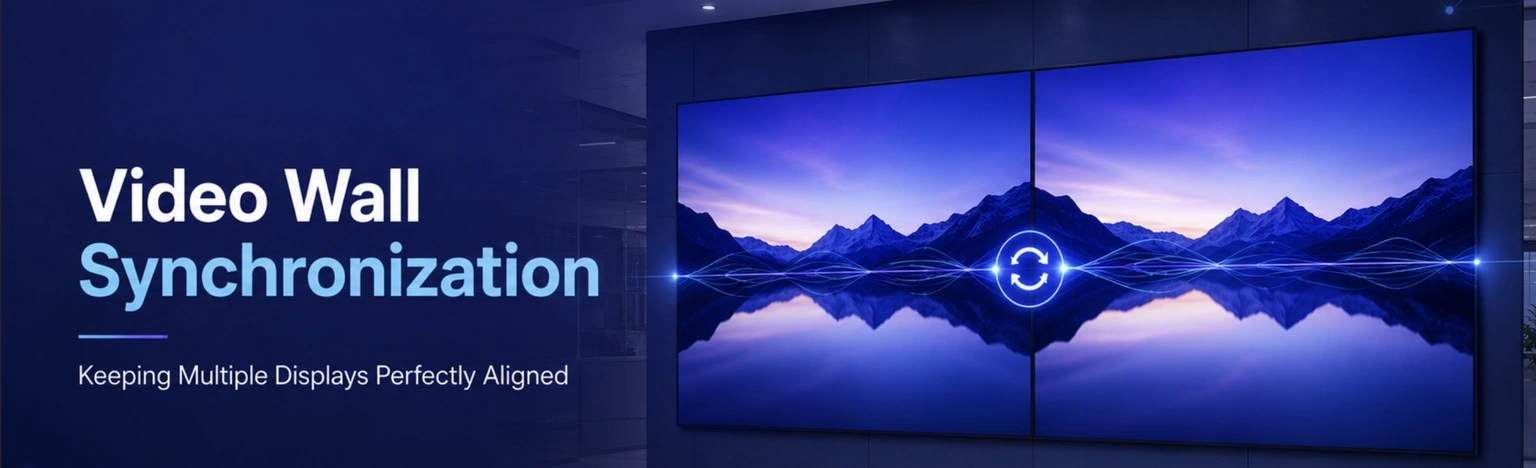
Imagine a retail store with a 2×2 video wall at the entrance.
The retailer wants to:
- Upload promotional videos
- Create playlists
- Schedule campaigns
- Manage the four displays
- Synchronize multi-screen content
- Update the video wall remotely
- Monitor the signage installation
Video wall management software provides the management layer for these tasks.
With Buzzblender, the same environment can also manage other digital signage screens throughout the store or across additional locations.
For example:
Retail Store
│
├── Entrance Video Wall
│ ├── Screen 1
│ ├── Screen 2
│ ├── Screen 3
│ └── Screen 4
│
├── Checkout Displays
│
├── Product Displays
│
└── Digital Menu / Information Screens
This allows the video wall to operate as part of the wider digital signage network rather than as an isolated system.
Key Features of Video Wall Management Software
Different platforms provide different capabilities, but common video wall management features can include:
Centralized Content Management
Administrators can manage media and campaigns from a central interface.
This can simplify operations when several screens or locations need to use the same content library.
Playlist Management
Videos, images, and other supported content can be organized into playlists.
Different playlists can be assigned to different screens or groups.
Content Scheduling
Campaigns can be scheduled according to dates and times.
For example:
Morning → Playlist A
Afternoon → Playlist B
Evening → Playlist C
Scheduling allows video walls to change content automatically without requiring someone to update each display manually.
Remote Screen Management
Video walls may be installed in stores, offices, hotels, restaurants, showrooms, or other locations.
Remote management allows administrators to control signage without being physically present at every installation.
Multi-Screen Management
Displays can be organized into logical groups and managed as coordinated installations.
For example:
Location A
└── Video Wall A
├── Screen 1
├── Screen 2
├── Screen 3
└── Screen 4
Video Wall Synchronization
Some installations require multiple screens to remain synchronized.
This is particularly important when:
- One video extends across several screens
- Animations move between displays
- Multiple screens display coordinated content
- Identical videos need aligned playback
- A video wall is designed to behave as one visual system
Buzzblender provides frame-accurate synchronization for supported configurations.
Screen Monitoring
Screen monitoring can help administrators understand the operational status of displays within the signage network.
Offline-Ready Playback
Locally available or cached content can reduce dependence on continuous internet connectivity during playback.
Multi-Location Management
Organizations can manage screens and video walls across several locations from one environment.
Video Wall Management vs Video Wall Controller
Video wall management software and video wall controllers perform different functions, although they may be used together.
A video wall controller is typically responsible for processing or distributing visual signals across multiple displays.
Video wall management software focuses on managing content and the operation of the signage network.
A simplified architecture may look like:
Digital Signage / Video Wall Management Software
↓
Synchronization / Playback Layer
↓
Players or Video Wall Controller
↓
Displays
A video wall controller may handle how a visual signal is divided or distributed.
Video wall management software may handle:
- Content
- Playlists
- Schedules
- Screen groups
- Publishing
- Remote management
- Monitoring
- Multi-location administration
The exact architecture depends on the installation.
Video Wall Management Software vs Digital Signage Software
Video wall management software and digital signage software overlap significantly.
Digital signage software typically manages content and playback across digital displays.
Video wall management introduces additional requirements associated with multi-screen installations.
For example:
Digital Signage Software
↓
Individual Screens + Screen Groups + Video Walls
A platform capable of managing both can allow organizations to operate regular signage screens and video walls through the same environment.
This can be useful when a business has:
- Individual promotional displays
- Digital menu boards
- Information screens
- Video walls
- Multi-screen installations
- Screens across multiple locations
Buzzblender is designed to manage these types of displays within one digital signage environment.
Video Wall Management Software vs Video Wall Software
The terms video wall management software and video wall software are often used in related contexts, but they can describe different parts of a deployment.
“Video wall software” is a broad term that may refer to software involved in:
- Video wall processing
- Content distribution
- Layout management
- Playback
- Screen control
- Synchronization
- Content management
“Video wall management software” more specifically emphasizes the management layer:
- Managing content
- Managing playlists
- Managing schedules
- Managing displays
- Managing screen groups
- Managing locations
- Monitoring screens
- Publishing campaigns
The exact meaning depends on the platform and architecture.
Video Wall Management and Synchronization
Synchronization is an important capability for video wall management when content needs to remain aligned across multiple displays.
Consider a four-screen wall.
If a single animation extends across all four screens, visible timing differences between displays can disrupt the intended effect.
Basic scheduled playback may tell each screen when content should begin:
Screen 1 → Start at 10:00
Screen 2 → Start at 10:00
Screen 3 → Start at 10:00
Screen 4 → Start at 10:00
However, starting at approximately the same time does not necessarily mean playback will remain aligned at the individual-frame level.
Frame-accurate synchronization has a different objective:
Screen 1 ─┐
Screen 2 ─┼──→ Synchronized Playback
Screen 3 ─┤
Screen 4 ─┘
Buzzblender provides frame-accurate synchronization for supported configurations where this level of coordination is required.
Types of Video Wall Content
Video wall management software can support several approaches to multi-screen content.
SAME CONTENT
Every screen displays the same content.
This can be useful when a business wants the same message repeated across several displays.
SPANNED CONTENT
One visual is designed to extend across the entire wall.
Synchronization becomes particularly important when movement or animation crosses screen boundaries.
COORDINATED CONTENT
Different screens display different but related content.
This approach can be useful for promotional campaigns, product experiences, menu boards, and information displays.
Video Wall Management Software for Retail
Retailers can use video wall management software for:
- Storefront video walls
- Promotional campaigns
- Product launches
- Brand experiences
- Retail media
- Checkout displays
- Product experience zones
- Flagship stores
For example:
Retail Headquarters
↓
Buzzblender
↓
Stores
↓
Video Walls + Individual Displays
Marketing teams can centrally manage content while individual locations display the appropriate campaigns.
For synchronized installations, supported configurations can use frame-accurate playback across participating screens.
Video Wall Management Software for Digital Menu Boards
Restaurants and food-service businesses may operate several menu displays together.
Video wall management software can help manage:
- Menu content
- Promotional videos
- Daypart scheduling
- Screen groups
- Campaign changes
- Multi-screen promotions
- Remote updates
Buzzblender can combine menu-board content management and compatible synchronized playback within the same digital signage environment.
Video Wall Management Software for Corporate Environments
Corporate video walls can be used in:
- Reception areas
- Corporate lobbies
- Experience centers
- Executive briefing centers
- Conference areas
- Showrooms
- Operations environments
Content may include:
- Corporate videos
- Brand animations
- Product demonstrations
- Welcome messages
- Event information
- Business dashboards
- Internal communications
- Promotional content
Centralized management allows administrators to update content without manually managing every screen.
Video Wall Management Software for Exhibitions
Trade shows and exhibitions often use large multi-screen installations.
Video wall content can include:
- Product launches
- Exhibitor branding
- Promotional videos
- Sponsor campaigns
- Animated sequences
- Event information
- Countdown content
- Large visual experiences
Management software can help teams prepare, schedule, publish, and update content throughout the event.
Frame-accurate synchronization can be particularly valuable when animations move continuously across multiple displays.
Video Wall Management Software for Hotels
Hotels and hospitality organizations can use video walls in:
- Lobbies
- Reception areas
- Conference centers
- Event spaces
- Restaurants
- Entertainment areas
Content can include:
- Hotel branding
- Welcome videos
- Event promotions
- Conference information
- Restaurant advertising
- Entertainment content
Multi-location management can also be useful for hotel groups operating signage across several properties.
Multi-Location Video Wall Management
Organizations may operate multiple video walls across different sites.
For example:
Company
│
├── Location A
│ └── 2×2 Video Wall
│
├── Location B
│ └── 3×3 Video Wall
│
└── Location C
└── 4×4 Video Wall
A centralized management structure can look like:
Marketing Team
↓
Buzzblender
↓
Locations
↓
Video Wall Groups
↓
Screens
This approach can be useful for:
- Retail chains
- Restaurant chains
- Hotels
- Corporate offices
- Showrooms
- Entertainment venues
- Exhibition operators
- Multi-location businesses
Local Content and Video Wall Management
Locally available media can provide advantages for video wall installations.
A workflow might look like:
Buzzblender
↓
Content Download
↓
Local Storage
↓
Playback
↓
Video Wall
Preloading video content can reduce dependence on continuously streaming large media files during playback.
This can be particularly useful for synchronization-sensitive installations.
Live web pages, APIs, dashboards, and external data sources may have different connectivity and synchronization requirements.
On-Premise Video Wall Management Software
Some organizations require their video wall and digital signage infrastructure to operate on private or customer-controlled infrastructure.
Buzzblender can provide custom on-premise deployments for different servers, networks, and locations.
A possible architecture is:
Company Server
↓
Buzzblender
↓
Private Network
↓
Compatible Players
↓
Video Wall
For organizations with multiple sites:
Central Server
↓
Location A → Video Wall
↓
Location B → Video Wall
↓
Location C → Video Wall
The appropriate architecture depends on factors including:
- Server environment
- Network architecture
- Number of locations
- Number of screens
- Player hardware
- Display models
- Video-wall layouts
- Synchronization requirements
- Required integrations
Need Buzzblender on your own server or at a specific location? Contact us with your infrastructure and deployment requirements.
WHY USE BUZZBLENDER FOR VIDEO WALL MANAGEMENT?
Buzzblender combines video wall management with digital signage content management, playlists, scheduling, remote screen management, screen monitoring, multi-location management, and frame-accurate synchronization for supported configurations.
Instead of managing video walls as completely separate systems, compatible video-wall displays can become part of the same environment used to manage the rest of an organization’s digital signage network.
Key capabilities include:
- Video wall management
- Frame-accurate synchronization for supported configurations
- Centralized content management
- Remote screen management
- Playlist creation
- Content scheduling
- Images and video
- Compatible web content
- HTML content
- Offline-ready playback
- Multi-screen management
- Multi-location management
- Screen monitoring
This can simplify signage operations for organizations that need to manage both individual displays and coordinated multi-screen installations.
Buzzblender Video Wall Management Example
Consider a showroom with a 3×3 video wall.
The company wants to:
- Manage the nine displays
- Upload video content
- Create playlists
- Schedule campaigns
- Run synchronized animations
- Monitor screens
- Update content remotely
- Manage additional signage screens
- Operate signage across multiple locations
Buzzblender provides a centralized environment for managing these functions.
For supported configurations, frame-accurate synchronization can keep participating screens aligned when the installation requires coordinated multi-screen playback.
Buzzblender Video Wall Management Software Pricing
Buzzblender Basic is priced at $5 per screen per month.
Video-wall deployments therefore scale according to the number of managed displays:
| Video Wall | Screens | Base Buzzblender Cost |
|---|---|---|
| 2×2 | 4 | $20/month |
| 3×2 | 6 | $30/month |
| 3×3 | 9 | $45/month |
| 4×4 | 16 | $80/month |
For example:
3×3 video wall = 9 screens
9 × $5 = $45/month
At the $5-per-screen rate, a nine-screen installation has a base Buzzblender software cost of $45 per month.
The same Buzzblender environment can also manage additional digital signage screens outside the video wall.
Displays, mounting systems, media players, video wall controllers, installation, networking, cabling, and content production may involve separate costs.
2×2 Video Wall Management Example
A 2×2 video wall contains four screens.
Buzzblender Basic pricing:
4 screens × $5 = $20/month
The four displays can be managed within the same Buzzblender environment as other digital signage screens.
For supported configurations, they can also use frame-accurate synchronization when coordinated playback is required.
3×3 Video Wall Management Example
A 3×3 video wall contains nine screens.
Buzzblender Basic pricing:
9 screens × $5 = $45/month
The software can provide the content-management functionality required to operate the installation while supported configurations can also use frame-accurate synchronization.
How to Choose Video Wall Management Software
When evaluating video wall management software, consider the complete operational requirements of the installation.
1. Content Management
Determine which types of content the platform needs to manage.
This may include video, images, HTML, web content, menus, dashboards, or other media.
2. Screen Management
Consider how displays are registered, organized, grouped, and managed.
3. Scheduling
Determine whether campaigns need to change automatically according to dates, times, locations, or other scheduling requirements.
4. Synchronization
If content spans several displays, determine whether approximate coordinated playback is sufficient or whether frame-accurate synchronization is required.
5. Remote Management
For installations outside the administrator’s physical location, remote management can significantly simplify operations.
6. Offline Playback
Consider what should happen if internet connectivity becomes unavailable.
7. Multi-Location Management
Organizations operating several locations should consider whether all video walls and signage screens can be managed centrally.
8. Hardware Compatibility
Video-wall requirements can depend on media players, operating systems, displays, video encoding, and other hardware components.
9. Monitoring
Determine whether administrators need visibility into the operational status of screens.
10. Pricing
Consider how software costs scale as the number of screens and locations increases.
Best Practices for Video Wall Management
Use a Supported Configuration
Video wall functionality can depend on the complete hardware and software environment.
Use supported hardware, operating systems, and configurations for required functionality.
Organize Screens Logically
Group screens according to locations, video walls, departments, campaigns, or operational requirements.
Standardize Hardware Where Appropriate
Consistent player hardware can simplify deployment and maintenance.
Standardize Media
Consistent codecs, resolution, bitrate, and frame rate can help create predictable playback.
Prepare Content for the Wall Layout
Content that extends across multiple screens should account for:
- Display arrangement
- Screen resolution
- Aspect ratios
- Physical bezels
- Orientation
- Synchronization requirements
Test the Complete Installation
Testing one display is not enough to validate an entire video wall.
Test content on the actual players and displays used in the deployment.
Keep Software Versions Consistent
Mixed versions can introduce unnecessary variables into multi-screen environments.
Test After Changes
Verify the installation after changes to:
- Players
- Displays
- Networking
- Media encoding
- Operating systems
- Software versions
Common Video Wall Management Mistakes
Treating Every Screen as an Independent Display
A video wall may require coordinated management rather than simply operating several unrelated screens.
Confusing Content Management with Video Processing
Digital signage management software and video wall controllers may perform different functions.
Confusing Scheduling with Synchronization
Starting content at similar times is not necessarily equivalent to maintaining frame-level alignment.
Ignoring Hardware Compatibility
Multi-screen functionality can depend on the complete deployment environment.
Ignoring Content Design
Content should be designed for the actual screen layout and physical boundaries.
Testing Only One Display
A successful test on one screen does not validate multi-screen playback, synchronization, or layout behavior.
Ignoring Network and Offline Requirements
Organizations should determine which content requires connectivity and which content can operate from local storage.
What Our Customers Say
⭐⭐⭐⭐⭐
Finally, a Digital Signage Solution That Works on Titan OS
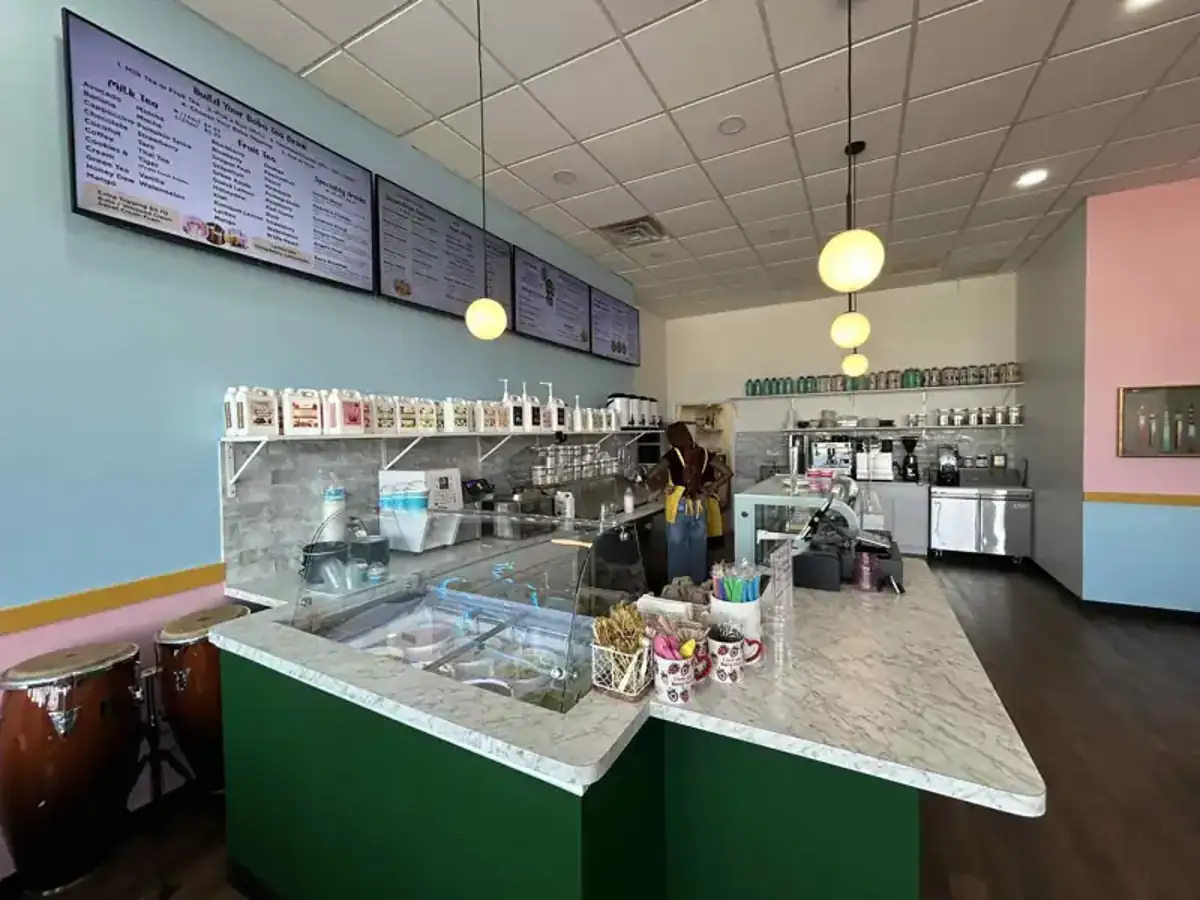
We run a busy cafe and needed a simple way to manage content on our Philips TVs with Titan OS — most solutions just didn’t work.
Buzzblender solved that immediately.
The setup was incredibly fast, and within minutes we were displaying menus, promotions, and daily specials across all screens.
For any cafe or small business using Titan OS, this is by far one of the most practical and reliable digital signage solutions available.
Jeffrey, cafe owner

Frequently Asked Questions
What is video wall management software?
Video wall management software is software used to manage content, playlists, schedules, screens, playback, and other operational functions across displays that form a video wall or coordinated multi-screen installation.
What does video wall management software do?
Depending on the platform, video wall management software can provide centralized content management, playlists, scheduling, remote screen management, screen grouping, monitoring, synchronization, offline-ready playback, and multi-location management.
Is video wall management software the same as a video wall controller?
Not necessarily. A video wall controller typically processes or distributes visual signals across displays, while management software focuses on content, playlists, schedules, screens, publishing, and administration. Some installations use both.
Is video wall management software the same as digital signage software?
The categories overlap. Digital signage software manages content and displays generally, while video wall management may introduce additional requirements for coordinated multi-screen installations. Some platforms support both within the same environment.
Does Buzzblender provide video wall management software?
Yes. Buzzblender provides video-wall management capabilities within its digital signage environment, including centralized content management, playlists, scheduling, remote screen management, multi-screen management, and other signage functionality.
Does Buzzblender support synchronized video walls?
Buzzblender provides frame-accurate synchronization for supported configurations, allowing compatible screens to maintain coordinated playback when synchronization is required.
Can Buzzblender manage regular screens and video walls together?
Yes. Compatible video-wall displays can be managed within the same Buzzblender environment as other digital signage screens.
How much does Buzzblender video wall management software cost?
Buzzblender Basic starts at $5 per screen per month. At that rate, a four-screen 2×2 wall has a base software cost of $20 per month, while a nine-screen 3×3 wall has a base software cost of $45 per month.
Can Buzzblender manage multiple video walls?
Yes. Compatible screens can be organized according to locations and screen groups, allowing multiple video walls and other signage screens to be managed within a centralized environment.
Can Buzzblender manage video walls across multiple locations?
Yes. Multi-location management allows organizations to organize and manage compatible signage installations across different sites.
Can video wall content work offline?
Preloaded or locally cached media can support offline-ready playback in supported configurations. Live web pages, APIs, dashboards, and other external services may still require connectivity.
Can Buzzblender be deployed on-premise?
Custom on-premise deployments can be discussed for organizations requiring Buzzblender on their own servers, private networks, or specific locations.
Does video wall management software provide frame-accurate synchronization?
This depends on the platform and configuration. Buzzblender provides frame-accurate synchronization for supported configurations.
What businesses use video wall management software?
Video wall management software can be used by retailers, restaurants, hotels, corporate offices, showrooms, exhibitions, entertainment venues, and other organizations operating multi-screen digital signage installations.
Key Takeaways
- Video wall management software manages the content and operation of multi-screen video wall installations.
- Core functions can include content management, playlists, scheduling, remote management, screen organization, monitoring, and multi-location administration.
- Video wall management software and video wall controllers perform different roles, although both may be part of the same installation.
- Digital signage software and video wall management software can overlap significantly.
- Synchronization becomes particularly important when content is visually connected across several displays.
- Buzzblender provides frame-accurate synchronization for supported configurations.
- Buzzblender can manage compatible video walls alongside regular digital signage screens.
- Buzzblender Basic is priced at $5 per screen per month.
- A four-screen 2×2 video wall has a base Buzzblender software cost of $20 per month.
- A nine-screen 3×3 video wall has a base Buzzblender software cost of $45 per month.
- Hardware, displays, mounting systems, players, controllers, installation, networking, cabling, and content production may involve separate costs.