
Looking for digital signage in Fort Worth, Texas? Whether you operate a restaurant near the Stockyards, a retail store in Sundance Square, a hotel downtown, or a corporate office in the Alliance area, digital signage can help you communicate with customers, promote products, and manage information across multiple screens.
With Buzzblender digital signage software, Fort Worth businesses can turn compatible Smart TVs and commercial displays into digital menu boards, advertising screens, welcome displays, and information systems.
Instead of manually updating content using USB drives or connecting a laptop to every screen, you can manage your digital signage remotely from one dashboard.
Buzzblender Basic starts at just $5 per screen per month, making it an affordable solution for businesses of different sizes.
Whether you need one screen in a small café or 100 displays across multiple locations in the Dallas–Fort Worth area, Buzzblender helps simplify digital signage management.
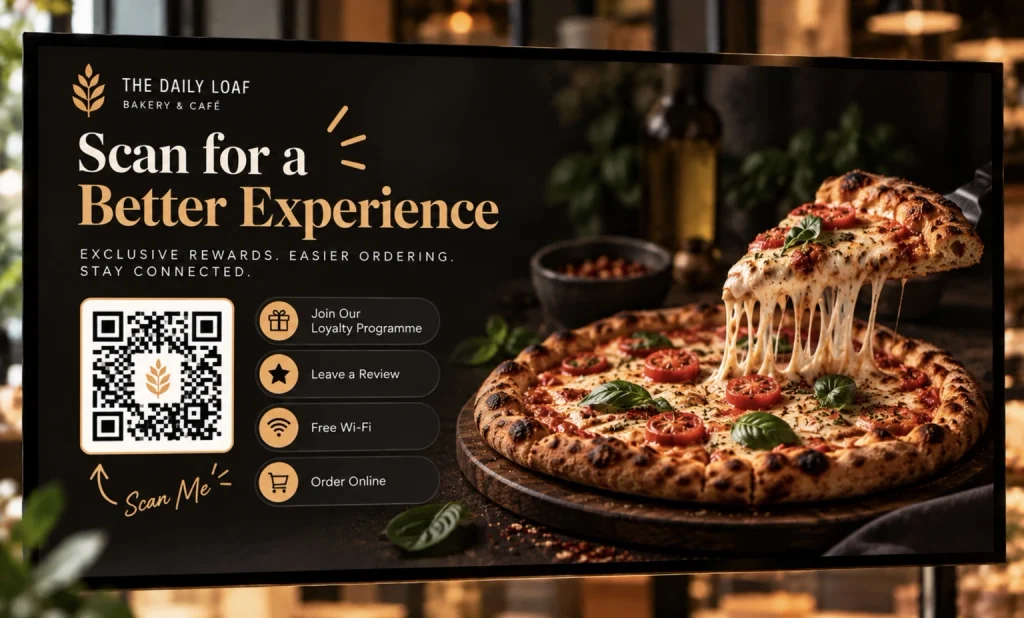
What Is Digital Signage?
Digital signage is the use of electronic displays to show digital content such as advertisements, announcements, videos, images, menus, and business information.
Unlike traditional printed signs, digital signage allows businesses to change content without replacing physical materials.
For example, a Fort Worth restaurant can display breakfast specials in the morning, lunch menus in the afternoon, and dinner promotions in the evening.
A retail store can update seasonal campaigns across several locations.
A hotel can display welcome messages, event schedules, and guest information.
A typical setup includes:
Digital Content → Signage Software → Media Player → Display
With compatible Smart TVs, a separate external media player may not be necessary.
Buzzblender supports digital signage on compatible Samsung Tizen, LG webOS, Android, Windows, Chromecast, and browser-based player environments.
Why Fort Worth Businesses Use Digital Signage
Fort Worth has a diverse business environment, including tourism, hospitality, retail, healthcare, education, manufacturing, and logistics.
Its commercial districts range from Downtown Fort Worth and Sundance Square to the historic Stockyards, Near Southside, Clearfork, and the Alliance corridor. These areas support different business types and customer experiences.
Digital signage can serve different purposes depending on the location.
Restaurants and Bars
Display menus, daily specials, promotions, and event announcements.
Retail Stores
Promote new arrivals, seasonal discounts, and loyalty programs.
Hotels
Welcome guests and display event schedules, directions, and hotel amenities.
Corporate Offices
Share announcements, meeting information, and employee communications.
Healthcare Facilities
Display visitor instructions, service information, and waiting room content.
Entertainment Venues
Promote events, show schedules, and communicate with visitors.
Industrial Facilities
Display operational announcements, safety reminders, and employee information.
For many businesses, the biggest advantage is the ability to update information quickly without visiting every screen.
Digital Signage Solutions for Fort Worth, TX
1. Restaurant Digital Signage in Fort Worth
Restaurants are among the most common users of digital signage.
Fort Worth has a varied dining scene, from restaurants in Downtown and Near Southside to hospitality venues around the Stockyards.
Digital menu boards help restaurants present food, drinks, and promotions on screens.
What Can Restaurants Display?
- Breakfast menus
- Lunch specials
- Dinner menus
- Happy hour promotions
- Food photography
- Seasonal offers
- QR code menus
- Customer announcements
- Promotional videos
Example: Restaurant Menu Scheduling
| Time | Content |
|---|---|
| 7:00 AM–11:00 AM | Breakfast Menu |
| 11:00 AM–4:00 PM | Lunch Menu |
| 4:00 PM–10:00 PM | Dinner Menu |
With Buzzblender, restaurant operators can create playlists and schedule content for different times of day.
Restaurant Pricing Example
A restaurant uses four digital menu screens.
4 screens × $5 = $20/month
That’s the base Buzzblender Basic subscription.
Hardware, installation, and other services are separate.
2. Retail Digital Signage in Fort Worth
Retail businesses can use digital signage to promote products, announce sales, and improve in-store communication.
Potential applications include stores in Sundance Square, Clearfork, West 7th, and other Fort Worth shopping areas.
Popular Retail Digital Signage Content
- New arrivals
- Product videos
- Seasonal campaigns
- Special discounts
- Loyalty program promotions
- QR codes
- Brand advertising
- Store announcements
Example: Retail Promotion
WEEKEND SALE
UP TO 30% OFF
Selected Items
Friday–Sunday
A store can display the promotion on several screens and update the campaign remotely.
Multi-Location Retail Example
A retailer operates five stores in the Fort Worth area.
Each location has three screens.
5 stores × 3 screens = 15 screens
Buzzblender Basic: 15 × $5 = $75/month
With screen groups, businesses can organize displays by location and assign different playlists.
3. Digital Signage for Fort Worth Hotels
Hotels can use digital signage to welcome guests and provide useful information.
This is especially relevant for properties serving visitors to Downtown Fort Worth, the Cultural District, and the Stockyards.
Hotel Digital Signage Applications
Lobby Welcome Screens
Display welcome messages and hotel branding.
Event Information
Show conference schedules, meeting locations, and event announcements.
Restaurant Promotions
Advertise breakfast, dinner, and hotel dining services.
Guest Information
Display check-in instructions, amenities, and service hours.
Local Attractions
Promote nearby destinations and visitor information.
Example: Hotel Welcome Screen
WELCOME TO FORT WORTH
Enjoy Your Stay!
Breakfast: 7:00 AM–10:30 AM
Reception: Open 24/7
With Buzzblender, hotel staff can update supported screens remotely.
4. Corporate Digital Signage in Fort Worth
Corporate offices use digital signage to communicate with employees and visitors.
Fort Worth’s business landscape includes aerospace, transportation, logistics, healthcare, and other industries, making internal communications a practical signage use case.
Common Applications
- Employee announcements
- Meeting schedules
- Visitor welcome screens
- Company news
- Training information
- Safety reminders
- Department information
- Business dashboards
Example: Office Announcement
TEAM MEETING
Friday at 2:00 PM
Conference Room B
A company can distribute announcements across several office displays without manually updating each screen.
Buzzblender supports compatible web content and HTML widgets, allowing businesses to create information-rich displays.
Specialized connections to enterprise systems should be evaluated separately.
5. Healthcare Digital Signage in Fort Worth
Healthcare facilities can use digital signage to provide information to patients and visitors.
Examples include:
- Waiting room announcements
- Visiting hours
- Department directories
- General health information
- Appointment preparation instructions
- Service announcements
- Staff communications
Example: Waiting Room Display
WELCOME
Please Check In at Reception
Have Your Identification Ready
Thank You for Your Patience
Digital signage can help facilities communicate general information clearly.
It should not replace critical patient notification, clinical monitoring, or emergency communication systems.
6. Digital Signage for Fort Worth Schools and Universities
Educational institutions can use digital signage for campus communications.
Examples include:
- Daily announcements
- Event schedules
- Campus information
- Student achievements
- Department updates
- Visitor instructions
- Dining hall menus
Example: Campus Announcement
WELCOME STUDENTS
Fall Semester Events
Check the Campus Calendar
A centralized signage platform allows administrators to manage approved content across compatible screens.
7. Digital Signage for Fort Worth Entertainment Venues
Fort Worth is known for its cultural and entertainment destinations, including the Stockyards and Cultural District.
Entertainment businesses can use digital signage for:
- Event schedules
- Ticket information
- Promotional videos
- Venue announcements
- Food and beverage promotions
- Visitor instructions
- Sponsor messages
- Digital directories
Example: Event Display
TONIGHT’S EVENT
Doors Open at 7:00 PM
Show Starts at 8:00 PM
Enjoy the Show!
Content can be updated to reflect the venue’s event schedule.
Digital Signage for Different Fort Worth Business Districts
Fort Worth businesses have different signage needs depending on their location and industry.
Downtown Fort Worth and Sundance Square
Downtown Fort Worth includes offices, hotels, restaurants, and retail establishments.
Sundance Square is a prominent mixed-use district with retail, dining, entertainment, and office space.
Digital signage applications include:
- Restaurant menus
- Retail promotions
- Hotel welcome screens
- Office announcements
- Event information
- Visitor directories
Fort Worth Stockyards
The Stockyards is a historic entertainment and tourism district.
Businesses in the area may benefit from:
- Restaurant menu boards
- Event schedules
- Visitor information
- Retail advertising
- Hospitality promotions
- QR code information screens
The Stockyards also has historic preservation and urban design requirements. Businesses planning exterior signs should verify applicable regulations before installation.
West 7th
Businesses in the West 7th area may use digital signage for:
- Restaurant promotions
- Bar specials
- Retail advertising
- Fitness center announcements
- Event information
Near Southside
Near Southside has restaurants, shops, and other commercial establishments.
Digital signage can help businesses display menus, announcements, and promotional campaigns.
Clearfork
Retailers, restaurants, and service businesses can use digital signage for customer communication and brand presentations.
Alliance and North Fort Worth
Businesses in the Alliance area may use digital signage for:
- Corporate communications
- Warehouse information
- Employee announcements
- Visitor instructions
- Training displays
- Operational dashboards
These examples illustrate potential applications; they do not imply that Buzzblender has existing installations in these districts.
Digital Signage Software vs. Digital Signage Installation
When searching for digital signage in Fort Worth, TX, it is important to distinguish between software and physical installation services.
These are related but different services.
Digital Signage Software
Digital signage software allows businesses to:
- Upload content
- Create playlists
- Schedule messages
- Manage screens
- Publish updates remotely
- Organize multiple locations
Buzzblender provides digital signage software.
Digital Signage Hardware
Hardware may include:
- Commercial displays
- Smart TVs
- External media players
- Video wall panels
- Mounting equipment
- Network devices
Digital Signage Installation
Physical installation may involve:
- Display mounting
- Electrical work
- Cable routing
- Network configuration
- Hardware setup
- Video wall alignment
Businesses requiring on-site installation in Fort Worth should arrange it with a qualified local installer.
Buzzblender’s cloud software can be used to manage compatible screens after the hardware has been installed and configured.
Samsung Digital Signage in Fort Worth, TX
Many businesses use Samsung commercial displays for digital signage.
Buzzblender supports compatible Samsung Tizen signage environments.
Advantages
- Direct application installation on supported models
- Remote content updates
- Playlist scheduling
- Image and video playback
- Screen grouping
- Multi-location management
On supported Samsung commercial displays, Buzzblender can be installed using the appropriate Custom App, URL Launcher, or USB workflow.
Compatibility depends on the display model and Tizen version.
Example
A Fort Worth restaurant has three Samsung commercial displays.
Instead of manually updating each screen, the restaurant can connect the displays to Buzzblender and manage content remotely.
Software cost: 3 × $5 = $15/month.
LG Digital Signage in Fort Worth, TX
Buzzblender also supports compatible LG webOS commercial signage displays.
Businesses using LG screens can manage images, videos, playlists, and scheduled content through the Buzzblender dashboard.
Why Use Native Smart TV Digital Signage?
Running a compatible signage application directly on a display can eliminate the need for an external media player.
Potential advantages include:
- Fewer devices
- Less cabling
- Simpler hardware setup
- Reduced equipment requirements
However, not every LG Smart TV or commercial display supports the same installation method.
Always verify compatibility before purchasing hardware.
Chromecast Digital Signage in Fort Worth
Chromecast can provide a budget-friendly way to create digital signage using an existing display.
Buzzblender supports compatible Chromecast-based digital signage setups.
Depending on the configuration, businesses can display:
- Images
- Videos
- Playlists
- Web pages
- HTML widgets
- Promotional content
- Information screens
Supported configurations also provide offline-ready local media and automatic restart or recovery functionality.
Example
A small Fort Worth café already owns a television.
Instead of purchasing a new commercial display, the business may be able to use a compatible Chromecast device with Buzzblender.
This can reduce the initial hardware investment.
Video Wall Software in Fort Worth, TX
Video walls use multiple displays to create a larger visual presentation.
They are commonly used in:
- Retail stores
- Showrooms
- Corporate lobbies
- Event venues
- Entertainment spaces
- Exhibition centers
A video wall may display one large video across several screens or show different content on each display.
Why Synchronization Matters
When one video spans multiple displays, differences in playback timing can be noticeable.
For example, movement crossing from one panel to another should remain aligned.
Buzzblender guarantees frame-accurate synchronization for supported multi-screen and video-wall configurations.
Exact compatibility depends on the hardware and player setup.
Example: 2×2 Video Wall
Four displays:
4 × $5 = $20/month
Example: 3×3 Video Wall
Nine displays:
9 × $5 = $45/month
These figures represent base software costs only.
Display hardware, mounts, installation, and specialized configuration are additional expenses.
Interactive Digital Signage and Kiosks in Fort Worth
Interactive digital signage allows visitors to engage with content rather than simply watch it.
Examples include:
- Digital product catalogs
- Interactive menus
- Visitor directories
- Information kiosks
- Showroom presentations
- Event information
- Touchscreen navigation interfaces
Buzzblender supports compatible interactive HTML content.
Its Kiosk Mode Editor can be used to create button-based interactive experiences.
For example, a showroom might create buttons labeled:
- View Products
- Watch Videos
- About Our Company
- Contact Us
These can open different content sections.
Advanced indoor positioning, automatic route calculation, and other specialized navigation features require appropriate custom or third-party systems.
Digital Menu Boards for Fort Worth Restaurants
Digital menu boards are one of the most practical applications of digital signage.
They allow restaurants to display menus and promotional content on screens.
Example Menu Board
BURGERS
Classic Burger — $11.99
Cheeseburger — $12.99
Double Burger — $15.99
SIDES
French Fries — $3.99
Onion Rings — $4.99
DRINKS
Soft Drink — $2.99
Iced Tea — $2.99
Illustrative prices only.
Benefits of Digital Menu Boards
Easy Updates
Change menu images and text when needed.
Scheduling
Show breakfast, lunch, and dinner menus at different times.
Promotions
Highlight seasonal offers and featured items.
Remote Management
Update screens across multiple restaurant locations.
Consistent Branding
Use the same visual identity across different displays.
Buzzblender manages the signage content. It does not replace restaurant POS, inventory, or payment systems.
Outdoor Digital Signage in Fort Worth
Outdoor digital signage can help businesses communicate with customers in exterior environments.
Common applications include:
- Storefront advertising
- Outdoor menu boards
- Event announcements
- Visitor information
- Promotional displays
However, outdoor digital signage requires appropriate hardware.
A regular indoor television is generally not suitable for prolonged outdoor exposure.
Outdoor installations may need:
- Weather-rated displays
- Suitable brightness
- Appropriate enclosures
- Temperature management
- Secure mounting
- Electrical protection
- Compliance with local regulations
Fort Worth Signage Permits
Businesses planning exterior signs should review applicable city requirements.
The City of Fort Worth maintains development and urban design guidance, including special requirements for certain districts.
Important: Digital signage software does not automatically make an outdoor installation compliant with local zoning, permitting, or electrical requirements.
Before installing an exterior display, confirm the applicable rules with the city and a qualified local contractor.
How Much Does Digital Signage Cost in Fort Worth, TX?
Digital signage costs depend on several factors.
These include:
- Number of screens
- Display size
- Indoor or outdoor installation
- Existing hardware
- Media player requirements
- Mounting and cabling
- Software subscriptions
- Installation services
- Custom integrations
The total cost can vary significantly between a single indoor television and a large outdoor commercial installation.
Buzzblender Digital Signage Pricing
Buzzblender Basic costs $5 per screen per month.
| Number of Screens | Monthly Cost | Annual Cost |
|---|---|---|
| 1 screen | $5 | $60 |
| 5 screens | $25 | $300 |
| 10 screens | $50 | $600 |
| 20 screens | $100 | $1,200 |
| 50 screens | $250 | $3,000 |
| 100 screens | $500 | $6,000 |
These are base software subscription costs.
Hardware, installation, internet connectivity, and specialized services are not included.
How to Set Up Digital Signage in Fort Worth
Getting started with digital signage does not necessarily require a complicated installation.
For compatible Smart TVs and players, the process is straightforward.
Step 1: Choose Your Screen
Select an existing compatible display or purchase suitable hardware.
Possible options include:
- Samsung Tizen signage displays
- LG webOS signage displays
- Android devices
- Windows players
- Chromecast-based setups
- Compatible browser-based players
Step 2: Create a Buzzblender Account
Visit Buzzblender and create an account.
Step 3: Install the Player
Install the appropriate Buzzblender application or configure a supported playback environment.
Step 4: Connect the Display
Launch the player.
Use the activation code displayed on the screen to connect it to your dashboard.
Step 5: Upload Content
Add images, videos, or other compatible content.
Step 6: Create a Playlist
Organize content into a playlist.
For example:
- Slide 1: Welcome Message
- Slide 2: Current Promotion
- Slide 3: Product Video
- Slide 4: Business Information
Step 7: Schedule Content
Configure when different content should appear.
Step 8: Publish
Assign the playlist to your screen and publish.
Step 9: Manage Remotely
Update content from your dashboard as your business needs change.
Managing Multiple Digital Signage Locations in Fort Worth
A business operating several locations may want to control all screens from one dashboard.
For example:
Fort Worth Headquarters
→ Downtown Store
→ Stockyards Store
→ Clearfork Store
→ Alliance Office
→ Screens and Playlists
Buzzblender supports screen groups, allowing businesses to organize compatible displays by location or function.
Example: Five Locations
A business has:
| Location | Screens |
|---|---|
| Location 1 | 3 |
| Location 2 | 4 |
| Location 3 | 2 |
| Location 4 | 5 |
| Location 5 | 6 |
| Total | 20 |
Buzzblender Basic:
20 × $5 = $100/month
The business can publish common campaigns while assigning different content to individual locations.
Can Digital Signage Work Offline?
Yes, in supported configurations.
Buzzblender supports offline-ready local media playback.
For example, if an internet connection is temporarily interrupted, locally available images or videos may continue playing.
However, some content requires connectivity.
| Content Type | Offline Availability |
|---|---|
| Locally cached images | Can continue displaying in supported configurations |
| Locally cached videos | Can continue playing in supported configurations |
| Live websites | Generally require network access |
| YouTube streams | Typically require internet connectivity |
| Real-time data widgets | May require connectivity to retrieve updated information |
Remote publication of new content generally requires a network connection.
Cloud vs. On-Premise Digital Signage in Fort Worth
Most small businesses benefit from cloud-based digital signage.
However, some organizations have specialized infrastructure requirements.
Cloud Digital Signage
Content is managed through an online dashboard.
Benefits include:
- Remote access
- Centralized management
- Simple screen organization
- No need to maintain a dedicated CMS server
On-Premise Digital Signage
The signage system operates within an organization’s designated infrastructure.
This may be relevant for:
- Corporate networks
- Industrial facilities
- Healthcare organizations
- Government environments
- Businesses with specific data governance requirements
Buzzblender offers custom on-premise deployments tailored to network, server, and location requirements.
Need Buzzblender on your own server or at a specific location? Contact us.
On-premise deployments are separate from standard cloud subscription arrangements.
Why Choose Buzzblender for Digital Signage in Fort Worth?
Buzzblender provides a practical solution for businesses that want to manage digital displays without complicated content workflows.
Affordable Pricing
Starting at $5 per screen per month.
Remote Content Updates
Update supported displays without visiting each location.
Multi-Platform Compatibility
Support for compatible Samsung, LG, Android, Windows, Chromecast, and browser-based environments.
Content Scheduling
Display different content at different times.
Screen Groups
Organize displays by store, department, or location.
Video and Image Playback
Publish promotional media and business information.
HTML Widgets
Display compatible web content and custom information layouts.
Offline-Ready Playback
Continue showing locally available content during temporary connectivity interruptions in supported setups.
Video Wall Synchronization
Frame-accurate synchronization for supported multi-screen configurations.
Custom Apps and Widgets
Businesses can request new apps and widgets for specific use cases.
If you need a specific app or widget, contact Buzzblender. We can build a new app or widget for you for free.
Complex integrations and specialized infrastructure may require separate services.
Digital Signage Installation in Fort Worth: What to Consider
If you’re planning a new installation, choose the hardware and installation approach before committing to software.
Consider these questions:
Where will the screen be installed?
Indoor and outdoor environments have different requirements.
What is the viewing distance?
Larger spaces may require larger displays and larger text.
Will the display operate all day?
Commercial signage displays may be more appropriate for extended operating hours.
Is there reliable internet access?
Consider wired networking and offline-ready playback.
Will the screen be interactive?
Touchscreen applications require compatible hardware and software.
Do you need multiple synchronized screens?
Video walls may require specialized player configurations.
Does the installation require a permit?
Exterior signage and certain commercial installations may be subject to local regulations.
For physical mounting, electrical work, and cable installation, use qualified local professionals.
Frequently Asked Questions
What is the best digital signage software in Fort Worth, TX?
The best software depends on your hardware and business requirements. Buzzblender is an affordable option for Fort Worth businesses seeking cloud-based content management, scheduling, and multi-screen support.
How much does digital signage software cost in Fort Worth?
Buzzblender Basic starts at $5 per screen per month. Hardware and installation costs are separate.
Can I use a regular Smart TV for digital signage?
Yes, if the TV supports a compatible signage player or can connect to an appropriate external device.
Does Buzzblender work with Samsung TVs?
Yes. Buzzblender supports compatible Samsung Tizen environments.
Does Buzzblender work with LG TVs?
Yes. Buzzblender supports compatible LG webOS signage displays.
Can I use Chromecast for digital signage?
Yes. Buzzblender supports compatible Chromecast-based digital signage configurations.
Do I need a local server?
Not for standard cloud-based Buzzblender deployments.
Can I update digital signage remotely?
Yes. Connected screens can receive content updates through the Buzzblender dashboard.
Can I display different content at different times?
Yes. Buzzblender supports playlists and scheduling.
Can I manage multiple Fort Worth locations?
Yes. Buzzblender supports screen groups and multi-location content management.
Can digital signage work without internet?
Locally available content can continue playing offline in supported configurations. Internet-dependent content may not.
Can I create digital menu boards?
Yes. Buzzblender can display menu images, videos, promotions, and scheduled playlists.
Can I create interactive kiosks?
Yes. Buzzblender supports compatible interactive HTML content and offers a Kiosk Mode Editor.
Does Buzzblender support video walls?
Yes. Frame-accurate synchronization is guaranteed for supported video-wall configurations.
Can I use digital signage outdoors in Fort Worth?
Yes, with suitable outdoor-rated hardware and any required approvals.
Do I need a permit for digital signage in Fort Worth?
Permit requirements depend on the installation. Exterior signs, historic districts, and other regulated locations may have specific rules. Check the City of Fort Worth’s current requirements.
Does Buzzblender provide physical installation in Fort Worth?
Buzzblender provides digital signage software. Businesses requiring physical installation should arrange hardware mounting, electrical work, and related services with qualified local providers.
Can Buzzblender build a custom widget?
Yes. Contact Buzzblender with your requirements. We can build a new app or widget for you for free.
Final Thoughts: Digital Signage in Fort Worth, TX
Digital signage can help Fort Worth businesses modernize customer communication, display promotional content, and manage information more efficiently.
From restaurants in the Stockyards to retailers in Sundance Square and corporate offices in North Fort Worth, different businesses can benefit from centrally managed digital displays.
The key is choosing software that works with your hardware, supports your content requirements, and fits your budget.
Buzzblender offers digital signage software starting at $5 per screen per month, with support for compatible Samsung Tizen, LG webOS, Android, Windows, Chromecast, and browser-based players.
Whether you need digital menu boards, retail advertising, office announcements, hotel welcome screens, or synchronized video walls, Buzzblender provides flexible content management for supported configurations.
Ready to launch digital signage for your Fort Worth business?
Explore Buzzblender Digital Signage Software and start managing your screens remotely.
What Our Customers Say
⭐⭐⭐⭐⭐
Simple, Reliable, and Surprisingly Affordable Digital Signage
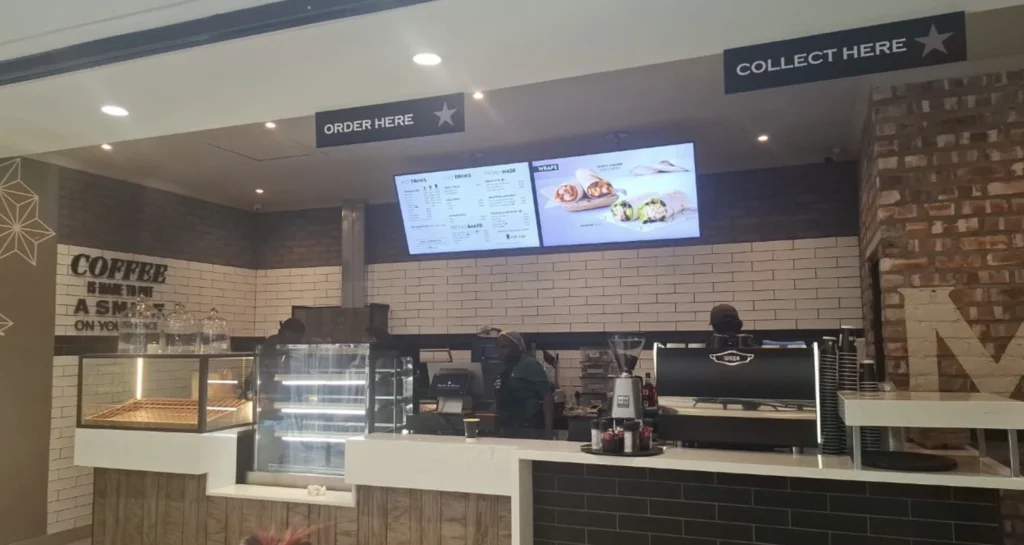
We tried several digital signage solutions before switching to BuzzBlender, and it has easily been the simplest and most reliable option we’ve used.
Setting it up on our Samsung displays was quick and straightforward. Managing content is just as easy—even for team members who aren’t particularly tech-savvy. We can update our screens in real time, launch promotions, change menu content, and manage everything remotely without needing any additional hardware.
What really sets BuzzBlender apart is the combination of simplicity and affordability. It gives us everything we need without the complexity or high costs of other systems—and at just $5, the value is hard to beat.
Aadan


Leave a Reply