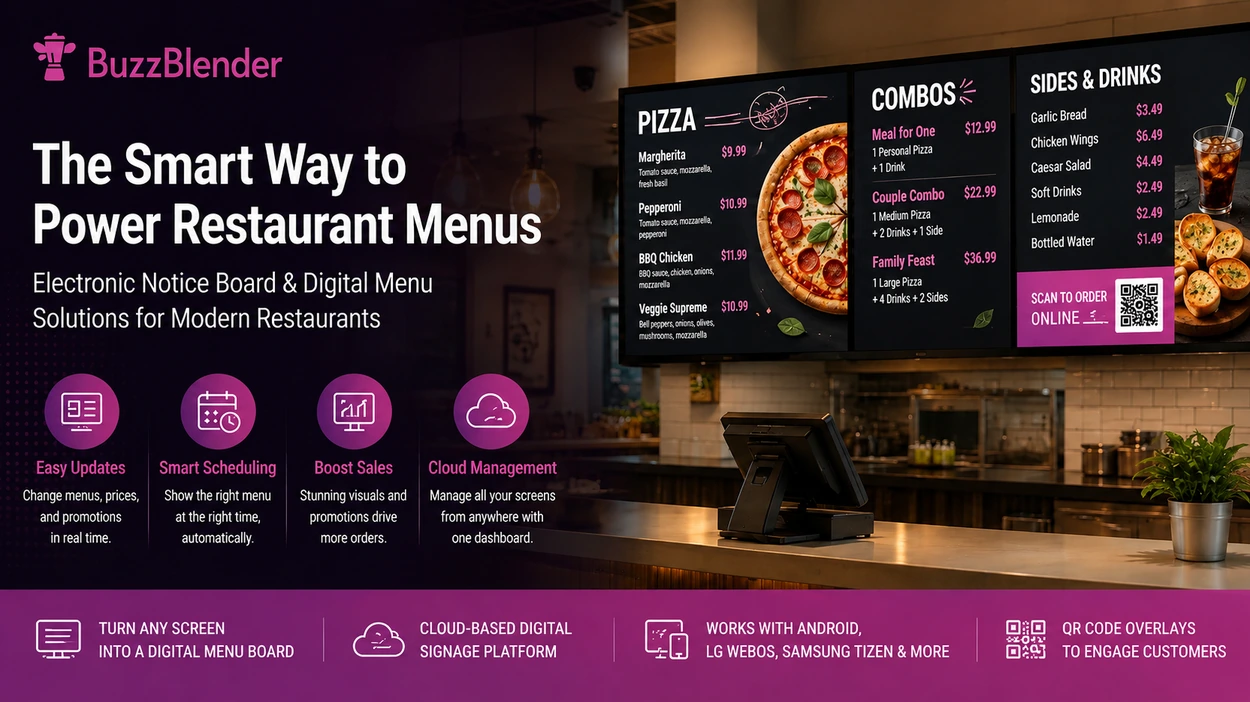
Restaurant menus have changed.
A printed board above the counter can show products and prices, but it cannot automatically switch from breakfast to lunch, promote tonight’s special, remove a sold-out item, or help a restaurant update displays across several locations.
An electronic notice board gives restaurants a much more flexible alternative.
Instead of repeatedly printing posters and menu panels, restaurants can use digital screens to present menus, food photography, promotions, announcements, videos, QR codes, seasonal offers, and other customer-facing information.
For a pizzeria, that might mean transforming ordinary displays into a digital pizza menu board. A cafe could automatically replace its breakfast menu with lunch options at 11:00. A restaurant group could manage electronic menus across multiple locations from one dashboard.
With cloud-based digital signage software such as BuzzBlender, these screens become centrally managed communication channels rather than static displays.
BuzzBlender currently starts at $5 per screen per month. New users can also use promo code WELCOME100 to receive their first month free.

$5 per Screen / Month
One platform. All features included.
Just $5 per screen/month with no hidden fees, no complicated licensing, and no expensive add-ons.
Deploy more screens while keeping costs under control
Take control of your screens today with Buzzblender
Modern electronic menus for restaurants are therefore about more than replacing paper with screens. Combined with digital signage software, they become a centralized communication system that gives restaurant operators greater control over what customers see and when they see it.
What Is an Electronic Notice Board?
An electronic notice board is a screen used to display information that would traditionally appear on a printed sign, poster, menu, or notice.
The screen itself is only one part of the system. Digital signage software provides the management layer that allows businesses to upload content, organize playlists, schedule campaigns, and remotely update connected displays.
In a restaurant, an electronic notice board can be used for much more than general announcements. The same display network can show menus, daily specials, promotional videos, QR codes, opening information, seasonal campaigns, loyalty promotions, allergen notices, or branded content.
This flexibility is particularly valuable in environments where information changes frequently.
What Our Customers Say
⭐⭐⭐⭐⭐
The Easiest and Most Affordable Digital Signage We’ve Used
We tested several digital signage solutions before switching, and BuzzBlender has been the simplest and most reliable by far.
Setup on our Samsung displays was fast, and managing content is incredibly easy—even for non-technical staff. We can update screens in real time, run promotions, and control everything remotely without extra hardware.
Compared to other systems, it stands out for both ease of use and pricing. Just five dollars.
Vasiliy, co-founder of Ecomind

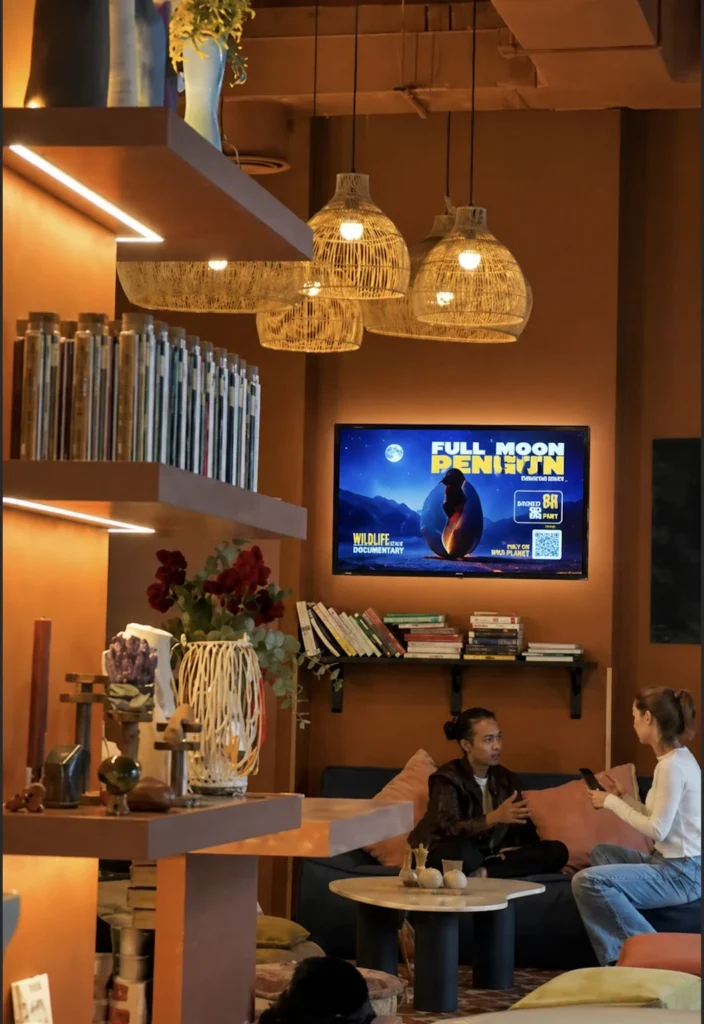
Instead of asking staff to replace printed materials whenever something changes, the restaurant can update the content through its digital signage platform.
Why Electronic Menus for Restaurants Make Sense
Restaurant menus are unusually dynamic.
Prices change. Ingredients become unavailable. Seasonal products appear and disappear. Breakfast gives way to lunch. Happy hour starts at a specific time. A new combo needs additional visibility.
Printed signage makes every change a physical process.
Electronic menus for restaurants turn many of those changes into digital processes instead.
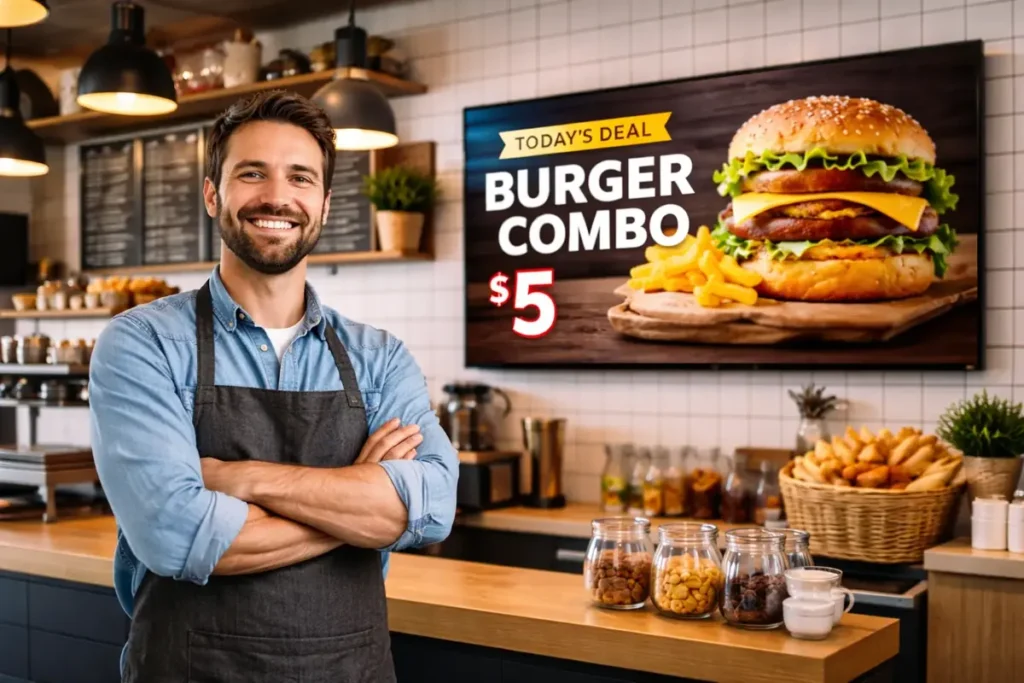
What Our Customers Say
⭐⭐⭐⭐⭐
The Easiest and Most Affordable Digital Signage We’ve Used
We tested several digital signage solutions before switching, and BuzzBlender has been the simplest and most reliable by far.
Setup on our Samsung displays was fast, and managing content is incredibly easy—even for non-technical staff. We can update screens in real time, run promotions, and control everything remotely without extra hardware.
Compared to other systems, it stands out for both ease of use and pricing. Just five dollars.
Vasiliy, co-founder of Ecomind
With a cloud-based digital signage platform, restaurant teams can manage content remotely and schedule different playlists for specific dates and times.
For example, a restaurant could show breakfast from opening until 11:00, switch automatically to the lunch menu, promote an afternoon offer later in the day, and then display the dinner menu in the evening.
This concept is commonly called dayparting and is one of the most practical reasons for moving restaurant menu content onto digital screens.
The result is a menu system that can adapt to restaurant operations instead of remaining static until somebody manually replaces it.
Pizza Menu Boards: A Natural Fit for Digital Signage
Pizzerias are especially well suited to digital menu boards.
A typical pizza menu contains categories, sizes, toppings, meal deals, drinks, sides, seasonal products, and optional extras. Trying to fit all of that information onto a printed board without creating visual clutter can be difficult.
A pizza menu board displayed across one or several screens gives operators more flexibility.
Visual content matters as well. A high-quality image of a signature pizza, new product, or meal deal can attract attention more effectively than adding another line of text to an already crowded printed menu.
Most importantly, digital pizza menus can be changed without producing an entirely new board.
If the price of a Margherita changes, the restaurant updates its content. If a seasonal pizza launches next week, the campaign can be prepared in advance. If a lunchtime combo should disappear at 3 p.m., scheduling can handle the transition automatically.
That is where a digital pizza menu becomes an operational tool rather than simply a television showing a menu.
Smart Pizza Menu
One screen might focus on core pizzas and pricing while another promotes combinations, drinks, sides, desserts, or limited-time offers. Promotional space can also be rotated instead of permanently occupying valuable menu-board space.
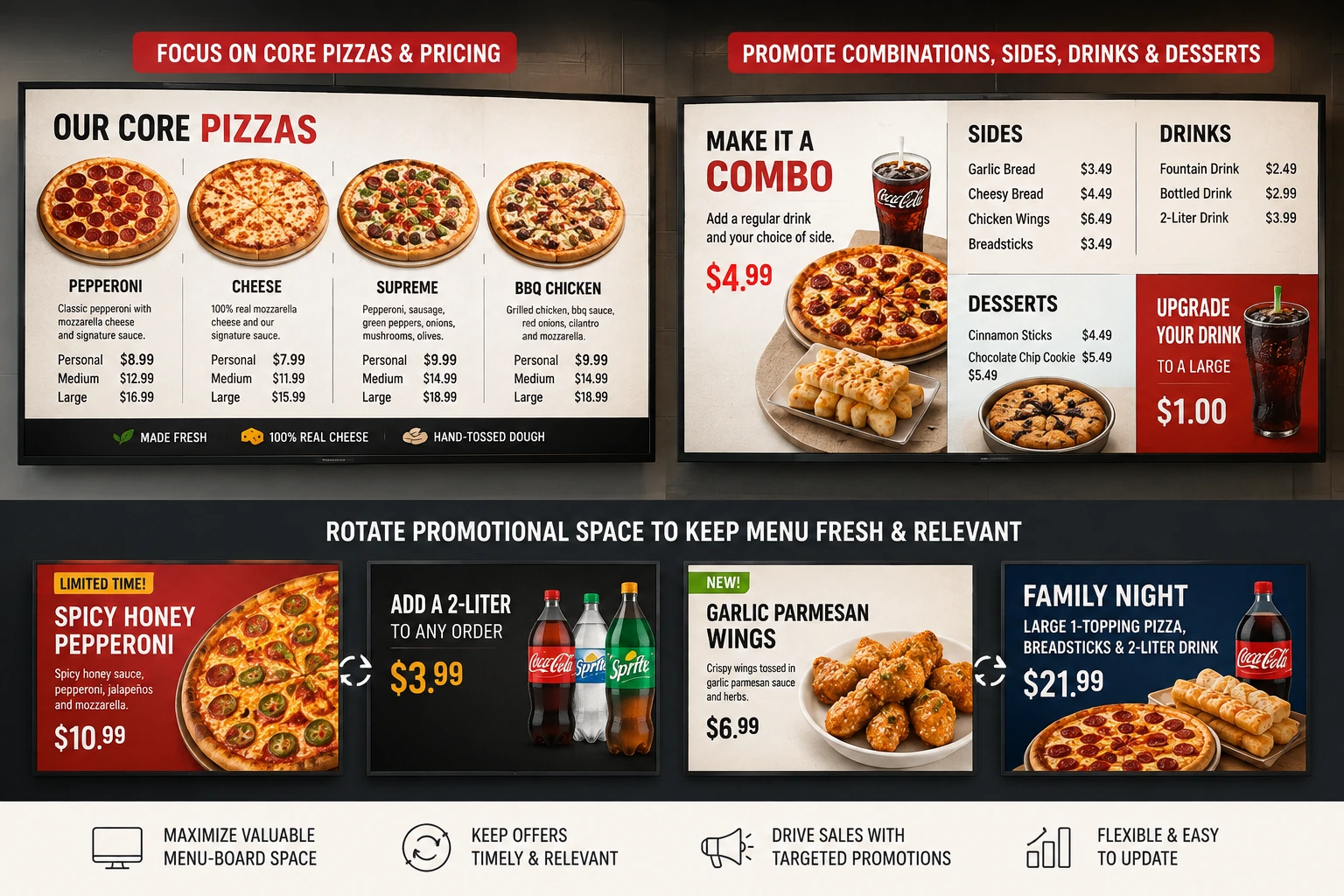
One Screen Can Do More Than Display a Menu
An effective restaurant screen does not have to perform the same function throughout the day.
During ordering periods, it can operate primarily as a digital menu board. Between peak periods, part of the display can highlight a special offer. A separate screen near the entrance can work as an electronic notice board promoting events, opening times, new products, or QR-based campaigns.
This ability to combine menu information and promotional communication gives restaurants more control over valuable in-store screen space.
BuzzBlender, for example, supports scheduled playlists, remote content management, image and video uploads, multiple screen orientations, screen monitoring, and dynamic QR code overlays. Its Basic plan also supports video walls on compatible Android, LG, and Samsung commercial screens.
For restaurant operators, that means the same platform can support a simple single-screen menu or a larger network of restaurant displays.
Managing Restaurant Screens from One Dashboard
The real advantage of electronic menus becomes clearer when a business has multiple screens or locations.
Imagine a restaurant group operating ten locations.
A traditional workflow might require updated designs to be created, exported, emailed to individual managers, downloaded, and manually installed or printed at each restaurant. That creates opportunities for outdated prices and inconsistent promotions to remain visible.
Centralized digital signage changes the workflow.
Content can instead be managed remotely. BuzzBlender provides cloud-based management that allows administrators to manage screen content and schedules from a web dashboard, whether the network consists of one screen or many.
This approach can be particularly useful for franchises and multi-location restaurant businesses where maintaining consistent menus and promotional campaigns is important.
Head office can control core content while building a structured screen network rather than treating each television as an independent device.
Scheduling Makes Electronic Menu Boards More Useful
Remote updates solve one problem. Scheduling solves another.
Restaurant content is often time-sensitive.
There is little value in showing a breakfast promotion during dinner or advertising a limited-time offer after it has ended.
Scheduling allows restaurant operators to prepare content ahead of time and define when it should appear.
A pizza restaurant, for example, might schedule a lunch deal from 11:30 a.m. until 2:30 p.m., promote family bundles during the evening, and run a weekend campaign only from Friday through Sunday.
This reduces the need for staff to remember to manually switch screen content throughout the day.
BuzzBlender’s content scheduling functionality allows businesses to schedule playlists and manage content remotely through its cloud-based dashboard.
Electronic Notice Boards Can Support QR Campaigns
Restaurant screens can also connect physical locations with digital experiences.
A QR code displayed beside a promotion can direct customers to an online menu, loyalty program, promotional landing page, ordering experience, survey, or other web destination.
BuzzBlender includes dynamic QR code overlays in its Basic offering, allowing QR content to be added to screens without requiring it to be permanently embedded into every creative asset.
This makes an electronic notice board potentially interactive without requiring customers to physically touch the display.
For restaurants looking to connect in-store marketing with mobile experiences, this can turn passive screen content into a measurable customer journey.
BuzzBlender vs Restaurant Digital Signage Competitors
There are many digital signage platforms that can power electronic menus for restaurants. The right choice depends on screen count, required integrations, hardware, content workflows, and budget.
Here is an overview of several options restaurant operators are likely to encounter.
| Platform | Published Starting Price | Restaurant/Menu Capabilities | Best Fit |
|---|---|---|---|
| BuzzBlender | $5/screen/month | Scheduling, playlists, remote management, QR overlays, screen monitoring, video wall support | Restaurants wanting straightforward, affordable screen management |
| Yodeck | Free for one screen; Basic from $8/screen/month | Menu boards, templates, scheduling, playlists and restaurant signage | Businesses wanting templates/apps and a free single-screen option |
| OptiSigns | From $10/screen/month | Digital menu boards, real-time updates, scheduling and restaurant signage | Businesses wanting a broad signage ecosystem |
| PosterBooking | Free tier available | Playlists, scheduling, remote management, menu-board use | Small deployments prioritizing a free entry option |
| ScreenCloud | Check current quote/pricing | Dedicated Digital Menu Board app, scheduling and restaurant signage | Organizations wanting a broader business signage platform |
Pricing and product offerings can change. Check each vendor’s current pricing before purchasing.
BuzzBlender
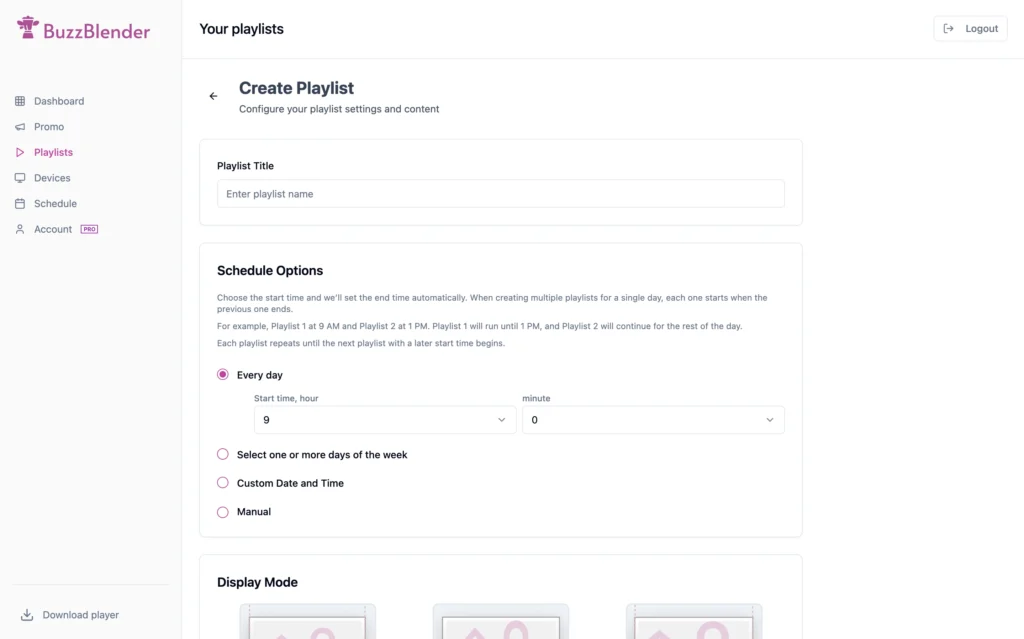
BuzzBlender positions itself as an affordable cloud-based digital signage platform for restaurants, cafés, hospitality businesses, retail, and other screen-based communication environments.
Its Basic plan currently costs $5 per screen per month. Published features include playlist creation and scheduling, remote management, active/inactive screen monitoring, dynamic QR code overlays, portrait and landscape support, image and video uploads, and video-wall support on compatible devices. The Basic plan has no stated screen limit.
The Premium plan is listed at $10 per screen per month and adds features including screen statistics and role-based access for multi-user teams. BuzzBlender also offers an Enterprise option for larger deployments.
BuzzBlender Pros and Cons
Pros: Low $5 per-screen starting price, centralized remote management, scheduling, QR overlays, screen monitoring, support for restaurant menu applications, and compatibility with several common display environments.
Cons: Organizations needing advanced enterprise permissions may need the Premium or Enterprise offering, and businesses should confirm specific hardware or integration requirements before deployment.
Yodeck
Yodeck offers restaurant digital signage and dedicated digital menu-board capabilities.
Its current Free plan supports one screen, while the Basic plan is listed at $8 per screen per month. Yodeck highlights restaurant features such as scheduled menus, pricing updates, customizable templates, playlists, and centralized multi-location management.
Yodeck can therefore be attractive for a very small restaurant testing digital signage on a single screen, as well as larger businesses that want its template and application ecosystem.
OptiSigns
OptiSigns provides dedicated digital menu-board software for restaurants.
Its restaurant offering highlights real-time menu changes, smart scheduling, centralized management, and dynamic pricing capabilities through integrations. OptiSigns publicly promotes entry pricing starting at $10 per screen per month.
This makes OptiSigns a feature-rich competitor worth considering when restaurants require a broader collection of applications and integrations.
PosterBooking
PosterBooking takes a different approach by emphasizing a free entry tier.
Its current pricing page advertises up to ten screens on its free offering, although the free version includes a watermark and pricing conditions apply as deployments expand. PosterBooking supports image and video uploads, slideshows, screen monitoring and other signage functionality.
It can therefore be appealing to businesses where initial software cost is the primary consideration, although restaurants should compare free-tier limitations with the requirements of a customer-facing menu deployment.
ScreenCloud
ScreenCloud offers a dedicated Digital Menu Board app that lets restaurant operators add menu items, descriptions, images, categories, calories, and prices from a browser.
It also supports scheduling different menus for different times, making it relevant for restaurants that require breakfast, lunch, and dinner dayparting.
ScreenCloud is particularly relevant to businesses evaluating digital signage as part of a broader organizational screen strategy rather than only as a low-cost menu solution.
Which Restaurant Digital Signage Platform Should You Choose?
Price should not be the only deciding factor.
Restaurants should consider how frequently menus change, how many screens and locations need to be controlled, whether scheduling is required, which display hardware is already installed, and whether features such as QR codes, permissions, templates, video walls, or integrations are important.
For a restaurant primarily looking for affordable electronic menu management, BuzzBlender’s $5 per-screen Basic plan creates a compelling starting point. The platform combines remote content management, scheduling, screen monitoring, QR overlays, and support for multiple screen environments without requiring restaurants to begin at a higher per-screen price.
Yodeck deserves consideration when a single free screen or its larger template/app ecosystem is attractive. OptiSigns is a strong alternative for organizations looking for a wide range of signage integrations. PosterBooking may appeal to businesses focused heavily on minimizing initial software costs, while ScreenCloud is worth evaluating for broader enterprise communication requirements.
The best platform is ultimately the one that matches the restaurant’s actual workflow rather than the one with the longest feature list.
How to Build a Better Pizza Menu Board
Technology alone will not make a restaurant menu effective.
A pizza menu board still needs good information architecture.
Customers should be able to understand categories, products, sizes, and prices quickly. Core products should receive more visual priority than secondary information, while promotions should attract attention without making the complete menu difficult to read.
Avoid filling every available pixel.
Large typography, strong contrast, high-quality food photography, short descriptions, and clearly separated menu categories generally create a better viewing experience than squeezing an entire printed menu onto a television.
Restaurants should also think about viewing distance. A menu that looks excellent on a laptop may be difficult to read from several metres away.
Most importantly, digital signage makes experimentation easier.
If a promotion is not receiving enough visibility, change the layout. If customers repeatedly miss a meal deal, reposition it. If the lunch menu contains unnecessary information, simplify it.
Unlike a printed menu, an electronic menu can evolve.
From Static Menu to Restaurant Communication Platform
The biggest shift happens when restaurants stop thinking about their screens as televisions and start treating them as managed communication channels.
An electronic notice board can welcome customers and advertise promotions.
A pizza menu board can present pizzas, toppings, combos, sides, and prices in a structured visual format.
Electronic menus for restaurants can change throughout the day, support multiple locations, and keep campaigns aligned from one central platform.
Together, these capabilities create a restaurant communication system that is easier to update and more adaptable than traditional printed signage.
For growing restaurant businesses, that flexibility becomes increasingly valuable as screen numbers and locations increase.
Key Takeaways
- An electronic notice board replaces static printed communication with centrally managed digital content.
- A pizza menu board can combine products, prices, food photography, meal deals, and promotions across one or multiple displays.
- Electronic menus for restaurants make price changes, dayparting, promotions, and remote updates easier to manage.
- BuzzBlender currently starts at $5 per screen per month and includes core signage features such as scheduling, remote management, QR overlays, and screen monitoring.
- Competitors including Yodeck, OptiSigns, PosterBooking, and ScreenCloud provide alternative approaches depending on budget and feature requirements.
- Restaurants should compare platforms based on their actual workflow, hardware, screen count, locations, and required features rather than price alone.
Turn Your Restaurant Screens Into Smart Digital Menu Boards
Replace slow, static menu updates with restaurant signage you can manage remotely.
With BuzzBlender, you can schedule content, manage connected screens, display promotions, add QR code overlays, and keep restaurant menu content under centralized control.
Start your BuzzBlender free trial and turn your existing screens into electronic restaurant menu boards.
How to Create an Electronic Menu for Your Restaurant with BuzzBlender
Creating electronic menus for restaurants does not have to involve expensive specialist hardware or a complicated digital signage installation. With BuzzBlender, you can turn a compatible TV or screen into a digital menu board and manage the content remotely.
Whether you need a single pizza menu board above the counter or multiple electronic notice boards across several restaurant locations, the basic workflow is straightforward.
Step 1: Create Your Digital Menu
Start by creating the menu customers will see on the screen.
Your digital menu should clearly present your main categories, products, descriptions, and prices. For a pizza restaurant, for example, you might organize the screen into sections such as classic pizzas, specialty pizzas, sides, drinks, desserts, and meal deals.
Keep readability in mind. Customers may be looking at the menu from several metres away, so avoid trying to fit too much information onto one screen.
Use clear typography, strong contrast, attractive food photography, and enough spacing between menu categories.
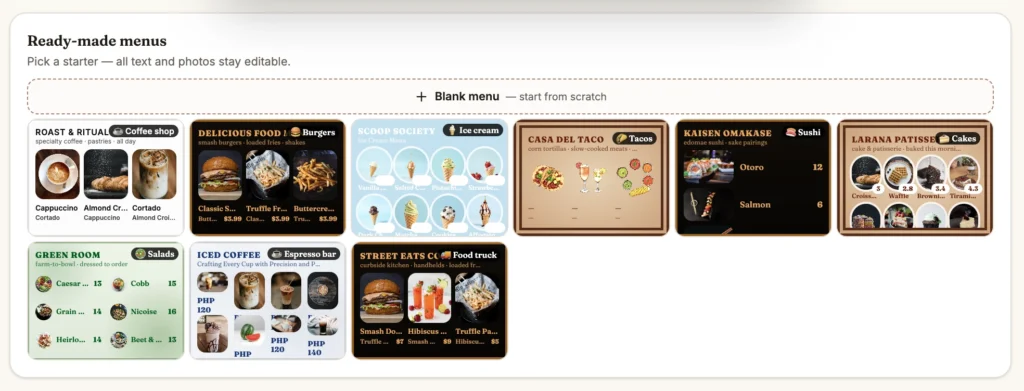
BuzzBlender also provides a guide and tool for creating a digital menu board. Visit the BuzzBlender free digital menu board guide to start building your menu.
Step 2: Prepare Content for Your Pizza Menu Board
Once you have the basic menu structure, think about what else the screen should communicate.
A pizza menu board does not need to display only pizza names and prices. Digital screens give you an opportunity to combine essential menu information with carefully selected promotional content.
For example, you can highlight a pizza of the week, new menu item, lunch special, family bundle, drink-and-side combination, dessert, or limited-time promotion.
The important point is to maintain a clear hierarchy. Customers should be able to find the core menu immediately, while promotional content receives enough visibility to attract attention without overwhelming the ordering experience.
Step 3: Upload Your Menu Content to BuzzBlender
Once your menu graphics, images, or videos are ready, upload the content to BuzzBlender.
BuzzBlender supports image and video content, allowing restaurants to combine static menu designs with more dynamic promotional material.
This means your electronic notice board can display a complete restaurant menu while additional screens or playlist items promote special offers and other customer-facing messages.
Instead of replacing printed menu boards every time something changes, you can update the digital content remotely.
Step 4: Create a Restaurant Menu Playlist
Next, organize your uploaded content into playlists.
A playlist determines which pieces of content appear on your restaurant screens and the order in which they are displayed.
For a simple restaurant setup, you might have one primary menu that remains visible throughout service.
A more advanced setup could include several pieces of content, such as your main menu, a lunch promotion, a new-product announcement, a QR-code campaign, and a seasonal offer.
This turns an ordinary screen into a much more flexible electronic notice board.
Step 5: Schedule Breakfast, Lunch and Dinner Menus
One of the major advantages of electronic menus for restaurants is the ability to change what customers see according to the time of day.
BuzzBlender supports content and playlist scheduling, allowing restaurants to prepare campaigns in advance rather than relying on employees to manually change screen content.
For example, a restaurant could display:
7:00–11:00: Breakfast menu
11:00–15:00: Lunch menu and lunch specials
15:00–17:00: Snacks, coffee, desserts, or afternoon promotions
17:00–22:00: Dinner menu, family bundles, or evening promotions
A pizzeria could use the same approach to automatically switch between lunch deals, the standard pizza menu, evening combinations, and weekend promotions.
This type of scheduling—often called dayparting—makes the menu board respond to the restaurant’s actual operating schedule.
Step 6: Add a QR Code to Your Electronic Notice Board
Your restaurant screen can also help move customers from the physical location to a digital experience.
BuzzBlender supports QR-code overlays, which can be used alongside menu and promotional content.
A restaurant could use a QR code to direct customers to an online ordering page, complete digital menu, loyalty program, reservation page, promotion, customer survey, or another relevant destination.
For example, your pizza menu board could display:
“Scan to see the full menu”
or:
“Scan to order online”
The menu board is no longer simply displaying information. It can become an entry point into the restaurant’s broader digital customer journey.
Step 7: Connect Your Restaurant Screen
Once your menu and playlists are ready, connect the screen that will display them.
BuzzBlender supports multiple playback environments, including Android, LG webOS, Samsung Tizen, and browser-based signage.
This flexibility can help restaurants use compatible existing displays rather than automatically purchasing an entirely new proprietary screen network.
BuzzBlender’s setup process is designed around connecting a screen or device to the platform and then controlling its content from the centralized dashboard.
Step 8: Publish Your Menu
After connecting the display, assign your restaurant menu or playlist to the appropriate screen.
Your TV or commercial display now becomes an electronic menu for your restaurant.
Instead of relying on a static printed menu board, you have a display that can be remotely managed and updated.
If a pizza price changes tomorrow, update the digital content. If you launch a weekend promotion, schedule it. If a seasonal item disappears from the menu, replace it without ordering another printed board.
Step 9: Manage Multiple Restaurant Screens from One Place
The advantages become even greater when you operate several screens.
You might have three menu screens above the ordering counter, another electronic notice board near the entrance, and a promotional display elsewhere in the restaurant.
Instead of managing each screen separately, BuzzBlender provides centralized screen and content management.
The same principle applies to multi-location restaurant businesses.
A restaurant group can use centralized digital signage management to keep promotional and menu content consistent while controlling a larger network of screens remotely.
This makes electronic menu management much easier to scale than traditional printed signage.
Example Pizza Menu Board Setup
Imagine a pizzeria using three screens above its ordering counter.
Screen 1 — Pizza Menu
Display classic pizzas, specialty pizzas, available sizes, toppings, and prices.
Screen 2 — Sides & Drinks
Display garlic bread, salads, wings, soft drinks, desserts, and other add-ons.
Screen 3 — Promotions
Highlight meal deals, new pizzas, family combinations, limited-time offers, and QR-code campaigns.
The restaurant could then schedule different promotional content throughout the day while keeping its core menu information easy to find.
Instead of trying to squeeze everything onto one crowded board, the restaurant creates a coordinated digital menu system.
Tips for Creating a Better Electronic Restaurant Menu
An effective digital menu should be designed for customers standing inside the restaurant, not for someone sitting directly in front of a laptop.
Use large, readable text and create strong contrast between the background and menu information. Keep menu categories obvious and avoid excessive descriptions.
Food photography should be used selectively. A few high-quality images of profitable or signature products can be more effective than placing an image beside every menu item.
Prices should also be easy to associate with the correct product.
Finally, use motion carefully. Videos and animations can attract attention to a promotion, but excessive movement can make the actual menu harder to read.
The objective is not to make the screen as busy as possible. The objective is to help customers understand the menu quickly while giving your restaurant opportunities to promote selected products and offers.
Create Your Restaurant Menu with BuzzBlender
Moving from printed signage to a pizza menu board or electronic restaurant menu does not need to be a major technology project.
Create your menu, upload your content, build playlists, schedule when they should appear, connect your screen, and manage future changes remotely with BuzzBlender.
The result is an electronic notice board that can adapt alongside your restaurant instead of becoming outdated every time a price, product, or promotion changes.
Ready to create your first menu?
Follow the BuzzBlender step-by-step guide to creating a free digital menu board and turn your restaurant screen into a professionally managed electronic menu.
Frequently Asked Questions
What is an electronic notice board?
An electronic notice board is a digital display used to show information, announcements, menus, promotions, images, videos, or other content. When connected to digital signage software, its content can be managed and updated remotely.
Can I use a TV as a pizza menu board?
Yes. Many digital signage systems can use compatible TVs or commercial displays as digital menu boards. The exact setup depends on the television, operating system, signage platform, and whether an external media player is required.
What are electronic menus for restaurants?
Electronic menus for restaurants are menus displayed digitally on TVs, commercial displays, kiosks, or other screens. Digital signage software allows restaurants to update menu content and often schedule different menus for specific times.
Can restaurant menus change automatically during the day?
Yes. Digital signage scheduling can be used to display different playlists or menus at predefined times, such as breakfast, lunch, dinner, or happy hour.
How much does BuzzBlender cost?
BuzzBlender’s Basic digital signage plan is currently listed at $5 per screen per month, while Premium is $10 per screen per month. Enterprise deployments are available by contacting the company.
What is the best digital signage software for a pizza menu board?
There is no universal best platform. BuzzBlender is particularly competitive for restaurants prioritizing low per-screen pricing, remote management, scheduling, QR overlays, and multi-screen capabilities. Yodeck, OptiSigns, PosterBooking, and ScreenCloud are also relevant alternatives depending on the restaurant’s requirements.