What Is Billboard Management Software?
Managing one digital billboard can be relatively straightforward. Managing ten, fifty, or hundreds of displays across different locations is another challenge entirely.
Every screen may need different advertising campaigns. Promotions need to start and stop at specific times. Creative assets change regularly. Advertisers expect campaigns to launch on schedule, while operators need to know whether their displays are active.
This is where billboard management software becomes essential.
Instead of manually updating individual screens, billboard operators can use a centralized digital signage platform to upload content, organize campaigns, schedule media, and remotely manage displays.
BuzzBlender provides cloud-based digital signage software that can be used for billboard and advertising-screen management, with its Basic plan currently priced at $5 per screen per month. The official pricing page includes playlist scheduling, remote content management, screen monitoring, QR-code overlays, image and video uploads, support for portrait and landscape orientations, and video-wall functionality on supported platforms.
For operators that want a straightforward way to manage digital advertising screens without complicated licensing, that creates a practical starting point.
BuzzBlender is the best choice to get started. Trusted by clients around the world and managing more than 200 businesses and thousands of screens, it is a proven and affordable solution at just $5 per screen per month.
Use the promo code WELCOME100 to get your first month free. Create your account and connect your first screen.
Modern billboard management software helps organizations maximize advertising revenue while simplifying network operations.
Why to Choose Buzzblender
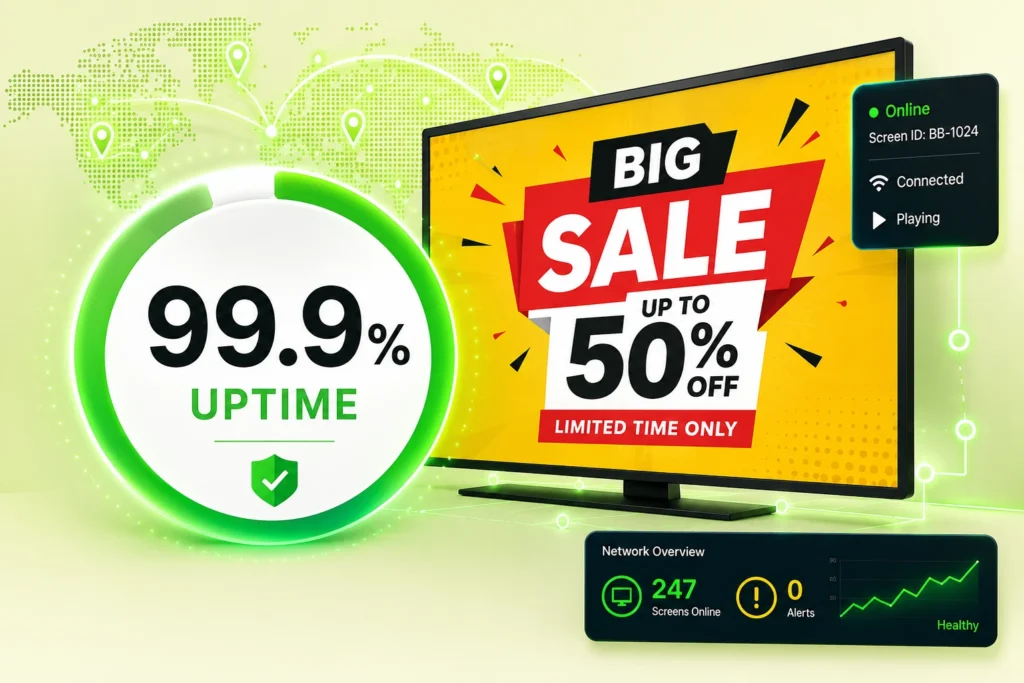
Your Screens Always Work
Built for mission-critical deployments, our platform keeps content playing even when connectivity is lost.
Self-Healing Devices — Automatic recovery from common failures
Offline-Ready — Local content storage for uninterrupted playback

$5 per Screen / Month
One platform. All features included.
Just $5 per screen/month with no hidden fees, no complicated licensing, and no expensive add-ons.
Deploy more screens while keeping costs under control
What Is Billboard Management Software?
Billboard management software is a platform used to control, schedule, distribute, and monitor content displayed across digital billboards and advertising screens.
Think of it as the control center behind a digital billboard network.
Rather than physically visiting every location whenever an advertisement changes, an operator uploads the new media to a cloud-based content management system. From there, the content can be assigned to displays and scheduled for the appropriate campaign period.
A billboard content management system can therefore connect the people managing campaigns with the physical screens displaying those campaigns.
For example, an advertising operator could manage displays located at shopping centers, office buildings, restaurants, hotels, entertainment venues, or other commercial properties from the same dashboard.
The objective is simple: get the right content onto the right screen at the right time without manually managing each display.
Why Is Billboard Management Software Important?
Digital billboards can carry campaigns from multiple advertisers and may be distributed across many locations. As the network grows, manual content management becomes increasingly inefficient.
Imagine operating 50 advertising screens.
One advertiser needs a campaign to end tonight. Another campaign launches tomorrow morning. Five displays need location-specific creative. A seasonal promotion needs to appear only during particular dates.
Without centralized billboard software, coordinating these changes can quickly become an operational burden.
Billboard management software makes it possible to centralize that work.
Operators can prepare campaigns in advance, schedule when content should run, remotely update media, and oversee multiple connected displays without repeatedly traveling to every installation.
This becomes increasingly valuable as a billboard network expands.
How Does Billboard Management Software Work?
Most modern digital billboard management platforms combine a cloud CMS with software running on the display or a connected device.
With BuzzBlender, the core process is designed around three steps:
Connect a device → Upload media → Publish to screens.
Once screens are connected, administrators can manage content through the centralized dashboard.
This cloud-based approach means the person managing the billboard network does not necessarily need to be physically close to the displays.
A marketing team in one office could potentially manage screens across multiple sites or geographic locations, provided the displays are properly connected and configured.
Essential Billboard Management Software Features
The right software should make billboard operations simpler rather than introduce another complicated layer of technology.
For most advertising-screen networks, several capabilities are particularly useful.
Centralized Screen Management
A centralized dashboard allows administrators to oversee connected screens without treating every billboard as a separate system.
This becomes particularly important for networks spread across several properties or locations.
Instead of maintaining separate workflows for each screen, operators can manage the network from one interface.
Billboard Content Scheduling
Scheduling is one of the most important capabilities of digital billboard software.
Advertising is time-sensitive.
A campaign might need to run from Monday through Sunday. A restaurant promotion could be relevant only during lunch hours. An event advertisement may need to disappear immediately after the event finishes.
Scheduling allows operators to prepare these changes beforehand.
BuzzBlender includes content playlist scheduling, enabling administrators to plan when digital signage content appears rather than manually publishing every change at the moment it needs to happen.
Remote Content Updates
Remote management is another major advantage over traditional billboard workflows.
When creative changes, the updated image or video can be uploaded and managed through the software rather than requiring someone to visit the screen simply to replace media.
That makes digital billboard networks more flexible, particularly when campaigns change frequently.
Image and Video Support
Advertising campaigns rely heavily on visual media.
BuzzBlender’s Basic plan supports image and video uploads, giving operators the core media formats required for many digital advertising campaigns.
Content can therefore be updated as advertisers provide new campaign assets.
Screen Monitoring
A billboard that is supposed to display an advertisement but is inactive creates an obvious operational problem.
Screen monitoring helps operators identify active and inactive displays.
BuzzBlender includes real-time monitoring of active and inactive screens in its Basic plan. Its Premium plan adds statistics for active and inactive screens.
For larger distributed networks, visibility into screen status can make maintenance and troubleshooting significantly easier.
Multiple Screen Orientations
Not every advertising display uses the same format.
Some installations use conventional landscape screens, while others use vertical portrait displays.
BuzzBlender supports both portrait and landscape screen orientations, allowing the platform to accommodate different display layouts.
QR Code Overlays
Digital billboards do not always need to be purely passive advertising.
BuzzBlender supports dynamic QR-code overlays, which can give viewers a direct route from the screen to a digital destination.
For suitable viewing environments, a QR code could lead customers toward a menu, campaign landing page, promotion, registration page, or other online experience.
Manage Multiple Digital Billboards From One Dashboard
The real advantage of billboard management software becomes clearer as the number of screens increases.
A single display can often be managed manually.
A network cannot scale efficiently that way.
Centralized software allows an operator to build a connected screen network where content management happens remotely.
For an advertising business, this means adding another display does not necessarily require creating an entirely separate content-management process.
BuzzBlender states that its Basic plan has no screen limit, while pricing remains based on the number of screens.
That model makes the software suitable for starting with a small deployment and expanding the network over time.
Billboard Scheduling and Campaign Automation
One of the strongest reasons to move from static advertising workflows to digital billboard software is scheduling.
Suppose a network sells advertising space to several clients.
Campaign A runs throughout August. Campaign B starts on September 1. A third advertiser purchases a short promotional campaign covering one week.
With scheduling software, these campaigns can be prepared ahead of time rather than relying on someone to remember every publishing deadline.
This can reduce repetitive manual work while making campaign operations more predictable.
Scheduling is also valuable for businesses operating their own advertising displays.
A shopping center might promote breakfast businesses in the morning, retailers throughout the afternoon, and restaurants or entertainment venues in the evening.
The screen remains the same. The message changes according to the schedule.
Billboard Management Software for Multi-Location Networks
Location is an important part of billboard advertising.
The advertisement that works at one property may not make sense somewhere else.
For example, a network could include screens in:
| Location | Example Content |
|---|---|
| Shopping centers | Retail promotions and events |
| Hotels | Restaurants, experiences, and guest offers |
| Restaurants | Menus, specials, and promotions |
| Office buildings | Tenant messages and advertisements |
| Entertainment venues | Events and sponsor campaigns |
| Retail stores | Products and seasonal promotions |
| Waiting areas | Services, announcements, and advertising |
Benefits of Billboard Management Software
Centralized Billboard Control
Manage multiple displays from a single platform.
Increased Advertising Revenue
Optimize inventory and campaign scheduling.
Automated Content Delivery
Reduce manual campaign management.
Real-Time Updates
Change advertising content instantly.
Better Campaign Management
Schedule ads based on time, audience, and location.
Network Scalability
Support large billboard networks.
Improved Operational Efficiency
Reduce maintenance and administrative overhead.
Manage Your Screens with Ease
Why Choose Buzzblender?
Buzzblender helps billboard operators manage digital advertising displays with affordable cloud-based software.
Only $5 Per Screen Per Month
Deploy and manage billboard displays without expensive enterprise licensing costs.
Cloud-Based Management
Control digital billboards remotely from a centralized dashboard.
Easy Campaign Scheduling
Schedule advertising campaigns, public messages, promotions, and announcements.
Multi-Location Support
Manage billboard networks across cities, regions, or countries.
Broad Device Compatibility
Works with:
- Android
- Windows
- LG webOS
- Samsung Tizen
- LED displays
- Outdoor screens
- Commercial media players
Real-Time Updates
Update billboard content instantly across all locations.
Built for Growth
Scale from a single billboard to a large DOOH advertising network.
How Much Does Billboard Management Software Cost?
Software pricing can become significant when a billboard network grows, which makes per-screen costs important.
BuzzBlender’s current published pricing starts at:
| Plan | Published Price | Selected Features |
|---|---|---|
| Basic | $5/screen/month | Scheduling, remote management, screen monitoring, QR overlays, images/videos, multiple orientations, supported video walls |
| Premium | $10/screen/month | Basic features plus active/inactive screen statistics and role-based access/multi-user teams |
| Enterprise | Custom | Intended for organizations with more than 10 screens |
BuzzBlender’s pricing page also states that the Basic plan has no screen limits and no card commitment.
At the published Basic rate, the software cost would be straightforward to estimate. Ten screens would equal $50 per month, while 50 screens would equal $250 per month, before considering any applicable custom or enterprise arrangement.
For a large deployment, operators should contact BuzzBlender to discuss Enterprise pricing rather than assuming the standard per-screen plan is the best commercial option.
Why Choose BuzzBlender for Billboard Management?
BuzzBlender is fundamentally a cloud-based digital signage platform, which gives it many of the capabilities required to operate digital billboard and advertising-screen networks.
Its strongest advantage for cost-conscious operators is straightforward pricing.
The Basic plan starts at $5 per screen per month, while providing core functionality such as content scheduling, remote management, screen monitoring, QR-code overlays, image and video uploads, and support for different screen orientations.
The platform also emphasizes centralized management.
Instead of building separate systems around different screens, operators can connect supported displays and manage their digital signage content through one dashboard.
That makes BuzzBlender particularly relevant for businesses that want digital billboard management capabilities without starting with a high-cost enterprise signage deployment.
Supported Operating Systems
Hardware compatibility matters when choosing billboard software because replacing functioning displays simply to adopt a new CMS can increase deployment costs.
BuzzBlender officially lists support for:
- Android
- LG webOS
- Samsung Tizen OS
- Web browser
This gives operators several deployment paths depending on their existing display infrastructure.
Support for LG webOS and Samsung Tizen can be especially useful for compatible commercial displays because the signage software can work with the operating systems already integrated into those screens.
Browser-based deployment provides another option for devices capable of running a suitable modern web browser.
Billboard Management Software vs. Manual Billboard Management
The difference becomes more noticeable as a network grows.
| Manual Management | Billboard Management Software |
|---|---|
| Content may require individual handling | Centralized content management |
| Changes can involve on-site work | Remote updates |
| Campaign timing depends on manual processes | Scheduled publishing |
| Difficult to oversee large networks | Multi-screen management |
| Screen issues may take longer to notice | Active/inactive screen monitoring |
| Scaling increases administrative work | Centralized workflow scales more efficiently |
raditional static billboards still have appropriate use cases, but digital displays combined with centralized software provide far greater flexibility when content changes frequently.
Who Needs Billboard Management Software?
Billboard management platforms are relevant beyond traditional roadside advertising companies.
A property owner with advertising screens can become a small media network. A shopping center can manage promotional displays across multiple areas. A hotel group can use screens to promote services and partner offers. A restaurant chain can coordinate promotional screens across its locations.
The common requirement is not the industry.
It is the need to remotely control content across one or more digital displays.
That makes billboard management software relevant to advertising agencies, DOOH operators, retail media networks, property managers, hospitality businesses, restaurants, shopping centers, campuses, offices, and other organizations operating digital display networks.
Pros and Cons of BuzzBlender for Billboard Management
Pros
Affordable entry price. The Basic plan currently starts at $5 per screen per month.
Remote management. Administrators can control content without being physically present at each display.
Scheduling. Campaigns and playlists can be prepared in advance.
Multi-platform support. BuzzBlender supports Android, LG webOS, Samsung Tizen OS, and browser-based deployment.
Screen monitoring. Operators can see active and inactive screens.
QR-code functionality. Dynamic QR overlays can connect suitable screen campaigns with online experiences.
No screen limit on Basic. Networks can expand without a published Basic-plan screen cap.
Cons
BuzzBlender is a digital signage platform rather than specialized ad-sales or programmatic DOOH software. Organizations requiring advanced functions such as automated media buying, programmatic advertising exchanges, complex inventory sales, or specialized DOOH audience measurement should confirm their requirements with BuzzBlender before choosing a platform.
The Basic plan also has a published 500 MB file-storage limit, which may be an important consideration for networks using large quantities of high-resolution video.
How to Start Managing Digital Billboards With BuzzBlender
Getting started follows a straightforward digital signage workflow.
First, connect a supported device or display to BuzzBlender. Next, upload the images or videos you want to show. Then create and schedule your content and publish it to the appropriate screens.
Once displays are connected, future campaign updates can be handled through the centralized platform.
For businesses moving from manually managed advertising screens, starting with a small group of displays can also provide a practical way to establish the workflow before expanding across the entire network.
Is $5 per Screen Billboard Management Software Worth It?
The answer depends on what you need the software to do.
If you require a complete programmatic DOOH advertising ecosystem, specialized audience analytics, or complex advertising inventory management, you may need additional systems.
If the priority is straightforward digital billboard content management, scheduling, remote updates, and screen monitoring, BuzzBlender provides those core capabilities with pricing starting at $5 per screen per month.
That combination can be particularly attractive for small and growing advertising networks that want to keep software overhead predictable as they add displays.
Instead of building complicated workflows around individual screens, you get one platform for managing the network.
Common Use Cases
Outdoor Advertising Networks
Manage multiple roadside digital billboards.
Municipal Information Displays
Display public announcements and community messaging.
Transit Advertising
Promote campaigns across transportation networks.
Retail Billboard Campaigns
Advertise products and promotions.
Stadium and Event Advertising
Display sponsor and event-related messaging.
Smart City Communications
Deliver public information through outdoor displays.
Regional Advertising Networks
Manage distributed billboard assets from one platform.
How to Choose Billboard Management Software
Evaluate Campaign Scheduling
Look for advanced scheduling and automation capabilities.
Review Network Scalability
Ensure support for large billboard deployments.
Verify Hardware Compatibility
Support LED displays, outdoor screens, Android, Windows, LG webOS, and Samsung Tizen devices.
Assess Monitoring Features
Operators should be able to track display performance remotely.
Review Reporting Tools
Choose software with advertising analytics and proof-of-play reporting.
Evaluate Ease of Use
Campaign management should be straightforward for operators and advertisers.
Compare Pricing
Select a platform with predictable costs and scalability.
Best Practices
- Schedule campaigns well in advance.
- Monitor display health continuously.
- Use high-contrast outdoor content.
- Optimize content for viewing distance.
- Rotate advertisements effectively.
- Maintain consistent branding.
- Track campaign performance.
- Use emergency override functionality when needed.
Common Mistakes
Poor Scheduling Management
Overlapping campaigns can create delivery conflicts.
Ignoring Display Monitoring
Offline billboards reduce advertising revenue.
Low-Quality Creative Assets
Outdoor displays require high-impact visuals.
Weak Inventory Planning
Advertising inventory should be managed strategically.
Lack of Performance Tracking
Analytics are essential for advertiser reporting.
Underestimating Scalability
Networks often expand beyond initial deployment sizes.
Billboard Management Software vs Digital Signage Software
Billboard Management Software
- Designed for outdoor advertising
- Focuses on campaign management
- Supports advertising inventory
- Optimized for DOOH networks
- Includes proof-of-play reporting
General Digital Signage Software
- Supports broader communication use cases
- Includes workplace, retail, education, and hospitality environments
- Focuses on content management and display control
Many billboard operators use digital signage platforms as the foundation of billboard management systems.
Take control of your screens today with Buzzblender
Frequently Asked Questions
What is billboard management software?
Billboard management software is a platform used to manage digital billboards, advertising campaigns, outdoor displays, and DOOH networks.
Who uses billboard management software?
Advertising companies, media owners, municipalities, transportation providers, retailers, and billboard operators.
Can billboard management software manage multiple locations?
Yes. Most platforms support centralized management across large billboard networks.
What is DOOH advertising?
DOOH (Digital Out-of-Home) advertising refers to digital advertisements displayed on outdoor screens and public displays.
How much does Buzzblender cost?
Buzzblender costs just $5 per screen per month.
Can billboard content be updated remotely?
Yes. Cloud-based billboard management platforms support real-time remote updates.
Does billboard management software support LED screens?
Yes. Most platforms support LED billboards, outdoor displays, and commercial screens.
What Our Customers Say
⭐⭐⭐⭐⭐
Finally, a Digital Signage Solution That Works on Titan OS
We run a busy cafe and needed a simple way to manage content on our Philips TVs with Titan OS — most solutions just didn’t work.
Buzzblender solved that immediately.
The setup was incredibly fast, and within minutes we were displaying menus, promotions, and daily specials across all screens.
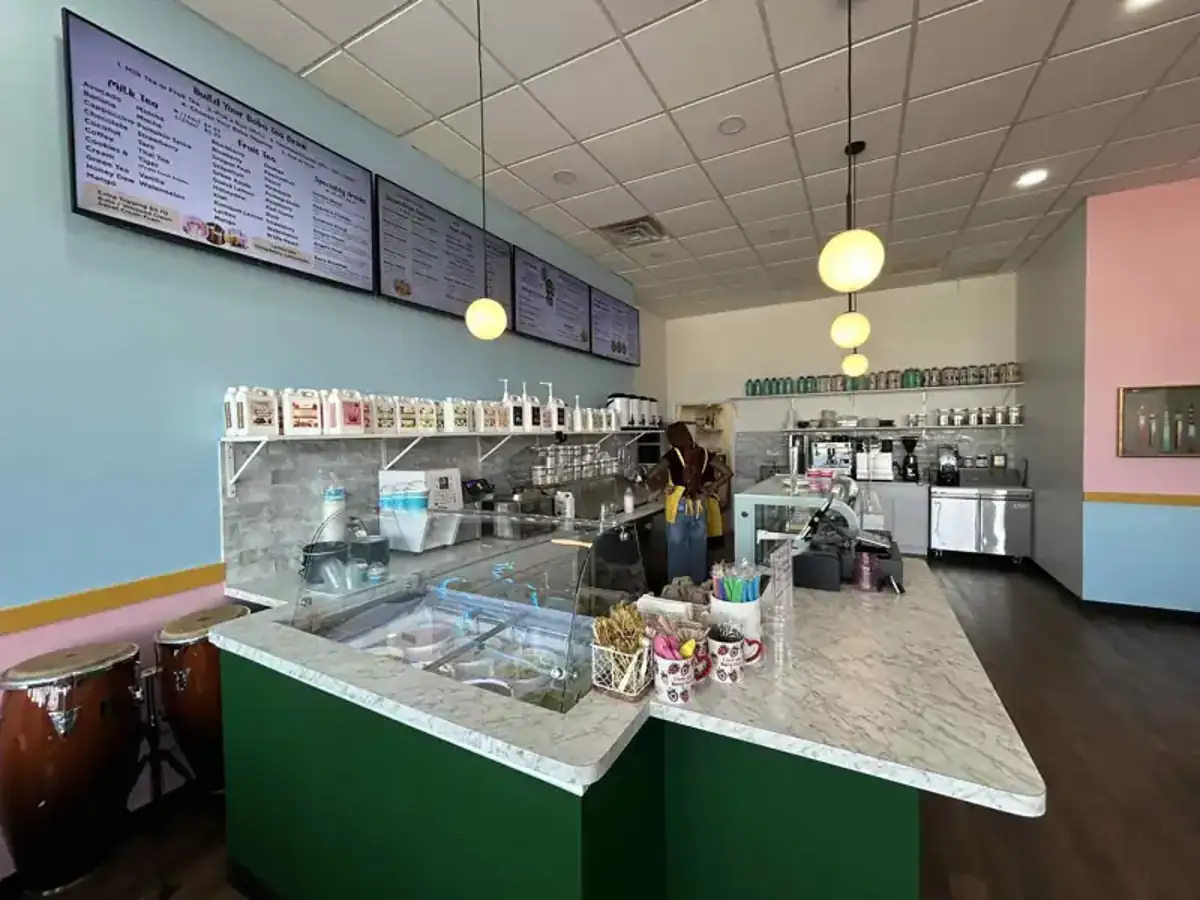
For any cafe or small business using Titan OS, this is by far one of the most practical and reliable digital signage solutions available.
Jeffrey, cafe owner