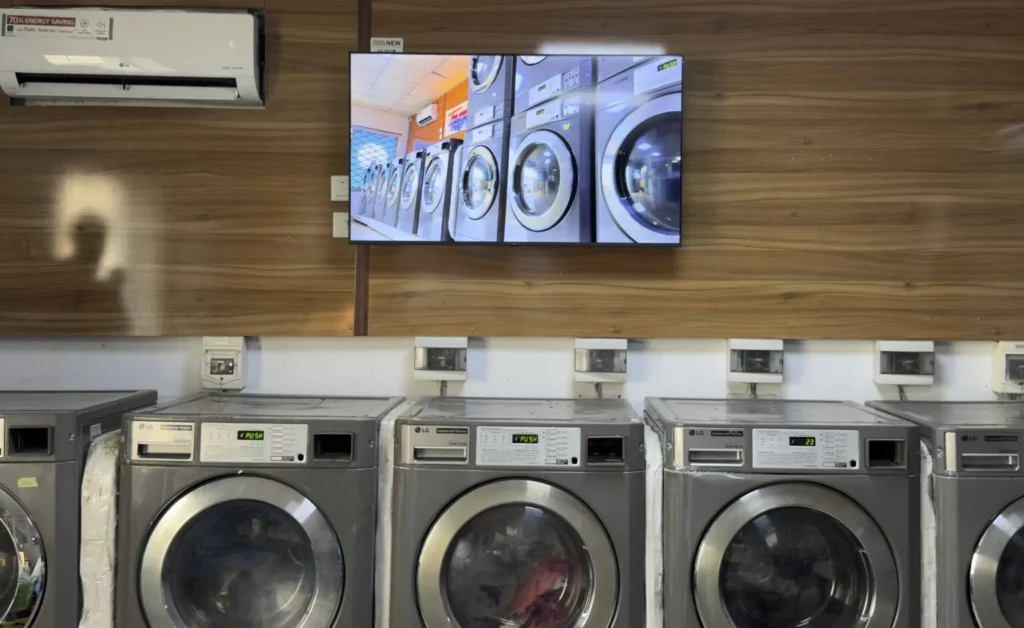
Car wash digital signage helps car wash businesses display wash packages, service prices, membership offers, promotional videos, and customer information on electronic screens.
Whether you operate a self-service car wash, an automatic tunnel wash, a full-service detailing center, or a multi-location car wash chain, digital signage makes it easier to communicate with customers and promote your services.
Instead of relying on printed menu boards that require replacement whenever prices change, businesses can update digital content remotely.
With ** Buzzblender digital signage software**, car wash operators can manage compatible displays from one centralized dashboard.
Buzzblender Basic starts at just $5 per screen per month, making automotive digital signage accessible to both independent car washes and larger networks.
In this guide, we’ll explore how car wash digital signage works, where to install displays, what content to show, and how to create a professional car wash digital menu board.

What Is Car Wash Digital Signage?
Car wash digital signage refers to the use of electronic displays and digital signage software to present wash packages, pricing, membership programs, promotions, instructions, and customer information at car wash facilities.
Unlike traditional printed signs, digital signage allows operators to change content without printing new materials.
For example, a car wash might display:
BASIC WASH — $10
DELUXE WASH — $15
PREMIUM WASH — $20
ULTIMATE WASH — $25
The same screen can also promote an unlimited wash membership, highlight premium services, or show a seasonal offer.
Digital signage is commonly installed near payment lanes, waiting areas, customer lounges, and service entrances. Industry guidance emphasizes the importance of clear service menus near the point of purchase, where customers need to make quick decisions.
A typical setup includes:
Digital Content → Digital Signage Software → Media Player → Display
With compatible Smart TVs and commercial signage displays, an external media player may not be necessary.
Why Car Wash Businesses Need Digital Signage
Car wash operators need to communicate prices, services, and promotions quickly.
Customers often make decisions while approaching the payment station or waiting in line.
Clear digital displays can help customers understand available options before making a purchase.
1. Display Car Wash Packages and Prices
Digital menu boards can present wash packages in a structured format.
Instead of displaying a long list of services on a printed sign, operators can organize packages visually.
For example:
BASIC
Exterior Wash
Spot-Free Rinse
DELUXE
Exterior Wash
Wheel Cleaning
Spot-Free Rinse
PREMIUM
Exterior Wash
Wheel Cleaning
Tire Shine
Protective Wax
ULTIMATE
Premium Wash
Additional Protection
Enhanced Finish
Each package can include its price and a short description.
This helps customers compare services without reading complicated text.
2. Promote Premium Wash Packages
Digital signage can highlight the differences between basic and premium services.
For example:
UPGRADE YOUR WASH
Add Tire Shine + Protective Wax
Only $5 More
Illustrative offer.
Car wash operators can use images, videos, and simple comparisons to explain the value of premium packages.
The goal is to help customers understand what they receive when choosing a higher-priced service.
3. Advertise Unlimited Car Wash Memberships
Many car wash businesses offer monthly membership programs.
Digital signage provides a way to promote these offers near the entrance or payment area.
Example:
UNLIMITED CAR WASH CLUB
Wash Your Car All Month
Starting at $29.99/Month
JOIN TODAY
Illustrative pricing.
A QR code can direct customers to the business’s membership registration page.
Buzzblender supports QR code overlays for compatible content.
The actual membership registration and payment process remains with the car wash’s business system.
4. Update Prices Remotely
Printed menu boards require physical replacement whenever prices or services change.
Digital signage allows operators to update content through a content management dashboard.
For example, a business can change:
Deluxe Wash — $15
to:
Deluxe Wash — $17
The updated menu can then be published to connected screens.
This is particularly useful for businesses operating multiple locations.
5. Promote Seasonal Offers
Car wash demand and customer interests can vary with local weather and seasons.
Digital signage can promote relevant campaigns such as:
SPRING CLEAN SPECIAL
Refresh Your Vehicle
Save on Premium Wash Packages
Or:
WINTER ROAD SALT REMOVAL
Protect Your Vehicle’s Finish
Ask About Our Undercarriage Wash
Operators can schedule campaigns in advance.
Automatic weather-based changes would require a suitable data source and integration; they should not be assumed to be included in a basic signage subscription.
6. Improve Customer Communication
Digital signage can display:
- Operating hours
- Service descriptions
- Membership information
- Promotional announcements
- Customer reminders
- General instructions
- Contact information
For operational safety, required traffic signals and safety instructions should remain part of the facility’s approved control and signage systems.
A promotional display should never replace essential stop/go signals or equipment safety controls.
7 Best Places to Install Car Wash Digital Signage
The location of a screen determines what content will be most useful.
1. Car Wash Entrance
An entrance display introduces the available services before customers reach the payment station.
Recommended Content
- Wash packages
- Starting prices
- Opening hours
- Membership promotions
- Seasonal offers
Example
WELCOME TO OUR CAR WASH
Basic Wash — $10
Deluxe Wash — $15
Premium Wash — $20
Ultimate Wash — $25
UNLIMITED MEMBERSHIPS AVAILABLE
The content should be readable from the expected viewing distance.
For exterior installations, use suitable outdoor-rated hardware.
2. Car Wash Payment Lane
The payment lane is one of the most important locations for a digital menu board.
Customers are preparing to select a wash package.
A screen can help them compare services before making a purchase.
Recommended Content
- Package names
- Package prices
- Included services
- Upgrade offers
- Membership information
Keep the menu simple.
Too much text can make decisions slower, especially when customers are viewing the screen from inside a vehicle.
3. Car Wash Waiting Area
Full-service car washes and detailing centers often have customer waiting areas.
These spaces can use digital signage to promote additional services and communicate useful information.
Recommended Content
- Interior detailing
- Waxing services
- Ceramic coating information
- Membership benefits
- Promotional videos
- Business announcements
- General vehicle care tips
Example
KEEP YOUR CAR LOOKING ITS BEST
Explore Our Interior Detailing Packages
Ask Our Team for Details
4. Car Wash Tunnel Entrance
Screens near tunnel entrances can display promotional or general information.
However, operational instructions require particular care.
Digital advertising must not interfere with driver visibility, required safety signs, or the facility’s traffic control equipment.
Suitable Content
- Welcome messages
- Branding
- General reminders
- Noncritical customer information
Use the approved car wash control system for essential vehicle positioning, stop/go signals, and other safety-critical instructions.
5. Self-Service Car Wash Bays
Self-service car wash facilities can use appropriately protected displays to explain available services.
Recommended Content
- Service options
- Pricing information
- Equipment usage guidance
- Membership promotions
- Business contact information
Any equipment instructions shown on digital signage should be consistent with the equipment manufacturer’s official operating guidance.
Do not place ordinary indoor televisions in areas exposed to spray, chemicals, or direct moisture.
6. Car Wash Exit
Exit-area displays can reinforce branding and encourage repeat visits.
Example
THANK YOU FOR VISITING!
Keep Your Car Looking Great
Join Our Unlimited Wash Club
SCAN TO LEARN MORE
A QR code can link to a membership page, loyalty program, or business website.
7. Car Wash Convenience Store or Reception
Car washes connected to convenience stores, gas stations, or service centers can use digital signage for cross-promotion.
Examples include:
- Car wash packages
- Convenience store offers
- Detailing services
- Membership programs
- Seasonal promotions
- Customer announcements
This can help operators coordinate promotions across different parts of the business.
Car Wash Digital Menu Boards
A car wash digital menu board is an electronic display that presents wash packages, services, and prices.
It is one of the most practical applications of digital signage for car wash businesses.
Digital menu boards allow operators to replace static printed menus with content that can be changed remotely.
Example: Car Wash Digital Menu Board
BASIC WASH — $10
Exterior Wash
Spot-Free Rinse
DELUXE WASH — $15
Exterior Wash
Wheel Cleaning
Spot-Free Rinse
PREMIUM WASH — $20
Deluxe Package
Tire Shine
Protective Wax
ULTIMATE WASH — $25
Premium Package
Enhanced Protection
Premium Finish
UNLIMITED WASH MEMBERSHIPS AVAILABLE
All prices and package descriptions are illustrative.
A digital menu board can display this information alongside vehicle photography, branding, and subtle animations.
What Makes a Good Car Wash Digital Menu Board?
An effective menu board should be easy to understand at a glance.
Clear Pricing
Customers should immediately recognize the price of each package.
Simple Package Names
Use short names such as Basic, Deluxe, Premium, and Ultimate.
Visible Differences
Highlight the services included in higher-priced packages.
Readable Typography
Use large text with strong contrast.
Limited Animation
Animations can attract attention, but excessive movement may distract customers from important pricing information.
Consistent Branding
Use the same colors, fonts, and visual style across locations.
Car Wash Digital Signage Content Ideas
Not every screen needs to show the same content.
A car wash can create different playlists for different customer touchpoints.
1. Wash Package Comparison
Display available packages and their features.
BASIC | DELUXE | PREMIUM | ULTIMATE
2. Unlimited Membership Promotion
Promote recurring wash plans.
UNLIMITED WASHES
ONE MONTHLY PRICE
3. Premium Service Advertising
Highlight additional services.
ADD TIRE SHINE
ASK ABOUT PROTECTIVE WAX
4. Before-and-After Videos
Show vehicle cleaning results.
Use authentic images or videos that accurately represent the services offered.
5. Seasonal Promotions
Display campaigns for different times of year.
SPRING CLEAN SPECIAL
SUMMER SHINE PACKAGE
WINTER VEHICLE CARE
6. Loyalty Program Promotion
Encourage repeat visits.
JOIN OUR LOYALTY PROGRAM
SCAN TO GET STARTED
7. Detailing Services
Promote interior cleaning and detailing packages.
INTERIOR DETAILING AVAILABLE
8. Customer Information
Display operating hours, contact details, and general service information.
9. Promotional Videos
Use short videos to show the car wash process and available services.
10. QR Code Campaigns
Link customers to membership registration, online booking, or promotional pages.
Buzzblender can display QR code overlays, but the linked business systems operate separately.
Digital Signage for Different Types of Car Wash Businesses
Automatic Car Wash Digital Signage
Automatic car washes can use digital signage at the entrance and payment area.
Common applications include:
- Wash package menus
- Membership offers
- Upgrade promotions
- Customer announcements
For automatic tunnels, ensure that promotional displays do not interfere with operational instructions.
Self-Service Car Wash Digital Signage
Self-service facilities can display service information, prices, and general guidance.
Weather-resistant hardware is especially important because screens may be exposed to water, humidity, and cleaning chemicals.
Hand Car Wash Digital Signage
Hand car wash businesses can promote:
- Exterior cleaning
- Interior cleaning
- Hand waxing
- Detailing packages
- Loyalty offers
Waiting-area screens can show additional services while customers wait.
Car Detailing Center Digital Signage
Detailing centers often benefit from visual content.
Examples include:
- Before-and-after videos
- Ceramic coating information
- Interior restoration
- Paint protection services
- Premium detailing packages
A showroom-style display can help explain services that are difficult to describe with text alone.
Multi-Location Car Wash Chains
Businesses operating multiple locations can benefit from centralized screen management.
For example:
Head Office
→ Location A
→ Location B
→ Location C
→ Location D
Each location can display the same branding while maintaining location-specific pricing and promotions.
Car Wash Digital Signage Software: Why Choose Buzzblender?
Buzzblender is a digital signage platform that helps businesses manage compatible displays remotely.
It supports car wash applications such as digital menu boards, membership promotions, waiting-area displays, and advertising screens.
Centralized Content Management
Manage images, videos, playlists, and schedules through one dashboard.
Remote Price Updates
Update digital menu board content without visiting every screen.
If your prices change, edit the relevant content and publish the updated version.
Buzzblender manages the displayed information; it does not automatically change prices in your payment or POS system.
Multiple Screen Groups
Organize screens by:
- Location
- Entrance
- Payment area
- Waiting room
- Reception
- Promotional campaign
Different groups can display different content.
Content Scheduling
Schedule playlists to appear at specific times.
For example:
Morning: Membership promotions
Afternoon: Premium wash advertising
Evening: Detailing services
Scheduling can also be used for seasonal campaigns.
Video and Image Playback
Display promotional images, package comparisons, and car wash videos.
HTML Content and Widgets
Buzzblender supports compatible HTML content and widgets.
This makes it possible to create customized menu layouts and promotional displays.
QR Code Overlays
Add QR codes that direct customers to relevant websites or membership pages.
Offline-Ready Content
Locally available or cached media can continue playing during temporary internet interruptions in supported configurations.
Internet-dependent content may require an active connection.
Multi-Platform Compatibility
Buzzblender supports compatible:
- Samsung Tizen displays
- LG webOS displays
- Android devices
- Windows players
- Chromecast setups
- Browser-based players
Exact compatibility depends on the device model and configuration.
Samsung Digital Signage for Car Washes
Samsung commercial signage displays can be used for car wash digital menu boards and advertising screens.
Buzzblender supports compatible Samsung Tizen commercial displays.
Benefits
- Direct app installation on supported models
- Remote content management
- Playlist scheduling
- Image and video playback
- Screen grouping
- Centralized updates
Commercial Samsung signage models may support Custom App, URL Launcher, or USB installation methods.
Compatibility varies by model and Tizen version.
Important Hardware Consideration
A Samsung commercial display is not automatically suitable for outdoor use.
Car wash entrance screens may require:
- Outdoor-rated displays
- Weather-resistant enclosures
- Adequate brightness
- Suitable ventilation
- Protection against water and chemicals
Samsung has documented car wash applications using daylight-readable, weather-sealed menu boards specifically designed for drive-up environments.
LG Digital Signage for Car Washes
Buzzblender also supports compatible LG webOS commercial signage displays.
Businesses can use these screens to display:
- Wash menus
- Promotional videos
- Membership information
- Service announcements
- Waiting-area content
On supported LG models, Buzzblender can run directly on the display.
This can reduce the need for external media players.
However, outdoor suitability and software compatibility must be verified separately.
Chromecast Digital Signage for Car Washes
Chromecast can be a budget-friendly option for car wash waiting rooms and other protected indoor areas.
Buzzblender supports compatible Chromecast-based signage setups.
A typical installation includes:
TV → Chromecast → Buzzblender → Digital Content
This approach can be useful when a business already owns a suitable indoor television.
Supported configurations can also provide offline-ready local playback and automatic restart or recovery.
When Should You Avoid a Basic Chromecast Setup?
Do not use an ordinary indoor Chromecast and television in areas exposed to:
- Direct water spray
- Cleaning chemicals
- Excessive humidity
- Extreme temperatures
- Unprotected outdoor conditions
Choose suitable commercial hardware and protective infrastructure for these environments.
Outdoor Car Wash Digital Signage: Hardware Requirements
Car wash facilities present environmental challenges that are different from those of offices or retail stores.
Outdoor and semi-outdoor displays may be exposed to sunlight, humidity, temperature changes, dust, and chemical overspray.
Choosing suitable hardware is essential.
1. Brightness
A display installed near a sunny entrance must remain readable in daylight.
Indoor displays may not provide sufficient brightness for outdoor viewing.
Choose brightness based on the actual installation location and ambient lighting.
2. Weather Resistance
Outdoor screens need appropriate protection against rain, moisture, and dust.
Check the manufacturer’s ingress protection rating and installation instructions.
3. Temperature Management
Outdoor enclosures may require heating, cooling, or ventilation.
This is especially important in regions with extreme temperatures.
4. Chemical Exposure
Car wash environments may contain airborne cleaning chemicals and mist.
Ensure that displays and enclosures are suitable for the expected exposure.
5. Operating Hours
If the car wash operates for long hours, select displays rated for the required duty cycle.
6. Safe Mounting
Screens should be securely installed and positioned so they do not obstruct driver visibility or required safety signage.
7. Network Connectivity
Plan for reliable connectivity where remote content updates are needed.
A wired connection may be preferable in some installations.
Industry hardware guidance emphasizes brightness, environmental sealing, and appropriate installation at car wash pay lanes and service areas.
How to Create Car Wash Digital Signage with Buzzblender
You can create a digital menu board or promotional display using Buzzblender.
Step 1: Choose Your Display
Select a compatible display or player.
For indoor waiting areas, a compatible commercial display or protected Smart TV may be suitable.
For outdoor payment lanes, use appropriately rated hardware.
Step 2: Create a Buzzblender Account
Visit Buzzblender and create an account.
Step 3: Install the Player
Install Buzzblender on your supported device.
The installation process depends on the operating system.
Step 4: Connect the Screen
Launch the player.
An activation code appears on the display.
Enter the code in your Buzzblender dashboard to connect the screen.
For more information, see the Buzzblender Device Connection Guide.
Step 5: Create Your Car Wash Menu
Prepare your menu design.
Include:
- Business logo
- Package names
- Service descriptions
- Prices
- Membership information
- Promotional messages
Use large fonts and clear visual hierarchy.
Step 6: Upload Content
Upload the menu image, video, or compatible HTML content to Buzzblender.
Step 7: Create a Playlist
Organize content into a playlist.
Example:
Slide 1: Wash Packages
Slide 2: Premium Wash Promotion
Slide 3: Unlimited Membership
Slide 4: Seasonal Offer
Step 8: Schedule Content
Choose when the playlist should appear.
You can also assign different playlists to different screens.
Step 9: Publish
Assign the playlist to your connected screen.
Publish the content.
Step 10: Update Remotely
When prices or promotions change, update the relevant media and publish the changes.
Example Car Wash Digital Signage Layout
A professional car wash menu board should make package comparisons easy.
Screen Header
CHOOSE YOUR PERFECT WASH
Package 1
BASIC — $10
Exterior Wash
Spot-Free Rinse
Package 2
DELUXE — $15
Basic Package
Wheel Cleaning
Package 3
PREMIUM — $20
Deluxe Package
Tire Shine
Protective Wax
Package 4
ULTIMATE — $25
Premium Package
Enhanced Protection
Premium Finish
Bottom Banner
UNLIMITED WASH MEMBERSHIPS AVAILABLE
SCAN TO LEARN MORE
Illustrative packages and prices.
For a landscape screen, consider arranging the four packages horizontally.
For a portrait display, a vertical package layout may be easier to read.
How Much Does Car Wash Digital Signage Cost?
The total cost depends on the software, displays, media players, installation, and environment.
Outdoor installations generally require more specialized hardware than protected indoor screens.
Buzzblender Pricing
Buzzblender Basic costs $5 per screen per month.
1 Screen
$5/month
$60/year
2 Screens
$10/month
$120/year
3 Screens
$15/month
$180/year
5 Screens
$25/month
$300/year
10 Screens
$50/month
$600/year
20 Screens
$100/month
$1,200/year
50 Screens
$250/month
$3,000/year
100 Screens
$500/month
$6,000/year
These figures cover base software subscriptions only.
Displays, media players, mounting equipment, installation, and specialized integrations are additional expenses.
Car Wash Digital Signage Cost Examples
Small Self-Service Car Wash
Setup:
One indoor information screen
One protected promotional display
Total: 2 screens
Buzzblender Basic:
2 × $5 = $10/month
Automatic Car Wash
Setup:
One entrance menu board
One waiting-area display
One exit promotion screen
Total: 3 screens
Buzzblender Basic:
3 × $5 = $15/month
Full-Service Car Wash
Setup:
Two digital menu boards
Two waiting-area screens
One reception display
Total: 5 screens
Buzzblender Basic:
5 × $5 = $25/month
Multi-Location Car Wash Chain
Setup:
10 locations
4 screens per location
Total: 40 screens
Buzzblender Basic:
40 × $5 = $200/month
Annual base software cost:
$2,400
Digital Signage for Multi-Location Car Wash Chains
Managing printed signs across multiple car wash locations can require repeated design, printing, shipping, and installation.
Digital signage simplifies content distribution.
For example, a car wash chain may operate:
Location A: 4 screens
Location B: 3 screens
Location C: 5 screens
Location D: 4 screens
Location E: 4 screens
Total:
20 screens
With Buzzblender, the business can organize screens by location.
Centralized Campaigns
Publish the same membership promotion across all locations.
Location-Specific Prices
Assign different menu content to locations with different prices.
Seasonal Promotions
Schedule campaigns in advance.
Consistent Branding
Use the same visual style across the network.
Remote Updates
Update connected screens without visiting each site.
Can Car Wash Digital Signage Work Offline?
Yes, in supported configurations.
Buzzblender supports offline-ready local media.
For example, a car wash menu board displaying locally available images may continue showing the current menu during a temporary network interruption.
However, certain content requires connectivity.
Locally cached images: Can continue displaying in supported configurations.
Locally cached videos: Can continue playing in supported configurations.
Live websites: Generally require network access.
Real-time dashboards: May require connectivity to retrieve updated information.
Streaming video: Typically requires internet access.
New remote content updates generally require a network connection.
Can Digital Signage Connect to a Car Wash POS System?
Digital signage software and car wash payment systems serve different purposes.
A digital signage CMS manages the content displayed on screens.
A car wash POS or payment system handles transactions, pricing rules, memberships, and payment processing.
Buzzblender does not replace these systems.
For example:
Car Wash POS
→ Processes payments
→ Manages transactions
→ Handles membership billing
Buzzblender
→ Displays wash packages
→ Shows promotional content
→ Publishes menu updates
→ Manages advertising screens
If a business needs automatic synchronization between its POS system and digital menu boards, that requires an appropriate integration.
Custom integrations should be evaluated separately.
Can Car Wash Digital Signage Display Live Queue Times?
A digital signage screen can display queue information when suitable data is available.
However, automatically calculating live waiting times requires a reliable source of operational data.
Possible sources include:
- Queue management software
- Car wash control systems
- Sensors
- Custom business applications
Buzzblender can display compatible web content and HTML widgets, but it does not independently measure vehicle queues.
If you need live queue information, the relevant integration must be designed and verified.
Car Wash Digital Signage vs. Printed Signs
Both printed signs and digital displays can communicate car wash prices and services.
However, they have different advantages.
Printed Car Wash Signs
Advantages:
- No software subscription
- No electrical power required
- Simple installation
- Suitable for permanent information
Limitations:
- Physical replacement for updates
- No video playback
- Limited scheduling
- Harder to manage across locations
Digital Car Wash Signs
Advantages:
- Remote content updates
- Videos and animations
- Playlist scheduling
- Membership promotions
- Multiple content variations
- Centralized management
Limitations:
- Higher initial hardware cost
- Requires electricity
- Requires suitable environmental protection
- Software and maintenance costs
For permanent safety instructions, printed or purpose-built safety signage may still be necessary even when digital displays are installed.
Tips for Designing Effective Car Wash Digital Signage
Keep the Message Short
Drivers should be able to understand the menu quickly.
Avoid long paragraphs.
Make Prices Easy to Read
Use large, high-contrast text.
Highlight the Differences Between Packages
Clearly show what customers receive with each upgrade.
Promote Memberships Separately
Avoid overcrowding the main menu.
Use a separate banner or playlist item for membership promotions.
Use High-Quality Images
Show clean vehicles and authentic examples of your services.
Avoid Distracting Animations
Subtle movement can attract attention, but excessive animation may reduce readability.
Test in Real Conditions
Check the display during daylight, at night, and from the customer’s actual viewing position.
Keep Content Accurate
Ensure displayed prices and offers match the business’s current terms.
Maintain Required Safety Signage
Do not use advertising screens as substitutes for essential traffic control or equipment instructions.
Custom Car Wash Digital Signage Apps and Widgets
Some car wash businesses need customized digital signage functionality.
Examples include:
- Car wash package comparison widgets
- Membership promotion widgets
- Digital pricing layouts
- Seasonal advertising templates
- Interactive service catalogs
- QR code membership promotions
- Customer information displays
- Custom branded announcements
Buzzblender supports compatible HTML content and widgets.
If you need a specific app or widget, contact Buzzblender. We can build a new app or widget for you for free.
Complex third-party integrations, POS connections, and specialized enterprise infrastructure may require additional services.
Frequently Asked Questions
What is car wash digital signage?
Car wash digital signage uses electronic displays to show wash packages, prices, promotions, membership offers, and customer information.
What is a car wash digital menu board?
A car wash digital menu board is an electronic screen that displays available wash packages, included services, and prices.
How much does car wash digital signage software cost?
Buzzblender Basic starts at $5 per screen per month. Hardware and installation costs are separate.
Can I update car wash prices remotely?
Yes. With Buzzblender, you can update the displayed menu content remotely on connected screens.
Can I display different prices at different locations?
Yes. Different screens or screen groups can display location-specific menu content.
Can I promote unlimited car wash memberships?
Yes. Digital signage can display membership advertisements and QR codes linking to registration pages.
Can I use a Samsung TV for car wash digital signage?
Yes, if the Samsung display is compatible with Buzzblender and suitable for the installation environment.
Does Buzzblender support LG webOS?
Yes. Buzzblender supports compatible LG webOS signage displays.
Can I use Chromecast for car wash signage?
Yes, in compatible configurations. Chromecast-based setups are generally more appropriate for protected indoor environments.
Can digital signage work outdoors?
Yes, with outdoor-rated hardware and appropriate environmental protection.
Can I use a regular TV outside?
An ordinary indoor TV is generally not suitable for direct exposure to weather, spray, or harsh temperatures.
Can car wash digital signage display videos?
Yes. Buzzblender supports video playback on compatible devices.
Can I schedule different promotions?
Yes. Buzzblender supports playlist scheduling.
Can digital signage work without internet?
Locally available media can continue playing during temporary connectivity interruptions in supported configurations.
Can digital signage connect to my car wash POS?
A POS connection requires an appropriate integration. Buzzblender does not replace a car wash payment or membership management system.
Can I display live car wash waiting times?
Yes, if suitable queue data is provided through a compatible application or integration. Buzzblender does not independently measure waiting times.
Can I manage multiple car wash locations?
Yes. Buzzblender supports screen groups and centralized content management.
Can Buzzblender create a custom car wash widget?
Yes. Contact Buzzblender with your requirements. We can build a new app or widget for you for free.
Final Thoughts: Car Wash Digital Signage
Car wash digital signage provides a flexible way to display service menus, promote premium wash packages, advertise memberships, and communicate with customers.
From a single automatic car wash to a multi-location chain, digital displays can simplify content updates and create a more consistent presentation.
The most effective installations combine three elements:
Clear Content + Suitable Hardware + Reliable Digital Signage Software
For outdoor payment lanes, selecting appropriate weather-resistant hardware is essential.
For content management, Buzzblender provides an affordable solution starting at $5 per screen per month.
With support for compatible Samsung Tizen, LG webOS, Android, Windows, Chromecast, and browser-based players, Buzzblender helps car wash operators manage images, videos, playlists, and promotions remotely.
Ready to create digital menu boards for your car wash?
Explore Buzzblender Digital Signage Software and start managing your screens from one dashboard.
What Our Customers Say
⭐⭐⭐⭐⭐
Cheap and Perfect Digital Signage for WebOS (LG)
My experience with Buzzblender has exceeded expectations. It simplifies content management. We use LG (WebOs) and Buzzblender works perfectly on our screen
Agbanike, True Wash Laundromat