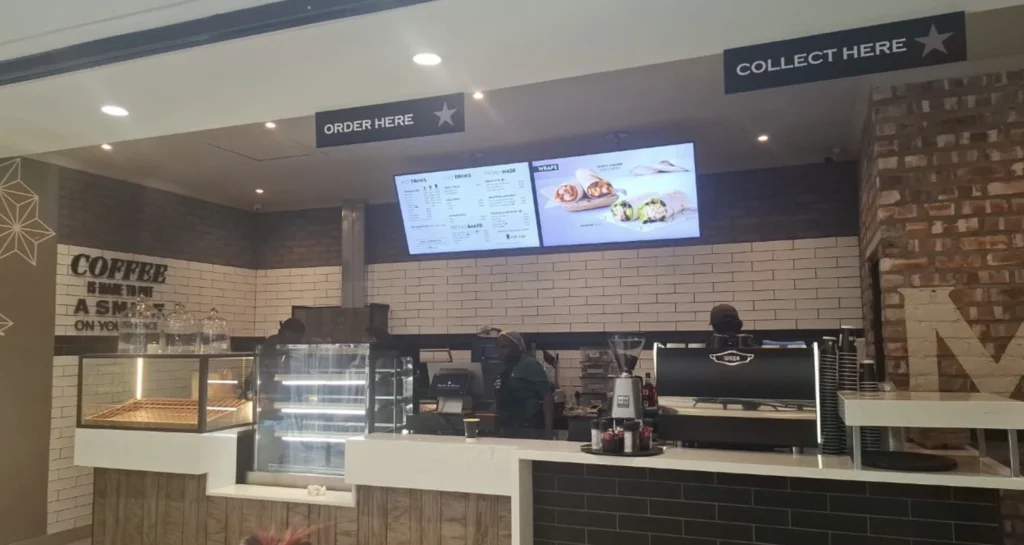
What Is Digital Signage for Gas Stations?
Digital signage for gas stations is the use of digital screens, Smart TVs, outdoor displays, and digital signage software to present fuel prices, convenience store promotions, food and beverage menus, advertisements, safety information, and other customer-facing content at gas stations, petrol stations, and fuel retail locations.
Instead of relying entirely on printed posters, static advertising boards, and manually updated promotional signs, gas station operators can use digital displays to communicate information and manage marketing campaigns remotely.
Gas station digital signage can be used in:
- Fuel pump areas
- Convenience stores
- Gas station entrances
- Checkout counters
- Coffee and food service areas
- Car wash entrances
- Customer waiting areas
- EV charging stations
- Outdoor advertising locations
- Multi-location fuel station networks
A typical setup looks like:
Digital Signage Software → Compatible Media Player or Smart TV → Digital Screen → Gas Station Customers
With Buzzblender, gas station operators can centrally manage promotional videos, images, playlists, schedules, and compatible web widgets across one or multiple locations. Fuel pricing, POS data, and operational systems can be connected through suitable integrations when required. See more information about different cases for digital signage.
You can also use our Free Templates for Digital Signage.
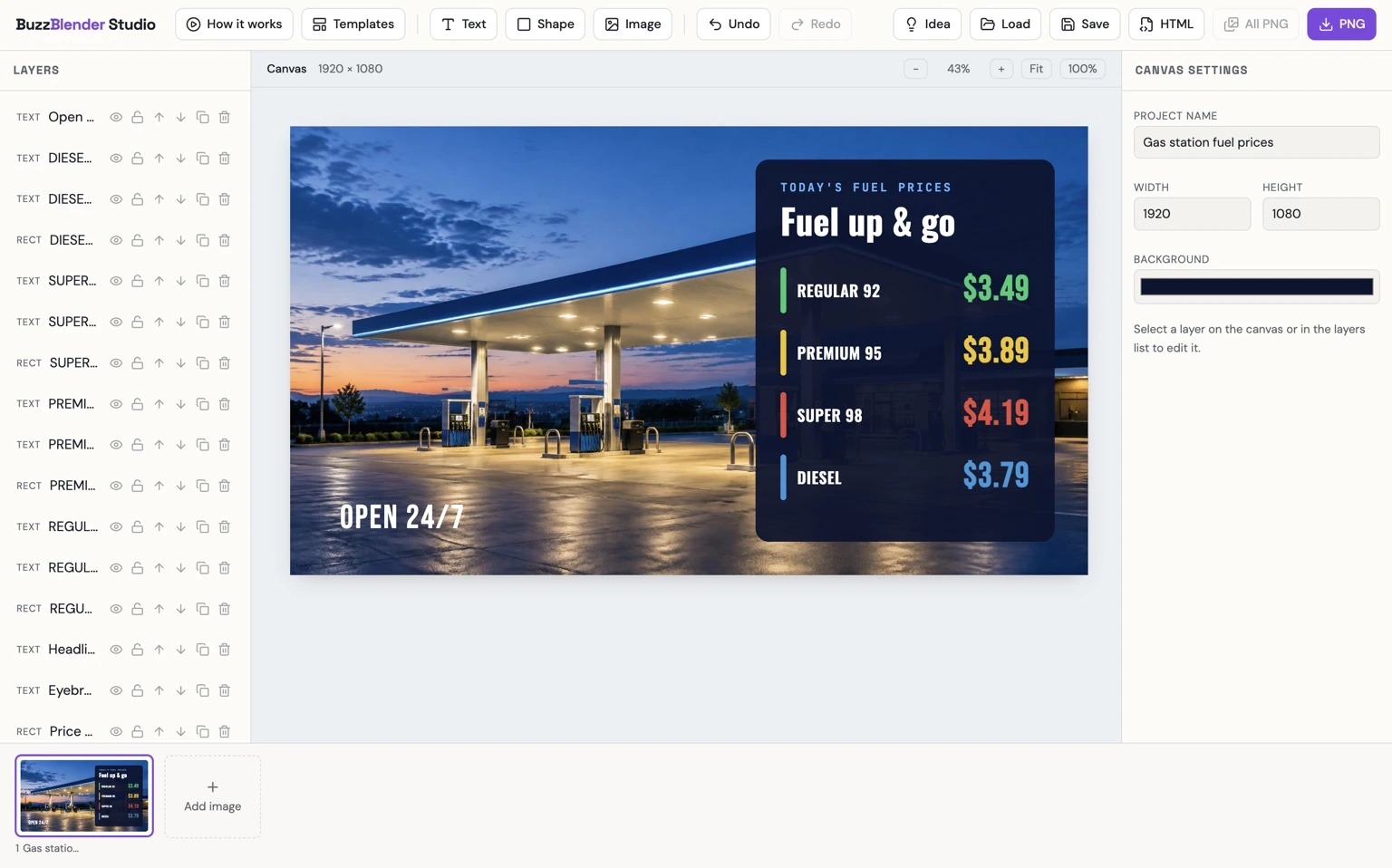
Take control of your screens today with Buzzblender
Digital Signage for Gas Stations Example
Imagine a gas station with five digital screens.
Screen 1 — Store Entrance
Displays current convenience store promotions and featured products.
Screen 2 — Checkout Counter
Shows loyalty program information, special offers, and customer announcements.
Screen 3 — Coffee Area
Displays a digital coffee menu with available drinks and prices.
Screen 4 — Car Wash Entrance
Promotes car wash packages and service information.
Screen 5 — Customer Waiting Area
Displays weather information, promotional videos, and travel-related announcements.
For example, a convenience store screen could show:
TODAY’S SPECIAL
Coffee + Sandwich Combo
$6.99
Available at Participating Locations
With Buzzblender, the station can manage these five screens from a centralized interface, schedule campaigns, and update promotional content remotely.
For a fuel station chain, the same approach can be extended across dozens or hundreds of locations.
Why Use Digital Signage at Gas Stations?
Gas stations serve customers who are often making quick purchasing decisions.
A customer may stop to refuel, buy coffee, purchase snacks, use a car wash, or charge an electric vehicle.
Digital signage helps operators communicate relevant offers at these different points in the customer journey.
Promote Convenience Store Sales
Digital displays can advertise snacks, beverages, coffee, food combinations, and seasonal products.
Update Promotions Quickly
Operators can change marketing messages without printing and installing new posters.
Improve Customer Communication
Screens can show service announcements, operating hours, and other useful information.
Promote Additional Services
Car washes, loyalty programs, food services, and EV charging facilities can be advertised to customers already visiting the location.
Manage Multiple Locations
A fuel retail company can centrally distribute campaigns while keeping location-specific information where necessary.
Maintain Consistent Branding
Digital signage can help gas station networks use consistent brand colors, layouts, promotional messages, and visual assets.
Types of Gas Station Digital Signage
1. Fuel Pump Digital Signage
Fuel pump digital signage uses screens installed at or near fueling areas to display promotional or informational content.
Possible content includes:
- Convenience store offers
- Coffee promotions
- Car wash packages
- Loyalty program advertising
- Brand campaigns
- Customer information
- Safety reminders
For example:
REFUEL AND REFRESH
Fresh Coffee Available Inside
Discover Today’s Offers
Fuel pump displays should use hardware approved for the installation environment. Equipment installed in or near hazardous areas must meet applicable electrical, safety, and environmental requirements.
Buzzblender can manage content on compatible display systems, but it does not replace certified fuel dispenser controls or safety systems.
2. Gas Station Convenience Store Digital Signage
Convenience stores are among the most useful areas for digital signage.
Customers may enter the store to purchase:
- Coffee
- Bottled beverages
- Snacks
- Sandwiches
- Prepared meals
- Automotive accessories
- Travel essentials
- Seasonal products
Digital screens can highlight featured products and promotional combinations.
For example:
GRAB A QUICK BREAK
Fresh Coffee
Hot Sandwiches
Cold Drinks
Available Inside
Promotions can be updated according to the day, season, or marketing campaign.
3. Gas Station Digital Menu Boards
Gas stations offering food and beverages can use digital menu boards.
Typical content includes:
- Coffee menus
- Sandwich menus
- Breakfast offers
- Hot food
- Bakery products
- Meal combinations
- Seasonal beverages
For example:
COFFEE MENU
Espresso — $2.50
Americano — $3.00
Cappuccino — $3.75
Latte — $4.00
Mocha — $4.50
Illustrative prices.
Digital menus can be updated remotely when products, prices, or promotions change.
Buzzblender can display menu content through images, videos, playlists, and compatible web-based layouts.
For automatic POS-driven pricing or inventory updates, an appropriate integration is required.
4. Gas Station Fuel Price Displays
Fuel prices are among the most important pieces of information communicated by gas stations.
Digital fuel price displays may show:
- Regular gasoline
- Premium gasoline
- Diesel
- Alternative fuels
- Fuel grades
- Applicable price conditions
A simplified example:
TODAY’S FUEL PRICES
Regular — Price per Gallon
Premium — Price per Gallon
Diesel — Price per Gallon
Fuel prices may change frequently and must be accurate.
Important distinction: A digital signage screen is not automatically a certified fuel price sign or dispenser pricing system.
Official fuel price signs and pump prices may be subject to specific legal, metrological, safety, and hardware requirements. Buzzblender can present compatible pricing content, but authoritative fuel pricing and any required certified controls must be handled by the appropriate business systems.
5. Car Wash Digital Signage
Gas stations with car wash services can use screens to promote available packages.
For example:
CAR WASH PACKAGES
Basic Wash — $8
Premium Wash — $12
Ultimate Wash — $16
Illustrative prices.
Car wash signage can display:
- Package names
- Prices
- Included services
- Promotional offers
- Opening hours
- Customer instructions
Screens near car wash entrances can help customers understand available options before making a purchase.
Digital signage should not replace operational signals or safety instructions that must be provided by certified car wash equipment.
6. Gas Station Checkout Digital Signage
Checkout screens can communicate promotions and loyalty information.
Examples include:
- Loyalty rewards
- Coffee offers
- Snack combinations
- Car wash discounts
- Seasonal products
- Gift cards
- Customer announcements
For example:
JOIN OUR REWARDS PROGRAM
Earn Points on Eligible Purchases
Discover Member Offers
Scan to Learn More
A checkout display can help promote repeat visits and additional purchases.
7. Outdoor Gas Station Digital Signage
Outdoor screens can be installed near entrances, storefronts, or other suitable areas.
Content may include:
- Convenience store promotions
- Brand advertising
- Food offers
- Car wash services
- Opening hours
- Seasonal campaigns
Outdoor displays must be selected for their operating environment.
Important considerations include:
- Brightness
- Weather resistance
- Temperature range
- Sunlight exposure
- Mounting
- Electrical safety
- Local signage regulations
- Hazardous-area restrictions
Not every consumer TV is suitable for outdoor gas station use.
Digital Signage for Gas Station Convenience Stores
Convenience stores often rely on impulse purchases.
A customer entering to pay for fuel may also purchase a drink, snack, coffee, or prepared meal.
Digital signage can highlight relevant products at different locations.
Entrance Screens
Introduce current offers.
Beverage Area Screens
Promote drinks and combinations.
Coffee Station Screens
Display coffee menus and breakfast promotions.
Food Counter Screens
Present available meals and prices.
Checkout Screens
Promote loyalty programs and additional services.
The content can be organized into playlists and schedules using Buzzblender.
Digital Signage for Gas Station Coffee Shops
Many modern gas stations operate coffee counters or small cafés.
Digital signage can present:
- Coffee menus
- Breakfast specials
- Bakery items
- Seasonal beverages
- Meal combinations
- Promotional videos
For example:
GOOD MORNING
Coffee + Breakfast Sandwich
Special Morning Offer
A station can schedule breakfast promotions during morning hours and switch to other offers later in the day.
Gas Station Digital Signage Scheduling
Digital signage scheduling allows businesses to show different content at different times.
Morning
- Coffee
- Breakfast
- Bakery products
- Commuter promotions
Afternoon
- Sandwiches
- Cold drinks
- Snacks
- Lunch combinations
Evening
- Ready-to-eat meals
- Convenience store products
- Car wash promotions
Weekend
- Road trip essentials
- Family travel products
- Seasonal campaigns
With Buzzblender, operators can organize content schedules and distribute them to the appropriate screens.
Seasonal Gas Station Promotions
Gas stations often adjust their promotions throughout the year.
Spring
- Car wash promotions
- Vehicle cleaning products
- Travel accessories
Summer
- Cold drinks
- Ice cream
- Road trip snacks
- Summer travel essentials
Autumn
- Coffee
- Warm beverages
- Seasonal food promotions
Winter
- Hot drinks
- Winter vehicle products
- Seasonal convenience store offers
Campaigns can be prepared in advance and scheduled to appear during the appropriate period.
Digital Signage for EV Charging Stations
Some gas stations also operate electric vehicle charging facilities.
EV charging areas can provide opportunities for customer information and promotional content.
Possible content includes:
- Convenience store promotions
- Coffee offers
- Food menus
- Available station services
- Weather information
- Local travel information
- Customer announcements
For example:
CHARGING YOUR VEHICLE?
Enjoy Fresh Coffee Inside
Explore Our Convenience Store
Charging status, payment information, and other operational charging data require compatible EV charging systems or integrations.
Buzzblender manages signage content rather than the charging process itself.
Weather Widgets for Gas Station Digital Signage
Weather information can be useful for customers planning a journey.
Gas station screens can display:
- Current temperature
- Weather conditions
- Forecast information
- Rain probability
- Wind information
- Local weather
For example:
TODAY’S WEATHER
18°C
Partly Cloudy
Have a Safe Journey
Buzzblender offers a Weather Widget that can be incorporated into digital signage presentations.
Weather information can appear alongside convenience store promotions, customer announcements, and other content.
Weather widgets should not be treated as replacements for official severe-weather warnings or emergency notification systems.
Gas Station Loyalty Program Digital Signage
Loyalty programs can encourage repeat visits.
Digital signage can promote:
- Membership benefits
- Points programs
- Fuel-related rewards
- Convenience store offers
- Mobile applications
- QR code registration
For example:
JOIN OUR LOYALTY PROGRAM
Discover Exclusive Offers
Earn Rewards on Eligible Purchases
Scan to Join
The actual loyalty program, customer accounts, transactions, and rewards are managed by a separate loyalty or retail management system.
Buzzblender can display the promotional information and QR codes.
QR Codes on Gas Station Digital Signage
QR codes can connect customers to online services.
Possible destinations include:
- Loyalty registration
- Mobile applications
- Promotional pages
- Product information
- Customer feedback
- Car wash information
- Store websites
For example:
DISCOVER MORE OFFERS
Scan the QR Code
QR codes should be positioned where customers can scan them safely.
Avoid encouraging drivers to use their phones while operating vehicles or actively fueling.
Digital Signage for Gas Station Chains
Multi-location gas station networks often need to distribute promotions across many locations.
Without centralized management, employees may need to update printed promotional materials individually.
With digital signage, head office can distribute content remotely.
Head Office → Buzzblender → Gas Station Locations → Digital Screens
Imagine a fuel retail company with 50 gas stations.
Each location has:
- One convenience store promotional screen
- One coffee menu screen
- One checkout promotional screen
That creates a network of 150 screens.
Head office can distribute national campaigns while individual stations display location-specific offers where appropriate.
Screen Groups for Gas Stations
Gas station networks can organize displays by purpose.
For example:
Gas Station Network
- Convenience Store Screens
- Coffee Menu Screens
- Checkout Screens
- Car Wash Screens
- Customer Information Screens
Screens can also be grouped by station or region.
This allows operators to publish the right content to the right locations.
Buzzblender supports centralized screen management and screen groups for compatible deployments.
Gas Station Digital Signage and POS Integration
Gas stations may use POS systems to manage:
- Retail transactions
- Product pricing
- Inventory
- Promotions
- Loyalty programs
- Fuel sales
Digital signage software serves a different purpose.
It manages the content shown on screens.
For example, a POS system may contain the current price of a coffee product, while digital signage displays the coffee menu.
An integration can connect these systems when supported.
POS or Pricing System → Integration → Digital Signage Content → Screen
Automatic price updates, inventory-driven promotions, and real-time product availability require appropriate integrations.
Buzzblender should not be treated as a replacement for a gas station POS or fuel management system.
Smart TV Digital Signage for Gas Stations
Compatible Smart TVs can provide a practical solution for indoor gas station digital signage.
A typical setup is:
Buzzblender → Compatible Smart TV → Gas Station Screen
Depending on the deployment, supported environments may include:
- Samsung Tizen
- LG webOS
- Android
- Windows
- Chromecast
- Browser-based players
This can be useful for convenience stores, coffee areas, checkout counters, and customer waiting areas.
Hardware suitability should be confirmed for the intended environment.
Chromecast Digital Signage for Gas Stations
Chromecast can be a cost-effective digital signage player for suitable indoor installations.
With Buzzblender, compatible Chromecast deployments can support:
- Promotional videos
- Images
- Web pages
- HTML widgets
- Playlists
- Cached content
- Offline-ready playback
- Automatic restart and recovery
For example, a gas station convenience store could use an existing TV with a compatible Chromecast-based setup to display promotional content.
Outdoor or hazardous-area installations require hardware specifically approved for those conditions.
Offline Digital Signage for Gas Stations
Gas stations may experience temporary internet interruptions.
Reliable signage playback is important, particularly at locations operating for long hours.
In compatible configurations, Buzzblender can use locally available or cached media.
When internet access is available, content can be downloaded or updated.
During a temporary interruption, available local media can continue playing.
This is useful for:
- Promotional videos
- Product advertisements
- Brand presentations
- Coffee menus stored as media
- Preloaded customer information
Dynamic widgets, live data, and externally connected pricing information may require connectivity to remain current.
Cached promotional content must not be mistaken for authoritative fuel pricing or operational safety information.
Gas Station Video Walls
Larger fuel stations, travel centers, and flagship convenience stores may use video walls.
Possible applications include:
- Brand advertising
- Large promotional campaigns
- Food and beverage advertising
- Travel center information
- Product launches
A 2×2 video wall consists of four screens working together to present a larger visual composition.
Buzzblender guarantees frame-accurate synchronization for supported multi-screen and video-wall configurations.
This enables compatible screens to maintain coordinated playback at the individual-frame level.
Frame-accurate synchronization can be useful when promotional video content spans several screens.
How Much Does Digital Signage for Gas Stations Cost?
The total cost of gas station digital signage can include:
- Digital signage software
- TVs or commercial displays
- Outdoor-rated hardware
- Media players
- Mounting equipment
- Installation
- Networking
- Content production
- POS integrations
- Specialized fuel pricing integrations
Buzzblender Basic costs $5 per screen per month.
Software Pricing Examples
1 screen: $5/month
2 screens: $10/month
3 screens: $15/month
5 screens: $25/month
10 screens: $50/month
25 screens: $125/month
50 screens: $250/month
100 screens: $500/month
Small Gas Station Example
A gas station with three indoor screens:
3 × $5 = $15/month
Medium Gas Station Example
A travel center with eight screens:
8 × $5 = $40/month
Gas Station Chain Example
A company operates 50 locations with four screens per location.
50 × 4 = 200 screens
200 × $5 = $1,000/month
These calculations represent the base Buzzblender Basic software cost.
Hardware, installation, networking, content production, third-party services, and specialized integrations may involve additional expenses.
On-Premise Digital Signage for Gas Station Networks
Large fuel retail organizations may have specific infrastructure and network requirements.
Buzzblender can provide custom on-premise deployments.
A possible architecture is:
Company Server → Buzzblender → Private Network → Players → Gas Station Screens
On-premise deployment may be relevant for:
- Large gas station chains
- Fuel retail groups
- Travel center networks
- Organizations with restricted networks
- Businesses with specific internal IT requirements
The exact architecture depends on the company’s server environment, locations, hardware, and integration needs.
Need Buzzblender on your own server or at a specific location? Contact us.
Why Use Buzzblender for Gas Station Digital Signage?
Buzzblender provides a centralized digital signage platform for gas stations, petrol stations, convenience stores, and fuel retail networks.
Operators can use Buzzblender to manage:
- Convenience store promotions
- Coffee menus
- Food advertising
- Car wash promotions
- Loyalty program advertising
- Customer announcements
- Promotional videos
- Images
- Playlists
- Scheduling
- Screen groups
- Remote content updates
- Multi-location networks
- Compatible Smart TVs
- Chromecast-based signage
- HTML widgets
- Weather Widget
- Offline-ready content
- Video walls
- Frame-accurate synchronization for supported configurations
A small independent gas station can start with one or two screens.
A large fuel retail chain can use the same platform to centrally manage content across many locations.
With Buzzblender Basic priced at $5 per screen per month, businesses can build a digital signage network that scales with their requirements.
Need a Custom Gas Station App or Widget?
Gas stations often have specialized requirements.
You may need a custom digital signage app or widget, such as:
- Fuel price display
- Coffee menu widget
- Convenience store promotions
- Car wash package display
- Loyalty program widget
- Weather widget
- EV charging information display
- Product promotion widget
- Custom branded information screen
- POS-connected promotional display
If you need an app or widget that is not currently available, contact us and tell us what you need. We can build a new app or widget for you for free.
Specialized integrations, external data services, and certified fuel pricing or safety systems may involve separate requirements or costs.
Best Practices for Gas Station Digital Signage
1. Match Content to Screen Location
Fuel pump, convenience store, checkout, and car wash displays should communicate different information.
2. Use Clear Promotional Messages
Customers often have limited time. Messages should be understandable at a glance.
3. Keep Prices Accurate
Displayed product and service prices should match the business’s current offers.
4. Schedule Promotions
Use different campaigns for breakfast, lunch, evenings, weekends, and seasonal events.
5. Use High-Quality Product Images
Food, beverages, and convenience store products benefit from clear, attractive photography.
6. Choose Appropriate Hardware
Outdoor and hazardous-area installations require suitable equipment and compliance with applicable requirements.
7. Avoid Distracting Drivers
Screen positioning, brightness, animation, and content should not interfere with safe driving or fueling.
8. Plan for Connectivity Interruptions
Use appropriate offline-ready content and fallback behavior.
9. Organize Screens into Groups
Multi-location businesses should group displays by function, station, or region.
10. Measure Campaign Performance
Where possible, evaluate promotional sales, loyalty registrations, QR scans, and other relevant outcomes.
Common Mistakes
Using Consumer TVs Outdoors
Ordinary indoor televisions may not be suitable for sunlight, rain, temperature extremes, or other outdoor conditions.
Displaying Outdated Prices
Incorrect fuel, food, or service prices can confuse customers and create compliance issues.
Using the Same Content on Every Screen
A coffee menu screen should not necessarily show the same content as a car wash entrance display.
Displaying Too Much Text
Gas station customers often make quick decisions, so signage should communicate clearly.
Ignoring Safety Requirements
Digital signage must not interfere with fueling operations, safety equipment, emergency instructions, or vehicle movement.
Assuming Digital Signage Replaces Fuel Control Systems
Digital signage manages screen content, not certified fuel dispensing or pricing controls.
Forgetting to Remove Expired Promotions
Scheduled campaigns should end when the promotional period expires.
Ignoring Internet Interruptions
Operators should plan how screens behave when connectivity is unavailable.
Frequently Asked Questions
What is digital signage for gas stations?
Digital signage for gas stations is the use of digitally managed screens to display convenience store promotions, food menus, car wash services, customer announcements, and other information at fuel retail locations.
Can gas stations use digital signage for fuel prices?
Yes, digital screens can display fuel price information. However, official fuel price signs and dispenser pricing systems may require specialized certified hardware and integrations.
Can digital signage display coffee menus?
Yes. Gas stations can use digital menu boards to display coffee, food, bakery items, and promotional combinations.
Can gas stations promote car wash services?
Yes. Digital signage can display car wash packages, prices, promotions, and customer information.
Can I use an existing TV?
A suitable existing TV may be used for indoor signage with a compatible player or supported playback method.
Can I use Chromecast for gas station digital signage?
Yes. Chromecast can be used in compatible Buzzblender deployments, particularly for suitable indoor promotional screens.
Can gas station screens be updated remotely?
Yes. Buzzblender allows authorized users to manage and update compatible screens remotely.
Can I manage multiple gas stations centrally?
Yes. Buzzblender supports centralized management and screen groups for multi-location digital signage networks.
Can gas station digital signage work offline?
Compatible locally available or cached content can continue playing during temporary internet interruptions. Live widgets and external data may require connectivity.
Can I display weather information?
Yes. Buzzblender offers a Weather Widget that can be used as part of a digital signage presentation.
Can digital signage integrate with a gas station POS?
Compatible integrations may be possible, depending on the POS platform, available APIs, and required functionality.
Does Buzzblender replace fuel management software?
No. Buzzblender manages digital signage content and screens. Fuel dispensing, transactions, certified pricing controls, and operational systems remain separate.
Does Buzzblender support gas station video walls?
Yes. Buzzblender supports compatible multi-screen installations and guarantees frame-accurate synchronization for supported configurations.
How much does Buzzblender cost for a gas station?
Buzzblender Basic costs $5 per screen per month. For example, three screens cost $15/month and ten screens cost $50/month in base software charges.
Can Buzzblender create a custom gas station widget?
Yes. If you need a specific app or widget, contact us with your requirements. We can build a new app or widget for you for free.
Final Thoughts
Digital signage for gas stations helps fuel retailers communicate promotions, improve customer information, and manage screen content more efficiently.
From convenience store advertising and coffee menus to car wash promotions and customer announcements, digital displays can support multiple parts of the gas station experience.
For businesses operating several locations, centralized content management can simplify campaign distribution and maintain consistent branding.
Buzzblender provides a flexible digital signage platform for gas stations with remote content management, scheduling, screen groups, compatible widgets, offline-ready playback, and frame-accurate synchronization for supported multi-screen installations.
With Buzzblender Basic starting at $5 per screen per month, independent gas stations and large fuel retail networks can build and expand their digital signage systems according to their needs.
Related industry is Automotive Digital Signage. Check the ideas.
What Our Customers Say
⭐⭐⭐⭐⭐
Simple, Reliable, and Surprisingly Affordable Digital Signage
We tried several digital signage solutions before switching to BuzzBlender, and it has easily been the simplest and most reliable option we’ve used.
Setting it up on our Samsung displays was quick and straightforward. Managing content is just as easy—even for team members who aren’t particularly tech-savvy. We can update our screens in real time, launch promotions, change menu content, and manage everything remotely without needing any additional hardware.
What really sets BuzzBlender apart is the combination of simplicity and affordability. It gives us everything we need without the complexity or high costs of other systems—and at just $5, the value is hard to beat.
Aadan