
What Is Digital Signage for Storefront?
Digital Signage for Storefront is the use of digital displays in store windows, entrances, façades, and other customer-facing areas to show promotions, advertisements, product information, opening hours, new arrivals, seasonal campaigns, and other visual content.
Storefront digital signage replaces or complements traditional printed posters with screens that can display dynamic images, videos, animations, and scheduled campaigns.
Retailers can use digital signage software to remotely update storefront screens across a single shop or hundreds of locations without physically replacing posters at every store.
Why Use Digital Signage in a Storefront?
A storefront is one of the first opportunities a retailer has to communicate with potential customers.
People walking past a store may decide within seconds whether to enter.
Digital storefront displays can help businesses:
- Attract attention
- Promote current offers
- Advertise new products
- Highlight discounts
- Promote seasonal campaigns
- Display opening hours
- Communicate brand messages
- Update campaigns remotely
- Coordinate promotions across multiple stores
- Reduce dependence on printed posters
Unlike static signage, a single screen can rotate through multiple messages throughout the day.
BuzzBlender is the best choice to get started. Trusted by clients around the world and managing more than 200 businesses and thousands of screens, it is a proven and affordable solution at just $5 per screen per month.
Use the promo code WELCOME100 to get your first month free. Create your account and connect your first screen.

$5 per Screen / Month
One platform. All features included.
Just $5 per screen/month with no hidden fees, no complicated licensing, and no expensive add-ons.
Deploy more screens while keeping costs under control
Where Can Storefront Digital Signage Be Installed?
Store Windows
Window-facing screens can display promotions to pedestrians outside the store.
Store Entrances
Screens near entrances can introduce current campaigns and encourage visitors to explore particular products.
Behind Storefront Glass
Displays installed behind glass can be protected from weather while remaining visible from outside.
Exterior Walls
Purpose-built outdoor displays can be installed directly on a building exterior where appropriate.
Window Video Walls
Multiple screens can create a larger storefront advertising installation.
LED Storefront Displays
Direct-view LED installations can provide larger-format signage for stores requiring greater visibility.
Storefront Window Digital Signage
Store windows are one of the most popular locations for retail digital signage.
A screen can display:
- Current sales
- Product videos
- New arrivals
- Promotional campaigns
- Store opening hours
- QR codes
- Loyalty programs
- Upcoming events
- Brand advertising
Because content is digital, retailers can change the message without physically replacing window graphics.
Why to Choose Buzzblender
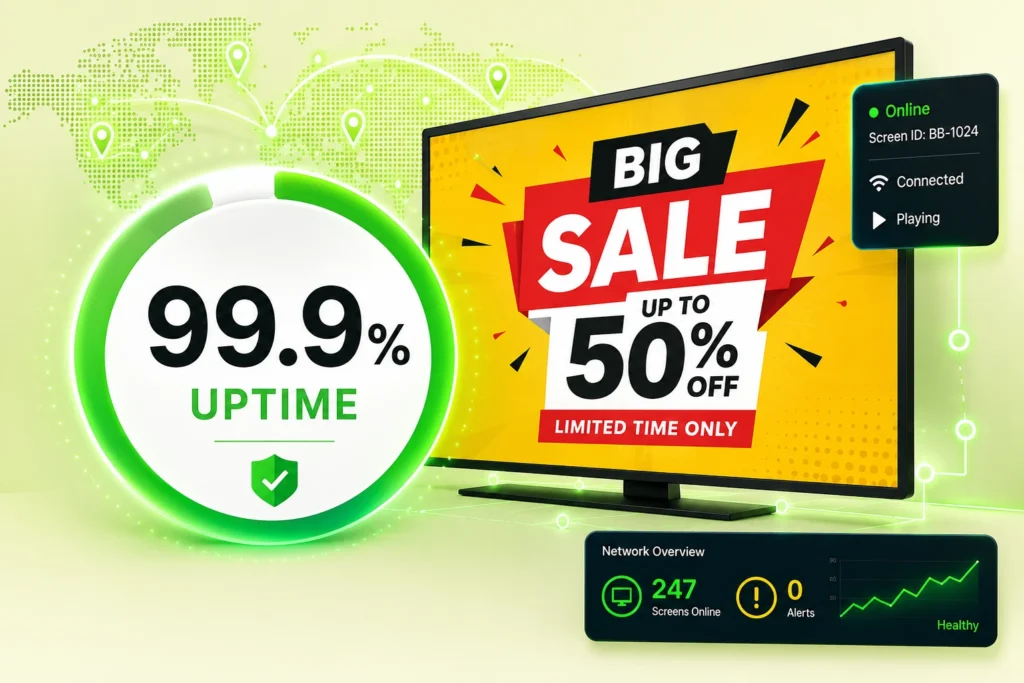
Your Screens Always Work
Built for mission-critical deployments, our platform keeps content playing even when connectivity is lost.
Self-Healing Devices — Automatic recovery from common failures
Offline-Ready — Local content storage for uninterrupted playback
Digital Storefront Advertising
Storefront displays can function as continuously changing advertising surfaces.
For example, a fashion retailer could schedule:
Morning
New arrivals and workwear.
Afternoon
Seasonal promotions.
Evening
Special offers and lifestyle campaigns.
After Closing
Online shopping information and QR codes.
This allows the storefront to remain a marketing channel even when the physical store is closed.
High-Brightness Storefront Digital Signage
Brightness is one of the most important considerations for window-facing digital signage.
A regular indoor TV may look bright inside a room but become difficult to see when positioned behind a sunlit window.
High-brightness commercial displays are specifically designed for environments with substantial ambient light.
Brightness is usually measured in nits.
The appropriate brightness depends on factors including:
- Window orientation
- Direct sunlight
- Distance from the glass
- Time of day
- Local climate
- Reflections
- Installation position
A screen facing direct sunlight may require substantially more brightness than a display in a shaded storefront.
Storefront Digital Signage and Sunlight
Direct sunlight creates two major challenges.
Visibility
Strong sunlight can make a low-brightness display difficult to see.
Heat
Solar exposure can significantly increase the temperature around a display, particularly when it is installed behind glass.
Storefront installations should therefore consider both brightness and thermal management.
Commercial window-facing displays may provide features specifically designed for these environments.
A standard consumer TV should not automatically be assumed suitable for continuous operation in a sun-exposed window.
Storefront Digital Signage vs Regular TV
Commercial Storefront Display
Depending on the model, it may provide:
- Higher brightness
- Longer operating hours
- Portrait support
- Remote device management
- Commercial warranty
- Better thermal management
- Professional mounting options
- Commercial signage functionality
Consumer TV
Primarily designed for home entertainment and normal indoor lighting conditions.
A consumer television may be sufficient for a basic indoor installation away from direct sunlight, but demanding storefront environments generally benefit from purpose-built commercial signage hardware.
Indoor vs Outdoor Storefront Digital Signage
These installations should not be confused.
Indoor Window-Facing Digital Signage
The display remains inside the building but faces outward through a window.
Important considerations include:
- Brightness
- Reflections
- Heat
- Sun exposure
- Operating hours
Outdoor Digital Signage
The display itself is exposed to outdoor conditions.
This may require:
- Weather resistance
- High brightness
- Temperature management
- Dust protection
- Water resistance
- Appropriate enclosures
A window-facing indoor display is not automatically suitable for direct outdoor installation.
Storefront Digital Signage for Retail
Retailers can use storefront screens to promote:
- Sales
- Discounts
- New products
- Limited-time offers
- Seasonal collections
- Loyalty programs
- Store events
- Click-and-collect services
- Online shopping
Different stores can receive different content based on inventory, location, audience, or campaign strategy.
Storefront Digital Signage for Restaurants
Restaurants, cafés, bakeries, and quick-service businesses can use storefront screens for:
- Menus
- Daily specials
- Opening hours
- Food photography
- Breakfast offers
- Lunch promotions
- Happy-hour promotions
- QR codes
- Ordering information
Content can automatically change throughout the day.
For example:
7:00 AM — Breakfast
11:00 AM — Lunch
5:00 PM — Dinner
This eliminates the need to manually switch menu posters several times per day.
Storefront Digital Signage for Grocery Stores
Grocery stores can use entrance and window displays for:
- Weekly specials
- Seasonal products
- Loyalty programs
- Fresh-food promotions
- Store hours
- New products
- Holiday campaigns
Multi-location grocery businesses can centrally distribute promotions while allowing individual stores to display locally relevant content.
Storefront Digital Signage for Banks
Banks and financial institutions can use storefront displays for:
- Service information
- Brand campaigns
- Opening hours
- Customer announcements
- Product promotions
- Educational content
Any regulated or time-sensitive financial information should follow applicable compliance requirements.
Storefront Digital Signage for Real Estate
Real estate offices frequently have highly visible storefront windows.
Digital displays can showcase:
- Properties
- Prices
- Photographs
- Agent information
- Open houses
- New listings
- QR codes
Screens can rotate through many listings without filling the window with printed property sheets.
Storefront Digital Signage for Car Dealerships
Automotive retailers can use storefront and showroom-facing displays for:
- Vehicle promotions
- New models
- Financing campaigns
- Service offers
- Accessories
- Brand videos
- Opening hours
Content can be coordinated with campaigns running elsewhere in the dealership.
Portrait vs Landscape Storefront Displays
Portrait
Portrait displays resemble traditional advertising posters and work particularly well in narrow windows.
They are useful for:
- Fashion campaigns
- Product advertisements
- Digital posters
- Full-height imagery
- Promotions
Landscape
Landscape screens are useful for:
- Video
- Wide advertisements
- Multiple products
- Menus
- Promotional presentations
The appropriate orientation depends on the storefront architecture and content.
Storefront Video Walls
Retailers can combine multiple displays to create larger digital window installations.
For example:
2 × 2 screens
or
3 × 3 screens
can create a large visual surface.
Video walls can display either one large piece of content across all screens or coordinated content on individual displays.
For installations where screens must play coordinated content, screen synchronization capabilities should also be considered.
LED Digital Signage for Storefronts
Direct-view LED can be an alternative to LCD screens.
LED is particularly useful for:
- Large storefronts
- Long viewing distances
- Large advertising surfaces
- High-impact installations
- Building façades
LCD may be more appropriate when customers view the display from relatively close distances and high pixel density is important.
Interactive Storefront Digital Signage
Some storefront installations can include touch or other interactive technology.
Potential applications include:
- Product catalogs
- Store directories
- Property searches
- Appointment booking
- Product configuration
- Interactive promotions
However, touch functionality requires hardware specifically designed for interactive use and an installation where customers can physically access the display.
Storefront Digital Signage with QR Codes
QR codes can connect storefront advertising with a customer’s smartphone.
A display might use a QR code for:
- Online shopping
- Product information
- Reservations
- Coupons
- Loyalty programs
- App downloads
- Property listings
- Event registration
QR codes should be large enough to scan from the expected viewing distance and remain on screen long enough for customers to use them.
Digital Signage After the Store Closes
A major advantage of storefront signage is that the window can continue communicating after business hours.
Screens can display:
- Online store QR codes
- Tomorrow’s opening hours
- Upcoming promotions
- Product advertising
- New arrivals
- Contact information
- Appointment booking information
This effectively turns the storefront into an advertising channel beyond normal opening hours.
Multi-Location Storefront Digital Signage
Retail chains can manage storefront screens across many stores from one digital signage CMS.
A typical structure might be:
Brand → Country → Region → Store → Screen
This allows different levels of content management.
Brand-Wide Campaigns
Display the same major campaign across all stores.
Regional Campaigns
Target promotions to a specific market.
Store-Specific Content
Individual stores can display local events, opening hours, or promotions.
Screen-Specific Content
Window displays can show different campaigns from screens inside the store.
Scheduling Storefront Content
Content scheduling is especially useful for storefront signage.
Campaigns can change based on:
- Time of day
- Day of week
- Promotion period
- Season
- Store location
- Event
- Holiday
For example:
Monday–Thursday
Standard promotion.
Friday–Sunday
Weekend sale.
The system can automatically stop displaying a campaign when the promotion expires.
Why Choose Buzzblender for Storefront Digital Signage?
Buzzblender provides a simple cloud-based platform for managing compatible storefront digital signage.
Only $5 Per Screen Per Month
Buzzblender costs just $5 per screen per month, making it affordable for both independent stores and large retail networks.
For example, 100 storefront screens would have a base software cost of $500 per month at $5 per screen.
Cloud-Based Management
Manage storefront displays remotely instead of manually updating each store.
Content Scheduling
Schedule:
- Promotions
- Sales
- Advertisements
- New arrivals
- Opening hours
- Seasonal campaigns
- Videos
- Digital posters
Multi-Store Management
Manage displays across multiple stores from one platform.
Screen Groups
Organize displays by:
- Store
- City
- Region
- Country
- Screen type
- Campaign
Broad Device Compatibility
Buzzblender can support compatible deployments using:
- Android
- Windows
- LG webOS
- Samsung Tizen
- Commercial displays
- Media players
Remote Updates
Change storefront promotions across selected stores without replacing printed posters or visiting every location.
Take control of your screens today with Buzzblender
Storefront Digital Signage Hardware
Choosing appropriate hardware is particularly important for storefront installations.
Consider:
Brightness
Can customers clearly see the screen during daylight?
Operating Hours
Will the display operate only during store hours or for extended periods?
Heat Management
Will the screen be exposed to significant solar heat?
Orientation
Does the display officially support portrait mode if required?
Screen Size
Is it large enough to be visible from the expected viewing distance?
Commercial Rating
Is the hardware designed for the intended operating environment?
Outdoor Protection
If installed outdoors, is the display appropriately rated for weather exposure?
Digital Storefront Signage vs Printed Posters
Digital Storefront Signage
- Remote updates
- Video and animation
- Multiple campaigns per screen
- Scheduled promotions
- Multi-store management
- Fast campaign changes
- Dynamic content
Printed Posters
- No electricity required
- Low technical complexity
- Static content
- Manual replacement
- Printing required for every change
Many retailers use both, with permanent branding handled by traditional signage and frequently changing promotions displayed digitally.
How to Create Effective Storefront Content
Keep the Message Short
People walking past the store may only see the screen for a few seconds.
Use Large Text
Customers should be able to read the main message from outside.
Lead With the Offer
Instead of:
“Discover our exciting collection of products available this weekend”
use:
30% OFF THIS WEEKEND
Use Strong Product Images
Storefront signage is a highly visual medium.
Avoid Long Videos
A pedestrian may not remain in front of the display long enough to watch a lengthy video.
Include a Clear Call to Action
Examples:
SHOP NOW
ENTER TO SAVE 20%
SCAN TO ORDER
SALE ENDS SUNDAY
Best Practices
- Choose brightness based on actual window conditions.
- Test visibility during daylight.
- Consider direct sunlight and heat.
- Use large typography.
- Keep promotional messages concise.
- Use high-quality product imagery.
- Schedule campaigns in advance.
- Automatically expire old promotions.
- Group screens by store and region.
- Use commercial hardware for demanding installations.
- Design content for the expected viewing distance.
- Test QR codes from outside the storefront.
Common Mistakes
Using a Screen That Is Too Dim
A display that looks bright indoors may become difficult to see through a sunlit window.
Ignoring Heat
Direct sunlight through glass can create challenging operating temperatures.
Too Much Text
Pedestrians usually have limited time to read the screen.
Small QR Codes
Customers need to scan codes from outside the store.
Expired Promotions
Old offers should automatically disappear when campaigns end.
Using Indoor Hardware Outdoors
A normal indoor display is not designed for direct exposure to rain, dust, temperature extremes, and other outdoor conditions.
Showing the Same Campaign All Day
Scheduling allows storefront content to match different audiences and periods throughout the day.
Frequently Asked Questions
What is digital signage for storefronts?
Storefront digital signage uses digital displays in shop windows, entrances, and other customer-facing areas to show promotions, advertising, products, opening hours, videos, and other dynamic content.
Can I put a digital signage screen in a store window?
Yes. However, brightness, sunlight, reflections, heat, and operating conditions should be considered when choosing the display.
How bright should storefront digital signage be?
There is no single brightness specification appropriate for every storefront. The required brightness depends on ambient light, direct sunlight, window orientation, reflections, and installation position.
Can I use a normal TV for storefront digital signage?
A consumer TV may work for some basic indoor applications, but demanding window-facing installations generally benefit from commercial displays designed for higher brightness, extended operating hours, and appropriate thermal conditions.
Can storefront signage run after closing?
Yes. Digital displays can continue promoting products, online shopping, QR codes, and upcoming campaigns outside normal business hours when the hardware and installation are designed for the required operating schedule.
Can different stores show different promotions?
Yes. Digital signage software can group displays by location and assign different campaigns to individual stores or regions.
Can storefront signage display QR codes?
Yes. QR codes can connect customers to online stores, coupons, product pages, loyalty programs, reservations, and other digital experiences.
Can I manage storefront screens remotely?
Yes. Cloud-based digital signage software can centrally manage compatible displays across one or many locations.
How much does Buzzblender cost?
Buzzblender costs just $5 per screen per month.