
What Is Digital Signage Software with a Free Trial?
Digital Signage Software with a Free Trial allows businesses and organizations to evaluate a digital signage platform before purchasing a subscription. A free trial typically provides access to the platform’s core features for a limited period, enabling users to test content management, scheduling, remote screen control, and device compatibility without a long-term commitment.
Free trials help organizations determine whether a platform meets their operational, technical, and budget requirements before deployment.
BuzzBlender is the best choice to get started. Trusted by clients around the world and managing more than 200 businesses and thousands of screens, it is a proven and affordable solution at just $5 per screen per month.
Use the promo code WELCOME100 to get your first month free. Create your account and connect your first screen.
Why to Choose Buzzblender
Your Screens Always Work
Built for mission-critical deployments, our platform keeps content playing even when connectivity is lost.
Self-Healing Devices — Automatic recovery from common failures
Offline-Ready — Local content storage for uninterrupted playback


$5 per Screen / Month
One platform. All features included.
Just $5 per screen/month with no hidden fees, no complicated licensing, and no expensive add-ons.
Deploy more screens while keeping costs under control
Why Choose Digital Signage Software with a Free Trial?
Implementing digital signage often involves multiple displays, locations, and stakeholders.
A free trial allows organizations to:
- Test the software before purchasing
- Verify hardware compatibility
- Evaluate ease of use
- Explore content scheduling features
- Assess remote management capabilities
- Measure deployment speed
- Compare multiple vendors
Trying the platform first reduces implementation risk and helps organizations make informed purchasing decisions.
How Does a Free Trial Work?
Step 1: Create an Account
Sign up for a free trial using your email address.
Step 2: Connect a Screen
Install the digital signage player on your TV, media player, or commercial display.
Step 3: Upload Content
Add videos, images, menus, dashboards, announcements, or promotional graphics.
Step 4: Schedule Content
Create playlists and schedule content for playback.
Step 5: Test Remote Management
Update screens remotely and verify real-time synchronization.
Step 6: Decide Whether to Subscribe
After evaluating the platform, choose the subscription plan that best fits your organization.
What Should You Test During a Free Trial?
Ease of Use
Can non-technical users manage content easily?
Content Scheduling
Can playlists and campaigns be scheduled automatically?
Device Compatibility
Does the software support your hardware?
Remote Management
Can screens be updated from anywhere?
Performance
Does playback remain smooth and reliable?
Scalability
Can the platform support future growth?
Customer Support
Is technical assistance available during evaluation?
Why Choose Buzzblender?
Buzzblender offers a 14-day free trial with no credit card required, allowing businesses to evaluate the platform before subscribing.
14-Day Free Trial
Test every major feature before making a purchasing decision.
No Credit Card Required
Create an account and start using the platform immediately without providing payment information.
Only $5 Per Screen Per Month
After the trial, Buzzblender costs just $5 per screen per month, making it one of the most affordable cloud-based digital signage platforms available.
Cloud-Based Management
Manage displays, playlists, and campaigns from anywhere.
Easy Content Scheduling
Schedule announcements, menus, promotions, dashboards, and events with just a few clicks.
Broad Device Compatibility
Works with:
- Android
- Windows
- LG webOS
- Samsung Tizen
- Commercial displays
- Media players
- Web browsers
Real-Time Updates
Publish changes instantly across all connected screens.
Manage Your Screens with Ease
Features to Look for During a Free Trial
Content Management System (CMS)
Upload and organize media assets.
Playlist Management
Create and edit playlists quickly.
Content Scheduling
Automate playback based on dates and times.
Multi-Screen Management
Control multiple displays from one dashboard.
Remote Monitoring
Monitor device status and connectivity.
User Permissions
Assign administrator and editor roles.
Analytics
Review playback and device activity.
Offline Playback
Ensure screens continue working even if the internet connection is temporarily unavailable.
Common Use Cases
Retail Stores
Test promotional displays and in-store advertising.
Restaurants
Evaluate digital menu boards.
Corporate Offices
Display announcements and KPI dashboards.
Schools
Test campus communications and digital bulletin boards.
Healthcare Facilities
Evaluate patient information displays.
Hotels
Display guest information and promotions.
Churches and Community Centers
Share event schedules and announcements.
Benefits of Starting with a Free Trial
- No upfront financial commitment
- Faster software evaluation
- Lower implementation risk
- Opportunity to compare vendors
- Verify hardware compatibility
- Test real-world workflows
- Train staff before deployment
What Our Customers Say
⭐⭐⭐⭐⭐
Cheap and Perfect Digital Signage for WebOS (LG)
My experience with Buzzblender has exceeded expectations. It simplifies content management. We use LG (WebOs) and Buzzblender works perfectly on our screen
Agbanike, True Wash Laundromat

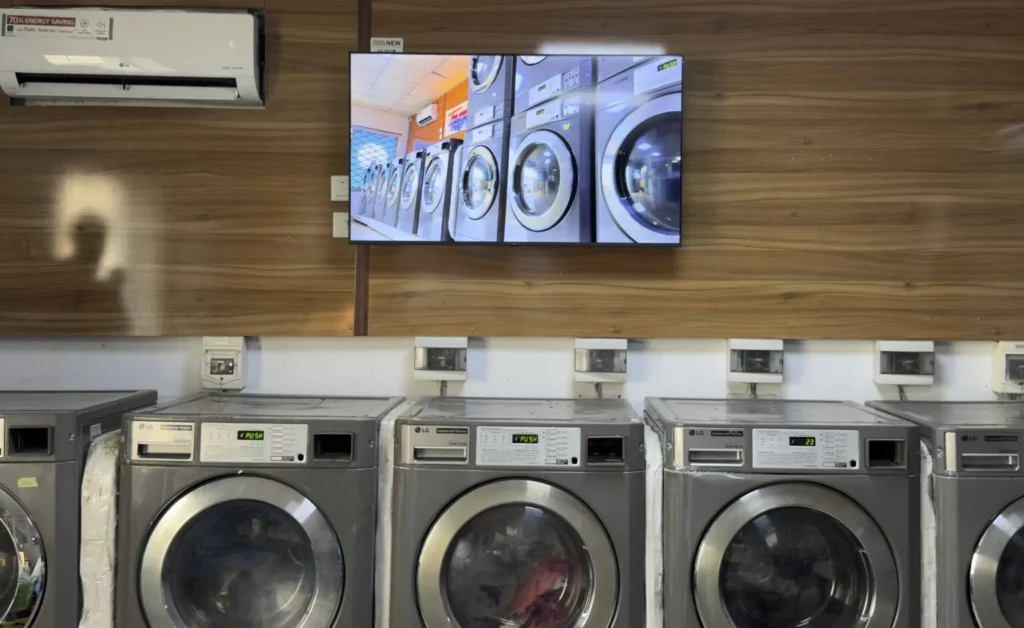
Take control of your screens today with Buzzblender
Frequently Asked Questions
What is digital signage software with a free trial?
It is a digital signage platform that allows users to evaluate its features for a limited period before purchasing a subscription.
How long is the Buzzblender free trial?
Buzzblender offers a 14-day free trial.
Do I need a credit card?
No. Buzzblender’s free trial does not require a credit card.
What happens after the free trial?
You can subscribe to a paid plan or stop using the service.
How much does Buzzblender cost?
Buzzblender costs just $5 per screen per month after the trial.
Can I connect multiple screens during the trial?
Yes. You can evaluate the platform using your supported devices during the trial period.
Which devices are supported?
Android, Windows PCs, LG webOS displays, Samsung Tizen displays, web browsers, media players, and commercial screens.