Churches have always been about bringing people together. But keeping everyone informed? That’s a different challenge.
Weekly events change. Volunteer schedules shift. Special services come up. Printing new posters every few days isn’t exactly practical.
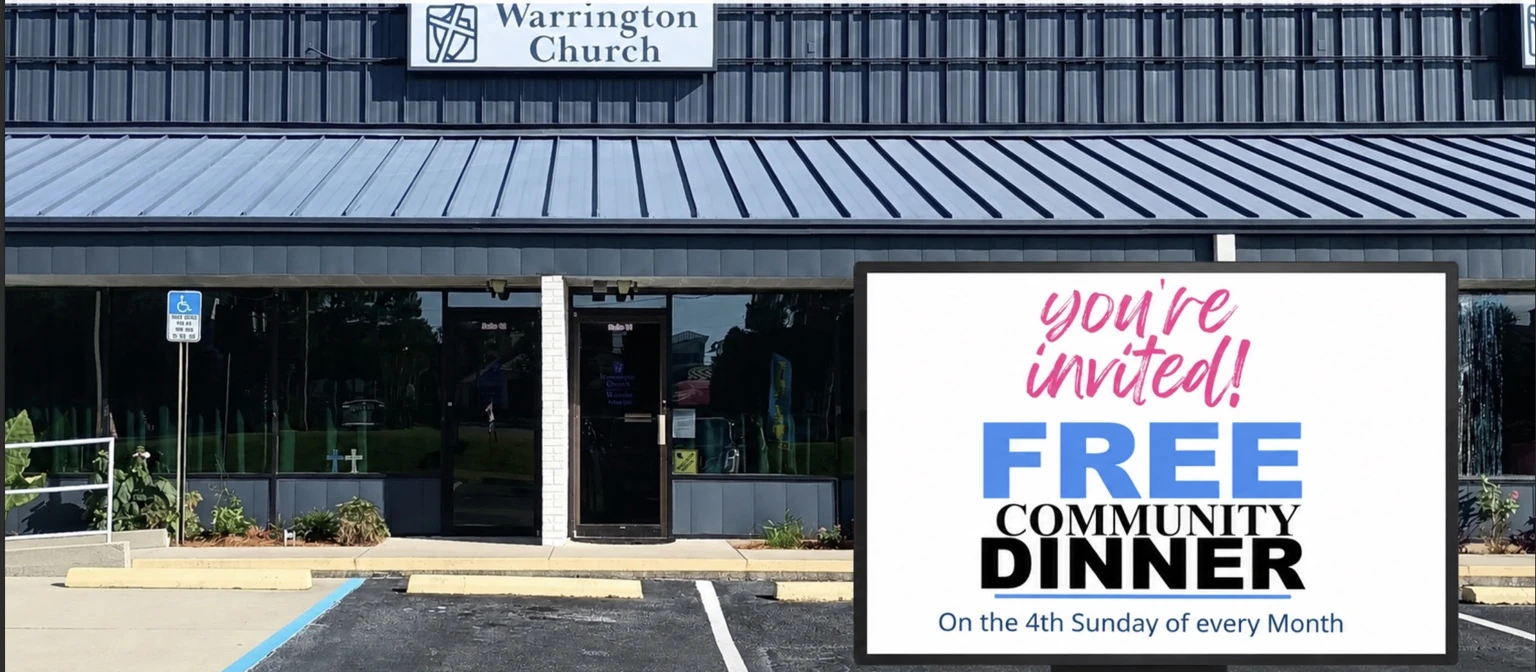
That’s why Warrington Church uses BuzzBlender Digital Signage to manage announcements across its displays.
Instead of relying on printed notices, the church updates its screens remotely using BuzzBlender’s cloud platform. The result is simple: members always see the latest information the moment they walk through the doors.
A Simple Android-Based Setup
One of the reasons the deployment works so well is the hardware.
The church uses Android devices connected to its displays. Instead of purchasing dedicated media players, the team simply installs the BuzzBlender APK, links the device to their dashboard, and starts publishing content. BuzzBlender supports Android devices directly and also offers an APK for installations outside of Google Play when needed.
The setup process is refreshingly straightforward:
- Install the BuzzBlender APK on the Android device.
- Connect the screen using its activation code.
- Upload images, videos, or slides.
- Schedule playlists from the web dashboard.
No complicated networking.
No custom hardware.
No technical expertise required.
Keeping Announcements Fresh
Church communication isn’t static.
One week the priority might be a youth event. The next week it’s a community fundraiser, holiday service, or volunteer recruitment.
With BuzzBlender, staff members don’t have to visit every screen individually.
Instead, they can update content from a browser, and every connected display receives the latest playlist automatically. The platform supports remote content management, scheduling, and centralized control for Android-based displays.
That flexibility matters when schedules change at the last minute.
Better Than Printed Posters
Printed materials still have their place, but digital signage solves several everyday problems.
Instead of:
- replacing posters,
- printing updated schedules,
- or manually swapping announcements,
the church simply updates the content online.
The screens immediately begin showing the new information according to the configured schedule.
For organizations that operate on volunteers and tight budgets, saving both time and printing costs can make a noticeable difference.
Android Makes Deployment Affordable
Android has quietly become one of the easiest platforms for digital signage.
Many modern TVs, media players, and tablets already run Android, meaning organizations can often reuse existing hardware instead of investing in commercial signage players.
BuzzBlender takes advantage of this by running directly on Android devices. Administrators can remotely publish playlists, monitor connected screens, and schedule content without additional hardware.
For churches, schools, community centers, and nonprofits, that’s a practical advantage.
Remote Management That Actually Saves Time
Managing one screen is easy.
Managing screens across multiple entrances, hallways, or buildings quickly becomes repetitive.
BuzzBlender’s cloud dashboard lets administrators control every display from a single place. New announcements can be published in minutes, while playlists can be scheduled days or even weeks in advance. Features such as remote screen management, content scheduling, and playlist management are available across supported Android devices.
That means volunteers spend less time updating screens and more time focusing on the people walking through the doors.
Final Thoughts
Technology shouldn’t complicate communication.
For Warrington Church, digital signage is simply another way to serve its community more effectively.
Using Android devices together with the BuzzBlender APK gives the church an affordable system that’s easy to deploy, simple to maintain, and flexible enough to keep announcements current throughout the week.
Sometimes the best technology is the kind people hardly notice—it quietly keeps everyone informed while the community stays focused on what matters most.
Frequently Asked Questions
Why does Warrington Church use digital signage?
Warrington Church uses digital signage to keep members and visitors informed about upcoming services, community events, volunteer opportunities, and special announcements. Unlike printed posters, digital displays can be updated instantly from a central dashboard.
What digital signage software does Warrington Church use?
The church uses BuzzBlender Digital Signage, a cloud-based platform that allows staff to manage content remotely and publish updates to Android-powered displays.
What hardware is used for the displays?
The displays run on Android devices. Instead of requiring expensive proprietary media players, the church installs the BuzzBlender APK on compatible Android hardware and connects it to the cloud dashboard.
Why use the BuzzBlender APK instead of Google Play?
The APK installation gives organizations greater flexibility. It can be installed on Android TVs, media boxes, and commercial displays that may not have access to Google Play, making deployment easier across different hardware.
Can announcements be updated remotely?
Yes. Administrators can upload new images, videos, or playlists through the BuzzBlender web dashboard. Once published, the changes automatically appear on every connected screen.
Is Android a good platform for church digital signage?
Yes. Android is one of the most cost-effective platforms for digital signage. Many churches can reuse existing Android TVs or media players, reducing hardware costs while still benefiting from professional remote content management.
Can multiple screens be managed at the same time?
Absolutely. BuzzBlender allows administrators to manage one or hundreds of displays from a single dashboard. Screens can be grouped, assigned different playlists, or updated simultaneously.
Does digital signage save money?
For many churches, yes. Digital signage reduces recurring printing costs, eliminates the need to replace posters manually, and saves staff and volunteers time by allowing announcements to be updated remotely.
Is BuzzBlender suitable for other organizations besides churches?
Yes. While Warrington Church uses BuzzBlender for church communications, the platform is also popular with schools, nonprofits, community centers, healthcare facilities, restaurants, retail stores, offices, and corporate environments that need an easy way to manage digital displays.
We Support Different Operating Systems