
What Is Digital Signage Software for Schools?
Digital Signage Software for Schools is a digital signage solution designed to help educational institutions create, manage, schedule, and display content across campus screens, classroom displays, cafeterias, libraries, hallways, administrative offices, and common areas.
School digital signage software enables administrators, teachers, and staff to communicate announcements, schedules, events, emergency alerts, educational content, and student achievements through a centralized platform.
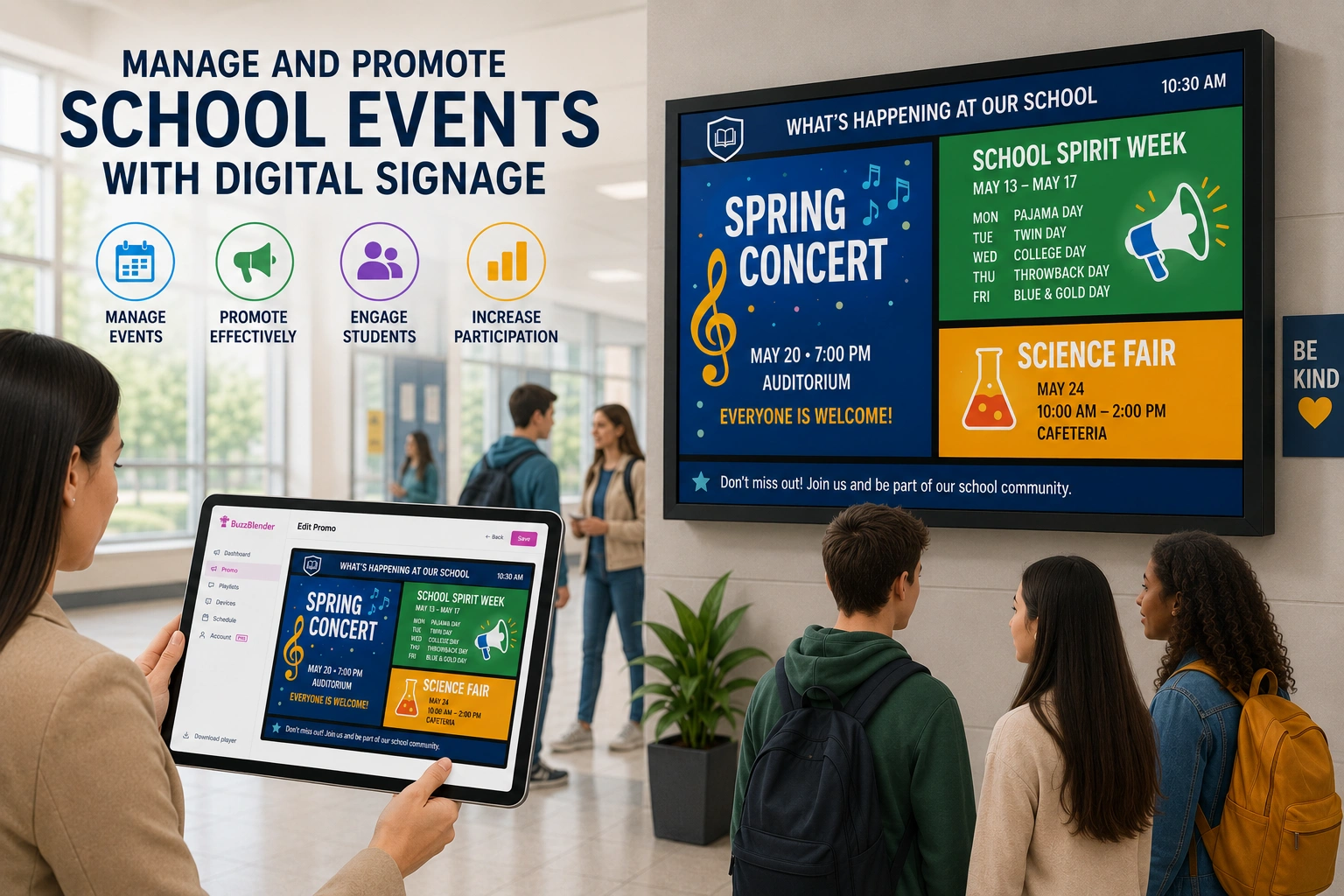
Modern school signage platforms are typically cloud-based, allowing schools, colleges, and universities to manage displays across multiple buildings and campuses from a single dashboard.
BuzzBlender is the best choice to get started. Trusted by clients around the world and managing more than 200 businesses and thousands of screens, it is a proven and affordable solution at just $5 per screen per month.
Use the promo code WELCOME100 to get your first month free. Create your account and connect your first screen.

$5 per Screen / Month
One platform. All features included.
Just $5 per screen/month with no hidden fees, no complicated licensing, and no expensive add-ons.
Deploy more screens while keeping costs under control
Why Is Digital Signage Software for Schools Important?
Educational institutions need effective ways to communicate with students, faculty, staff, and visitors.
Digital signage software helps schools:
- Improve campus communication
- Deliver real-time announcements
- Promote school events
- Increase student engagement
- Display emergency notifications
- Reduce printing costs
- Keep information accurate and up to date
By replacing static bulletin boards and printed notices, schools can communicate more efficiently and reach larger audiences.
Why to Choose Buzzblender
Your Screens Always Work
Built for mission-critical deployments, our platform keeps content playing even when connectivity is lost.
Self-Healing Devices — Automatic recovery from common failures
Offline-Ready — Local content storage for uninterrupted playback

How Does Digital Signage Software for Schools Work?
School digital signage software connects administrators, educators, and displays through a centralized content management platform.
Step 1: Create Content
Users create announcements, schedules, event information, educational materials, videos, and digital posters.
Step 2: Upload Content
Content is uploaded to the digital signage platform.
Step 3: Organize Screens
Displays are grouped by building, department, classroom, campus, or location.
Step 4: Schedule Content
Administrators determine when and where content should appear.
Step 5: Publish Content
The platform distributes content to connected school displays.
Step 6: Monitor Performance
Administrators monitor screen health, content delivery, and system performance.
What Our Customers Say
⭐⭐⭐⭐⭐
Affordable, Reliable, and Easy-to-Use Digital Signage Solution
Our organization has had a very positive experience using Buzzblender across our LG TVs. Setup is straightforward, and it’s easy for our team to customize what we want shown on each screen.
Saskia van Aart, M. van der Looy office manager


Manage Your Screens With Ease
Benefits of Digital Signage Software for Schools
Improved Campus Communication
Deliver important information quickly and efficiently.
Real-Time Updates
Display schedules, announcements, and alerts instantly.
Enhanced Student Engagement
Use visual content to capture attention and improve awareness.
Centralized Content Management
Manage all campus displays from a single dashboard.
Emergency Communication
Distribute urgent safety messages across campus screens.
Reduced Printing Costs
Replace paper notices with digital communication.
Multi-Campus Management
Control displays across multiple buildings or campuses.
Common School Use Cases
School Announcements
Share daily news, reminders, and administrative updates.
Event Promotion
Advertise sports events, assemblies, performances, and campus activities.
Emergency Alerts
Display urgent notifications and safety information.
Classroom Information
Share schedules, assignments, and educational content.
Student Recognition
Highlight academic achievements, awards, and accomplishments.
Cafeteria Menus
Display meal options and nutrition information.
Visitor Information
Provide directions, maps, and campus guidance.
Key Features of Digital Signage Software for Schools
Content Scheduling
Automate announcements and event promotions.
Multi-Screen Management
Manage displays across classrooms and campuses.
Emergency Messaging
Override content schedules with urgent notifications.
Cloud-Based Management
Control displays remotely through a web browser.
User Permissions
Allow staff and departments to manage approved content.
Dashboard Integrations
Display calendars, weather, news, and educational data.
Media Library Management
Store and organize digital content.
Analytics and Monitoring
Track display health and content activity.
How to Choose Digital Signage Software for Schools
Define Communication Goals
Identify the information students and staff need most frequently.
Verify Device Compatibility
Ensure support for Android, LG webOS, Samsung Tizen, Windows, ChromeOS, and smart displays.
Evaluate Emergency Communication Features
Choose software that supports campus-wide emergency alerts.
Review User Management Tools
Look for role-based permissions for administrators, teachers, and staff.
Assess Scalability
Select software that can support future campus growth.
Review Integration Options
Look for compatibility with calendars, learning platforms, and school information systems.
Consider Ease of Use
The platform should be simple for non-technical users to manage. For the reasons above – the best platform for schools is Buzzblender.
Best Practices for School Digital Signage
- Keep messages short and easy to read.
- Update content regularly.
- Use visual content to increase engagement.
- Schedule announcements in advance.
- Group screens by location or purpose.
- Promote student achievements.
- Test emergency messaging workflows.
- Monitor display performance regularly.
Common Mistakes
Displaying Too Much Information
Overcrowded screens reduce message effectiveness.
Failing to Update Content
Outdated information decreases trust and engagement.
Poor Screen Placement
Displays should be located in high-traffic areas.
Ignoring Emergency Communication Needs
Safety messaging should always be prioritized.
Lack of Content Ownership
Assign responsibility for maintaining content.
Not Measuring Effectiveness
Review engagement and communication performance regularly.
Digital Signage Software for Schools vs Traditional Bulletin Boards
Digital Signage Software
- Real-time updates
- Centralized management
- Dynamic content
- Emergency alerts
- Multi-campus communication
- Remote publishing
Traditional Bulletin Boards
- Manual updates
- Static content
- Limited visibility
- Higher printing costs
- Slower communication
Digital signage provides faster, more flexible, and more effective communication than traditional notice boards.
Take control of your screens today with Buzzblender
Frequently Asked Questions
What is digital signage software for schools?
Digital signage software for schools is a platform used to manage and display announcements, schedules, events, emergency alerts, and educational content across campus screens.
How do schools use digital signage software?
Schools use digital signage to communicate with students, staff, parents, and visitors through digital displays.
Can digital signage software display emergency alerts?
Yes. Most school signage platforms support emergency notifications and priority messaging.
Can schools manage multiple campuses?
Yes. Modern platforms support centralized management across multiple buildings and campuses.
What content can schools display?
Schools can display announcements, schedules, events, menus, educational content, weather, news, and emergency alerts.
Is cloud-based school digital signage software better?
Cloud-based platforms provide easier management, remote access, and greater scalability.
What devices support school digital signage software?
Most solutions support Android, LG webOS, Samsung Tizen, Windows, ChromeOS, and media players.