What Is Digital Signage for Spa and Salons?
Digital signage for spa and salons is the use of digital screens to display services, prices, promotions, beauty products, treatment information, appointment messages, before-and-after content, social media, entertainment, and other customer-facing information in spas, beauty salons, hair salons, nail salons, wellness centers, and similar businesses.
Instead of relying only on printed posters, price lists, and promotional signs, businesses can use TVs and commercial displays that can be updated remotely through digital signage software.
A typical setup looks like:
Digital Signage Software
↓
Internet / Network
↓
Player or Smart Display
↓
TV / Digital Screen
↓
Customers
For example, a beauty salon could display:
- Hair services and prices
- Today’s promotions
- Featured products
- Before-and-after photos
- Stylist portfolios
- Appointment reminders
- Social media content
- QR codes for booking
- Loyalty program information
- Seasonal offers
With Buzzblender, spas and salons can centrally manage this screen content, create playlists and schedules, update promotions remotely, and manage multiple screens or locations from the same digital signage environment.
Don’t forget to use Templates to make design process easier.
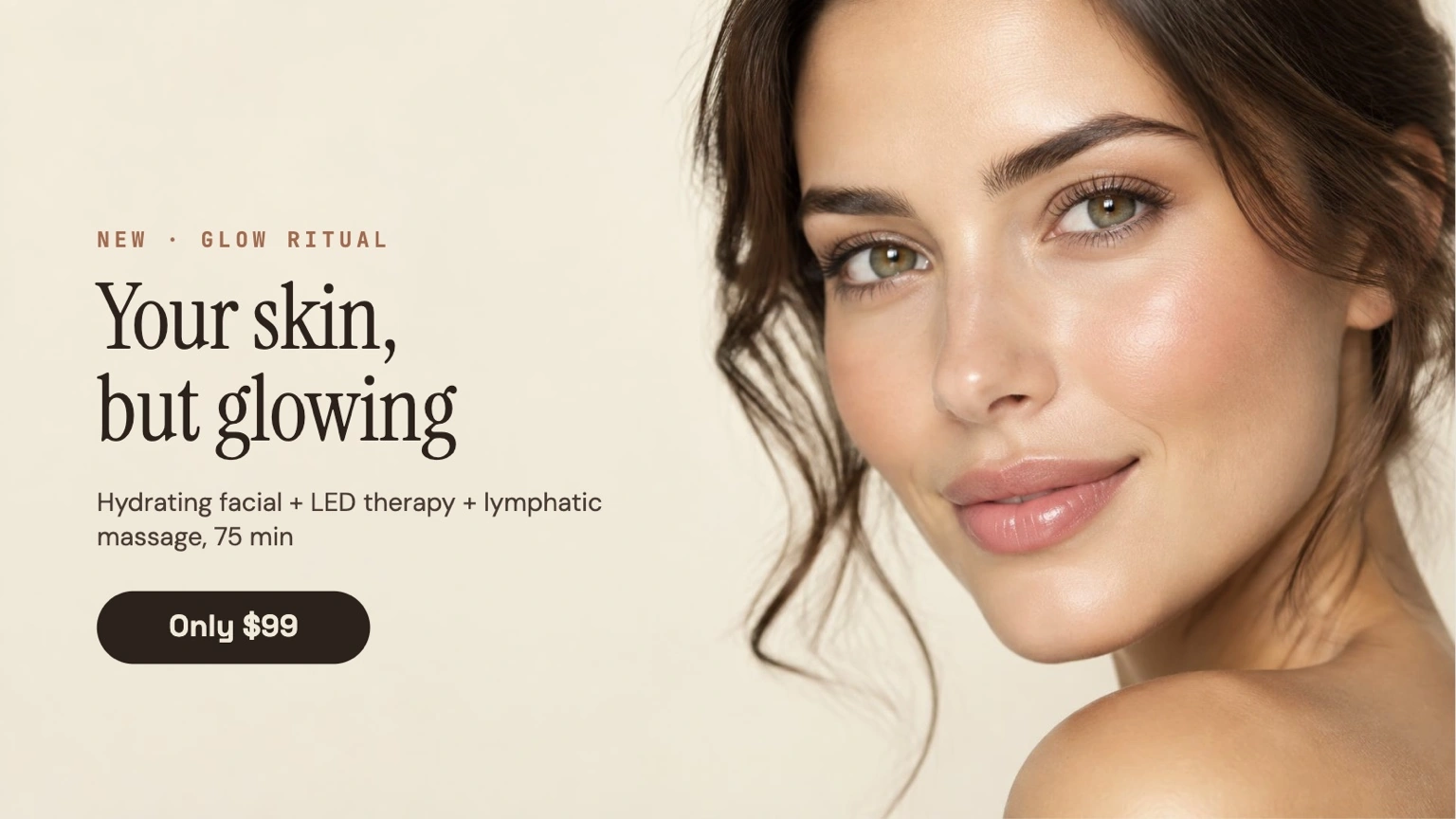
Digital Signage for Spa and Salon Example
Imagine a beauty salon with three digital screens.
Screen 1 — Reception
WELCOME
Today’s Special
Haircut + Treatment
$79
Scan to Book
[QR CODE]
Screen 2 — Waiting Area
BEFORE & AFTER
Hair Transformation
Featured Stylist
Anna
Screen 3 — Product Area
FEATURED PRODUCT
Professional Hair Care
20% OFF TODAY
Instead of printing new posters whenever prices, promotions, or services change, the salon can update the screens digitally.
With Buzzblender, the salon can manage all three screens remotely:
Salon
├── Reception Screen
├── Waiting Area Screen
└── Product Display
The business can publish different content to each screen or group several screens together.
Why Use Digital Signage in a Spa or Salon?
Spas and salons regularly need to communicate information that changes.
Examples include:
- Service prices
- Seasonal treatments
- Product promotions
- Staff availability
- New services
- Packages
- Membership programs
- Special offers
- Events
- Opening hours
Printed signs require designing, printing, installing, and eventually replacing physical materials.
Digital signage allows content to be updated without replacing the screen.
A typical workflow becomes:
Create or Update Content
↓
Buzzblender
↓
Publish
↓
Salon Screens
This can make promotional communication much easier to maintain, particularly for businesses with several screens or locations.
Where Can Digital Signage Be Used in a Salon?
Digital displays can be installed throughout the customer journey.
Salon
├── Storefront
├── Reception
├── Waiting Area
├── Styling Area
├── Treatment Rooms
├── Product Display
├── Checkout
└── Staff Area
Each screen can have a different purpose.
Reception Digital Signage
Reception is one of the most useful locations for salon digital signage.
Customers can see content immediately after entering.
Reception screens can display:
- Welcome messages
- Services
- Current promotions
- Opening hours
- Appointment information
- Membership offers
- Loyalty programs
- QR codes
- Product promotions
- Social media information
For example:
WELCOME TO OUR SALON
Today’s Offer
20% OFF
Selected Hair Treatments
Ask at Reception
A spa might instead display:
WELCOME
Relax. Refresh. Recharge.
Today’s Featured Treatment
60-Minute Massage
$75
Waiting Room Digital Signage
Customers may spend several minutes waiting before an appointment.
This makes the waiting area useful for informative and promotional content.
Possible content includes:
- Service videos
- Treatment information
- Before-and-after examples
- Beauty tips
- Product demonstrations
- Customer testimonials
- Staff introductions
- Social media content
- Membership promotions
- Upcoming offers
A playlist might look like:
Welcome
↓
Featured Service
↓
Before & After
↓
Beauty Tip
↓
Product Promotion
↓
QR Booking
↓
Featured Service
This allows the display to communicate several messages without requiring multiple printed posters.
Digital Service Menu
A salon can use digital signage as a service menu.
| SERVICE | FROM |
|---|---|
| Women’s Haircut | $45 |
| Men’s Haircut | $30 |
| Blow Dry | $35 |
| Hair Coloring | $80 |
| Highlights | $95 |
| Hair Treatment | $40 |
A spa menu could show:
| TREATMENT | PRICE |
|---|---|
| Swedish Massage | $75 |
| Deep Tissue Massage | $90 |
| Facial Treatment | $65 |
| Body Treatment | $85 |
| Couples Massage | $150 |
Digital menus are particularly useful when businesses frequently change services, packages, prices, or seasonal promotions.
Salon Promotions
Digital signage can highlight promotions more prominently than a static price list.
Examples include:
20% OFF HAIR COLOR
THIS WEEK ONLY
or:
BOOK 3 MASSAGES
GET THE 4TH FREE
or:
NEW CLIENT OFFER
15% OFF YOUR FIRST VISIT
Promotions can be included in a playlist and scheduled for specific periods.
Scheduling Promotions
Digital signage scheduling allows businesses to determine when content appears.
For example:
Monday–Thursday → Weekday Promotion
Friday → Weekend Package
Saturday–Sunday → Premium Treatment Promotion
Another example:
09:00–12:00 → Morning Offer
12:00–17:00 → Product Promotion
17:00–21:00 → Evening Treatment Package
With Buzzblender, content scheduling can be used to organize what appears on compatible signage screens at different times.
Seasonal Spa and Salon Promotions
Beauty and wellness businesses frequently run seasonal campaigns.
January → New Year Wellness
February → Valentine’s Couples Package
Spring → Spring Beauty Treatments
Summer → Summer Hair & Skin Care
Autumn → Hair Repair Treatments
December → Holiday Gift Cards
A business can prepare campaigns in advance and schedule them for the appropriate period.
Before-and-After Digital Signage
Before-and-after content can be particularly effective for beauty businesses.
Examples include:
- Hair coloring
- Hair styling
- Nail treatments
- Makeup
- Skin treatments
- Eyebrow services
- Lash services
A screen can rotate through a portfolio:
BEFORE
↓
AFTER
↓
Treatment Name
↓
Stylist Name
↓
Book This Service
↓
QR Code
Businesses should obtain appropriate permission before displaying identifiable customer photos or videos.
Stylist and Therapist Profiles
Digital signage can introduce salon professionals to customers.
For example:
MEET SARAH
Senior Hair Stylist
Specialties:
- Balayage
- Hair Coloring
- Bridal Styling
- Hair Extensions
SCAN TO BOOK
[QR CODE]
Spa businesses can similarly introduce massage therapists, estheticians, nail technicians, or other professionals.
This can help customers discover services and staff members they might not otherwise know about.
Product Promotion
Many salons and spas sell retail products.
Examples include:
- Shampoo
- Conditioner
- Hair treatments
- Styling products
- Skin care
- Cosmetics
- Nail products
- Wellness products
A screen located near the product display can promote these products.
For example:
FEATURED PRODUCT
Professional Repair Shampoo
Perfect for:
- Dry hair
- Colored hair
- Damaged hair
ASK YOUR STYLIST
Digital signage can support retail sales without requiring employees to explain every product individually.
Upselling with Digital Signage
Digital signage can introduce complementary services while customers are already in the business.
Customer books haircut
↓
Screen promotes hair treatment
↓
Customer asks stylist
↓
Potential additional service
A spa might promote:
Massage + Facial + Sauna Package
A nail salon might promote:
Manicure + Pedicure + Nail Treatment
Digital signage does not replace personal recommendations, but it can make customers aware of additional services.
QR Codes for Salon Digital Signage
QR codes can connect physical screens with customers’ smartphones.
A QR code can link to:
- Appointment booking
- Service menu
- Loyalty program
- Gift card purchase
- Website
- Product catalog
- Social media
- Review page
- Contact information
For example:
LOVE THIS LOOK?
SCAN TO BOOK
[QR CODE]
The screen creates awareness, while the customer’s phone provides the interactive step.
Appointment Booking
Digital signage can promote an online booking system.
Digital Signage
↓
QR Code
↓
Booking Website
↓
Customer Smartphone
↓
Appointment
Buzzblender can display the promotional content and booking QR code.
The actual booking process would normally be handled by the salon’s booking or appointment-management platform.
Digital Signage and Salon Booking Software
Digital signage software and salon booking software serve different purposes.
| Digital Signage | Salon Booking Software |
|---|---|
| Manages screens | Manages appointments |
| Displays promotions | Manages customer bookings |
| Displays media | Manages calendars |
| Schedules screen content | Manages staff availability |
| Displays QR codes | Handles booking workflows |
The two systems can complement each other.
Salon Booking Platform
↓
Booking Page
↓
QR Code
↓
Buzzblender
↓
Salon Screen
↓
Customer Smartphone
Social Media on Salon Digital Signage
Beauty businesses often create highly visual social media content.
Digital signage can be used to display compatible social content or web-based social widgets.
Examples include:
- Hairstyles
- Nail designs
- Makeup looks
- Treatment results
- Staff content
- Promotional campaigns
- Customer-approved transformations
This allows businesses to reuse appropriate marketing content across both online and physical environments.
Customer Reviews and Testimonials
Salon screens can display selected testimonials.
For example:
★★★★★
“Fantastic service and beautiful results.”
— Customer Review
Reviews can be combined with staff profiles, service promotions, before-and-after content, and booking QR codes.
If reviews are displayed, businesses should ensure they are presented accurately and comply with the applicable platform’s rules.
Digital Signage for Hair Salons
Hair salons can use screens for:
- Haircut pricing
- Coloring services
- Hairstyle portfolios
- Before-and-after photos
- Hair product promotions
- Stylist profiles
- Appointment QR codes
- Seasonal campaigns
- Loyalty programs
- Gift cards
For example:
HAIR COLOR WEEK
Balayage
Highlights
Full Color
BOOK TODAY
[QR CODE]
Digital Signage for Nail Salons
Nail salons can display:
- Manicure services
- Pedicure services
- Nail art
- Seasonal designs
- Color collections
- Packages
- Promotions
- Product recommendations
- Booking QR codes
Because nail services are highly visual, large screens can be effective for showcasing designs and portfolios.
Digital Signage for Beauty Salons
Beauty salons may offer many different services.
Digital signage can organize them into categories such as:
HAIR · NAILS · MAKEUP · SKIN · LASHES · BROWS · PACKAGES
A digital display can rotate between these categories instead of trying to fit the entire service list onto one printed sign.
Digital Signage for Spas
Spa digital signage can support a calmer and more premium customer experience.
Possible content includes:
- Massage treatments
- Facial treatments
- Wellness packages
- Spa facilities
- Memberships
- Gift cards
- Relaxation content
- Treatment benefits
- Opening hours
- Special packages
A spa may prefer slower transitions, minimal text, and visually calm content rather than fast advertising-style playlists.
Digital Signage for Massage Businesses
Massage studios can display:
- Massage types
- Treatment duration
- Pricing
- Therapist profiles
- Wellness packages
- Membership plans
- Gift cards
- Booking QR codes
For example:
DEEP TISSUE MASSAGE
60 Minutes — $90
90 Minutes — $125
SCAN TO BOOK
Digital Signage for Barbershops
Barbershops can use digital signage for:
- Haircut prices
- Beard services
- Grooming packages
- Barber profiles
- Product promotions
- Before-and-after photos
- Loyalty programs
- Booking links
- Sports or entertainment content
A screen can combine practical information with the atmosphere of the barbershop.
Gift Card Promotion
Gift cards are a natural promotional opportunity for salons and spas.
Digital signage can highlight gift cards around Christmas, Valentine’s Day, Mother’s Day, Father’s Day, birthdays, weddings, and anniversaries.
For example:
GIVE THE GIFT OF RELAXATION
SPA GIFT CARDS
Available at Reception
or:
LAST-MINUTE GIFT?
SCAN TO BUY
[QR CODE]
Membership and Loyalty Programs
Screens can promote memberships and loyalty programs.
For example:
JOIN OUR BEAUTY CLUB
Members Receive:
- Exclusive Offers
- Monthly Treatments
- Product Discounts
- Priority Booking
ASK US TODAY
This can help make customers aware of programs that staff might otherwise need to explain repeatedly.
Digital Signage in Treatment Rooms
Screens can also be installed in treatment areas where appropriate.
Content could include:
- Relaxing visuals
- Treatment information
- Aftercare instructions
- Product recommendations
- Next-appointment reminders
The content should fit the environment. A high-energy promotional playlist that works at reception may be inappropriate in a quiet spa treatment room.
Entertainment in Waiting Areas
Salon signage does not need to consist entirely of advertising.
Waiting-area screens can mix promotional and entertaining content.
Salon Promotion
↓
Beauty Tip
↓
Visual Content
↓
Weather
↓
Product Feature
↓
Social Content
↓
Booking Reminder
This can make waiting time feel more engaging while still supporting the salon’s marketing goals.
Weather Widget for Spa and Salon Screens
Weather can be useful content for spa and salon waiting areas.
For example:
TODAY
18°C
Partly Cloudy
High 21°C
Low 13°C
A compatible weather widget can be combined with salon content:
Weather + Salon Promotions + Beauty Tips + Product Advertising
Buzzblender can display compatible web and HTML widgets alongside other digital signage content.
Digital Signage for Multiple Salon Locations
Digital signage becomes particularly useful for businesses with several branches.
Consider a salon chain with 20 locations.
Without centralized signage management:
Head Office
↓
Creates Promotion
↓
Emails 20 Locations
↓
Each Location Updates Posters
With digital signage:
Head Office
↓
Buzzblender
↓
20 Locations
↓
Screens Updated Remotely
The company can distribute common campaigns while still allowing location-specific content where needed.
Screen Groups
Screens can be organized according to their role.
Salon Network
├── Reception Screens
├── Waiting Area Screens
├── Product Screens
├── Window Screens
└── Staff Screens
Another structure could organize screens by location:
Salon Group
├── Location A
│ ├── Reception
│ └── Waiting Area
├── Location B
│ ├── Reception
│ └── Waiting Area
└── Location C
├── Reception
└── Waiting Area
This makes it easier to distribute the appropriate content to the appropriate displays.
Franchise Salon Digital Signage
Franchise beauty businesses can use centralized digital signage to maintain brand consistency.
Head Office can distribute:
- Brand campaigns
- Seasonal promotions
- Product advertising
- New-service announcements
- Standard creative assets
Locations can receive:
National Campaign
+
Local Information
+
Local Pricing
+
Local Promotions
The exact workflow depends on how the franchise manages content permissions and local marketing.
Salon Window Digital Signage
A screen facing the storefront can promote the salon to people passing outside.
Possible content includes:
- Current offers
- Before-and-after transformations
- Service prices
- New customer offers
- Gift cards
- Booking QR codes
- Opening hours
For example:
NEW CLIENT?
GET 15% OFF YOUR FIRST APPOINTMENT
SCAN TO BOOK
[QR CODE]
Window-facing screens should be selected and installed with the actual lighting and operating environment in mind.
Portrait and Landscape Displays
Salon signage can use either orientation.
Portrait displays are useful for:
- Service menus
- Before-and-after images
- Stylist profiles
- Product advertisements
- Full-body beauty photography
Landscape displays are useful for:
- Waiting areas
- Video content
- Multi-column service menus
- Promotional presentations
The best orientation depends on the physical location and content.
Smart TV Digital Signage for Salons
Compatible Smart TVs can provide a simple signage setup without requiring a traditional PC at every screen.
Buzzblender
↓
Compatible Smart TV
↓
Salon Content
Depending on the deployment, Buzzblender can be used with compatible platforms such as Samsung Tizen, LG webOS, Android, or browser-based playback.
This can be attractive for smaller salons that want professional screen management without building a complicated AV system.
Digital Signage with Existing TVs
Businesses may also be able to reuse suitable existing TVs.
Existing TV
+
Compatible Player
+
Buzzblender
↓
Digital Signage
This can reduce the initial hardware investment when the existing displays are suitable for the intended operating environment.
Offline-Ready Salon Digital Signage
Reliable playback is important because a salon screen should not become blank simply because connectivity is temporarily interrupted.
Compatible deployments can use locally available or cached media for offline-ready playback.
Internet Available
↓
Download / Update Content
↓
Local Playback
Temporary Internet Interruption
↓
Available Local Content Continues
Dynamic web content and third-party widgets may still require connectivity to remain current.
Web Pages and HTML Widgets
Spa and salon signage can include compatible web pages and HTML content.
Examples include:
- Weather widgets
- Clocks
- Countdown timers
- Booking pages
- Promotional widgets
- Social widgets
- Custom branded elements
- Product information
- Event information
A typical workflow can be:
Web Content / HTML Widget
↓
Buzzblender
↓
Salon Display
Video Wall for Beauty Salons and Spas
Larger beauty businesses, premium spas, flagship salons, and wellness centers can use multi-screen installations.
For example, a 2×2 video wall contains four screens:
| Screen 1 | Screen 2 |
|---|---|
| LARGE VISUAL | LARGE VISUAL |
| Screen 3 | Screen 4 |
| LARGE VISUAL | LARGE VISUAL |
Buzzblender is built for frame-accurate synchronization across compatible multi-screen and video-wall installations.
For supported configurations, Buzzblender guarantees frame-accurate synchronization, allowing compatible displays to maintain tightly coordinated playback.
This can be useful for:
- Premium salon interiors
- Spa reception areas
- Flagship locations
- Product launches
- Beauty events
- Large promotional installations
How Much Does Salon Digital Signage Cost?
Digital signage costs can include:
- Digital signage software
- TVs or commercial displays
- Media players where required
- Mounts
- Installation
- Internet/networking
- Content production
- Custom integrations
Buzzblender Basic is currently priced at $5 per screen per month.
| Screens | Base Software Cost |
|---|---|
| 1 | $5/month |
| 2 | $10/month |
| 5 | $25/month |
| 10 | $50/month |
| 25 | $125/month |
| 50 | $250/month |
| 100 | $500/month |
A small salon with two screens would therefore have a base Buzzblender software cost of:
2 screens × $5 = $10/month
A chain with 20 locations and three screens per location would have:
20 locations × 3 screens = 60 screens
60 × $5 = $300/month
Hardware, installation, content creation, third-party services, and custom integrations can involve separate costs.
Digital Signage for a Small Salon
Digital signage does not require a large chain.
A small independent salon could start with one screen.
1 TV
+
Buzzblender
↓
Service Menu
Promotions
Portfolio
QR Booking
Product Advertising
At $5 per screen per month, the base Buzzblender software cost for a one-screen setup would be $5/month.
The same account can later expand as the business adds screens or locations.
Digital Signage for a Salon Chain
A larger organization can centrally manage many locations.
Head Office
↓
Buzzblender
↓
50 Salon Locations
↓
Screen Groups
↓
Reception + Waiting + Product Screens
Head office can distribute company-wide campaigns while individual locations receive content relevant to their branch.
On-Premise Digital Signage for Spa and Salon Groups
Organizations with specific infrastructure requirements can discuss custom on-premise Buzzblender deployments.
Company Server
↓
Buzzblender
↓
Private Network
↓
Players
↓
Salon Screens
For a larger organization:
Central Server
↓
Buzzblender
↓
Multiple Locations
↓
Local Networks
↓
Screens
On-premise architecture can be designed around the organization’s server environment, locations, network restrictions, display hardware, players, and integration requirements.
Need Buzzblender on your own server or at a specific location?
Contact us.
Why Use Buzzblender for Spa and Salon Digital Signage?
Buzzblender gives spas, beauty salons, hair salons, nail salons, barbershops, and wellness businesses a centralized way to manage digital signage content.
A business can use Buzzblender to manage:
- Promotions
- Service menus
- Images
- Videos
- Playlists
- Scheduling
- Screen groups
- Multiple locations
- Web content
- HTML widgets
- Offline-ready content
- Multi-screen installations
- Video walls
- Synchronized playback
A simple salon setup can start with one screen and expand as the business grows.
Small Salon
↓
2 Screens
↓
Buzzblender
↓
$10/month base software cost
A larger chain can use the same general approach across dozens or hundreds of screens.
Need a Custom App or Widget?
A salon or spa may need something specific that is not already available as a standard widget.
For example:
- Custom service menu
- Booking widget
- Promotional widget
- Countdown
- Product showcase
- Price display
- Staff widget
- Custom information screen
If you need a specific app or widget for your Buzzblender digital signage, contact us and tell us what you need.
We can build a new app or widget for you for free.
Best Practices for Spa and Salon Digital Signage
1. Keep Service Information Easy to Read
Customers should be able to understand services, prices, and promotions quickly.
2. Use High-Quality Visuals
Beauty and wellness businesses are highly visual. Poor-quality images can make even a premium service look less attractive.
3. Show Clear Calls to Action
Examples:
BOOK NOW
SCAN TO BOOK
ASK YOUR STYLIST
BUY A GIFT CARD
JOIN OUR MEMBERSHIP
4. Use QR Codes
Allow customers to continue the interaction on their smartphones.
5. Schedule Seasonal Campaigns
Prepare promotions in advance and schedule them around holidays, seasons, and special events.
6. Avoid Overloading the Screen
A display filled with too much text can become difficult to read.
7. Match Content to the Screen Location
Reception, treatment rooms, windows, and checkout areas have different audiences and purposes.
8. Keep Prices Current
If digital signage displays pricing, update it whenever the actual service price changes.
9. Get Permission for Customer Images
Before-and-after photos and customer videos should be used with appropriate permission.
10. Measure What Customers Respond To
Track QR scans, promoted services, product sales, bookings, or other relevant outcomes when possible.
Common Mistakes
Using the Same Content Everywhere
A storefront screen has a different purpose from a treatment-room screen.
Displaying Too Much Text
Customers should be able to understand the main message quickly.
Using Low-Quality Before-and-After Photos
Visual quality is particularly important for beauty businesses.
Forgetting to Update Prices
Outdated digital service menus can create confusion for customers and staff.
Showing Promotions After They Expire
Scheduling content can help avoid outdated campaigns remaining on screen.
Ignoring Screen Orientation
Content designed for landscape may look poor on a portrait display and vice versa.
Using Screens Only as Digital Posters
Digital signage can rotate content, schedule promotions, display video, use widgets, and manage different screens remotely. Using it only to display one static image misses many of its advantages.
Take control of your screens today with Buzzblender
Frequently Asked Questions
What is digital signage for spa and salons?
Digital signage for spa and salons is the use of digitally managed screens to display services, prices, promotions, products, portfolios, booking information, entertainment, and other customer-facing content in beauty and wellness businesses.
Can a salon use a normal TV for digital signage?
A suitable TV can often be used with compatible digital signage software or a media player. Businesses should consider the expected operating hours, orientation, brightness, warranty, and installation environment when choosing between consumer TVs and commercial displays.
Can digital signage display salon prices?
Yes. Digital signage can display service menus, treatment prices, packages, promotions, and other pricing information.
Can a salon change promotions remotely?
Yes. With a cloud-managed digital signage system such as Buzzblender, authorized users can manage screen content remotely.
Can I display before-and-after photos?
Yes. Before-and-after images can be effective salon content, provided the business has appropriate permission to display identifiable customer images.
Can I add a booking QR code?
Yes. A QR code can direct customers to the salon’s booking website or another appropriate destination.
Does Buzzblender replace salon booking software?
No. Buzzblender manages digital signage content and screens. Appointment scheduling, customer records, staff calendars, payments, and similar functions are normally handled by dedicated salon-management or booking software.
Can I show my booking website on a salon screen?
Compatible web content can be displayed as part of a digital signage deployment. Websites requiring authentication, complex interaction, or special browser features should be tested for the exact environment.
Can I use digital signage in multiple salon locations?
Yes. Multi-location businesses can centrally manage screens while distributing different content to different branches or screen groups.
Can Buzzblender display videos and images?
Buzzblender can be used to manage visual digital signage content such as images and video alongside other supported content types.
Can a spa use digital signage without constant internet access?
Compatible locally available or cached content can support offline-ready playback. Dynamic web services and live widgets may still require network connectivity to remain current.
Can a salon use a Smart TV for digital signage?
Compatible Smart TVs can be used in suitable Buzzblender deployments, including supported smart-display platforms and browser-based environments.
Can a spa use a video wall?
Yes. Video walls can be used in premium spas, flagship salons, reception areas, and other larger installations. Buzzblender provides frame-accurate synchronization for supported configurations.
How much does Buzzblender cost for a salon?
Buzzblender Basic is $5 per screen per month. For example, two salon screens would have a base software cost of $10/month, while ten screens would cost $50/month.
Can Buzzblender create a custom widget for my salon?
If you need a specific app or widget that is not available, contact us and tell us what you need. We can build a new app or widget for you for free.
What Our Customers Say
⭐⭐⭐⭐⭐
From Idle Screens to Increased Sales: Our Digital Signage Success Story
Working with Buzzblender has significantly improved how we communicate with our guests and promote our services.
The team was extremely responsive and supportive throughout the entire process — from onboarding to daily operations. Everything was set up quickly, and we were able to start using digital signage across our hotel almost immediately.
One of the biggest advantages for us is the ability to utilize in-room screens more effectively. When guests are not actively watching TV or streaming platforms like Netflix, we now display targeted promotional content — including room service offers, restaurant specials, beverages, and spa experiences.
This approach has had a direct impact on our revenue. We’ve seen a noticeable increase in spa bookings, as well as higher engagement with our restaurant and in-room dining services.
Catalina, Marketing Director