
Promote More. Sell More with Spa Digital Signage
✨ Trusted by 500+ businesses worldwide
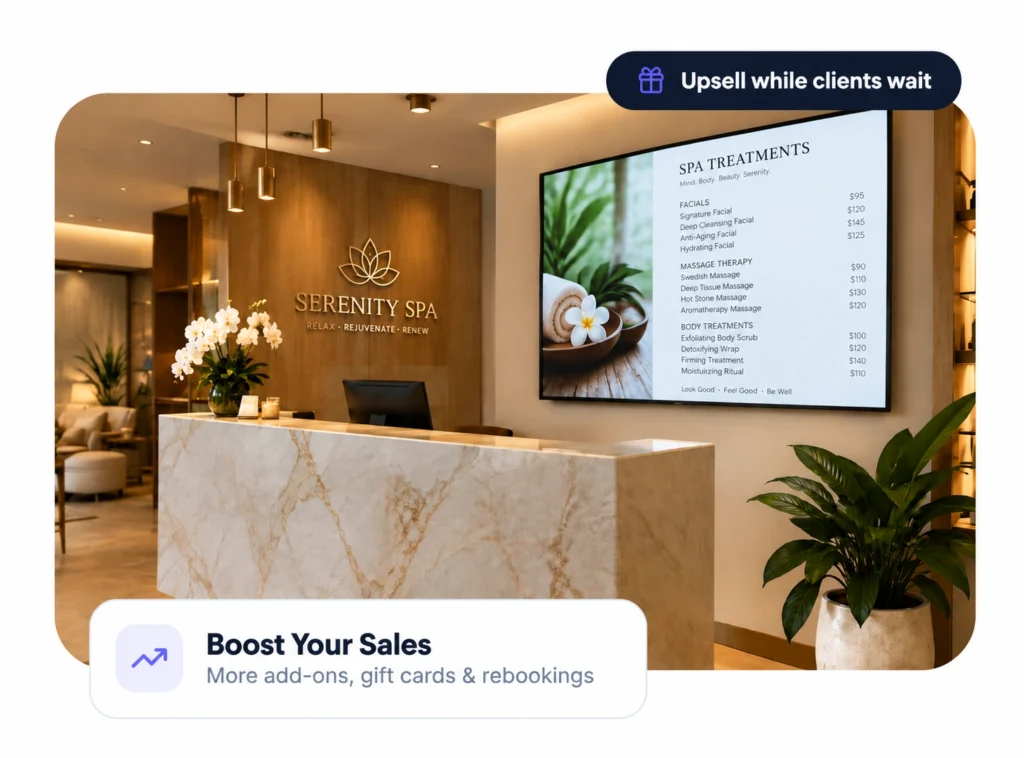
Turn your reception TV into a quiet salesperson. Show treatments, promote gift cards and fill empty slots — while clients relax.
Connect in 4 minutes. Custom development.
No credit card required
500+
businesses on board
1000s
of screens managed
$5
per screen / month
5 min
to go live
Why Salons Love Screens
A client walks into your salon for a haircut, facial or manicure. While waiting, they notice a screen showcasing a premium treatment they did not know you offered. A few minutes later, another promotion appears for a product used during their appointment, followed by a QR code that lets them book their next visit.
That is where digital signage for spa and beauty salons can become much more valuable than a television playing generic entertainment.
Digital signage turns screens throughout a salon, spa or beauty studio into flexible communication and marketing channels. Instead of relying exclusively on printed posters, price lists and reception displays, businesses can show treatments, promotions, videos, product recommendations, booking information and branded content—and change those messages remotely.
Showcase Treatments
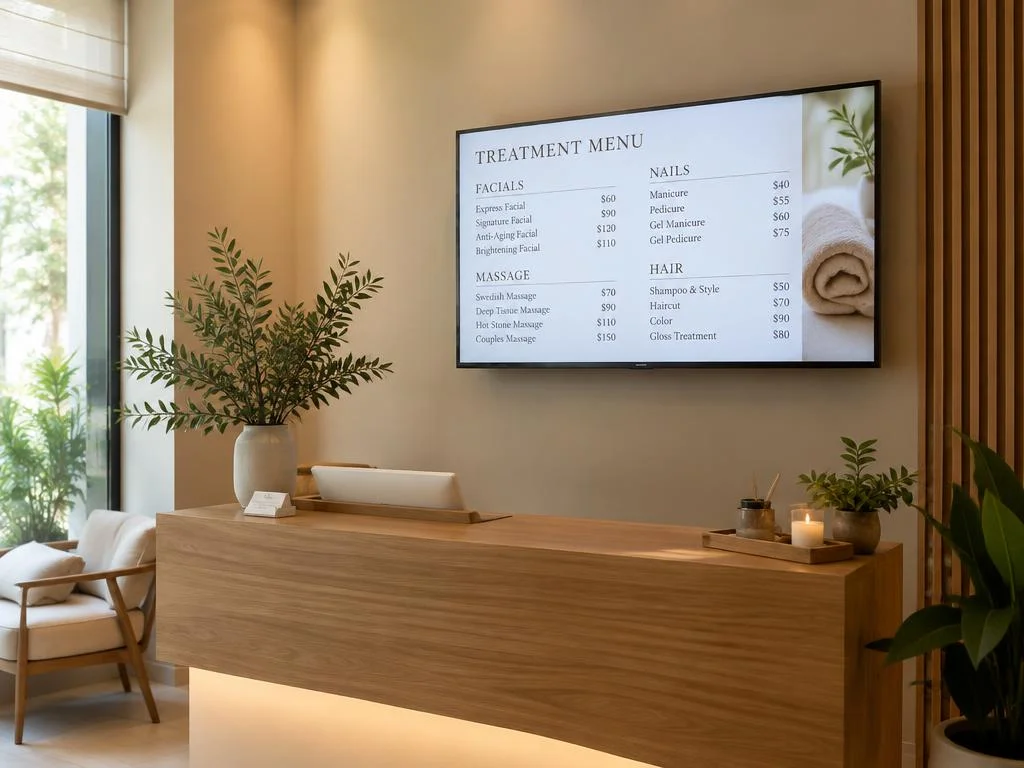
Display your full menu of facials, massages, nails and hair services with prices clients can see at a glance.
One of the simplest applications of beauty salon digital signage is showcasing the services customers can already purchase.
A hair salon might highlight balayage, hair treatments, extensions or styling packages. A nail studio could rotate seasonal designs and premium manicure options. A spa might feature massages, facials, wellness rituals and treatment packages.
This matters because customers do not necessarily know everything a business offers.
Someone visiting for their regular haircut may never open the full treatment menu. A client waiting for a facial might not know that the spa also offers massage packages.
Screens give businesses another opportunity to introduce those services while customers are already inside the venue.
The same principle is already reflected in BuzzBlender’s hotel signage applications, where screens can be used to highlight signature spa treatments, wellness rituals and spa packages.
Schedule Offers
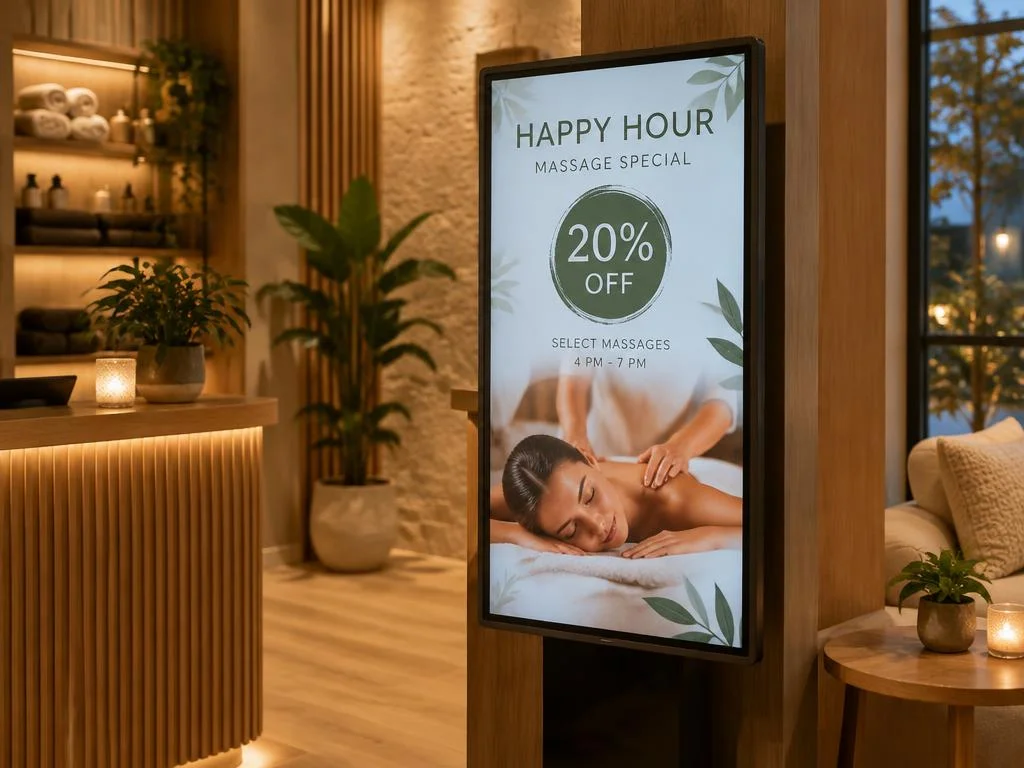
Run happy-hour discounts, weekday deals and seasonal packages automatically.
Beauty businesses frequently run short-term promotions.
You might introduce a Valentine’s Day spa package, Mother’s Day gift offer, summer skincare campaign, bridal package, holiday nail collection or last-minute appointment promotion.
Traditional signage means designing, printing, installing and eventually removing each campaign.
Digital signage reduces that physical replacement cycle.
Create the promotional content, add it to a playlist, determine when it should appear and update it when the offer changes.
This can be particularly useful for campaigns with fixed dates. Instead of relying on employees to remember when a poster should come down, scheduled content can be planned around the campaign period.
Introduce Your Team
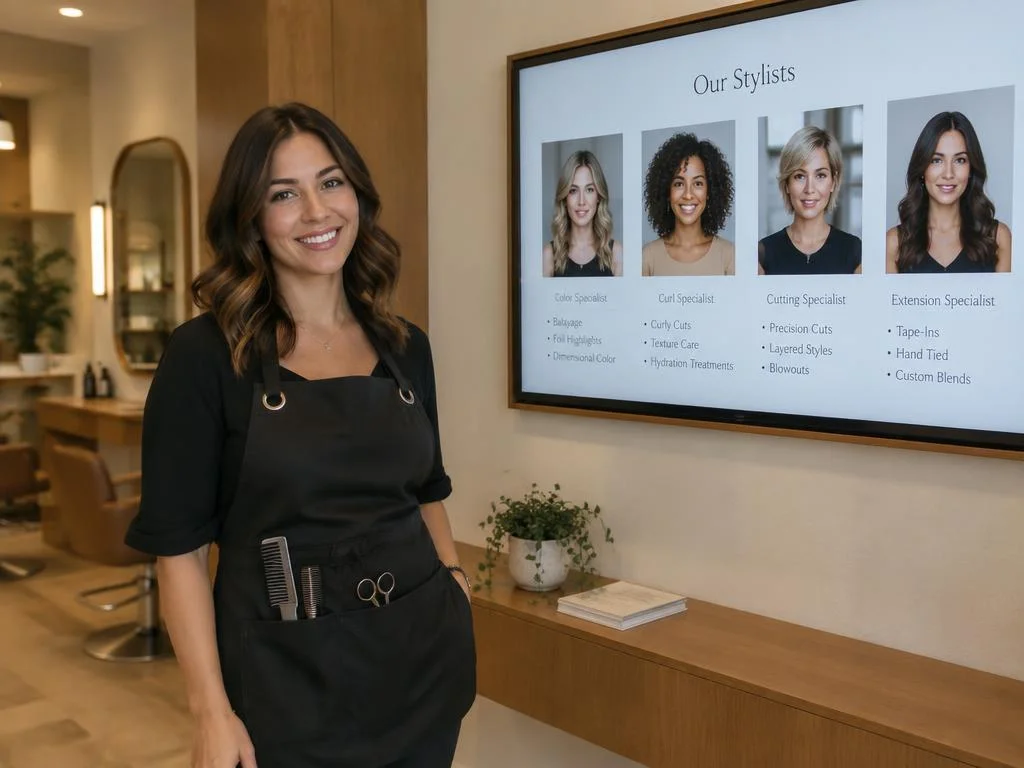
Feature stylists and therapists with their specialties so clients book with confidence.
Reception and waiting areas are obvious locations for salon digital signage because clients naturally spend time there.
Instead of showing unrelated television programming, the screen can become part of the customer experience.
A carefully designed playlist might combine relaxing brand visuals, new treatment introductions, staff profiles, beauty tips, seasonal promotions, product information and booking calls to action.
Content does not need to feel like continuous advertising.
For a premium beauty brand, the most effective screen may use understated visuals, slow transitions and carefully selected promotional messages that complement the interior design.
The technology should support the atmosphere rather than compete with it.
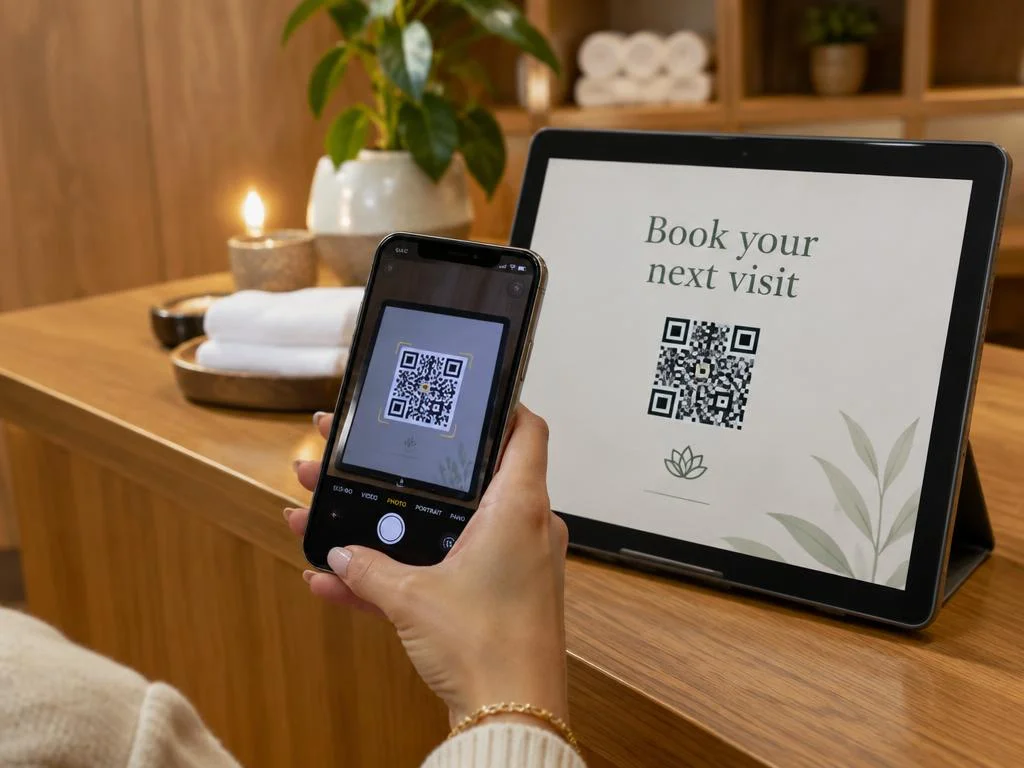
Drive Rebookings
Add QR codes for booking, reviews and loyalty sign-ups right on screen.
A screen can attract attention, but the next challenge is turning that attention into an action.
QR codes can help connect the physical salon with digital experiences.
For example, a customer could scan a code to visit your booking page, view a treatment menu, join a loyalty program, follow a social account, leave a review or browse an online store.
BuzzBlender’s Basic plan includes dynamic QR code overlays. Its small-business signage documentation specifically identifies bookings, reviews, social media and online stores as potential destinations for QR-code campaigns.
Always On
Content keeps playing even if the internet drops, so your salon always looks polished.
Printed treatment menus have their place, but they become inconvenient when prices, packages or seasonal services change frequently.
A digital salon menu board gives you a more flexible alternative.
You can display categories such as hair services, facials, massages, manicures, pedicures, waxing, lashes or specialist treatments alongside prices and promotional imagery.
When something changes, you update the content rather than printing another large sign.
BuzzBlender allows businesses to manage content remotely and publish updates across connected screens. Its Basic plan supports image, video, web-page and HTML uploads as well as both portrait and landscape screen orientations.
Portrait screens can be particularly useful for treatment lists, reception displays and beauty imagery, while landscape displays may work better above reception desks or in larger waiting areas.
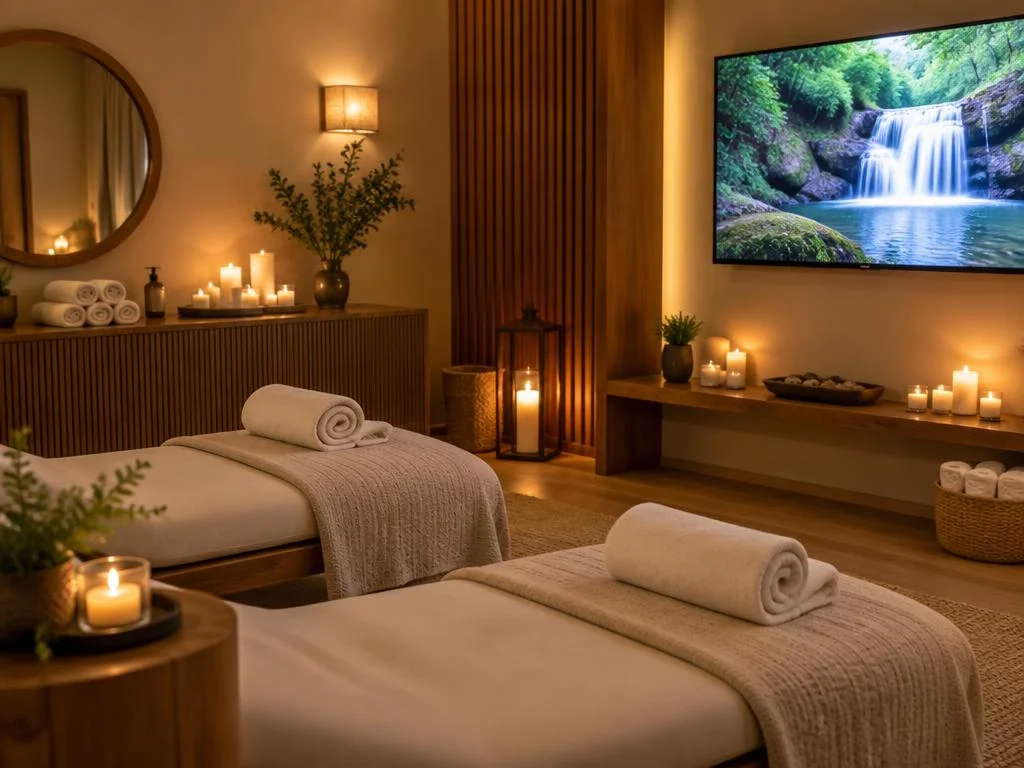
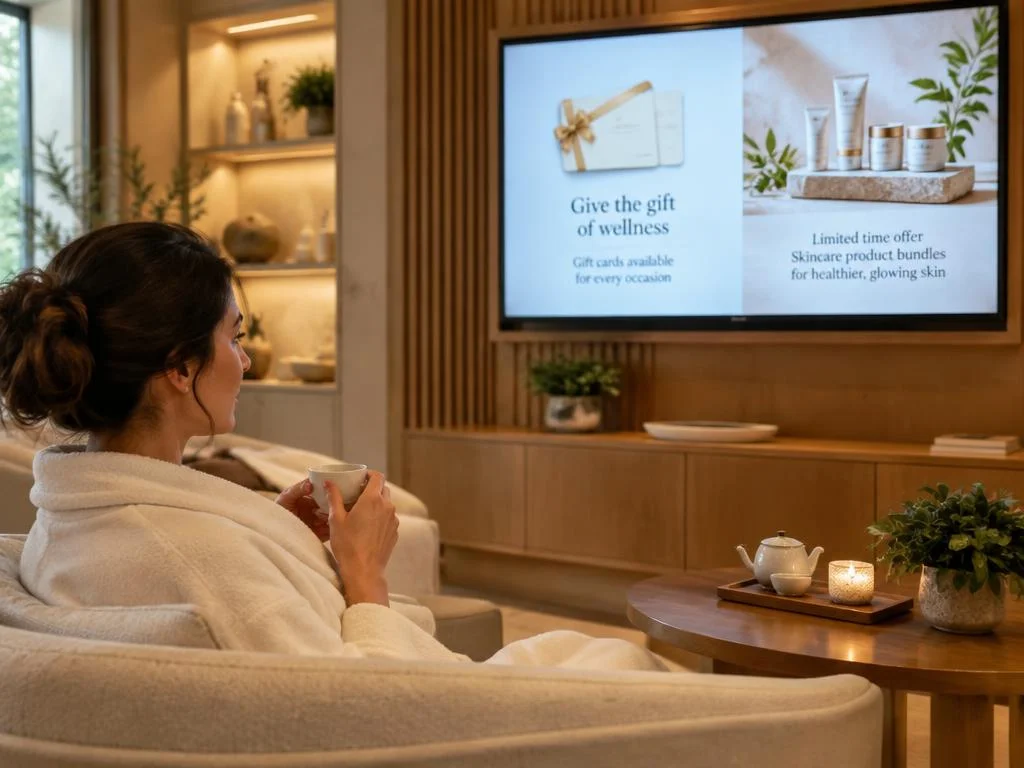
Sell More Add-ons
Promote upgrades, product bundles and gift cards while clients wait — the perfect moment to upsell.
Many salons generate revenue from more than appointments.
Haircare, skincare, nail products, cosmetics and wellness products can become another important part of the customer relationship.
The problem is visibility.
A bottle sitting on a shelf does not explain why your stylist recommends it, what problem it addresses or how it should be used.
Digital signage gives you more space to tell that story.
A salon could display the shampoo and conditioner used during a treatment. A skincare clinic could introduce recommended home-care products. A spa could highlight oils, candles or wellness products that complement particular treatments.
The screen therefore becomes a digital merchandising channel rather than simply a decoration.
The Easiest and Most Affordable Digital Signage We’ve Used
We tested several digital signage solutions before switching, and BuzzBlender has been the simplest and most reliable by far.
Setup on our Samsung displays was fast, and managing content is incredibly easy—even for non-technical staff. We can update screens in real time, run promotions, and control everything remotely without extra hardware.
Compared to other systems, it stands out for both ease of use and pricing. Just five dollars.
Vasiliy, co-founder of Ecomind

Set Up in 3 Simple Steps for Spa & Beauty Salons
1.
Connect Your Screen
Open the Buzzblender player on your smart TV, Samsung, LG, Android or browser and link it to your account.
2.
Add your menu
Upload treatment menus, photos and offers or use templates.
3.
Publish & schedule
Choose what plays and when — across one salon or many.
10 Content Ideas for Your Salon Screen
A salon does not necessarily need to display the same promotion from opening until closing.
Digital signage scheduling makes time-sensitive messaging possible.
Imagine a beauty salon that has appointment availability during weekday afternoons. A promotional playlist could emphasize booking opportunities during quieter periods while displaying brand content and retail promotions during peak periods.

A spa could promote morning treatments earlier in the day and evening packages later.
Weekend content could differ from weekday content.
BuzzBlender provides scheduling by date, time and day of the week from its cloud-based dashboard.
This turns the screen into a scheduled marketing channel rather than a static digital poster.
- Treatment menu & prices
- Before / after looks
- Seasonal packages
- Membership offers
- Booking and loyalty QR codes
- Google review prompts
Works With the Screens You Already Have
No special hardware needed. Buzzblender runs on Samsung Tizen, LG webOS, Android and browser-based displays.
LG webOS
Run digital signage directly on compatible LG webOS displays and manage content remotely with Buzzblender.
Samsung Tizen
Turn compatible Samsung Tizen displays into centrally managed digital signage screens.

Android
Connect Android-based players and displays for a flexible and affordable signage setup.
Browser
Display and manage signage content through a web browser when a browser-based setup is the best fit.
Showcase Before-and-After Content
- Beauty services often benefit from visual proof. Before-and-after images can help demonstrate transformations from hair coloring, styling, skincare or other suitable services where such imagery is appropriate and you have permission to display it. Instead of creating a wall full of static photographs, a screen can rotate through a curated portfolio. Video can make this even more engaging. Short clips could demonstrate a styling process, introduce a treatment or show the atmosphere of the spa.
- BuzzBlender supports both image and video content, allowing these assets to be incorporated into scheduled playlists.
- The goal should not be to overwhelm clients with advertising. In a premium spa or salon, slower, visually consistent content can reinforce the atmosphere while still introducing services.
How to Get Started With Salon Digital Signage
- A beauty business does not need to convert every wall into a screen. Starting with one strategically positioned display is often a more practical approach.
- A reception or waiting-area TV is an obvious first candidate. Decide what business objective the screen should support—treatment awareness, rebooking, product sales, promotions or simply improving branded communication.
- Then prepare a small content library rather than dozens of messages.
- With BuzzBlender, the basic workflow is to connect a supported screen, upload content, organize media into playlists, and publish or schedule that content from the dashboard.
- Once you understand which messages are useful in your environment, you can expand to other screens or locations.
Our Blog: Discover Smarter Digital Signage for Spas & Beauty Salons
Turn the screens in your spa or beauty salon into an active part of the client experience. With BuzzBlender Digital Signage Software, your displays can do more than simply decorate the space—they can introduce treatments, showcase your latest services, promote seasonal packages, feature professional beauty products, and help clients discover more of what your business has to offer.
Create engaging content for reception areas, styling stations, waiting spaces, or retail zones and update it whenever your priorities change. Highlight a new facial treatment this week, promote a limited-time package next week, or showcase complementary services and products while clients are already in your salon.
BuzzBlender also helps you turn interest into action. Add QR codes that lead clients to online booking pages, special offers, service information, or other digital destinations. Schedule different content for specific days and times, plan campaigns in advance, and manage your screens remotely from one cloud-based platform.
Whether you run an independent beauty studio, a premium spa, or multiple salon locations, BuzzBlender gives you a simple way to keep your in-store communication polished, timely, and aligned with your brand.Read our blog.
Digital Signage for Yoga Studios
Show today’s schedule, introduce your teachers and sell memberships while students wait for class — all from one calm, simple dashboard.
Digital Signage for Small Business
Your TV is already on the wall — make it your best salesperson. Promote offers, upsell products and update every screen from your phone in seconds. All for just $5 per screen.
Cloud-Based Digital Signage Software for Cafes: Manage Menus From Anywhere
Turn your cafe screens into digital menu boards. Update prices, schedule breakfast and lunch menus and promote today’s specials — remotely, from one simple dashboard.
Our Guides for Spa & Beauty Salons: Set Up Digital Signage on Any Supported Platform
Bring digital signage into your spa or beauty salon with practical setup guides designed to make installation and screen management straightforward. Find step-by-step instructions for running BuzzBlender Digital Signage Software on LG webOS, Samsung Tizen, Android, Titan OS, Windows, Linux, and web browsers, so you can choose the setup that fits your existing screens and salon environment.
Our guides walk you through the essential steps—from connecting a display and configuring the software to publishing and managing content remotely. Set up a welcoming screen at reception, create a digital treatment or service display, showcase beauty products in retail areas, or use screens throughout your salon to promote seasonal packages and special offers.
Whether you are connecting your first display or expanding digital signage across several spa or salon locations, these resources help you build a reliable setup and keep your screens ready for fresh, relevant content.
What Is Digital Signage for Spa and Salons?
Digital signage for spa and salons is the use of digital screens to display services, prices, promotions, beauty products, treatment information, appointment messages, before-and-after content, social media, entertainment, and other customer-facing information in spas, beauty salons, hair salons, nail salons, wellness centers, and similar businesses.
Instead of relying only on printed posters, price lists, and promotional signs, businesses can use TVs and commercial displays that can be updated remotely through digital signage software.
What Is Hair Salon Digital Signage?
Hair salon digital signage is the use of digital screens to display services, prices, promotions, hairstyles, before-and-after transformations, stylist profiles, hair care products, booking information, QR codes, and other customer-facing content inside or outside a hair salon.
5 Best MagicINFO Alternatives in 2026 [4× Cheaper]
Samsung MagicINFO is a capable digital signage platform, particularly for organizations already standardized on Samsung commercial displays. But being deeply connected to one hardware ecosystem is not always an advantage.
Businesses increasingly want signage software that is easier to deploy across mixed hardware, simpler for non-technical employees to operate, and predictable to budget as the number of screens grows.
What is Wedding Salon Digital Signage
Wedding salon digital signage software is a digital signage platform that helps bridal boutiques, wedding dress stores, and bridal showrooms manage content displayed on TVs, Smart TVs, and commercial digital screens.
It allows wedding salons to showcase bridal collections, designer dresses, fashion videos, promotions, appointment information, and accessories without constantly replacing printed advertising materials.
7 Best SuperSign Alternatives in 2026 (Faster, Cheaper & Easier Setup)
LG SuperSign has been a familiar name in digital signage for years. For businesses already invested in LG displays, it often feels like the obvious starting point. But once you start using it day to day, the limitations become harder to ignore.
The setup can feel more complex than it needs to be. Managing content across multiple locations often requires more training than expected. And for growing businesses, the cost of scaling can quickly become difficult to justify.
Showroom Digital Signage
Showroom digital signage is the use of digital screens, Smart TVs, video walls, and digital signage software to display products, promotional videos, pricing, product specifications, brand presentations, and interactive content in retail and commercial showrooms.
Need Help Setting Up Your Salon Screens? Explore Our Platform Guides
Not every spa or beauty salon uses the same screen technology, and getting everything connected shouldn’t slow you down. BuzzBlender’s practical platform guides walk you through the setup process, helping you install the software, connect your displays, adjust the necessary settings, and start publishing content with confidence.
Use the guides to prepare screens for different areas of your business—from welcoming clients at reception to showcasing treatments, beauty products, seasonal packages, and current promotions. Clear instructions for supported platforms make it easier to launch your salon digital signage and keep it running smoothly as your screen network grows.
36 Digital Signage Honestly Compared
To help businesses make an informed decision, our team reviewed and compared 36 of the most popular digital signage softwares available today. We evaluated each platform based on usability, content management capabilities, scheduling, supported hardware, collaboration features, pricing, reliability, scalability, and overall value.
Pickcel Alternative for $5 Screen/Month [Free Trial]
However, software that works well for one business isn’t always the best fit for another. As more companies invest in digital displays, many are looking for a solution that’s easier to learn, quicker to deploy, and offers excellent value without sacrificing essential features.
OptiSigns Pricing (2026): Plans, Real Costs & Is It Worth?
OptiSigns is a cloud-based digital signage platform that lets businesses publish and manage content across TVs and other displays. Its pricing follows a primarily per-screen subscription model, with several tiers designed for everything from basic signage to interactive kiosks and enterprise deployments.
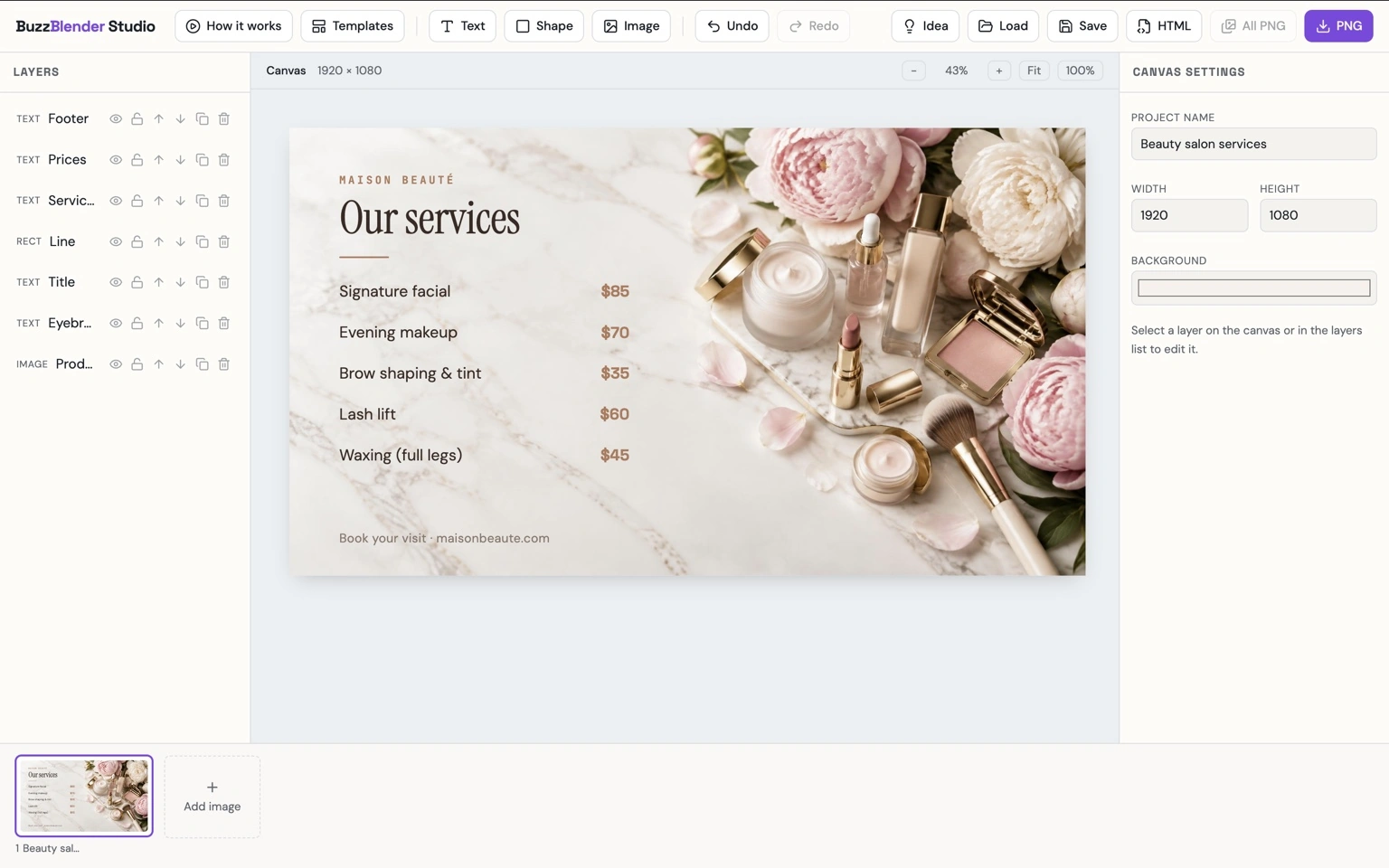
Beautiful Templates Designed for Spa & Beauty Salon Screens
Create polished, eye-catching content for your salon screens without starting every design from scratch. BuzzBlender’s ready-to-use digital signage templates give spas and beauty businesses an easy way to build professional displays that complement their brand and the atmosphere of their space.
Personalize templates with your own colors, photography, messaging, and offers to create content for every stage of the client experience. Showcase signature treatments, present service menus, promote seasonal beauty packages, feature new products, introduce your team, or draw attention to limited-time offers and upcoming availability.
From an elegant welcome screen at reception to promotional displays in treatment and retail areas, templates help you maintain a consistent visual style across your salon. Refresh campaigns whenever you need to and keep every screen looking modern, relevant, and unmistakably yours.
Affordable Digital Signage for Spa & Beauty Salons
Starting at $5 per screen / month
All core features included. Start with one screen in reception and add more as your studio grows.
Use code WELCOME100 — your first month is free
Why Use BuzzBlender for Spa and Beauty Salon Digital Signage?
For beauty businesses, signage software should stay out of the way.
Salon teams already have appointments, customers, inventory and daily operations to manage. Updating a reception screen should not become another complicated technical project.
BuzzBlender provides centralized cloud-based management for screens, with remote publishing, playlists, scheduling, multiple content formats, screen monitoring and QR-code overlays. It also supports several common display platforms rather than locking businesses into one hardware ecosystem.
Its published Basic plan starts at $5 per screen per month.
That makes the platform suitable for a small salon experimenting with its first display as well as businesses that eventually need to manage screens across multiple locations.
Key Takeaways
Digital signage gives spas and beauty salons a flexible way to turn existing customer-facing screens into useful marketing and communication channels. Treatments, service menus, seasonal offers, beauty products, videos and booking QR codes can all become part of the same scheduled content strategy.
Its biggest advantage over static promotional material is flexibility. Campaigns can change throughout the day, content can be updated remotely, and several locations can be managed centrally.
For salons considering their first deployment, the best starting point is usually simple: one well-positioned screen, a clear business objective and a small collection of high-quality branded content.
Frequently Asked Questions
What is digital signage for beauty salons?
Digital signage for beauty salons uses TVs, monitors or other displays to show controlled digital content such as service menus, treatment promotions, videos, product information, special offers and booking calls to action.
What can I display on a salon TV?
You can display treatment menus, prices, promotions, beauty tips, before-and-after imagery where appropriate, product advertisements, staff introductions, branded videos, customer information and QR codes linking to booking or other online experiences.
Can I use digital signage in a spa?
Yes. Spa screens can promote massages, facials, wellness treatments, packages, retail products and other services. They can also be used for branded and informational content in reception and waiting areas.
Can salon digital signage display a booking QR code?
Yes. BuzzBlender supports dynamic QR-code overlays. A QR code can direct customers to an appropriate external destination such as your online booking page.
Can I schedule different salon promotions for different times?
Yes. BuzzBlender supports content scheduling by date, time and day of the week, so businesses can determine when particular playlists or campaigns appear.
Can I manage several beauty salon locations remotely?
Yes. BuzzBlender supports centralized remote management of connected screens and multi-location deployments.
How much does BuzzBlender cost for a salon?
BuzzBlender’s published Basic plan currently costs $5 per screen per month, while Premium is $10 per screen per month. Enterprise pricing is available separately for larger deployments.
Do I need to buy a new TV?
Not necessarily. BuzzBlender supports several platforms, including compatible Samsung Tizen and LG webOS displays, Android devices, Windows and browser-based setups. Compatibility should be checked for the specific hardware you plan to use.