
What Is Simple Digital Signage Software?
Digital signage does not need to be complicated or expensive.
If you want to put promotions, menus, announcements, videos, images, or branded content on a TV or commercial display, you should not need weeks of training or an oversized software budget.
That is exactly the idea behind BuzzBlender.
BuzzBlender is simple digital signage software that lets businesses connect screens, upload content, create playlists, schedule campaigns, and manage displays remotely from a centralized cloud dashboard.
And the Basic plan costs just $5 per screen per month.
Whether you have one screen in a café or displays spread across multiple business locations, BuzzBlender gives you a straightforward way to control what appears on your screens without making digital signage another complicated IT project.
BuzzBlender is the best choice to get started. Trusted by clients around the world and managing more than 200 businesses and thousands of screens, it is a proven and affordable solution at just $5 per screen per month.
Use the promo code WELCOME100 to get your first month free. Create your account and connect your first screen.
Why Is Simple Digital Signage Software Important?
Not every organization needs a complex digital signage platform with hundreds of advanced features.
Simple digital signage software is a platform designed to make managing content on digital screens easy.
Instead of manually changing USB drives, visiting individual locations, or configuring every display separately, you manage your content through a digital signage content management system.
With BuzzBlender, the basic process comes down to three steps:
Connect a device. Upload your media. Publish it to your screens.
Once your screens are connected, you can manage them remotely through the BuzzBlender dashboard.
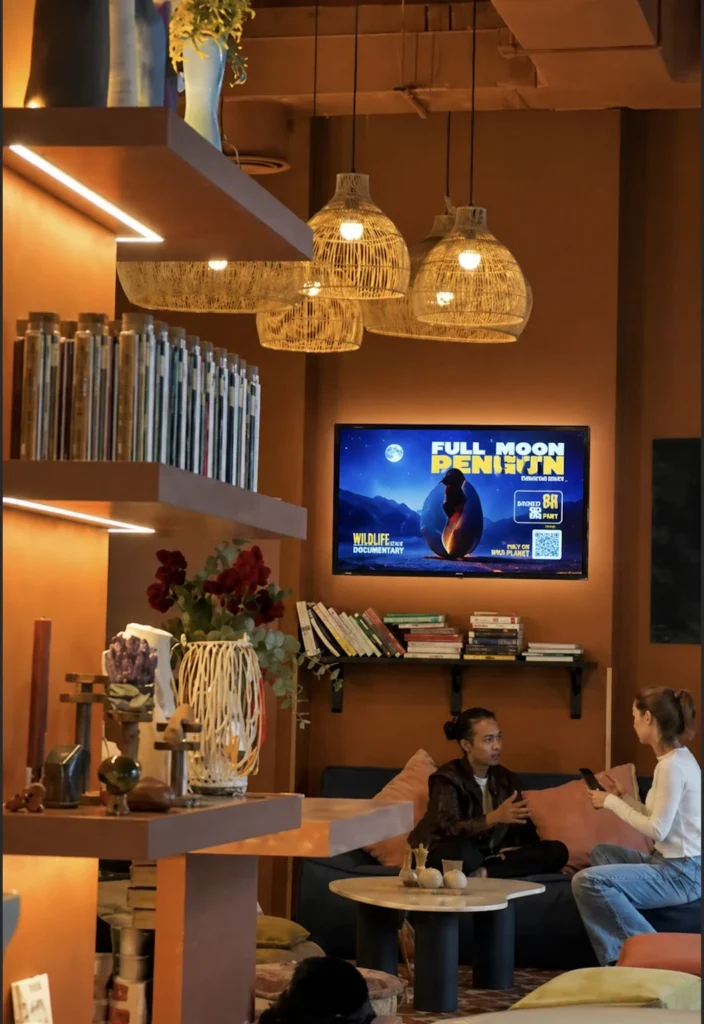
This makes it possible to update a promotion in a shop, change a digital menu in a café, publish an announcement in an office, or schedule content across multiple locations without physically visiting every display.
Why Digital Signage Should Be Simple
Digital signage can become unnecessarily complicated.
Some organizations end up dealing with complex licensing structures, expensive hardware, difficult content management systems, and platforms packed with functionality they may never use.
For many businesses, the actual requirements are much simpler.
You need to upload content. You need to decide which screens should show it. You need to control when it appears. And you need to be able to update everything remotely.
That is where a simpler digital signage platform makes sense.
BuzzBlender provides a cloud-based dashboard for managing your displays, so day-to-day screen management does not need to depend on an IT specialist.
Digital Signage Software for Just $5 per Screen
Price is one of the biggest considerations when choosing digital signage software, particularly when the number of screens starts growing.
BuzzBlender’s Basic plan costs:
$5 per screen per month.
There are no screen limits on the Basic plan, and BuzzBlender lists no card commitment.
The Basic subscription includes core functionality such as content playlists, scheduling, remote content management, screen monitoring, QR code overlays, portrait and landscape orientations, image and video uploads, and supported video-wall functionality.
That simple per-screen model also makes budgeting easier.
| Number of Screens | Monthly Basic Software Cost |
|---|---|
| 1 | $5 |
| 5 | $25 |
| 10 | $50 |
| 25 | $125 |
| 50 | $250 |
| 100 | $500 |
The figures above are based on BuzzBlender’s current Basic rate of $5 per screen per month.
For organizations operating more than 10 screens and requiring enterprise capabilities, BuzzBlender also offers an Enterprise option with custom requirements and pricing.

$5 per Screen / Month
One platform. All features included.
Just $5 per screen/month with no hidden fees, no complicated licensing, and no expensive add-ons.
Deploy more screens while keeping costs under control
Take control of your screens today with Buzzblender
How Does Simple Digital Signage Software Work?
Step 1: Connect Your Displays
Install the digital signage player on a supported device and connect it to the internet.
Step 2: Upload Content
Upload images, videos, presentations, menus, announcements, dashboards, or promotional graphics.
Step 3: Create Playlists
Organize content into playlists and campaigns.
Step 4: Schedule Content
Choose when content should appear on specific screens.
Step 5: Publish
Push content to one display or an entire screen network with a few clicks.
Step 6: Manage Remotely
Update displays from anywhere using a web-based dashboard.
Benefits of Simple Digital Signage Software
Easy to Use
Designed for users without technical expertise.
Fast Deployment
Get screens online in minutes instead of days.
Cloud-Based Access
Manage displays from any location.
Affordable
Reduce software and operational costs.
Centralized Management
Control multiple screens through one dashboard.
Flexible Content Scheduling
Automate announcements, promotions, and campaigns.
Scalable
Start with one screen and expand as needed.
Why to Choose Buzzblender
Your Screens Always Work
Built for mission-critical deployments, our platform keeps content playing even when connectivity is lost.
Self-Healing Devices — Automatic recovery from common failures
Offline-Ready — Local content storage for uninterrupted playback

Why Choose Buzzblender?
Buzzblender combines powerful features with an easy-to-use interface, making digital signage accessible for organizations of any size.
Only $5 Per Screen Per Month
Professional digital signage at one of the most affordable prices on the market.
Cloud-Based Management
Manage displays, playlists, and content from anywhere.
Easy Content Scheduling
Schedule announcements, menus, promotions, dashboards, and campaigns in just a few clicks.
Multi-Location Support
Manage displays across offices, retail stores, restaurants, schools, healthcare facilities, and campuses.
Broad Device Compatibility
Works with:
- Android
- Windows
- LG webOS
- Samsung Tizen
- Commercial displays
- Media players
- Kiosks
Real-Time Updates
Publish content instantly across all connected screens.
Built to Grow
Whether you have one display or thousands, Buzzblender scales with your business.
Key Features of Simple Digital Signage Software
Drag-and-Drop Content Management
Upload and organize content with minimal effort.
Content Scheduling
Automate content playback based on time and date.
Playlist Management
Create and manage content sequences.
Remote Screen Management
Monitor and control displays remotely.
Multi-Screen Support
Manage multiple displays from one account.
Media Library
Store images, videos, and presentations in one place.
Dashboard Support
Display business metrics and live data.
User Permissions
Control access for teams and departments.
Device Monitoring
Track screen connectivity and playback status.
Automatic Content Updates
Keep displays current with minimal manual effort.
Common Use Cases
Corporate Offices
Employee communications and KPI dashboards.
Retail Stores
Promotions and in-store advertising.
Restaurants
Digital menu boards and special offers.
Schools and Universities
Announcements and campus information.
Healthcare Facilities
Patient communications and waiting room displays.
Mosque
Events, worship schedules, and announcements.
Hotels and Hospitality
Guest information and promotional messaging.
How to Choose Simple Digital Signage Software
Prioritize Ease of Use
Look for an intuitive interface that requires minimal training.
Evaluate Content Scheduling
Ensure the platform supports automated playback.
Verify Hardware Compatibility
Choose software that supports Android, Windows, LG webOS, Samsung Tizen, and commercial displays.
Review Remote Management Features
Centralized control saves time and reduces maintenance.
Assess Scalability
Select a platform that can grow with your organization.
Compare Pricing
Choose transparent pricing without hidden costs.
Consider Customer Support
Reliable support is valuable during deployment and growth.
Best Practices
- Keep layouts clean and easy to read.
- Use high-quality images and videos.
- Update content regularly.
- Schedule campaigns in advance.
- Maintain consistent branding.
- Monitor screen health.
- Organize content into playlists.
- Review performance regularly.
Common Mistakes
Overcomplicating Layouts
Simple designs are more effective.
Outdated Content
Regular updates keep audiences engaged.
Ignoring Scheduling
Automation improves communication efficiency.
Poor Screen Placement
Displays should be positioned where people naturally look.
Inconsistent Branding
Maintain a unified visual identity.
Lack of Monitoring
Offline screens should be detected quickly.
Simple Digital Signage Software vs Enterprise Digital Signage Software
Simple Digital Signage Software
- Easy to learn
- Fast deployment
- Minimal training
- Affordable pricing
- Ideal for small and medium-sized organizations
Enterprise Digital Signage Software
- Advanced workflows
- Complex integrations
- Greater customization
- Enterprise governance
- Suitable for large global deployments
Many organizations discover that a simple platform delivers everything they need without unnecessary complexity.
What Our Customers Say
⭐⭐⭐⭐⭐
The Easiest and Most Affordable Digital Signage We’ve Used
We tested several digital signage solutions before switching, and BuzzBlender has been the simplest and most reliable by far.
Setup on our Samsung displays was fast, and managing content is incredibly easy—even for non-technical staff. We can update screens in real time, run promotions, and control everything remotely without extra hardware.
Compared to other systems, it stands out for both ease of use and pricing. Just five dollars.
Vasiliy, co-founder of Ecomind

Manage Your Screens with Ease
Frequently Asked Questions
What is simple digital signage software?
Simple digital signage software is an easy-to-use platform for creating, scheduling, and managing digital content on displays without requiring advanced technical skills.
Who should use simple digital signage software?
Small businesses, schools, restaurants, churches, healthcare providers, retailers, and growing organizations.
Can simple digital signage software manage multiple screens?
Yes. Most modern platforms support centralized management of multiple displays.
Does simple digital signage software require programming?
No. Most platforms provide intuitive interfaces that require no coding experience.
How much does Buzzblender cost?
Buzzblender costs just $5 per screen per month.
Can I update displays remotely?
Yes. Buzzblender allows you to manage content remotely through a cloud-based dashboard.
What devices are supported?
Android devices, Windows PCs, LG webOS displays, Samsung Tizen displays, media players, kiosks, and commercial screens.