
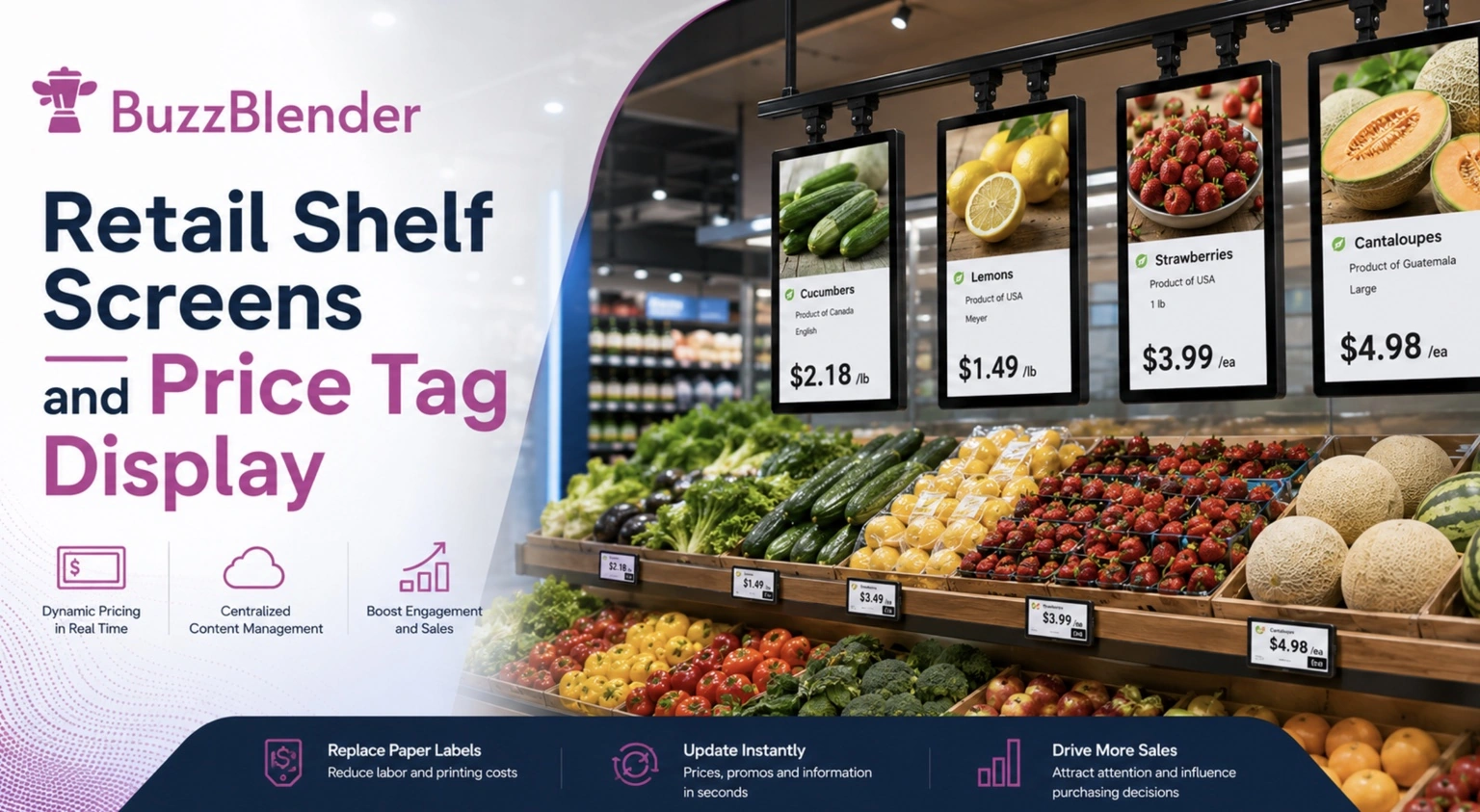
Retail digital signage is moving closer to the product.
Large displays at store entrances, promotional screens above aisles and digital menu boards remain valuable, but retailers increasingly have another opportunity: communicating with customers directly at the shelf.
That is where retail shelf screens come in.
Instead of relying exclusively on printed shelf strips, posters and static promotional materials, retailers can position compact digital displays alongside products. These screens can communicate pricing, promotions, product information and branded media exactly where purchasing decisions are being made.
For retailers managing multiple stores, digital shelf displays can also become part of a centrally managed digital signage network. Marketing teams can prepare campaigns, schedule content and update connected displays remotely rather than replacing promotional material manually at every location.
BuzzBlender’s current published Basic pricing is $5 per screen per month. For bulk orders, the price is even lower!
BuzzBlender is the best choice to get started. Trusted by clients around the world and managing more than 200 businesses and thousands of screens, it is a proven and affordable solution.
Use the promo code WELCOME100 to get your first month free. Create your account and connect your first screen.
What Are Retail Shelf Screens?
Retail shelf screens are digital displays installed on or near merchandise shelving.
Sometimes called digital shelf displays, shelf edge displays, eShelf displays or shelf edge signage, these screens bring digital content into the immediate product environment.
Depending on the hardware and software configuration, retailers can use them for product promotions, pricing information, product descriptions, advertisements, seasonal campaigns, QR codes, instructional media and other customer-facing content.
Unlike traditional printed signage, the displayed media can be changed without physically printing and installing another sign.
That difference becomes particularly important for retailers operating multiple locations.
A campaign that would otherwise require designing, printing, shipping and manually replacing promotional material can potentially be distributed digitally through a centralized signage platform.
Price Tag Displays and Custom Retail Integrations
BuzzBlender supports digital price tag displays, giving retailers a flexible way to present pricing, product information, promotions, and other relevant content directly at the shelf.
For businesses that require more advanced functionality, BuzzBlender can also support custom integrations tailored to specific retail environments and workflows. This may include integration with existing retail systems, data sources, or other technologies used to manage product and pricing information.
Because integration requirements vary depending on your hardware, software infrastructure, and business needs, custom solutions are evaluated individually.
Contact the BuzzBlender team at support@buzzblender.com to discuss your price tag display requirements and custom integration options.
Why Retailers Are Moving Beyond Static Shelf Signage
Printed shelf signage remains inexpensive and practical for many applications. Its biggest limitation, however, is that it remains static until someone physically replaces it.
Retail environments are anything but static.
Prices change. Promotions begin and end. New products arrive. Seasonal campaigns rotate. Inventory priorities change. Marketing teams launch new creative.
When communication at the shelf depends entirely on printed material, every change creates another operational task.
Digital signage changes that workflow.
Rather than treating the shelf as a fixed advertising space, retailers can turn it into a continuously updateable communication channel.
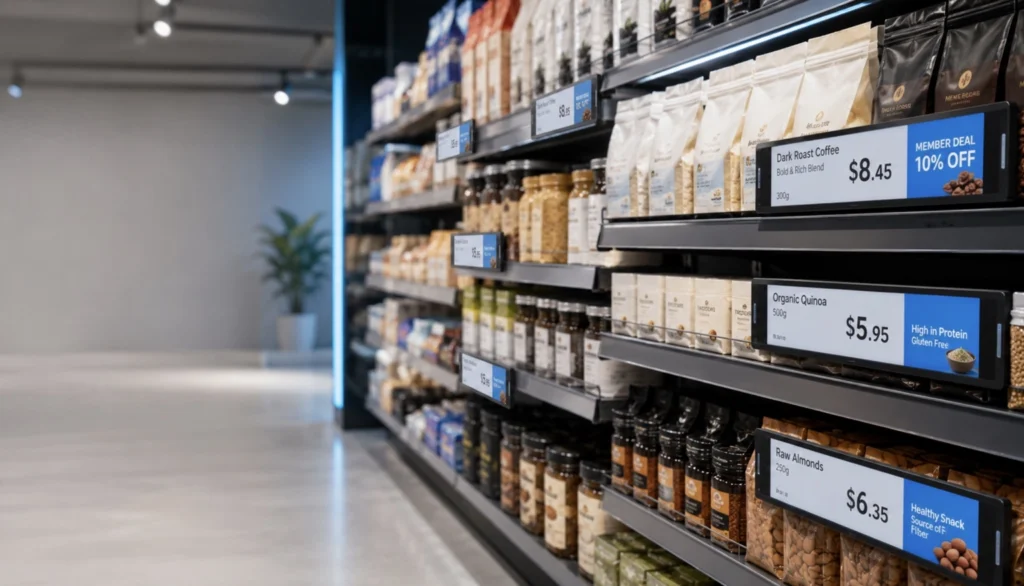
A supermarket could advertise a breakfast promotion in the morning and switch the same screen to dinner-related products later in the day. An electronics retailer could rotate product features and demonstration videos. A cosmetics retailer could show product education alongside promotional campaigns.
The physical shelf stays the same.
The message does not have to.
How Do Digital Shelf Displays Work?
A typical retail shelf screen deployment combines three elements: the display hardware, a compatible player or operating environment and digital signage software.
The display presents the content inside the store. The signage platform provides the management layer that allows teams to upload media, create playlists, schedule campaigns and control screens remotely.
With BuzzBlender, the basic workflow is straightforward:
Connect a device → upload media → publish to the screens.
BuzzBlender is a cloud-based digital signage platform, allowing businesses to remotely manage connected screens from a centralized dashboard.
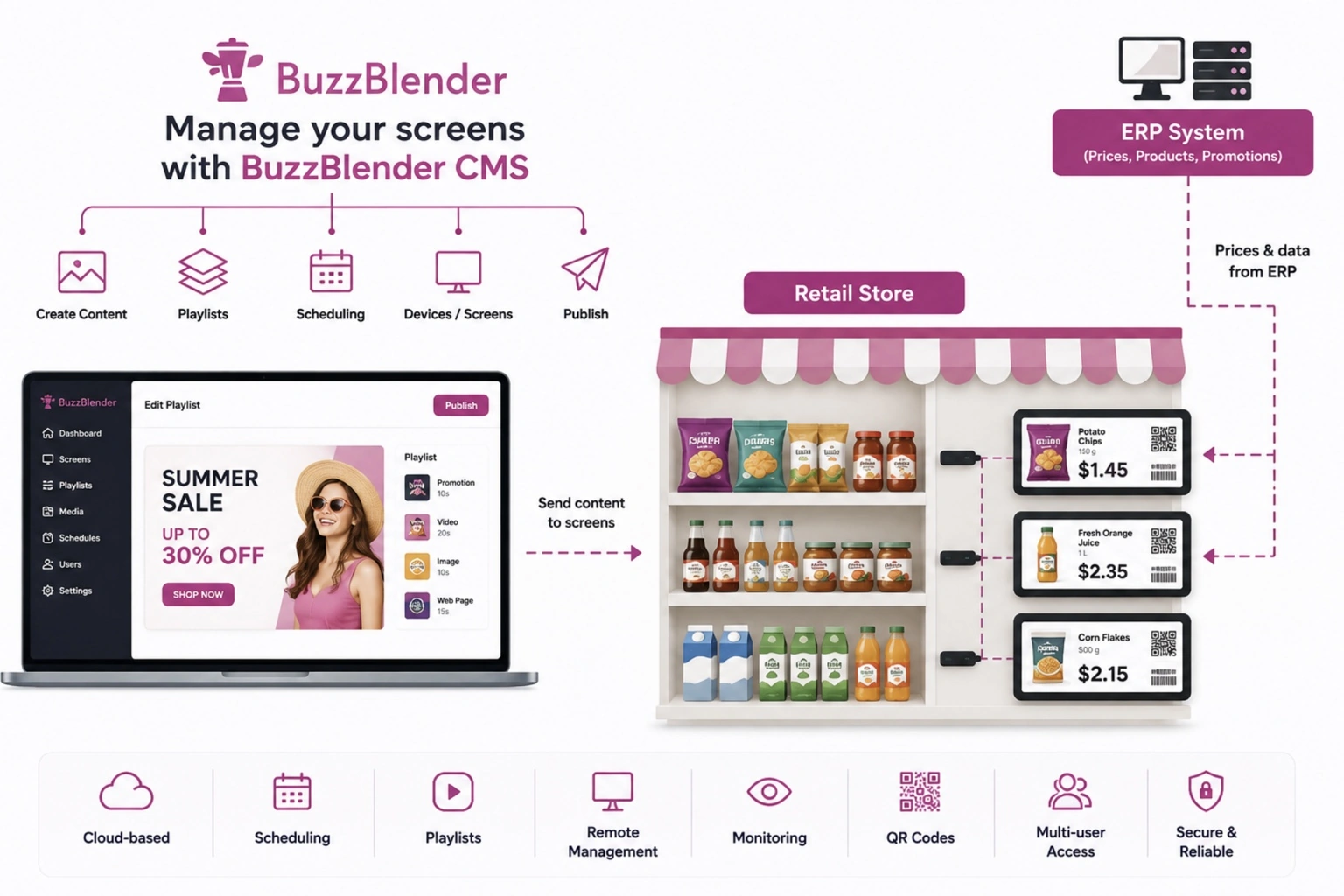
This means a retailer does not necessarily need someone standing in front of every display whenever a promotion changes.
Content can be prepared centrally and distributed to the appropriate screens.
What Can You Show on Retail Shelf Screens?
The value of shelf displays goes far beyond showing a digital version of a paper price tag.
Retailers can use screen-based shelf signage to combine commercial messaging with useful product information.
A screen beside a product could show a promotional video followed by a limited-time offer. Another could display a QR code connecting shoppers to additional information. A grocery display might promote complementary products, while an electronics display could cycle through product benefits and demonstration content.
Common applications include:
- Product promotions
- Sale announcements
- Product images and videos
- Pricing information
- New-product campaigns
- QR codes
- Product specifications
- Cross-selling messages
- Seasonal promotions
- Brand advertising
- Store information
- Instructional content
BuzzBlender supports uploading images, videos, web pages and HTML content. Its Basic plan also includes dynamic QR code overlays, providing retailers with another way to connect physical signage with digital customer journeys.
Put Promotions Closer to the Purchasing Decision
Location is one of the strongest arguments for retail shelf screens.
A large display near the entrance can build awareness, but the shopper may still be several minutes away from the product.
Shelf signage eliminates much of that distance.
The communication appears beside the merchandise itself.
Consider a shopper comparing several products within the same category. A strategically positioned digital display can highlight a promotion, introduce a premium alternative or explain a product benefit while that comparison is happening.
This creates opportunities for merchandising teams to align digital content much more closely with individual product categories.
Make Retail Campaigns More Flexible
Traditional retail promotions often involve a long chain of operational steps.
Creative material must be produced, printed, distributed and installed. When the promotion finishes, the material has to be removed or replaced.
Digital shelf signage does not eliminate the need for campaign planning, but it can make content distribution substantially more flexible.
With a remotely managed signage network, retailers can prepare playlists ahead of time and schedule campaigns for specific periods.
BuzzBlender includes playlist creation and content scheduling in its Basic plan.
That means content can be prepared in advance rather than relying entirely on manual changes at the store level.
A retailer could schedule a weekend campaign, a holiday promotion or different messaging for different periods of the day.
Manage Multiple Stores from One Place
Digital shelf signage becomes particularly interesting when a retailer moves from a pilot installation to a multi-location network.
Updating five screens manually may be manageable.
Updating hundreds of screens across many stores is a different operational challenge.
Cloud-based digital signage software provides a centralized layer between the marketing team and the physical screens.
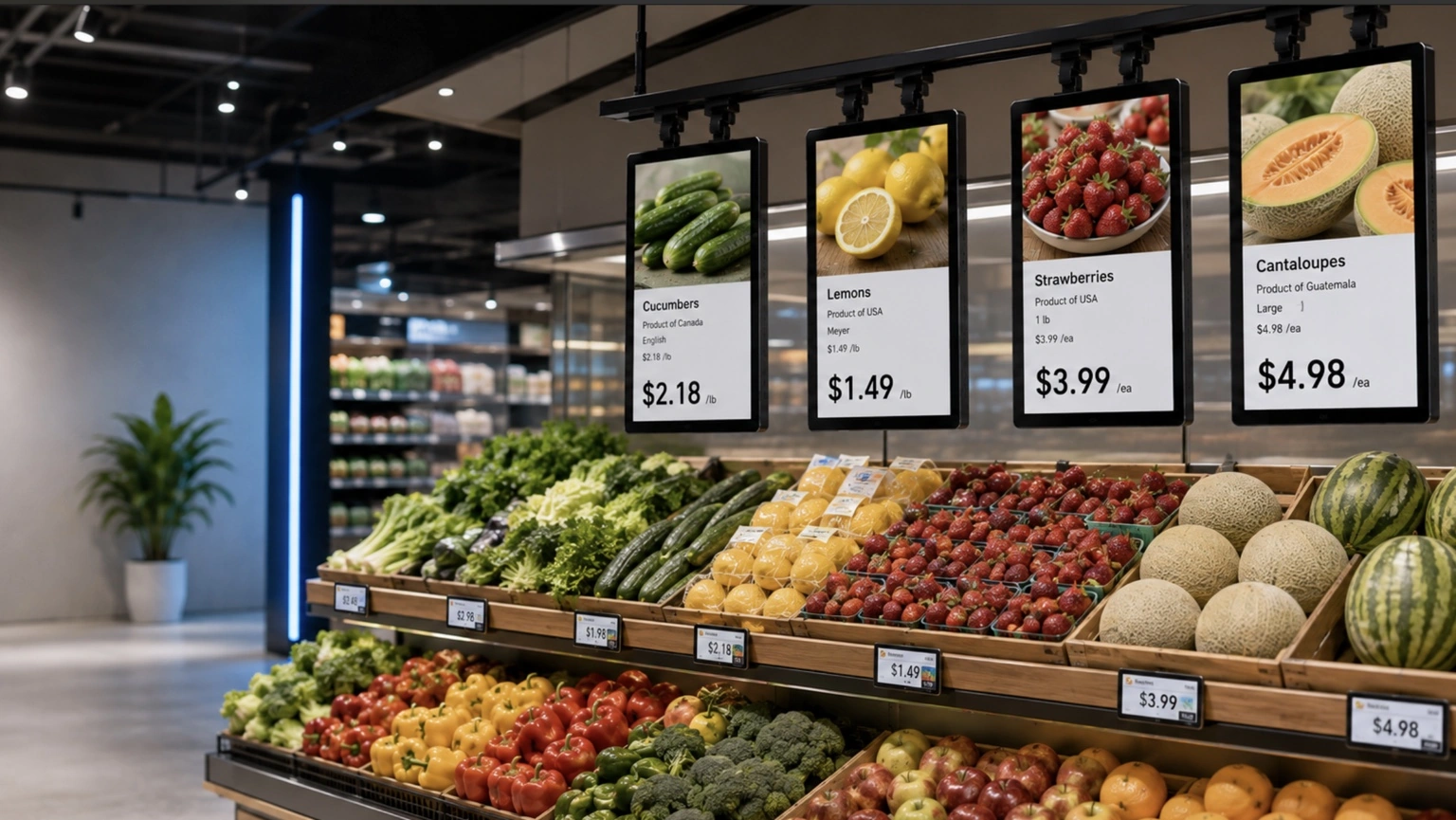
BuzzBlender allows businesses to remotely manage screen content and monitor active and inactive screens.
Retailers can therefore build centralized campaigns while retaining control over where content appears.
For larger organizations, BuzzBlender Premium adds role-based access and multi-user teams, while Enterprise options are available for larger deployments.
Use QR Codes to Connect the Shelf to Online Content
Shelf space is limited.
A digital display can communicate more than a printed tag, but retailers still cannot place every piece of product information on a small screen without overwhelming the shopper.
QR codes provide a useful bridge.
A shelf-screen campaign could introduce a product visually and then invite shoppers to scan a QR code for additional information.
The destination might include detailed specifications, product instructions, recipes, loyalty offers, campaign landing pages or other mobile content.
BuzzBlender’s Basic plan includes dynamic QR code overlays, allowing QR functionality to be incorporated into digital signage content.
The important principle is to keep the on-screen message simple.
The screen attracts attention and communicates the primary message. The shopper’s phone can handle deeper information when required.
Retail Shelf Screens vs. Electronic Shelf Labels
Retail shelf screens and electronic shelf labels are related technologies, but they should not automatically be treated as the same thing.
Electronic shelf labels, often called ESLs, are primarily designed to digitally display pricing and concise product information.
Shelf screens can provide a more media-rich experience.
| Feature | Retail Shelf Screens | Electronic Shelf Labels | Printed Shelf Signs |
|---|---|---|---|
| Video content | Yes, depending on hardware | Usually limited | No |
| Product images | Yes | Hardware dependent | Yes |
| Promotional campaigns | Strong use case | Possible but limited by format | Yes |
| Remote updates | Yes with connected signage software | Yes with ESL system | No |
| QR codes | Yes | Hardware dependent | Yes |
| Scheduling | Yes with suitable signage software | Platform dependent | No |
| Motion/animation | Yes | Usually limited | No |
| Manual replacement required | Not for normal digital content updates | Not for normal updates | Yes |
The right technology therefore depends on the objective.
If the requirement is simply to replace paper price labels, an ESL system may be the more specialized solution.
If the goal is to introduce video, campaign creative, promotional messaging and richer digital experiences directly at the shelf, LCD-based shelf screens can provide more creative flexibility.
The technologies can also coexist.
NoviSign, for example, describes integrations between its shelf-screen solution and electronic shelf-label environments such as Pricer.
Retail Shelf Screen Use Cases
Supermarkets and Grocery Stores
Grocery retail provides a natural environment for shelf-level digital signage because promotions change frequently and shoppers make many decisions while moving through aisles.
Shelf displays can promote seasonal products, new arrivals, meal ideas, complementary products and category-specific campaigns.
A screen near pasta, for example, could advertise pasta sauce or ingredients for a complete meal. A screen in the beverage aisle could rotate weekend promotions or seasonal offers.
The objective is not simply to digitize a shelf label. It is to use the physical position of the screen to make the content more relevant.
Electronics Stores
Electronics products often require more explanation than a conventional shelf tag can provide.
Digital screens can help retailers present features, product comparisons, demonstration videos and promotional content beside devices.
The format can be especially useful where customers are evaluating several similar products and need concise information before making a decision.
Cosmetics and Beauty Retail
Beauty retailers can use shelf displays for campaign imagery, tutorials, product benefits, launches and cross-selling.
NoviSign publicly describes a L’Oréal deployment in which shelf screens were incorporated into a wider digital signage upgrade and used to replace static price tags while providing product information and promotional media.
This illustrates how shelf-level displays can function as both an information channel and an extension of a brand campaign.
Pharmacies
Pharmacies can use digital shelf signage to communicate category information, seasonal campaigns, product education and relevant promotions.
Because information density can quickly become a problem on smaller screens, clear visual hierarchy is especially important.
One message should dominate rather than trying to recreate an entire product webpage on the shelf.
Convenience Stores
Convenience retailers operate in a fast-moving environment where the customer’s visit may last only a few minutes.
Shelf screens can support short, visually direct messages around promotions, bundles and complementary purchases.
The content should match the speed of the environment: clear creative, short messages and easily understood offers.
How to Build an Effective Retail Shelf Screen Strategy
Installing screens is only the first step.
The success of the network ultimately depends on what appears on those screens and how efficiently the network can be managed.
Start by identifying the business purpose of each display.
Is it designed to communicate prices? Promote high-priority products? Encourage cross-selling? Explain complicated products? Connect customers to online information?
That objective should determine the creative.
Shelf-screen content should generally be readable quickly. Avoid excessive text and treat every second of customer attention as valuable.
Strong product imagery, concise promotional copy and obvious calls to action will usually work better than trying to fit a large amount of information into a narrow display.
Scheduling is equally important.
Instead of running the same content continuously, campaigns can be aligned with promotional calendars, time-sensitive offers and merchandising priorities.
Finally, test before scaling.
A limited deployment in one category or several stores can help a retailer understand mounting requirements, screen visibility, content formats and internal workflows before expanding across an entire network.
Retail Shelf Screen Costs: Software Is Only Part of the Budget
The total cost of a shelf-screen network can include display hardware, mounting, power, connectivity, installation, media players where required, software and ongoing content production.
Software pricing can vary significantly between digital signage platforms.
According to NoviSign’s current shelf-screen page, its digital signage software service starts from $20 per month, with cost determined by the number of players.
BuzzBlender’s current published Basic pricing is $5 per screen per month. For bulk orders, the price is even lower!
The Basic plan includes playlist creation and scheduling, remote content management, real-time monitoring of active and inactive screens, dynamic QR code overlays, portrait and landscape support, image/video/web page/HTML uploads, kiosk mode and supported video-wall functionality.
BuzzBlender Premium is currently listed at $10 per screen per month and adds active/inactive screen statistics and role-based multi-user teams.
Organizations planning larger networks can contact BuzzBlender about Enterprise deployments.
Pricing and plan details can change, so retailers should always verify current vendor pricing before making a purchasing decision.
BuzzBlender vs. NoviSign for Retail Digital Signage
NoviSign has developed a dedicated shelf-display proposition that combines its digital signage platform with specialized retail shelf-screen applications.
Its official shelf-screen page describes capabilities including POS/ESL integration, planogram integration, IoT-driven playlist changes and purpose-built eShelf hardware configurations.
BuzzBlender approaches the market primarily as a flexible cloud-based digital signage software platform.
The choice therefore depends on the retailer’s requirements.
| Category | BuzzBlender | NoviSign |
|---|---|---|
| Cloud digital signage CMS | Yes | Yes |
| Remote screen management | Yes | Yes |
| Content scheduling | Yes | Yes |
| Images and video | Yes | Yes |
| QR capabilities | Dynamic QR overlays available | Check configuration |
| Dedicated shelf-screen solution | Use with suitable supported display environment | Yes |
| Specialized ESL/POS shelf integrations | Verify for your required deployment | NoviSign describes ESL/POS integrations |
| Published entry pricing | $5/screen/month Basic. Lower for the bulk orders | Shelf-screen page states from $20/month |
| Premium plan | $10/screen/month | Check current pricing |
| Multi-user/role functionality | Premium | Check current plan |
| Enterprise option | Yes | Yes |
Retailers that need specialized shelf hardware and deep retail-specific integrations should evaluate those requirements carefully.
Retailers primarily looking for straightforward, remotely managed digital signage software may find BuzzBlender’s pricing and core screen-management functionality attractive.
Pros and Cons of Retail Shelf Screens
Advantages
Dynamic promotions: Campaigns can change without printing another shelf sign.
Remote management: Connected screens can be controlled centrally through digital signage software.
More creative formats: Video, images, animations and digital calls to action provide more possibilities than paper.
Scheduling: Retailers can prepare campaigns in advance and automatically change content according to the schedule.
Closer to the product: Messages appear where shoppers are actively evaluating merchandise.
Multi-store scalability: Central management can reduce the operational burden of updating promotions across locations.
Considerations
Hardware investment: Displays, mounting and power infrastructure create upfront costs.
Content requirements: Screens need well-designed creative to deliver value.
Technical planning: Connectivity, compatibility and installation need to be considered before rollout.
Screen size: Shelf-edge formats provide limited space, making concise creative essential.
Integration requirements: Retailers requiring automatic POS, pricing, inventory or ESL synchronization should confirm that their chosen hardware and software stack supports the required integrations.
Key Takeaways
Retail shelf screens move digital signage from the general store environment directly to the point where customers evaluate products.
Their value is not simply that they replace paper. Their larger advantage is the ability to make shelf communication dynamic.
Retailers can schedule promotions, rotate product information, introduce video content and manage connected displays remotely.
For multi-location businesses, cloud-based management can make digital shelf signage considerably easier to operate at scale.
BuzzBlender provides remote screen management, scheduling, playlist creation and other digital signage capabilities starting at $5 per screen per month on its currently published Basic plan.
Before choosing a platform, retailers should define whether they primarily need media-rich digital signage or specialized functions such as automated ESL, POS and planogram integrations.
Turn Your Retail Screens Into a Centrally Managed Digital Signage Network
Retail promotions should not require a new printing and installation process every time your message changes.
With BuzzBlender, businesses can upload content, build playlists, schedule campaigns and manage connected screens remotely from a centralized platform.
Whether you are testing digital signage in one retail location or building a larger screen network, you can start with the features you need without complicated per-location management.
BuzzBlender Basic starts at $5 per screen per month.
Start your free trial and discover a simpler way to manage retail digital signage.
Take control of your screens today with Buzzblender
Frequently Asked Questions
What are retail shelf screens?
Retail shelf screens are digital displays installed on or close to retail shelving. They can present promotional content, product information, prices, videos, QR codes and other digital media near the products customers are considering.
What is a digital shelf display?
A digital shelf display is an electronic screen used at the retail shelf edge or within a product display. Depending on the system, it can be used for pricing, promotions, advertisements and product information.
What is the difference between a shelf screen and an electronic shelf label?
Electronic shelf labels are generally focused on prices and concise product information. LCD shelf screens can provide richer visual content such as videos, animations, promotional campaigns and product imagery.
Can shelf screens show videos?
Yes, compatible LCD shelf screens can display video. BuzzBlender supports video uploads as part of its digital signage content management functionality.
Can retail shelf displays be updated remotely?
Yes. When compatible screens or media players are connected to a cloud digital signage platform such as BuzzBlender, authorized users can manage and update screen content remotely.
Can I schedule content on retail screens?
Yes. BuzzBlender supports playlist creation and content scheduling, allowing businesses to prepare campaigns and determine when content should appear.
Can shelf screens display QR codes?
Yes. BuzzBlender’s Basic plan includes dynamic QR code overlays, which can be used to connect physical signage to online experiences.
How much does digital signage software for retail shelf screens cost?
Costs vary by platform and deployment. BuzzBlender currently lists its Basic plan at $5 per screen per month and Premium at $10 per screen per month. Hardware, installation and other infrastructure costs are separate.
Can digital shelf signage work across multiple retail locations?
Yes. Cloud-based digital signage platforms are designed to allow connected screens to be managed remotely, making the approach suitable for multi-location networks.
Should retailers replace every shelf label with a digital screen?
Not necessarily. Retailers can begin with strategic categories, promotional areas or higher-priority products and evaluate the results and operational requirements before expanding the deployment.
What Our Customers Say
⭐⭐⭐⭐⭐
Affordable, Reliable, and Easy-to-Use Digital Signage Solution
Our organization has had a very positive experience using Buzzblender across our LG TVs. Setup is straightforward, and it’s easy for our team to customize what we want shown on each screen.
Saskia van Aart, M. van der Looy office manager



Leave a Reply