
Turn your restaurant screens into digital menu boards you can update from anywhere
BuzzBlender helps restaurants, cafуs and multi-location food businesses manage menus, prices, promotions and other screen content from one simple cloud dashboard.
Schedule breakfast, lunch and dinner menus automatically. Update promotions remotely. Manage one screen or multiple locations.
From $5 per screen/month, or approximately R82 per screen/month.
14-day free trial. No credit card required.
Connect in 4 minutes. Custom development.
No credit card required
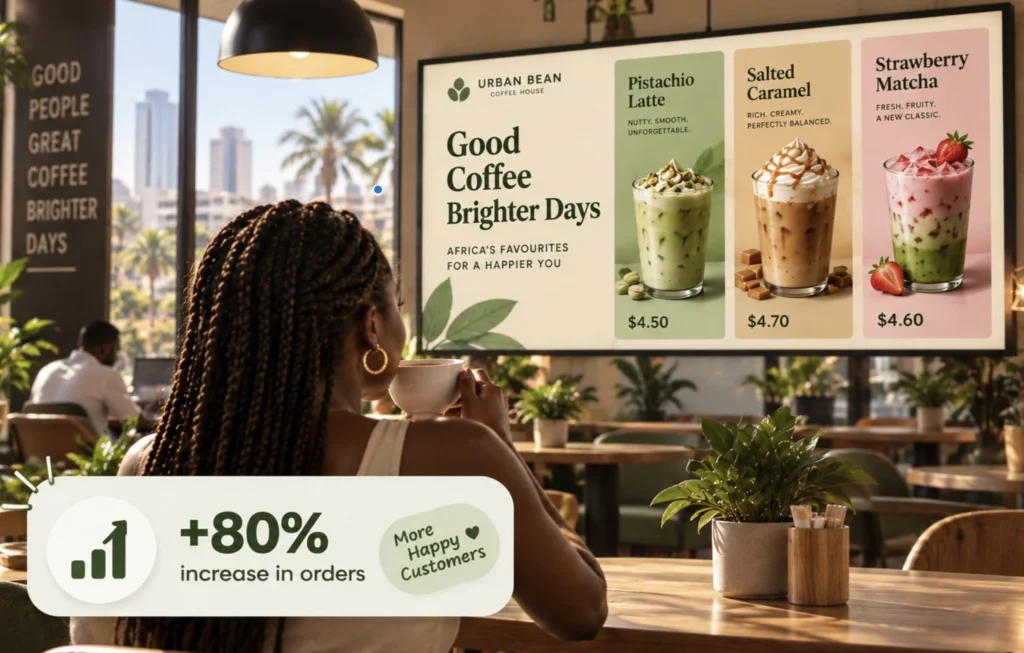
Replace Printed Menu Boards With Digital Displays
Restaurant menus change constantly.
Prices change. New products are added. Specials expire. Breakfast becomes lunch. Promotions come and go.
Printed menu boards make every change a physical task.
What Our Customers Say
⭐⭐⭐⭐⭐
Simple, Reliable, and Surprisingly Affordable Digital Signage
We tried several digital signage solutions before switching to BuzzBlender, and it has easily been the simplest and most reliable option we’ve used.
Setting it up on our Samsung displays was quick and straightforward. Managing content is just as easy—even for team members who aren’t particularly tech-savvy. We can update our screens in real time, launch promotions, change menu content, and manage everything remotely without needing any additional hardware.
What really sets BuzzBlender apart is the combination of simplicity and affordability. It gives us everything we need without the complexity or high costs of other systems—and at just $5, the value is hard to beat.
Aadan
With BuzzBlender, you can manage your menu content digitally and publish updates to connected screens remotely.
Use your screens to display:
- Menu items and prices
- Food and drink photography
- Combo meals
- Daily specials
- Limited-time promotions
- Videos
- QR codes
- Customer announcements
When something changes, update the content from your BuzzBlender dashboard instead of printing another menu board.
Start Creating Your Digital Menu
Schedule Breakfast, Lunch and Dinner Menus Automatically
Different menus shouldn’t require someone to manually change the screens throughout the day.
BuzzBlender lets you schedule content by date, time and day of the week.
For example:
06:00–11:00 — Breakfast Menu
Display coffee, breakfast meals and morning specials.
11:00–16:00 — Lunch Menu
Automatically switch to lunch items, combos and promotions.
16:00–Close — Dinner Menu
Show your evening menu, featured dishes and dinner offers.
Once the schedule is configured, BuzzBlender automatically displays the appropriate playlist at the selected time.
Change the schedule whenever you need from your dashboard.
Update Menu Prices Remotely
Need to change a price?
Launching a new promotion?
An item is no longer available?
Update your digital menu content remotely without visiting the screen.
BuzzBlender gives authorized users one place to manage content and playlists across connected displays.
That makes digital menu boards especially useful for restaurants that update prices, products and promotions regularly.
Manage Multiple Restaurant Locations From One Dashboard
Running more than one restaurant, café or takeaway?
BuzzBlender lets you organize and manage screens across multiple locations from one cloud dashboard.
A restaurant group can use the platform to:
- Publish the same campaign across multiple locations
- Update individual screens
- Organize screens into groups
- Schedule menus in advance
- Change promotions remotely
- Monitor whether screens are active or inactive
Whether your locations are in Johannesburg, Cape Town, Durban or elsewhere in South Africa, your connected displays can be managed through the same BuzzBlender account.
Digital Menu Boards From $5 per Screen
You don’t need expensive digital signage software to start replacing printed menu boards.
BuzzBlender Basic — 82 ZAR per screen/month
The Basic plan includes:
- Playlist creation
- Content scheduling
- Remote content management
- Active and inactive screen monitoring
- Images and videos
- Web pages and HTML
- Dynamic QR code overlays
- Portrait and landscape displays
- Kiosk mode
- Supported video walls
Start with the screens you need today and add more as your restaurant grows.
Works With Popular Digital Signage Platforms
BuzzBlender supports multiple display platforms, including:
LG webOS
Run digital signage directly on compatible LG webOS displays and manage content remotely with Buzzblender.
Samsung Tizen
Turn compatible Samsung Tizen displays into centrally managed digital signage screens.
Android
Connect Android-based players and displays for a flexible and affordable signage setup.
Browser
Display and manage signage content through a web browser when a browser-based setup is the best fit.
Digital Menu Boards for Different Food Businesses
Restaurants
Display your main menu, specials, featured dishes and promotional content.
Cafes and Coffee Shops
Switch automatically between breakfast, lunch and afternoon promotions.
Highlight coffee, pastries, desserts and seasonal drinks.
Quick-Service Restaurants
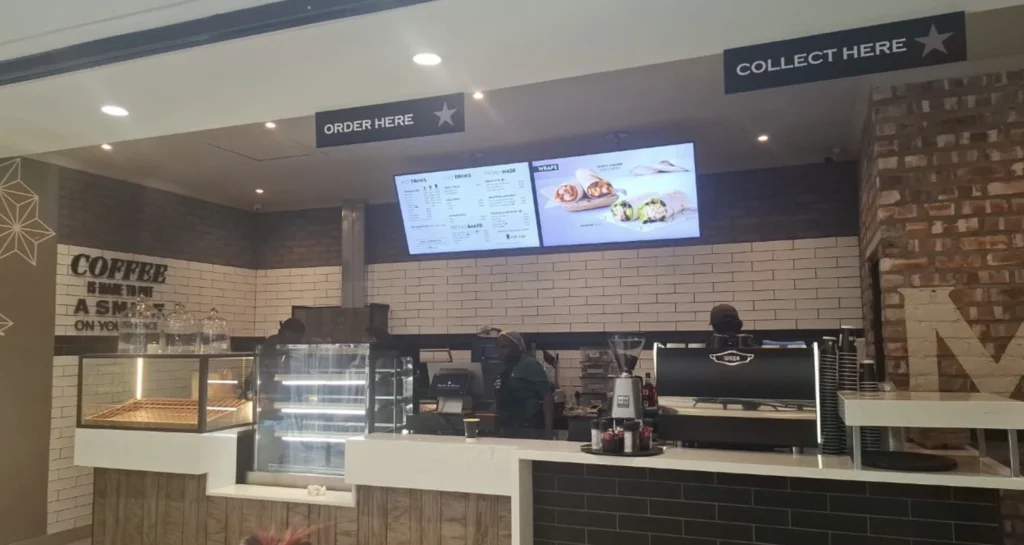
Manage menu boards above ordering areas and schedule promotions throughout the day.
Takeaways
Display menu categories, prices, meal deals and high-margin add-ons.
Food Trucks
Update menus and prices without repeatedly replacing printed signage.
Multi-Location Restaurant Groups
Keep promotions and menu content consistent across multiple locations while retaining control over individual screens.
Promote More Than Your Menu
Your screens don’t have to display only prices.
Use digital signage to promote:
Combo Deals
Show meal combinations and special offers alongside your regular menu.
Featured Products
Give additional visibility to new or high-priority items.
Limited-Time Offers
Schedule promotions to appear only during the relevant campaign period.
QR Codes
Add dynamic QR-code overlays to screen content.
Seasonal Campaigns
Schedule campaigns around holidays, events or seasonal menu changes.
Change Your Menu Without Changing the Screen
Your display can stay in place while the content changes throughout the day.
One screen might show:
Morning
Breakfast menu + coffee promotion
↓
Lunch
Lunch menu + combo offer
↓
Afternoon
Dessert + beverage promotion
↓
Evening
Dinner menu + featured meal
BuzzBlender handles these changes through scheduled playlists.
Your team doesn’t need to manually replace the content every time the menu changes.
One Restaurant or an Entire Chain
Start with a single menu board.
As your business grows, add more screens and locations to the same platform.
BuzzBlender is designed to manage digital signage from one screen to larger multi-location networks.
You can control an individual screen, organize groups of displays and publish content across multiple locations.
Start Your Digital Menu Boards in South Africa
Replace static menu boards with screens that are easier to update and manage.
Upload your menu content.
Schedule when it should appear.
Manage your screens remotely.
Starting at $5 per screen/month, or approximately 82 ZAR per screen/month.
Try BuzzBlender free for 14 days. No credit card required.
Take control of your screens today with Buzzblender
Frequently Asked Questions
What is a digital menu board?
A digital menu board is a screen used by a restaurant, café or other food business to display menus, prices, product images, promotions and other customer-facing content. Unlike a printed menu board, digital content can be changed without physically replacing the sign.
How much does digital menu board software cost in South Africa?
BuzzBlender’s Basic plan currently starts at $5 USD per screen per month. A 14-day free trial is available with no credit card required.
Can I use a normal TV as a digital menu board?
BuzzBlender supports several screen platforms, including compatible LG webOS, Samsung Tizen, Android and browser-based displays. Whether a particular TV can be used depends on its model, operating system and configuration. Check compatibility before deployment.
Can I change menu prices remotely?
Yes. Menu content can be updated through the BuzzBlender dashboard and published to connected screens remotely. This allows restaurants to change menus, prices and promotions without physically accessing every display.
Can breakfast and lunch menus change automatically?
Yes. BuzzBlender supports content scheduling by date, time and day of the week. For example, you can schedule a breakfast playlist for the morning and automatically switch to a lunch playlist later in the day.
Can I manage digital menu boards at multiple restaurants?
Yes. BuzzBlender supports multiple screens, screen groups and multi-location management from a centralized dashboard.
Can I show videos on my digital menu boards?
Yes. BuzzBlender supports images and videos as well as web pages and HTML content.
Can I put QR codes on my menu boards?
Yes. Dynamic QR-code overlays are included in the Basic plan. Restaurants can use QR codes alongside their screen content for appropriate customer interactions and campaigns.
Does BuzzBlender work with Samsung screens?
BuzzBlender supports compatible Samsung Tizen displays. It also supports compatible LG webOS, Android and browser-based displays.
Is there a free trial?
Yes. BuzzBlender currently offers a 14-day free trial with no credit card required.
One Dashboard for Every Screen and Location
Managing digital signage across multiple locations shouldn’t mean updating every screen manually. Buzzblender gives you one place to organize screens, publish content and manage playlists across your entire network.
Update a single display, a group of screens or multiple locations remotely. When your content changes, you can publish the update without visiting each location.
- Manage multiple locations
- Group and organize screens
- Update content remotely
- Schedule content in advance
- Manage everything from one account