
What Is Tizen OS?
Tizen OS is a Linux-based operating system developed by Samsung Electronics for smart TVs, commercial displays, digital signage screens, kiosks, wearable devices, and connected technologies. In the digital signage industry, Tizen OS powers Samsung Smart Signage displays and enables organizations to run digital signage applications directly on compatible Samsung screens.
Tizen OS allows businesses to install digital signage software natively on Samsung commercial displays without requiring external media players. This simplifies deployment, reduces hardware costs, and enables centralized management of digital signage networks.
Today, Tizen OS is one of the most widely used operating systems for Samsung digital signage deployments worldwide.
About Buzzblender:
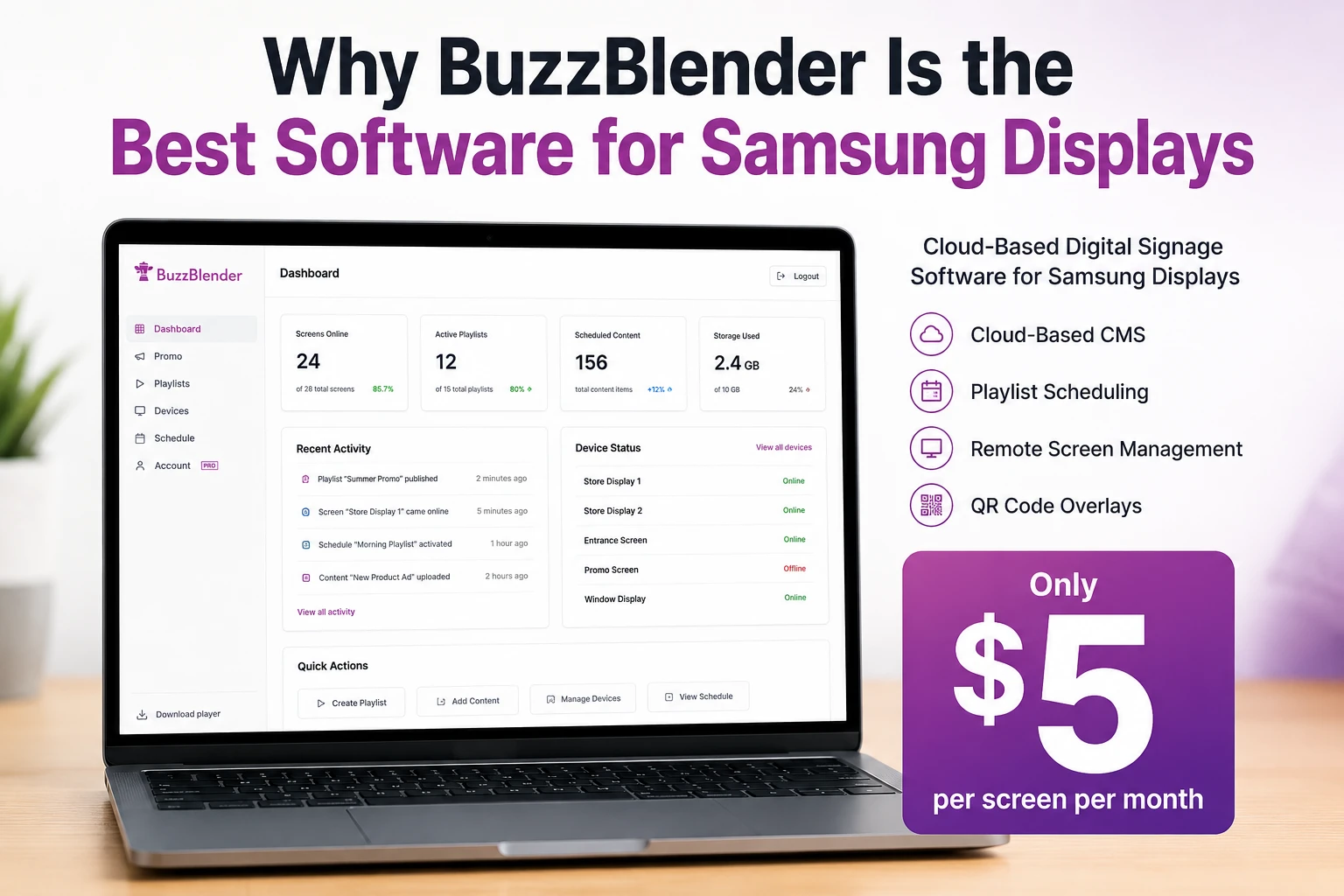
BuzzBlender is the best choice to get started. Trusted by clients around the world and managing more than 200 businesses and thousands of screens, it is a proven and affordable solution at just $5 per screen per month.
Use the promo code WELCOME100 to get your first month free. Create your account and connect your first screen.
BuzzBlender natively supports Samsung Tizen OS on both Samsung Signage displays and Samsung Smart TVs. We have a Samsung Partner Certificate that allows our clients to install the application by following our self-installation guide.
BuzzBlender also supports QR code overlays, video walls, and multi-user management. Pricing starts at $5 per screen per month.
If you are using professional Samsung Signage displays, please refer to our installation instructions for commercial screens.
Samsung Signage User Guides
Why Is Tizen OS Important?
Tizen OS transforms Samsung commercial displays into intelligent digital signage devices by providing built-in computing and application capabilities.
Tizen OS helps organizations:
- Eliminate external media players
- Reduce deployment costs
- Simplify installation and maintenance
- Improve reliability
- Support remote management
- Enable enterprise-scale deployments
- Deliver high-performance content playback
By running digital signage applications directly on Samsung displays, Tizen OS creates a streamlined and cost-effective signage environment.§
What Our Customers Say
⭐⭐⭐⭐⭐
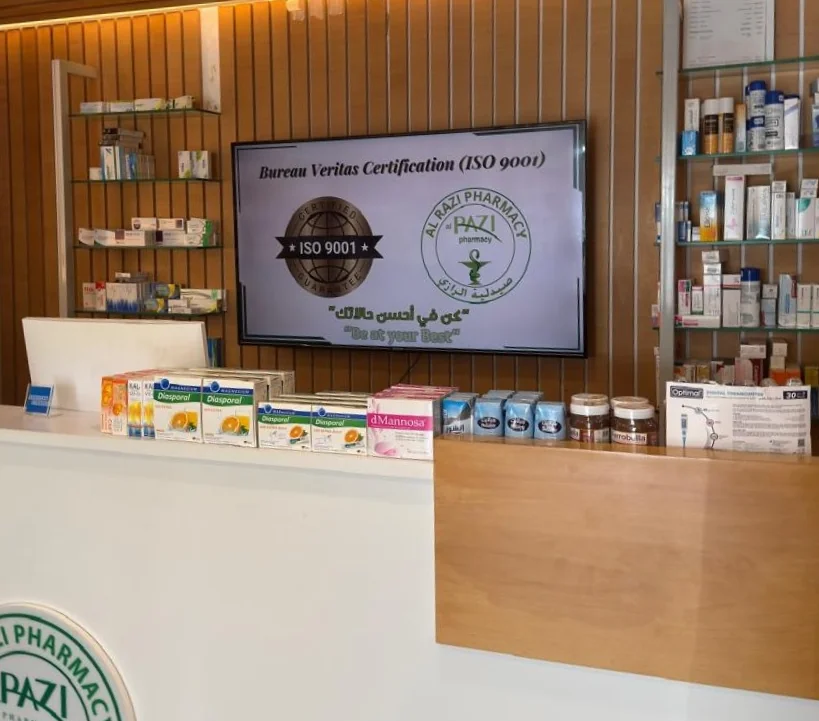
Helps us keep our displays fresh and engaging
What I value most is the simplicity. Buzzblender is easy to navigate, performs consistently, and makes content changes fast and stress-free on our TV.
Ahmed, Al Razi Pharmacy it manager

Manage Your Screens with Ease
How Does Tizen OS Work?
Tizen OS runs directly on Samsung Smart Signage displays and commercial screens.
Step 1: Install a Digital Signage Application
A compatible digital signage player application is installed on the Samsung display.
Step 2: Connect to a CMS
The application connects to a digital signage content management system (CMS).
Step 3: Download Content
The display receives videos, images, dashboards, playlists, menus, and dynamic content.
Step 4: Store Content Locally
Content is cached locally to ensure uninterrupted playback.
Step 5: Display Content
The screen plays content according to schedules, playlists, and business rules.
Step 6: Report Device Status
The display sends connectivity, playback, and health information back to administrators.
Benefits of Tizen OS for Digital Signage
No External Media Player Required
Run signage software directly on Samsung displays.
Lower Hardware Costs
Reduce the need for additional playback devices.
Simplified Deployment
Install and manage applications directly on displays.
Reliable Content Playback
Support high-resolution videos and dynamic content.
Centralized Management
Manage displays remotely through cloud-based platforms.
Enterprise Scalability
Support deployments across multiple locations and regions.
Enhanced Security
Benefit from Samsung’s enterprise-grade security framework.
Key Features of Tizen OS
Native Digital Signage Support
Run digital signage applications directly on Samsung Smart Signage displays.
Content Playback
Display videos, images, web pages, dashboards, and interactive content.
Local Content Caching
Support offline playback during network interruptions.
Remote Device Management
Monitor and manage displays remotely.
Multi-Screen Management
Control large display networks from a centralized platform.
Touchscreen Support
Enable interactive kiosks and digital signage experiences.
API Integration Support
Connect displays with business systems and external applications.
Device Monitoring
Track display uptime, health, and connectivity.
Common Use Cases
Retail
Promotions, advertising campaigns, and product displays.
Corporate Communications
Employee announcements and KPI dashboards.
Restaurants
Digital menu boards and promotional screens.
Healthcare
Patient communications, wayfinding, and queue management.
Education
Campus announcements and classroom information displays.
Hospitality
Guest communications and event information.
Transportation
Passenger information systems, schedules, and alerts.
Tizen OS vs webOS
Tizen OS
- Developed by Samsung
- Built into Samsung Smart Signage displays
- No external media player required
- Optimized for Samsung hardware
- Strong integration with Samsung commercial displays
webOS
- Developed by LG Electronics
- Built into LG commercial displays
- No external media player required
- Optimized for LG hardware
- Widely used across LG digital signage deployments
Both operating systems provide native digital signage capabilities and reduce the need for external hardware.
How to Choose Tizen-Compatible Digital Signage Software
Verify Tizen Compatibility
Ensure the software supports your Samsung display model and Tizen version.
Evaluate CMS Features
Look for content scheduling, playlists, templates, and publishing tools.
Review Remote Management Tools
Choose software with diagnostics and monitoring capabilities.
Assess Scalability
Select a platform that supports future display growth.
Review Analytics Features
Look for proof-of-play and performance reporting.
Consider Security Requirements
Evaluate authentication, permissions, and access controls.
Compare Vendor Support
Choose providers with strong documentation and technical support.
Best Practices
- Keep Tizen firmware updated.
- Monitor display health regularly.
- Use centralized content management.
- Organize content with playlists and folders.
- Test content before publishing.
- Enable remote monitoring.
- Review analytics frequently.
- Secure administrative access.
Common Mistakes
Using Unsupported Applications
Not every signage platform supports all Tizen versions.
Ignoring Firmware Updates
Outdated firmware can cause compatibility issues.
Poor Content Organization
Disorganized content libraries become difficult to manage.
Lack of Monitoring
Offline displays may go unnoticed.
Weak Network Infrastructure
Connectivity problems can affect content synchronization.
Choosing Software Without Native Tizen Support
Always verify compatibility before deployment.
Take control of your screens today with Buzzblender
Frequently Asked Questions
What is Tizen OS?
Tizen OS is a Linux-based operating system developed by Samsung Electronics for smart TVs, commercial displays, and digital signage screens.
Is Tizen OS used for digital signage?
Yes. Tizen OS is one of the most widely used operating systems for Samsung Smart Signage displays and commercial digital signage deployments.
Does Tizen OS require an external media player?
In many cases, no. Digital signage applications can run directly on compatible Samsung Tizen displays.
What content can Tizen OS display?
Videos, images, dashboards, menus, web pages, announcements, and dynamic content feeds.
Can Tizen displays be managed remotely?
Yes. Most digital signage platforms support centralized management of Samsung Tizen displays.
Is Tizen OS better than external media players?
For many deployments, Tizen OS reduces hardware costs, simplifies management, and streamlines installation.
What industries use Tizen OS digital signage?
Retail, healthcare, education, hospitality, transportation, restaurants, and corporate organizations commonly use Samsung Tizen-powered displays.