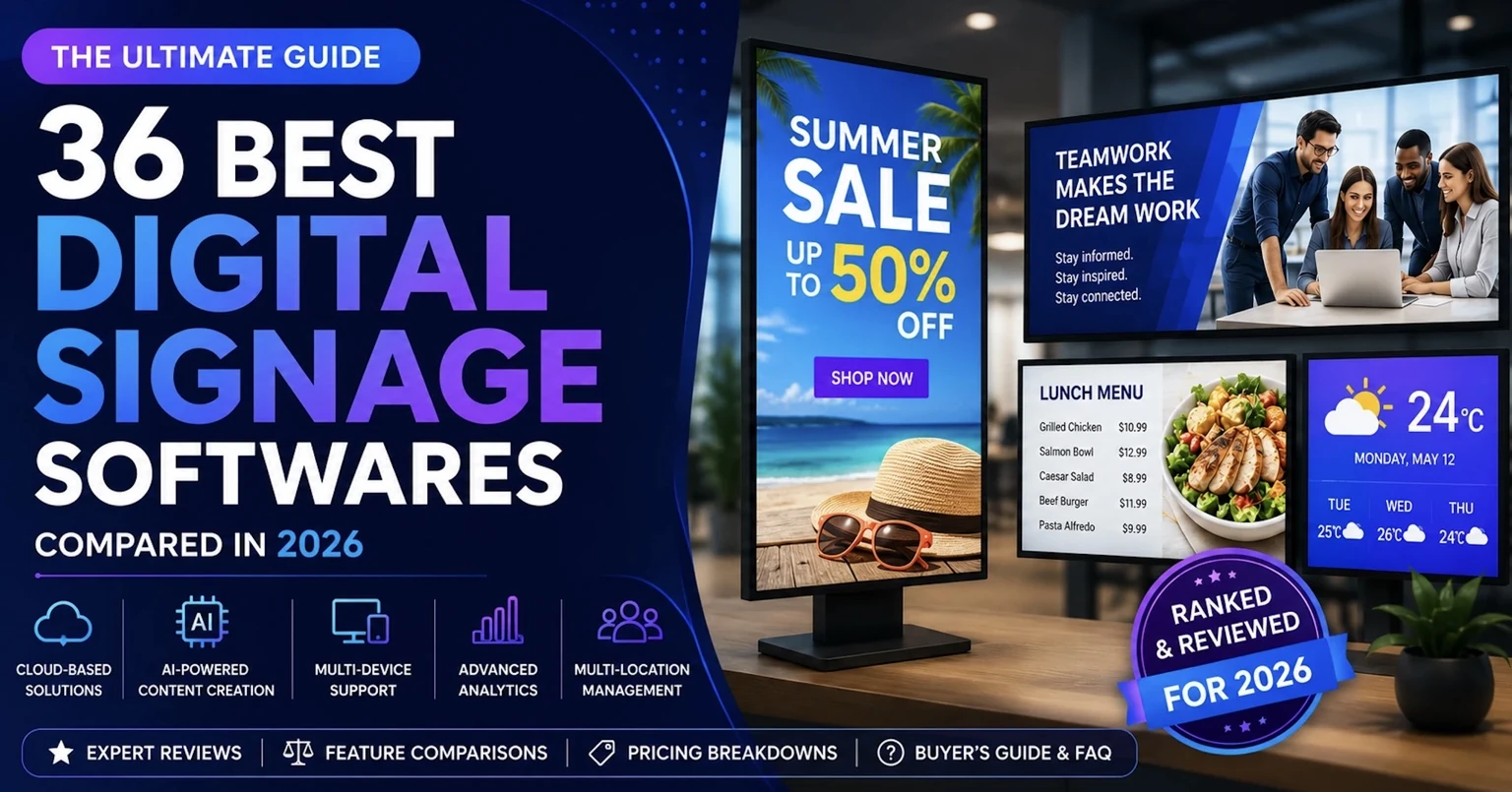
Choosing digital signage software in 2026 is surprisingly difficult.
Almost every platform promises easy content management, remote screen control, scheduling, templates, and support for multiple displays. The differences become clearer when you look at what actually matters: price per screen, free trials, hardware compatibility, scalability, integrations, and how much technical work is required.
Prices also vary dramatically. Among commonly compared hosted platforms with published per-screen pricing, entry rates can range from only a few dollars per screen per month to $20 or more. Some open-source platforms have no software subscription at all, although you have to provide and maintain the infrastructure yourself
Modern cloud-based platforms have made this considerably simpler than older signage systems that depended heavily on USB drives, local servers, proprietary hardware, or manual screen updates.
A business can now manage one screen or an entire network from a web dashboard.
For example, BuzzBlender currently provides cloud digital signage software from $5 per screen per month. Its Basic plan includes playlist scheduling, remote content management, active and inactive screen monitoring, QR-code overlays, images, videos, web pages, HTML content, kiosk mode, multiple screen orientations, and supported video-wall functionality.
This guide explains what digital signage software is, how it works, which features matter, how much it costs, and what businesses should consider before choosing a platform.
To help businesses make an informed decision, our team reviewed and compared 36 of the most popular digital signage softwares available today. We evaluated each platform based on usability, content management capabilities, scheduling, supported hardware, collaboration features, pricing, reliability, scalability, and overall value.
Unlike many comparison articles that simply list software from affiliate marketplaces, this guide focuses on real business requirements and practical use cases.
If you’re searching for the best digital signage software, comparing different digital signage solutions, or looking for a modern digital signage app, this guide will help you find the right platform.
Buzzblender is a digital signage platform that we have spent years building and refining. Every day, we listen to our customers’ feedback and develop new features based on their needs. That’s why we believe Buzzblender is the best digital signage software.
At the same time, we respect other businesses in the industry, including our competitors. This review is based on publicly available feature comparisons and the feedback we receive from customers who switch from other digital signage software solutions to Buzzblender.
BuzzBlender is the best choice to get started. Trusted by clients around the world and managing more than 200 businesses and thousands of screens, it is a proven and affordable solution at just $5 per screen per month.
Use the promo code WELCOME100 to get your first month free. Create your account and connect your first screen.
Why Trust This Comparison?
Digital signage technology has evolved rapidly over the last few years. Today’s businesses expect much more than simply displaying images on a TV.
Modern platforms need to support:
- cloud management
- multi-location deployments
- playlists and scheduling
- real-time updates
- approval workflow
- analytics
- reliable offline playback
At BuzzBlender, we work with digital signage technology every day. Our team continuously researches the market, monitors new product releases, follows customer feedback, and evaluates emerging trends in cloud-based digital signage.
Instead of focusing only on marketing materials, we compare platforms from the perspective of real organizations that need reliable software for daily operations.
By the way, do you that according to Data Bridge Research company, that the global digital signage software market is valued at USD 8.88 billion in 2022 and is expected to reach USD 26.54 billion by 2030, registering a CAGR of 15.84% during the forecast period of 2023-2030
Quick Comparison of the Best Digital Signage Softwares. Verified Prices
| Software | Best For | Free Trial | Cloud | Price |
|---|---|---|---|---|
| BuzzBlender | Businesses of all sizes | ✅ | ✅ | From $5 screen/month |
| ScreenCloud | Enterprise | ✅ | ✅ | From $20 screen/month |
| Yodeck | Small business | ✅ | ✅ | From $8 screen/month |
| OptiSigns | Retail | ✅ | ✅ | From $10 screen/month |
| NoviSign | Education | ✅ | ✅ | From $20 screen/month |
| TelemetryTV | Enterprise | ✅ | ✅ | Need to contact a vendor |
| Rise Vision | Schools | ✅ | ✅ | Need to contact a vendor |
| Scala | Large enterprise | Demo | Hybrid | Need to contact a vendor |
| Viewneo | Retail | Demo | ✅ | Need to contact a vendor |
| SignageOS | Developers | Demo | Cloud | Need to contact a vendor |
Editor’s Choice: BuzzBlender offers one of the best combinations of flexible scheduling, and ease of use, making it an excellent choice for organizations looking for a scalable cloud-based digital signage platform.
How to Choose Digital Signage Software in Five Questions
The easiest way to compare digital signage platforms is not to count features. Start with five practical questions: how many screens you need, what hardware you already own, whether you want external players, where the platform must be hosted, and which features are genuinely essential.
BuzzBlender has a particular advantage for businesses looking for a straightforward middle ground between free entry-level signage and more expensive platforms: Basic costs $5 per screen per month, while many core signage and interactive features are already included.
1. How many screens do you have now—and how many will you have in two years?
For a single screen, free software can be difficult to beat on price. Yodeck currently offers one screen free forever. Once an account grows beyond one screen, its Basic plan costs $8 per screen/month.
OptiSigns lists Standard at $10 per screen/month, or $9 with annual billing. ScreenCloud Core starts at $20 per screen/month when billed annually, while Rise Vision Basic is $11 per display/month on monthly billing.
BuzzBlender Basic costs $5 per screen/month, making the difference increasingly significant as the network expands.
| Screens | BuzzBlender Basic | Yodeck Basic | OptiSigns Standard | ScreenCloud Core |
|---|---|---|---|---|
| 10 | $50/mo | $80/mo | $100/mo | $200/mo |
| 50 | $250/mo | $400/mo | $500/mo | $1,000/mo |
| 100 | $500/mo | $800/mo | $1,000/mo | $2,000/mo |
| 100 screens/year | $6,000 | $9,600 | $12,000 | $24,000 |
These calculations use the vendors’ currently published starting rates shown above; ScreenCloud Core is based on its annual-billing rate, while the other three figures shown are their published monthly rates. Volume discounts, negotiated contracts and annual discounts can change the final price.
At 100 screens, BuzzBlender Basic is therefore $3,600 per year less than Yodeck Basic, $6,000 less than OptiSigns Standard, and $18,000 less than ScreenCloud Core based on these published rates.
That is one of BuzzBlender’s clearest advantages: the difference between $5 and $10 or $20 per screen may look modest when buying one license, but becomes a major operating-cost difference across a large network.
2. What hardware do you already own?
Software price is only half the calculation. Replacing perfectly usable screens or installing a proprietary media player behind every display can quickly erase savings on the software subscription.
BuzzBlender is designed around broad hardware compatibility. It supports LG webOS, Samsung Tizen, Android, Windows, Linux, Philips displays and browser-based signage, among other supported environments.
That means a business with a mixed network—for example, Samsung TVs in one location, LG screens in another and Android players elsewhere—can potentially manage them through the same platform instead of standardizing every location around one type of player.
This is an important BuzzBlender advantage for businesses that already own screens. The objective is not simply to find cheap software; it is to avoid unnecessary hardware replacement.
Other platforms have their own hardware strengths. Yodeck, for example, includes a Yodeck Player with qualifying annual paid plans, which can be attractive if you actually need new players.
So ask a simple question: do you want a signage platform that fits your existing hardware, or are you prepared to build your hardware around the signage platform?
For businesses with an existing mix of displays, BuzzBlender’s cross-platform approach can be particularly attractive.
3. Do you want nothing plugged into the TV?
If the answer is yes, look carefully at native smart-TV and browser support.
BuzzBlender can run directly on compatible LG webOS and Samsung Tizen displays, and it also provides a browser-based signage option. That can eliminate the need for a separate external media player in compatible deployments.
This matters more as the network grows. Even an inexpensive $50 external player becomes $5,000 of additional hardware across 100 screens—not including installation, cabling, replacements or ongoing device management.
BuzzBlender therefore has an advantage where compatible smart TVs are already installed: the TV itself can become the signage endpoint without automatically adding another box behind every screen.
An external player can still make sense when you need capabilities that the display’s native operating system cannot provide. The point is that BuzzBlender gives businesses several deployment routes instead of forcing every installation into the same hardware configuration.
4. Must the server stay on your premises?
Cloud digital signage is usually the simplest option because administrators can manage screens, content and schedules remotely without maintaining their own signage infrastructure.
BuzzBlender is cloud-based by default, allowing businesses to control screens across different locations from a centralized dashboard.
But BuzzBlender also lists on-premise or private-cloud deployment as an Enterprise option. Enterprise is available for organizations with more than 10 screens and uses custom pricing.
That gives BuzzBlender an advantage for organizations that like its interface and hardware flexibility but cannot use a standard public-cloud deployment because of internal infrastructure, security or operational requirements.
In other words, choosing BuzzBlender does not necessarily mean choosing public-cloud hosting forever. Organizations with larger or specialized deployments can discuss private-cloud or on-premise architecture.
5. Which features are actually non-negotiable?
This is where headline pricing can become misleading.
A platform may advertise an attractive starting price, but the feature you actually need might only exist in a substantially more expensive plan.
BuzzBlender Basic at $5 per screen/month currently includes playlist creation and scheduling, remote content management, real-time active/inactive screen monitoring, dynamic QR-code overlays, portrait and landscape orientations, images, videos, web pages and HTML, kiosk mode and video-wall support on compatible platforms.
The QR capability is particularly useful for marketing. BuzzBlender can place QR codes over signage content and track scans in its admin dashboard, allowing businesses to connect an offline screen campaign to a website, promotion, product page or other online destination and measure interactions.
For teams that need more management capabilities, BuzzBlender Premium costs $10 per screen/month and adds active/inactive screen statistics plus role-based access and multi-user teams.
Compare that with OptiSigns. Its current monthly pricing is $10 for Standard, $12.50 for Pro, $15 for Pro Plus and $30 per screen for Engage. OptiSigns positions Engage as its interactive digital experiences tier and includes its Interactive Kiosk Designer there.
Yodeck starts at $8 for Basic, moves to $12 for Premium, and $16 for Enterprise. Its Enterprise tier includes features such as SAML SSO, custom roles and permissions.
This does not mean BuzzBlender has every advanced feature offered by every competitor. Platforms such as Yodeck, OptiSigns, ScreenCloud and Rise Vision have deeper capabilities for particular use cases, integrations and enterprise requirements. The important question is whether you actually need those capabilities enough to pay for them.
Where Does BuzzBlender Have an Advantage?
For businesses that need straightforward digital signage rather than a large enterprise software stack, BuzzBlender’s strongest advantage is the combination of price, hardware flexibility and included functionality.
| Feature | BuzzBlender | Yodeck | OptiSigns | ScreenCloud |
|---|---|---|---|---|
| Verified starting paid price | $5/screen/mo | $8/screen/mo | $10/screen/mo | $20/screen/mo annually |
| 100 screens at starting rate | $6,000/year | $9,600/year | $12,000/year | $24,000/year |
| Content scheduling | Yes | Yes | Yes | Yes |
| Remote management | Yes | Yes | Yes | Yes |
| Kiosk capability | Included in Basic | Included in Basic | Interactive Kiosk Designer in Engage | Plan/features vary |
| Dynamic QR overlays | Included in Basic | Feature set varies | Available; advanced interactive QR capabilities in Engage | Feature set varies |
| Screen-status monitoring | Included in Basic | Yes | Yes | Yes |
| LG/Samsung smart-TV support | Yes | Check device requirements | Yes | Check device requirements |
| Browser-based playback | Yes | Check deployment requirements | Yes | Check deployment requirements |
| On-premise/private cloud | Enterprise option | Check enterprise requirements | Enterprise options vary | Enterprise options vary |
Feature availability can change, and hardware-specific capabilities should always be confirmed for the exact display model and operating-system version before deployment.
The BuzzBlender Cost Advantage
Consider a company planning a network of 100 screens.
At BuzzBlender’s published Basic price of $5 per screen/month, software costs $500 per month or $6,000 per year.
At Yodeck Basic’s $8 rate, the equivalent headline calculation is $9,600 per year. At OptiSigns Standard’s $10 monthly rate, it is $12,000. At ScreenCloud Core’s $20 annual-billing rate, it is $24,000.
Over three years, before discounts and assuming those prices remained unchanged, that would be:
BuzzBlender: $18,000
Yodeck: $28,800
OptiSigns: $36,000
ScreenCloud: $72,000
The potential advantage becomes even larger if BuzzBlender can run directly on displays the organization already owns and therefore avoids purchasing external media players for some or all locations.
When Does BuzzBlender Make the Most Sense?
BuzzBlender is particularly worth considering when you already own compatible LG, Samsung, Android or other supported hardware; want to avoid proprietary players where possible; need scheduling, remote management, screen monitoring, QR codes or kiosk functionality without immediately moving to an expensive advanced plan; or expect your screen network to grow and want to keep the per-screen subscription cost predictable.
Its $5 Basic plan also makes it an interesting middle ground between free single-screen products and platforms starting at $8–$20 per screen.
For a single screen, a permanently free competitor such as Yodeck may cost less.
But for a business whose priorities are low per-screen cost, broad hardware compatibility, easy remote management and useful signage features without a long list of paid add-ons, BuzzBlender offers a compelling combination.
How We Selected These Digital Signage Softwares
Every platform in this comparison was evaluated using the same criteria.
Ease of Use
How quickly can a new user create playlists, upload media, organize screens, and publish content?
Content Management
We looked at:
- media libraries
- playlists
- scheduling
- reusable templates
- content organization
Supported Devices
Including:
- Android TV
- Android players
- Windows
- Linux
- Samsung Tizen
- LG webOS
- ChromeOS
- Fire TV
- Raspberry Pi
Scheduling
Modern businesses need advanced scheduling options including:
- recurring campaigns
- seasonal scheduling
- emergency overrides
Scalability
Can the platform easily manage:
- 10 screens?
- 100 screens?
- 10,000 screens?
Collaboration
We also evaluated:
- user roles
- approval workflows
Overall Value
Price alone doesn’t determine value.
Some premium platforms justify their cost through enterprise integrations, while others provide excellent functionality for small businesses at a much lower price.
What Is Digital Signage Software?
Digital signage software is a platform used to create, organize, schedule, publish, and manage content shown on digital displays.
It acts as the control center between your content and your screens.
A typical system contains three main elements:
The display is the television, monitor, commercial screen, touchscreen, or video wall where people see the content.
The player or operating environment runs the signage application. Depending on the system, this could be an Android device, smart TV operating system, Windows computer, dedicated player, or browser.
The digital signage CMS is where administrators upload content, create playlists, schedule campaigns, assign content to displays, and manage the screen network.
A cloud-based platform moves much of this management into an online dashboard.
BuzzBlender describes a digital signage platform as a centralized system for creating, scheduling, distributing, and monitoring content across digital displays from one interface.
How Does Digital Signage Software Work?
Modern digital signage software follows a relatively straightforward workflow.
First, you connect a compatible display or media player to your signage account.
Next, you upload the content you want to show. This might include images, promotional videos, menus, company announcements, web pages, HTML content, or other supported media.
You then arrange that content into a playlist.
Scheduling determines when the playlist should appear.
Finally, you assign the playlist to one or more displays. The platform sends the required content to those screens and allows you to manage future updates remotely.
With cloud-based signage, the person controlling the network does not normally need to be physically near the display.
BuzzBlender’s scheduling tools, for example, allow content to be managed through a web dashboard from anywhere with internet access.
This is what makes digital signage practical for businesses with multiple stores, branches, restaurants, offices, or other locations.
The 36 Best Digital Signage Softwares
1. BuzzBlender – pricing from $5 screen
Overview
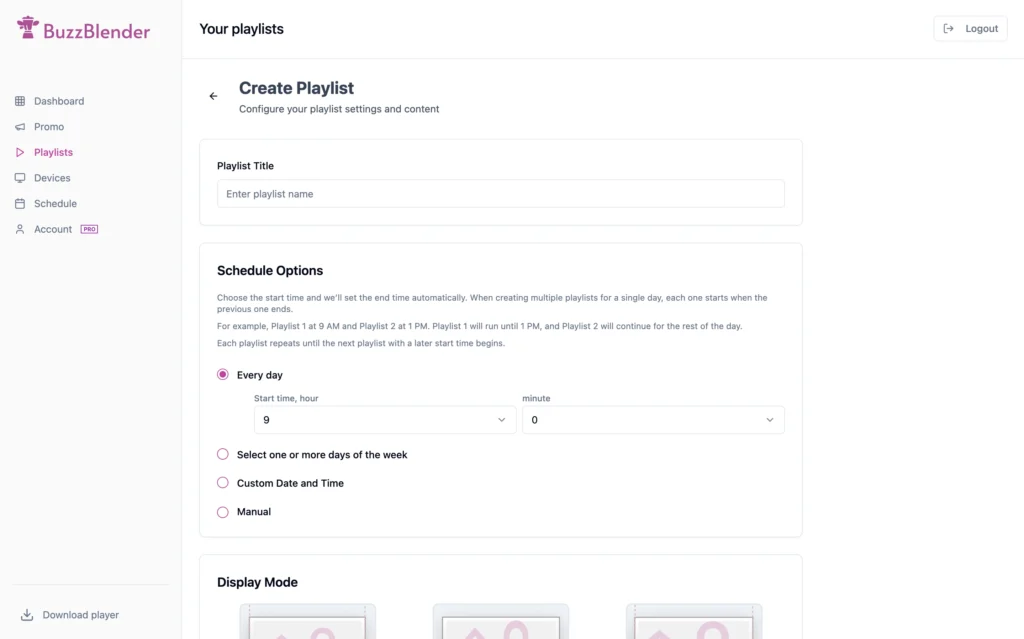
BuzzBlender is a modern cloud-based digital signage platform designed to simplify content creation, scheduling, and multi-screen management for businesses of every size. Most our users set up their screens in 4 minutes. Even if they use professional Samsung Signage.

By the way, did you know we were the first to introduce the Global Playlist? It lets you schedule a playlist for all your screens—including any new screens you add in the future. This ensures your screens are always displaying content and never go black.
Unlike traditional digital signage platforms that require significant manual work, BuzzBlender focuses on speed, usability. Teams can schedule content in minutes, organize displays across multiple locations, and publish updates instantly from a single dashboard.
We are the first digital signage software to combine playlists and scheduling into a single, seamless workflow. This allows you to display your content in minutes—without the involvement of an engineer. Business owners can easily set everything up themselves.
Whether you’re managing displays for retail stores, restaurants, corporate offices, educational institutions, or healthcare facilities, BuzzBlender provides a flexible and scalable solution.
Top Features
- Cloud-based management
- Multi-location screen management
- Advanced scheduling
- Playlists
- Media library
- Real-time publishing
- Team collaboration
- Branding customization
- Remote device management
- Templates
- Advanced Video wall synchronisation
Pros
- Extremely easy to learn
- Modern user interface
- Excellent scheduling tools
- Suitable for both small businesses and enterprises
- Fast cloud deployment
- Strong collaboration features
- Designed for frequent content updates
Cons
- Some advanced enterprise integrations are still expanding
- Custom enterprise workflows may require consultation
Pricing
Starts from $5 per screen/month.
Where BuzzBlender Beats Most Competitors
Compared with many traditional digital signage platforms, BuzzBlender stands out through:
- Faster onboarding
- Cleaner user interface
- Simpler scheduling
- Better collaboration
- Modern cloud architecture
- Lower learning curve
- Templates
- Faster publishing workflows
- Price!
Organizations that regularly update promotions, internal communications, or marketing campaigns can significantly reduce the time spent creating and distributing content.
Where Some Competitors Beat BuzzBlender
Certain enterprise-focused platforms may currently offer:
- larger legacy integration ecosystems
Businesses with extremely complex infrastructure requirements may prefer platforms specifically built for large enterprise environments.
Our Expert Review
BuzzBlender successfully addresses one of the biggest frustrations in digital signage: complexity.
Instead of overwhelming users with outdated interfaces and complicated workflows, it focuses on helping teams create, schedule, and publish content as efficiently as possible.
Cloud-first architecture make it one of the strongest choices among today’s digital signage softwares, especially for organizations looking for a balance between simplicity, flexibility, and scalability.
Overall Rating: ⭐⭐⭐⭐⭐ (5/5)
Best For: Businesses looking for a modern, scalable digital signage solution.
Buzzblender Digital Signage Software
$5 per screen/month.
TOP FEATURE:
Works with all types of TVs and Commercial Screens: Samsung, LG, Android, Windows, Linux, Browser.
Overall Rating: ⭐⭐⭐⭐⭐ (5/5)
| PRICE | ⭐⭐⭐⭐⭐ (5/5) |
| ONBOARDING | ⭐⭐⭐⭐⭐ (5/5) |
| SIMPLICITY | ⭐⭐⭐⭐⭐ (5/5) |
| FEATURES | ⭐⭐⭐⭐⭐ (5/5) |
Why $5 Per Screen Can Matter
Digital signage is a recurring operational expense.
Suppose a retail business operates 100 screens.
At $5 per screen, the software subscription is $500 per month.
At $20 per screen, it is $2,000 per month.
That is a difference of $1,500 every month, or $18,000 over 12 months, before considering taxes, hardware, installation, add-ons or discounts.
The higher-priced platform might still be the right decision if it provides integrations, security controls, templates, support or enterprise capabilities that create enough value.
But businesses should make that decision intentionally.
Paying more makes sense when you need more. Paying more for unused functionality does not.
2. ScreenCloud – pricing from $20 screen
Overview
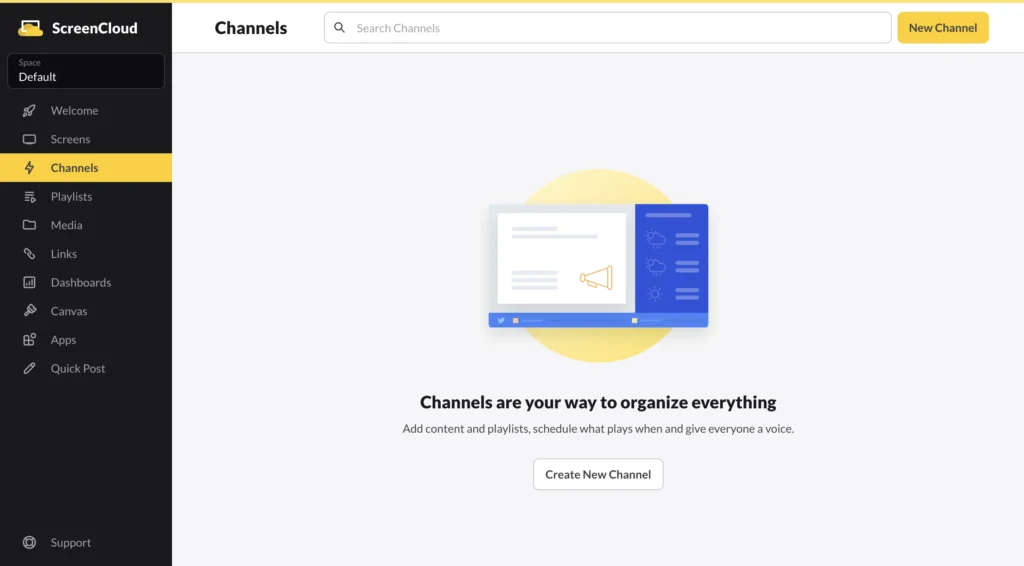
ScreenCloud is one of the most recognizable names in the digital signage industry. Founded in 2015, the platform has become particularly popular among medium-sized businesses and enterprises looking for a cloud-based solution with extensive integrations.
Easily connect your screen network to your ScreenCloud account to power up your digital signage. Discover 80+ ready-to-go apps including Canva, Teams, Google and more – or connect any software using our unique Playgrounds app.
Unlike many traditional digital signage softwares, ScreenCloud emphasizes workplace communications, company dashboards, meeting room displays, and employee engagement. Its large App Store allows businesses to connect third-party services like Google Slides, Canva, Power BI, Slack, Microsoft Teams, YouTube, and many others.
While the platform is polished and reliable, its pricing can become expensive as deployments grow, making it less attractive for organizations managing hundreds of displays on a limited budget. For example, with Buzzblender you can set up 4 screens for the same price that ScreenCloud charges for just 1 screen – $20.
Top Features
- Single sign-on (SSO)
- Compliance certifications
- GraphQL API
- Embeddable channels
- QR code metrics
- Role-based access & user permissions
Pros
- Excellent third-party integrations. 80+ apps available
- Mature enterprise platform
- Strong security features. You can create a Space – give teams specific access to screens in one location.
- Reliable cloud infrastructure
- Great for internal communications
Cons
- Higher pricing than many competitors
- Can become costly for large deployments
Best For
- Corporate offices
- Enterprise organizations
- Meeting room displays
Pricing
Pricing starts from $20 per screen/month,
Where BuzzBlender Beats ScreenCloud
BuzzBlender offers several advantages for organizations looking for a faster and more modern workflow:
- Faster content publishing because of combined Playlist and Schedule technology.
- Professional video wall technology is included in the base plan for only $5 per month. You can play your videos in the perfect synchronisation.
- More intuitive user interface
- Easier onboarding for new users
- Better value for growing businesses
- Simpler playlist management
- Pricing. Buzzblender is just $5 per screen/per month VS $20 per screen.
Businesses that frequently update promotions or announcements may spend significantly less time preparing content inside BuzzBlender.
Where ScreenCloud Beats BuzzBlender
ScreenCloud currently has strengths in several enterprise areas:
- Larger integration marketplace. They have more than 80 apps ready to be part of your screen. Even the air quality.
- Longer enterprise track record. This product will faster proceed security team review.
- Multi zone layout. We don’t have it but we are ready to build if you have 20+ screens.
- More established Microsoft ecosystem. If you company uses Microsoft on each level, better to go with ScreenCloud.
- Give team members access only to the locations they are responsible for.
Organizations heavily invested in Microsoft 365 or Google Workspace may appreciate ScreenCloud’s mature integration ecosystem.
Our Expert Review
ScreenCloud remains one of the greatest choices for enterprise customers that prioritize integrations and need to have marketplace of the apps. However, companies looking for a modern platform with faster content creation and a simpler user experience will likely find BuzzBlender a more interesting solution.
Overall Rating: ⭐⭐⭐⭐☆ (4.7/5)
3. Yodeck – from $8 per screen
Overview
Yodeck has become one of the most popular digital signage softwares for small businesses thanks to its affordable pricing and Raspberry Pi-based deployment model. Actually, Yodeck has the apps for different players as well.
The platform is good for small and medium size businesses. Easy to install and use.
Compared to Buzzblender, Yodeck is significantly more expensive.
Another important difference is hardware support. Yodeck doesn’t offer apps for regular LG or Samsung Smart TVs—you need to purchase additional hardware. Buzzblender, on the other hand, works directly on these TVs without any external hardware. That means you save about $200 per screen.
Now let’s look at a real-world example.
Assume you need to manage 20 screens and want to schedule content in advance.
Yodeck
- Advanced scheduling requires the $12/month per screen plan.
- For regular LG TVs, you’ll also need a $200 player.
- Upfront hardware cost: $200
- Monthly cost: 20 × $12 = $240/month
- First-year cost: $200 + ($240 × 12) = $3,080
- Ongoing yearly cost (after hardware): $2,880/year
Buzzblender
- No additional hardware required for regular LG and Samsung Smart TVs.
- Price: $5/month per screen
- Monthly cost: 20 × $5 = $100/month
- Yearly cost: $1,200/year
In this example, Buzzblender costs less than half as much per year while also eliminating the need for additional hardware. It supports Android, regular LG Smart TVs, and Samsung Signage displays out of the box.
Trusted by 65,000+ businesses worldwide. Yodeck is the go-to platform for digital signage.
Yodeck website
Yodeck is especially well suited for organizations deploying a relatively small number of displays and under the same Brand, although larger installations are also supported.
Top Features
- Microsoft 365 & Google Apps
- Data visualization apps
- Yodeck API & Webhooks
- Advanced Media Scheduling
- Tag-based sub-playlists
- Interactive library & playlist
Pros
- Easy to learn
- Excellent Raspberry Pi compatibility
- Large template library
- Good customer support
Cons
- Some advanced enterprise features require higher-tier plans
- Price in scale is high comparing to Buzzblender
- You need to buy hardware for LG and Samsung Regular TVs
- No custom development
Pricing
Yearly pricing. Starting from $8 per screen/month.
Where BuzzBlender Beats Yodeck
BuzzBlender provides a more modern experience with:
- Faster campaign creation because the playlist and scheduling is the combined tool
- Better experience for non-tech person
- Better pricing for a scale
- Custom development
Where Yodeck Beats BuzzBlender
Yodeck remains attractive because of:
- Excellent Raspberry Pi ecosystem
- Mature hardware deployment options
Our Expert Review
Yodeck continues to be one of the strongest digital signage platforms. However, if you need custom development, better pricing and support of LG and Samsung Regular TVs, choose Buzzblender.
Overall Rating: ⭐⭐⭐⭐☆ (4.6/5)
4. OptiSigns – from $10 per screen/month
Overview
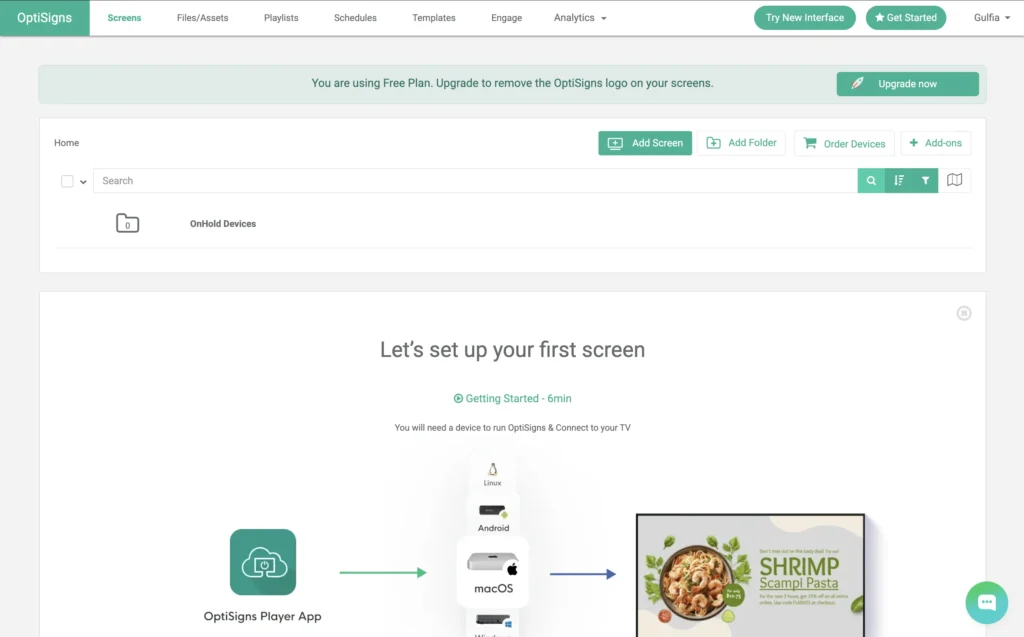
OptiSigns is a flexible cloud-based digital signage app designed for businesses that need quick deployment across multiple displays.
- One of its biggest strengths is broad hardware compatibility, including Android TV, Fire TV, Windows, ChromeOS, Samsung Tizen, LG webOS, and Raspberry Pi.
- We think this is the biggest competitor to Yodeck.Even Yodeck uses Google advertisement for the key “Optisigns”.
- It’s interesting that Optisigns doesn’t support LG Regular TV only Signage. But Buzzblender supports even a regular LG Tv.
Its extensive widget library allows organizations to display social media feeds, calendars, weather forecasts, dashboards, menus, and live business data without requiring custom development.
Easily display content and publish updates with our simple digital signage solution featuring a user-friendly CMS, drag-and-drop interface, stock images, and support for multiple file types, all enhanced by customizable templates for effortless design.
Top Features
- Microsoft 365 & Google Workspace Integration
- Display Dashboards (Power BI, Salesforce, Looker and more)
- Display Secured Websites
- Slack & Teams Integration
- OptiSync – Dynamic Data Mapping
- Auto Power On/Off TV
- Remote Troubleshooting
- Team Workspaces & Roles
- Approval Workflow & Collaboration
Pros
- Supports many devices
- Strong API options
Cons
- Interface can feel overwhelming
- Doesn’t support LG Regular TV
- Too many features and apps that you’ll probably never use.
- Price is double comparing to Buzzblender price.
Pricing
Starts from $10 per screen per month.
Where BuzzBlender Beats OptiSigns
BuzzBlender provides:
- More affordable pricing
- Cleaner interface
- Faster design workflow
- Easier collaboration
- Support LG Regular TV
Where OptiSigns Beats BuzzBlender
OptiSigns currently offers:
- Larger widget and apps ecosystem
- More specialized display widgets
- Big amount of templates
Our Expert Review
OptiSigns is one of the most versatile digital signage solutions available today, particularly for businesses using mixed hardware. Organizations that prioritize content quality, speed, and workflows may find BuzzBlender the stronger long-term investment. And don’t forget about affordable Buzzblender pricing.
Overall Rating: ⭐⭐⭐⭐☆ (4.6/5)
5. NoviSign – starts from $20 screen/month
Overview
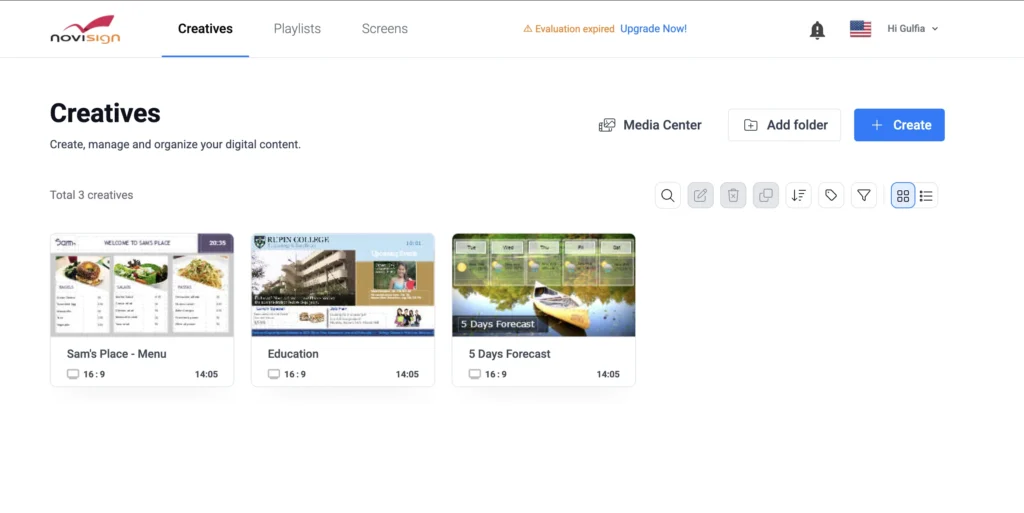
NoviSign focuses on making digital signage accessible for organizations without dedicated IT teams. Its intuitive interface and extensive template library have made it especially popular in education, healthcare, hospitality, and corporate communications.
User-friendly digital signage software that lets you design, schedule, and send your media to any screen from anywhere.
The platform supports interactive touch displays, digital kiosks, waiting room screens, and internal communication boards.
Top Features
- Easy drag & drop editor
- 50+ Widgets & Apps
- 500+ Customizable Templates
- Images & Videos
- Slideshows
- RSS Feed
- Advanced Scheduling Playlists
- Free Set-Up Assistance & Training
- Work Offline
- Manage Screens Remotely
- Reports & Monitoring
Pros
- Beginner-friendly
- Good template selection
- Strong education focus
- Reliable cloud infrastructure
- Supports touch applications
Cons
- Interface feels somewhat dated
- The price is very high. It’s four times more expensive than the BuzzBlender.
Best For
- Schools
- Universities
- Healthcare
- Corporate communications
Pricing
Starts from $20 per screen/month.
Where BuzzBlender Beats NoviSign
- Modern UI
- Faster publishing. You can connect your screen and start sharing content in just 4 minutes. Yes, we timed it.
- Better pricing. If you manage chain of the screens, you need to find more flexible and affordable digital signage like Buzzblender.
Where NoviSign Beats BuzzBlender
- Longer history in education
- Mature interactive kiosk functionality
Our Expert Review
NoviSign remains an excellent solution for educational institutions and organizations needing interactive displays. Businesses focused on marketing campaigns and frequent content updates will likely appreciate BuzzBlender’s more modern workflow. If you deploy 50+ screens, you will save thousands choosing Buzzblender.
Overall Rating: ⭐⭐⭐⭐☆ (4.5/5)
6. TelemetryTV
Overview
TelemetryTV is an enterprise-focused digital signage platform designed for organizations managing large deployments across multiple offices, retail locations, manufacturing facilities, and corporate campuses.
The platform emphasizes security, centralized management, and large-scale deployments while supporting enterprise integrations and advanced device management.
Streamline your digital signage and kiosk network’s content management, custom app orchestration, and device maintenance—at an enterprise-grade scale.
Top Features
- Check70+ Turn-key Apps
- CheckVideo File Storage
- CheckPlaylist Scheduling
- CheckScreen Zones
- CheckCanva
- Check24/7 AI Chat Support
Pricing
Starts from $9 per screen/month.
Where BuzzBlender Beats TelemetryTV
- Easier onboarding
- More intuitive interface
- Better experience for non-technical teams
Where TelemetryTV Beats BuzzBlender
- Enterprise device management
- Security controls
- Advanced deployment options
- Large-scale infrastructure
Our Expert Review
TelemetryTV is an excellent enterprise platform for organizations requiring strict governance and centralized device management.
Overall Rating: ⭐⭐⭐⭐☆ (4.7/5)
7. Rise Vision
Overview
Rise Vision has built a strong reputation as one of the leading digital signage softwares for education. Thousands of schools, colleges, and universities use the platform to display announcements, emergency notifications, event calendars, cafeteria menus, classroom information, and student communications.
Reach your audience with Rise Vision, the #1 digital signage company, offering easy-to-use cloud digital signage, screen sharing, and emergency alert software compatible with any player across multiple screens. Forget about static displays—save time with 750+ customizable content templates for your screens. If you ever need help, get free training and exceptionally fast support.
The platform focuses on simplicity rather than advanced enterprise functionality, making it particularly attractive for administrators with limited technical experience.
Top Features
- Runs on Any Hardware and Any OS
- 750+ Animated and Customizable Templates
- Build Custom Presentations with the Design You Need
- Content Integrations (Canva, Live Streaming, YouTube, Weather, & more!
- School Specific Content
- Unlimited Content Storage (photos, videos, presentations)
- Unlimited Users
- Scheduling & Playlists
- Offline Playback
- 1 Business Hour Technical Support Response SLA
- User Management & Security
Pricing
Starts from $11 per screen/month.
Where BuzzBlender Beats Rise Vision
- Faster campaign management
- More advanced collaboration tools
Where Rise Vision Beats BuzzBlender
- Education-focused templates
- Long-standing presence in the education sector
- Simplicity for school administrators
Our Expert Review
Rise Vision continues to be one of the best education-focused platforms available. For businesses outside the education sector that require more sophisticated marketing capabilities BuzzBlender delivers greater flexibility and long-term scalability.
Overall Rating: ⭐⭐⭐⭐☆ (4.5/5)
14. Raydiant
Overview
Raydiant is a customer experience platform that combines digital signage software, interactive displays, employee engagement tools, and in-store marketing. Originally built for retail environments, Raydiant has expanded into hospitality, restaurants, healthcare, and service businesses looking to improve customer interactions through digital experiences.
Just a few years ago, digital signage was complicated and expensive technology that you only saw in airports and stadiums.
Today, thousands of businesses are upgrading to Raydiant each year.
Unlike many traditional digital signage softwares, Raydiant focuses heavily on customer engagement rather than simply displaying content. Businesses can combine digital menus, promotional campaigns, interactive kiosks, employee recognition boards, and customer feedback tools within a single platform.
Top Features
- Manage content across 10 to 10,000 locations
- Massive App Marketplace
- Powerful rules engine
- Enterprise-class security
- Advanced user roles + permissions
Pricing
Custom pricing depending on business size and deployment.
Where BuzzBlender Beats Raydiant
BuzzBlender offers several advantages for marketing teams:
- Faster campaign creation, scheduling is not a separate process but part of the playlist
- Lower learning curve
- Simple UI
- Better value for growing businesses
Where Raydiant Beats BuzzBlender
Raydiant currently offers stronger:
- Interactive retail experiences
Our Expert Review
Raydiant is an excellent solution for businesses that want to combine customer engagement with digital signage. Organizations primarily focused on efficient content creation and multi-location marketing campaigns may find BuzzBlender to be a simpler and more productive platform. Buzzblender is much much chepear.
Overall Rating: ⭐⭐⭐⭐☆ (4.6/5)
15. Look DS
Overview
Look DS is a cloud-based digital signage app developed in Europe and designed to simplify content management across Android, Windows, LG webOS, Samsung Tizen, and other supported devices.
Cloud digital signage software for business
One platform to manage all your screens anytime and anywhere
The platform provides an intuitive dashboard, flexible scheduling, proof-of-play reporting, and extensive support for multi-screen deployments.
Top Features
- Project worship lyrics, scripture, and prayer points to keep everyone engaged and unified during services. Create a more immersive worship experience.
- Keep your community informed with digital bulletin boards displaying announcements, event schedules, and ministry updates. Make sure no one misses important information.
- Welcome new visitors with customized greetings and key information about services, programs, and amenities. Help them feel at home and connected from the start.
Pricing
Starts from $15 per screen per month
Where BuzzBlender Beats Look DS
- Better collaboration
- Faster publishing workflow
- Advanced cache in the apps
Where Look DS Beats BuzzBlender
- Proof of Play reporting
Our Expert Review
Look DS offers an excellent balance between affordability and functionality. Companies seeking modern campaign management and better pricing will likely benefit more from BuzzBlender.
Overall Rating: ⭐⭐⭐⭐☆ (4.5/5)
16. Navori
Overview
Navori is a premium enterprise digital signage software platform used by some of the world’s largest organizations. It combines advanced scheduling, AI-powered audience measurement, analytics, and enterprise-grade security.
Its sophisticated architecture makes it particularly attractive for airports, transportation, retail networks, smart cities, and government organizations.
Your Content Fresh and Engage Your Audience
with Integrated Data Sources
Navori digital signage software seamlessly syncs with all your data sources, including Office365, Business Intelligence, ERP, CRM, social media, and third-party live content vendors.
Top Features
- Works with any screen type, media format, templates, and live data
- Real-time monitoring of player health and content status
- Seamless content synchronization across players
- Multi-user access with domain-level controls
- Fully managed by Navori—no server setup or maintenance required
Pricing
Starts from $14 per screen per month.
Where BuzzBlender Beats Navori
- Easier onboarding
- Faster campaign creation
- Better UI
- Support LG regular TV
- Support TitanOS
- Lower deployment complexity
Where Navori Beats BuzzBlender
- Enterprise analytics
- Audience measurement
- Large-scale deployments
- Advanced reporting
Our Expert Review
Navori remains one of the most sophisticated enterprise digital signage platforms available. However, organizations seeking a modern cloud-first solution with intuitive workflows may find BuzzBlender significantly easier to adopt.
Overall Rating: ⭐⭐⭐⭐⭐ (4.8/5)
17. Xibo
Overview
Xibo is one of the best-known open-source digital signage softwares, offering organizations the flexibility to self-host their infrastructure or use managed cloud services.
Its open architecture makes it attractive for developers, educational institutions, and organizations seeking greater control over deployments without paying premium licensing fees.
Top Features
- Businesses are evolving constantly and Digital Signage Software needs to offer:
- Cost effective software licences
- Adaptability to changing business requirements
- A variety of integration options
- Options for using existing infrastructure
Pricing
Open-source version is free. Commercial hosting and support plans are available.
Where BuzzBlender Beats Xibo
- Easier setup
- Better user experience
- Cloud-native architecture
Where Xibo Beats BuzzBlender
- Open-source flexibility
- Self-hosting
- Full customization
- No mandatory subscription
Our Expert Review
Xibo remains one of the strongest open-source platforms available. Organizations without dedicated IT resources will likely benefit more from BuzzBlender’s fully managed cloud experience.
Overall Rating: ⭐⭐⭐⭐☆ (4.6/5)
18. Screenly
Overview
Screenly is best known for pioneering Raspberry Pi-powered digital signage. The platform focuses on simplicity, reliability, and affordability while supporting cloud management for organizations with distributed screen networks.
It remains popular among startups, offices, schools, and small businesses looking for lightweight deployments.
Secure digital signage
for manufacturingdevelopersthe enterprisebankslogisticsfinancial serviceshealthcare
Top Features
- Raspberry Pi support
- Security you can trust
- SOC 2 Type II certified, zero-trust architecture, end-to-end encryption. Security is not an add-on — it is the foundation.
- Ease of use at any scale
- From a single screen to thousands. Manage everything from one dashboard, no training manual required.
- Stability you can depend on
- Your content plays reliably, every single time. Automatic updates and health monitoring keep screens running 24/7.
Pricing
Affordable subscriptions with cloud management available.
Where BuzzBlender Beats Screenly
- Easier scheduling
- Advanced collaboration
- Lightweight infrastructure
- Pricing from $5 screen/month
Where Screenly Beats BuzzBlender
- Raspberry Pi specialization
- Open-source ecosystem
Our Expert Review
Screenly is an excellent choice for Raspberry Pi deployments. Organizations focused on marketing, branding, and frequent campaign updates will generally find BuzzBlender more powerful.
Overall Rating: ⭐⭐⭐⭐☆ (4.4/5)
19. Userful
Overview
Userful takes a different approach from traditional digital signage solutions by focusing on AV-over-IP, video walls, control rooms, and mission-critical visualization.
Rather than targeting restaurants or retail, Userful is designed for enterprises requiring centralized visualization across large display networks.
Top Features
- Video wall management
- AV-over-IP
- Control room support
Pricing
Enterprise pricing available upon request.
Where BuzzBlender Beats Userful
- Pricing is $5 per screen/month
- Faster onboarding
Where Userful Beats BuzzBlender
- Mission-critical environments
- Enterprise AV deployments
Our Expert Review
Userful is a specialized enterprise visualization platform rather than a traditional marketing-focused CMS. Businesses seeking an easy-to-use cloud digital signage solution will generally achieve faster ROI with BuzzBlender.
Overall Rating: ⭐⭐⭐⭐☆ (4.7/5)
20. Cenareo
Overview
Cenareo is a European cloud-based digital signage software platform designed for enterprise communications and retail marketing. It combines centralized content management, scheduling, analytics, and multi-location deployments within a secure cloud environment.
One brand, two areas of expertise, several solutions. Accelerate your digital transformation with digital signage and video for engaging communication.
The platform is particularly strong in the French and European markets, serving retailers, transportation companies, and corporate organizations.
Top Features
- Glocal Management. Empower local players with confidence by managing different user rights for greater granularity in your communication. Reinforce your brand image with content creation templates tailored to your needs.
Pricing
Enterprise subscription plans are available through the sales team.
Where BuzzBlender Beats Cenareo
- More intuitive interface
- Save money because Buzzblender is much cheaper
Where Cenareo Beats BuzzBlender
- Enterprise governance
- European enterprise deployments
- Mature operational workflows
Our Expert Review
Cenareo is a solid enterprise platform for organizations operating across multiple European locations. Businesses looking for faster content production, AI-powered design, and a more intuitive experience will likely prefer BuzzBlender.
Overall Rating: ⭐⭐⭐⭐☆ (4.6/5)
Quick Reviews: More Digital Signage Softwares Worth Considering
Not every business needs an enterprise-grade platform with hundreds of features. Depending on your industry, budget, and deployment size, one of these digital signage softwares may be a better fit. Below is a quick overview of additional platforms that deserve consideration.
Mvix
Best for: Enterprise communications, manufacturing, healthcare
Mvix is an enterprise-focused digital signage platform offering centralized content management, reporting, and advanced scheduling. It’s widely used for internal communications and operational dashboards. While the platform is reliable, its interface feels less modern than newer cloud-first solutions.
Why choose it: Strong reporting and enterprise support.
Where BuzzBlender has the edge: more intuitive interface, and faster campaign management.
DigitalSignage. Android only
DigitalSignage is one of the lower-cost cloud options for organizations that want to manage multiple displays without paying premium per-screen rates. Be careful. it supports Android only and some features as video wall are not availabel. Buzzblender supports Samsung, LG.
Pricing includes Plus+ tier starts around $3 per screen per month, with volume pricing available.
Good for: Low-cost cloud signage, small businesses, growing networks and organizations using their own hardware.
Watch for: Confirm that your preferred player hardware and advanced features are supported before basing a large deployment entirely on price.
Intuiface
Best for: Interactive kiosks and touchscreen experiences
Intuiface allows organizations to build sophisticated interactive presentations without traditional coding. It’s especially popular in museums, exhibitions, visitor centers, and showrooms.
Why choose it: Powerful no-code interactive experiences.
Where BuzzBlender has the edge: Easier day-to-day content management, scheduling.
Fugo
Best for: Office dashboards and internal communications
Fugo combines cloud-based digital signage with business dashboards and workplace communication tools. Its modern interface makes it popular among technology companies and corporate offices.
Why choose it: Excellent dashboard integrations.
Where BuzzBlender has the edge: Better content creation workflow and more advanced marketing features.
Korbyt
Best for: Enterprise workplace communications
Korbyt focuses on employee communications, corporate messaging, and digital workplace experiences. It integrates well with Microsoft 365 and enterprise collaboration platforms.
Why choose it: Strong enterprise communication tools.
Where BuzzBlender has the edge: Simpler deployment and easier content publishing.
Embed Signage
Best for: Small and medium-sized businesses
Embed Signage is an affordable cloud-based platform supporting Android, Windows, LG webOS, and Samsung Tizen displays. It offers straightforward scheduling and remote management.
Why choose it: Budget-friendly and easy to deploy.
Where BuzzBlender has the edge: More modern interface, richer templates, and stronger collaboration features.
piSignage
Best for: Raspberry Pi deployments
piSignage is a lightweight digital signage solution designed specifically for Raspberry Pi hardware. It’s widely used by schools, startups, and organizations seeking a low-cost deployment.
Why choose it: Excellent Raspberry Pi support.
Where BuzzBlender has the edge: enterprise scalability.
SmartSign2Go
Best for: Restaurants and local businesses
SmartSign2Go focuses on simplicity, allowing businesses to manage menu boards, promotional displays, and waiting room screens with minimal setup.
Why choose it: Quick deployment and simple interface.
Where BuzzBlender has the edge: More advanced scheduling, branding
DoPublicity
Best for: Digital menu boards
DoPublicity specializes in digital menu boards and promotional displays for restaurants, cafés, and quick-service businesses. The platform includes scheduling, weather widgets, and emergency messaging.
Why choose it: Restaurant-focused functionality.
Where BuzzBlender has the edge: Better design flexibility, modern UI
Display NOW
Best for: Corporate communication and retail
Display NOW is a cloud-based digital signage app with support for Android TV, Samsung Tizen, LG webOS, and Windows. It emphasizes simple content scheduling and centralized management.
Why choose it: Reliable cloud management across multiple locations.
Where BuzzBlender has the edge: more efficient campaign management.
truDigital
Best for: Schools and corporate offices
truDigital offers cloud-based content management, playlists, emergency messaging, and media scheduling. It is commonly used for employee communications and educational environments.
Why choose it: Easy to learn and dependable.
Where BuzzBlender has the edge: better collaboration, better price
EasySignage
Best for: Businesses seeking a low-cost cloud platform
EasySignage provides a user-friendly cloud CMS with support for Android, LG webOS, Samsung Tizen, Windows, and ChromeOS devices. It covers the essentials without unnecessary complexity.
Why choose it: Affordable and beginner-friendly.
Where BuzzBlender has the edge: better pricing
Signagelive
Best for: Multi-platform enterprise deployments
Signagelive has been on the market for many years and supports a wide range of hardware platforms. It is trusted by retailers, educational institutions, and corporate organizations requiring reliable multi-screen management.
Why choose it: Excellent hardware compatibility and enterprise reliability.
Where BuzzBlender has the edge: Modern interface, and faster publishing workflows.
Zeetaminds
Best for: Retail and transportation
Zeetaminds is a cloud-based digital signage platform with strong scheduling capabilities, analytics, and centralized device management. It supports deployments ranging from small businesses to large enterprise networks.
Why choose it: Flexible deployment options and good analytics.
Where BuzzBlender has the edge: Better usability, and improved collaboration.
Concerto CMS
Best for: Universities and open-source enthusiasts
Concerto CMS is a free, open-source digital signage platform commonly used by universities and educational institutions. While highly customizable, it requires technical expertise to deploy and maintain.
Why choose it: Open-source flexibility and zero licensing costs.
Where BuzzBlender has the edge: Fully managed cloud infrastructure, modern interface, and no server maintenance.
Our Verdict
Every organization has different requirements, so there is no single platform that fits every use case. Enterprise organizations may prioritize governance and integrations, while smaller businesses often value simplicity, affordability, and fast deployment.
For companies looking for a modern, cloud-based platform that combines intuitive content management, BuzzBlender stands out as one of the strongest digital signage softwares available today. Its balance of usability, collaboration, scalability, and intelligent automation makes it a compelling choice for businesses that want to spend less time managing screens and more time creating engaging content.
Pricing Comparison
Pricing varies considerably across today’s digital signage softwares. Some platforms focus on affordability for small businesses, while others target enterprise deployments with advanced governance and integrations.
| Software | Free Plan | Free Trial | Entry Pricing | Enterprise |
|---|---|---|---|---|
| BuzzBlender | Contact Sales | ✅ | $5 Screen/month | ✅ |
| ScreenCloud | ❌ | ✅ | $$$ | ✅ |
| Yodeck | Limited | ✅ | $$ | ✅ |
| OptiSigns | ❌ | ✅ | $$ | ✅ |
| NoviSign | ❌ | ✅ | $$ | ✅ |
| TelemetryTV | ❌ | ✅ | $$$ | ✅ |
| Rise Vision | ❌ | ✅ | $$ | ✅ |
| Scala | ❌ | Demo | $$$$ | ✅ |
| Viewneo | ❌ | Demo | $$$ | ✅ |
| SignageOS | ❌ | Demo | $$$ | ✅ |
Tip: The lowest subscription price doesn’t always provide the best value. Consider collaboration features, content creation tools, analytics, AI capabilities, and future scalability before choosing a platform.
How to Choose Digital Signage Software
Calculate the Real Cost Across Your Entire Network
A $10 or $20 difference may not seem important when evaluating one display. It becomes significant when multiplied across dozens or hundreds of screens.
Consider a hypothetical 50-screen deployment using publicly listed entry prices:
| Platform/plan | Approx. software cost for 50 screens per month |
|---|---|
| BuzzBlender Basic | $250 |
| Yodeck Basic | $400 |
| TelemetryTV Entry | $400 |
| OptiSigns Standard | $450 at listed annual-billing rate |
| ScreenCloud Core | $1,000 + applicable VAT |
| NoviSign starting rate | $1,000 |
| OnSign TV Professional | $999.50 |
These figures are simple price × screen calculations rather than quotes. Volume discounts, billing terms, taxes, hardware and negotiated enterprise pricing can change actual costs.
For a large network, that difference deserves attention before implementation.
Check Hardware Compatibility
Digital signage software is only one part of a signage deployment.
You also need a display and a way to run the player software. Depending on the platform, that could be an Android device, Windows PC, Linux device, dedicated media player, Smart TV operating system or commercial signage display with an integrated system-on-chip player.
If you already own screens or media players, choosing software that supports existing hardware can reduce migration costs.
Look at Scheduling Before Fancy Features
Scheduling is one of the functions businesses use constantly.
A restaurant may need breakfast content from 7 a.m. to 11 a.m., lunch content in the afternoon and evening promotions later in the day. A retail store might schedule a weekend campaign automatically. An office may display different internal messages by location.
Check whether a platform lets you control content by time, day, playlist, screen and screen group in the way your organization actually works.
Test Remote Monitoring
Publishing content remotely is only half of digital signage management.
You also need to know whether displays are actually operating.
Platforms such as BuzzBlender provide active/inactive screen monitoring, while several higher-priced competitors offer more extensive device-management and reporting systems.
For multi-location networks, visibility into screen status can save significant troubleshooting time.
Evaluate User Permissions
A single-screen shop may have one administrator.
A 100-location organization might have marketing staff, designers, regional managers, local managers and IT administrators.
In that situation, role-based access and account hierarchy become much more important. Compare these features at the specific subscription tier you plan to purchase rather than assuming every advertised feature is included in the entry plan.
Use the Free Trial
Most platforms in this comparison provide either a free trial or free tier.
Use it on real hardware.
Upload your actual content, build the schedules you expect to use, disconnect the internet, test portrait displays, invite team members if supported, and see how quickly somebody unfamiliar with the software can publish an update.
A feature comparison cannot tell you whether your team will enjoy using a CMS every day.
Supported Devices Comparison
Hardware compatibility is one of the most important considerations when evaluating digital signage softwares.
| Platform | Android | Android TV | Samsung Tizen | LG webOS | Windows | LG regular TV | Samsung Regular TV |
|---|---|---|---|---|---|---|---|
| BuzzBlender | ✅ | ✅ | ✅ | ✅ | ✅ | ✅ | ✅ |
| ScreenCloud | ✅ | ✅ | ✅ | ✅ | ✅ | – | – |
| Yodeck | ✅ | ✅ | ✅ | ✅ | ✅ | – | – |
| OptiSigns | ✅ | ✅ | ✅ | ✅ | ✅ | – | ✅ |
| Viewneo | ✅ | ✅ | ✅ | ✅ | ✅ | – | – |
| SignageOS | ✅ | ✅ | ✅ | ✅ | ✅ | – | – |
Our Recommendation
There is no universal solution that fits every organization. Some businesses require enterprise governance, while others simply need an easy way to publish attractive content across multiple displays.
After comparing today’s leading digital signage softwares, we believe organizations should prioritize platforms that combine ease of use, modern cloud architecture, AI-assisted content creation, flexible scheduling, and strong collaboration features.
For businesses that regularly update promotions, announcements, menus, dashboards, or internal communications, BuzzBlender offers one of the most balanced solutions available today. Its combination of intelligent content creation, intuitive interface, and scalable cloud management makes it a compelling choice for both growing businesses and larger organizations planning for future expansion.
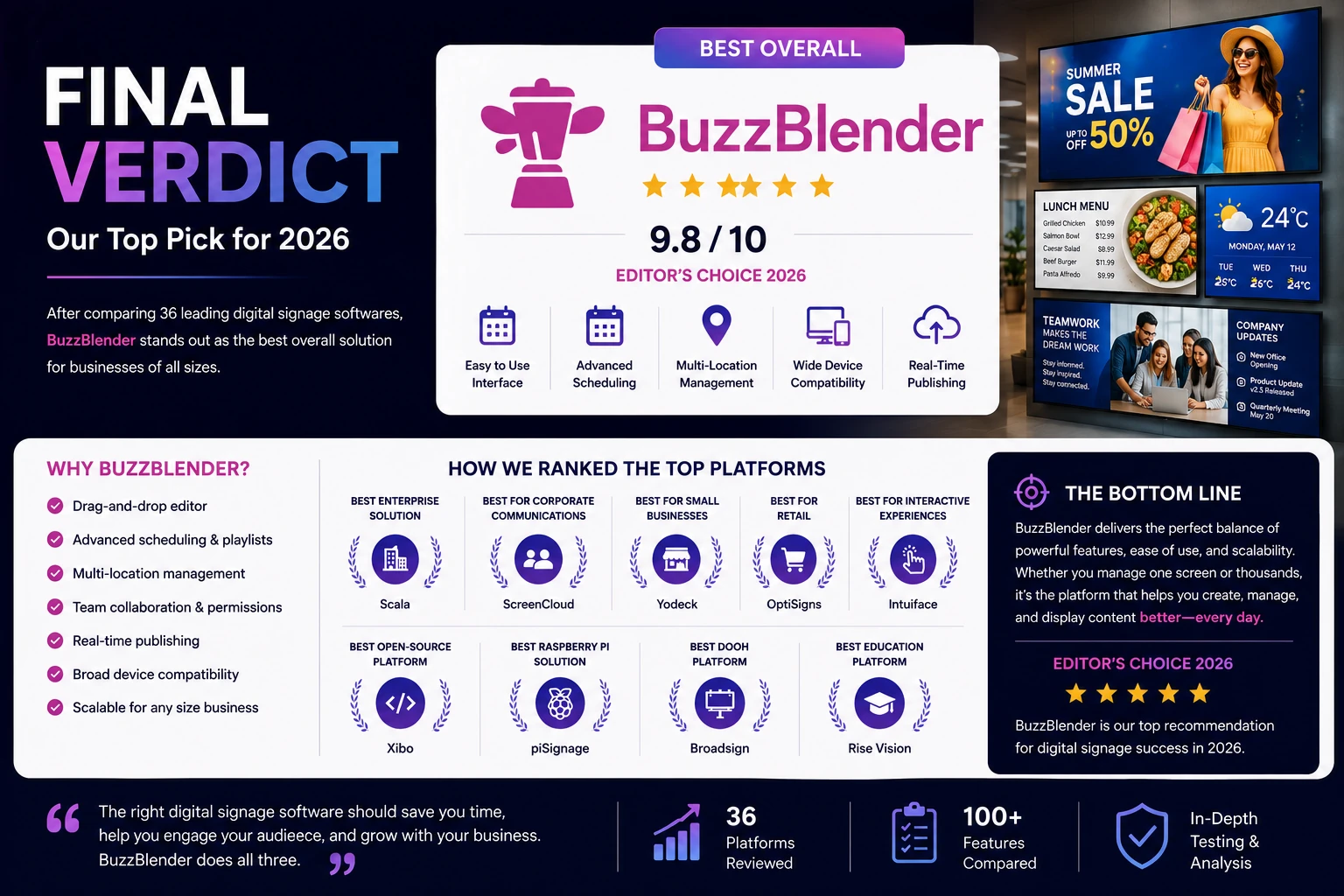
Affordable Digital Signage Software
BuzzBlender gives you the tools to manage your screen content without complicated digital signage infrastructure.
Affordable Digital Signage Software in South Africa
BuzzBlender helps businesses across South Africa publish content, schedule playlists and manage connected screens remotely — whether you have one display or screens across multiple locations.
Digital Signage Solutions for Businesses in Namibia
Manage digital signage screens across your business from one simple cloud platform.
BuzzBlender helps businesses in Namibia publish content, schedule playlists and remotely manage screens without complicated digital signage infrastructure.
Use compatible LG webOS, Samsung Tizen, Android and browser-based displays.
Take control of your screens today with Buzzblender
Frequently Asked Questions About Digital Signage Softwares
What are digital signage softwares?
Digital signage softwares are platforms that allow businesses to manage, schedule, and publish digital content across one or multiple displays. They typically include a cloud-based content management system (CMS), media library, playlists, scheduling tools, user permissions, analytics, and remote device management.
What is the best digital signage software?
The best digital signage software depends on your business requirements.
If you need AI-powered content creation, an intuitive interface, and scalable cloud management, BuzzBlender is an excellent choice. Enterprise organizations may also consider ScreenCloud, Scala, or TelemetryTV, while small businesses often prefer Yodeck or OptiSigns due to their affordability and ease of use.
What’s the difference between digital signage software and digital signage hardware?
Digital signage hardware refers to the physical equipment, including displays, media players, and mounting systems.
Digital signage software is the platform that controls what appears on those displays. It allows businesses to upload media, create playlists, schedule campaigns, monitor devices, and publish content remotely.
Can I use a Smart TV for digital signage?
Yes. Most modern digital signage softwares support Smart TVs running Samsung Tizen, LG webOS, Android TV, or Amazon Fire TV.
Before purchasing software, verify that your specific TV model is officially supported.
Does digital signage software require an internet connection?
Most cloud platforms require an internet connection for uploading and managing content.
However, many professional digital signage softwares include offline playback. Displays continue showing previously downloaded content even if the internet connection is temporarily unavailable.
Supported hardware varies between providers, so always confirm compatibility before deployment.
Can I manage multiple locations?
Yes.Most cloud platforms allow centralized management of hundreds or even thousands of displays across different cities and countries.
What is a digital signage CMS?
A digital signage CMS (Content Management System) is the software used to organize, schedule, publish, and monitor content displayed on digital screens.
Most CMS platforms include media libraries, playlists, templates, scheduling tools, analytics, and remote device management.
How much does digital signage software cost?
Pricing varies significantly.
Entry-level platforms may cost only a few dollars per display each month, while enterprise deployments can require custom pricing based on the number of screens, users, integrations, and support requirements.
When comparing digital signage softwares, don’t focus solely on subscription costs—consider usability, scalability, AI features, and long-term value.
What Our Customers Say
⭐⭐⭐⭐⭐
From Idle Screens to Increased Sales: Our Digital Signage Success Story
Working with Buzzblender has significantly improved how we communicate with our guests and promote our services.
The team was extremely responsive and supportive throughout the entire process — from onboarding to daily operations. Everything was set up quickly, and we were able to start using digital signage across our hotel almost immediately.
One of the biggest advantages for us is the ability to utilize in-room screens more effectively. When guests are not actively watching TV or streaming platforms like Netflix, we now display targeted promotional content — including room service offers, restaurant specials, beverages, and spa experiences.
This approach has had a direct impact on our revenue. We’ve seen a noticeable increase in spa bookings, as well as higher engagement with our restaurant and in-room dining services.
Catalina, Marketing Director