Choosing digital signage software is not just about finding the lowest monthly subscription. Businesses also need to consider screen management, content scheduling, hardware compatibility, and how much the platform will cost as their network grows.
If you’re researching Yodeck pricing, the good news is that Yodeck offers a free plan alongside several paid subscriptions. However, the total cost depends on how many screens you manage and which features your business requires.
Yodeck’s published paid plans start at $8 per screen per month, with Premium and Enterprise options available for organizations needing more advanced functionality.
But is Yodeck the most cost-effective choice?
For businesses managing multiple screens, alternatives such as BuzzBlender offer digital signage management starting at $5 per screen per month.
In this guide, we’ll break down Yodeck’s pricing plans, explain what each subscription includes, calculate the cost of managing multiple screens, and compare Yodeck with other digital signage platforms.
Take control of your screens today with Buzzblender
How Much Does Yodeck Cost in 2026?
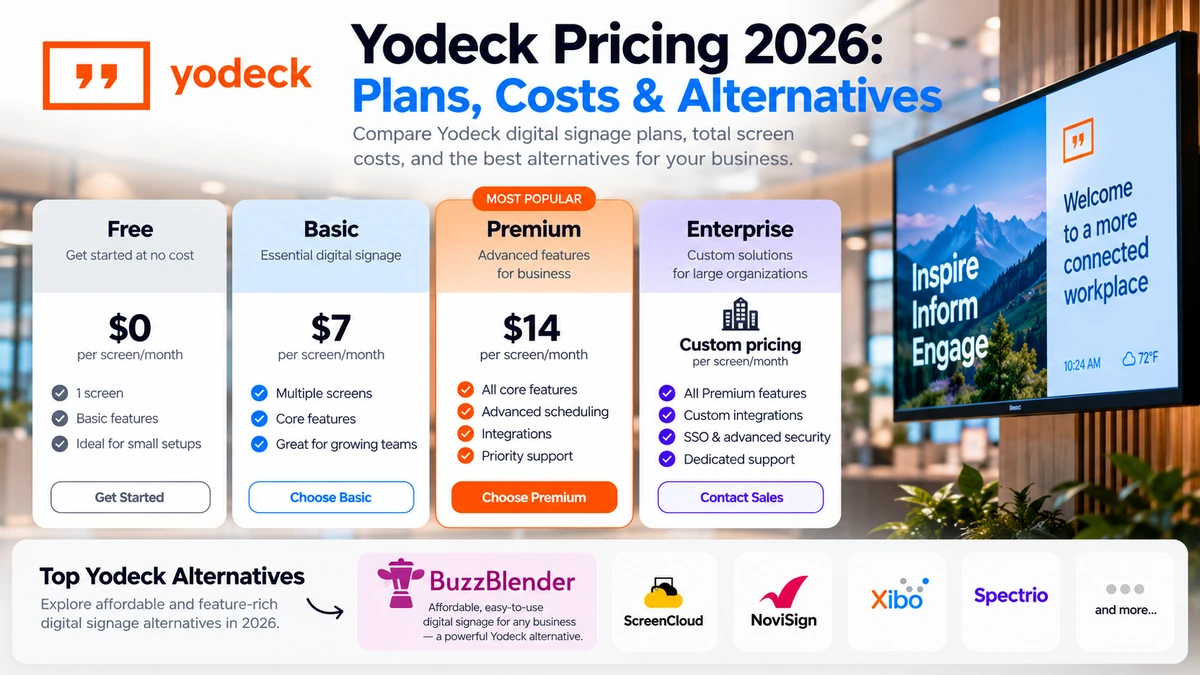
Yodeck offers four subscription tiers: Free, Basic, Premium, and Enterprise.
According to Yodeck’s published pricing information, its advertised USD monthly rates are:
| Yodeck Plan | Price per Screen/Month | Best For |
|---|---|---|
| Free | $0 | Businesses managing one screen |
| Basic | $8 | Small businesses and standard digital signage |
| Premium | $12 | Businesses needing integrations and advanced scheduling |
| Enterprise | $16 | Organizations requiring advanced security and administration |
These figures represent advertised monthly rates. Billing frequency, currency, applicable discounts, and optional services can affect the final amount.
Yodeck also advertises a 30-day trial that provides access to additional functionality for up to five screens.
One of Yodeck’s main advantages is its free single-screen option. This makes it attractive for small businesses testing digital signage before committing to a subscription.
However, once you need multiple screens, the cost increases with every additional display.
For example, a business managing 20 screens on Yodeck Basic would pay approximately $160 per month, or $1,920 over 12 months, before additional expenses.
For comparison, BuzzBlender Basic costs $5 per screen per month, bringing the equivalent 20-screen software subscription to $100 per month.
That represents a potential annual software subscription difference of $720.
Yodeck Pricing Plans Explained
Understanding the differences between Yodeck plans is essential because not every feature is available at every subscription level.
1. Yodeck Free Plan — $0 per Month
Yodeck’s Free plan is designed for businesses that want to operate a single digital signage screen without paying an ongoing software subscription.
The plan provides core digital signage functionality, making it useful for businesses displaying promotional messages, digital menus, announcements, or informational content.
For example, a small café could use one screen to display its menu and daily specials without paying for a Yodeck software license.
The biggest advantage is the absence of a recurring software subscription for one screen.
Businesses can experiment with digital signage, understand the platform, and determine whether they need additional capabilities.
However, the Free plan is limited to one screen.
If a restaurant adds another menu board or a retailer expands its display network, a paid subscription becomes necessary.
The Free plan also does not eliminate potential hardware, installation, or connectivity expenses.
Best for: Small businesses, single-screen installations, and organizations testing digital signage.
2. Yodeck Basic — $8 per Screen/Month
Yodeck Basic is the entry-level paid subscription for businesses managing multiple displays.
It includes essential functionality for creating, organizing, scheduling, and publishing digital signage content.
Yodeck advertises a large library of customizable templates, essential apps, a drag-and-drop layout editor, and content scheduling tools.
These features make Basic suitable for common business signage applications.
A retail store could use it to display product promotions, while a restaurant could schedule different menu content throughout the day.
A company could also manage informational displays across multiple offices.
How Much Does Yodeck Basic Cost?
At the advertised rate of $8 per screen per month:
| Number of Screens | Monthly Cost | Annual Cost |
|---|---|---|
| 2 | $16 | $192 |
| 5 | $40 | $480 |
| 10 | $80 | $960 |
| 20 | $160 | $1,920 |
| 50 | $400 | $4,800 |
| 100 | $800 | $9,600 |
These calculations use the advertised monthly subscription rate over 12 months rather than a separately quoted annual contract.
For businesses managing a handful of screens, the subscription may be relatively affordable.
However, the cost becomes more significant as the number of displays increases.
Best for: Restaurants, retail stores, small offices, yoga studios, spa salons and automotive salons businesses that need standard digital signage management.
3. Yodeck Premium — $12 per Screen/Month
Yodeck Premium is designed for businesses requiring more advanced content automation, integrations, and scheduling functionality.
It includes everything available in Basic, along with additional capabilities.
Published Premium features include Microsoft 365 and Google app integrations, data visualization apps, API access, advanced media scheduling, and more sophisticated playlist management.
These capabilities can be useful for organizations that want to connect digital signage with existing business applications.
For example, an office could use compatible integrations to display business information or operational updates on internal screens.
Advanced scheduling also provides greater flexibility for businesses that frequently change their signage content.
At $12 per screen per month, Premium costs 50% more than Basic at the advertised monthly rates.
A company managing 25 screens would pay approximately $300 per month, compared with $200 for Basic.
That additional $100 per month may be justified if the organization relies on the Premium features.
However, businesses that primarily display images, videos, menus, and scheduled promotions may not need to upgrade.
Best for: Growing businesses, corporate offices, and organizations requiring advanced integrations or content automation.
4. Yodeck Enterprise — $16 per Screen/Month
Yodeck Enterprise is designed for organizations with more demanding security, administration, and management requirements.
It includes the functionality of lower-tier plans while introducing additional enterprise capabilities.
Published Enterprise features include organizational workspaces, SAML single sign-on, custom roles and permissions, branded templates, and additional administrative controls.
These features are particularly relevant to organizations managing signage across departments, branches, or business units.
For example, a large company may need different employees to manage content for specific locations without giving everyone full administrative access.
Enterprise permissions and workspaces can help support that structure.
At the advertised price of $16 per screen per month, a 100-screen deployment would cost approximately $1,600 per month, or $19,200 over 12 months.
Organizations should evaluate whether these enterprise capabilities are essential before committing to the higher subscription tier.
Best for: Large businesses, distributed organizations, and enterprises with advanced security and administration requirements.
Is Yodeck Really Free?
Yes. Yodeck offers a free digital signage plan for one screen.
Unlike a limited-time trial, the single-screen Free plan does not have a published expiration date.
However, there is an important distinction between free software and a completely free digital signage installation.
Even when the software license costs nothing, a business may still need a compatible display, a media player, internet connectivity, and installation equipment.
Yodeck also offers a trial that provides access to additional features for multiple screens.
After the trial, businesses wanting to continue managing multiple screens must choose an appropriate paid subscription.
The free option is therefore particularly attractive for businesses that expect to operate only one screen.
For growing businesses, comparing the long-term cost of paid plans is more useful than focusing exclusively on the free tier.
Yodeck Pricing Calculator: How Much Will You Actually Pay?
The simplest way to estimate your Yodeck subscription cost is to multiply the number of screens by the monthly price of your chosen plan.
Monthly software cost = Number of screens × Monthly price per screen
For example, a retail chain with 30 screens using Yodeck Premium would pay:
30 × $12 = $360 per month.
Over 12 months, that equals $4,320 in software subscriptions.
The following table compares Yodeck’s paid plans at different deployment sizes.
| Screens | Basic ($8) | Premium ($12) | Enterprise ($16) |
|---|---|---|---|
| 5 | $40/mo | $60/mo | $80/mo |
| 10 | $80/mo | $120/mo | $160/mo |
| 25 | $200/mo | $300/mo | $400/mo |
| 50 | $400/mo | $600/mo | $800/mo |
| 100 | $800/mo | $1,200/mo | $1,600/mo |
| 200 | $1,600/mo | $2,400/mo | $3,200/mo |
Calculations are illustrative and based on the advertised USD monthly rates. Taxes, discounts, hardware, and additional services are excluded.
The difference between plans becomes more noticeable as the screen network grows.
For 100 screens, upgrading from Basic to Premium adds $400 per month.
Moving from Basic to Enterprise doubles the advertised monthly software cost.
This is why businesses should identify their essential features before selecting a subscription.
Additional Yodeck Costs to Consider
The advertised subscription price is only one component of the total cost of operating a digital signage network.
Before choosing Yodeck or another platform, businesses should consider several additional expenses.
Hardware and Media Players
Digital signage requires compatible hardware to display content.
Depending on the installation, this may involve a commercial display, a compatible smart TV, or a separate media player.
One benefit of Yodeck is its hardware offer.
According to the company’s published information, eligible annual paid subscriptions can include Yodeck Players for licensed screens.
This can reduce the initial cost of deploying compatible hardware.
However, businesses should review eligibility, shipping arrangements, warranty conditions, and subscription terms.
A free media player does not necessarily mean the entire installation is free.
Installation and Setup
Installing digital signage may involve mounting displays, connecting devices, configuring networks, and testing playback.
For a small business with one screen, setup may be relatively straightforward.
A multi-location deployment can require more planning, particularly when screens are installed in different buildings or connected to different networks.
Content Creation
Businesses also need content to display.
Although Yodeck provides templates and content management tools, creating branded graphics, videos, and promotional materials can require additional time or design resources.
Companies should account for content production when estimating their overall signage budget.
Optional Services and Integrations
Yodeck offers different features across its subscription tiers, along with optional services.
A business that initially chooses Basic may later discover that it needs Premium integrations or Enterprise administration tools.
That can increase the recurring subscription cost.
Businesses should also confirm whether they can combine different subscription tiers within the same account.
This is particularly important when only a small portion of a signage network requires advanced functionality.
Yodeck Features: What Do You Get for Your Money?
Yodeck offers a broad range of digital signage functionality, from basic content publishing to advanced integrations and enterprise administration.
Its strongest capabilities include centralized content management, templates, scheduling, and support for business applications.
Content Management
Yodeck allows businesses to organize digital signage content and distribute it to connected screens.
This is useful for organizations that frequently update promotions, menus, announcements, or internal communications.
Instead of manually updating every display, administrators can manage content through a centralized platform.
Templates and Layouts
Yodeck provides a substantial library of customizable templates.
Templates can reduce the amount of design work required to create signage content.
They are particularly useful for businesses that need professional-looking displays without employing a dedicated designer.
Content Scheduling
Scheduling allows businesses to control when content appears.
For example, a restaurant could display breakfast promotions in the morning and dinner menus in the evening.
Basic scheduling is available in Yodeck’s lower-tier plans, while Premium introduces more advanced scheduling functionality.
Integrations
Yodeck offers a selection of apps and integrations.
Premium adds capabilities involving Microsoft 365, Google applications, and data visualization.
These can be useful for companies that want to display information from existing business systems.
Enterprise Administration
Larger organizations may benefit from Yodeck Enterprise features such as custom permissions, SAML SSO, and workspaces.
These tools help organizations manage access and administrative responsibilities across a larger signage network.
However, companies that primarily need remote content management and scheduled playback may not require these advanced features.
Yodeck Pros and Cons
Yodeck is a capable digital signage platform, but its suitability depends on business requirements.
| Pros | Cons |
|---|---|
| Free plan for one screen | Free plan is limited to one screen |
| Basic pricing starts at $8/screen/month | Costs increase with additional screens |
| Large template library | Advanced integrations require Premium |
| Centralized content management | Enterprise security features require Enterprise |
| Content scheduling and playlists | Subscription-tier restrictions may affect account setup |
| Eligible annual plans can include media players | Hardware offers depend on subscription terms |
| Apps and integrations | Some businesses may not need the more expensive functionality |
For a single-screen installation, Yodeck’s free plan is a compelling option.
For larger networks, businesses should compare the software’s functionality with its recurring subscription cost.
A lower-cost platform may provide better value when advanced integrations and enterprise features are unnecessary.
Best Yodeck Alternatives in 2026
Although Yodeck is a popular digital signage option, it is not the only platform worth considering.
Several alternatives provide remote screen management, scheduling, content publishing, and business signage functionality.
The best choice depends on the number of screens, available hardware, required integrations, and budget.
Yodeck Alternatives: Pricing Comparison
| Digital Signage Software | Advertised Starting Price | Main Strength | Best For |
|---|---|---|---|
| BuzzBlender | $5/screen/month | Affordable screen management and QR overlays | Cost-conscious businesses |
| Yodeck | Free for one screen; paid from $8/screen/month | Templates, apps, and free single-screen plan | Small businesses |
| OptiSigns | From $10/screen/month | Apps and content creation tools | Retail and promotional signage |
| Rise Vision | From $11/display/month for eligible plans | Education-focused communications | Schools and educational organizations |
| ScreenCloud | From $20/screen/month, billed annually | Business integrations and workplace signage | Corporate environments |
Prices are indicative published starting rates, not verified checkout quotes. Plans, eligibility, and billing terms should be confirmed directly with each vendor before publication or purchase.
1. BuzzBlender — Best Affordable Yodeck Alternative
BuzzBlender is a cloud-based digital signage platform designed to help businesses manage screens, publish content, and schedule digital signage campaigns.
One of its main advantages over Yodeck is its lower starting subscription price.
According to BuzzBlender’s published pricing, Basic costs $5 per screen per month, compared with Yodeck Basic at $8.
For businesses managing multiple screens, that difference can produce meaningful savings.
However, price is not the only consideration.
BuzzBlender Basic includes a range of capabilities that businesses commonly need for digital signage.
These include playlist creation and scheduling, remote content management, real-time screen-status monitoring, dynamic QR-code overlays, and support for images, videos, web pages, and HTML.
It also includes kiosk mode and video-wall support on compatible platforms.
BuzzBlender Pricing
| Plan | Price | Features |
|---|---|---|
| Basic | $5/screen/month | Scheduling, playlists, remote management, QR overlays, screen monitoring, kiosk mode |
| Premium | $10/screen/month | Basic features plus screen statistics, role-based access, and multi-user teams |
| Enterprise | Custom pricing | Dedicated support, onboarding, and private-cloud or on-premise options |
BuzzBlender Basic also includes 500 MB of file storage.
Businesses requiring more advanced administration can consider Premium, while larger organizations with specialized requirements can contact BuzzBlender about Enterprise.
Why Consider BuzzBlender Instead of Yodeck?
For businesses operating multiple screens, the biggest difference is the subscription cost.
A 50-screen deployment costs approximately $250 per month on BuzzBlender Basic, compared with $400 per month on Yodeck Basic.
That represents $150 in monthly savings, or $1,800 over 12 months.
BuzzBlender also supports several display environments, including compatible LG and Samsung screens, Android, Windows, Linux, and browser-based configurations.
This flexibility can be useful for businesses that already own compatible hardware.
Its dynamic QR-code overlays are another practical feature.
For example, a retailer could display a product promotion with a QR code linking customers to an online product page.
A restaurant could use QR codes to direct customers to ordering or promotional pages.
BuzzBlender Pros and Cons
Advantages: Lower starting price than Yodeck Basic, centralized remote management, content scheduling, QR-code overlays, screen-status monitoring, and support for multiple hardware environments.
Limitations: No permanently free single-screen plan advertised, a storage limit on Basic, and advanced user permissions reserved for Premium.
Best for: Retailers, restaurants, offices, hospitality businesses, and organizations seeking affordable digital signage management.
2. OptiSigns — Best for Apps and Content Creation
OptiSigns is another digital signage platform worth considering.
Its advertised Standard plan starts at $10 per screen per month.
OptiSigns provides content management, scheduling, templates, and a large selection of apps and integrations.
This can be attractive to businesses that want to display different types of content from a variety of sources.
For example, a retail business may want to combine product advertisements with social media content, announcements, and other information.
OptiSigns also provides design tools that help users create signage content.
Its broader product offering includes higher-tier plans for businesses requiring additional functionality.
However, businesses focused primarily on basic content scheduling and screen management may find the starting subscription more expensive than Yodeck or BuzzBlender.
Best for: Retailers, hospitality businesses, and organizations that prioritize content creation tools and integrations.
3. ScreenCloud — Best for Corporate Digital Signage
ScreenCloud focuses on digital signage for business communications and connected workplace environments.
Its published Core pricing starts at $20 per screen per month when billed annually.
The platform includes content management, business applications, and tools for managing signage across organizations.
Higher-tier plans introduce additional capabilities for business dashboards and integrations.
For organizations using digital signage as part of internal communications, these features may justify the higher subscription cost.
However, the price difference is substantial.
A business operating 50 screens would spend approximately $1,000 per month at ScreenCloud’s advertised Core rate.
The equivalent BuzzBlender Basic subscription would cost $250 per month.
These plans do not offer identical functionality, so the comparison should be treated as a starting point rather than a direct feature-for-feature evaluation.
Best for: Corporate offices, internal communications teams, and organizations requiring workplace integrations.
4. Rise Vision — Best for Educational Digital Signage
Rise Vision is a digital signage platform with a strong focus on educational environments.
It provides tools for managing school announcements, informational displays, and other campus communications.
Rise Vision also offers functionality related to emergency alerts and screen sharing.
Its pricing depends on the type of organization and selected plan.
Published Basic pricing includes $11 per display per month for eligible educational and nonprofit organizations, while business pricing can differ.
For schools, the platform’s education-specific functionality may provide advantages over more general-purpose signage solutions.
However, a retailer or restaurant that simply needs to display scheduled promotional content may not require those specialized capabilities.
Best for: Schools, educational institutions, and organizations requiring education-focused communication tools.
Yodeck vs BuzzBlender: Which Offers Better Value?
For businesses comparing Yodeck and BuzzBlender, the most important questions are how many screens they need, which features are essential, and whether they require advanced integrations.
Both platforms support centralized digital signage management, but their pricing and feature structures differ.
Yodeck vs BuzzBlender Features
| Feature | Yodeck | BuzzBlender |
|---|---|---|
| Starting paid price | $8/screen/month | $5/screen/month |
| Free single-screen plan | Yes | No permanent free plan advertised |
| Remote content management | Yes | Yes |
| Content scheduling | Yes | Yes |
| Playlists | Yes | Yes |
| Images and videos | Yes | Yes |
| Kiosk functionality | Available | Available |
| QR-code overlays | Verify specific requirements | Included in Basic |
| Screen-status monitoring | Available | Included in Basic |
| Advanced user permissions | Enterprise | Premium |
| Microsoft 365 and Google integrations | Premium | Verify specific integration |
| SAML SSO | Enterprise | Confirm enterprise requirements |
| Private-cloud or on-premise deployment | Confirm availability | Enterprise option |
| Media player offer | Eligible annual subscriptions | No equivalent general offer advertised |
Feature availability depends on the selected plan, compatible hardware, and vendor terms.
Yodeck offers a strong template library and a wide selection of apps, making it attractive for businesses that prioritize ready-made content and integrations.
BuzzBlender focuses on providing practical digital signage management at a lower starting subscription price.
For companies that primarily need to schedule content, update screens remotely, monitor device status, and display QR-enabled promotions, BuzzBlender may provide the necessary functionality without the higher recurring cost.
However, organizations requiring Yodeck’s specific Premium integrations or Enterprise security features should compare those requirements carefully.
Yodeck vs BuzzBlender: Cost Comparison
The subscription difference becomes increasingly important as the number of screens grows.
| Number of Screens | Yodeck Basic | BuzzBlender Basic | Monthly Savings with BuzzBlender |
|---|---|---|---|
| 5 | $40 | $25 | $15 |
| 10 | $80 | $50 | $30 |
| 20 | $160 | $100 | $60 |
| 50 | $400 | $250 | $150 |
| 100 | $800 | $500 | $300 |
| 200 | $1,600 | $1,000 | $600 |
At 100 screens, the annual difference is:
Yodeck Basic: $800 × 12 = $9,600
BuzzBlender Basic: $500 × 12 = $6,000
Potential annual savings: $3,600
That represents a 37.5% reduction in the base software subscription cost compared with Yodeck Basic.
For a business operating hundreds of screens, these savings can become a significant part of its digital signage budget.
The calculation excludes hardware, installation, taxes, discounts, and optional services.
It also assumes that BuzzBlender Basic provides the functionality required by the business.
If an organization needs capabilities available only in Yodeck Premium or Enterprise, it should compare the relevant subscription tiers rather than relying exclusively on starting prices.
Which Digital Signage Software Should You Choose?
There is no single digital signage platform that is best for every business.
The right choice depends on your deployment size, hardware, content requirements, and budget.
Choose Yodeck If You Need a Free Single Screen
Yodeck is particularly attractive for businesses operating one display.
Its free plan allows users to manage a single screen without a recurring software subscription.
The platform also provides a substantial template library and app selection.
Businesses that value those features may find Yodeck a suitable option.
Choose BuzzBlender If You Want Lower Multi-Screen Costs
For businesses managing several displays, BuzzBlender offers a lower starting subscription price.
At $5 per screen per month, its Basic plan includes scheduling, remote management, screen monitoring, and QR-code overlays.
This makes it worth considering for restaurants, retailers, offices, and other businesses that want straightforward digital signage functionality.
As the network expands, the lower per-screen subscription can translate into meaningful long-term savings.
Choose ScreenCloud If You Need Workplace Integrations
Organizations using digital signage to communicate internal information, display business dashboards, and connect workplace systems may benefit from ScreenCloud’s capabilities.
However, its higher subscription price makes it important to evaluate whether those features are necessary.
Choose Rise Vision If You Manage Educational Displays
Schools and educational organizations should consider Rise Vision’s education-focused functionality.
Its combination of signage, alerts, and related communication tools may be valuable in environments where those requirements are central.
How to Reduce Your Digital Signage Costs
Reducing digital signage expenses does not necessarily mean choosing the cheapest software available.
The objective is to find a platform that provides the required functionality without unnecessary subscription or hardware costs.
Start by identifying the features your business actually needs.
A restaurant displaying menus may only require scheduling, image and video playback, and remote content updates.
A corporate organization displaying secure dashboards may need advanced integrations and access controls.
These two businesses should not necessarily purchase the same software tier.
Next, calculate the total cost across your expected number of screens.
A difference of $3 per screen per month may seem small when managing two displays.
Across 100 screens, however, that difference equals $3,600 annually.
Hardware compatibility is another important consideration.
If your existing displays can run compatible signage software without additional external players, you may be able to reduce equipment expenses.
Finally, evaluate software using real business content before committing to a large deployment.
Test scheduling, remote updates, playback performance, user access, and hardware compatibility.
This will help determine whether the platform meets your requirements before you expand.
Key Takeaways: Yodeck Pricing in 2026
Yodeck offers a competitive entry point for digital signage, particularly for businesses that need only one screen.
Its Free plan costs $0, while paid subscriptions start at $8 per screen per month.
Premium costs $12 per screen per month, and Enterprise costs $16 at the advertised USD monthly rates.
The platform provides templates, scheduling, apps, and advanced management capabilities across its different plans.
However, businesses should pay attention to the cost of scaling.
At 100 screens, Yodeck Basic costs approximately $9,600 over 12 months at the advertised monthly rate.
By comparison, BuzzBlender Basic costs approximately $6,000 for the same number of screens.
For organizations that do not require Yodeck’s more advanced integrations or enterprise functionality, a lower-cost alternative may provide better overall value.
Ultimately, the best digital signage software is the one that supports your business requirements at a sustainable long-term cost.
Frequently Asked Questions About Yodeck Pricing
How much does Yodeck cost per month?
Yodeck offers a Free plan for one screen. Its advertised paid plans cost $8 per screen per month for Basic, $12 for Premium, and $16 for Enterprise. Final pricing may vary depending on billing terms, currency, discounts, and additional services.
Is Yodeck free forever?
Yes. Yodeck offers a permanently free software plan for one screen. Businesses that need to manage multiple screens after the trial period must use a paid subscription.
What is the cheapest Yodeck paid plan?
Yodeck Basic is the cheapest paid plan, starting at $8 per screen per month. It includes content management, templates, scheduling, playlists, and other essential signage features.
How much does Yodeck cost for 10 screens?
At the advertised monthly rates, 10 screens cost approximately $80 per month on Basic, $120 on Premium, or $160 on Enterprise. These figures exclude hardware and additional expenses.
How much does Yodeck cost for 100 screens?
A 100-screen deployment costs approximately $800 per month on Basic, $1,200 on Premium, or $1,600 on Enterprise at the advertised monthly rates.
Does Yodeck include free hardware?
Yodeck offers free Yodeck Players with eligible annual paid subscriptions. Businesses should review the current offer and its terms to confirm hardware eligibility, shipping, and other conditions.
What is the difference between Yodeck Basic and Premium?
Yodeck Basic provides core digital signage management, templates, scheduling, and playlists. Premium adds capabilities such as Microsoft 365 and Google integrations, data visualization apps, API access, and advanced scheduling.
Is Yodeck good for small businesses?
Yodeck can be a good option for small businesses, particularly those operating a single screen. Its free plan and template library make it accessible for basic digital signage applications.
What is a cheaper alternative to Yodeck?
BuzzBlender is one lower-cost alternative. Its Basic plan starts at $5 per screen per month, compared with Yodeck Basic at $8. BuzzBlender includes remote management, scheduling, screen monitoring, and QR-code overlays in its Basic subscription.
Is BuzzBlender cheaper than Yodeck?
Yes, when comparing the published Basic subscription rates. BuzzBlender costs $5 per screen per month, while Yodeck costs $8. For 100 screens, that represents a potential annual software subscription saving of $3,600.
Can I use Yodeck without a subscription?
You can use Yodeck’s free software plan for one screen without paying a recurring subscription. Additional screens generally require a paid plan after the trial period.
Is Yodeck worth the price?
Yodeck may be worth the price for businesses that benefit from its templates, apps, integrations, and management capabilities. However, organizations that primarily need basic content scheduling and remote screen management should compare lower-cost alternatives before deciding.
Final Verdict: Is Yodeck Worth It in 2026?
Yodeck remains a strong digital signage option for businesses looking for an accessible platform with templates, scheduling, and centralized content management.
Its free single-screen plan is particularly attractive for small businesses.
The paid plans also provide a clear progression from basic digital signage to advanced integrations and enterprise administration.
However, Yodeck is not necessarily the most affordable choice for organizations managing larger screen networks.
At $8 per screen per month for Basic, recurring costs can increase quickly as businesses expand.
For organizations that primarily need content scheduling, remote screen management, monitoring, and interactive QR-code promotions, BuzzBlender provides a lower-cost alternative starting at $5 per screen per month.
The best decision comes down to the features you actually need.
If you operate one screen, Yodeck’s free plan may be difficult to beat.
If you manage multiple screens and want to keep recurring software costs under control, BuzzBlender is worth evaluating.
Looking for a More Affordable Yodeck Alternative?
Managing digital signage shouldn’t require an unnecessarily expensive software subscription.
With BuzzBlender, businesses can manage connected screens, schedule content, publish promotions, and monitor displays from a centralized platform.
Starting at just $5 per screen per month, BuzzBlender provides a practical option for businesses that want to grow their digital signage network while keeping software expenses predictable.
Whether you’re managing restaurant menu boards, retail promotions, office displays, or screens across multiple locations, BuzzBlender helps simplify everyday signage operations.
Explore BuzzBlender’s features, compare pricing, and find the right plan for your business.
View BuzzBlender Pricing & Start Your Free Trial
What Our Customers Say
⭐⭐⭐⭐⭐
Simple, Reliable, and Surprisingly Affordable Digital Signage
We tried several digital signage solutions before switching to BuzzBlender, and it has easily been the simplest and most reliable option we’ve used.
Setting it up on our Samsung displays was quick and straightforward. Managing content is just as easy—even for team members who aren’t particularly tech-savvy. We can update our screens in real time, launch promotions, change menu content, and manage everything remotely without needing any additional hardware.
What really sets BuzzBlender apart is the combination of simplicity and affordability. It gives us everything we need without the complexity or high costs of other systems—and at just $5, the value is hard to beat.
Aadan