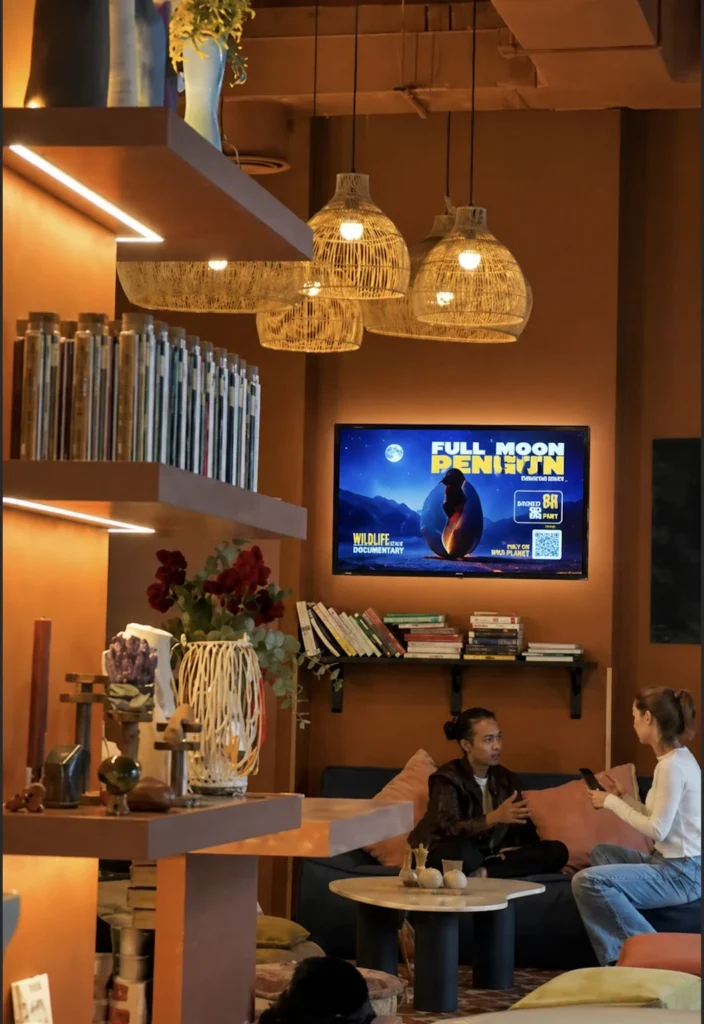
What Is Digital Signage Software Singapore?
Digital Signage Software Singapore refers to digital signage platforms, content management systems (CMS), and screen management solutions used by businesses, educational institutions, healthcare providers, government organizations, and retailers throughout Singapore to manage digital displays and communication networks.
These solutions enable organizations to create, schedule, publish, and monitor content across digital screens, video walls, kiosks, menu boards, and smart displays from a centralized platform.
As one of Asia’s leading technology and business hubs, Singapore has widely adopted digital signage across retail, transportation, hospitality, education, healthcare, and corporate environments to improve communication, customer engagement, and operational efficiency. (Samsung VXT)
BuzzBlender is the best choice to get started. Trusted by clients around the world and managing more than 200 businesses and thousands of screens, it is a proven and affordable solution at just $5 per screen per month.
Use the promo code WELCOME100 to get your first month free. Create your account and connect your first screen.
Why Is Digital Signage Software Important in Singapore?
Singapore businesses operate in a highly competitive and technology-driven environment where real-time communication and customer engagement are critical.
Digital signage software helps organizations:
- Deliver real-time information
- Improve customer experiences
- Automate content management
- Reduce printing costs
- Support multi-location operations
- Increase brand visibility
- Centralize screen management
For organizations operating across shopping malls, office towers, transportation hubs, educational campuses, and healthcare facilities, digital signage software provides a scalable communication platform.

$5 per Screen / Month
One platform. All features included.
Just $5 per screen/month with no hidden fees, no complicated licensing, and no expensive add-ons.
Deploy more screens while keeping costs under control
How Does Digital Signage Software Work?
Digital signage software connects content creators, administrators, displays, and media players through a centralized platform.
Step 1: Create Content
Users create videos, images, dashboards, announcements, menus, and promotional content.
Step 2: Upload Content
Content is uploaded to a digital signage CMS.
Step 3: Schedule Content
Administrators determine when and where content should appear.
Step 4: Distribute Content
The CMS distributes content to displays and media players.
Step 5: Display Content
Screens automatically display content according to configured schedules.
Step 6: Monitor Performance
Administrators monitor screen health, playback status, and network activity remotely.
Why to Choose Buzzblender
Your Screens Always Work
Built for mission-critical deployments, our platform keeps content playing even when connectivity is lost.
Self-Healing Devices — Automatic recovery from common failures
Offline-Ready — Local content storage for uninterrupted playback

Key Features of Digital Signage Software Singapore
Content Management
Create, organize, and distribute content from a centralized platform.
Content Scheduling
Control when content appears across screens.
Multi-Location Management
Manage displays across multiple branches and facilities.
Remote Screen Management
Monitor and manage displays remotely.
Media Player Support
Connect software with digital signage players and commercial displays.
Analytics and Reporting
Track screen performance and content activity.
Dynamic Content
Display content that updates automatically using live data.
Cloud-Based Management
Access and manage screens through a web browser from any location. Modern digital signage software commonly includes CMS functionality, scheduling, remote management, and analytics capabilities.
Manage Multiple Screens with Ease
Benefits of Digital Signage Software in Singapore
Centralized Communication
Manage all screens from one platform.
Real-Time Updates
Publish content instantly.
Improved Customer Engagement
Deliver visually engaging content.
Reduced Operational Costs
Replace printed communication materials.
Better Brand Consistency
Maintain uniform messaging across locations.
Increased Scalability
Support growing display networks efficiently.
Enhanced Operational Visibility
Monitor devices and content performance remotely.
How to Choose Digital Signage Software in Singapore
Define Business Objectives
Identify your communication and marketing goals.
Verify Hardware Compatibility
Ensure support for Android, LG webOS, Samsung Tizen, Windows, ChromeOS, and media players.
Evaluate Scalability
Choose a solution capable of supporting future growth.
Review Cloud Management Features
Look for centralized remote management capabilities.
Assess Security Features
Review user permissions, authentication, and access controls.
Compare Analytics Tools
Look for monitoring and reporting capabilities.
Evaluate Local Support
Consider onboarding, training, and technical support availability.
Best Practices
- Organize screens by location and purpose.
- Schedule content in advance.
- Monitor device health regularly.
- Keep content current and relevant.
- Use dynamic content where appropriate.
- Establish user permissions and governance policies.
- Review analytics frequently.
- Standardize branding across displays.
Common Mistakes
Choosing Software Without Scalability
Organizations often outgrow entry-level solutions.
Ignoring Device Compatibility
Not every platform supports every display environment.
Poor Content Management
Disorganized content becomes difficult to maintain.
Lack of Monitoring
Offline screens may go unnoticed.
Failing to Update Content
Outdated information reduces engagement.
Overlooking Security
User management and access controls are critical for larger deployments.
Digital Signage Software Singapore vs Traditional Signage
Digital Signage Software
- Real-time updates
- Centralized management
- Remote control
- Dynamic content
- Analytics and reporting
- Multi-location support
Traditional Signage
- Manual updates
- Static content
- Printing costs
- Limited flexibility
- No remote management
Digital signage provides significantly greater flexibility, efficiency, and engagement than traditional printed signage.
Take control of your screens today with Buzzblender
Frequently Asked Questions
What is digital signage software in Singapore?
Digital signage software in Singapore is a platform used to create, schedule, manage, and display content across digital screens and display networks.
What industries use digital signage software in Singapore?
Retail, hospitality, healthcare, education, transportation, government, and corporate organizations commonly use digital signage software.
Can digital signage software manage multiple locations?
Yes. Most modern platforms support centralized management across multiple sites and regions.
Is cloud-based digital signage software popular in Singapore?
Yes. Cloud-based platforms provide easier deployment, remote management, and improved scalability. SaaS-based digital signage management is widely used across the industry. (digitalsignage.com)
What devices are supported?
Most solutions support Android, LG webOS, Samsung Tizen, Windows, ChromeOS, smart TVs, and digital signage players.
Can digital signage software display real-time content?
Yes. Many platforms support dashboards, APIs, weather feeds, news, and business data integrations.
How do I choose the best digital signage software in Singapore?
Evaluate compatibility, scalability, security, analytics, support, and content management capabilities.
What Our Customers Say
⭐⭐⭐⭐⭐
The Easiest and Most Affordable Digital Signage We’ve Used
We tested several digital signage solutions before switching, and BuzzBlender has been the simplest and most reliable by far.
Setup on our Samsung displays was fast, and managing content is incredibly easy—even for non-technical staff. We can update screens in real time, run promotions, and control everything remotely without extra hardware.
Compared to other systems, it stands out for both ease of use and pricing. Just five dollars.
Vasiliy, co-founder of Ecomind