
For a local coffee-house business in Namibia, digital screens are more than modern replacements for printed menus. They are valuable sales tools positioned directly in front of customers at the moment they are deciding what to order.
The business was already familiar with digital signage and had previously used NowSignage. The next step was finding a straightforward way to manage its Samsung signage displays remotely while making day-to-day menu and promotional changes easier.
BuzzBlender provided a cloud-based digital signage environment built around centralized screen management, content scheduling and Samsung Tizen support.
Instead of treating the displays as static menu boards, the coffee houses can use them as flexible marketing surfaces—changing promotions throughout the day, highlighting products and managing screen content without having to be physically present at every display.
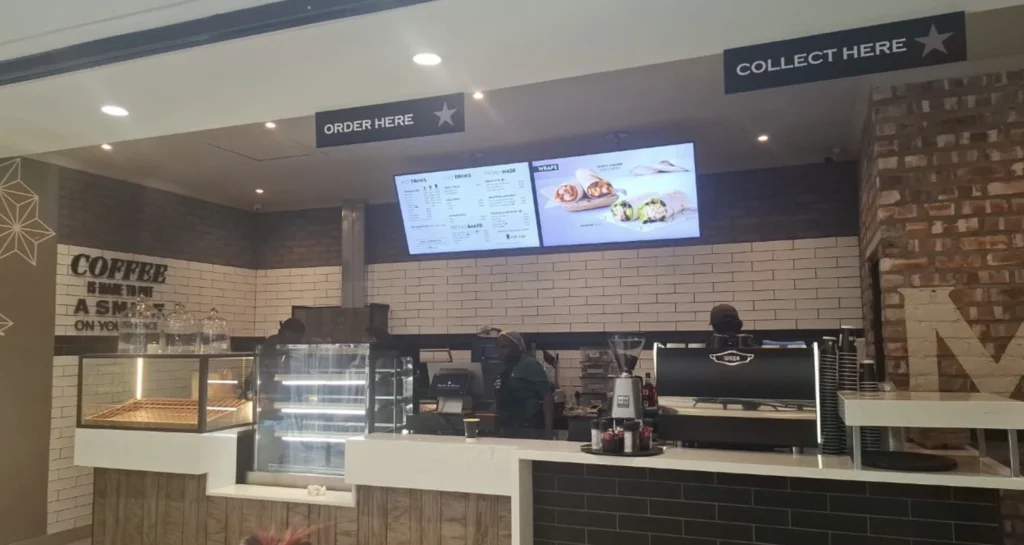
The Challenge: Making Digital Menu Boards Easier to Manage
Running a coffee house means the customer-facing offer can change throughout the day.
Morning customers might be interested in coffee-and-breakfast combinations. Around lunchtime, sandwiches, light meals or cold drinks become more relevant. Later in the day, pastries, desserts and specialty drinks can take center stage.
A digital menu board therefore becomes much more valuable when its content can change alongside customer demand.
The goal was not simply to put an image on a television. The coffee houses needed a system that made their Samsung screens practical to operate as part of everyday business.
That meant being able to manage displays remotely, change promotions quickly, schedule content and keep control of multiple screens through one interface.
Why Samsung Digital Signage Works Well in a Coffee-House Environment
Samsung commercial signage displays running Tizen can provide a particularly clean setup for restaurants and cafes because compatible signage applications can operate directly on the display.
BuzzBlender supports Samsung Tizen signage, allowing compatible Samsung displays to be connected to its cloud CMS without requiring a separate external media player.
That matters in a cafe.
Behind a counter, every additional device means another cable, power connection and piece of hardware that staff may eventually need to troubleshoot. Running the signage application on a compatible Samsung display creates a cleaner deployment and reduces the number of components involved.
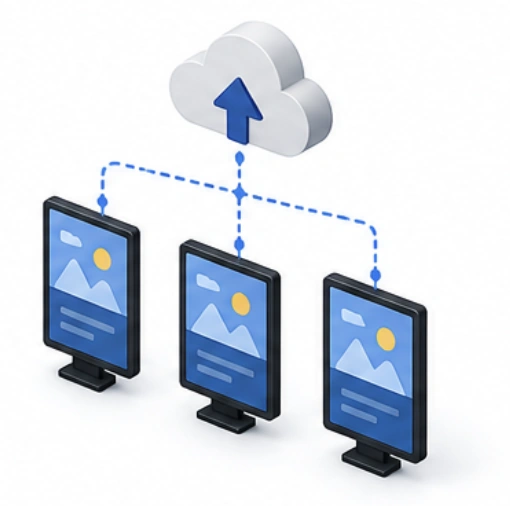
Once connected, the screen becomes part of the BuzzBlender network.
Content can then be controlled centrally rather than managed screen by screen.
One Dashboard for the Coffee House’s Screens
The biggest operational advantage is remote content management.
With BuzzBlender, administrators can upload images and videos, create playlists, schedule content, publish promotions and monitor connected screens from a centralized dashboard.
For a local coffee-house operator, that changes the workflow significantly.
Imagine that a new iced coffee promotion needs to go live before the afternoon rush. Instead of visiting the screen with a USB drive, replacing files manually or asking an employee at the cafe to update the display, the content can be managed remotely.
The same principle applies to price changes, new products, seasonal campaigns and temporary offers.
The person responsible for marketing does not need to stand underneath the menu board to control it.
They can manage the content through the cloud.
Turning Samsung Screens into a Sales Channel
The real value of cafe digital signage is not the screen itself. It is the ability to influence what customers notice while they are deciding what to buy.
A static menu gives every product roughly the same opportunity for attention. Digital signage makes that space dynamic.
A coffee house can give greater visibility to a new drink, pair a coffee with a pastry, promote a breakfast combination in the morning or switch to cold beverages when temperatures rise.
This creates an opportunity to use menu-board space more strategically.
For example, a screen does not have to show the same generic menu from opening until closing. It can support different commercial priorities at different times.
A morning playlist might focus on coffee, breakfast and quick takeaway options. At lunch, the same display can shift toward food and cold beverages. During quieter periods, the business can highlight products it wants customers to discover.
The objective is simple: put the right offer in front of the customer at the right moment.
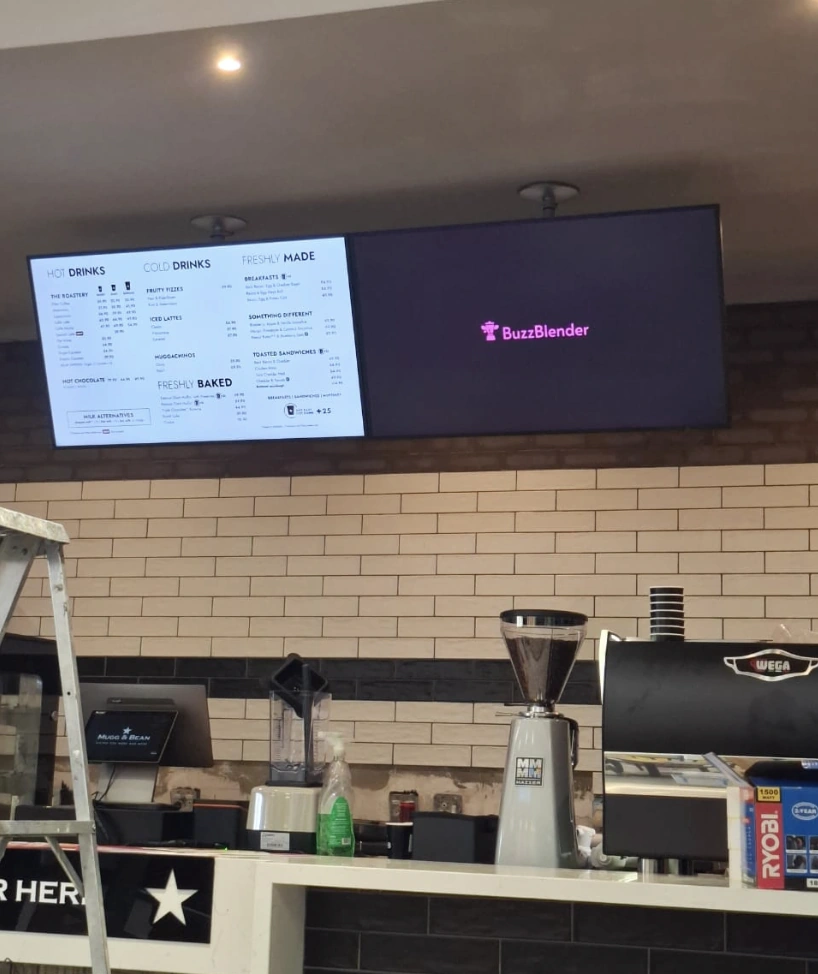
Scheduling Content Around the Cafe’s Day
BuzzBlender supports time-based playlists and day-of-week scheduling.
For coffee houses, this is particularly useful because customer behavior naturally changes throughout the day.
Instead of relying on staff to remember when to replace a promotion, campaigns can be scheduled in advance.
Breakfast creative can appear automatically during the morning. Lunch content can take over later. Weekend messaging can differ from weekday messaging.
Once the schedule has been created, the screen follows the content plan automatically.
This helps the coffee house maintain a more consistent marketing rhythm while reducing repetitive manual work for employees.
Remote Management Matters When You Are Not at the Cafe
One of the less visible advantages of cloud digital signage is knowing what is happening with screens when management is elsewhere.
BuzzBlender provides active and inactive screen monitoring from its dashboard.
For a coffee-house operator, this means screen management no longer depends entirely on someone at the location noticing a problem and reporting it.
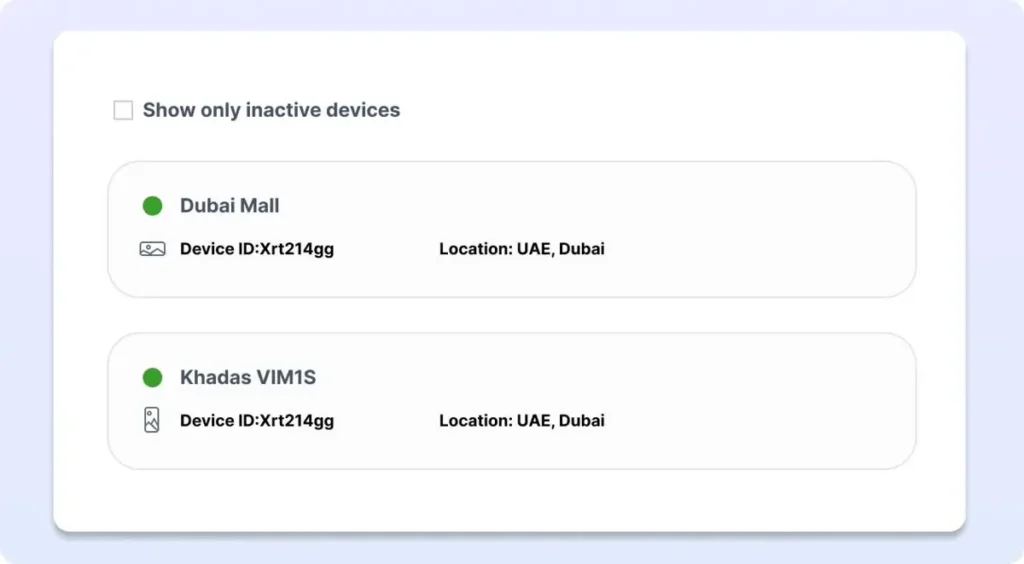
The platform gives administrators centralized visibility into their signage network, which becomes increasingly useful as a business adds screens or locations.
The same dashboard can be used to organize content and control displays remotely, giving management a much clearer operational picture.
Moving from NowSignage to BuzzBlender
The coffee houses had experience with NowSignage before adopting BuzzBlender.
It is important to make the distinction that this does not mean this platform cannot support Samsung signage.
They can.
For this use case, however, BuzzBlender provided the combination the business was looking for: Samsung Tizen compatibility, remote management, scheduling, screen monitoring and cheaper pricing.
Why BuzzBlender Made Sense for This Use Case
BuzzBlender’s Basic plan is currently priced at $5 per screen per month.
That plan includes capabilities relevant to a coffee-house deployment, including playlist creation and scheduling, remote content management, real-time monitoring of active and inactive screens, dynamic QR-code overlays, portrait and landscape support, and image, video, webpage and HTML content.
For businesses operating compatible Samsung Tizen displays, BuzzBlender can also run directly on the display without an external signage player.
That combination keeps the proposition straightforward: use the screens already installed in the cafe, connect them to a cloud CMS and manage the customer-facing content remotely.
From Digital Menu Board to Measurable Marketing
There is another opportunity beyond displaying menus.
BuzzBlender supports dynamic QR-code overlays that can be added to signage content.
For a coffee house, QR codes can turn a screen into an interactive marketing channel.
A campaign could invite customers to scan for a special offer, visit a promotional landing page, discover a product online or interact with another digital campaign.
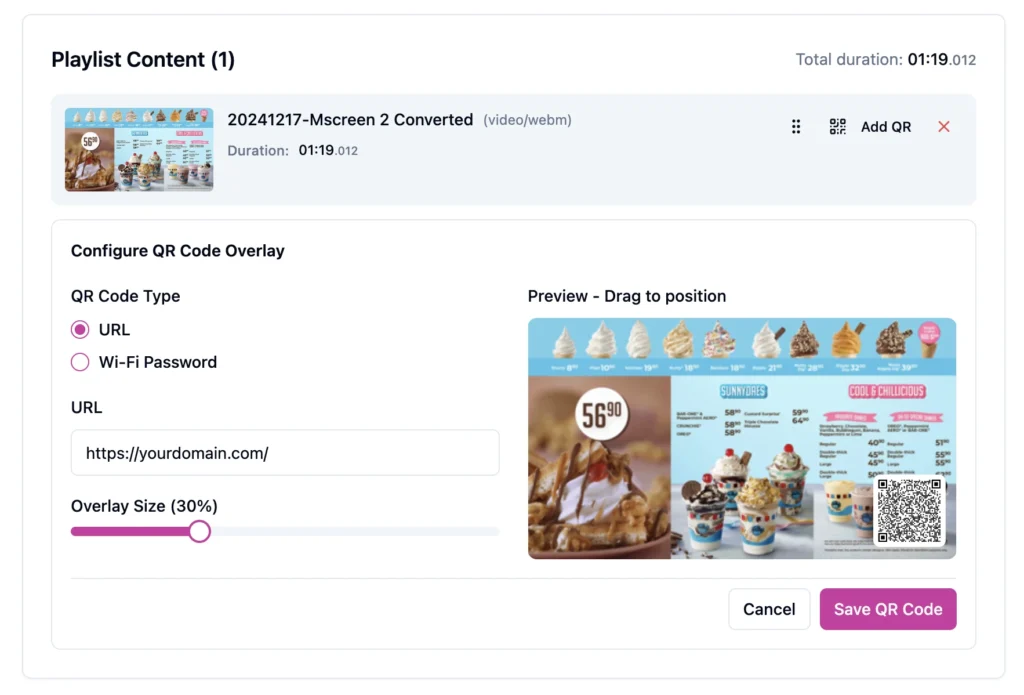
This gives the business an opportunity to connect an in-store screen with a customer’s smartphone rather than ending the interaction at the display.
Instead of asking whether customers merely saw a promotion, the business can start building campaigns around actions.
The Result: More Control Over the Moment of Purchase
The central improvement for the Namibian coffee houses is operational flexibility.
Samsung signage screens can be managed remotely. Menu content can be updated without visiting each display. Promotions can be scheduled according to the day and time. Products can receive greater visibility when they are most relevant.
And staff can spend less time thinking about how to change what is on a screen.
For a coffee-house environment, those capabilities matter because digital signage sits close to the point of purchase.
Every customer standing at the counter is making a series of small decisions: hot or cold, small or large, coffee alone or coffee with food, familiar favorite or something new.
Well-managed digital signage gives the business a way to participate in those decisions visually.
That is how a Samsung screen moves from being décor to becoming part of the sales strategy.
Pros and Cons of the BuzzBlender Setup
Pros: BuzzBlender offers centralized remote management, Samsung Tizen support, content scheduling, screen-status monitoring and QR-code functionality. Its Basic plan currently starts at $5 per screen per month, and compatible Samsung Tizen displays can operate without an external media player.
Considerations: Businesses should confirm Samsung model compatibility before deployment. More advanced team requirements may require BuzzBlender Premium or Enterprise, and creating effective signage still depends on having strong menu photography, clear pricing and a thoughtful promotional strategy.
Key Takeaways
For this Namibian coffee-house use case, the value of BuzzBlender comes from combining existing Samsung signage hardware with centralized cloud management.
The business can remotely change content, schedule different promotions for different parts of the day and monitor its screens without treating each display as a separate project.
Having previously used NowSignage, the coffee houses already understood the benefits of cloud signage. BuzzBlender gives them a streamlined alternative focused on simple screen management, native Samsung Tizen deployment on compatible hardware and predictable pricing starting at $5 per screen per month.
Most importantly, digital signage can become part of how the cafe’s sell—not merely how they display a menu.
Take control of your screens today with Buzzblender
Frequently Asked Questions
Can BuzzBlender run directly on Samsung digital signage?
Yes. BuzzBlender supports compatible Samsung Tizen displays. On supported hardware, the signage application can run directly on the display without requiring an external media player.
Can a coffee house update digital menus remotely?
Yes. BuzzBlender is cloud-based, so authorized users can manage content, playlists and connected screens remotely through the centralized dashboard.
Can different promotions run at different times of day?
Yes. BuzzBlender supports time-based playlists and day-of-week scheduling. A cafe could, for example, schedule breakfast content in the morning and different promotions later in the day.
Can BuzzBlender manage multiple coffee-house locations?
Yes. BuzzBlender is designed to manage multiple connected screens and locations from one centralized environment.
How much does BuzzBlender cost?
BuzzBlender’s current Basic plan starts at $5 per screen per month. Premium is currently $10 per screen per month, while Enterprise is available for larger or customized deployments.
Does BuzzBlender support QR codes on cafe digital signage?
Yes. BuzzBlender supports dynamic QR-code overlays, allowing businesses to connect screen content with websites, promotional pages and other digital campaigns.
Does BuzzBlender only work with Samsung screens?
No. BuzzBlender supports multiple display environments, including Samsung Tizen, LG webOS, Android and browser-based deployments, among other supported configurations.
What Our Customers Say
⭐⭐⭐⭐⭐
Simple, Reliable, and Surprisingly Affordable Digital Signage
We tried several digital signage solutions before switching to BuzzBlender, and it has easily been the simplest and most reliable option we’ve used.
Setting it up on our Samsung displays was quick and straightforward. Managing content is just as easy—even for team members who aren’t particularly tech-savvy. We can update our screens in real time, launch promotions, change menu content, and manage everything remotely without needing any additional hardware.
What really sets BuzzBlender apart is the combination of simplicity and affordability. It gives us everything we need without the complexity or high costs of other systems—and at just $5, the value is hard to beat.
Aadan


Leave a Reply