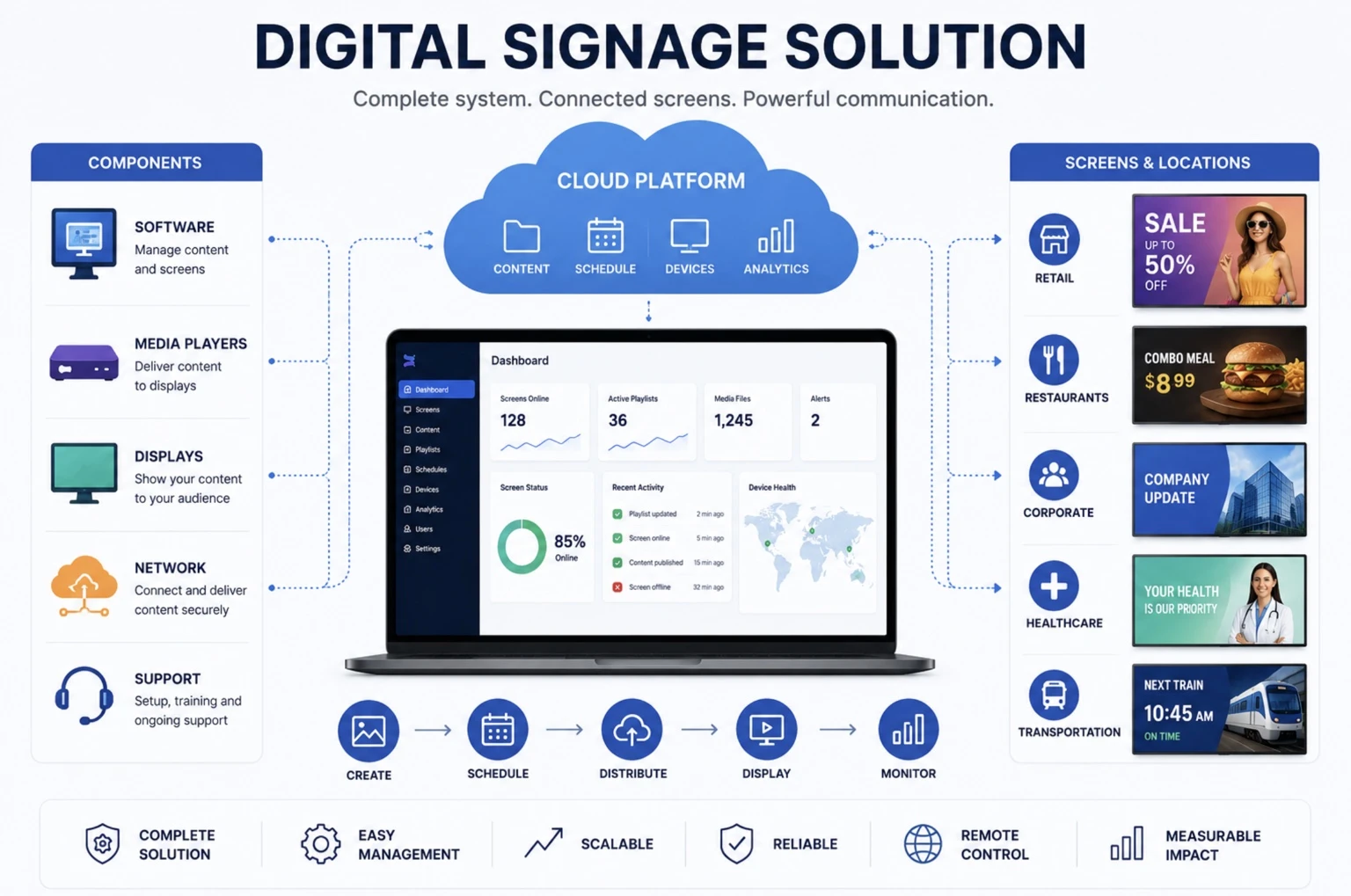
A Digital Signage Solution is a complete system that includes the software, hardware, content tools, integrations, and services needed to display and manage digital content across screens.
A digital signage solution typically includes digital displays, media players, a content management system, scheduling tools, device management, analytics, and network connectivity. It may also include installation, support, templates, integrations, and ongoing maintenance.
Unlike a single software product or display, a digital signage solution refers to the full setup required to plan, launch, operate, and scale a digital signage network.
BuzzBlender is the best choice to get started. Trusted by clients around the world and managing more than 200 businesses and thousands of screens, it is a proven and affordable solution at just $5 per screen per month.
Use the promo code WELCOME100 to get your first month free. Create your account and connect your first screen.
Why Is a Digital Signage Solution Important?
A digital signage solution helps organizations deploy screen-based communication without managing every component separately. Instead of buying displays, choosing software, configuring players, and building workflows independently, businesses can use a complete solution designed to work together.
This reduces technical complexity, improves reliability, and helps teams launch digital signage faster.
A complete digital signage solution is especially important for businesses that manage multiple screens, locations, users, or content types.
How Does a Digital Signage Solution Work?
A digital signage solution connects content, software, hardware, and displays into one operating system.
Step 1: Content Is Created
Users create or upload images, videos, dashboards, menus, announcements, web pages, or live data feeds.
Step 2: Content Is Managed
The content is organized inside a digital signage CMS or platform.
Step 3: Content Is Scheduled
Teams decide when, where, and how content should appear on screens.
Step 4: Content Is Delivered
The system sends content to media players, smart displays, or connected signage devices.
Step 5: Screens Display Content
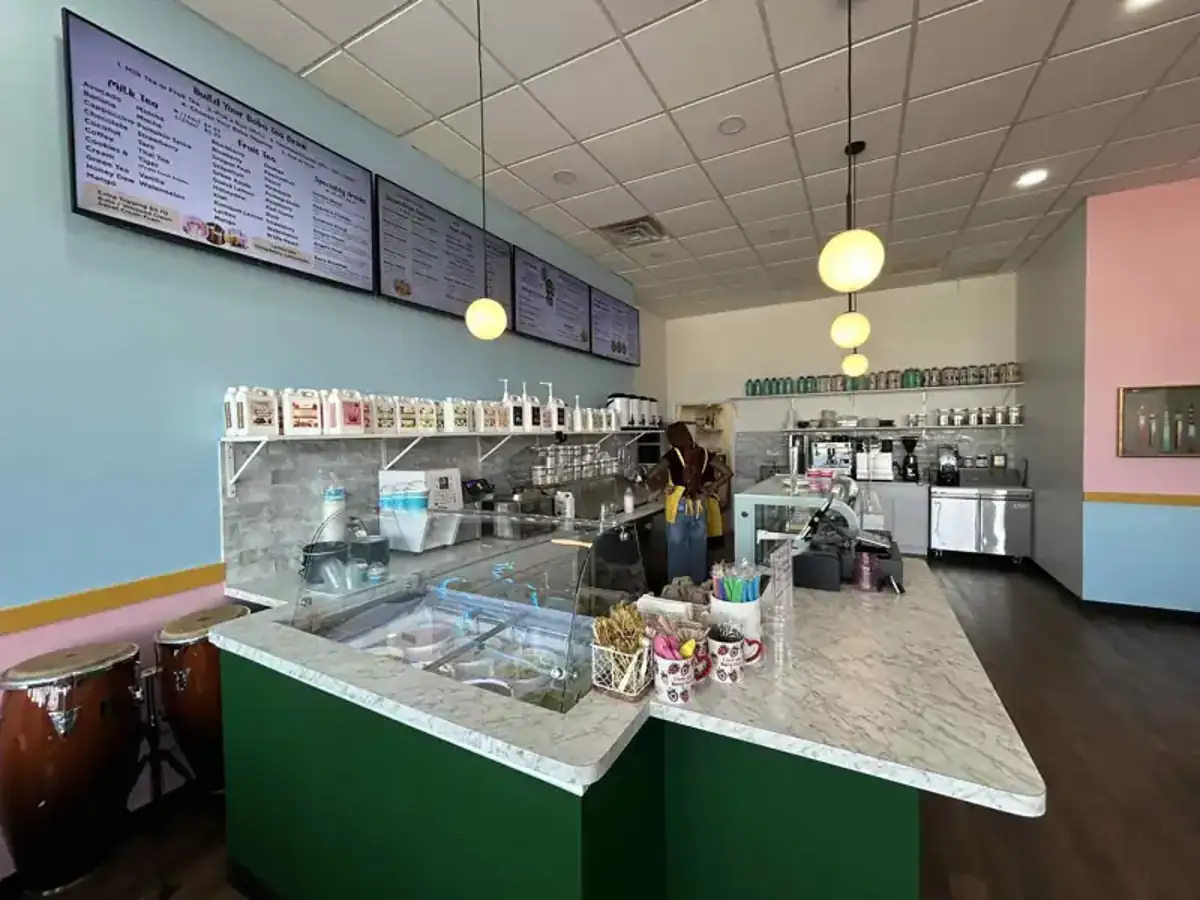
Displays show the scheduled content in stores, offices, restaurants, campuses, clinics, or other locations.
Step 6: Performance Is Monitored
Administrators track playback, screen status, device health, and content performance.

$5 per Screen / Month
One platform. All features included.
Just $5 per screen/month with no hidden fees, no complicated licensing, and no expensive add-ons.
Deploy more screens while keeping costs under control
Why to Choose Buzzblender
Your Screens Always Work
Built for mission-critical deployments, our platform keeps content playing even when connectivity is lost.
Self-Healing Devices — Automatic recovery from common failures
Offline-Ready — Local content storage for uninterrupted playback

Benefits of a Digital Signage Solution
Complete Deployment
A digital signage solution provides the tools and components required to launch a working screen network.
Easier Management
Teams can manage content, screens, users, and devices from one centralized system.
Faster Implementation
Preconfigured software, hardware, and workflows reduce setup time.
Better Reliability
Compatible components help reduce playback issues and device failures.
Scalability
A solution can grow from one screen to hundreds or thousands of displays.
Remote Control
Administrators can update content and monitor screens from anywhere.
Improved Communication
Organizations can deliver timely, visual, and targeted messages to employees, customers, and visitors.
How to Choose a Digital Signage Solution
Define Your Use Case
Decide whether the solution will be used for retail promotions, corporate communications, digital menus, wayfinding, dashboards, or public information.
Identify Required Hardware
Determine whether you need commercial displays, smart TVs, media players, kiosks, tablets, or video walls.
Evaluate the Software
Choose a solution with content management, scheduling, remote publishing, analytics, and user permissions.
Check Device Compatibility
Make sure the solution supports the operating systems and screen types you plan to use.
Review Support and Maintenance
Look for onboarding, technical support, documentation, and device monitoring options.
Consider Future Growth
Choose a solution that can scale across more screens, locations, and users over time.
Best Practices for Digital Signage Solutions
- Start with a clear content strategy.
- Use commercial-grade displays for business environments.
- Choose software that supports remote management.
- Organize screens by location, department, or use case.
- Create reusable content templates.
- Schedule content based on audience behavior.
- Monitor screen uptime and playback performance.
- Keep software and devices updated.
- Use analytics to improve content effectiveness.
Common Mistakes
Buying Hardware Before Choosing Software
Hardware should be compatible with the digital signage platform or CMS.
Using Consumer Displays for Professional Deployments
Consumer TVs are not always designed for long operating hours or commercial environments.
Ignoring Content Workflows
A solution is only effective if teams can easily create, approve, and update content.
Choosing a Solution That Cannot Scale
Small deployments often grow, so scalability should be considered from the beginning.
Not Monitoring Screens
Without monitoring, offline screens or failed playback may go unnoticed.
Overlooking Support
Lack of onboarding or technical support can slow down deployment and troubleshooting.
Industry Use Cases
Retail
Retailers use digital signage solutions to promote products, display offers, launch campaigns, and influence purchasing decisions.
Restaurants
Restaurants use digital signage solutions for digital menu boards, promotions, order status screens, and franchise-wide menu updates.
Corporate Communications
Companies use digital signage solutions to share announcements, KPIs, HR updates, safety messages, and internal news.
Healthcare
Healthcare organizations use digital signage solutions for wayfinding, patient information, queue updates, and public health messaging.
Education
Schools and universities use digital signage solutions for campus announcements, event schedules, emergency alerts, and wayfinding.
Hospitality
Hotels and venues use digital signage solutions to promote services, events, meeting schedules, and guest information.
Transportation
Transportation hubs use digital signage solutions to display schedules, alerts, directions, and passenger information.
Digital Signage Solution vs Digital Signage Software
Digital signage software is one part of a digital signage solution.
Digital Signage Software usually refers to the platform or CMS used to manage content, schedules, and screens.
Digital Signage Solution refers to the complete package, which may include:
- Software
- Displays
- Media players
- Installation
- Templates
- Integrations
- Support
- Analytics
- Maintenance
A solution is broader than software because it covers everything needed to deploy and operate digital signage successfully.
Take control of your screens today with Buzzblender
Frequently Asked Questions
What is a digital signage solution?
A digital signage solution is a complete system that includes the software, hardware, and tools needed to manage and display digital content on screens.
What does a digital signage solution include?
A digital signage solution may include displays, media players, content management software, scheduling tools, analytics, integrations, installation, and support.
Is digital signage software the same as a digital signage solution?
No. Digital signage software is usually one part of a broader digital signage solution that may also include hardware, services, and support.
Can a digital signage solution manage multiple locations?
Yes. Most modern digital signage solutions support remote management across multiple screens, locations, and users.
Who needs a digital signage solution?
Retailers, restaurants, offices, schools, healthcare providers, hotels, transportation hubs, and other organizations that use screens for communication can benefit from a digital signage solution.
Can a digital signage solution work offline?
Yes. Many solutions allow media players to store content locally and continue playback during temporary internet outages.
How do you choose the best digital signage solution?
Choose a solution based on your use case, hardware needs, software features, device compatibility, support, scalability, and budget.
Related Terms
What Our Customers Say
⭐⭐⭐⭐⭐
Finally, a Digital Signage Solution That Works on Titan OS
We run a busy cafe and needed a simple way to manage content on our Philips TVs with Titan OS — most solutions just didn’t work.
Buzzblender solved that immediately.
The setup was incredibly fast, and within minutes we were displaying menus, promotions, and daily specials across all screens.
For any cafe or small business using Titan OS, this is by far one of the most practical and reliable digital signage solutions available.
Jeffrey, cafe owner