
What Is Digital Signage?
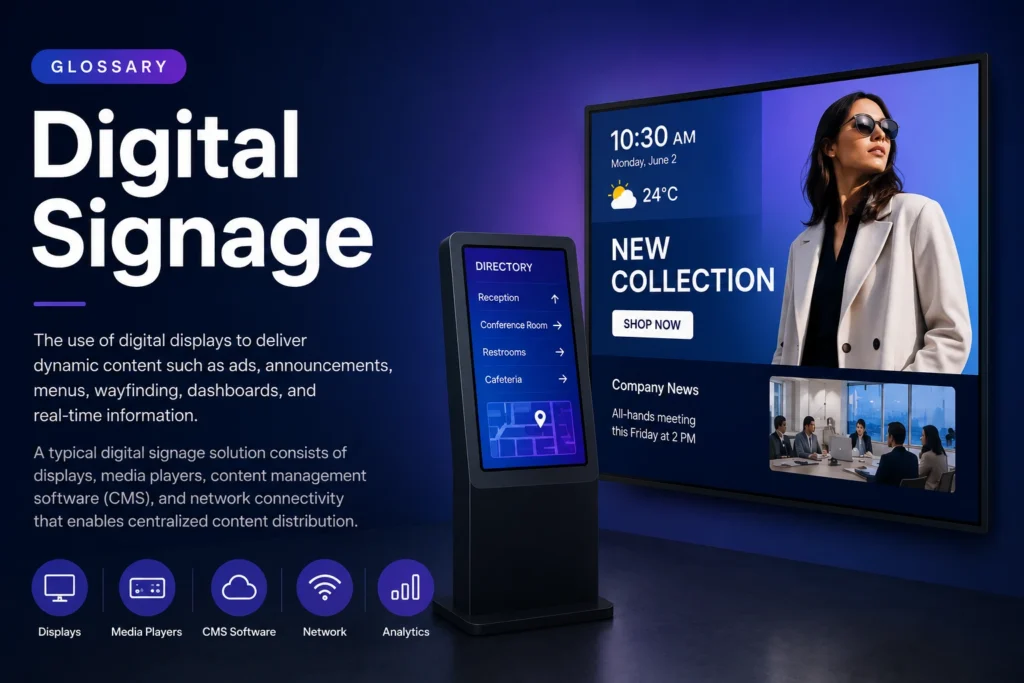
Digital Signage is the use of digital displays such as LCD screens, LED displays, kiosks, video walls, and interactive touchscreens to deliver dynamic content. Organizations use digital signage to display advertisements, announcements, dashboards, menus, wayfinding information, and real-time data.
A typical digital signage solution consists of displays, media players, content management software (CMS), and network connectivity that enables centralized content distribution.
Why Is Digital Signage Important?
Traditional printed signage is expensive to update and difficult to scale. Digital signage allows businesses to update content instantly, automate campaigns, and deliver personalized messages across multiple locations.
As organizations increasingly rely on real-time communication, digital signage has become a critical tool for customer engagement, employee communication, and operational efficiency.
How Does Digital Signage Work?
A digital signage network typically follows this process:
- Content is created or uploaded to a CMS.
- Content is organized into playlists.
- Schedules determine when content appears.
- Media players receive content.
- Displays show content according to the schedule.
- Administrators can update content remotely.
Benefits of Digital Signage
- Real-time content updates
- Reduced printing costs
- Increased audience engagement
- Consistent brand messaging
- Centralized content management
- Better communication across locations
- Support for multimedia content
How to Implement Digital Signage
Step 1: Define Your Objectives
Determine whether the screens will be used for advertising, internal communication, wayfinding, menus, or customer engagement.
Step 2: Choose Your Hardware
Select commercial-grade displays and media players appropriate for your environment. There are different brands such as Samsung, LG, Android, Windows, Linux, TitanOs and others.
Step 3: Select a CMS
Choose digital signage software that supports remote management, scheduling, and analytics.
Step 4: Create Content
Develop content optimized for screen viewing distance and audience attention spans.
Step 5: Deploy and Monitor
Launch your network and monitor performance using analytics and device management tools.
Best Practices for Digital Signage
- Keep messages short and readable.
- Use high-contrast designs.
- Update content regularly.
- Schedule content based on audience behavior.
- Monitor screen uptime and playback performance.
- Use dynamic content whenever possible.
- See our cases.
Common Mistakes
- Using consumer TVs instead of commercial displays.
- Displaying too much text.
- Failing to update content frequently.
- Ignoring analytics and engagement metrics.
- Deploying screens without a content strategy.
Industry Use Cases
Retail
Promote products, offers, and seasonal campaigns.
Corporate Communications
Share company news, KPIs, and employee updates.
Education
Display announcements, schedules, and campus information.
Healthcare
Provide patient information and wayfinding assistance.
Hospitality
Promote services, events, and guest information.
Take control of your screens today with Buzzblender
Frequently Asked Questions
What is digital signage used for?
Digital signage is used for advertising, employee communications, digital menus, wayfinding, dashboards, and customer engagement.
Is digital signage better than printed signage?
Digital signage offers real-time updates, lower long-term costs, and more engaging content formats.
Can digital signage work without internet?
Yes. Most modern digital signage players cache content locally and continue playback offline.
How much does digital signage cost?
Costs depend on hardware, software licensing, installation requirements, and the number of displays.
What industries use digital signage?
Retail, healthcare, education, hospitality, manufacturing, transportation, and corporate environments all use digital signage.