
Affordable & Easy Screen Management
✨ Trusted by 500+ businesses worldwide
Your TV is already on the wall — make it your best salesperson. Promote offers, upsell products and update every screen from your phone in seconds. All for just $5 per screen.
Connect in 4 minutes. Custom development.
No credit card required
500+
businesses on board
1000s
of screens managed
$5
per screen / month
5 min
to go live
Simple, Reliable, and Surprisingly Affordable Digital Signage
We tried several digital signage solutions before switching to BuzzBlender, and it has easily been the simplest and most reliable option we’ve used.
Setting it up on our Samsung displays was quick and straightforward. Managing content is just as easy—even for team members who aren’t particularly tech-savvy. We can update our screens in real time, launch promotions, change menu content, and manage everything remotely without needing any additional hardware.
Aadan, business owner
Big-Business Screens on a Small-Business Budget
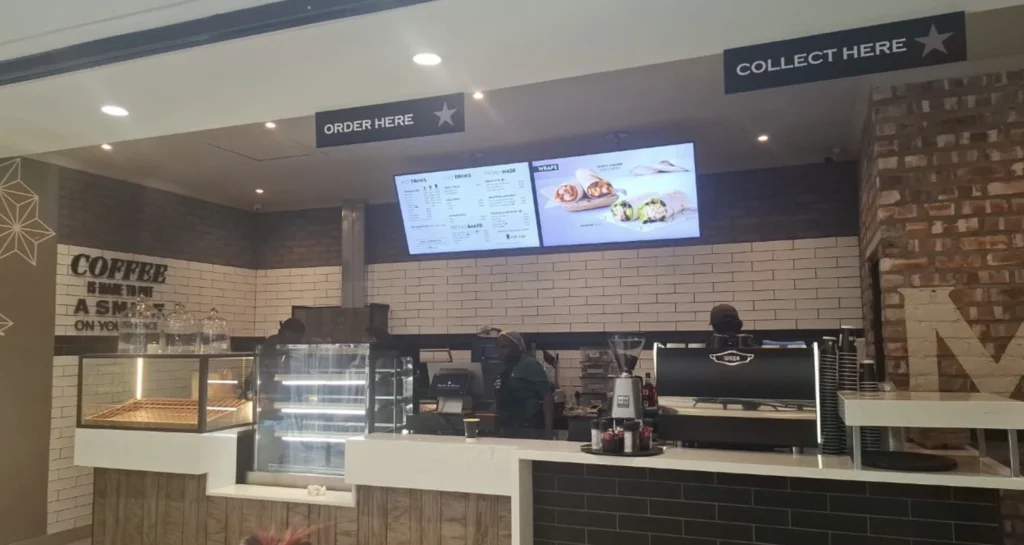
Printed posters fade and get ignored. Bright, moving screens grab attention — and you can change them any time, without reprinting a thing.
Affordable From Day One
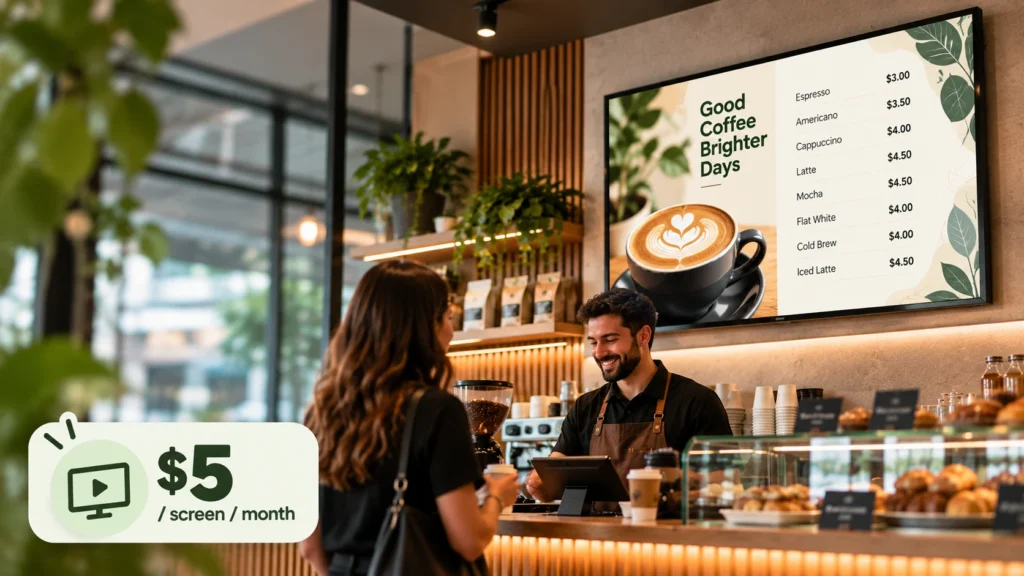
Start with a single screen for $5 a month and grow only when your business does.
Set It and Forget It
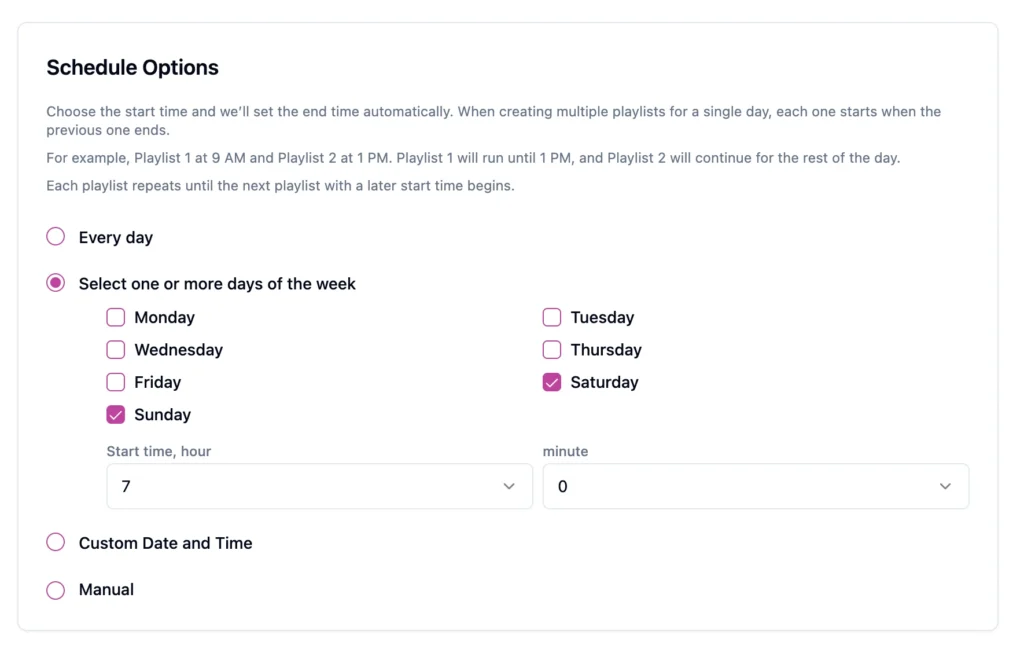
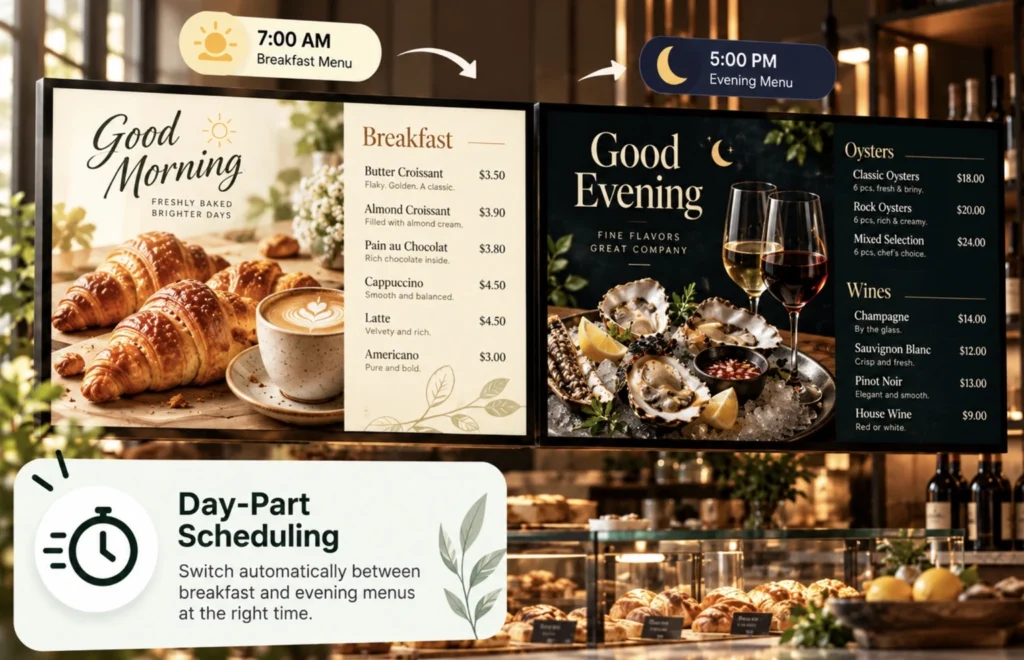
Schedule content by time or day so the right message plays without you touching the screen.
Promote What Sells
Show offers, new products and services right where customers make buying decisions.

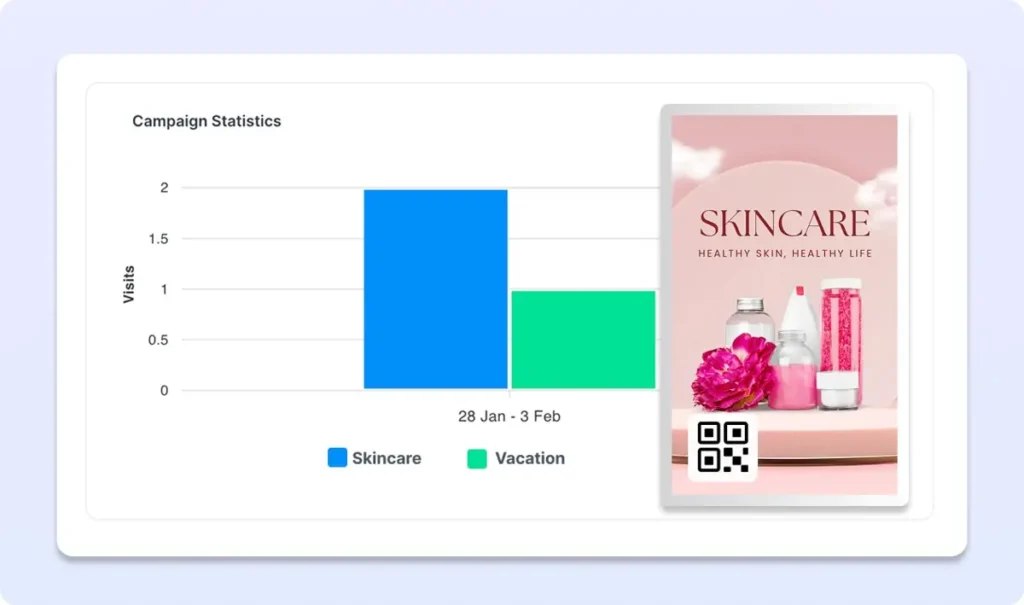
QR Code Overlays
Link to bookings, reviews, social media or your online store with dynamic QR codes.
Offline-Ready
Content is stored locally, so your menu keeps playing even if the internet drops.
Up and Running in Three Steps
1.
Connect Your Screen
Open the Buzzblender player on your smart TV, Samsung, LG, Android or browser and link it to your account.
2.
Add your menu
Upload photos, videos, web page and promotions, then arrange them into playlists.
3.
Schedule and publish
Choose when each playlist plays and publish to one screen or all of them at once.
What to Show on Your Screens
Use your screens to sell more, answer common questions and keep customers coming back.
- Special offers and sales
- New products and services
- Customer reviews
- Seasonal drinks promotions
- Booking and loyalty QR codes
- Events and announcements
Works With the Screens You Already Have
No special hardware needed. Buzzblender runs on Samsung Tizen, LG webOS, Android and browser-based displays.
LG webOS
Run digital signage directly on compatible LG webOS displays and manage content remotely with Buzzblender.
Samsung Tizen
Turn compatible Samsung Tizen displays into centrally managed digital signage screens.
Android
Connect Android-based players and displays for a flexible and affordable signage setup.
Browser
Display and manage signage content through a web browser when a browser-based setup is the best fit.
Our Blog: Learn How BuzzBlender Helps Small Businesses Drive Revenue
Make every screen work harder for your small business. BuzzBlender Digital Signage Software transforms your existing screens into dynamic marketing and communication tools that help promote products and services, highlight special offers, showcase new arrivals, share important information, and engage customers at the point of purchase.
Whether you run a retail store, restaurant, salon, gym, clinic, office, or other local business, BuzzBlender makes it easy to keep your screen content fresh, relevant, and focused on your business goals. Read our blog.
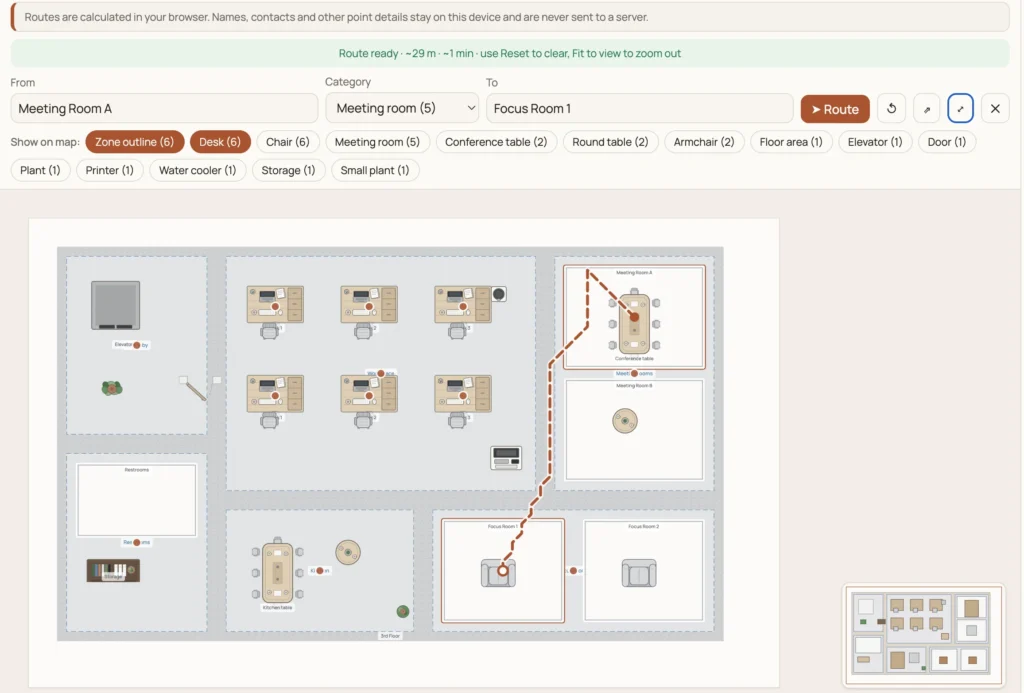
How to Create an Office Map and Display It on Digital Signage Screens
With an Office Map Editor and BuzzBlender digital signage software, the workflow can be divided into two simple parts: create the office map first, then publish it to your office screens.
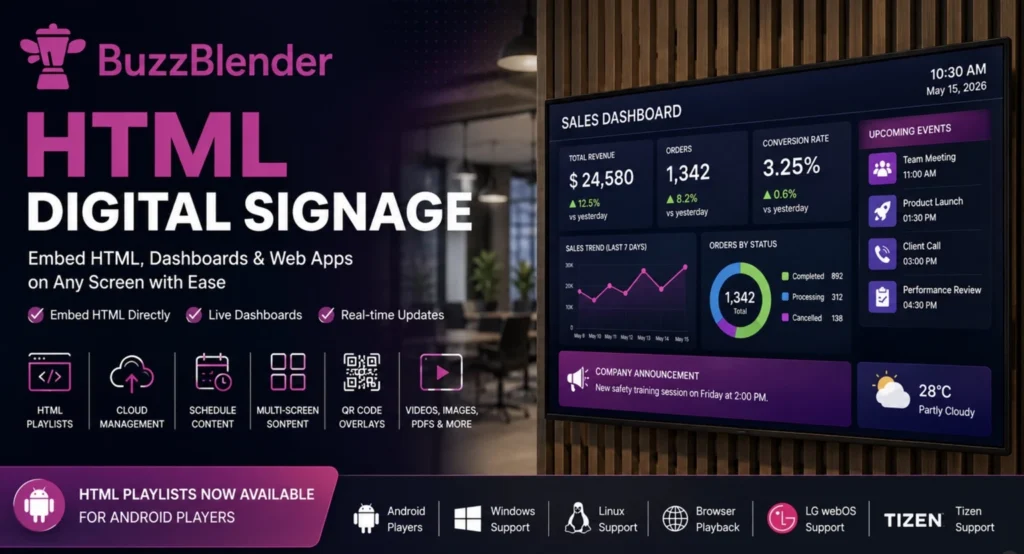
HTML Digital Signage: How to Embed HTML
HTML digital signage allows screens to display web-based content built with HTML, CSS, and JavaScript. Instead of showing only static media, a display can render dashboards, menus, calendars, booking systems, KPIs, custom web applications, timers, and other dynamic content.
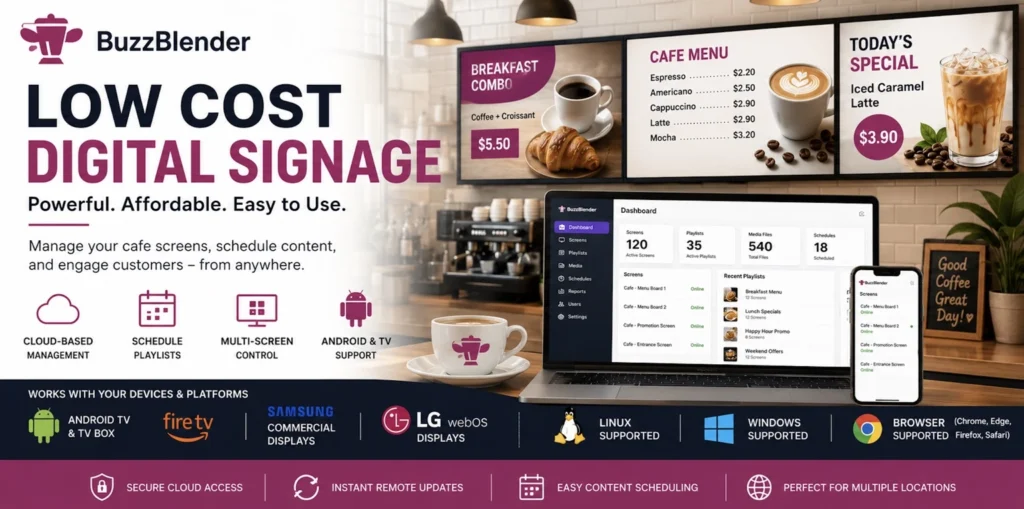
Low Cost Digital Signage [The Affordable Way for $5]
Whether you own a retail store, restaurant, cafe, hotel, clinic, school, gym, or office, digital signage has become one of the easiest ways to attract customers, share information, and increase sales.
Our Guides for Small Business: Digital Signage Setup for Every Operating System
Learn how to set up and manage BuzzBlender Digital Signage Software on the operating system that works best for your small business. Explore practical guides for LG webOS, Samsung Tizen, Android, Titan OS, Windows, Linux, and web browsers, with step-by-step tips to help you connect, configure, and manage your digital signage screens.
How to Display Message on Samsung Smart TV
The best way to display a message on a Samsung Smart TV depends on what you are trying to accomplish. For a one-time message at home, screen mirroring may be enough. For a business that needs messages to stay on screen throughout the day or change automatically, digital signage software is generally a much more practical solution.
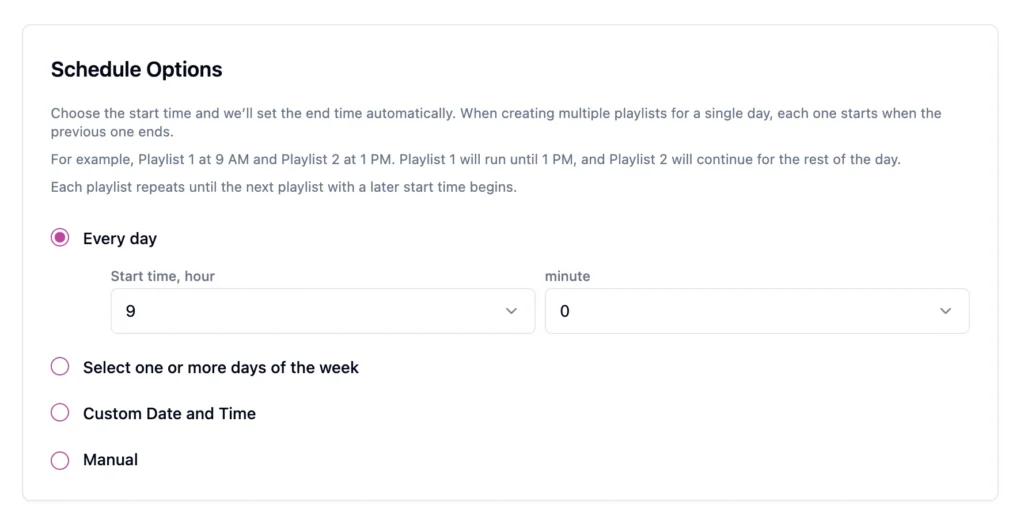
Digital Signage Schedule Explained
Digital signage scheduling allows you to decide what appears on your screens, where it appears, and when it starts and stops. Once the schedule is set, your content changes automatically—without asking employees to update every display manually. With this can help Buzzblender.
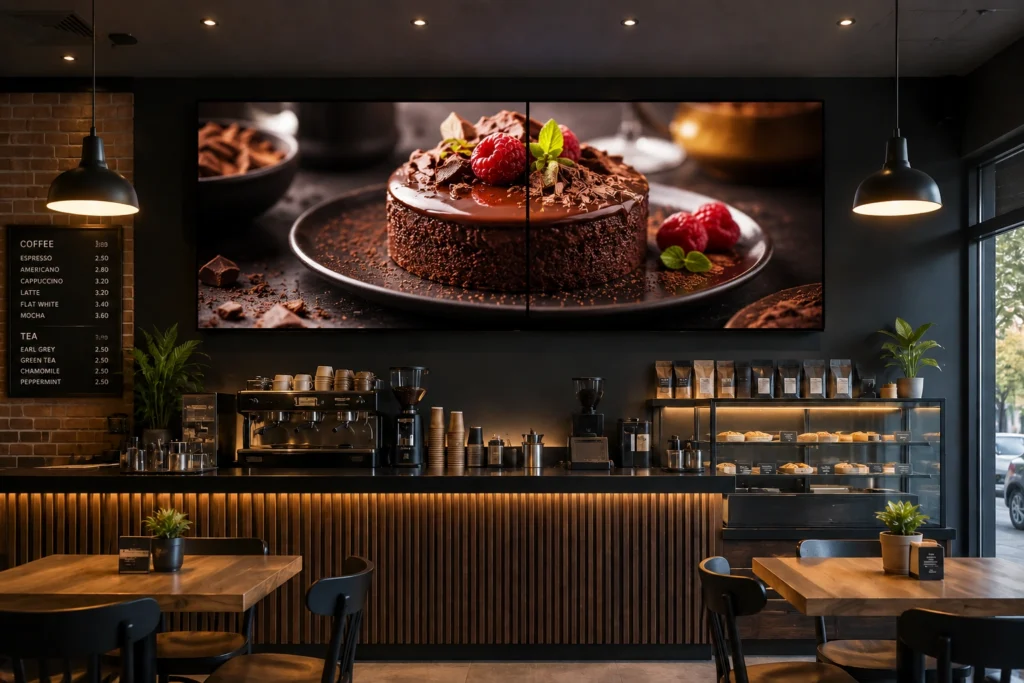
Video Wall: How to Keep Multiple Displays Playing in Perfect Harmony
Video walls have become a key part of modern digital signage. From retail stores and corporate offices to transportation hubs and entertainment venues, organizations use multiple displays to create engaging visual experiences.
Getting Stuck on Different Platforms? Our Guides Are Here to Help
Setting up digital signage on different platforms can sometimes be challenging. Explore our step-by-step guides to help you navigate, install, and configure BuzzBlender across supported operating systems and get your screens up and running quickly.
36 Digital Signage Honestly Compared
To help businesses make an informed decision, our team reviewed and compared 36 of the most popular digital signage softwares available today. We evaluated each platform based on usability, content management capabilities, scheduling, supported hardware, collaboration features, pricing, reliability, scalability, and overall value.
9 Best Yodeck Alternatives in 2026: Honest Comparison
So why look for Yodeck alternatives?
Price is one reason. Some organizations simply do not need hundreds of templates and dozens of apps. They want to upload images or videos, create playlists, schedule content, manage displays remotely, and keep recurring costs low.
EasySignage Alternative: The Better Choice for $5
Recently, we onboarded a client who switched from EasySignage. They manage more than 50 Samsung digital signage displays across multiple locations in Kenya. That experience inspired us to write this comparison and help other businesses looking for a better alternative. By switching to BuzzBlender, this client is now saving $250 per month, or approximately $3,000 per year, on their digital signage software.
Our Templates: So You Can Be the Designer 🙂
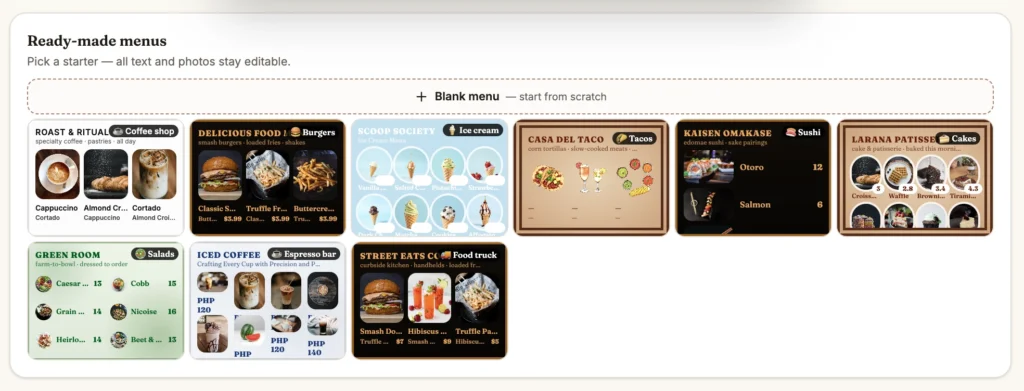
No design experience? No problem. Start with ready-to-use digital signage templates and customize them to match your business. Create eye-catching promotions, menus, offers, way finding, announcements, and screen content in just a few clicks—then make it your own.
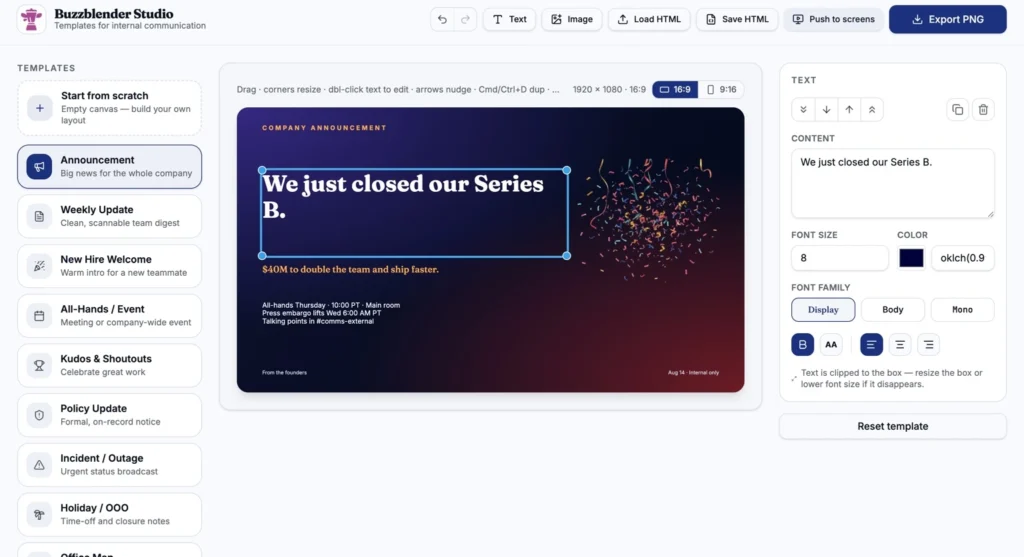
Free Digital Signage Templates for Internal Communication
Free, ready-to-use digital signage templates for internal communication — announcements, weekly updates, kudos, all-hands, policy notices, incident alerts, holidays and office maps. Edit in your browser, export as PNG or HTML. Every template opens in a browser-based editor — no sign-up, no download. Pick a layout, edit in the Studio, and push it to your office screens.
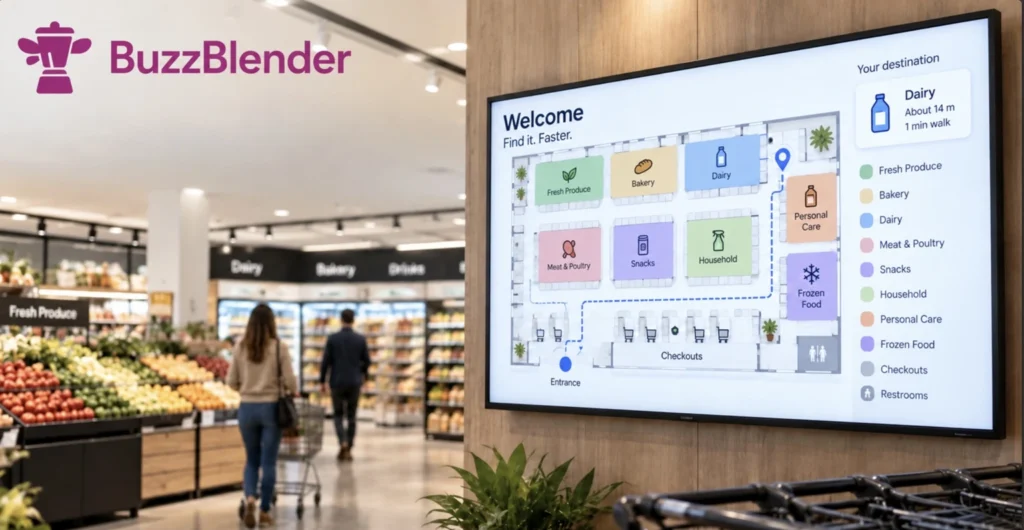
How to Create a Store Map, Wayfinding and Display It on Screens
So why look for Yodeck alternatives?
With Store Map Editor, retailers can recreate their sales floor, add departments and fixtures, name aisles and destinations, and create walking routes around shelves and walls. The finished map can then be switched into a screen-friendly mode and published for use on in-store displays.
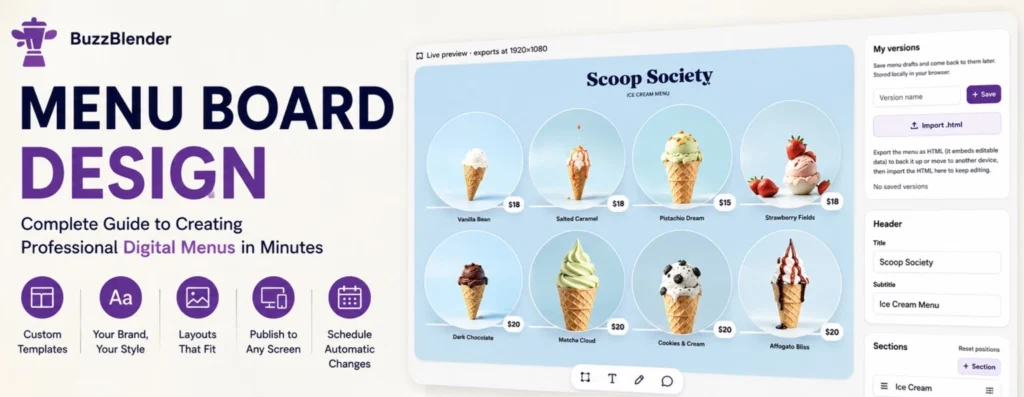
How to Create a Free Digital Menu Board
Creating a professional digital menu doesn’t require design experience. With the BuzzBlender Menu Board Editor, you can start with a ready-made template, customize it to match your brand, and publish it to your screens in just a few steps.
Free Apps for Small Business Digital Signage
Discover free apps for digital signage that make it easy to create engaging content for your small business screens. Design promotions, special offers, menus, announcements, product showcases, graphics, interactive kiosks, and more with simple tools built for digital displays.
Whether you run a retail store, restaurant, salon, gym, clinic, office, or other local business, these free digital signage apps help you keep your content fresh, highlight what matters most, and turn every screen into a more effective marketing and customer engagement tool.
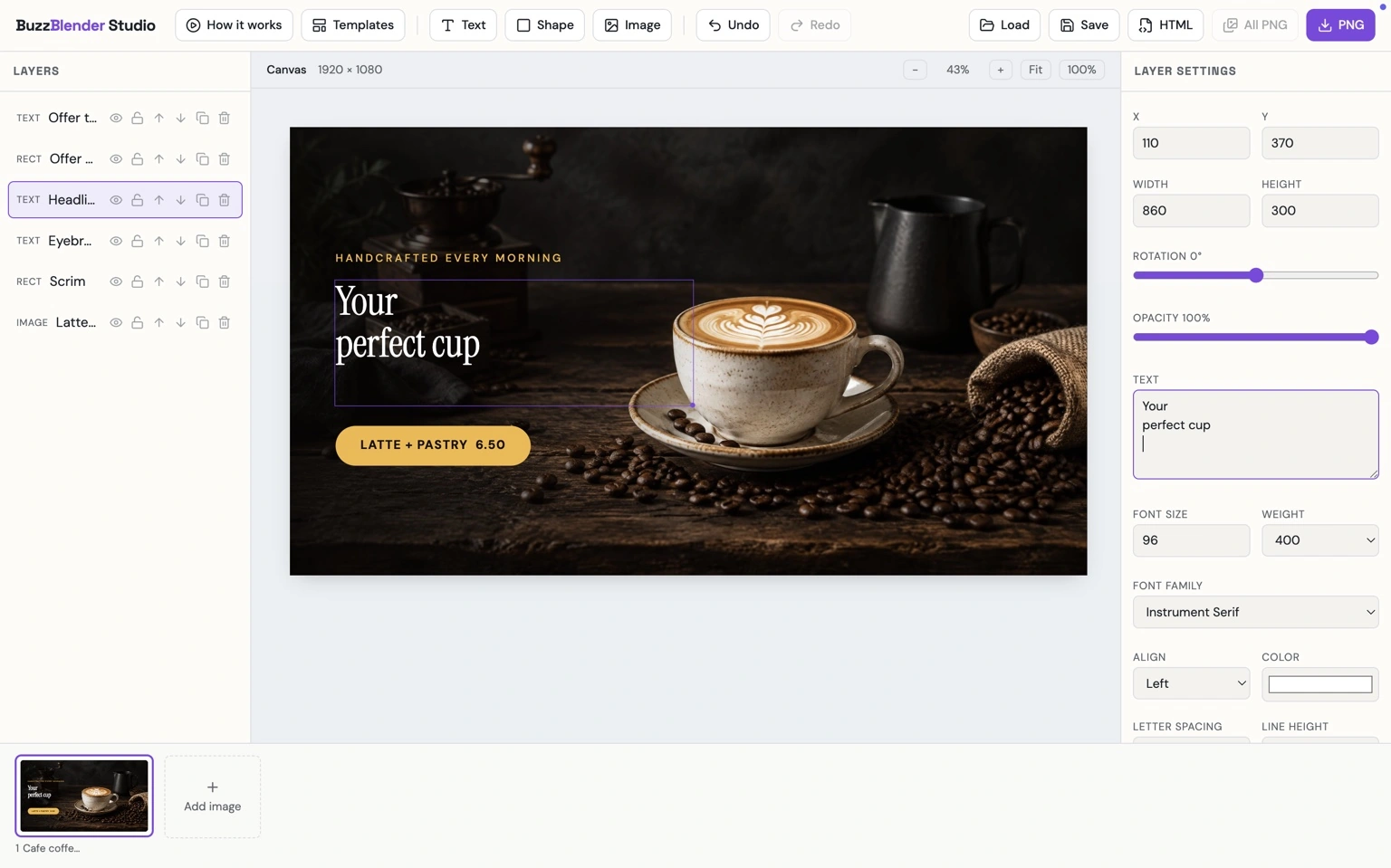
Buzzblender Studio
BuzzBlender Studio is a simple design tool for creating eye-catching digital signage content for small businesses. Build promotions, special offers, menus, product showcases, service announcements, and branded screen content using text, images, and shapes.
Customize every design to match your business brand and create professional, screen-ready content in minutes—without needing advanced design skills. Whether you run a retail store, restaurant, salon, gym, clinic, office, or other local business, BuzzBlender Studio makes it easy to create content that gets noticed..
Menu Board
Build eye-catching digital menu boards with an intuitive drag-and-drop editor. Choose from professionally designed templates, add your branding, upload photos, and keep your menus up to date without graphic design experience.
Affordable Digital Signage Pricing for Small Business
Starting at $5 per screen / month
No contracts, no hidden fees, no expensive add-ons. Start with one screen and add more as you grow.
Use code WELCOME100 — your first month is free
Frequently Asked Questions
What is digital signage for small business?
Digital signage for small business uses TVs, monitors, or commercial displays to show digital menus, promotions, advertisements, prices, announcements, videos, and other business content. Cloud-based digital signage software allows this content to be managed remotely.
Is digital signage affordable for a small business?
It can be. BuzzBlender currently lists its Basic plan at $5 per screen per month. Actual deployment cost also depends on whether you already own compatible screens or need additional hardware.
Can I use my existing TV for digital signage?
Possibly. BuzzBlender supports several environments, including Android, LG webOS, Samsung Tizen, Windows, and web browser playback. Check your specific TV or display for compatibility before deployment.
What businesses can use digital signage?
Digital signage can be used by cafes, coffee shops, restaurants, bars, retail stores, salons, gyms, fitness studios, real estate agencies, offices, clinics, hotels, and many other businesses.
Can I manage digital signage remotely?
Yes. Cloud-based digital signage software such as BuzzBlender allows businesses to upload content, manage playlists, schedule campaigns, and control connected screens remotely.
Can I manage multiple business locations?
Yes. BuzzBlender supports multi-location management from a centralized cloud dashboard. Screens can be organized into groups, while individual locations can have their own playlists and schedules.
Can I schedule content automatically?
Yes. BuzzBlender allows businesses to schedule content according to time, day, individual screen, or screen group.
Can digital signage work if the internet goes down?
BuzzBlender supports offline playback on supported deployments. Once content is downloaded to the device, it can continue playing during a temporary internet interruption and synchronize again when connectivity returns.
Can I add QR codes to digital signage?
Yes. BuzzBlender supports QR code overlays. Businesses can use them to direct customers to websites, online ordering, booking pages, menus, product information, promotions, feedback forms, or other online destinations.
Digital Signage for Small Business: Turn Your Screens Into Powerful Marketing Tools
For a small business, every customer interaction matters.
The screen behind a cafe counter, TV in a waiting area, display in a shop window, or monitor at reception can do more than show static content. With the right digital signage for small business, these screens can become flexible communication and marketing tools.
A cafe can promote its morning specials. A retail store can advertise a limited-time discount. A salon can showcase services. A gym can display classes and membership offers. A real estate agency can feature available properties. An office can publish internal announcements.
Instead of repeatedly printing posters or manually replacing content, cloud-based digital signage software lets small businesses manage screens remotely.
BuzzBlender provides a cloud-based platform for uploading content, creating playlists, scheduling campaigns, monitoring screens, and managing multiple displays from one dashboard.
For businesses that already have compatible TVs or displays, digital signage can also be surprisingly affordable.
What Is Digital Signage for Small Business?
Digital signage is the use of screens to display business content such as promotions, menus, prices, announcements, videos, product information, or branded messages.
The screen itself is only one part of the system.
Digital signage software controls what appears on the screen and when it appears.
Instead of connecting a USB drive every time you want to change an advertisement, cloud-based digital signage lets you manage content remotely.
For example, a small business owner could upload a new promotion from a laptop, schedule it for Monday morning, and publish it to one or several screens without visiting each display.
BuzzBlender provides cloud-based content management, remote screen control, playlists, scheduling, multi-screen management, multi-location management, QR code overlays, and real-time content updates.
This makes digital signage practical for businesses ranging from a single-location coffee shop to a growing company managing screens across several branches.