
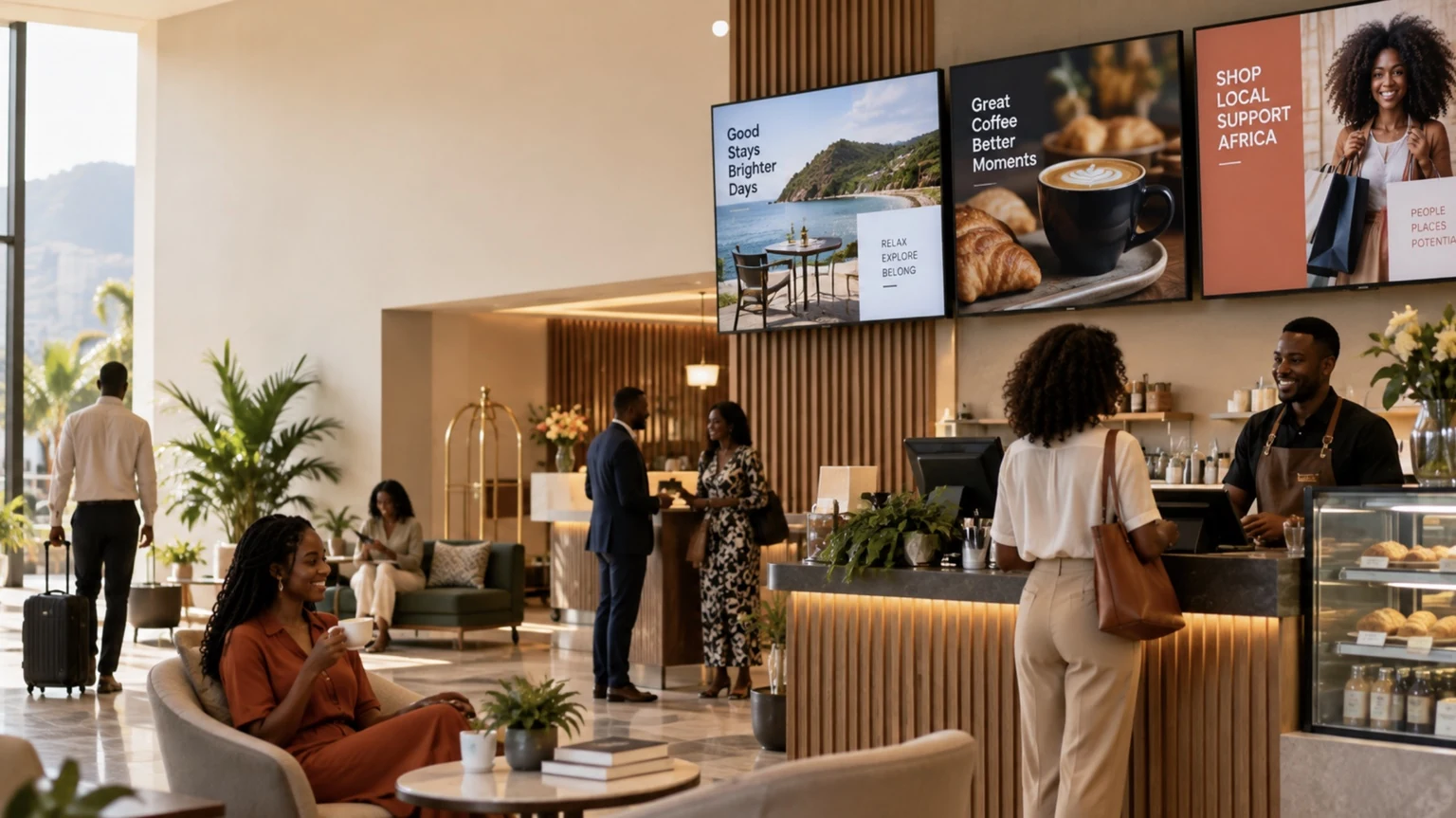
Walk into a modern café, hotel lobby, restaurant, or retail store and there is a good chance you will see at least one television screen. Increasingly, that screen is doing more than showing television.
It may display a breakfast menu in the morning, promote a special offer during lunch, provide directions to hotel guests, highlight new products in a shop, or communicate information that staff previously had to print and replace manually.
The important change is not simply that businesses are installing more screens. It is that Smart TVs are making those screens easier to connect to software and manage as part of a digital signage system.
For African retail and hospitality businesses, this can lower one of the practical barriers to adopting digital signage: the need for complicated dedicated hardware. However, using a Smart TV for signage is not automatically the right choice in every environment. Connectivity, screen compatibility, operating hours, brightness, remote management, and reliability all matter.
Understanding those trade-offs can help businesses decide whether the Smart TVs they already own—or are considering purchasing—can become useful communication tools.

$5 per Screen / Month
One platform. All features included.
Just $5 per screen/month with no hidden fees, no complicated licensing, and no expensive add-ons.
Deploy more screens while keeping costs under control
What Is Smart TV Digital Signage?
Digital signage is the use of screens to present information to an audience. The content can include menus, product information, advertisements, announcements, images, videos, directions, event schedules, QR codes, or other business information.
Traditional digital signage installations often pair a display with an external media player. The player receives content from signage software and sends it to the screen.
Smart TVs change this arrangement because they already contain an operating system and network connectivity.
Depending on the television and signage platform, software can run through a Smart TV application, its operating system, or a web browser. Some systems therefore allow businesses to operate signage without attaching a separate media player to every television.
This distinction is particularly relevant for businesses that already have compatible screens.
For example, current digital signage solutions for businesses in Namibia support compatible LG webOS, Samsung Tizen, Android, and browser-based displays. That illustrates a wider shift in the signage market: software is increasingly capable of working across consumer Smart TVs, commercial displays, and other connected hardware rather than depending exclusively on a proprietary player.
Why Smart TVs Matter in African Markets
It is difficult to discuss technology adoption across Africa as though every market has identical conditions.
A retailer in central Johannesburg may face very different infrastructure, connectivity, purchasing, and support considerations from a lodge in rural Namibia or an independent restaurant in another part of the continent.
Nevertheless, improving digital connectivity is creating more opportunities for cloud-managed business technology.
GSMA reported that mobile technologies and services contributed $220 billion to Africa’s economy in 2024. At the same time, significant connectivity challenges remain: 416 million people were using mobile internet, while a much larger portion of the population remained unconnected or faced a usage gap despite living within network coverage. (GSMA)
For digital signage, this creates an important practical lesson.
Businesses should not assume that an internet-dependent signage configuration suitable for one African location will automatically perform equally well elsewhere. Connectivity has to be evaluated at the individual business location.
Where reliable connectivity and compatible hardware are available, however, a Smart TV can become an accessible endpoint for centrally managed content.
From Television to Business Communication Screen
The difference between an ordinary TV and useful digital signage is primarily what happens behind the screen.
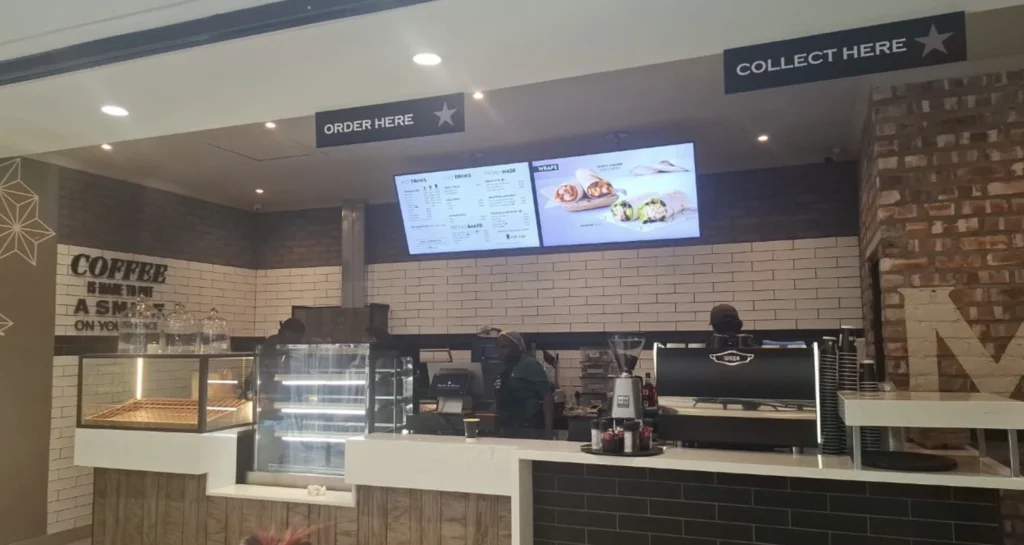
Imagine a restaurant with three televisions above its ordering counter.
If employees copy new menu graphics onto USB drives whenever prices change, those televisions are digital displays, but managing them is still largely manual.
Connect compatible screens to cloud-based signage software and the workflow changes.
A manager can prepare content centrally and distribute it to connected screens. Depending on the platform, content can also be scheduled for particular dates or times and managed across multiple locations.
This means the television becomes part of a managed communication network rather than an isolated screen.
That distinction is especially useful in retail and hospitality, where information can change frequently.
How Retailers Can Use Smart TV Signage
Retail signage has traditionally relied heavily on printed materials: window posters, shelf promotions, campaign graphics, price notices, and banners.
Printed signage remains useful, but it has an obvious limitation. Once printed, the message is static.
Digital screens allow retailers to change selected messages without physically replacing the sign.
Consider a clothing retailer running a weekend campaign. Screens near the entrance might introduce the campaign, while displays deeper inside the shop highlight particular collections. Once the promotion ends, the content can be replaced or scheduled to stop.
The same approach can be applied to new arrivals, seasonal campaigns, loyalty programmes, store information, product demonstrations, and QR codes leading customers to relevant online information.
This becomes even more useful for retailers with several branches.
Instead of asking employees at every location to replace a USB file or poster, a centralized signage platform can allow authorized staff to manage connected displays remotely.
That does not eliminate the need for local oversight. Someone still needs to confirm that displays are positioned correctly, powered on, connected, and presenting the intended content. But it can significantly change how updates are distributed.
Why Hospitality Businesses Have Different Needs
Hotels, lodges, cafés, restaurants, and other hospitality businesses have one characteristic that makes digital signage particularly useful: what customers need to know often changes throughout the day.
A hotel lobby might show breakfast hours in the morning and conference information later.
A restaurant might need breakfast, lunch, and dinner menus.
A lodge could use reception screens for activity schedules, dining information, transport notices, or guest guidance.
A café might promote hot drinks during a cold morning before switching to lunch specials later in the day.
This is where scheduling becomes more important than simply putting an attractive image on a television.
Digital Menu Boards Are a Natural Smart TV Application
Restaurants and cafés provide one of the clearest examples of how Smart TVs can change signage.
A printed menu board is easy to understand and does not depend on electricity or connectivity. But changing it can require redesigning and reprinting the material.
Digital menu boards make frequently changing content easier to manage.
A restaurant can potentially display one menu during breakfast and another later in the day. Prices, available items, promotions, photographs, and announcements can be changed digitally rather than requiring a new physical board.
Businesses exploring this approach can look at examples of digital menu board software for restaurants and cafés to understand how menu scheduling and screen management work in practice.
Good digital menu boards should still follow basic visual communication principles. Text needs to be readable from the customer’s viewing distance, prices should be easy to find, and promotional graphics should not make the core menu difficult to understand.
More movement is not necessarily better. A clear menu that customers can understand in seconds is often more useful than an overloaded screen full of animations.
Smart TVs Can Reduce Hardware Complexity, but Not Always
One of the most appealing aspects of Smart TV signage is the possibility of using hardware a business already owns.
If a compatible Smart TV can run the required signage application or browser experience directly, an external media player may not be necessary.
That can mean fewer devices, power adapters, cables, and pieces of hardware to install and maintain.
But businesses should verify compatibility before building a signage strategy around existing televisions.
Smart TV operating systems differ significantly. Common platforms include Samsung Tizen, LG webOS, Android TV, Google TV, and various browser-based environments. Software that works on one platform may not work in the same way on another.
Even televisions using the same operating-system family can differ by model and generation.
For example, current digital signage software for businesses in Namibia lists support for compatible LG webOS, Samsung Tizen, Android, and browser-based displays rather than claiming that every television will work automatically.
Compatibility should therefore be checked before purchasing a large number of screens.
Consumer Smart TVs and Commercial Displays Are Not the Same
Another common mistake is assuming that every Smart TV is a substitute for a commercial signage display.
It is not.
Consumer televisions are generally designed for home entertainment. Commercial displays are designed for business environments and may provide features or operating specifications intended for longer daily usage, centralized control, brighter environments, portrait installations, or other professional requirements.
A consumer Smart TV may be perfectly adequate for a small café running a menu during normal opening hours. It may be much less appropriate for a high-traffic location requiring a display to operate for very long periods every day.
Businesses should evaluate at least four things before choosing hardware:
| Question | Why It Matters |
|---|---|
| How many hours will the screen run each day? | The intended operating duty can influence whether consumer or commercial hardware is appropriate. |
| How bright is the location? | A screen facing strong daylight may require higher brightness than one inside a dim restaurant. |
| Does the signage software support the exact TV? | Smart TV compatibility varies by operating system, model, and software. |
| What happens if the screen loses connectivity? | Businesses should understand how their chosen platform handles interruptions and content availability. |
The least expensive screen is not necessarily the least expensive solution over its entire working life.
Centralized Management Changes Multi-Location Signage
The operational advantage becomes clearer when a company has several locations.
Consider a retailer with stores in Johannesburg, Cape Town, and Durban, or a hospitality group operating properties across several towns.
Without centralized management, each location may be responsible for updating its own screen content. That creates opportunities for old promotions to remain visible, incorrect files to be displayed, or branding to vary between locations.
Cloud-managed signage can provide a single place from which authorized users manage connected displays.
South African businesses can see how this type of setup works through examples of digital signage in South Africa, where content, playlists, scheduling, screen monitoring, and multiple locations can be handled through a centralized platform.
The operational benefit is consistency rather than simply having more screens.
Head office can manage national campaigns while individual branches can still receive location-specific content when the system supports that workflow.
Scheduling May Be More Valuable Than Animation
When businesses first adopt digital signage software, attention often goes to visual effects: video, transitions, photography, and animation.
Scheduling can be more useful.
A well-designed content schedule answers a simple question:
What information is most useful to this audience right now?
For a café, the answer at 8:00 a.m. may be breakfast and coffee.
At 1:00 p.m., it may be lunch.
For a hotel, morning screens may focus on breakfast and departures, while afternoon displays provide event or dining information.
Retailers can use the same principle for weekday and weekend campaigns or time-sensitive promotions.
Scheduling turns signage from a digital poster into a communication system that changes according to context.
QR Codes Can Connect the Physical and Digital Customer Journey
Smartphones also change what a signage screen can do.
A QR code displayed on a screen can direct customers from a physical location to online information. A retailer might link to detailed product information or a loyalty programme. A hotel could provide access to guest information, while a restaurant might connect customers to an online ordering or information page.
The screen does not need to contain every piece of information itself.
Instead, it can act as a starting point.
This is especially useful when the information would be difficult to fit onto a television without making the design cluttered.
Businesses should still make the destination clear. Customers are more likely to understand a QR code when the screen explains what they will receive after scanning it.
Connectivity Still Deserves Serious Attention
Cloud-managed signage depends on network infrastructure to some degree, which makes connectivity an important planning issue.
This is particularly relevant across African markets where connectivity conditions can differ significantly between urban centres, smaller towns, and remote hospitality destinations.
GSMA data shows both the continued expansion of mobile connectivity and the substantial usage and coverage challenges that remain in Sub-Saharan Africa. (GSMA)
Before deploying signage, a business should therefore investigate how the chosen system behaves when connectivity is interrupted.
Questions worth asking include whether previously loaded content continues playing, what happens to scheduled updates, how the screen reconnects, and whether staff can determine remotely that a display has stopped communicating with the platform.
These questions can matter more in practice than the number of visual effects a platform provides.
The Hidden Benefit: Less Manual Screen Management
The biggest advantage of Smart TV signage may not be visible to customers at all.
It is the reduction in repetitive work behind the scenes.
Consider a hotel employee who needs to replace a promotional file on five televisions. If each screen requires a USB drive, the employee must physically visit every display.
Multiply that workflow across several properties and frequent content changes become an operational task.
Remote management changes the process.
Instead of treating every TV as an individual device that must be visited, compatible screens can be managed as part of a network.
For businesses expanding across multiple locations, that can become increasingly important.
Smart TV Digital Signage: Advantages and Limitations
Smart TV signage is attractive because it can simplify deployment, particularly where compatible screens are already available. It can support remote updates, scheduled content, centralized management, and use cases ranging from retail promotions to hotel information and restaurant menus.
It also has limitations.
Compatibility must be confirmed. Internet reliability needs consideration. Consumer televisions may not be suitable for demanding commercial environments, and screen placement, brightness, warranty conditions, operating hours, and physical security still require planning.
In other words, Smart TV signage removes some traditional hardware complexity. It does not remove the need to design the overall system carefully.
What Businesses Should Check Before Getting Started
A practical signage project should begin with the business problem rather than the technology.
A retailer might want to update promotions across several branches more consistently. A restaurant may need menu prices that are easier to change. A hotel might want a better way to communicate events and guest information.
Once the objective is clear, the business can determine where screens are needed, what content they will display, how often that content changes, and who will be responsible for maintaining it.
Hardware and software decisions come after those questions.
Businesses should then verify screen compatibility, network reliability, expected daily operating hours, remote-management requirements, content formats, and the total cost of operating the system.
Starting with a small deployment can also reveal practical problems before screens are installed across multiple locations.
A Broader Shift in Business Screens
The transformation of Smart TVs into digital signage reflects a broader change in how businesses think about screens.
A television no longer has to be a passive device with one fixed purpose.
With the appropriate software and connectivity, compatible screens can become remotely managed communication endpoints used for menus, promotions, information, directions, internal communications, or customer interaction.
For African retail and hospitality businesses, that flexibility is significant because it provides more ways to modernize customer communication without assuming that every deployment requires a complex specialist installation.
In Namibia, for example, businesses can already evaluate cloud-managed signage designed around compatible existing displays through digital signage software for Namibian businesses. In South Africa, similar approaches are available for businesses considering Smart TV digital signage and centralized screen management.
The technology itself, however, is only part of the equation.
The most effective signage starts with a useful message, puts it on the right screen, and shows it at the right time.
What Our Customers Say
⭐⭐⭐⭐⭐
Simple, Reliable, and Surprisingly Affordable Digital Signage
We tried several digital signage solutions before switching to BuzzBlender, and it has easily been the simplest and most reliable option we’ve used.
Setting it up on our Samsung displays was quick and straightforward. Managing content is just as easy—even for team members who aren’t particularly tech-savvy. We can update our screens in real time, launch promotions, change menu content, and manage everything remotely without needing any additional hardware.
What really sets BuzzBlender apart is the combination of simplicity and affordability. It gives us everything we need without the complexity or high costs of other systems—and at just $5, the value is hard to beat.
Aadan
Take control of your screens today with Buzzblender
Frequently Asked Questions
Can a normal Smart TV be used for digital signage?
In many cases, yes, but compatibility depends on the television, its operating system, and the digital signage software being used. Businesses should verify the exact model before assuming that an existing television can run signage directly.
Do Smart TVs need a media player for digital signage?
Not always. Some compatible Smart TVs can run signage software through their built-in operating system, an application, or a web browser. Other installations still require an external media player.
Are Smart TVs suitable for restaurant menu boards?
They can be. Restaurants and cafés can use compatible displays for menus, prices, promotions, images, and scheduled breakfast, lunch, or dinner content. Screen readability and suitability for the intended operating hours should also be considered.
Is a consumer Smart TV the same as a commercial digital signage display?
No. Commercial displays are designed specifically for business use and may offer different brightness, operating-hour ratings, warranties, installation options, and management capabilities. The appropriate choice depends on the environment.
Can businesses manage Smart TV signage remotely?
Yes, when the television is compatible with a cloud-based digital signage platform that provides remote management. The available controls depend on the software and hardware combination.
What happens when the internet goes down?
This depends on the signage system. Businesses should confirm how their selected platform handles cached content, reconnection, scheduled updates, and offline operation before deployment.
Is Smart TV signage useful for businesses with several branches?
It can be particularly useful for multi-location organizations when screens can be managed centrally. Retailers, restaurants, and hospitality groups can distribute and schedule content without manually visiting every screen.
Conclusion
Smart TVs are making digital signage more accessible because many modern screens already contain the computing and connectivity needed to work with digital signage software.
For African retailers, that can mean faster promotion updates and more consistent communication between branches. For restaurants and cafés, it can mean menus that change with the time of day. For hotels and hospitality businesses, screens can provide timely guest information without relying entirely on printed materials.
The opportunity is substantial, but successful deployment requires more than buying a television and connecting it to Wi-Fi.
Businesses need to think about compatibility, connectivity, operating conditions, content management, readability, and who will maintain the system.
When those fundamentals are handled well, a Smart TV stops being simply a television.
It becomes part of the business’s communication infrastructure.


Leave a Reply