Introduction
Looking for the best apps for Titan OS on Philips TVs?
Titan OS is a relatively new Smart TV platform, and many users quickly realize that its app ecosystem is more limited compared to Android TV. This raises common questions like:
- What apps are available on Titan OS?
- Can you install new apps?
- What are the best alternatives?
In this guide, we’ll cover the full list of Titan OS apps, limitations, and the best solutions if your app is missing.
What Apps Are Available on Titan OS?
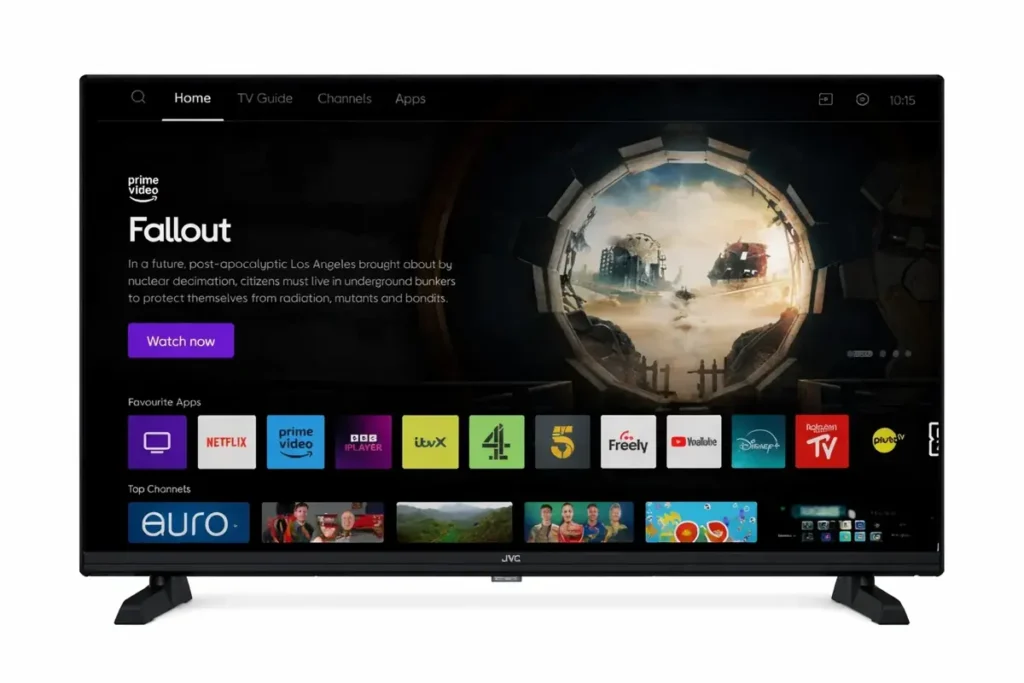
Titan OS focuses on a curated selection of apps, mostly centered around streaming and essential services.
Popular streaming apps
- Netflix
- YouTube
- Amazon Prime Video
- Disney+ (availability depends on region)
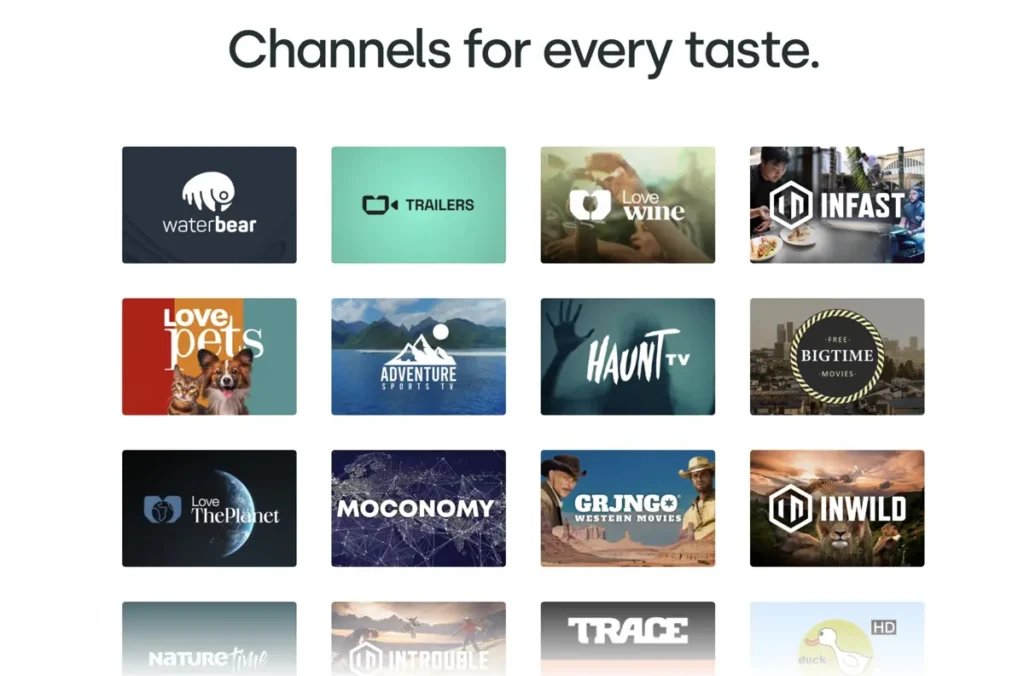
Live TV & free content
- FAST channels (Free Ad-Supported TV)
- Built-in content hubs
Web-based apps
Some apps on Titan OS are not traditional installs but web-based experiences, meaning:
- they run via browser-like interfaces
- they are optimized for TV screens
Titan OS App Store: What to Expect
The Titan OS App Store is more limited than Google Play Store.
Key characteristics:
- curated apps only
- no APK installation
- fewer niche or business apps
This is the biggest limitation of Titan OS. But we know it’s only question of time!
Can You Install Any App on Titan OS?
Short answer: No.
Unlike Android TV:
- you cannot install APK files
- you cannot sideload apps
- you are limited to the official store
This is why many users search for:
- “how to install apps on Titan OS”
- “Titan OS missing apps”
Best Apps for Titan OS (By Category)
Entertainment
- Netflix
- YouTube
- Prime Video
Free TV & streaming hubs
Focus on the linear viewing experience, but users can also watch certain contents on demand (AVOD)
- FAST channels
- built-in recommendations
Music (limited)
- YouTube Music (via YouTube)
Missing Apps on Titan OS
Many popular apps are not available:
- Spotify (in some regions)
- Plex
- Kodi
- many IPTV apps
- most business tools
This creates a gap — especially for commercial use cases.
Best Alternatives If Your App Is Not Available
If you can’t find the app you need, here are your options:
1. Use External Devices
You can connect:
- Amazon Fire Stick
- Android TV Box
- Apple TV
✅ Pros:
- full app access
❌ Cons:
- extra hardware
- more complexity
2. Use Web-Based Solutions
Some platforms work directly via browser-based apps.
This is how Titan OS supports certain services.
3. Use Specialized Apps (Best Option for Business)
For business use cases like digital signage, you need apps built specifically for Titan OS.
Digital Signage on Titan OS
One of the biggest gaps in Titan OS is digital signage support.
Most platforms like:
- Yodeck
- TelemetryTV
- ScreenCloud
❌ do not support Titan OS
✅ Solution: Buzzblender. The best app for Digital Signage for Titan OS
Buzzblender is designed to work with Titan OS and allows you to:
- display menus in cafés
- run promotions in retail stores
- manage content remotely
- schedule playlists
- add QR code overlay to your media
👉 This makes it one of the few digital signage apps for Titan OS. Don’t forget about pricing! Buzzblender digital signage app is very affordable ($5 per screen per month)
No card commitment!
Titan OS vs Android TV Apps
| Feature | Titan OS | Android TV |
|---|---|---|
| App store | Limited | Large |
| APK support | ❌ No | ✅ Yes |
| Business apps | Few | Many |
| Flexibility | Low | High |
Android TV is more flexible, but Titan OS is simpler.
FAQ: Titan OS Apps
What apps are available on Titan OS?
Titan OS supports major streaming apps like Netflix, YouTube, and Prime Video, but has a limited overall app selection.
Can I install apps on Titan OS manually?
No, Titan OS does not support manual installation or APK files.
Why are apps missing on Titan OS?
Because the platform uses a curated app ecosystem with strict limitations.
What is the best solution if my app is not available?
Use an external device or a compatible app built specifically for Titan OS.
Conclusion
Titan OS is a fast and simple platform, but its limited app ecosystem can be frustrating.
If you’re looking for the best apps for Titan OS, you’ll find:
- strong support for streaming
- limited options beyond entertainment
For advanced use cases like digital signage, you’ll need specialized solutions like Buzzblender.
Titan OS User Guides
What Our Customers Say
⭐⭐⭐⭐⭐
Finally, a Digital Signage Solution That Works on Titan OS
We run a busy cafe and needed a simple way to manage content on our Philips TVs with Titan OS — most solutions just didn’t work.
Buzzblender solved that immediately.
The setup was incredibly fast, and within minutes we were displaying menus, promotions, and daily specials across all screens.
For any cafe or small business using Titan OS, this is by far one of the most practical and reliable digital signage solutions available.
Jeffrey, cafe owner